Engineering
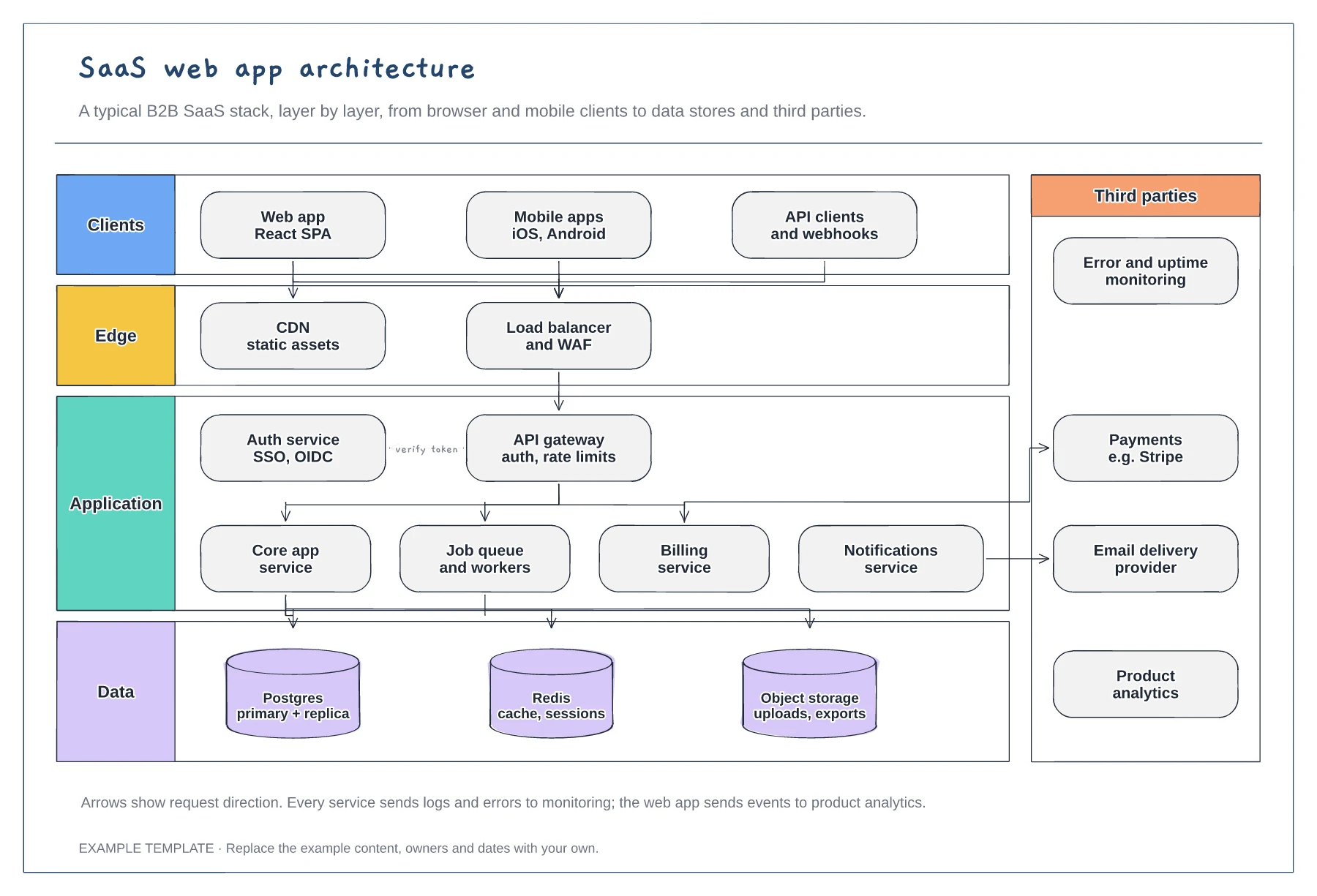
SaaS architecture diagram template
Client, edge, application and data layers · Services behind an API gateway and auth service · Third parties such as payments and email
Preview and use template →A C4 system context diagram is the zoomed-out first level of the C4 model: one box for your system, the people who use it and the systems it depends on. This example for a project tracking product shows three user roles, five external systems and labelled arrows saying what passes between them.
No account needed · Opens as your own editable page
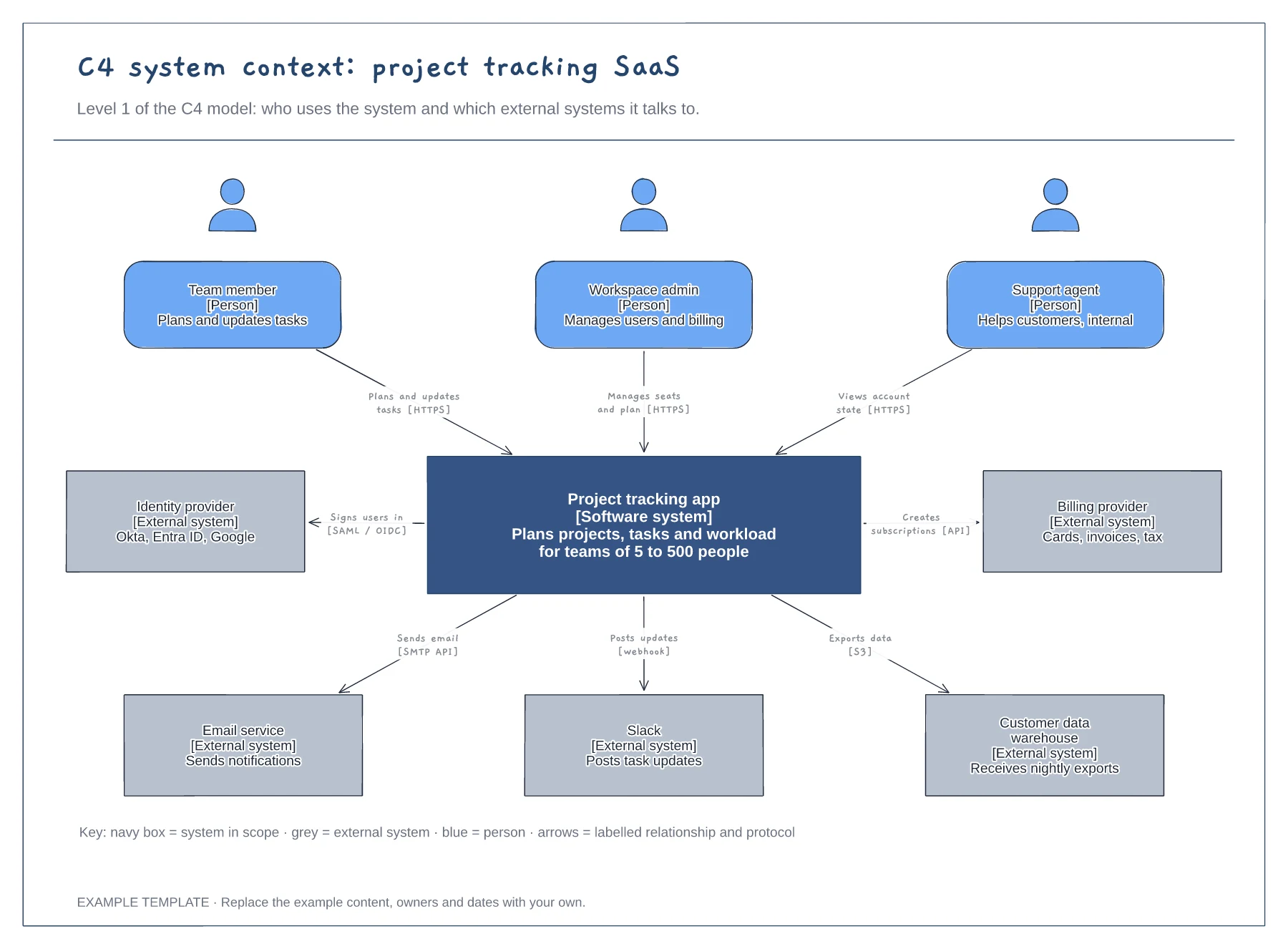
Write down every type of user, including internal staff such as support agents. Roles matter more than job titles, because they explain why someone uses the system.
Include the external systems your product talks to directly, such as identity, billing and email. Leave out internal services: they belong on the next level down, the container diagram.
Describe what each relationship does in plain words, then add the protocol in brackets. An unlabelled arrow forces readers to guess, which defeats the point of a context diagram.
Yes. Duplicate the page and replace the system in scope with its apps, databases and services, keeping the people and external systems at the edges.
No. Open the template and edit it in your browser. Your work saves on this device. An account is optional if you want to sync your workspace.
Yes. Use Export in the editor to save a PNG, SVG or PDF, or download an editable .epicdraw backup.
Client, edge, application and data layers · Services behind an API gateway and auth service · Third parties such as payments and email
Preview and use template →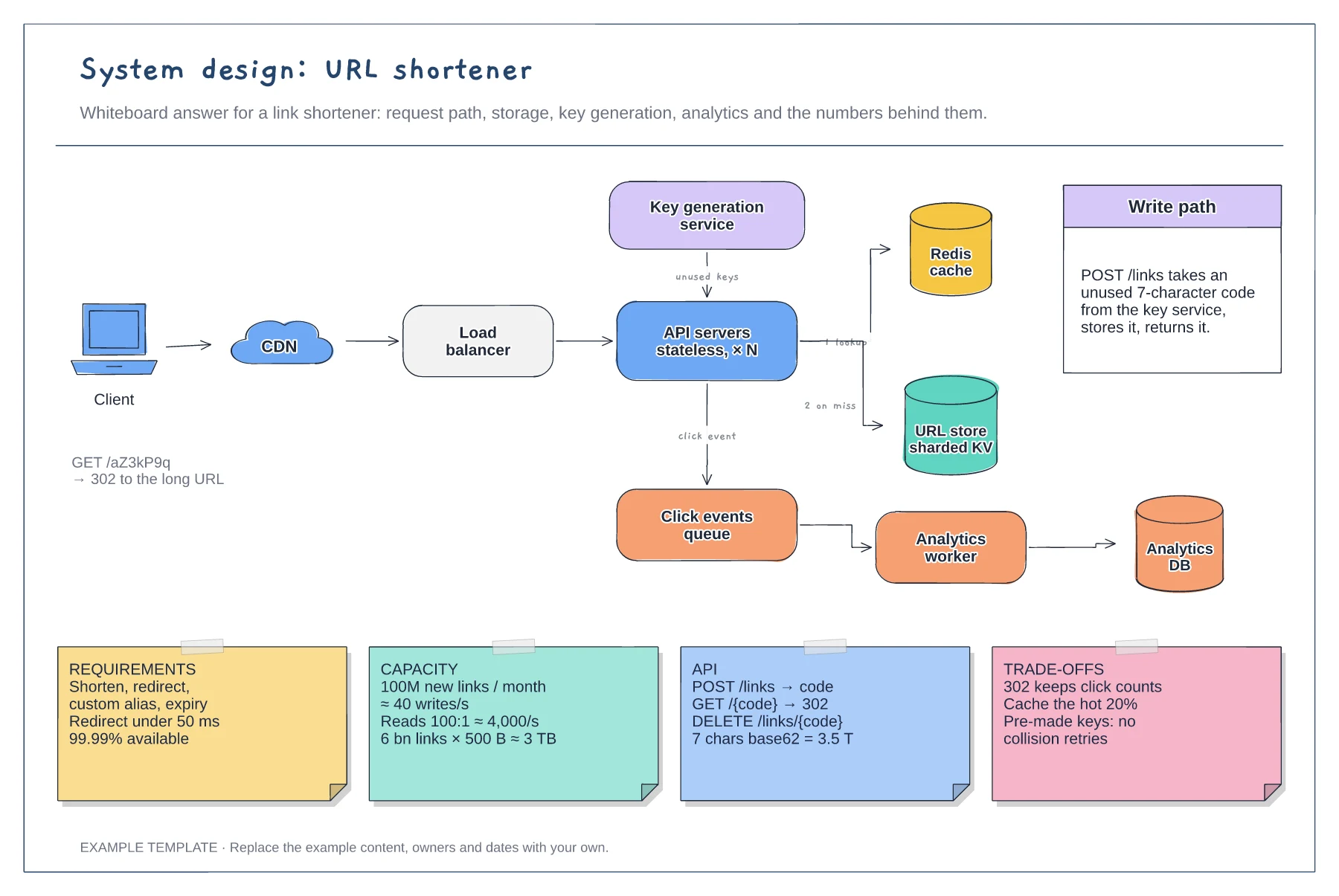
Read and write paths through cache and store · Key generation service and analytics queue · Requirement, capacity, API and trade-off notes
Preview and use template →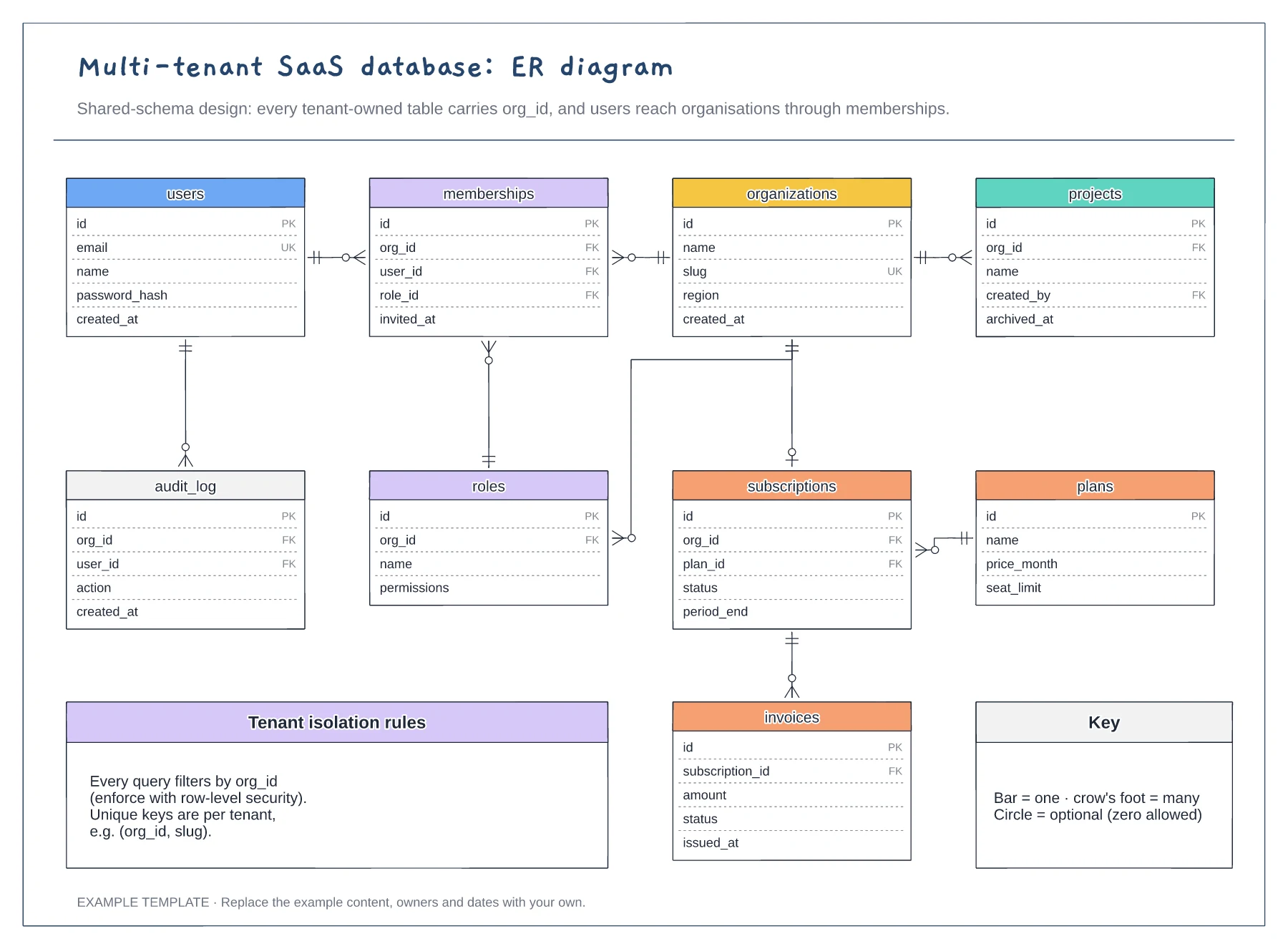
Nine tables with keys marked PK, FK and UK · Crow's foot relationships with optional ends · Tenant isolation rules and a notation key
Preview and use template →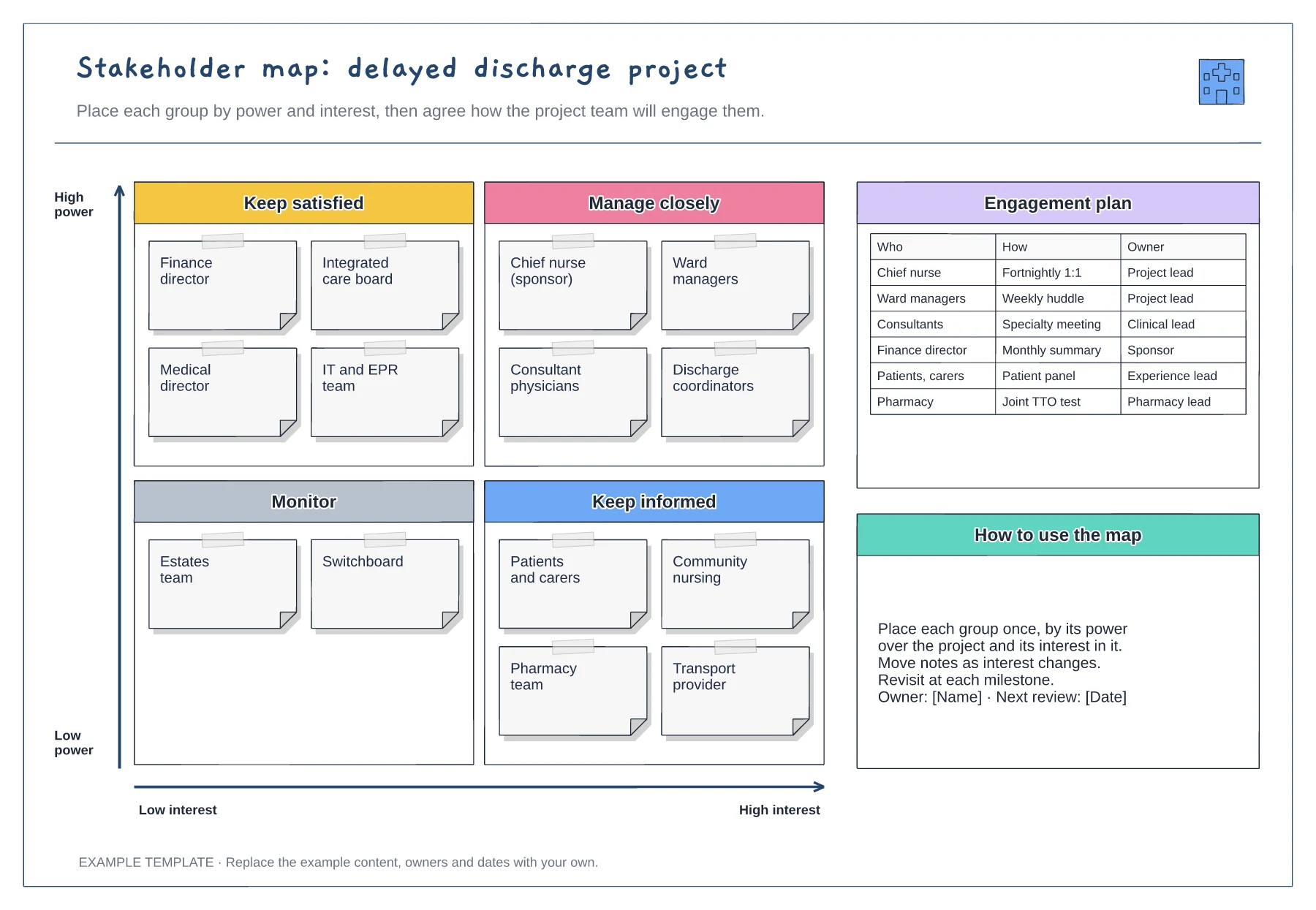
Power and interest grid · Stakeholder notes in four quadrants · Engagement plan with owners
Preview and use template →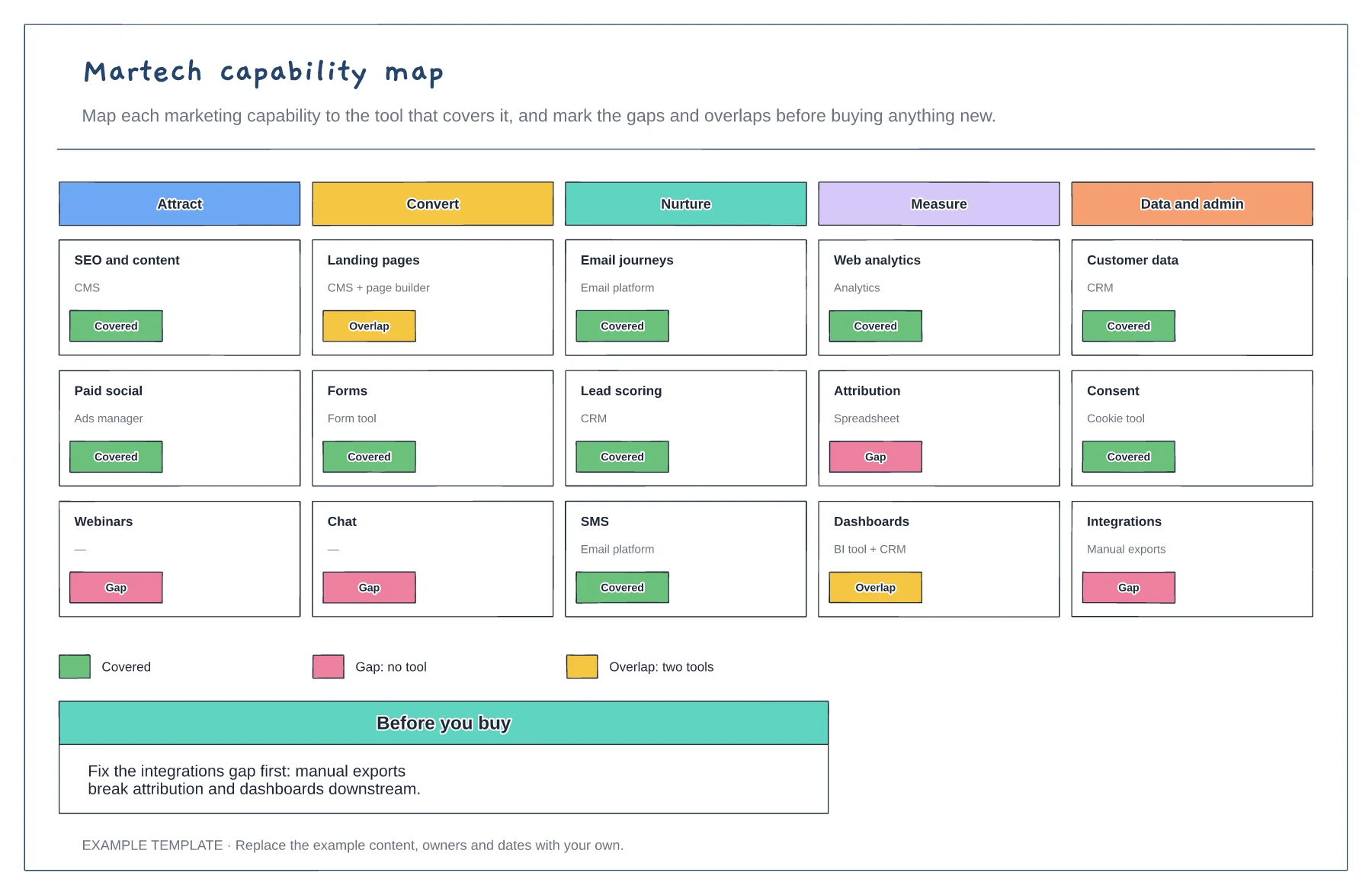
Capabilities in five stages · The tool covering each · Gaps and overlaps marked
Preview and use template →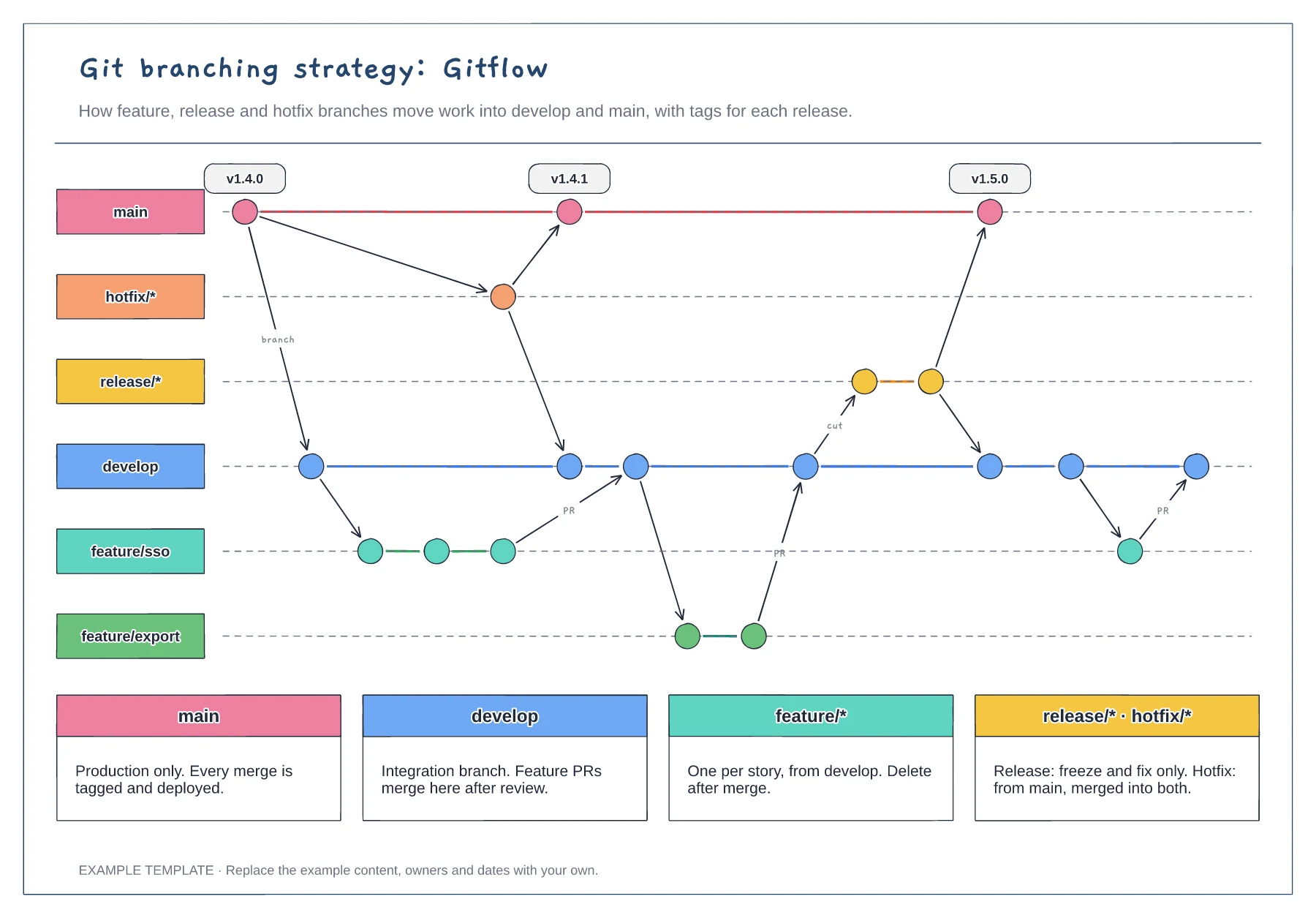
Lanes for main, develop, feature, release and hotfix · Commits, merges and version tags · One rule per branch type
Preview and use template →