Ecommerce
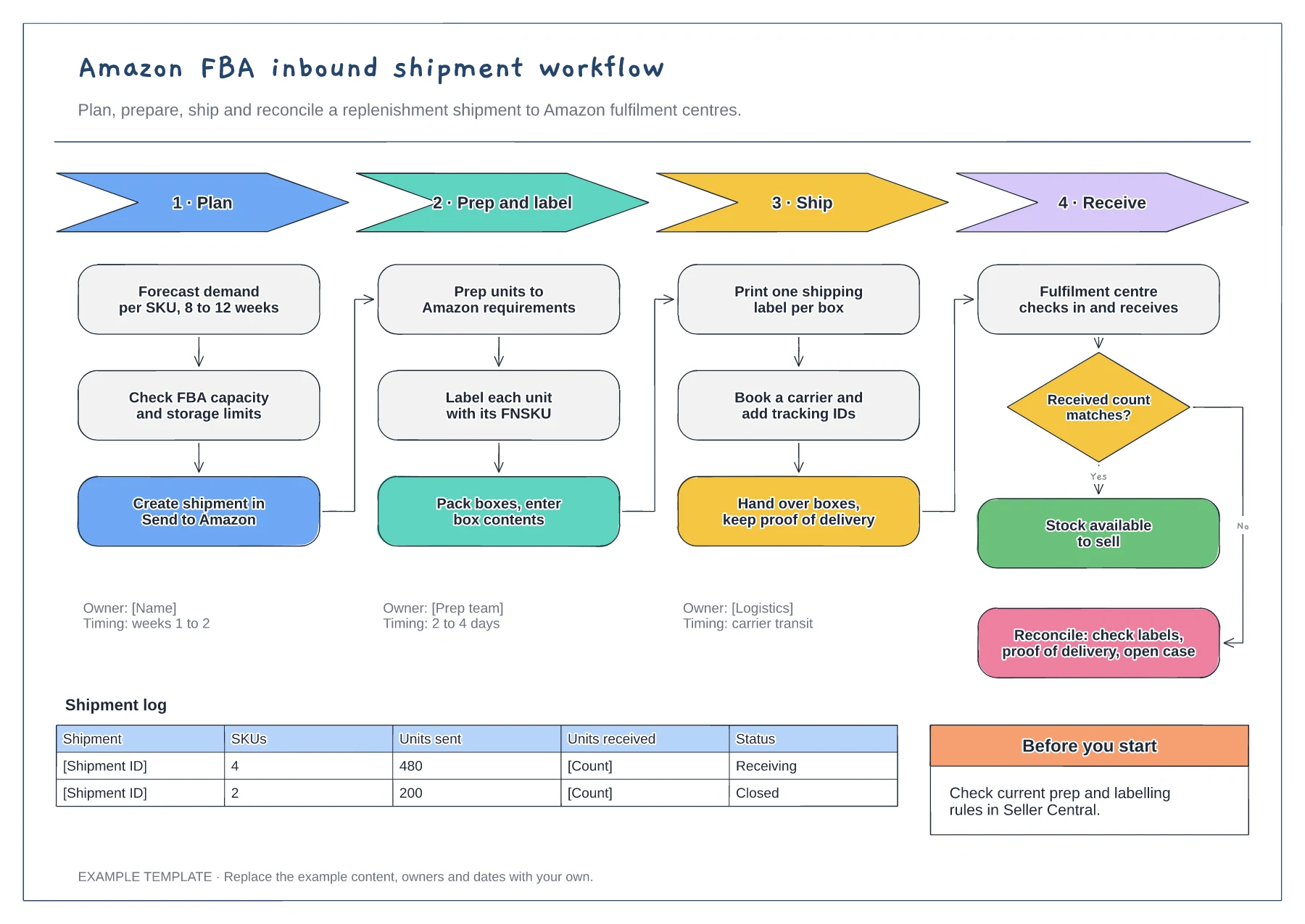
Amazon FBA inbound shipment workflow template
Four phases with their steps · Owners and timings per phase · Receiving check and shipment log
Preview and use template →A dropshipping process flow shows who does what when a supplier ships the products you sell directly to your customer. This example uses four swimlanes, for the customer, your store, the supplier and the carrier, to follow one order from checkout through supplier payment, packing, tracking sync and delivery, including what happens when the supplier is out of stock.
No account needed · Opens as your own editable page
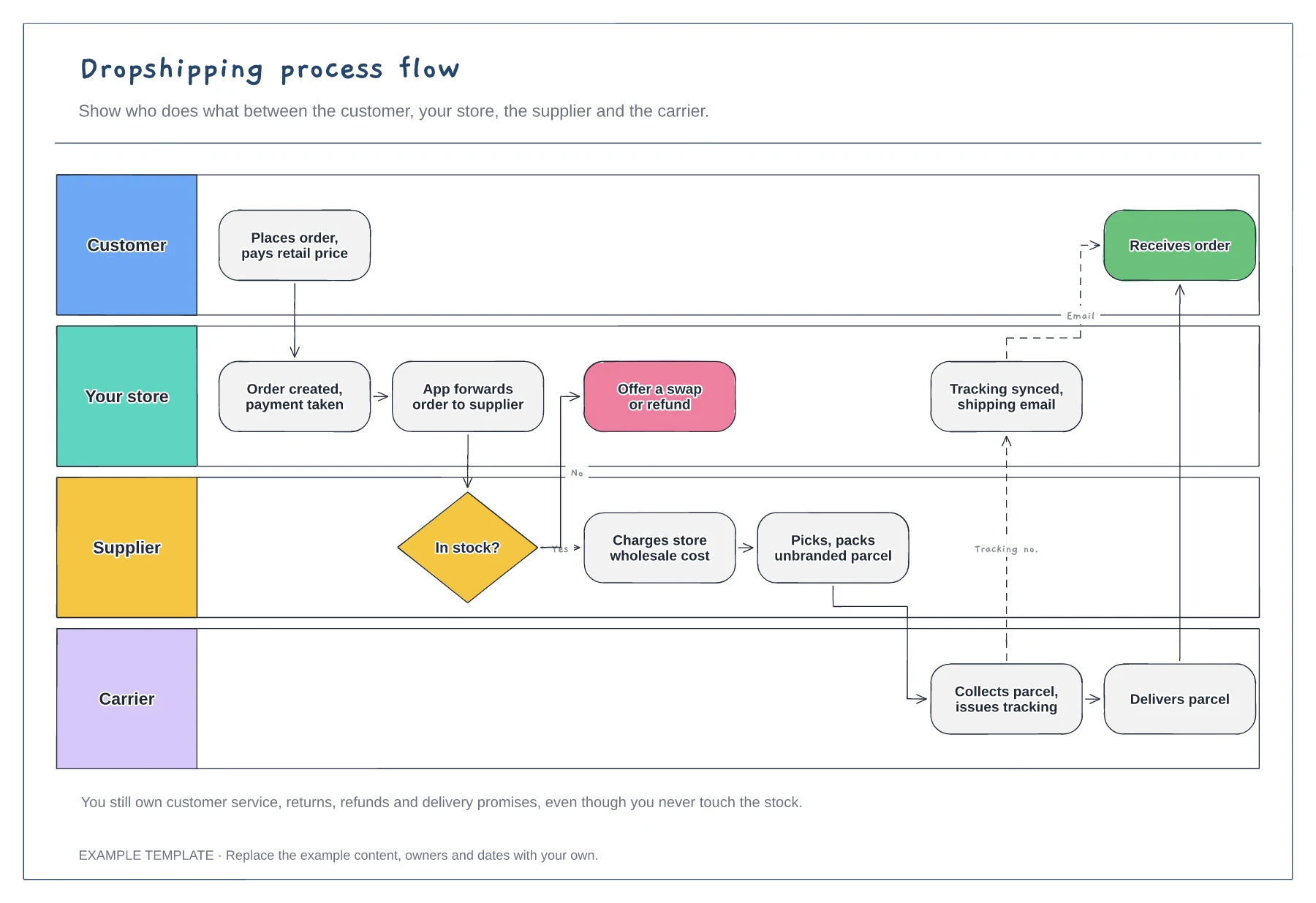
Check which steps your dropshipping app handles, such as forwarding orders and syncing tracking numbers, and which still need a person. Mark the manual steps so that someone clearly owns each one.
Agree what happens when the supplier cannot ship: another supplier, a swap or a refund. Decide how quickly you tell the customer, because a long silence can turn into a payment dispute.
Add your returns, refunds and support steps to the store lane. The customer bought from your shop, so they will contact you, not the supplier, when something goes wrong.
Add a lane for each supplier, or add a decision in the store lane that routes each order to the right supplier before the stock check.
No. Open the template and edit it in your browser. Your work saves on this device. An account is optional if you want to sync your workspace.
Yes. Use Export in the editor to save a PNG, SVG or PDF, or download an editable .epicdraw backup.
Four phases with their steps · Owners and timings per phase · Receiving check and shipment log
Preview and use template →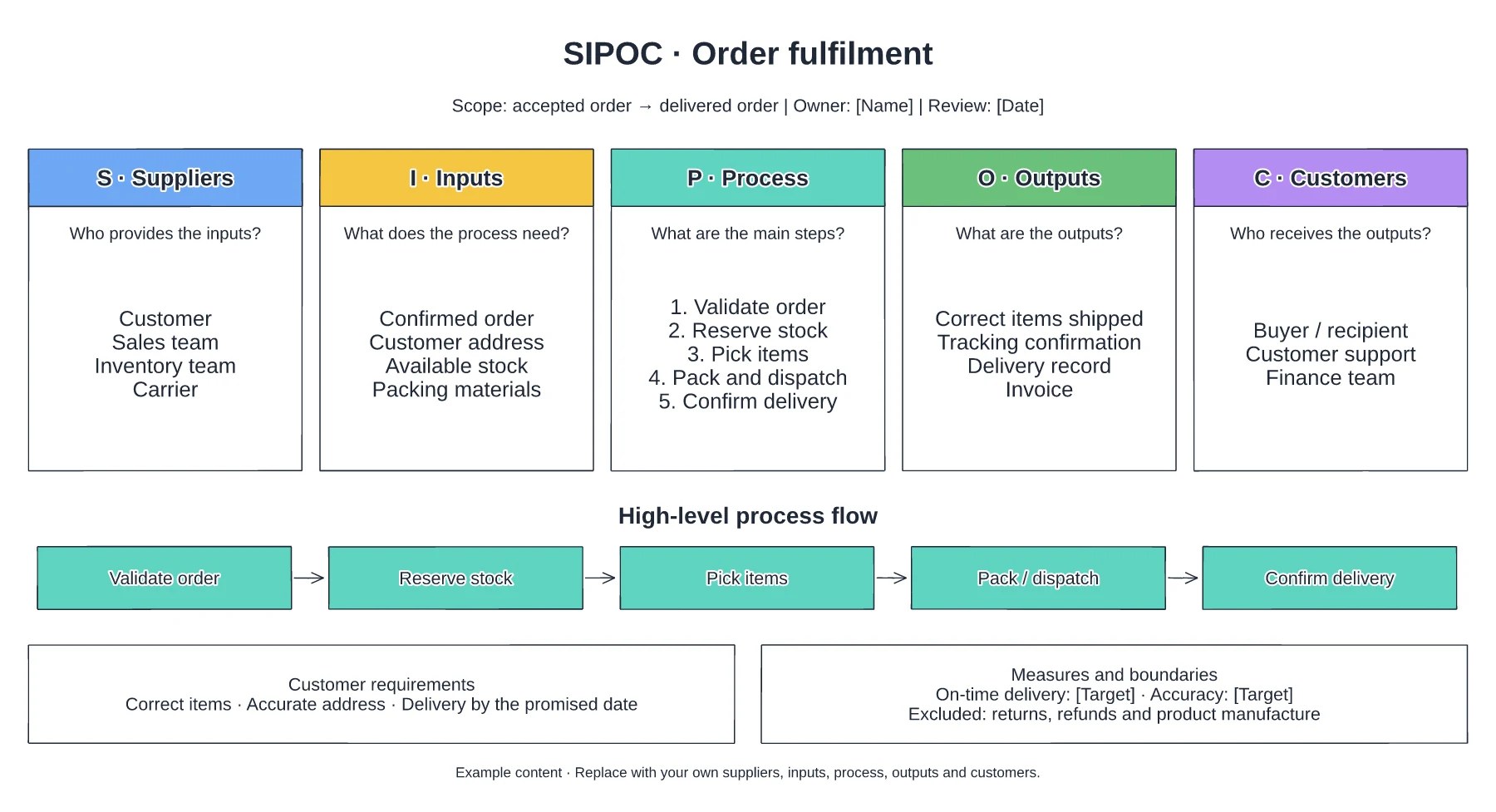
Suppliers and required inputs · High-level fulfilment stages · Outputs, customers and requirements
Preview and use template →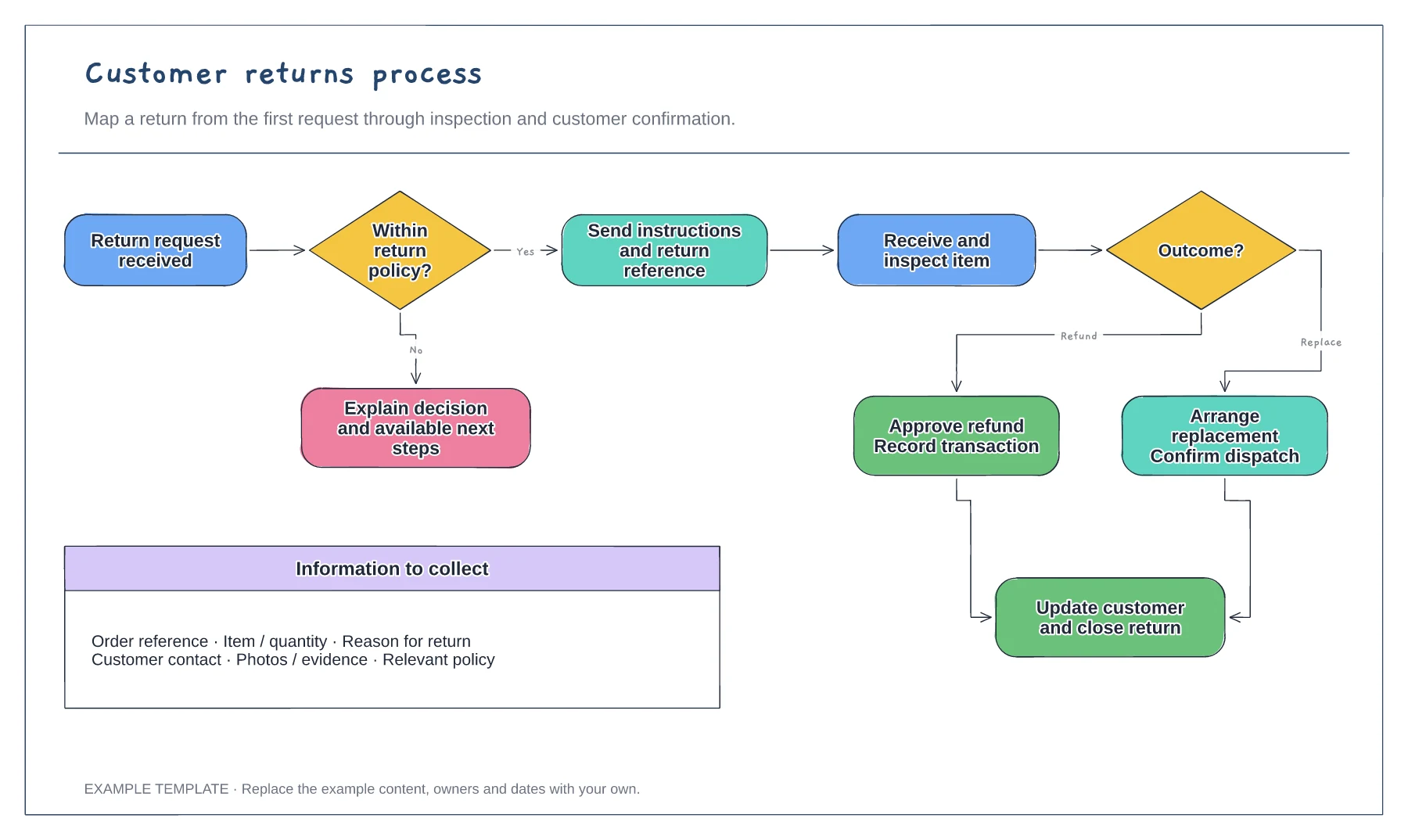
Return request and policy check · Approval or a clear explanation · Receipt, inspection and resolution
Preview and use template →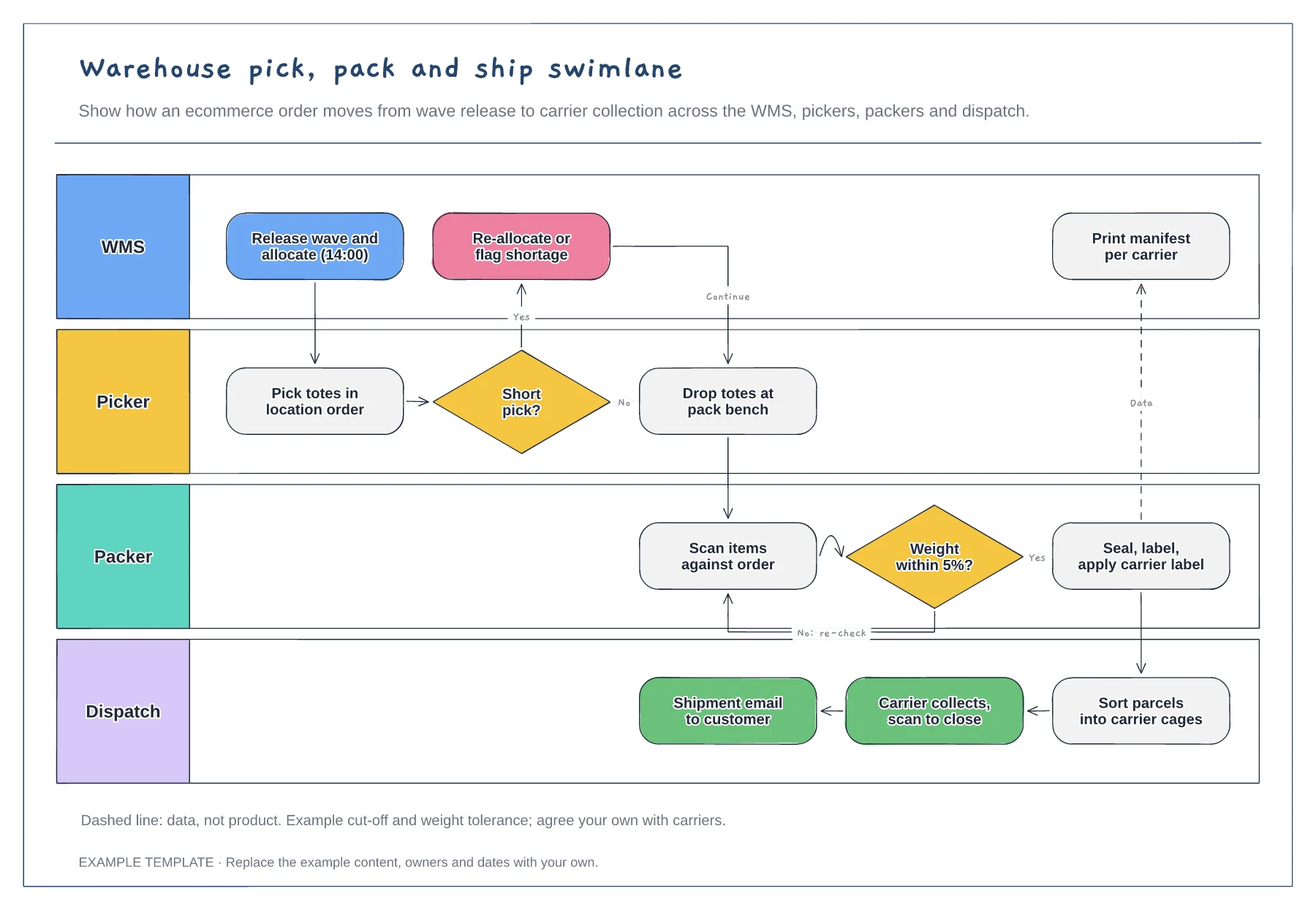
Lanes for WMS, picker, packer and dispatch · Short-pick and weight-check decisions · Data handoff for the carrier manifest
Preview and use template →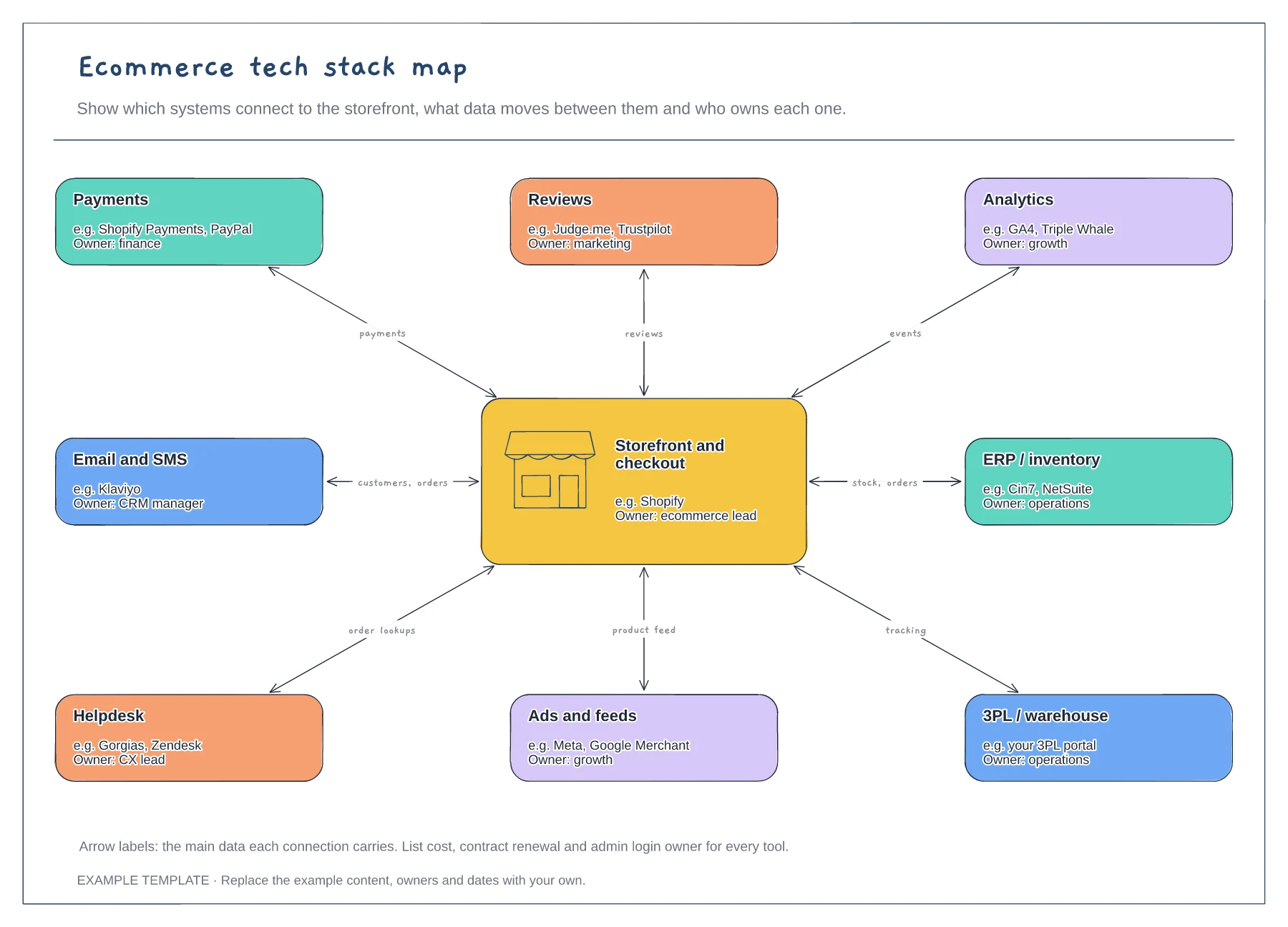
Storefront hub and eight systems · Data carried by each connection · An owner for every tool
Preview and use template →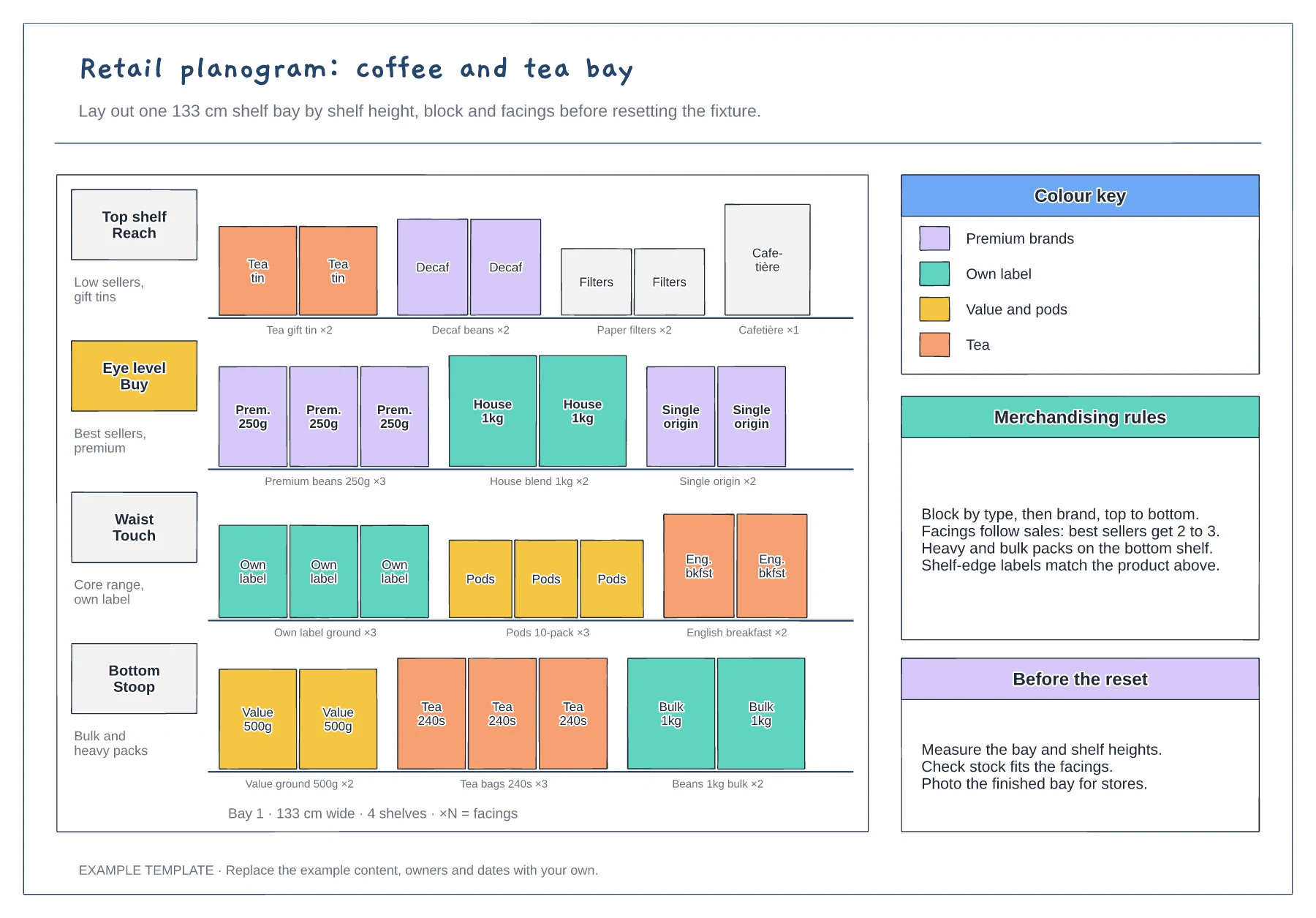
Four shelves by height zone · Product facings with counts · Colour key and merchandising rules
Preview and use template →