Ecommerce
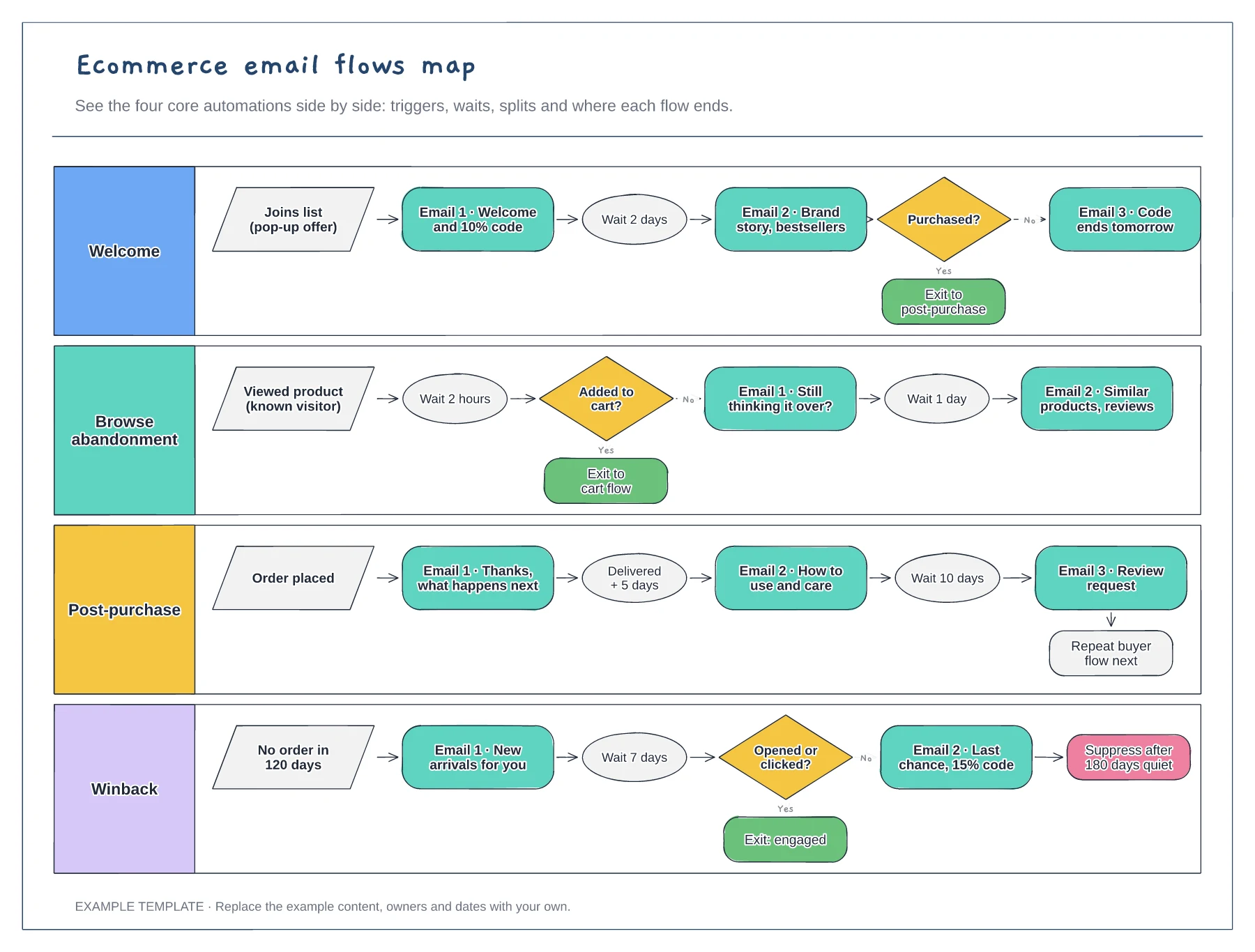
Ecommerce email flows map template
Four flows in separate lanes · Triggers, waits and conditional splits · Exits that hand people to the next flow
Preview and use template →An abandoned cart flow brings back shoppers who started checkout but did not finish. Mapping it as a diagram makes the timing, exit checks and discount rules visible before you build it in your email platform. This example sends three emails over 72 hours, checks for an order before each one, and offers a code only to first-time customers.
No account needed · Opens as your own editable page
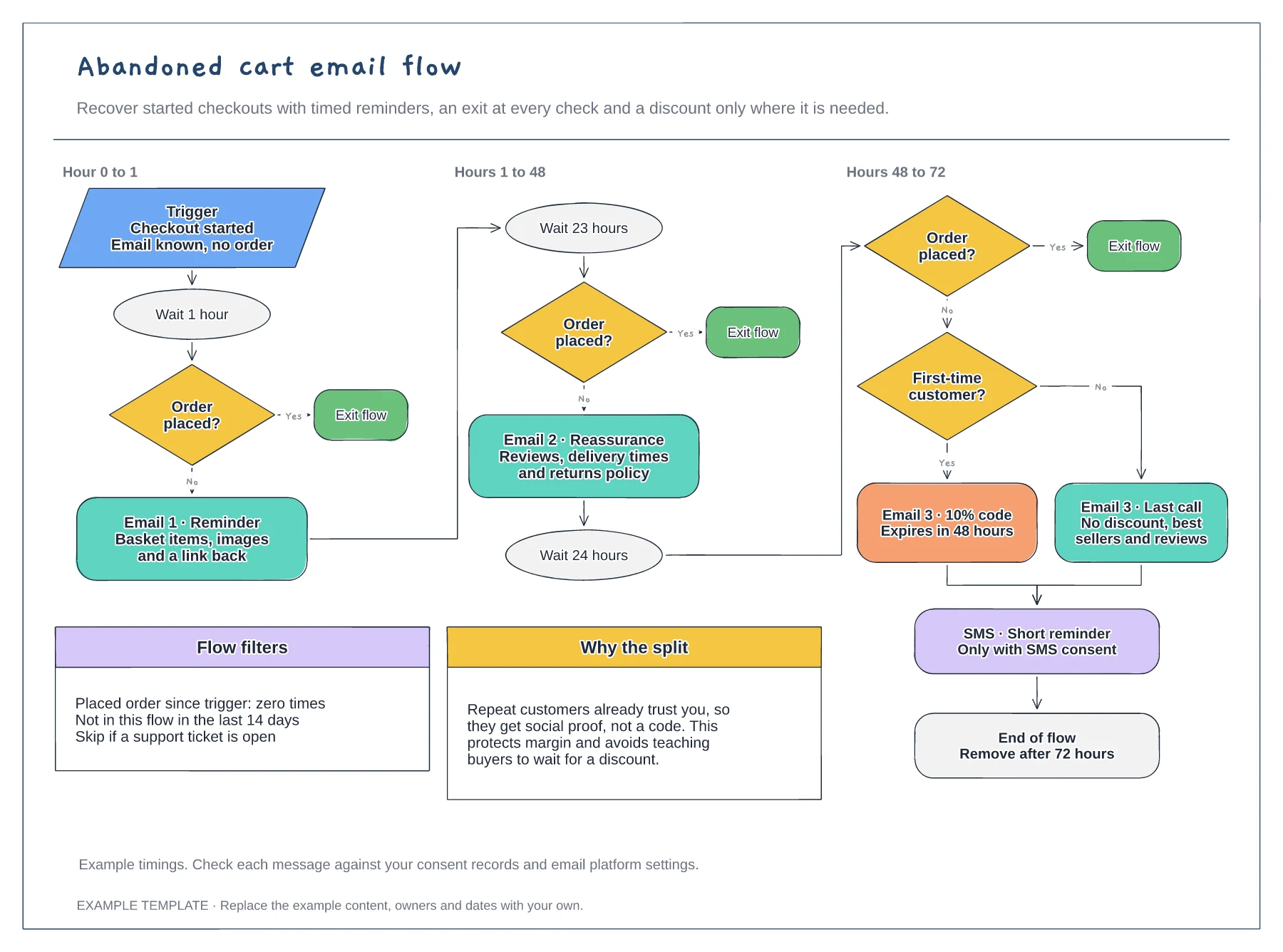
Decide whether the flow starts when checkout begins or when an item is added to the basket, and write the filters beside the trigger. A filter such as "no order since trigger" stops reminders reaching people who already bought.
Adjust the waits to your buying cycle. A low-cost impulse product may suit a shorter first wait, while a considered purchase gives people more time to decide before a reminder starts to feel pushy.
Use the split to protect your margin. Offering a code only to first-time customers avoids teaching regular buyers to leave items in the basket and wait for an offer to arrive.
Yes. Delete the SMS step and connect the wait before it to the next order check if you do not collect SMS consent.
No. Open the template and edit it in your browser. Your work saves on this device. An account is optional if you want to sync your workspace.
Yes. Use Export in the editor to save a PNG, SVG or PDF, or download an editable .epicdraw backup.
Four flows in separate lanes · Triggers, waits and conditional splits · Exits that hand people to the next flow
Preview and use template →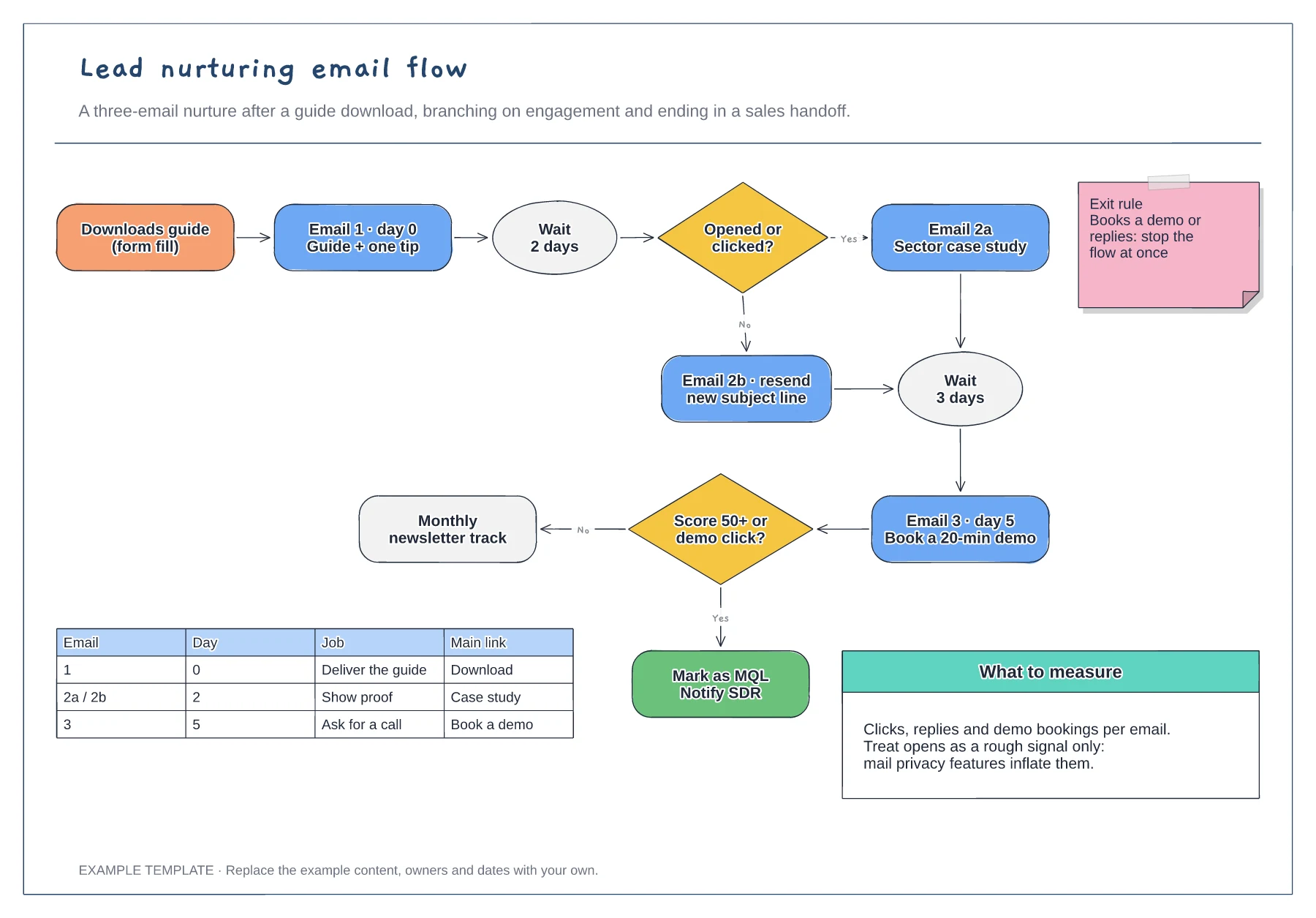
Trigger, wait steps and engagement branches · Exit rule and MQL handoff · Email table and notes on what to measure
Preview and use template →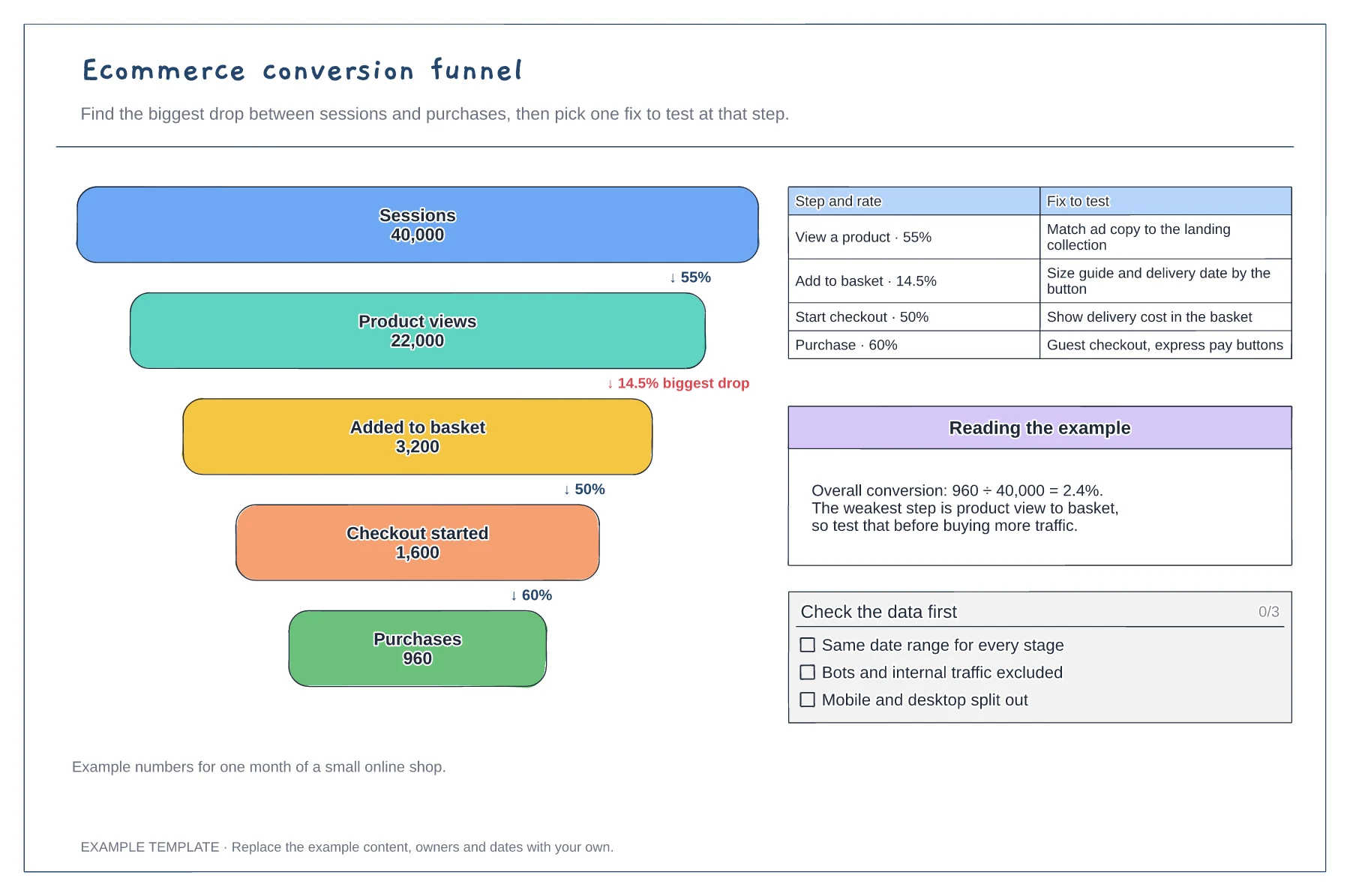
Five funnel stages with counts · Step rates and the biggest drop · A fix to test at each step
Preview and use template →
Define the starting point, task and confirmed end state. · Give each decision explicit outcomes. · Explain address correction and return routes.
Preview and use template →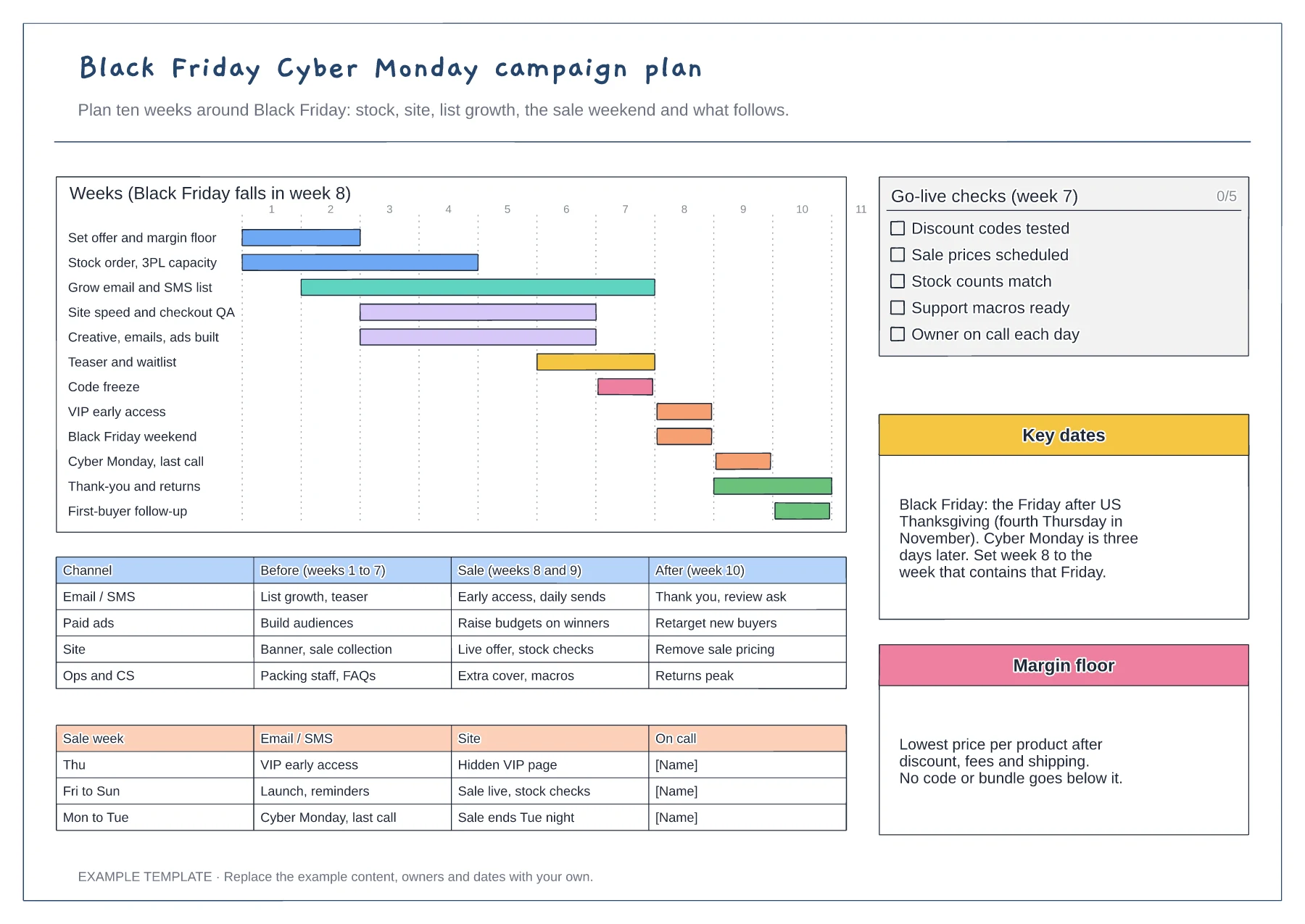
Ten-week gantt by workstream · Channel plan before, during and after · Go-live checks and sale-week rota
Preview and use template →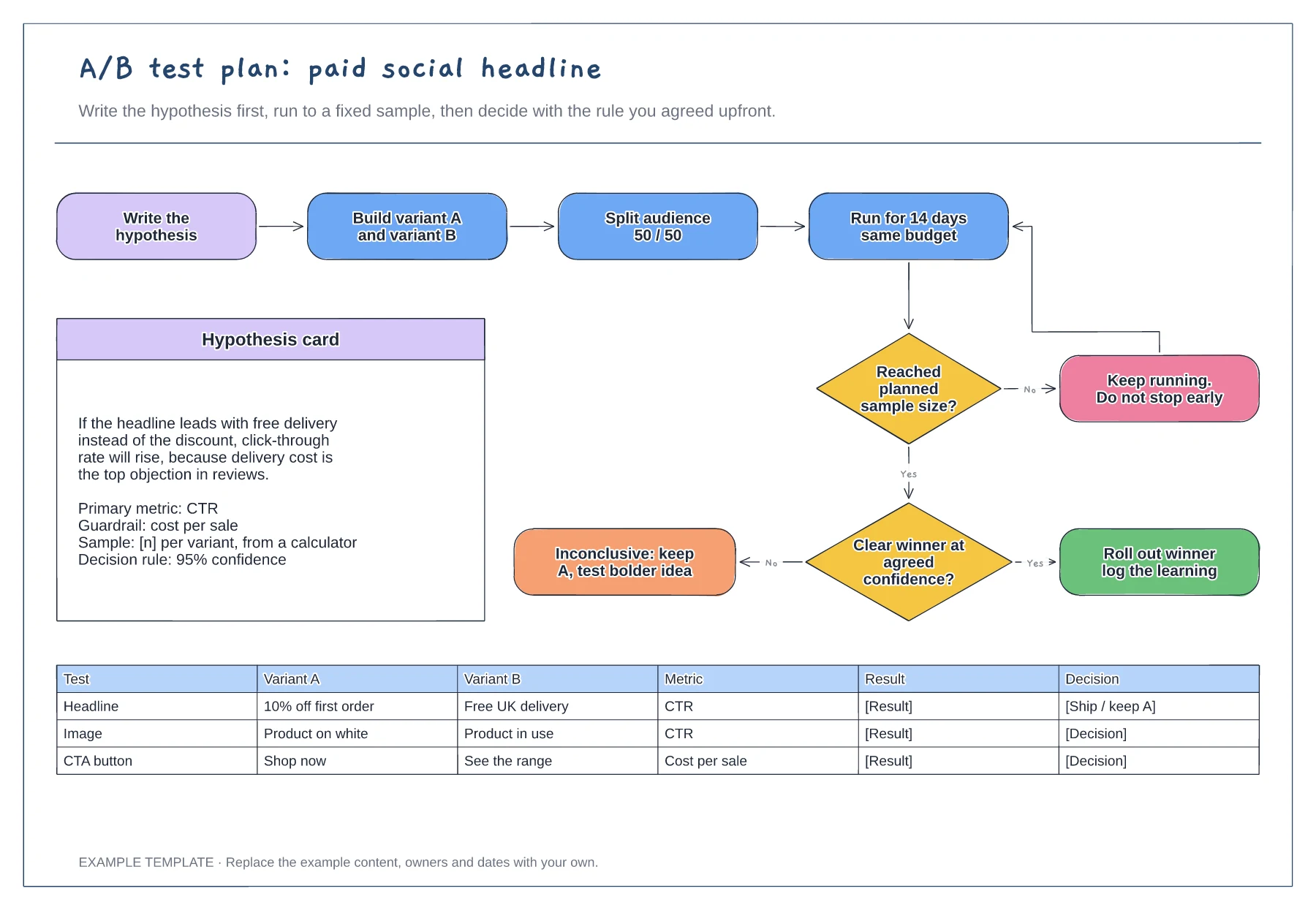
Hypothesis card with metric and guardrail · Decision flow with a no-peeking loop · Test log for variants and results
Preview and use template →