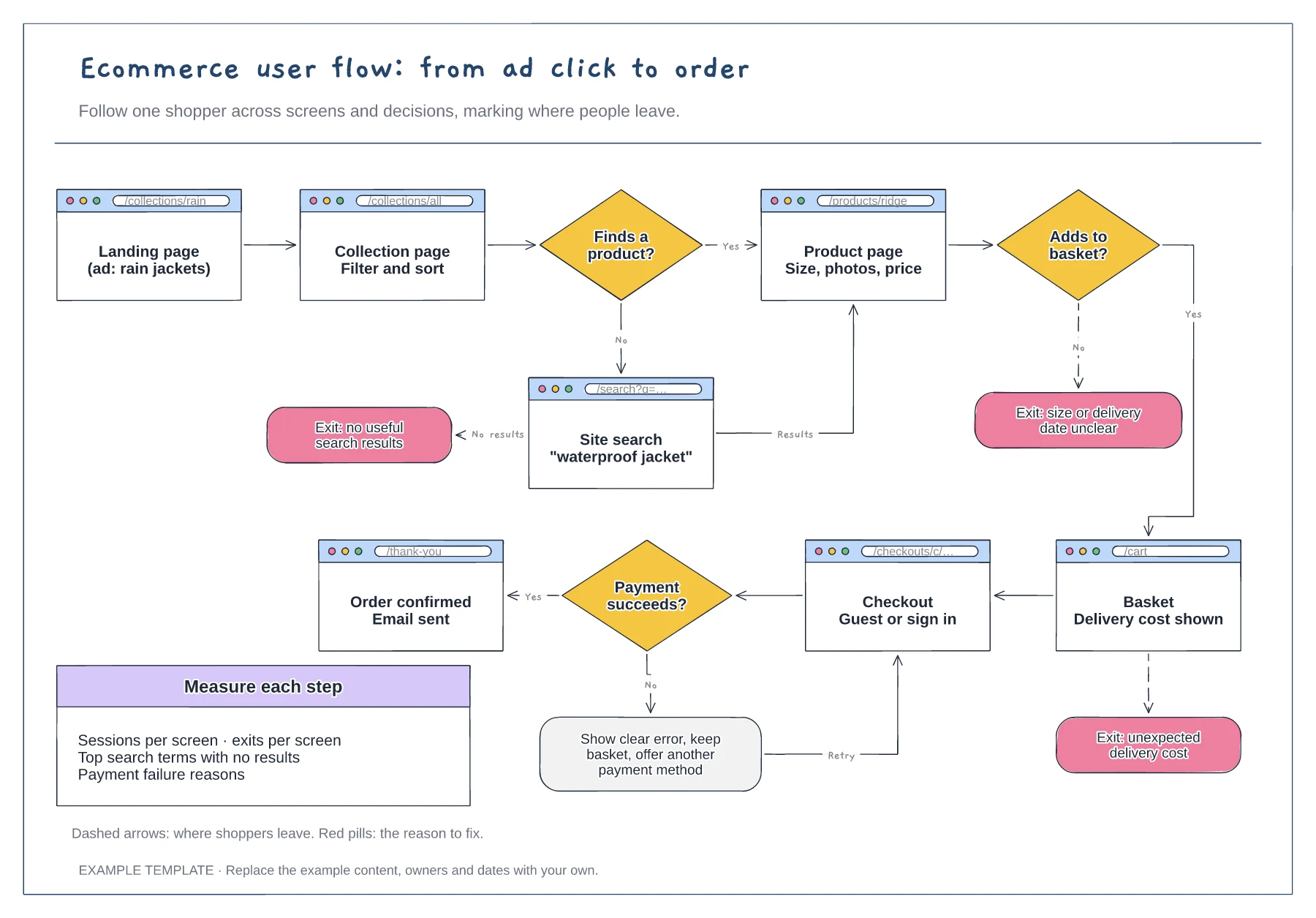
Ecommerce
Ecommerce user flow template
Screens with their URLs · Search, basket and payment decisions · Exit points with the reason to fix
Preview and use template →An ecommerce customer journey map shows what a shopper does, uses and feels at each stage of buying from you, including the parts that happen after checkout. This example follows Priya, who buys running kit on her phone, through six stages from discovery to repurchase, with an emotion curve that shows where delivery and exchanges let her down.
No account needed · Opens as your own editable page
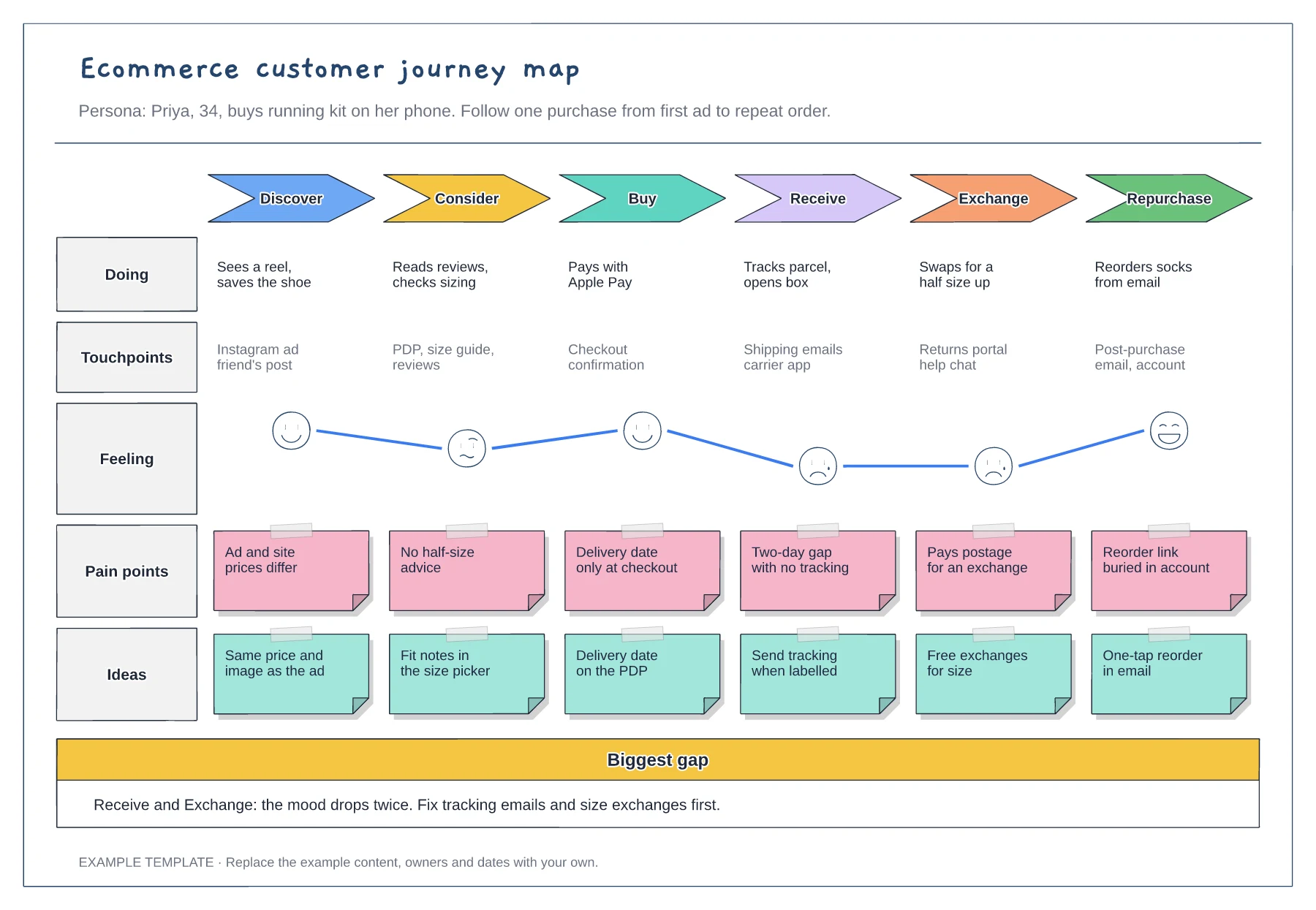
Choose a specific shopper drawn from reviews, support tickets or interviews. A journey written for everyone hides the problems that matter most to the people who buy from you regularly.
Keep delivery, exchanges and reordering on the map. Many of the problems that stop a second order appear after the sale, in places marketing teams rarely look.
Write one fix under every pain point, then start with the lowest point on the emotion curve, because that is where shoppers are most likely to give up on you.
Move the points on the curve up or down at each of the six stages, based on reviews, support tickets or interviews, then pair each low point with a fix.
No. Open the template and edit it in your browser. Your work saves on this device. An account is optional if you want to sync your workspace.
Yes. Use Export in the editor to save a PNG, SVG or PDF, or download an editable .epicdraw backup.
Screens with their URLs · Search, basket and payment decisions · Exit points with the reason to fix
Preview and use template →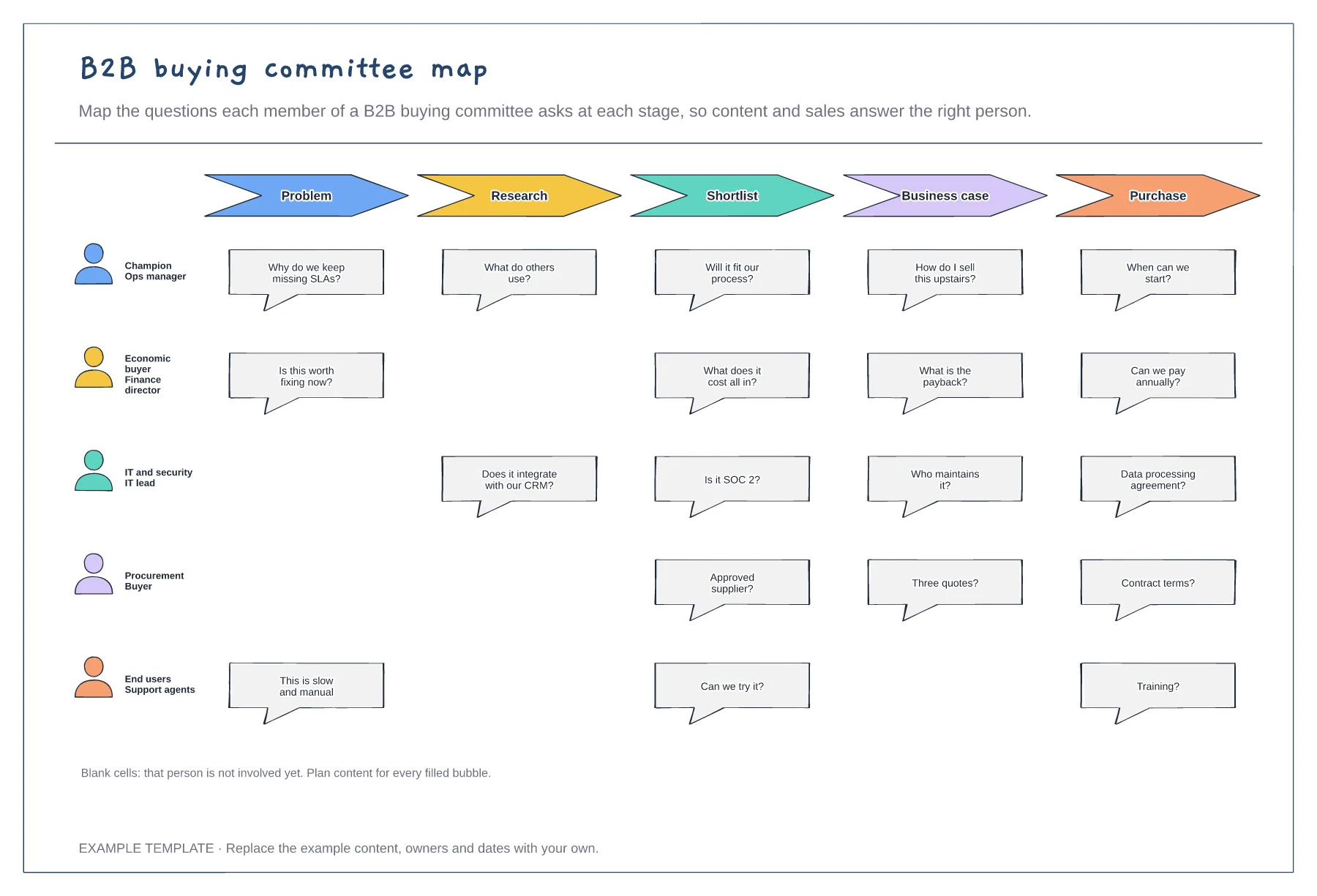
Five buying committee roles · Their questions at each stage · Gaps where a role is not yet involved
Preview and use template →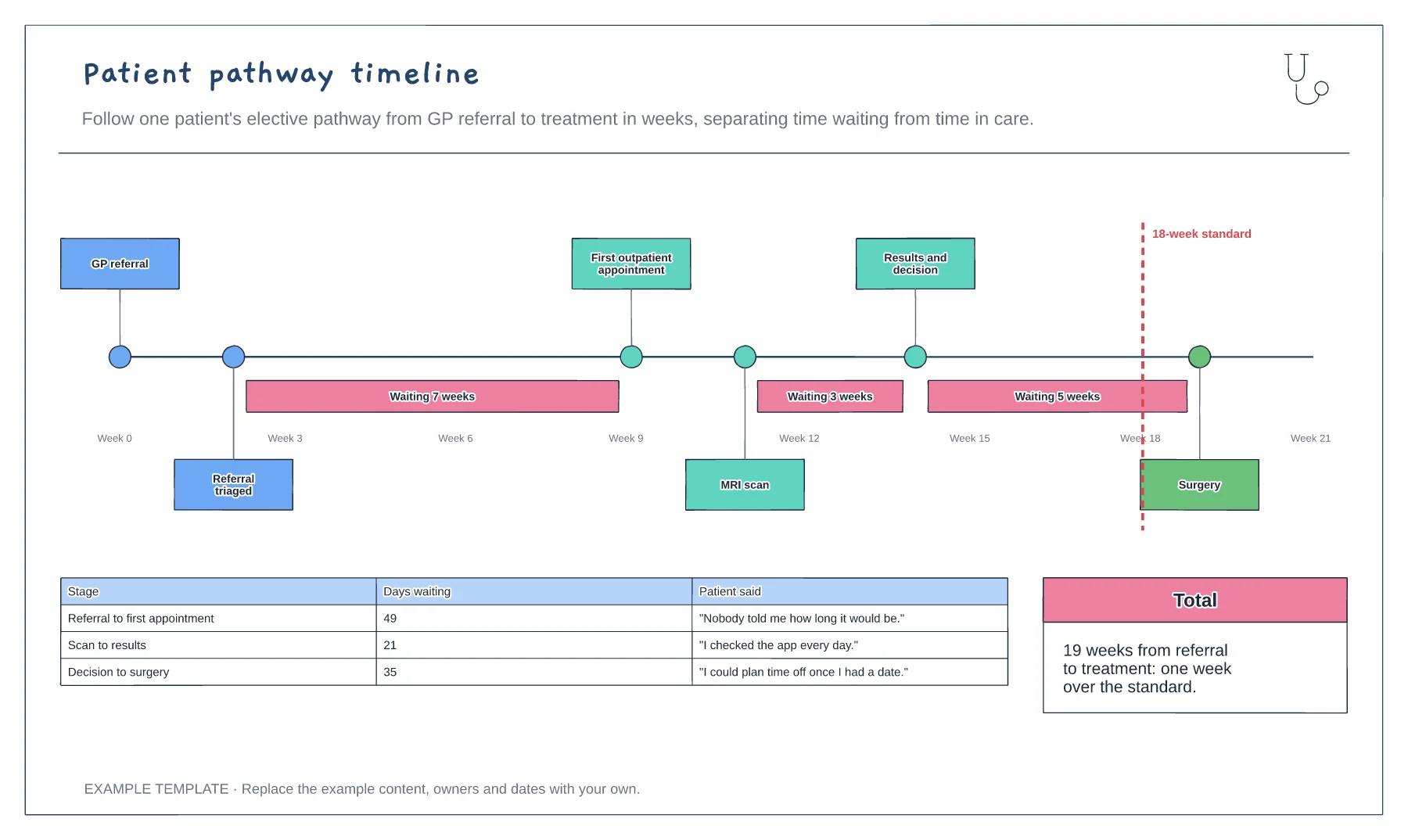
Pathway steps on a weeks axis · Waits highlighted between steps · 18-week standard and patient comments
Preview and use template →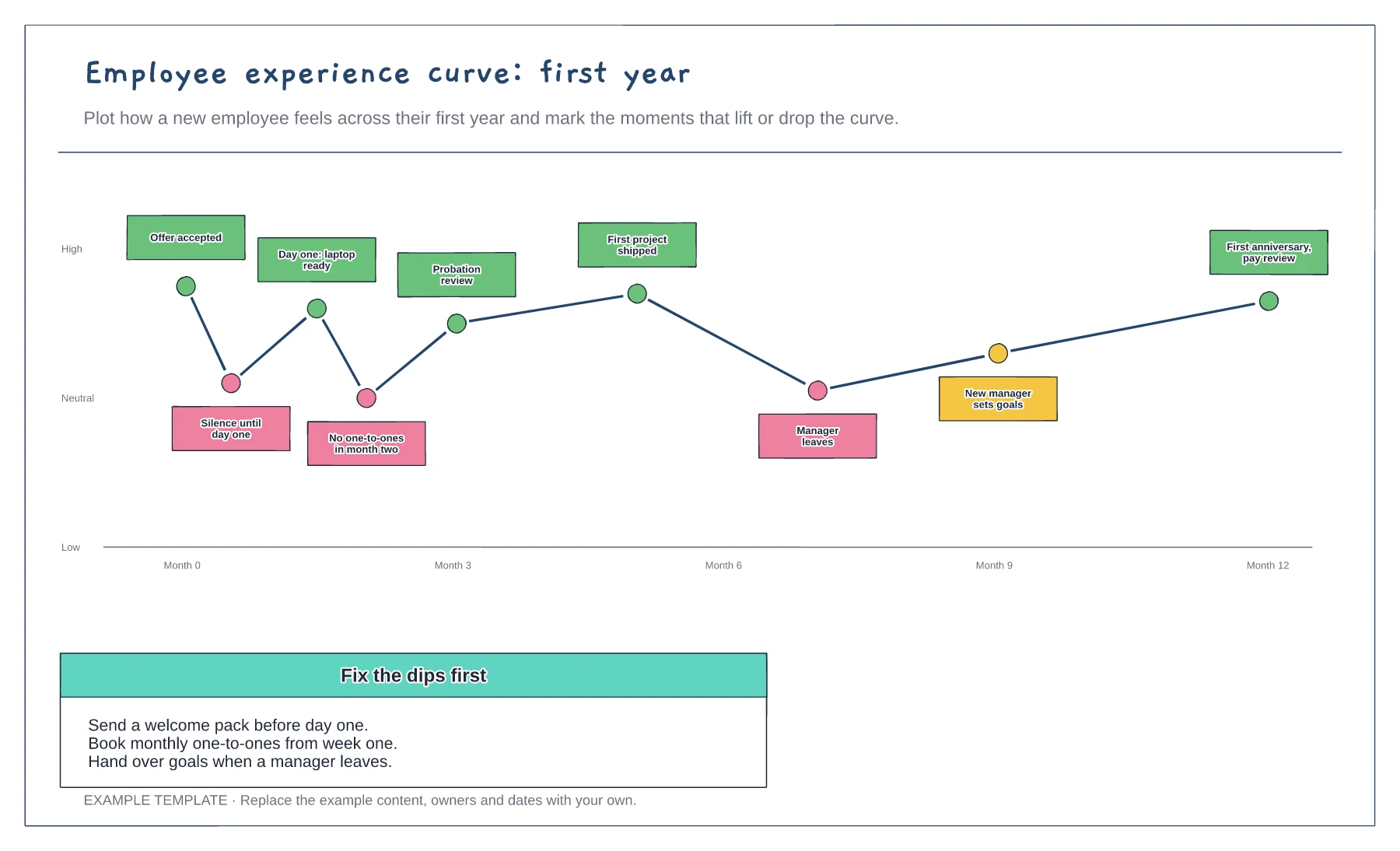
Feeling curve over the first year · Moments that lift or drop it · Fixes for the dips
Preview and use template →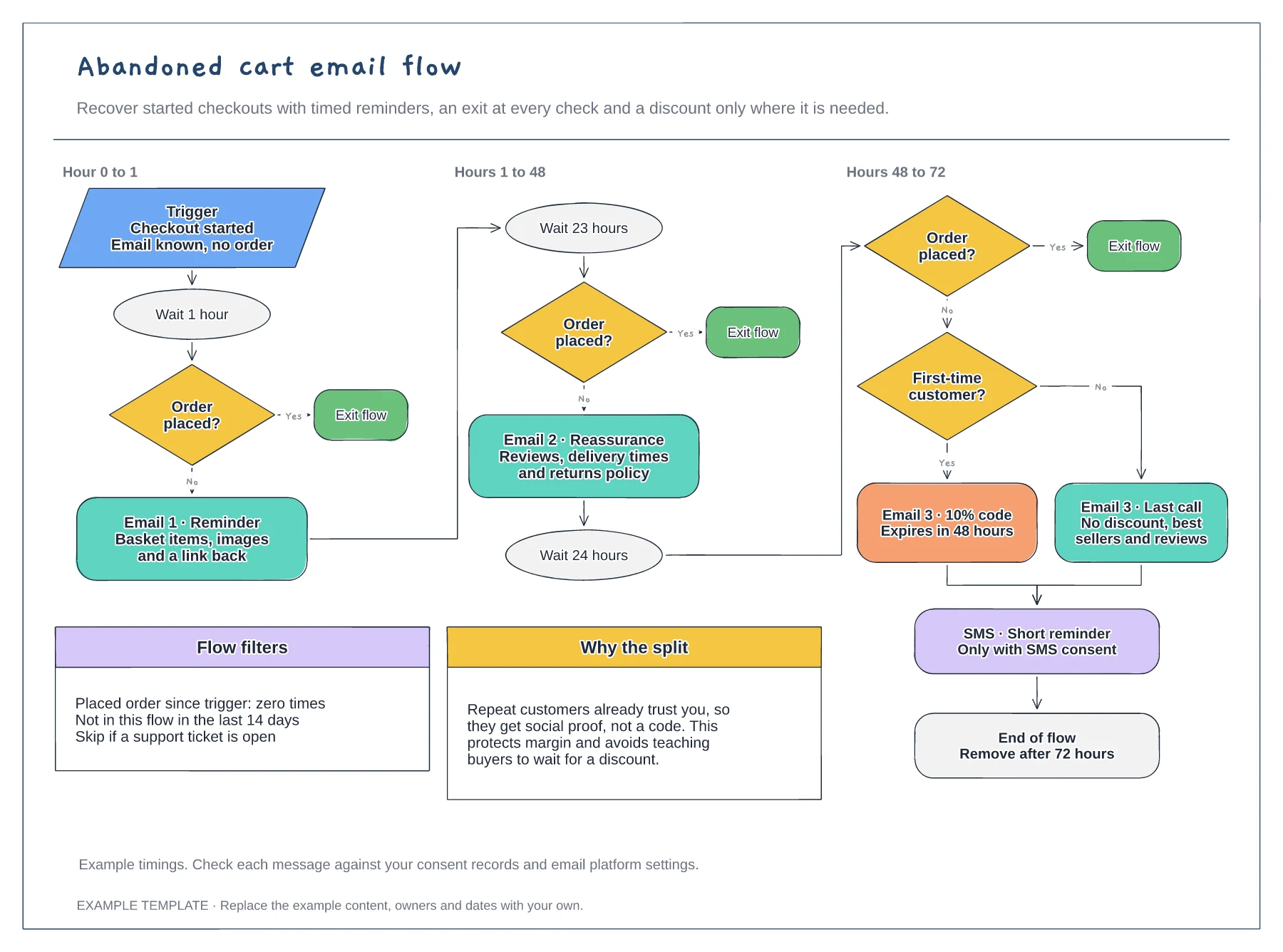
Trigger, waits and order checks · First-time buyer discount split · Flow filters and an SMS step
Preview and use template →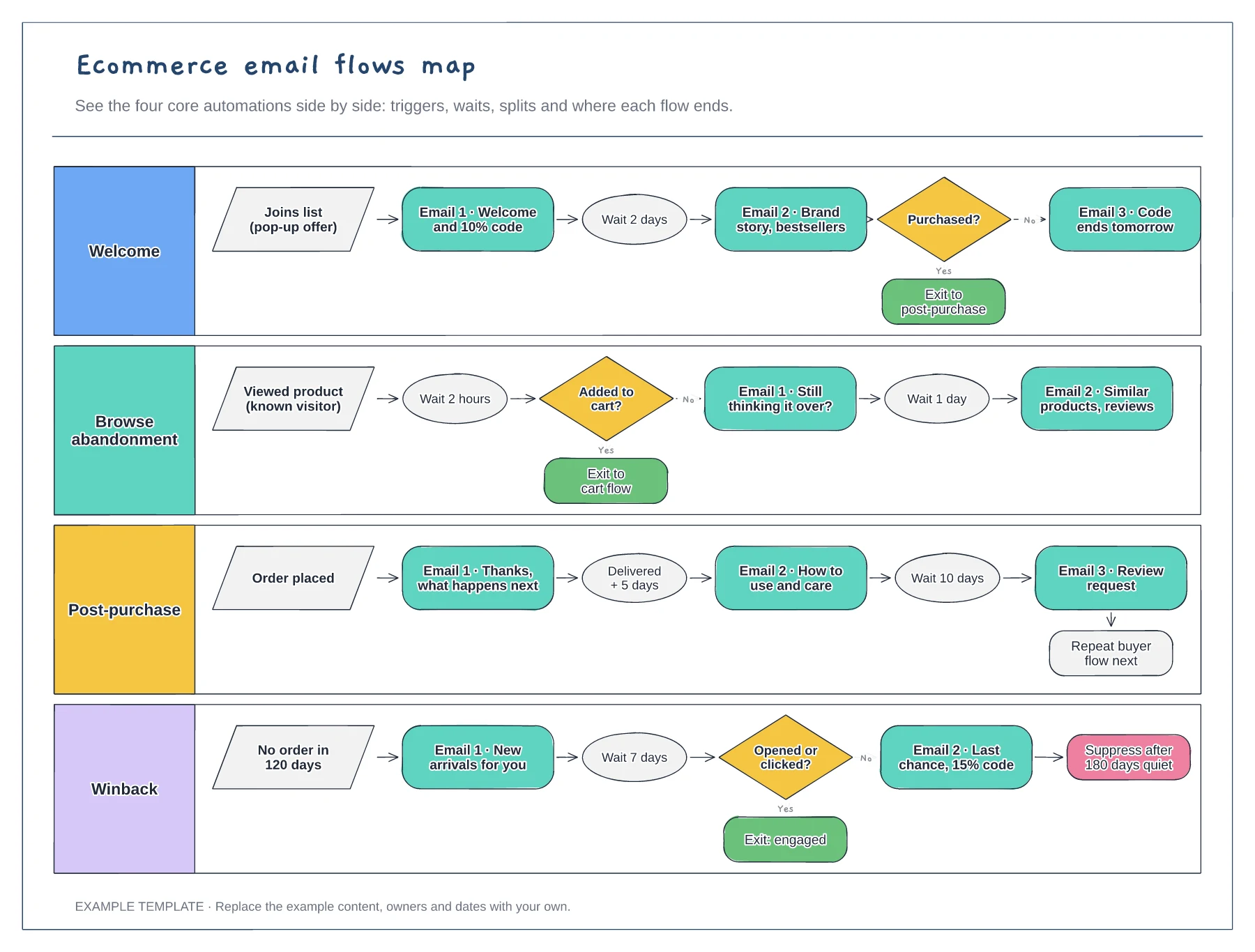
Four flows in separate lanes · Triggers, waits and conditional splits · Exits that hand people to the next flow
Preview and use template →