Marketing
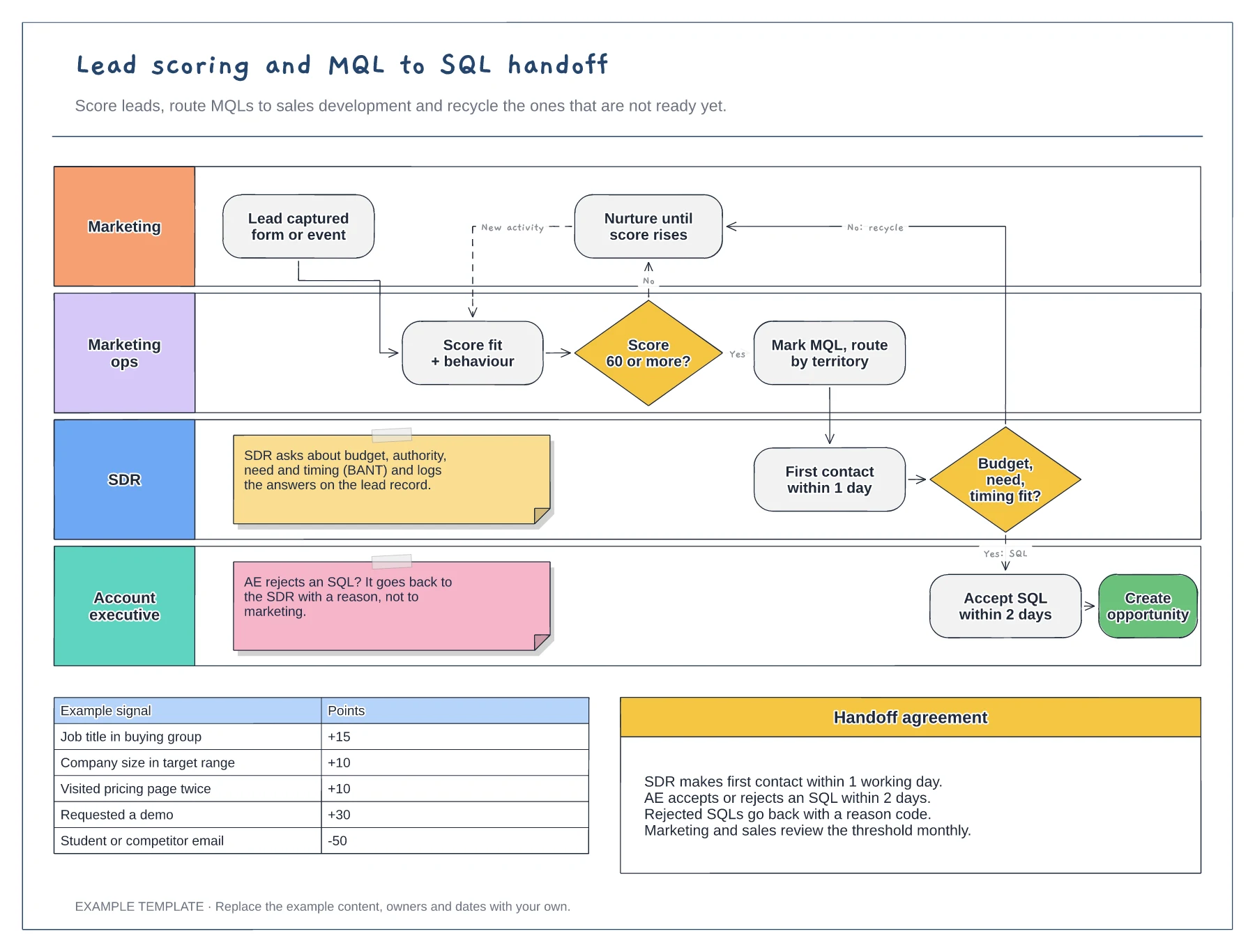
Lead scoring and MQL to SQL handoff template
Swimlanes for marketing, marketing ops, SDR and AE · Example scoring model with points · Service-level agreement between the teams
Preview and use template →A lead nurturing flow diagram shows what happens to a new lead after they first give you their email address. This example starts with a guide download, branches on whether the first email was opened or clicked, ends with a demo invitation, and hands engaged leads to sales once they reach a score threshold.
No account needed · Opens as your own editable page
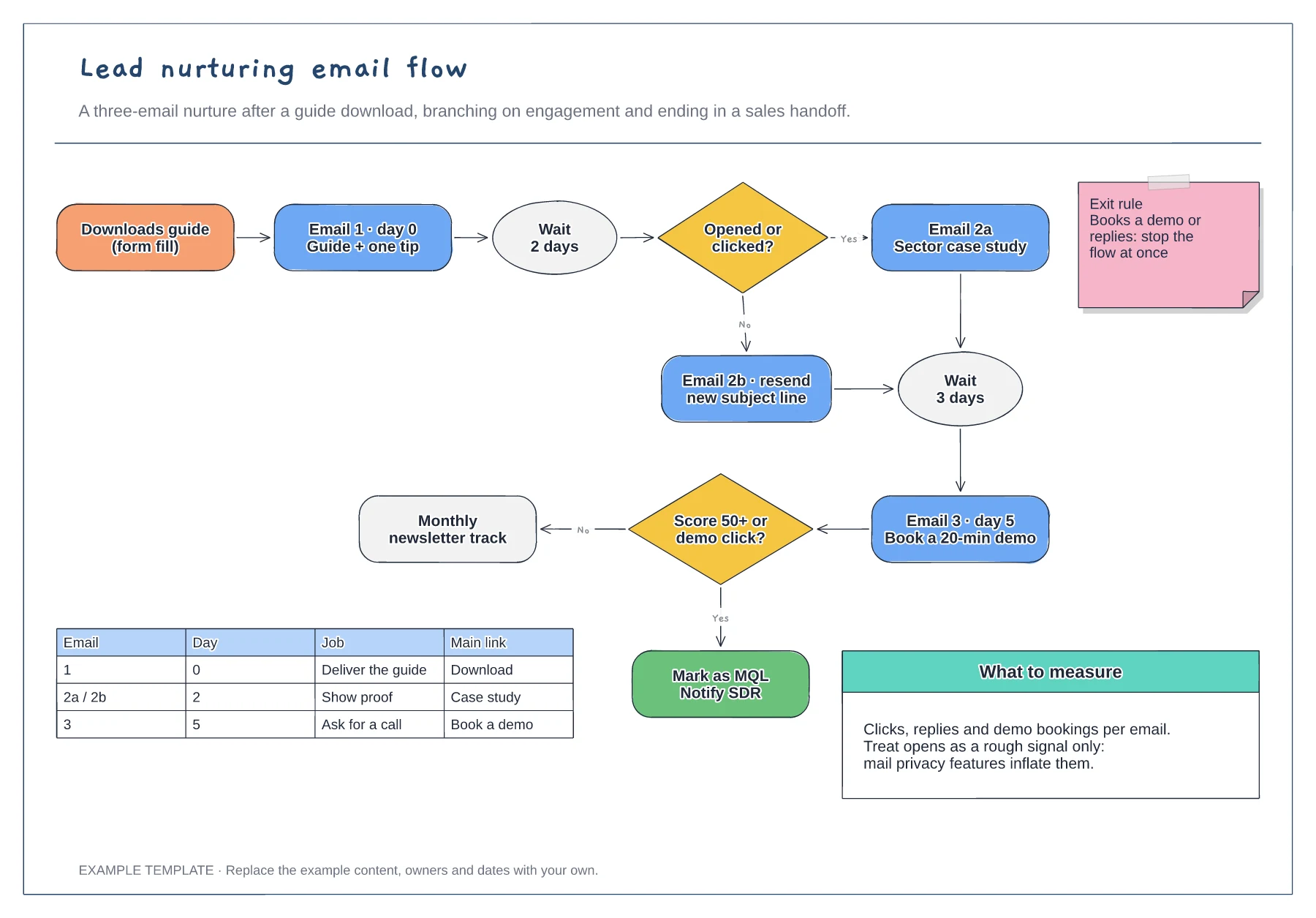
Replace the guide download with the form, event or sign-up that starts your sequence. The trigger tells you what the lead already wants, which should shape the first email.
Decide what counts as engagement and how long to wait. Clicks and replies are firmer signals than opens, so use them for branches that change what the lead receives.
Edit the score threshold and the notification so they match your CRM. Sales should know why a lead arrived and which emails it has already seen.
Yes. Copy an email step and its wait step, connect them before the exit rule and add a row for the new email in the email table.
No. Open the template and edit it in your browser. Your work saves on this device. An account is optional if you want to sync your workspace.
Yes. Use Export in the editor to save a PNG, SVG or PDF, or download an editable .epicdraw backup.
Swimlanes for marketing, marketing ops, SDR and AE · Example scoring model with points · Service-level agreement between the teams
Preview and use template →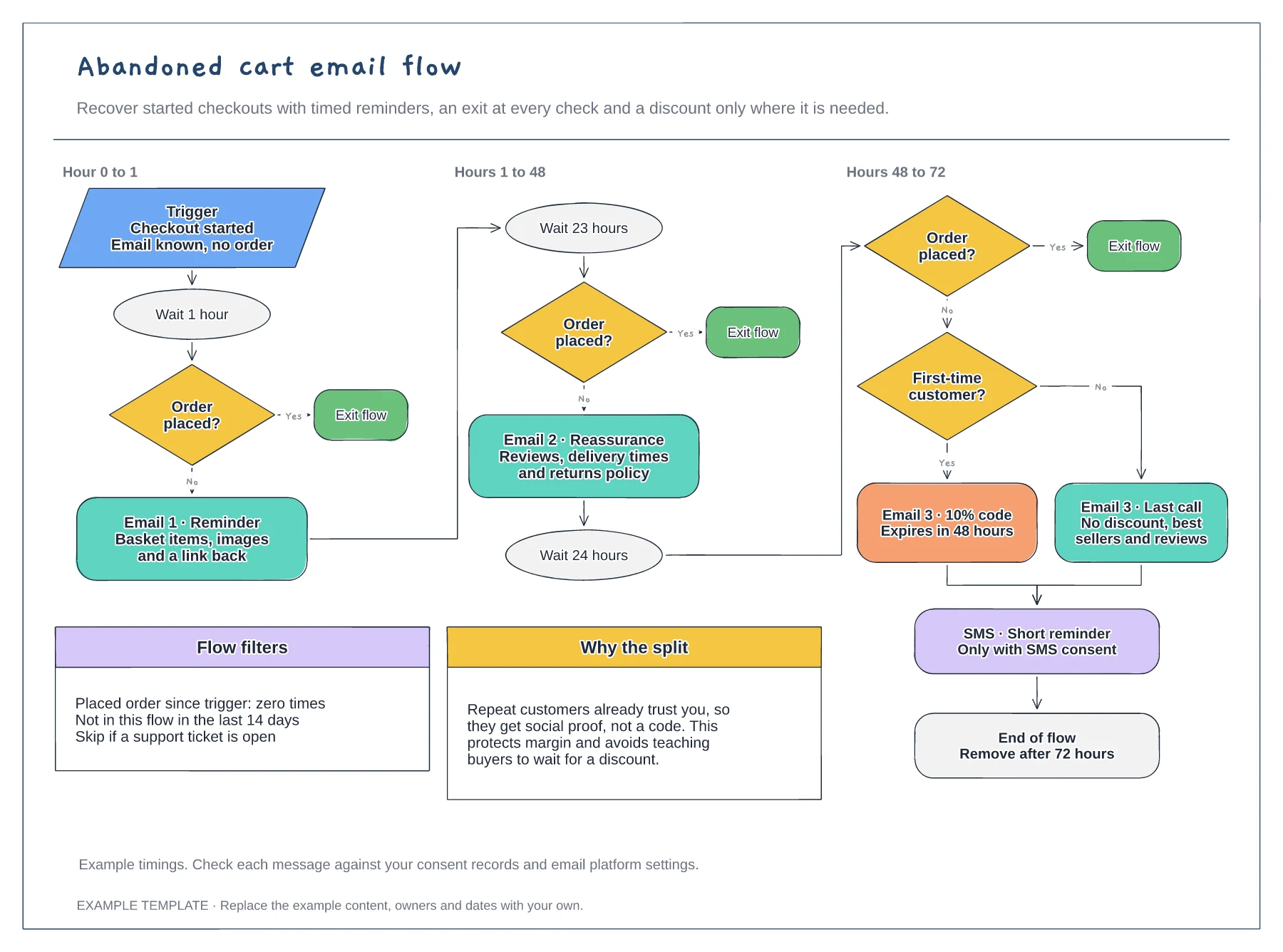
Trigger, waits and order checks · First-time buyer discount split · Flow filters and an SMS step
Preview and use template →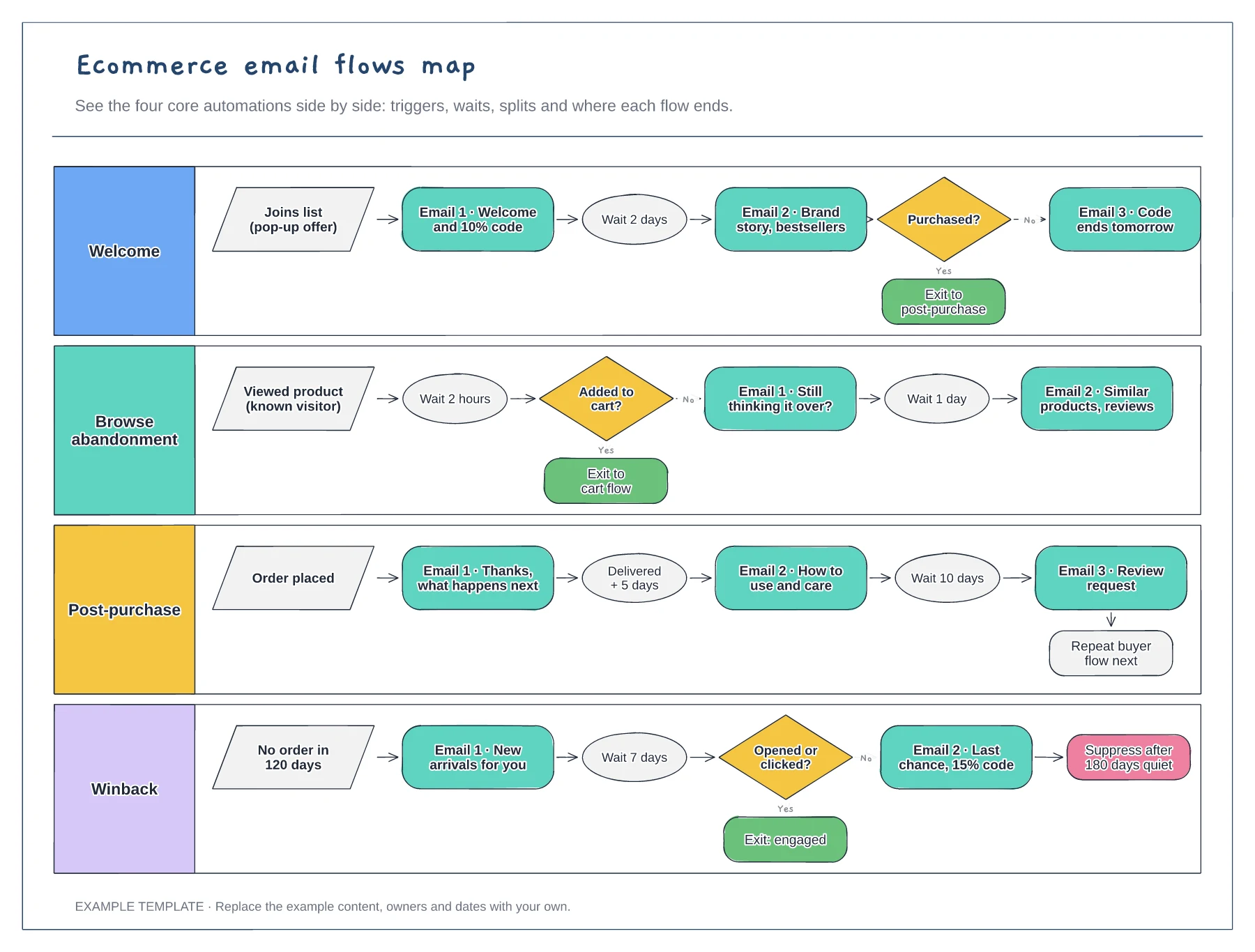
Four flows in separate lanes · Triggers, waits and conditional splits · Exits that hand people to the next flow
Preview and use template →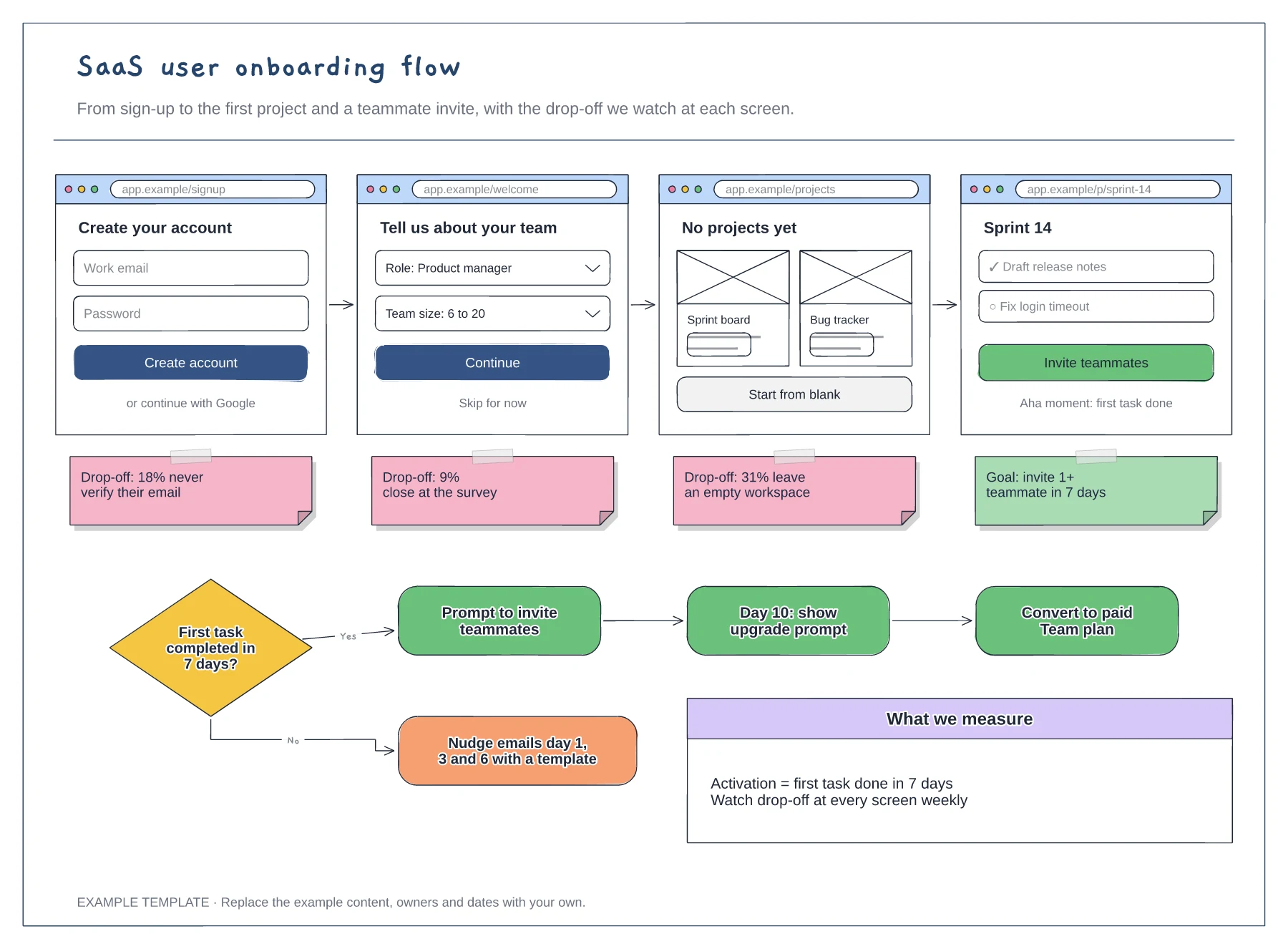
Four wireframed onboarding screens · Drop-off notes for each step · Activation decision with nudge and upgrade paths
Preview and use template →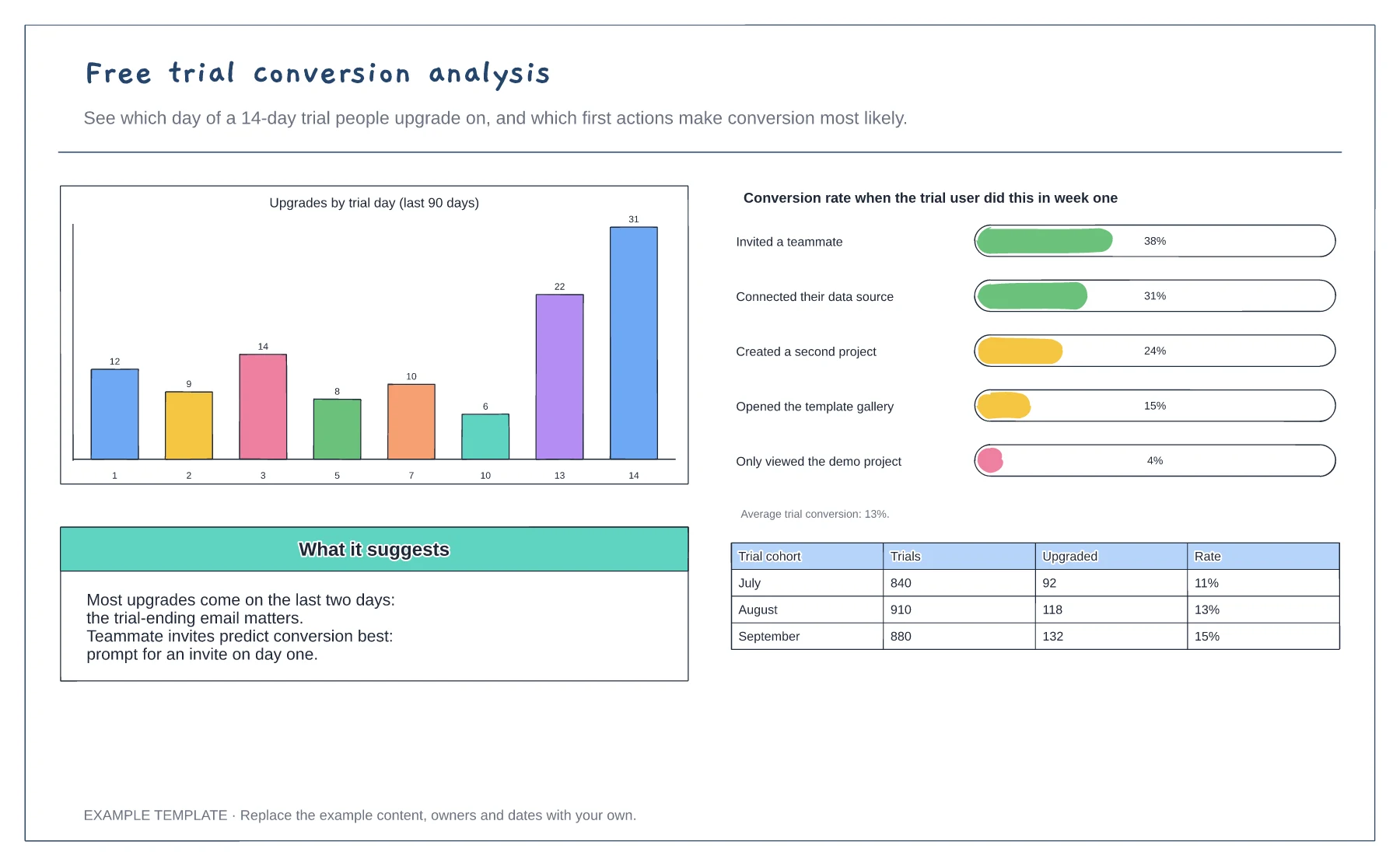
Upgrades by trial day · Conversion by first-week action · Monthly cohort table
Preview and use template →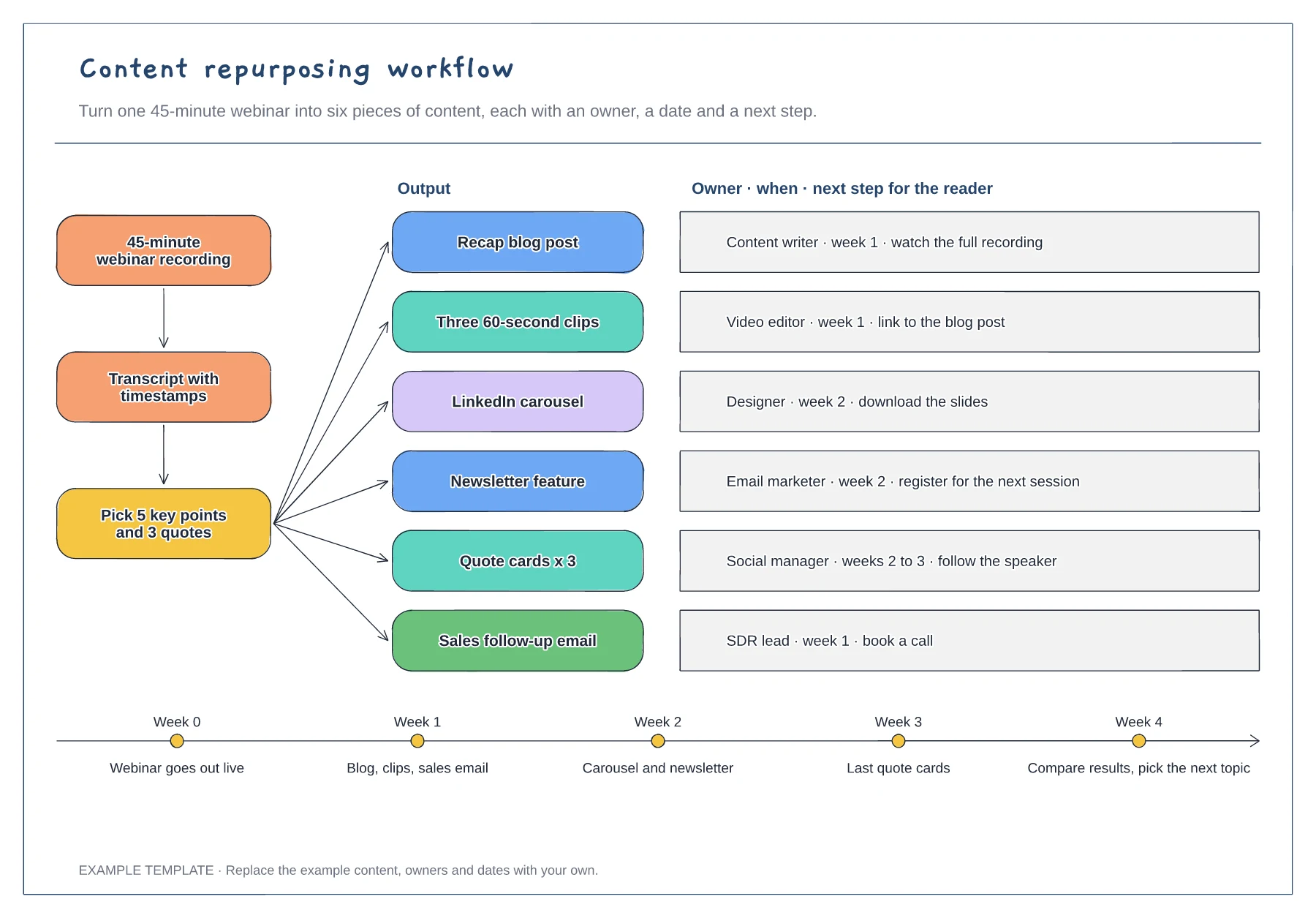
Source, transcript and key-points steps · Six outputs with owner, timing and next step · Four-week release timeline
Preview and use template →