Healthcare
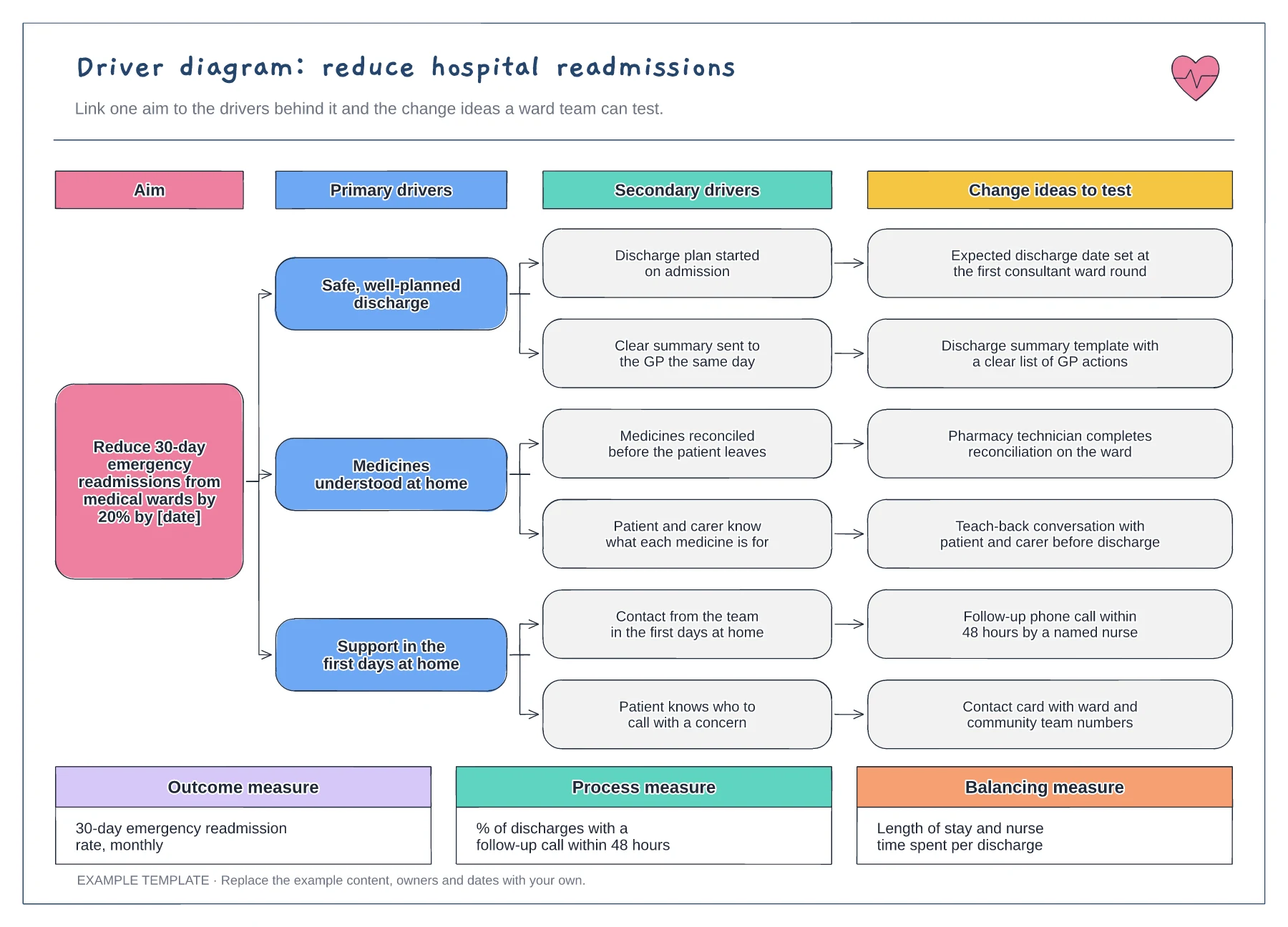
Driver diagram example: reducing readmissions template
Aim with a target and date · Primary and secondary drivers · Change ideas and three types of measure
Preview and use template →A PDSA cycle helps a team test one small change, learn from it and decide what to do next. This worked example tests a day-before text message in a Tuesday outpatient clinic, from the aim and prediction through the results to the decision to adapt and try a second change.
This is a planning example for process improvement, not clinical guidance. Follow your organisation's policies and clinical protocols.
No account needed · Opens as your own editable page
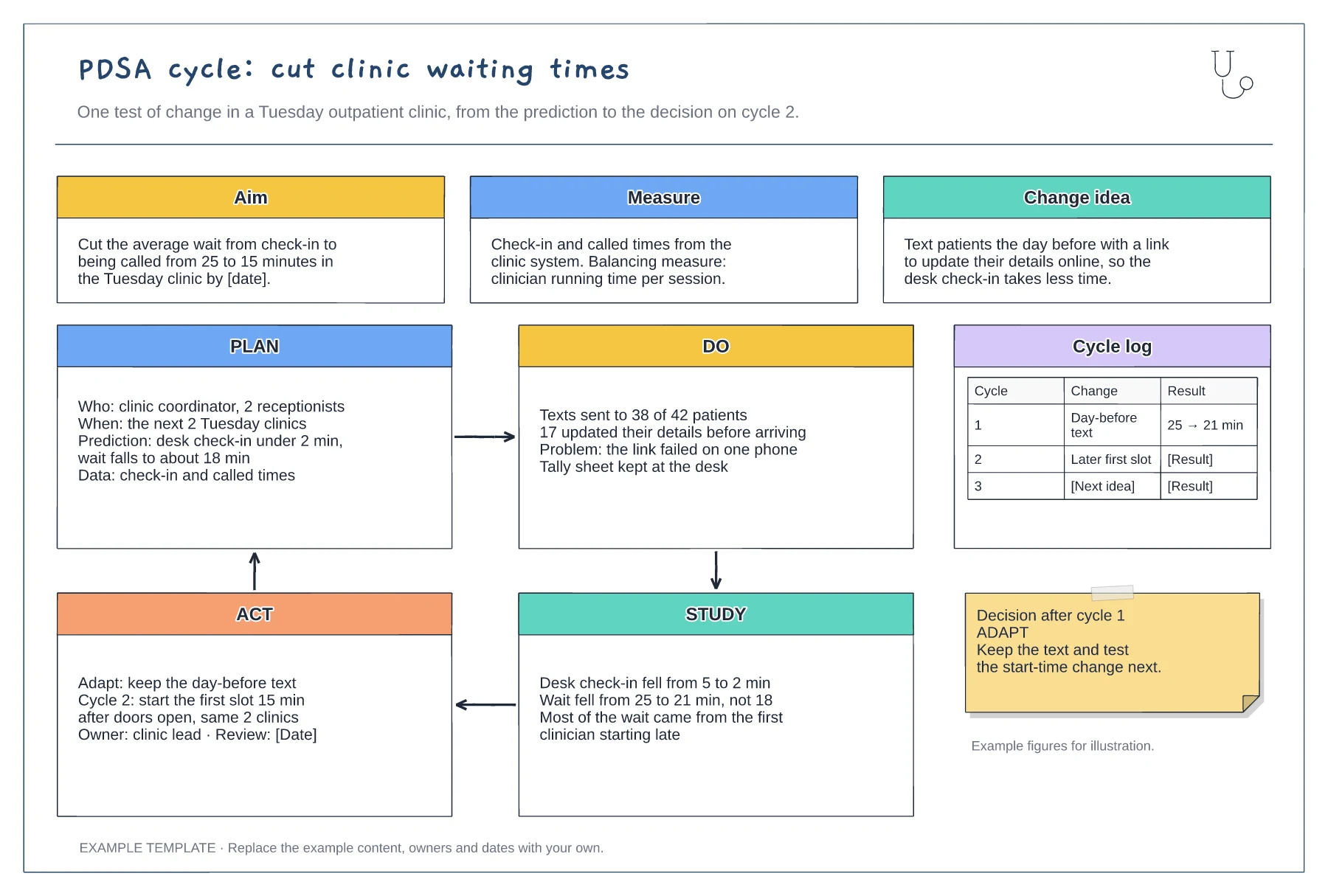
In Plan, say what you expect to happen and by how much before you start. Without a prediction, the Study step becomes a description of what happened rather than a comparison you can learn from.
Run the change in one clinic for a week or two, with the people who already work there. A small test is quick to undo and shows the practical problems, like the link that failed on one phone.
In Act, choose adopt, adapt or abandon and write down the next test. The example adapts because check-in improved while the overall wait fell less than predicted, which points to the next cause.
Yes. Duplicate the Plan, Do, Study and Act panels for the next test and add a row to the cycle log so each cycle's decision stays visible.
No. Open the template and edit it in your browser. Your work saves on this device. An account is optional if you want to sync your workspace.
Yes. Use Export in the editor to save a PNG, SVG or PDF, or download an editable .epicdraw backup.
Aim with a target and date · Primary and secondary drivers · Change ideas and three types of measure
Preview and use template →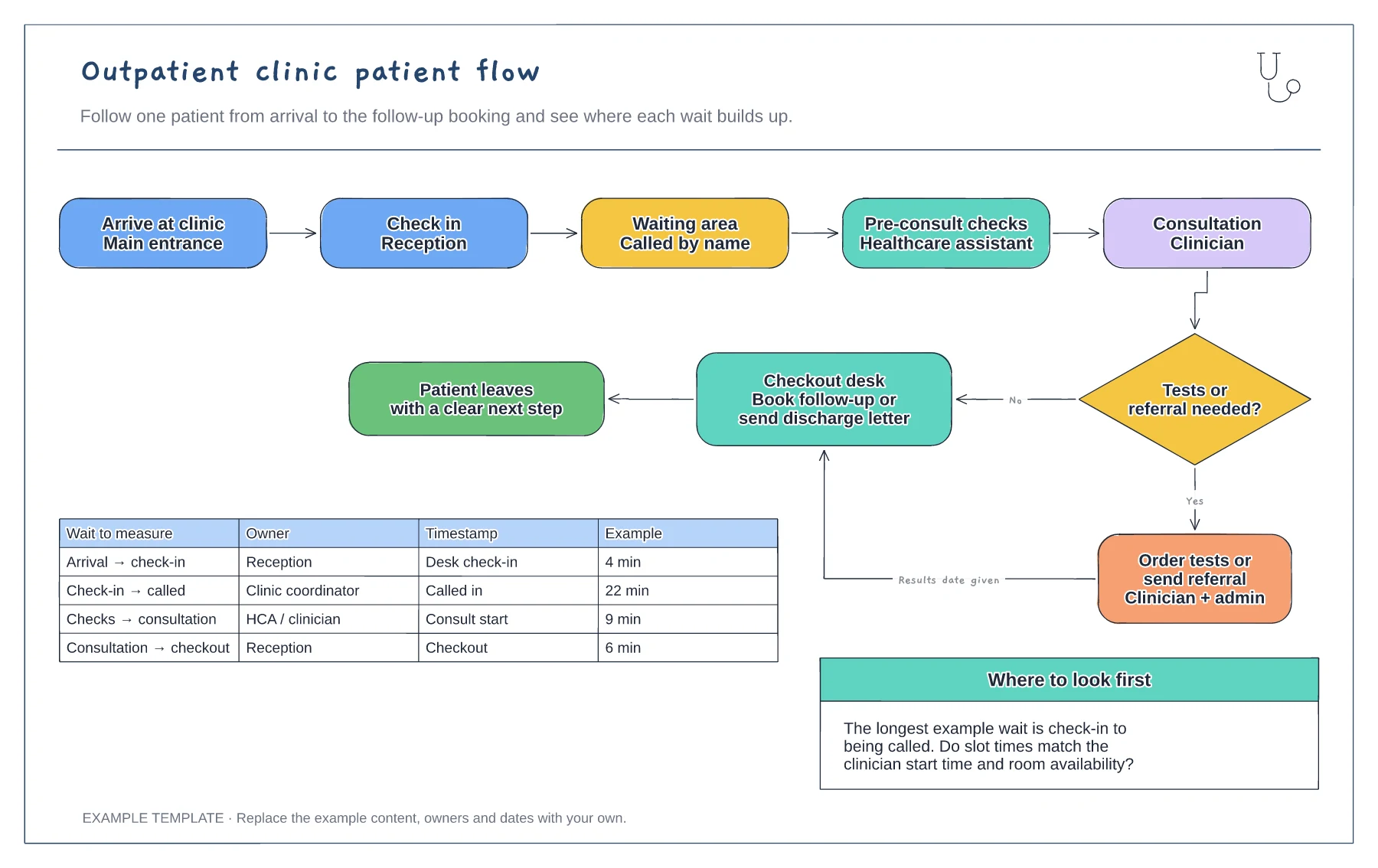
Five steps from arrival to consultation · Tests or referral decision with checkout · Wait-time table with owners and timestamps
Preview and use template →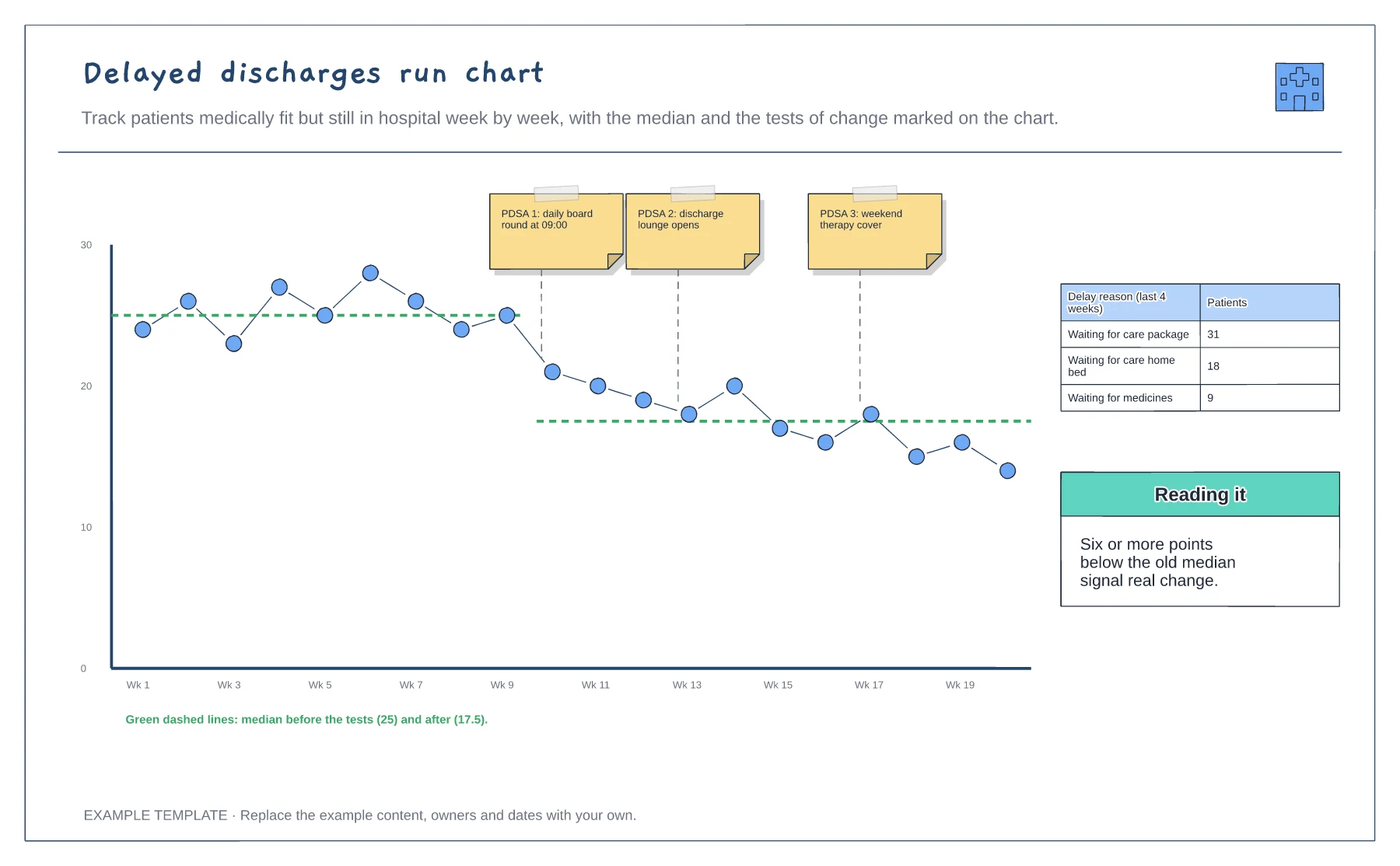
Weekly counts over 20 weeks · Tests of change marked on the chart · Medians before and after, and delay reasons
Preview and use template →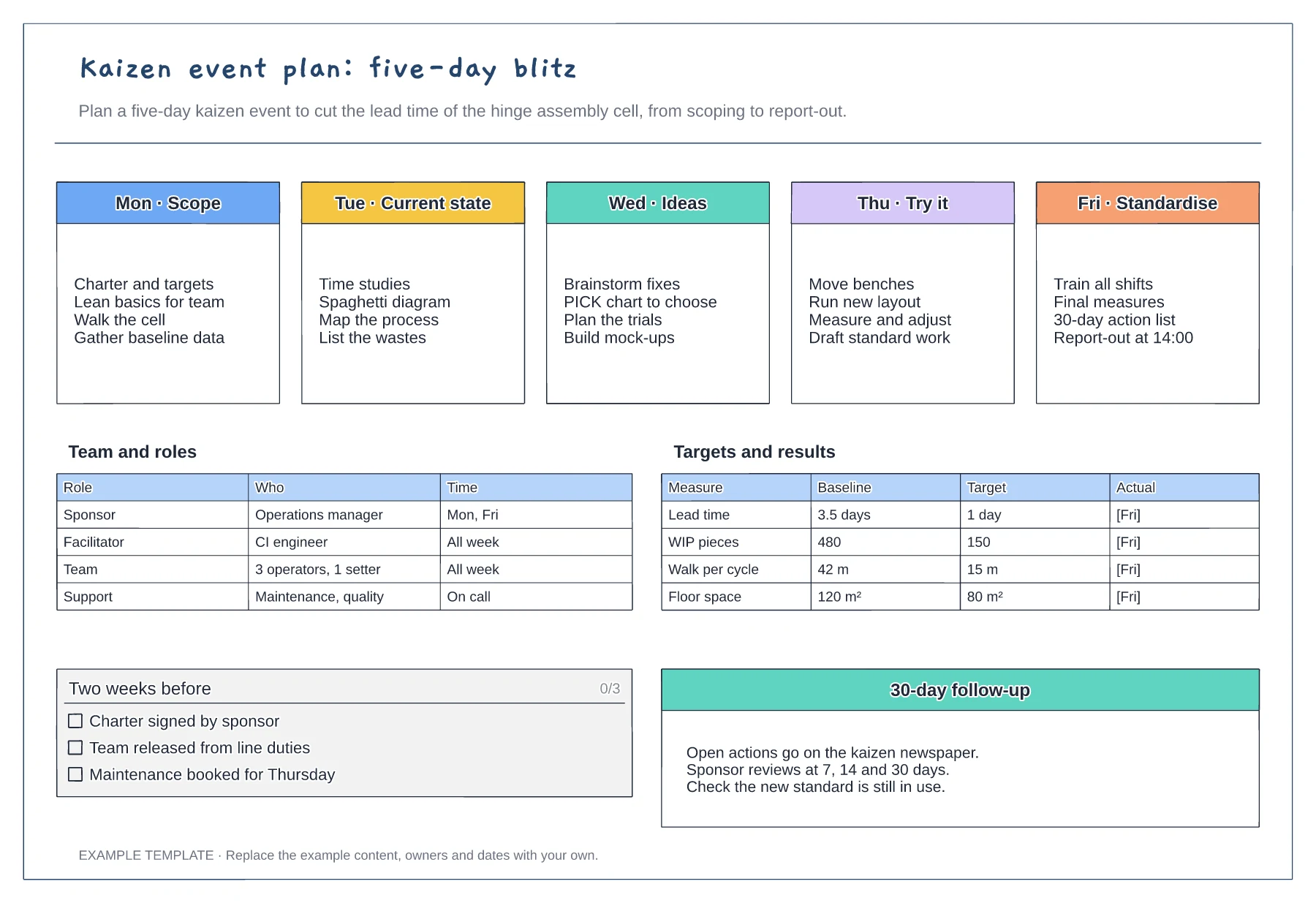
Five-day agenda from scope to standardise · Team roles and time commitment · Baseline, target and actual measures
Preview and use template →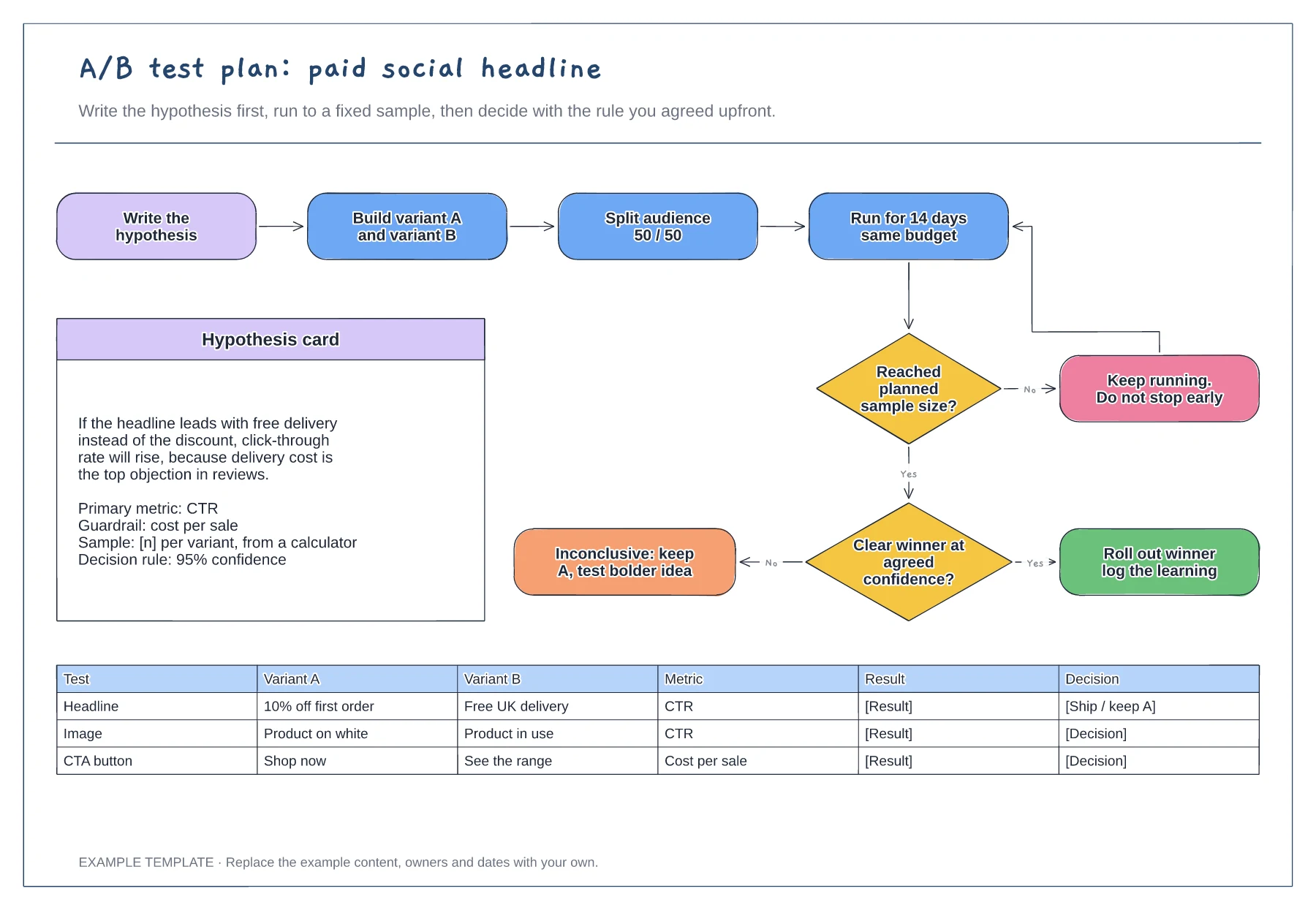
Hypothesis card with metric and guardrail · Decision flow with a no-peeking loop · Test log for variants and results
Preview and use template →
Observations from the sprint · Discussion and improvement ideas · An owned experiment and review
Preview and use template →