Construction
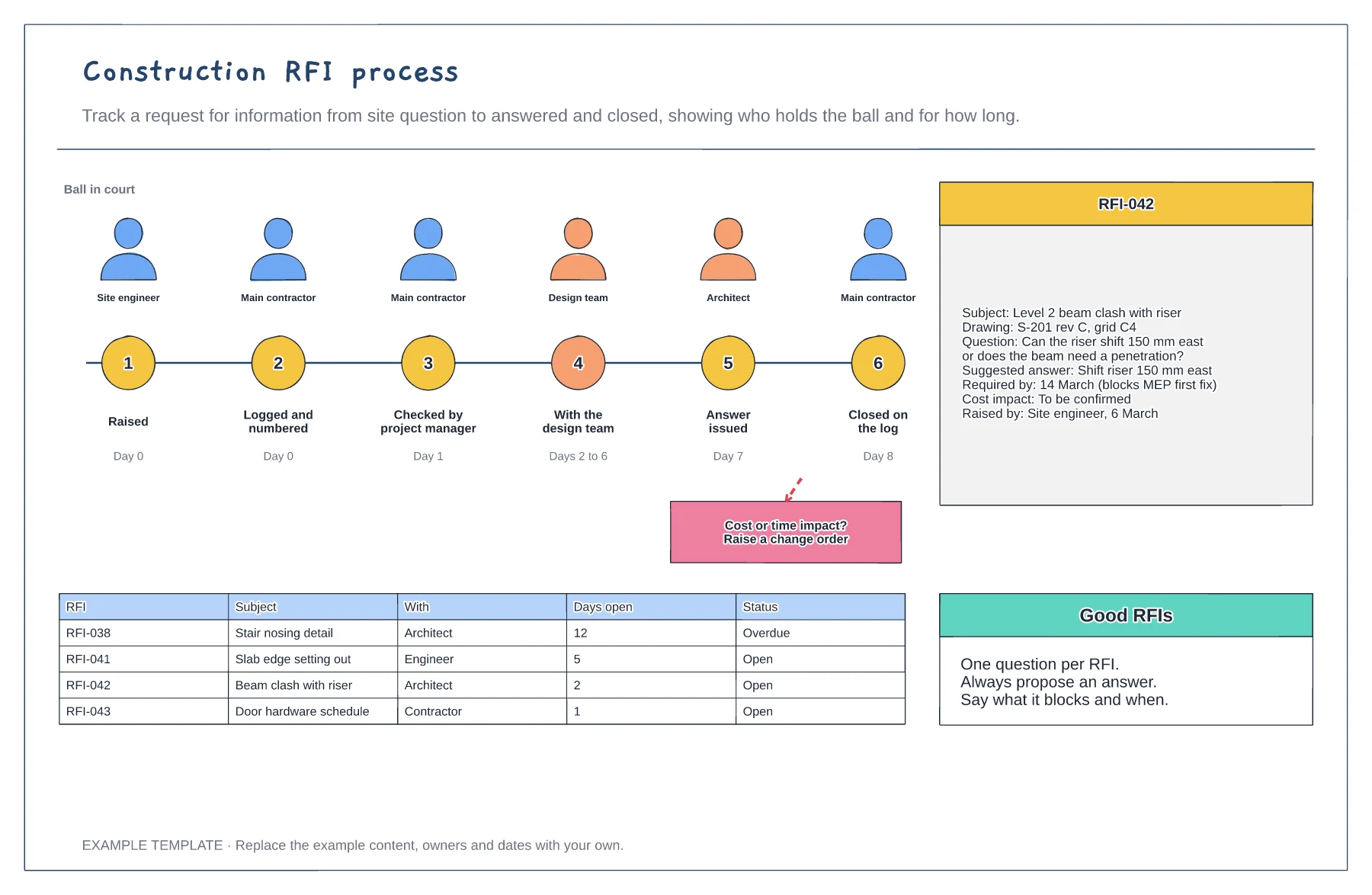
Construction RFI process template
Six stages with who holds the RFI · Example RFI with all the key fields · Open RFI log with days open
Preview and use template →Submittals are how subcontractors show the design team exactly what they plan to build or install before they make it. This board shows the review loop around a shop drawing, the four standard review stamps from approved to rejected and what each one means for the subcontractor, and a submittal log with revisions and due dates.
No account needed · Opens as your own editable page
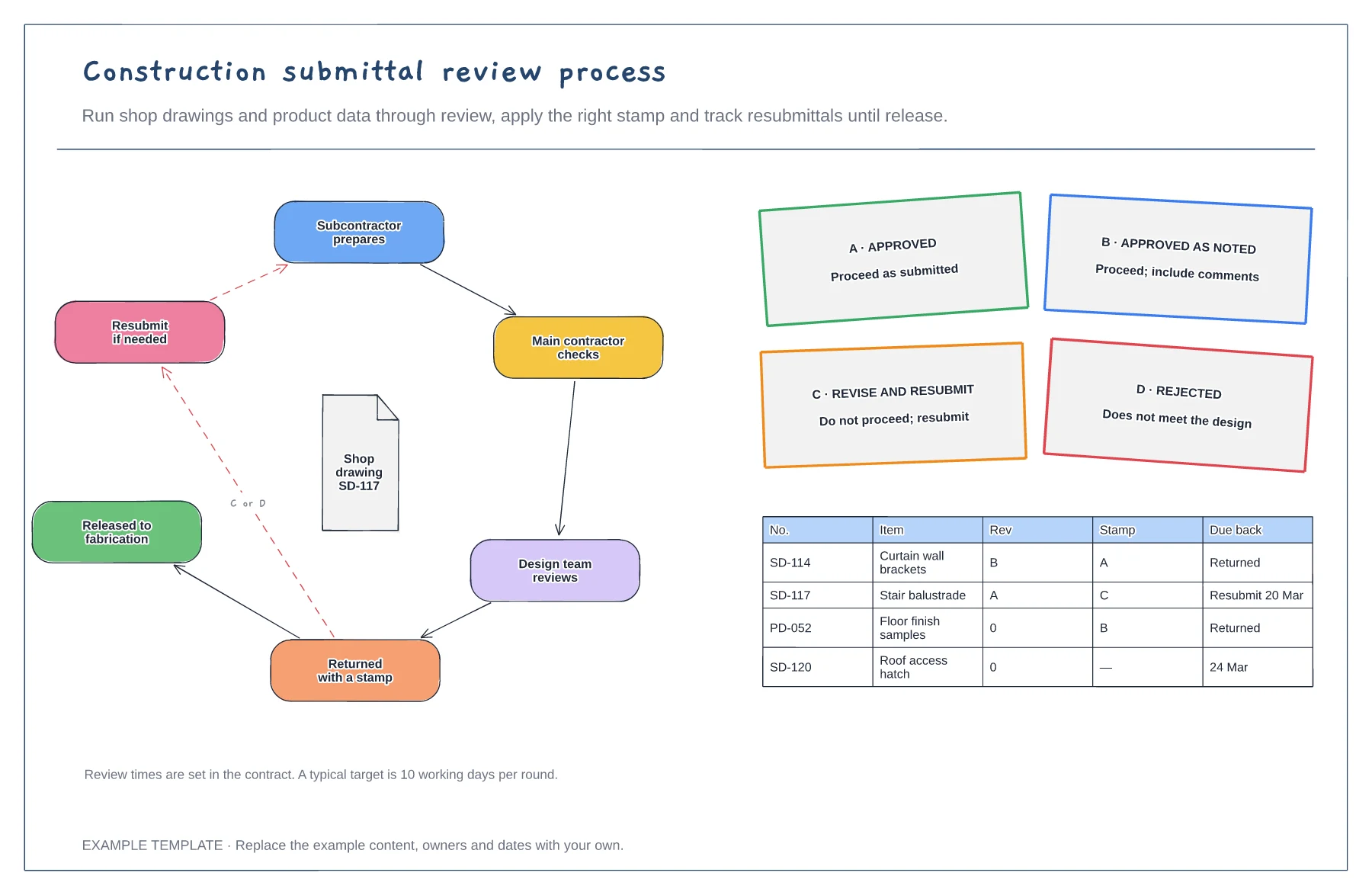
List every submittal needed at the start of the job, with who prepares it and when it is due, so long-lead items are not late.
The main contractor checks each submittal against the contract before passing it on. It saves a full review round.
Proceed on A or B, revise and resubmit on C, and rethink the product on D. Track every resubmittal on the log.
They are the review outcomes: A approved, B approved as noted, C revise and resubmit, D rejected. Only A and B let the subcontractor proceed.
No. Open the template and edit it in your browser. Your work saves on this device. An account is optional if you want to sync your workspace.
Yes. Use Export in the editor to save a PNG, SVG or PDF, or download an editable .epicdraw backup.
Six stages with who holds the RFI · Example RFI with all the key fields · Open RFI log with days open
Preview and use template →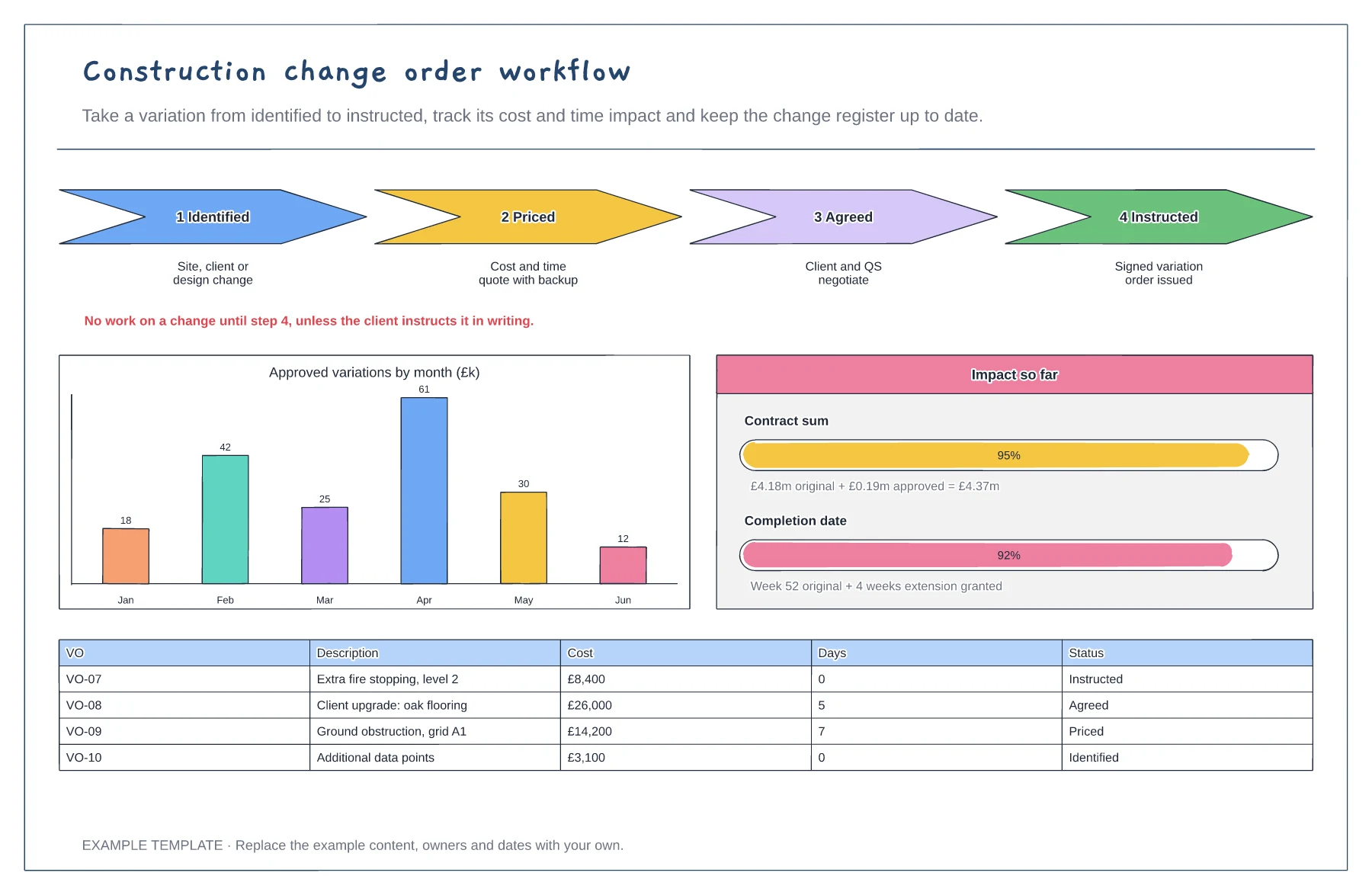
Four steps from identified to instructed · Cost and time impact so far · Variation register with status
Preview and use template →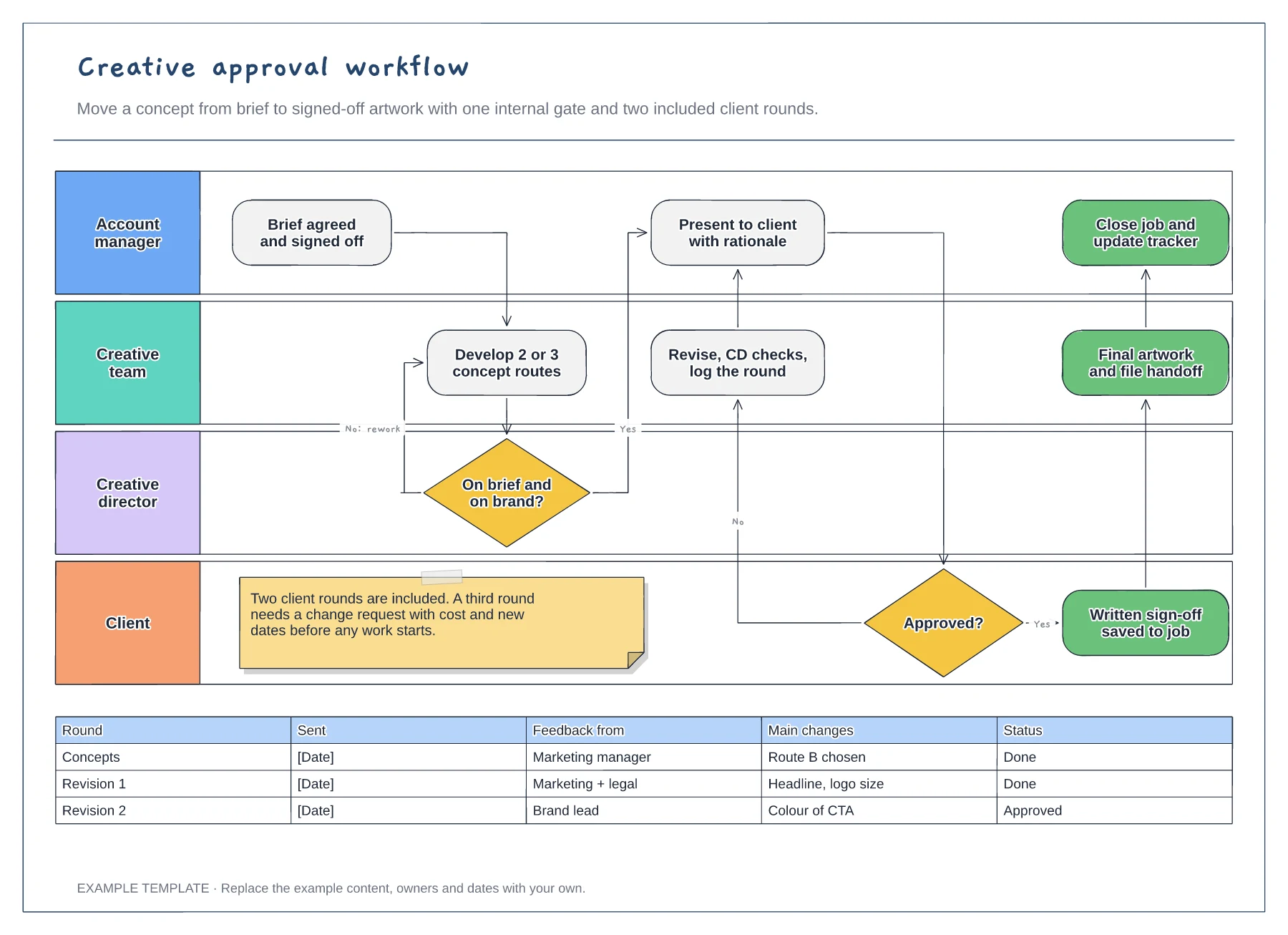
Four swimlanes from account manager to client · Internal gate and client revision loop · Revision log and a limit on included rounds
Preview and use template →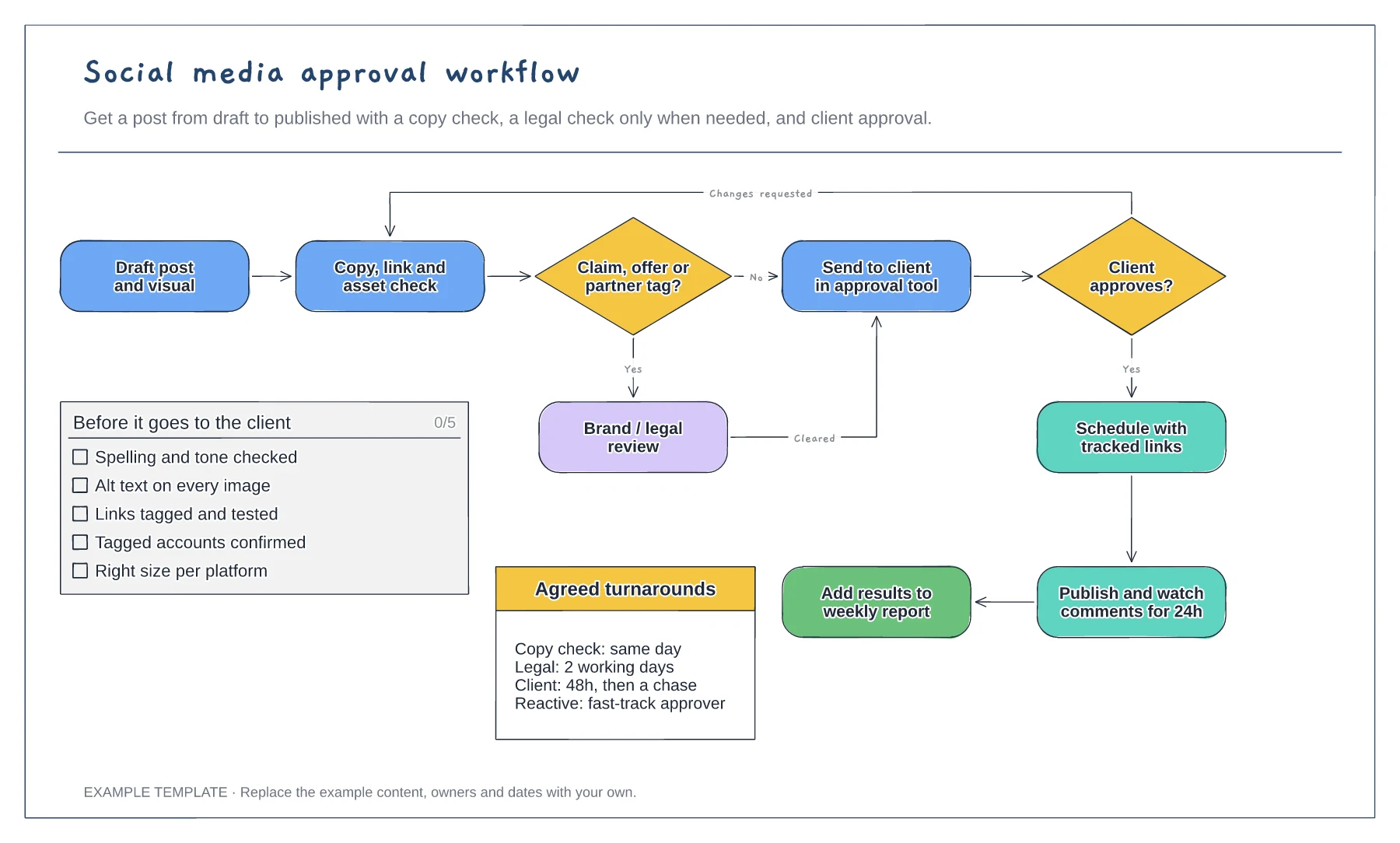
Flowchart with a conditional legal check · Changes-requested loop back to the copy check · Pre-approval checklist and agreed turnarounds
Preview and use template →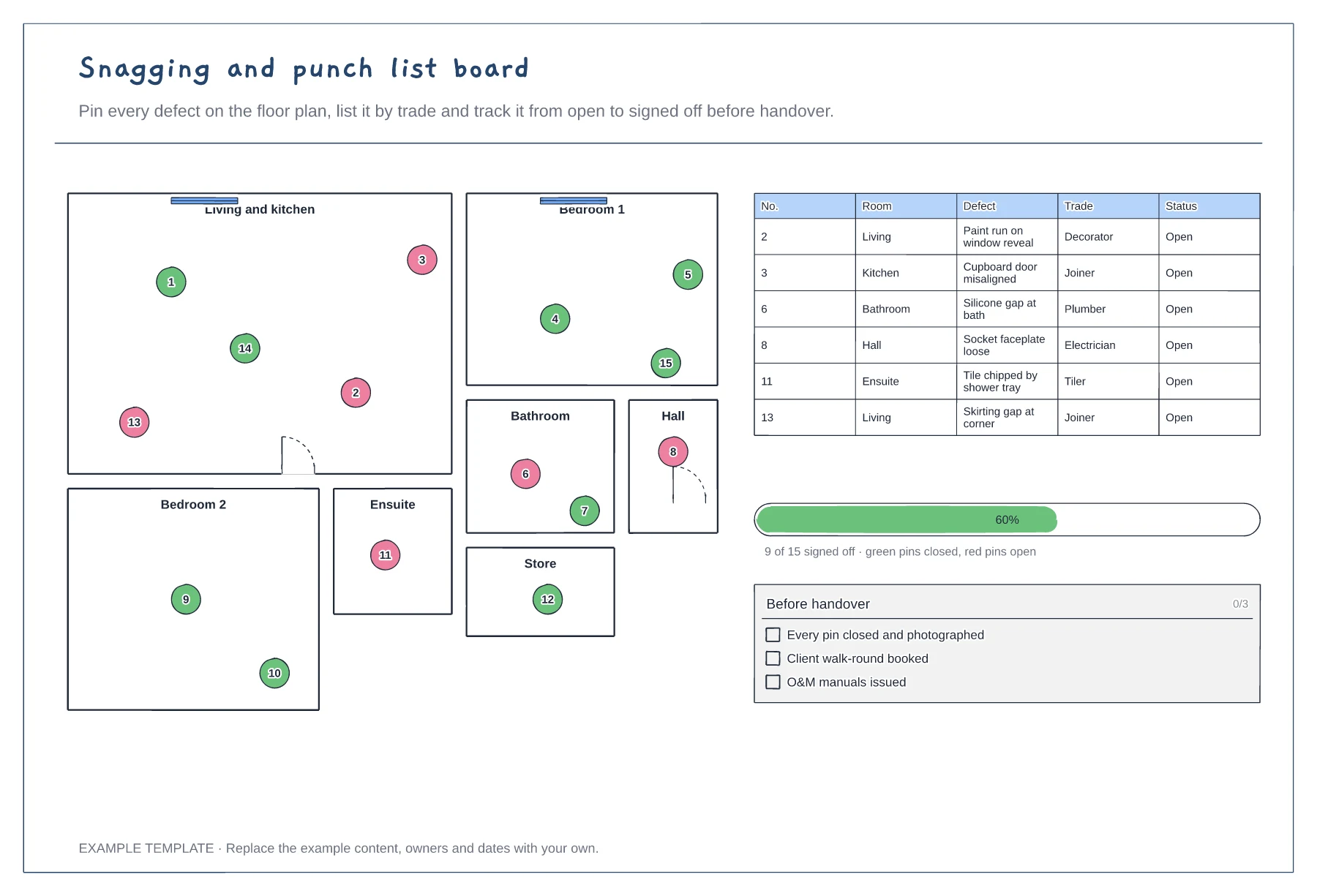
Floor plan with numbered snag pins · Snag list by room and trade · Progress to sign-off
Preview and use template →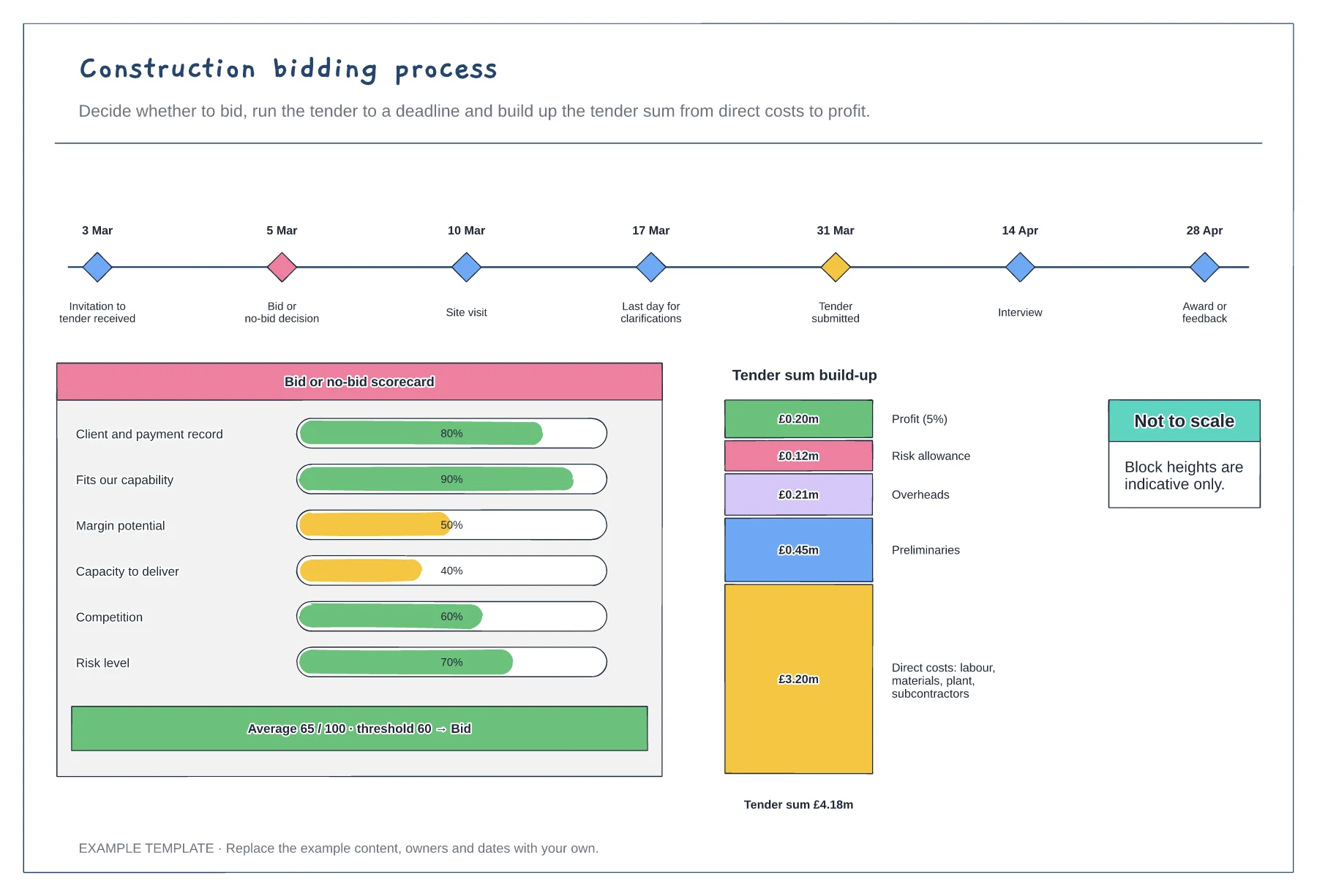
Tender timeline with key dates · Bid or no-bid scorecard · Tender sum build-up
Preview and use template →