Construction
Construction submittal review process template
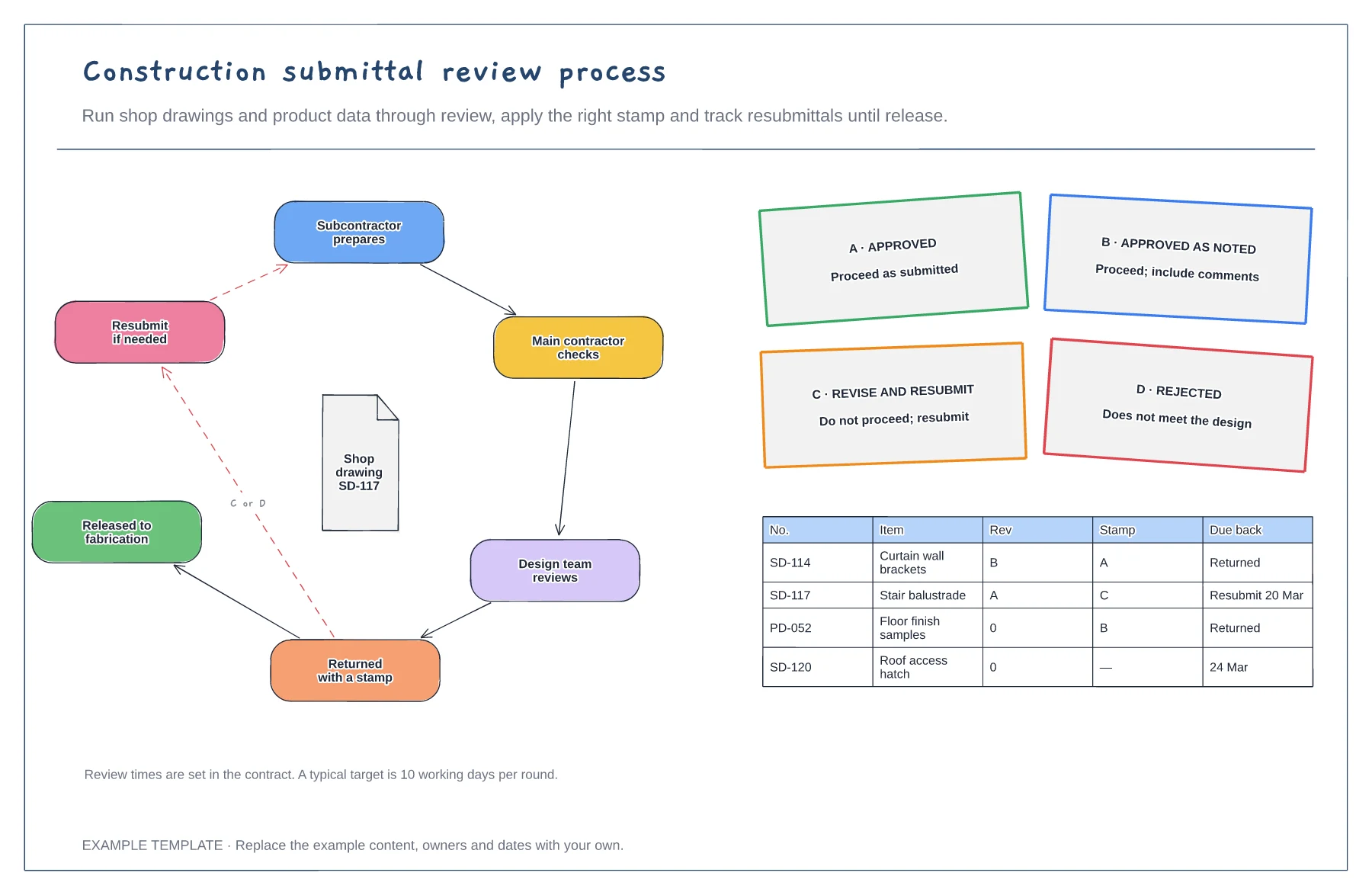
Review loop from prepare to release · Four review stamps and their meaning · Submittal log with revisions
Preview and use template →A request for information is how the site asks the design team a question that the drawings do not answer. This board follows one RFI through six stages, showing who holds it and how many days it sits with them, with a filled-in example RFI, an open RFI log with days open and a reminder to raise a change order when the answer changes cost or time.
No account needed · Opens as your own editable page
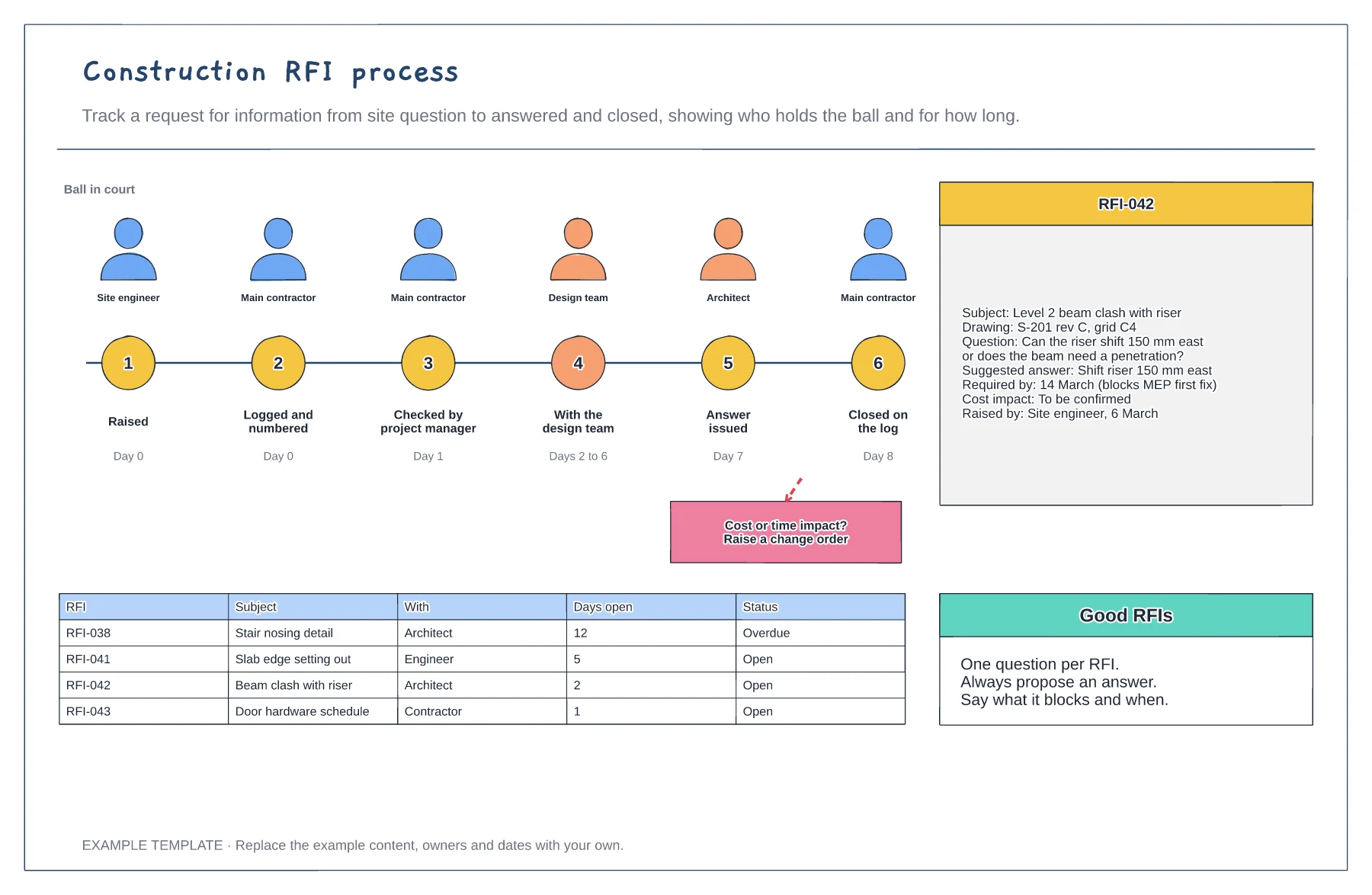
Ask one question per RFI, reference the drawing and grid, and suggest an answer. A proposed answer gets a faster reply.
Give a required-by date tied to the work it holds up, so the design team can prioritise.
Review the log every week and chase anything overdue. When an answer changes cost or programme, raise a change order.
Yes. Replace the example RFIs in the log with your own, and update who has the ball and the days open as each one moves through the six steps.
No. Open the template and edit it in your browser. Your work saves on this device. An account is optional if you want to sync your workspace.
Yes. Use Export in the editor to save a PNG, SVG or PDF, or download an editable .epicdraw backup.
Review loop from prepare to release · Four review stamps and their meaning · Submittal log with revisions
Preview and use template →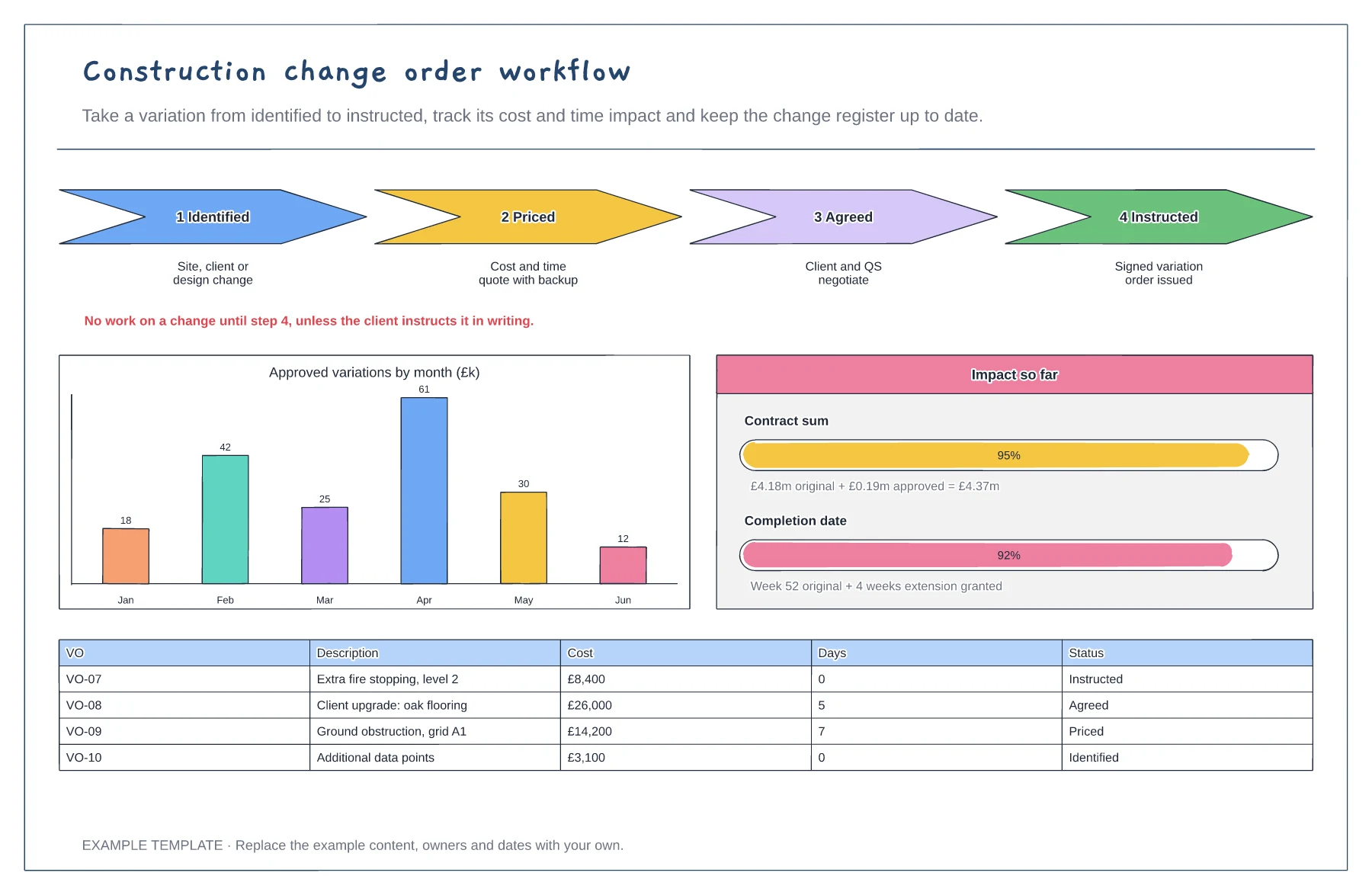
Four steps from identified to instructed · Cost and time impact so far · Variation register with status
Preview and use template →
First-line triage and impact check · Specialist ownership and investigation · Customer updates and closure
Preview and use template →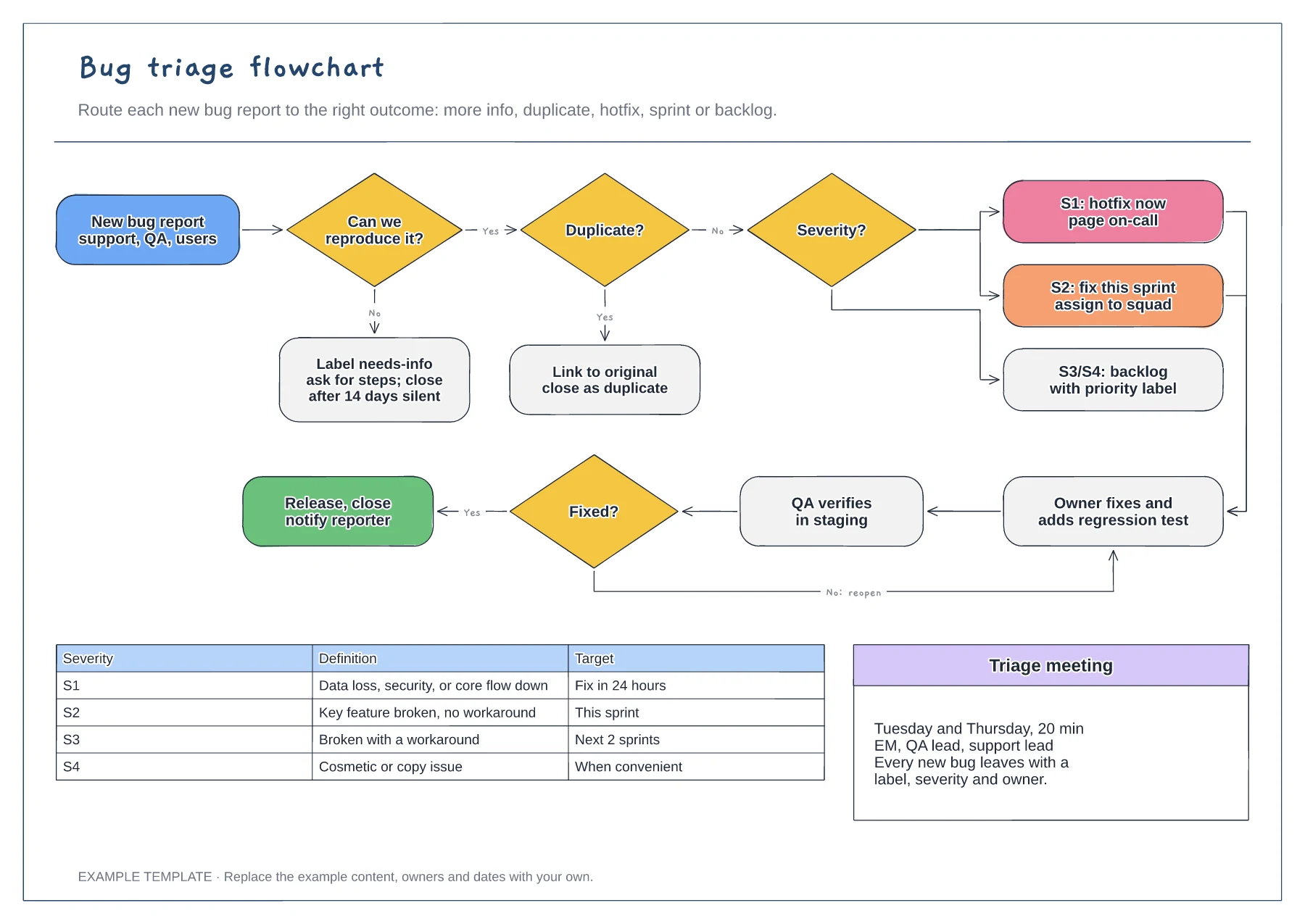
Reproduce and duplicate checks · Severity routing from S1 to S4 · Fix, verify and reopen loop with a severity table
Preview and use template →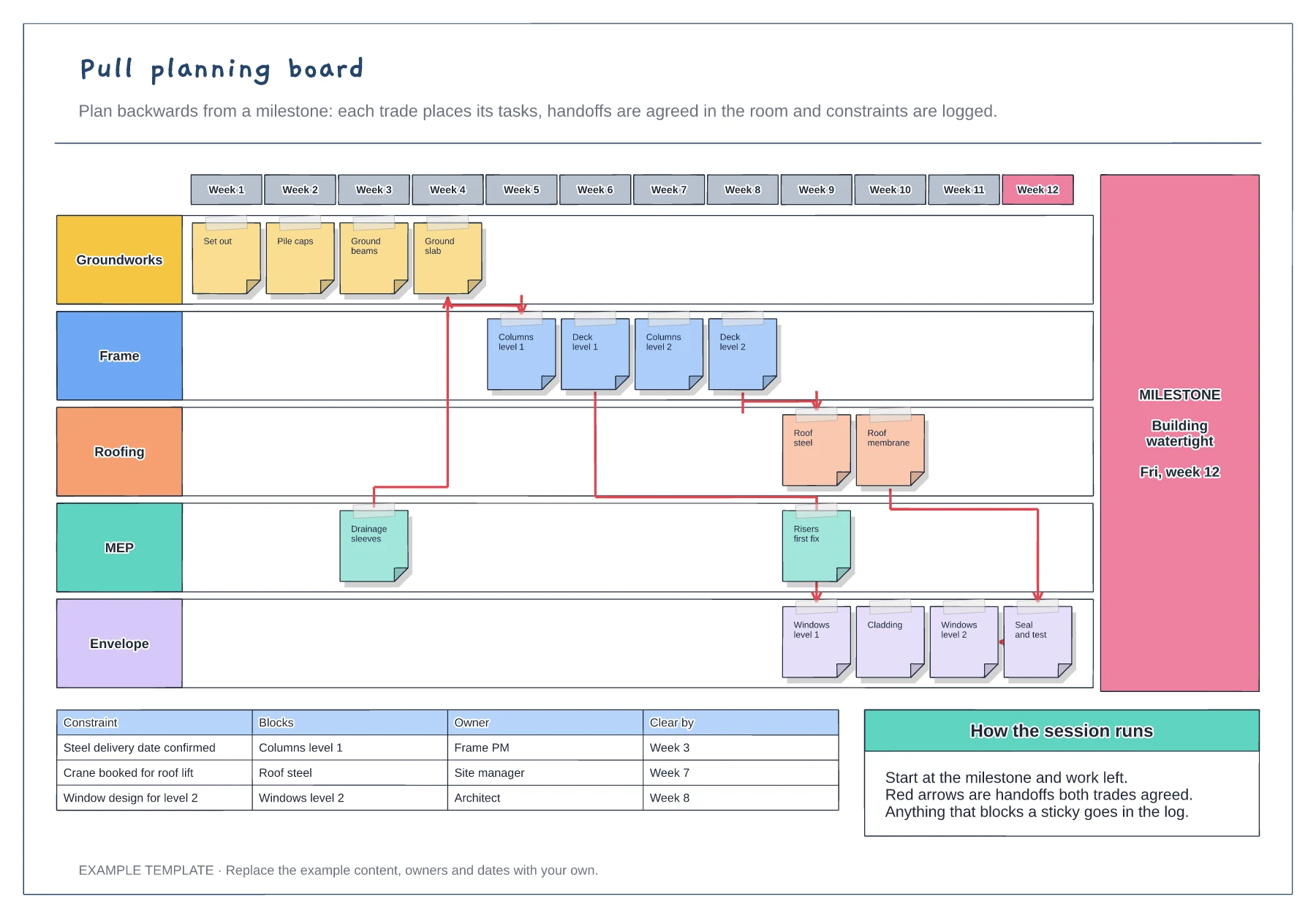
Week columns ending at a milestone · Sticky notes for each trade · Agreed handoffs and a constraints log
Preview and use template →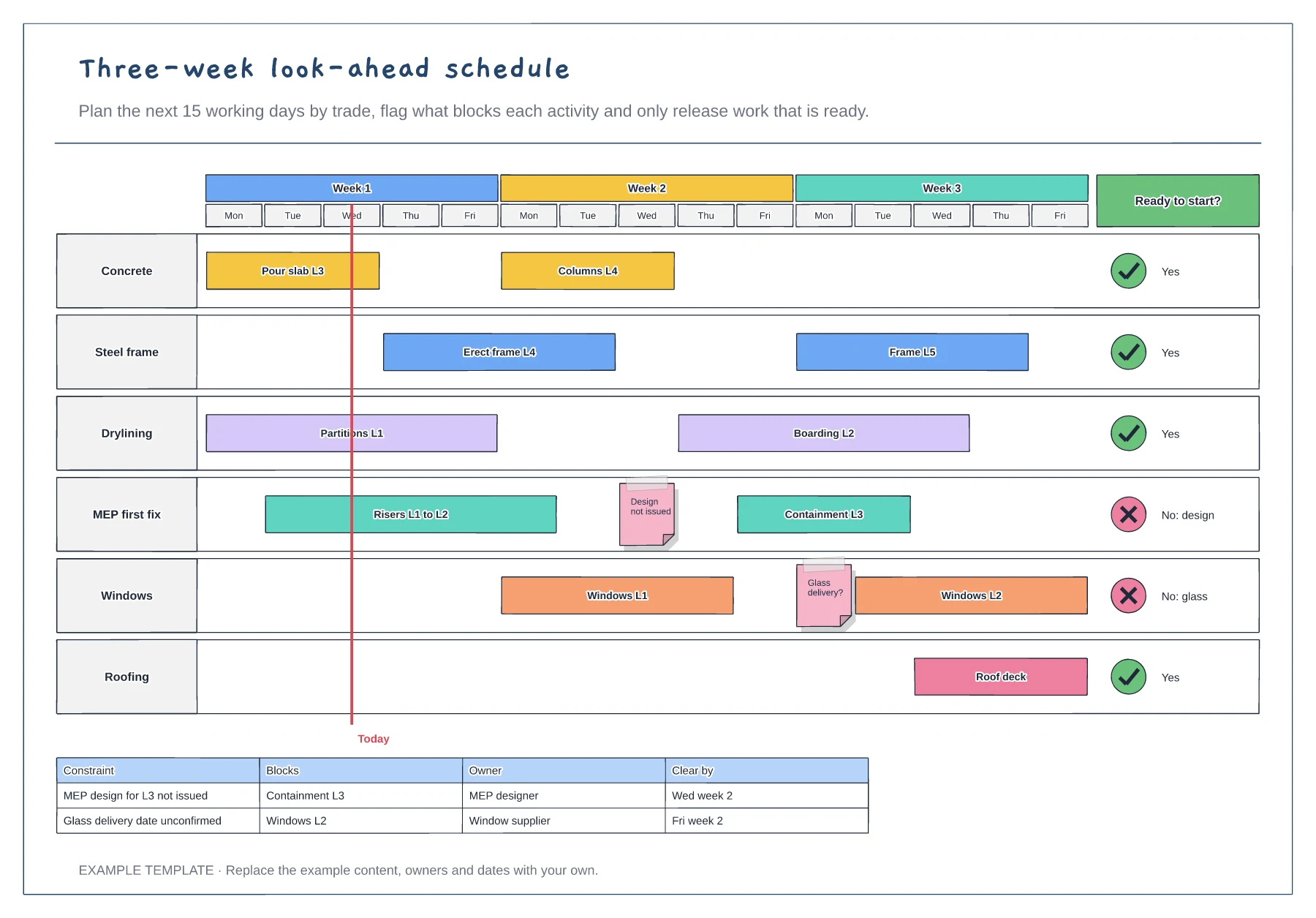
Fifteen working days by trade · Constraint flags and a today line · Ready-to-start column and constraints table
Preview and use template →