Marketing
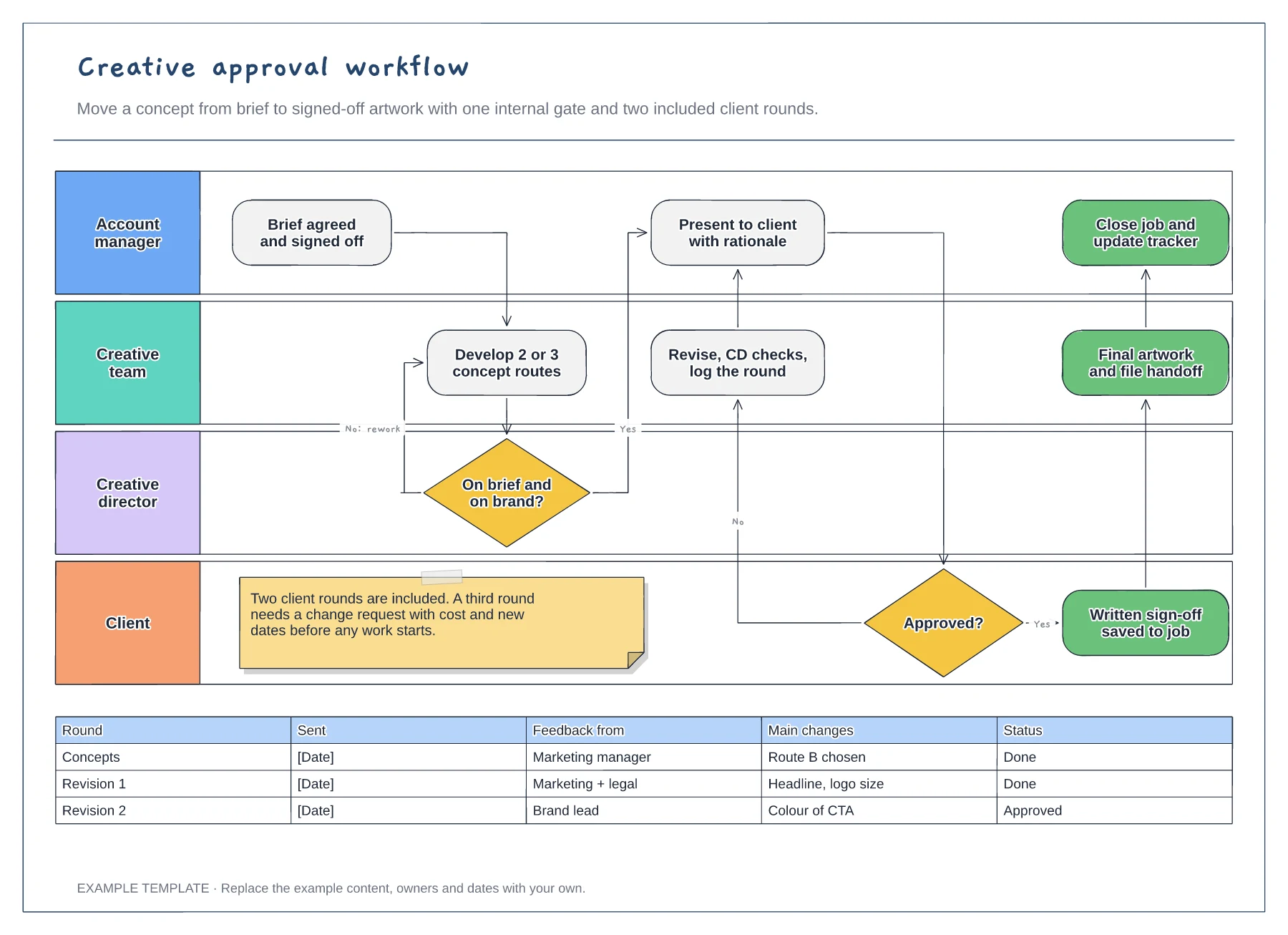
Creative approval workflow template
Four swimlanes from account manager to client · Internal gate and client revision loop · Revision log and a limit on included rounds
Preview and use template →A social media approval workflow makes it clear which checks every post goes through before it is published. In this example, every post gets a copy and asset check, only posts with a claim, offer or partner tag go to legal, and the client approves before anything is scheduled.
No account needed · Opens as your own editable page
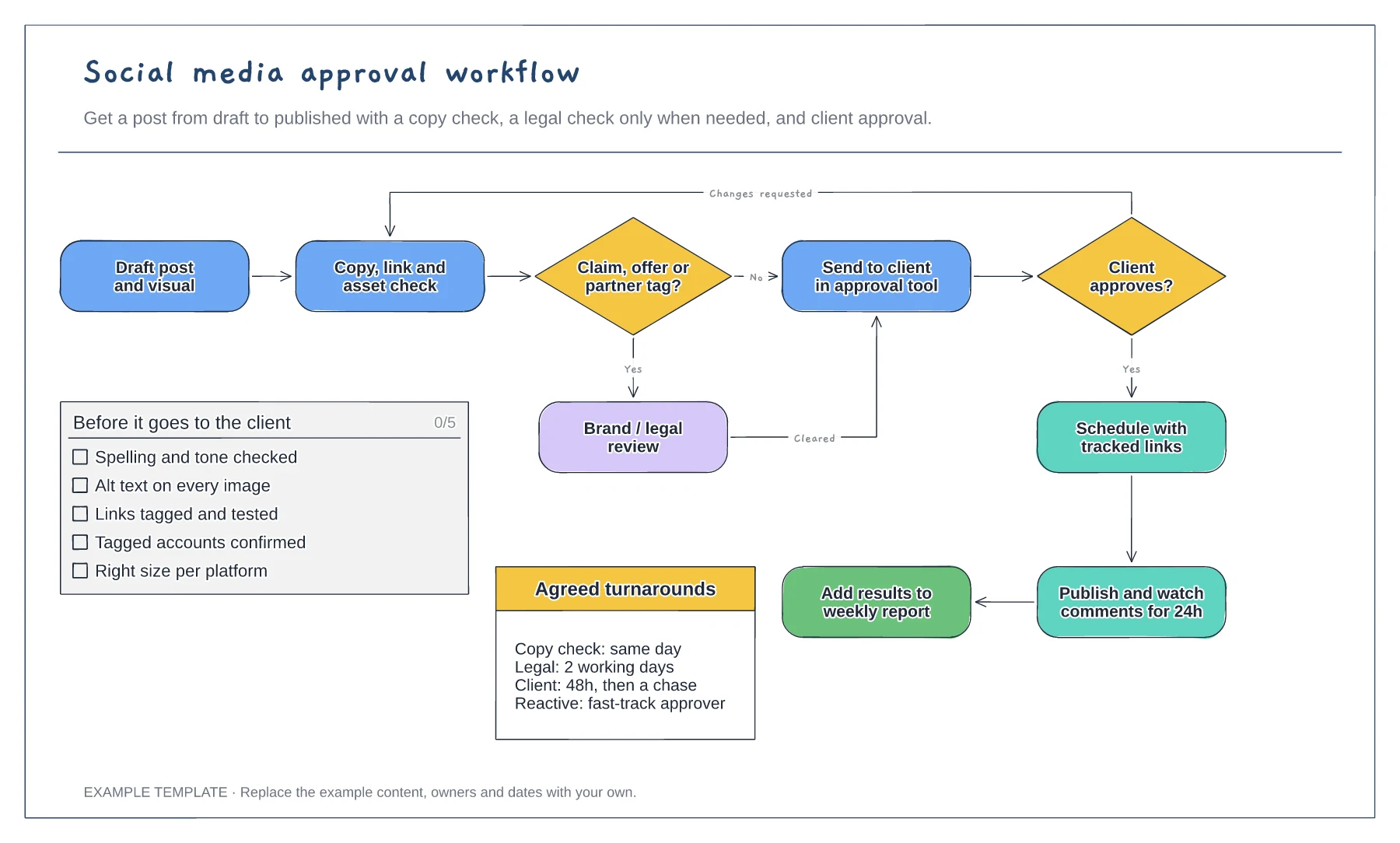
Replace the claim, offer or partner question with the rules your brand or regulator uses. A clear trigger keeps routine posts moving and stops legal from reviewing every caption.
Fill in how long each reviewer has and what happens when they miss it. Social content goes stale quickly, so a named fast-track approver for reactive posts is worth agreeing in advance.
Keep the final reporting step. Linking published posts to the weekly report shows the client what the approvals produced and helps you plan the next batch.
Only when the conditional check sends it there. Edit that decision's label to set your own rule, such as posts with claims, offers or partners.
No. Open the template and edit it in your browser. Your work saves on this device. An account is optional if you want to sync your workspace.
Yes. Use Export in the editor to save a PNG, SVG or PDF, or download an editable .epicdraw backup.
Four swimlanes from account manager to client · Internal gate and client revision loop · Revision log and a limit on included rounds
Preview and use template →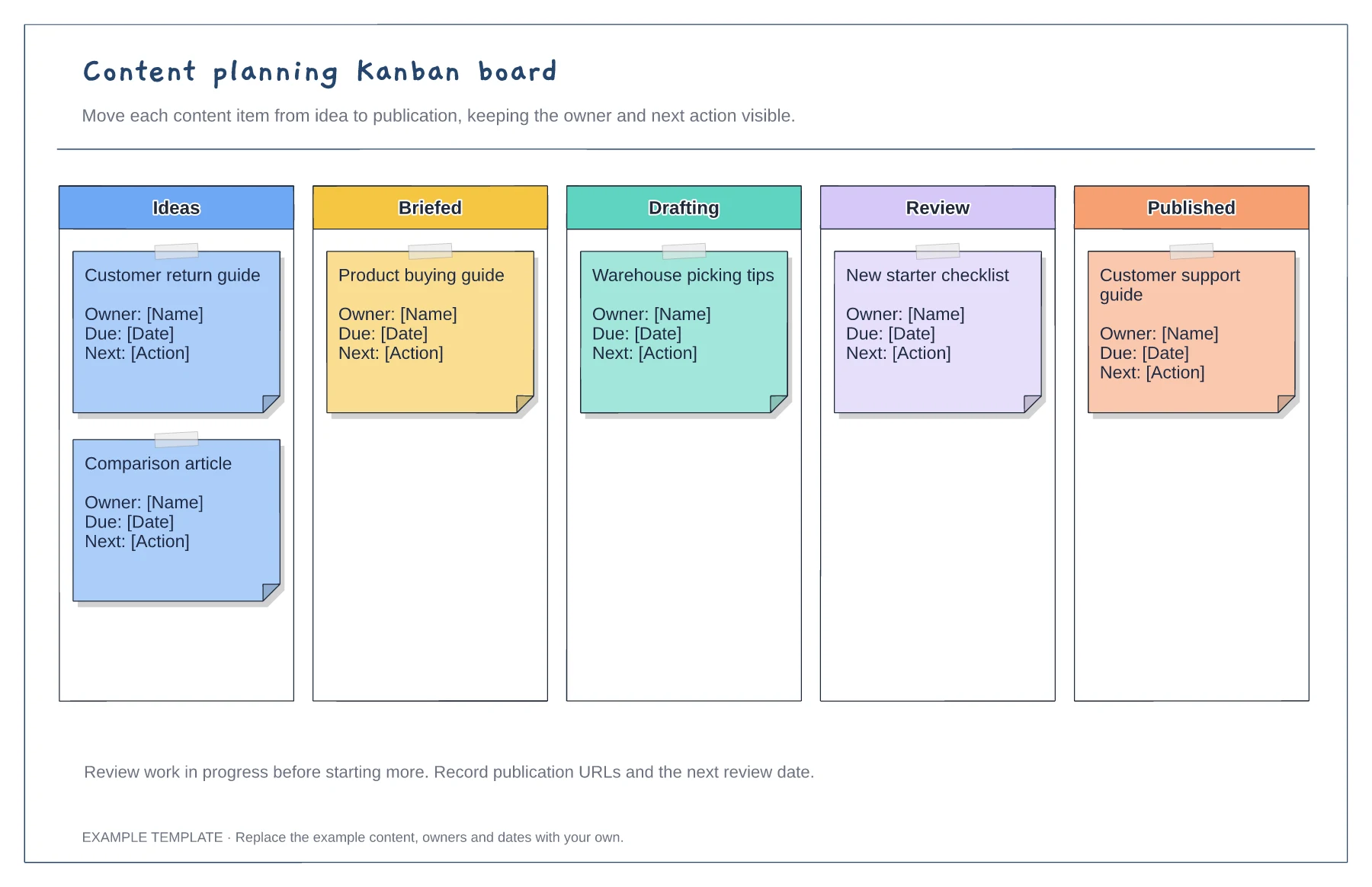
Columns from idea to published · Editable example content cards · Owner and next-action prompts
Preview and use template →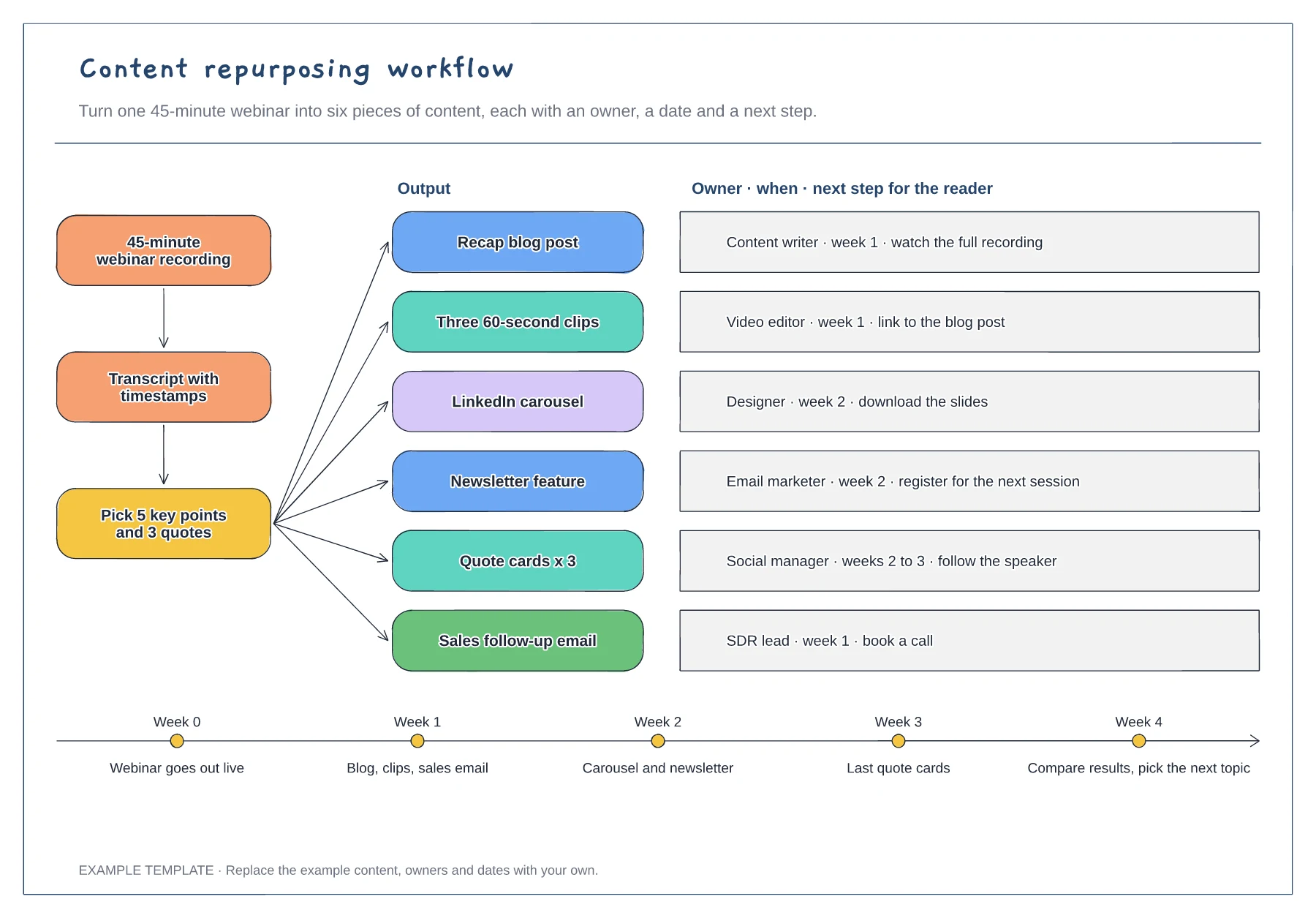
Source, transcript and key-points steps · Six outputs with owner, timing and next step · Four-week release timeline
Preview and use template →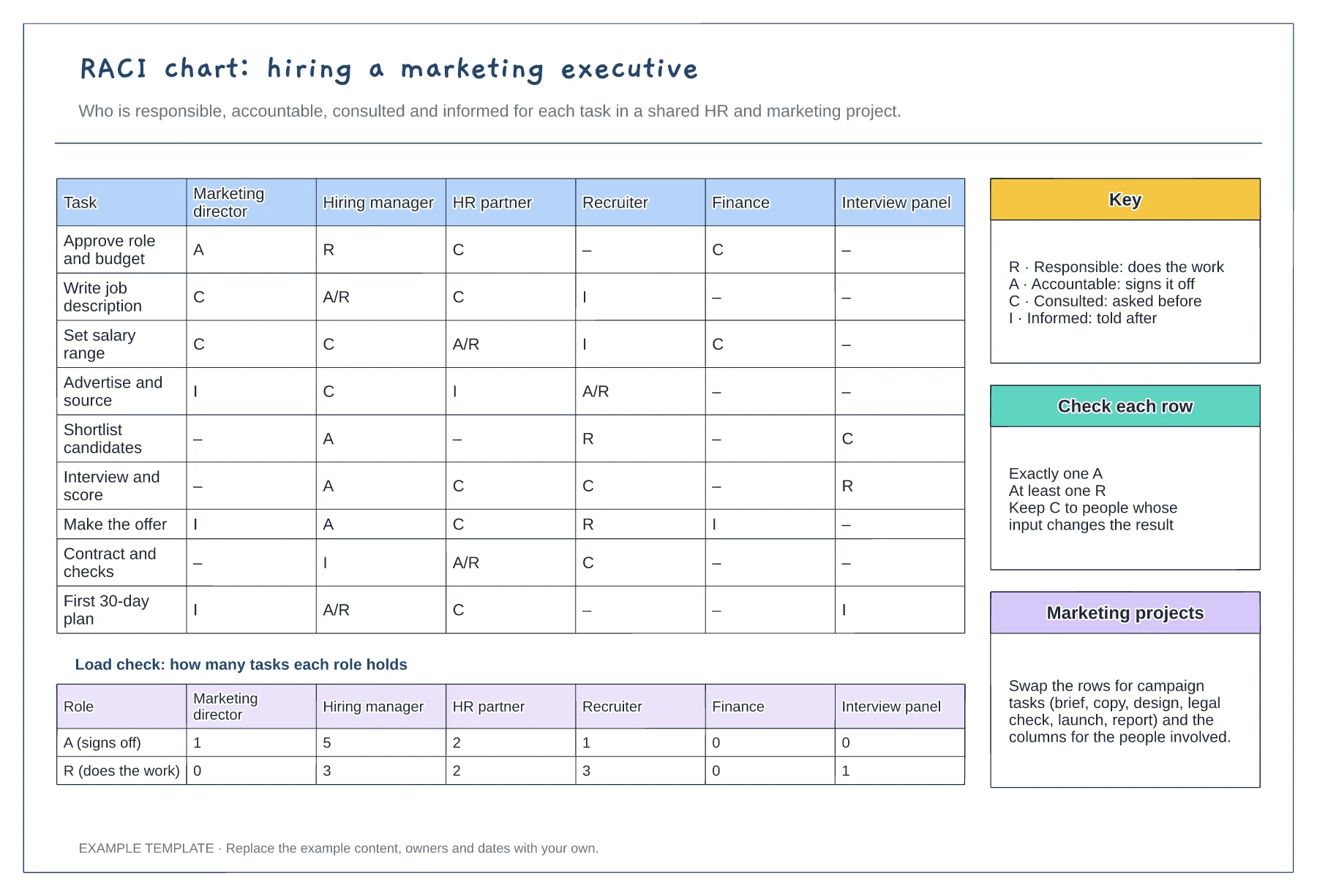
Tasks against six roles with R, A, C and I · Load check of A and R per role · Key, row checks and reuse notes
Preview and use template →
First-line triage and impact check · Specialist ownership and investigation · Customer updates and closure
Preview and use template →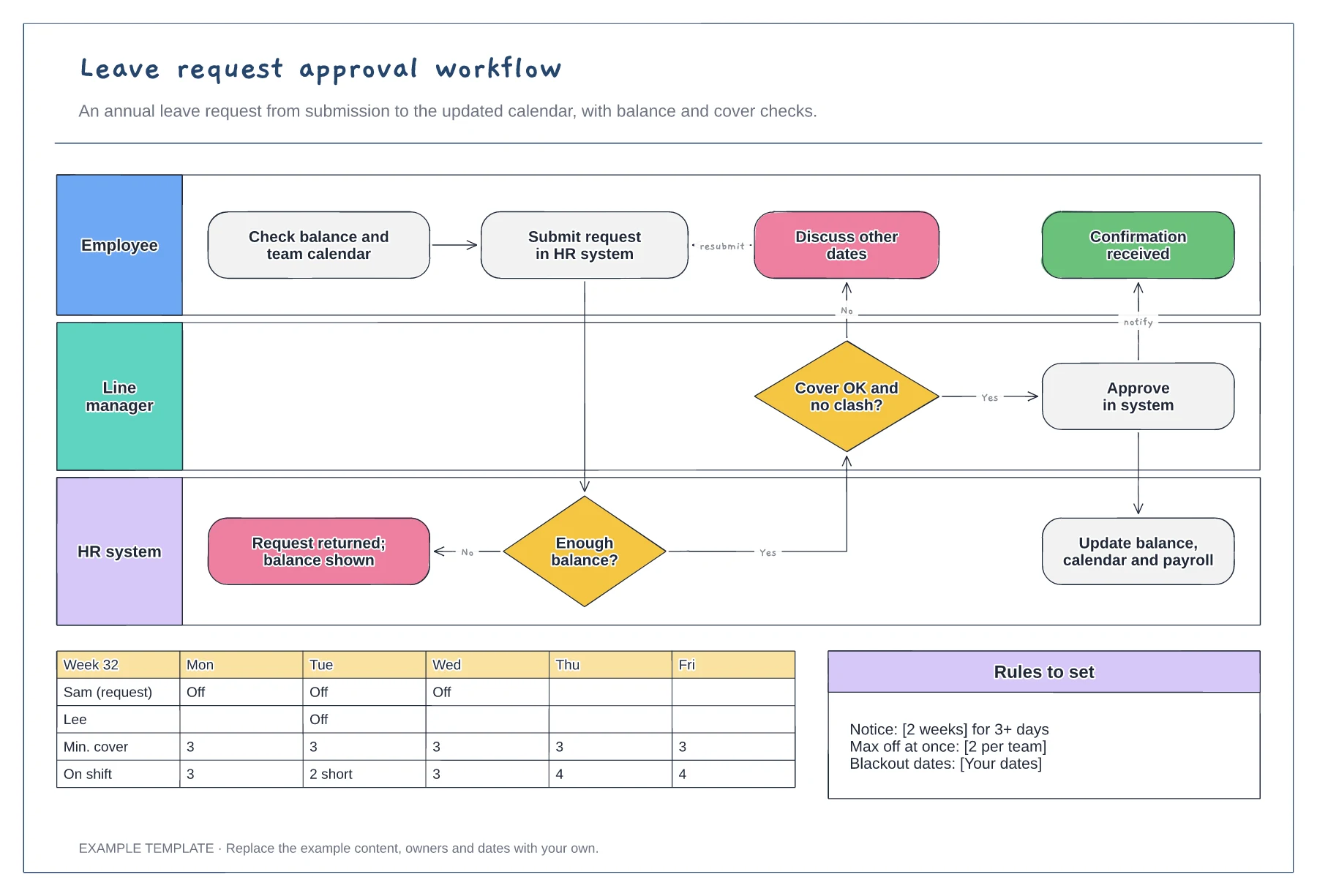
Employee, manager and HR system lanes · Balance and cover decisions · Team calendar and leave rules
Preview and use template →