Construction
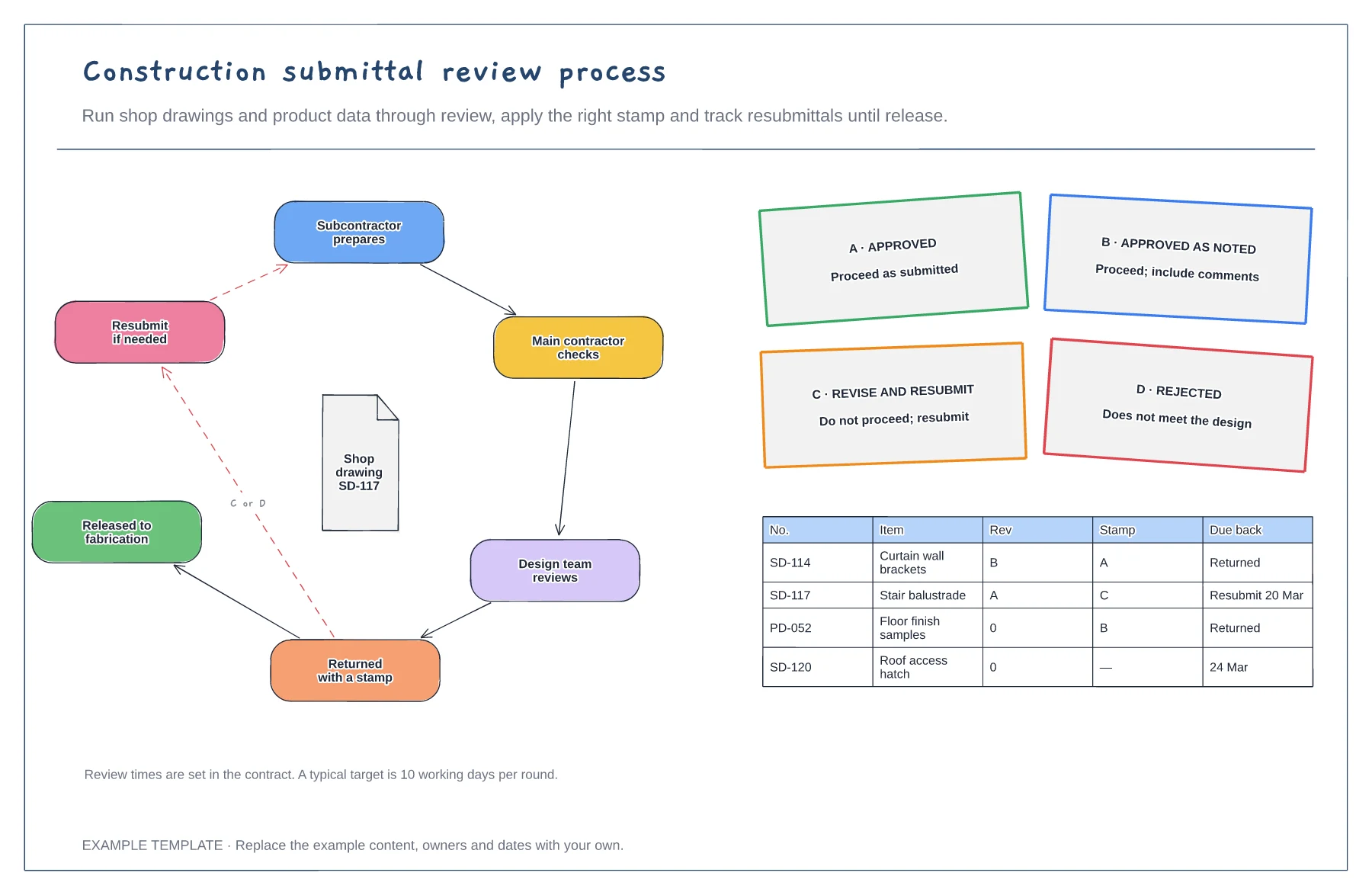
Construction submittal review process template
Review loop from prepare to release · Four review stamps and their meaning · Submittal log with revisions
Preview and use template →A snagging or punch list records every defect that must be fixed before handover. This board pins numbered defects on the floor plan of an apartment, colours them open or closed, lists the open snags by room and trade, and tracks how many have been signed off, so trades can find their work and the client can see progress.
No account needed · Opens as your own editable page
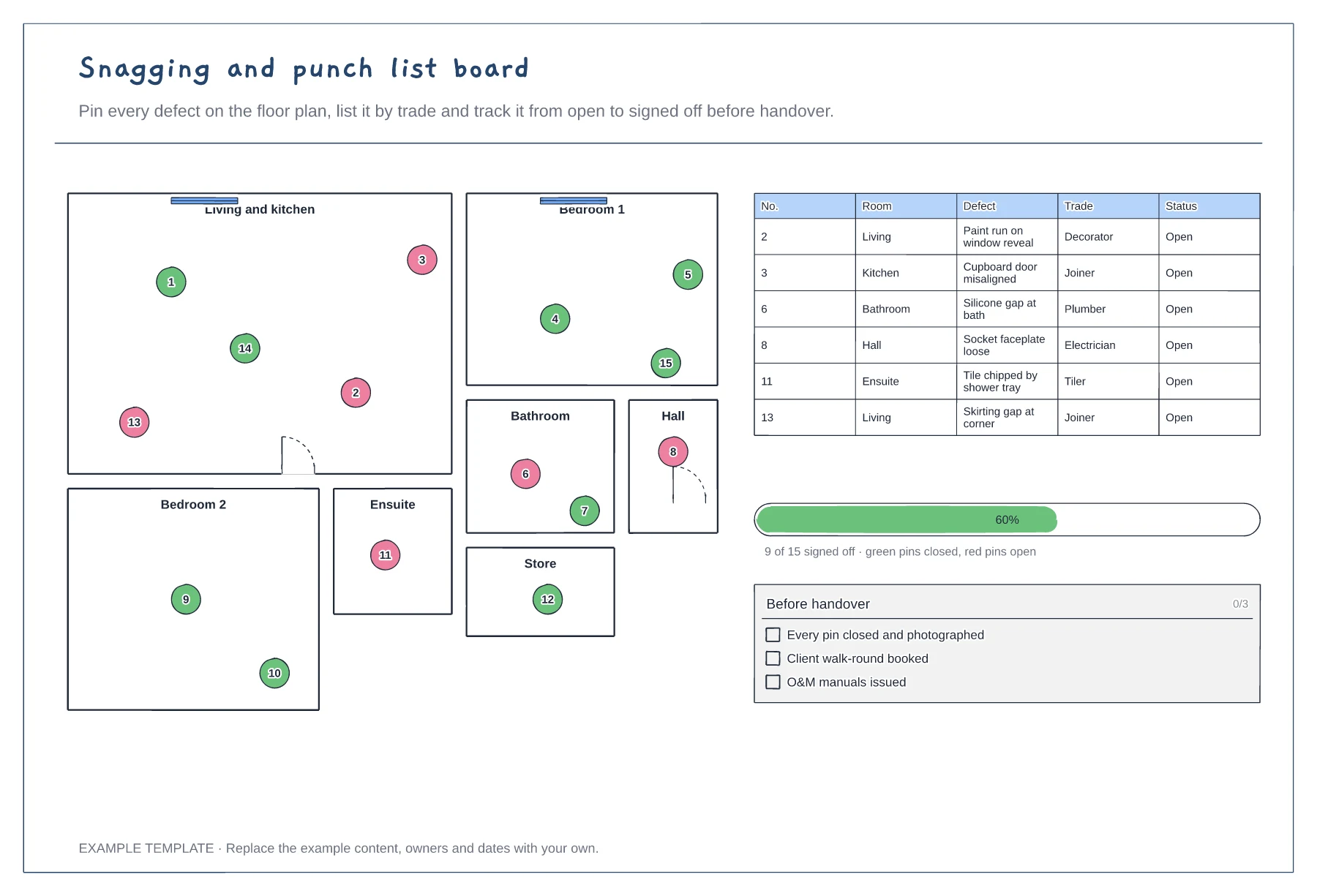
Walk each room with the client or clerk of works and drop a numbered pin for every defect. Take a photo for each one.
Give each snag to the trade that will fix it, so each team can see its list in one place.
Turn a pin green only when the fix has been inspected and photographed. Book the client walk-round once all pins are closed.
Copy a numbered pin, place it where the defect is and add a matching row to the list with room, trade and status. Turn the pin green once it is signed off.
No. Open the template and edit it in your browser. Your work saves on this device. An account is optional if you want to sync your workspace.
Yes. Use Export in the editor to save a PNG, SVG or PDF, or download an editable .epicdraw backup.
Review loop from prepare to release · Four review stamps and their meaning · Submittal log with revisions
Preview and use template →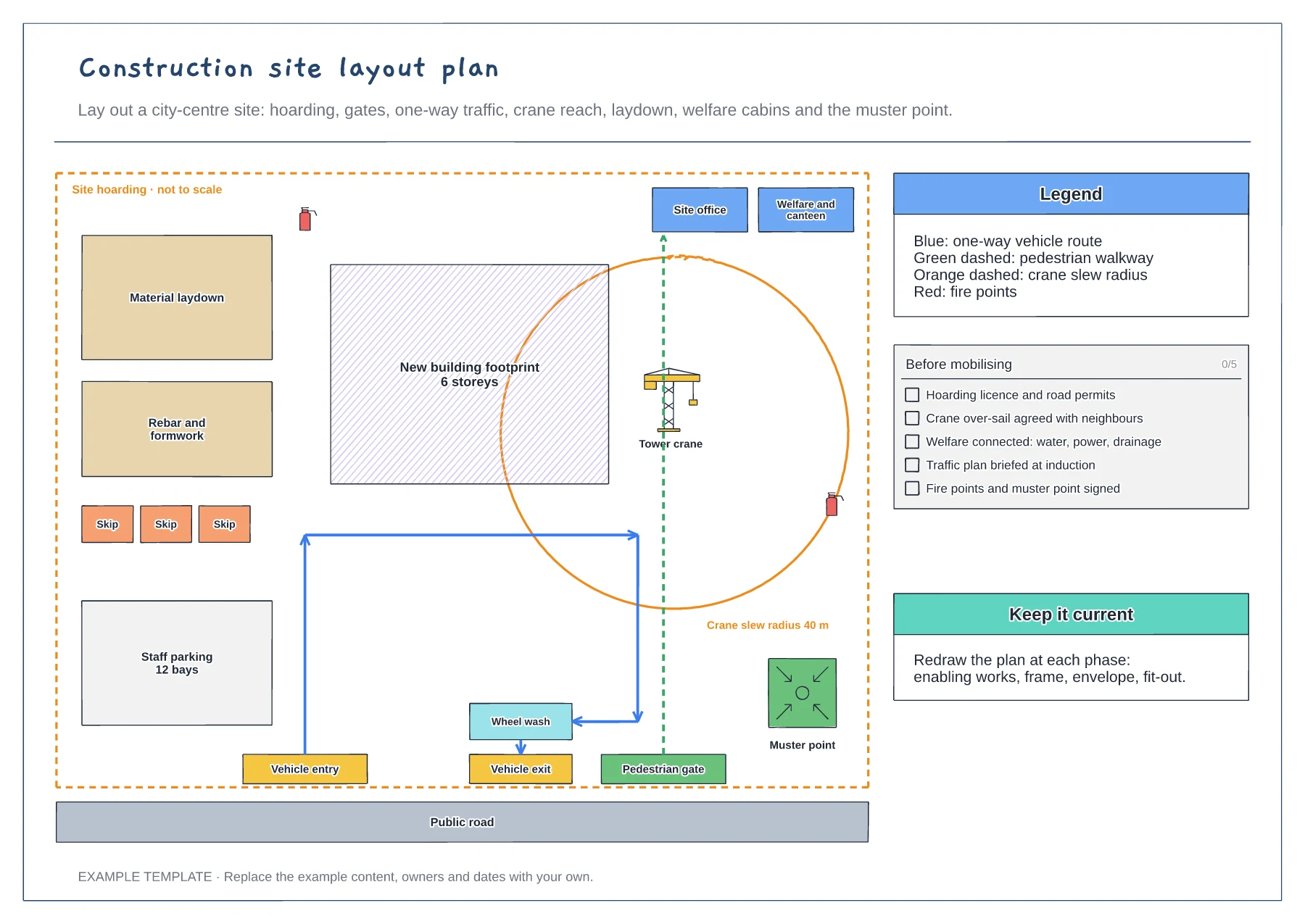
Hoarding, gates and one-way traffic route · Crane slew radius and laydown areas · Welfare, fire points and muster point
Preview and use template →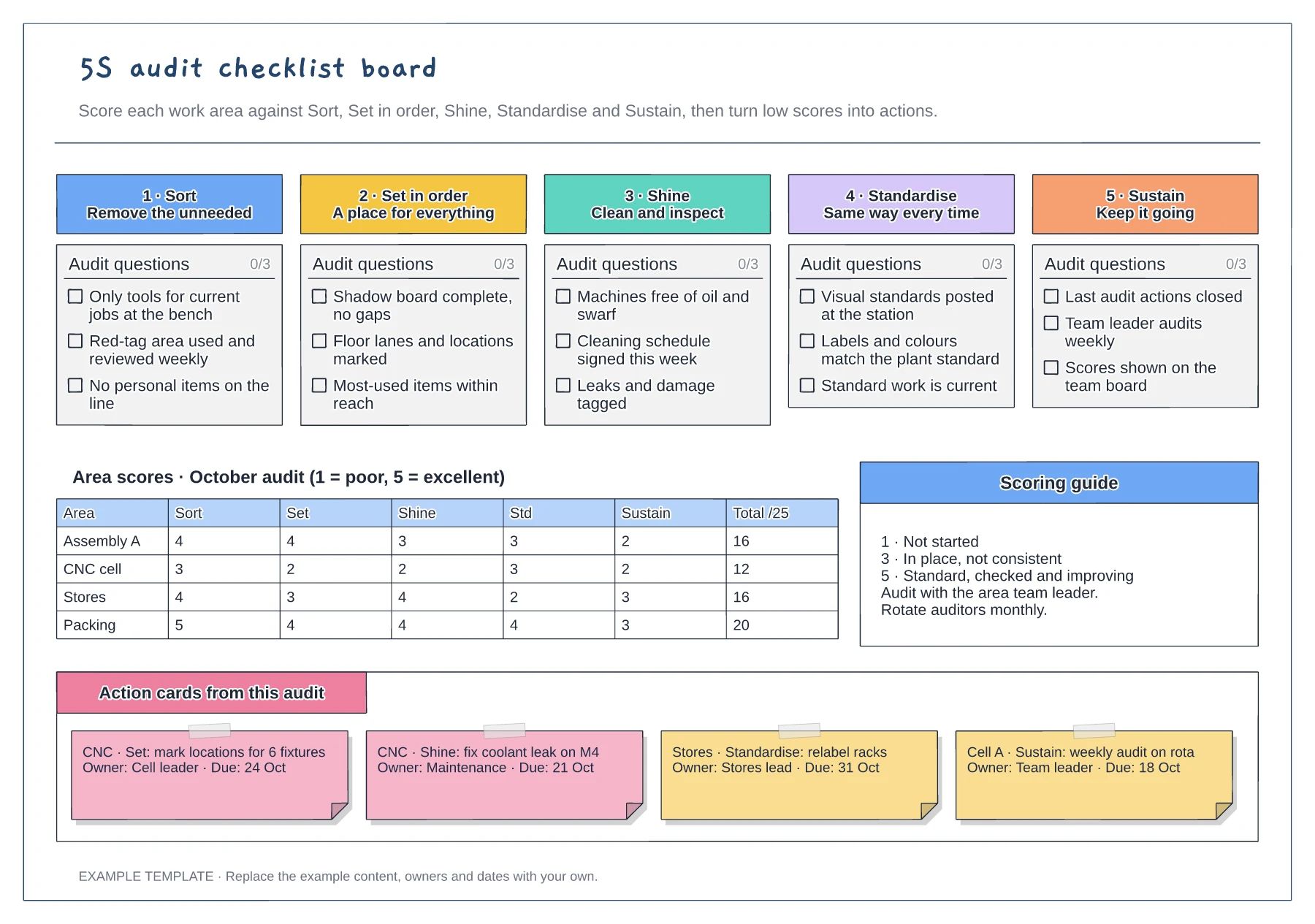
Tickable audit questions for each S · Score grid by area and pillar · Action cards with owner and due date
Preview and use template →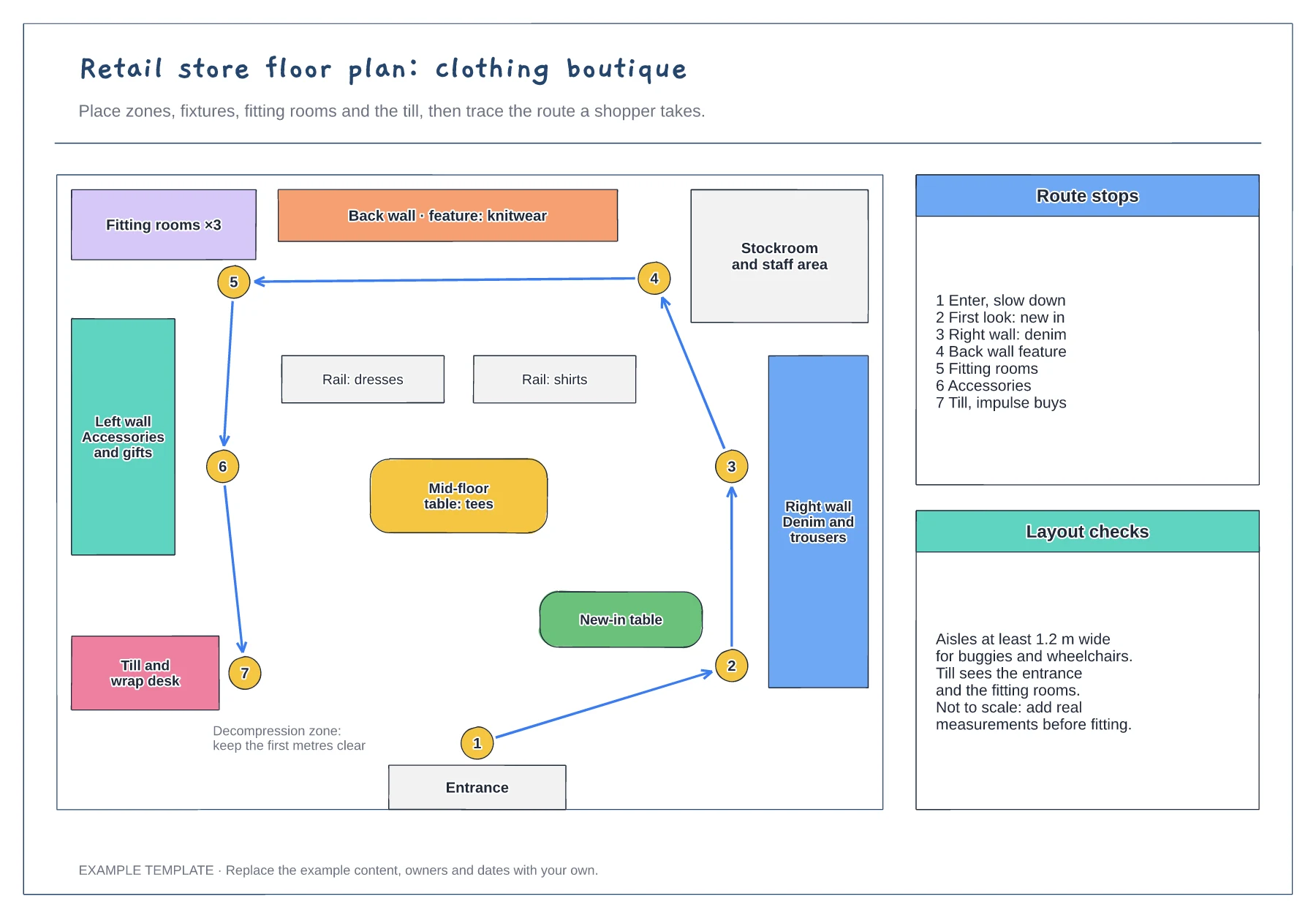
Zones, fixtures and service points · Numbered shopper route · Checks for aisles and sightlines
Preview and use template →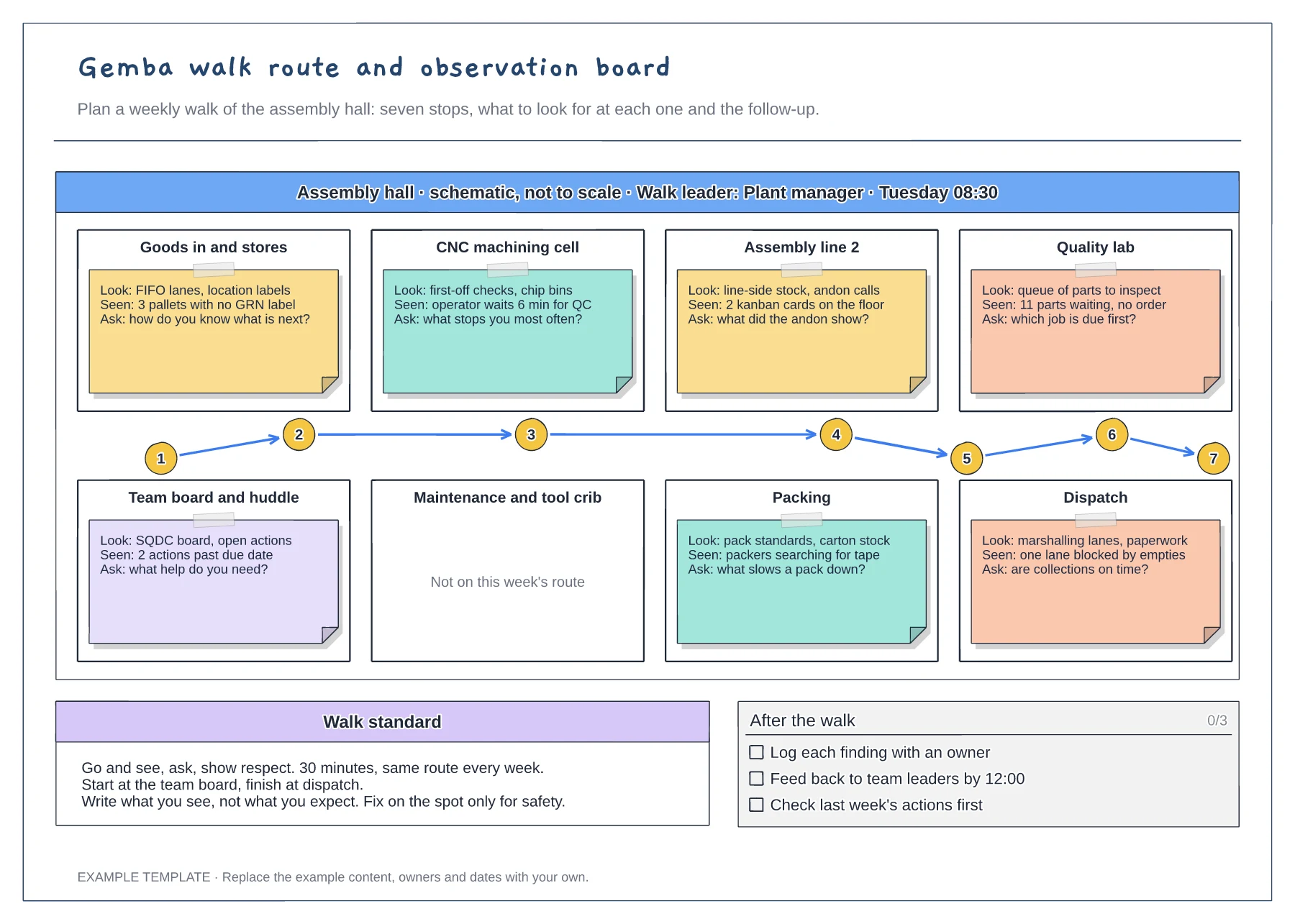
Floor plan with a numbered walk route · Look, seen and ask notes at every stop · Walk standard and after-the-walk checklist
Preview and use template →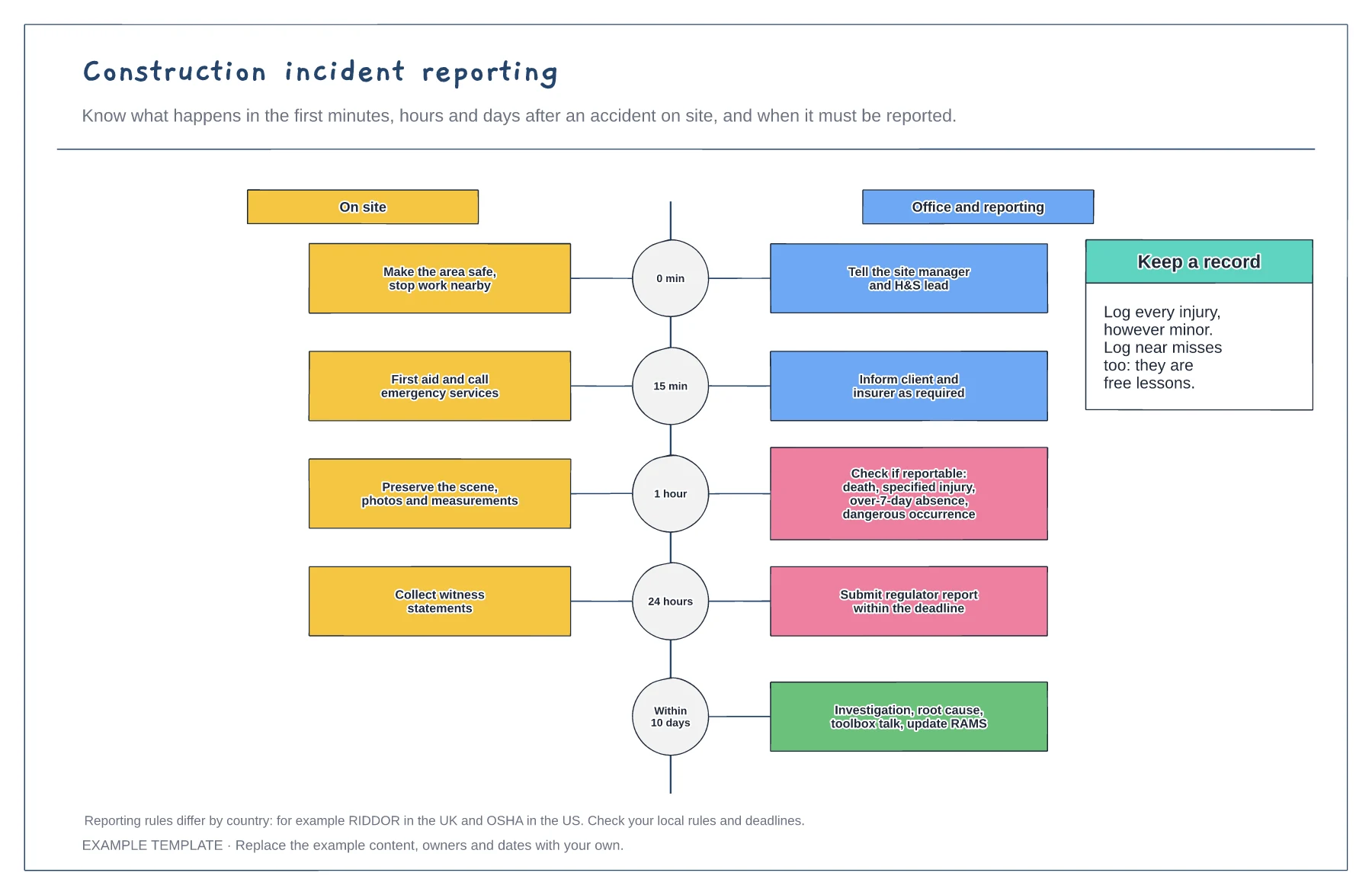
Timeline from first minute to ten days · On-site and office actions side by side · Reportable incident check
Preview and use template →