Construction
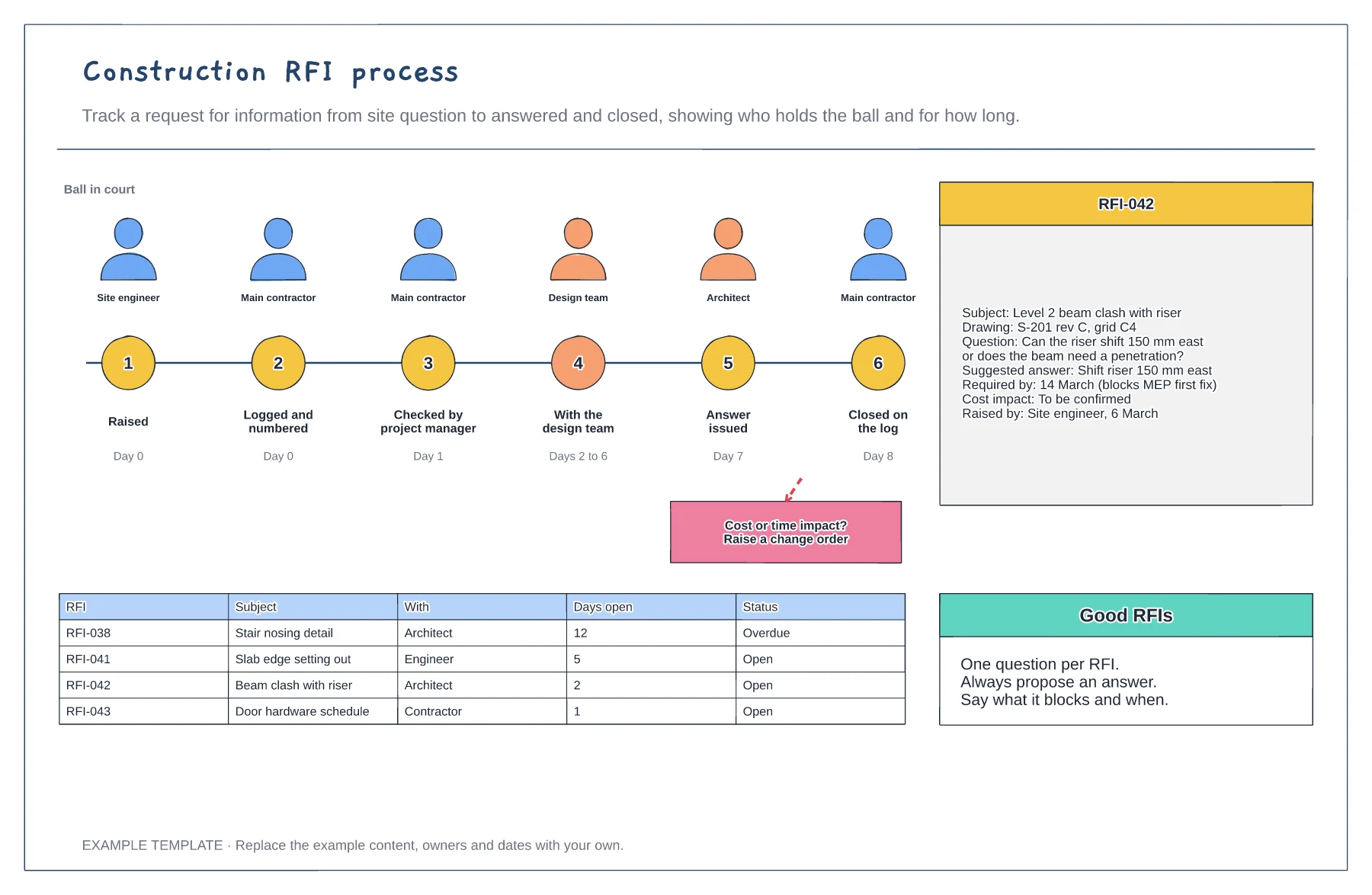
Construction RFI process template
Six stages with who holds the RFI · Example RFI with all the key fields · Open RFI log with days open
Preview and use template →Change orders, also called variations, are how a construction contract absorbs changes without disputes. This board moves a change through four steps from identified to instructed, charts approved variations by month, shows the running impact on the contract sum and completion date, and keeps a register of every variation and its status.
No account needed · Opens as your own editable page
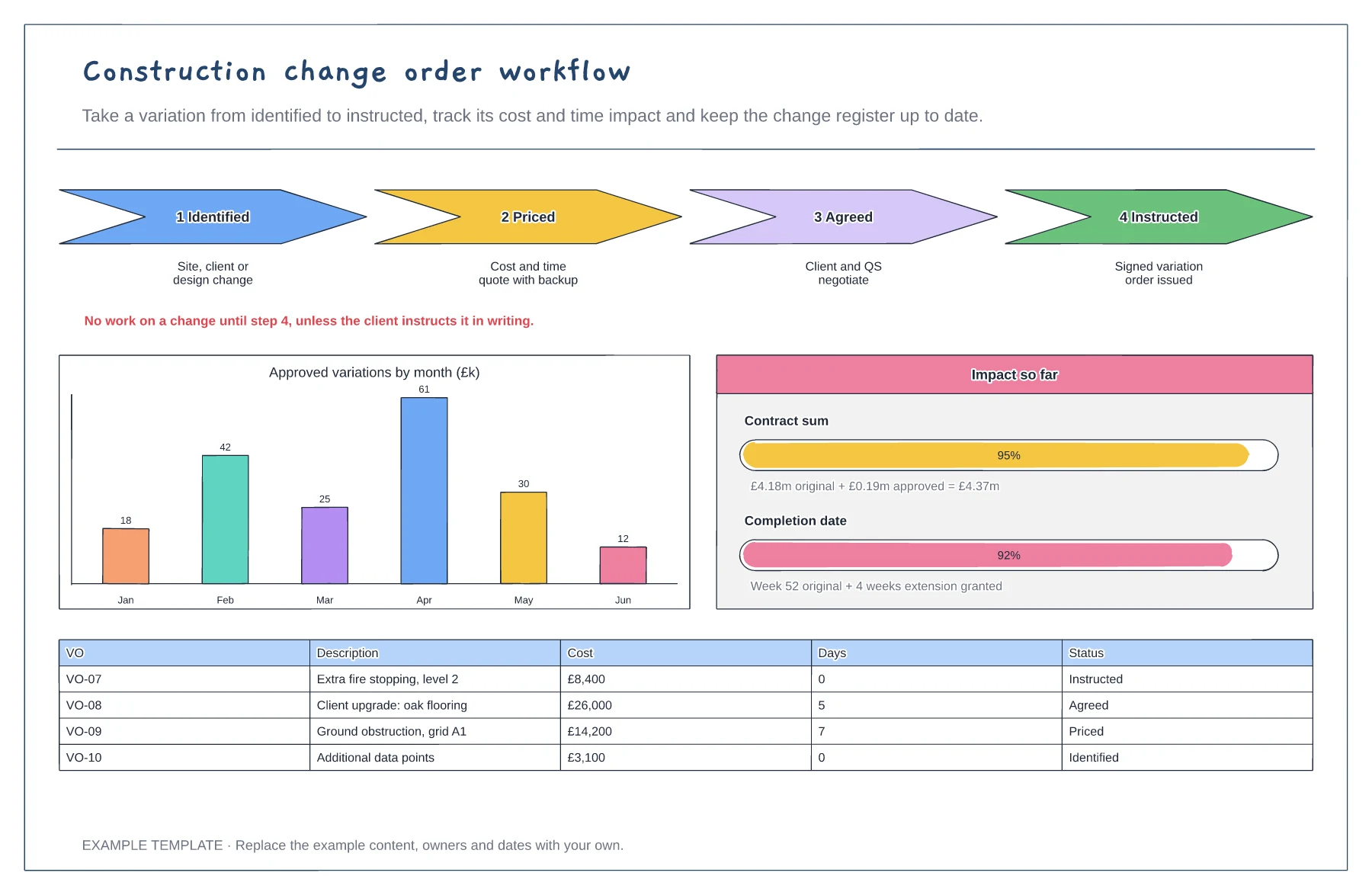
Log a change as soon as anyone spots it, whether it comes from the site, the client or the design team.
Price the cost and time impact with backup, and agree it before the work starts unless the client instructs it in writing.
Update the register and impact panel every month so the client always knows the forecast final cost and date.
Copy a row in the change register, give it the next VO number and fill in the cost, days and status. Then update the monthly chart and impact bars to match.
No. Open the template and edit it in your browser. Your work saves on this device. An account is optional if you want to sync your workspace.
Yes. Use Export in the editor to save a PNG, SVG or PDF, or download an editable .epicdraw backup.
Six stages with who holds the RFI · Example RFI with all the key fields · Open RFI log with days open
Preview and use template →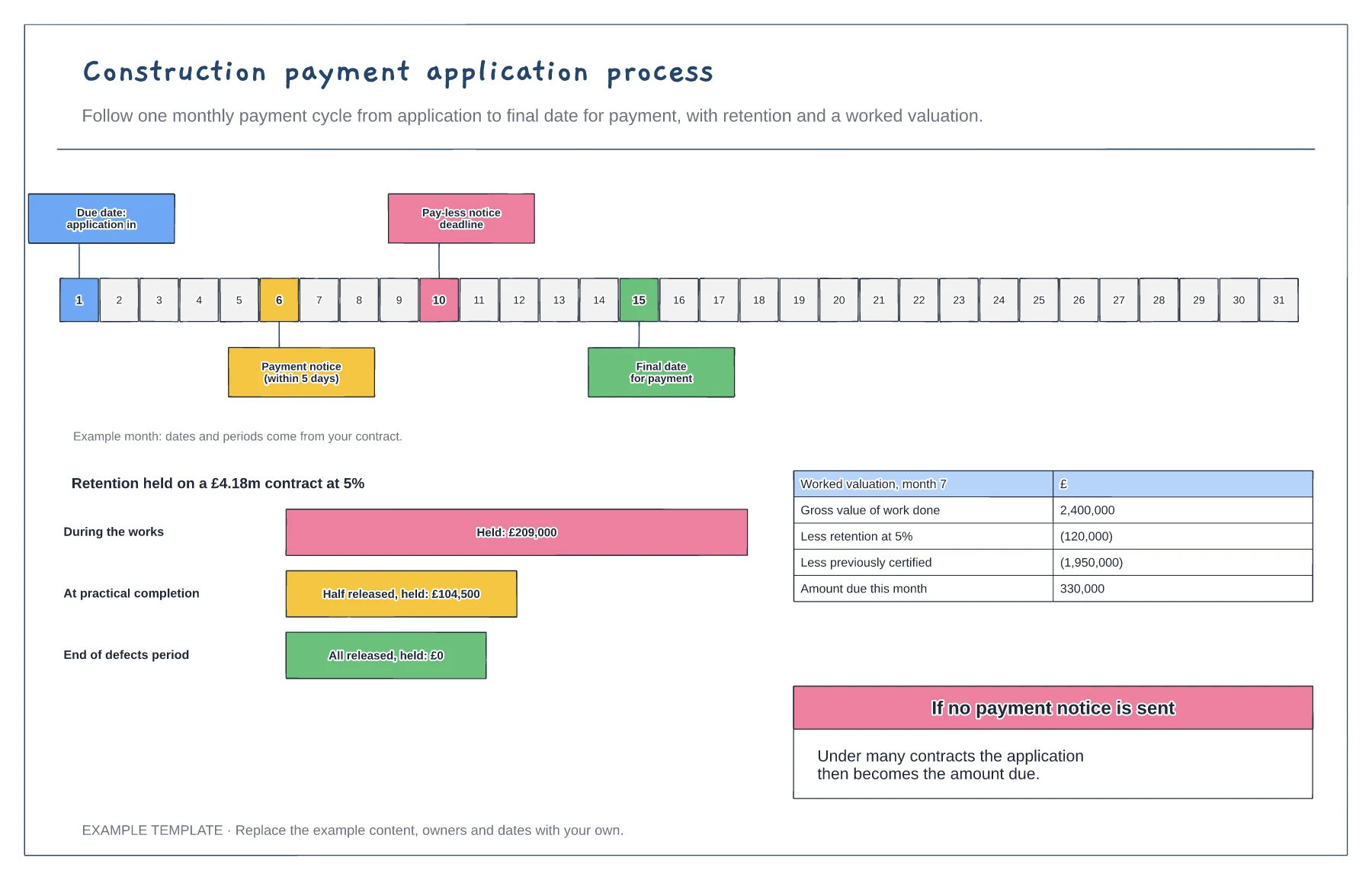
Monthly payment calendar with key dates · Retention held and released · Worked valuation to amount due
Preview and use template →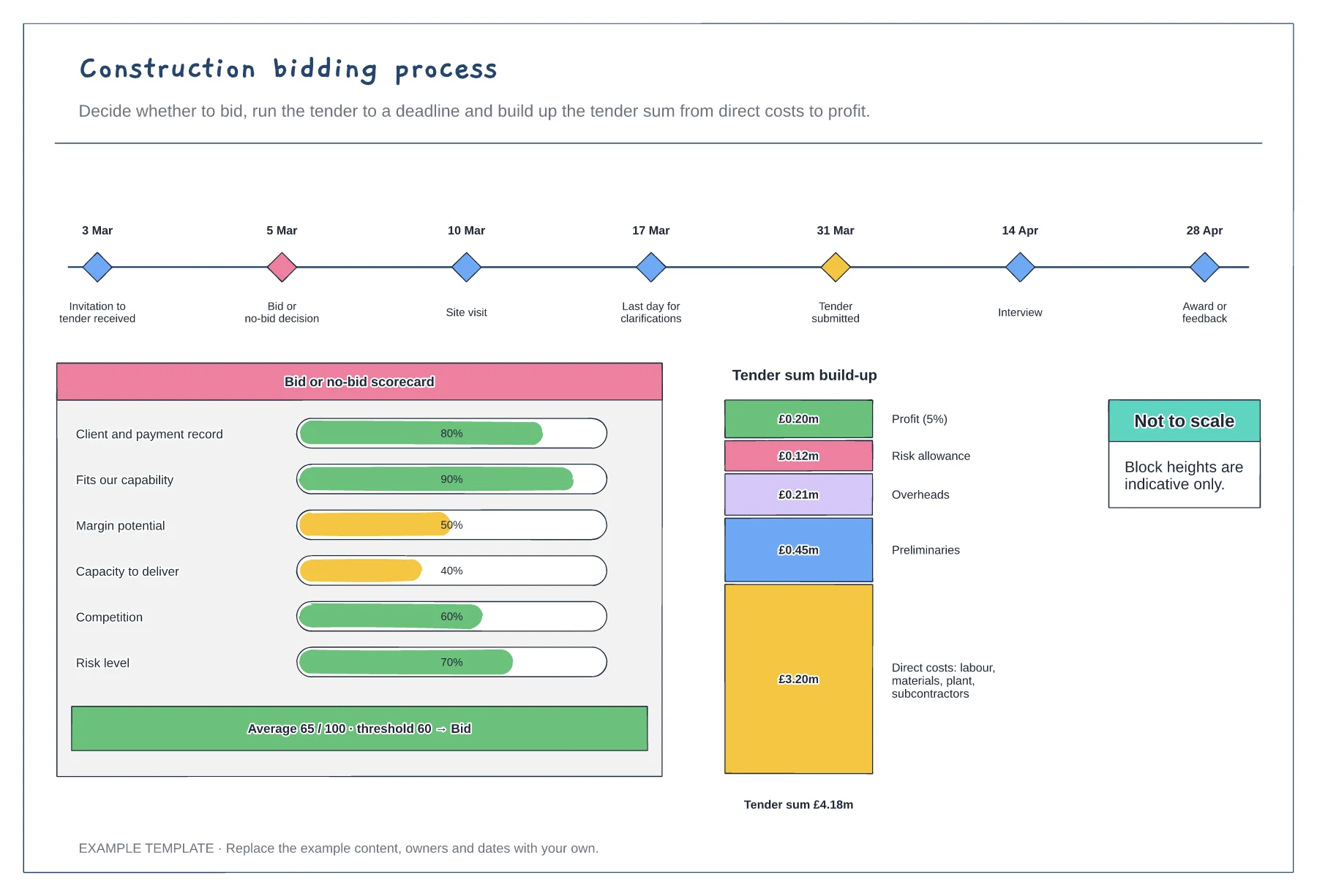
Tender timeline with key dates · Bid or no-bid scorecard · Tender sum build-up
Preview and use template →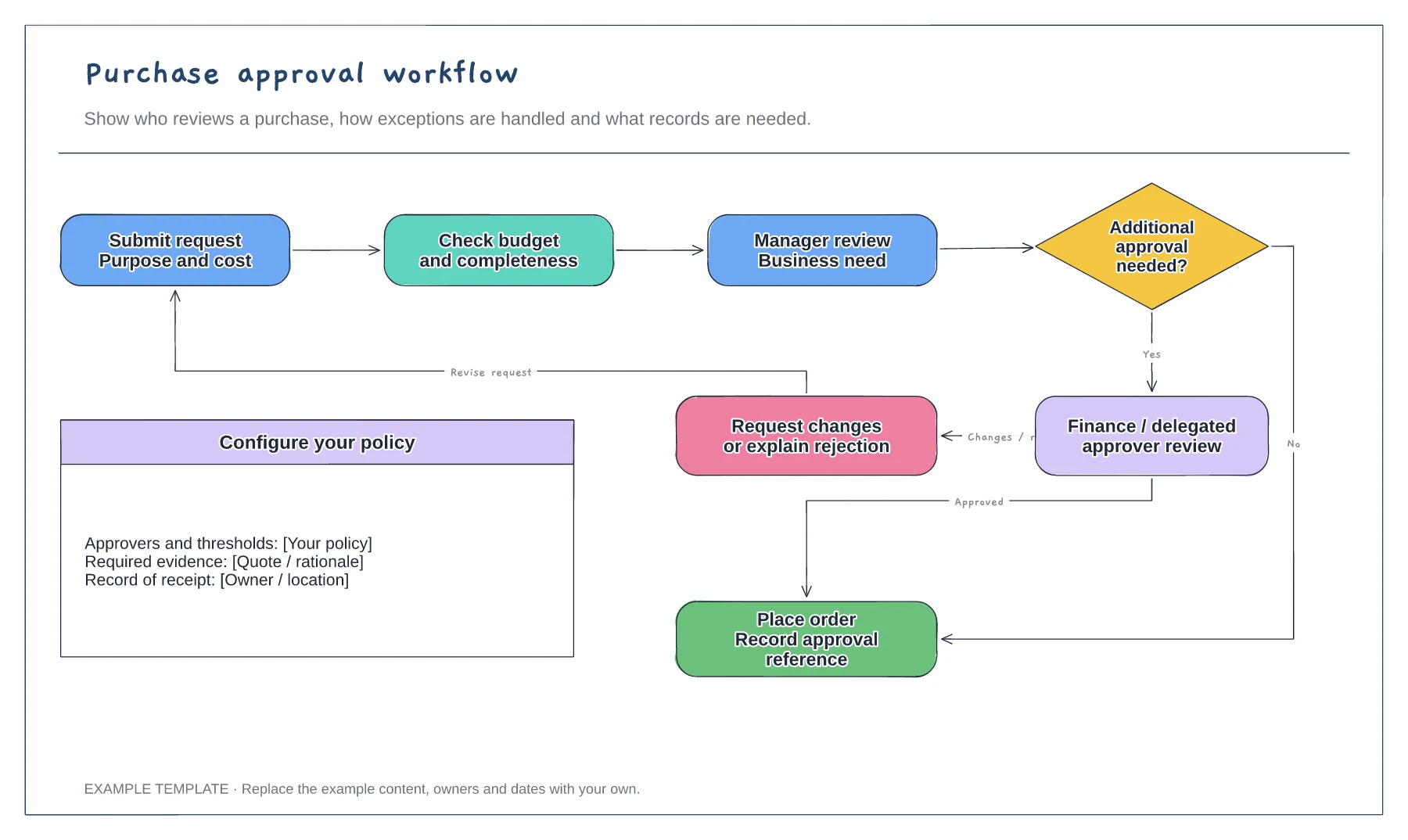
Purchase request and supporting information · Approval decisions and revision path · Order and record-keeping steps
Preview and use template →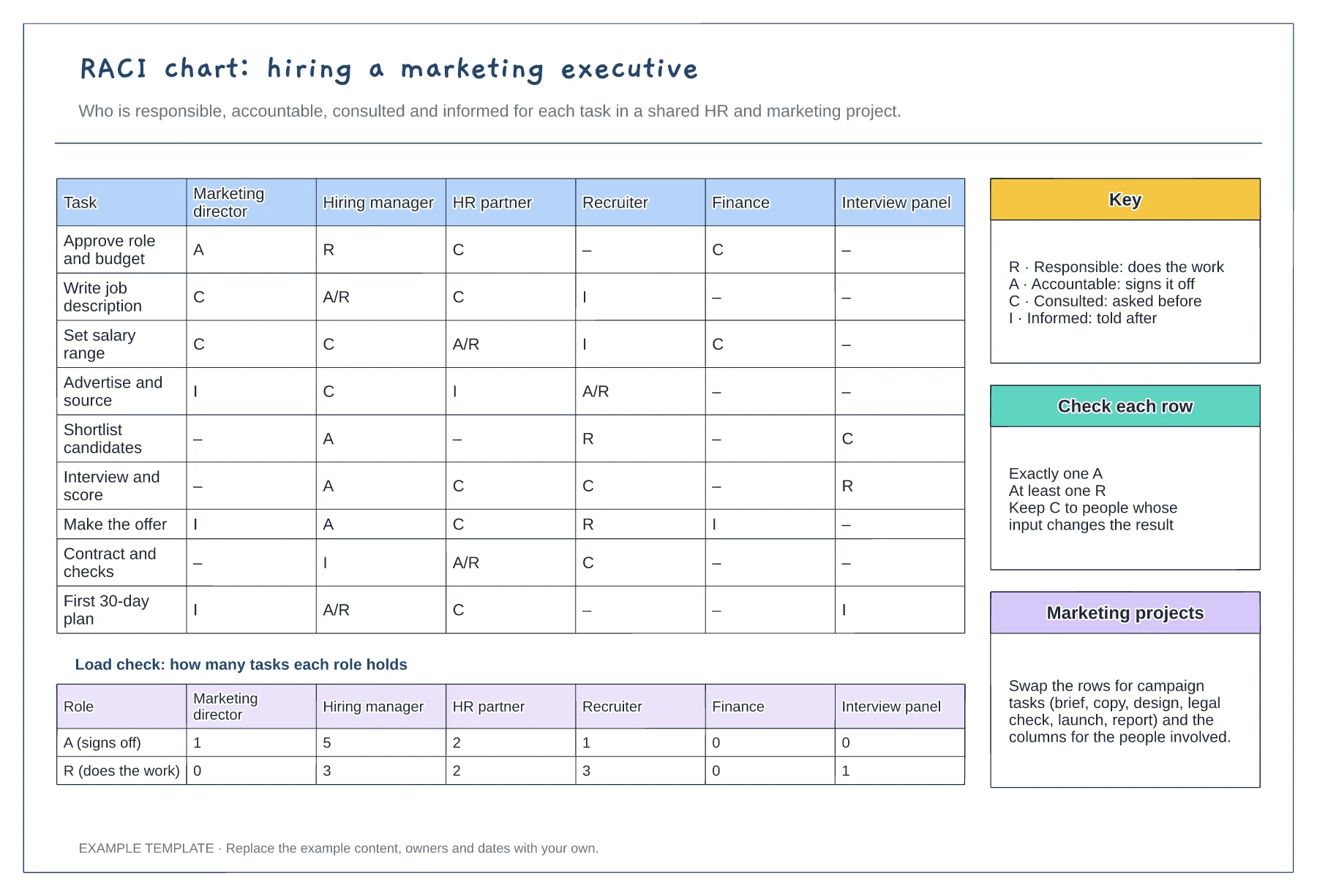
Tasks against six roles with R, A, C and I · Load check of A and R per role · Key, row checks and reuse notes
Preview and use template →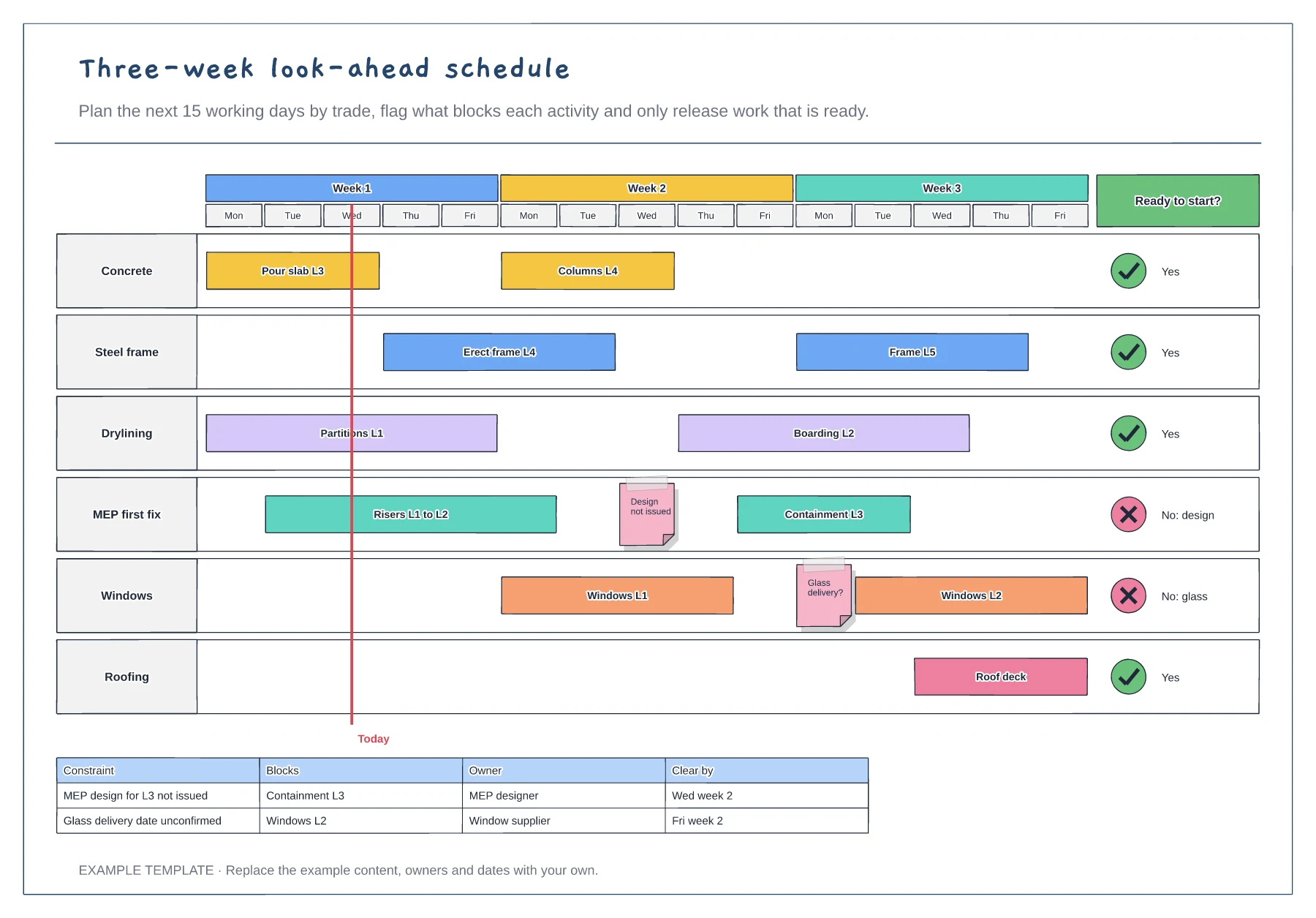
Fifteen working days by trade · Constraint flags and a today line · Ready-to-start column and constraints table
Preview and use template →