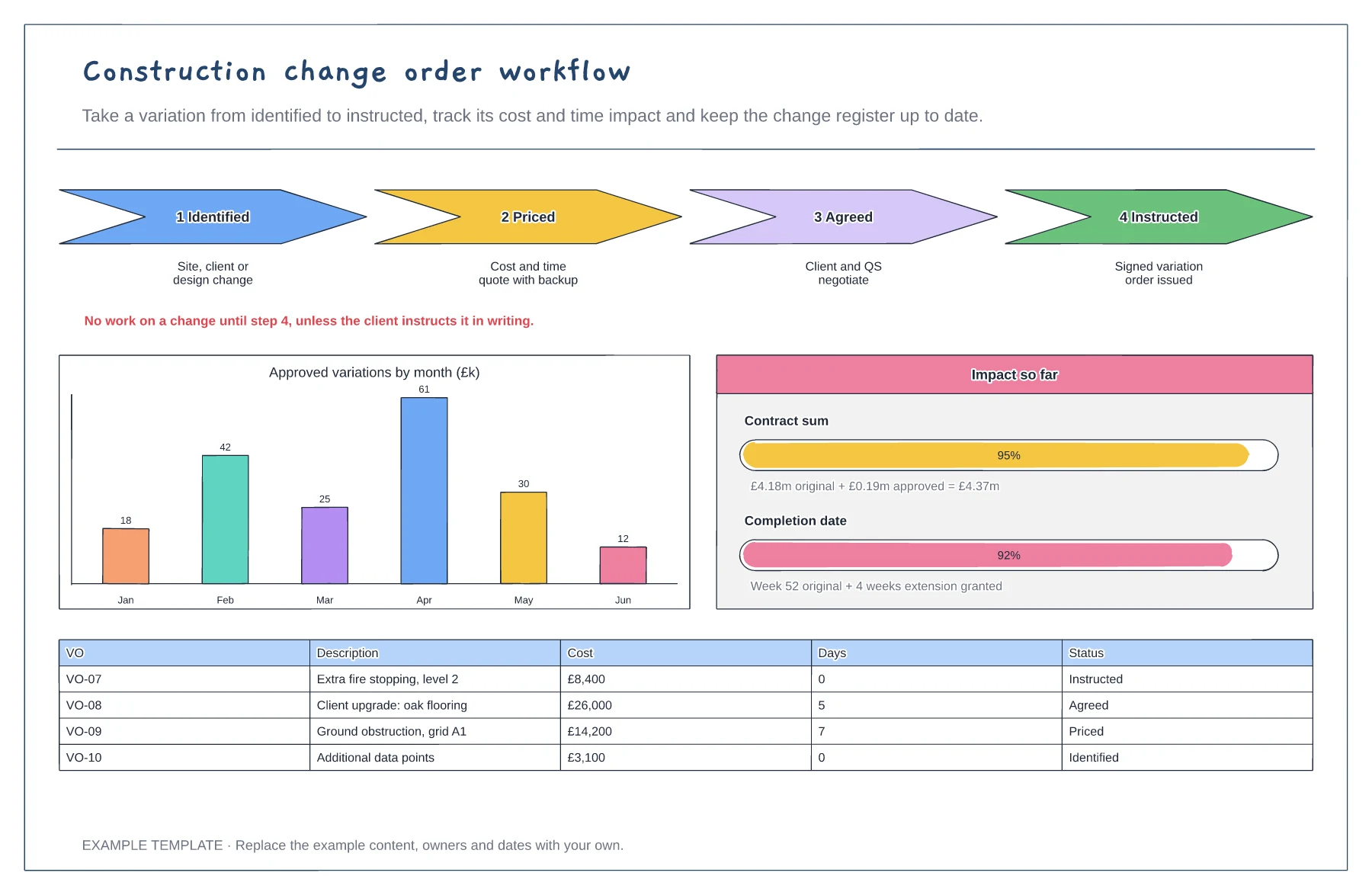
Construction
Construction change order workflow template
Four steps from identified to instructed · Cost and time impact so far · Variation register with status
Preview and use template →Getting paid on a construction contract follows a strict monthly cycle of applications, notices and deadlines. This board marks one month's key dates on a calendar, from the application and payment notice to the pay-less notice deadline and the final date for payment, shows how retention is held and released, and works through a valuation to the amount due.
No account needed · Opens as your own editable page
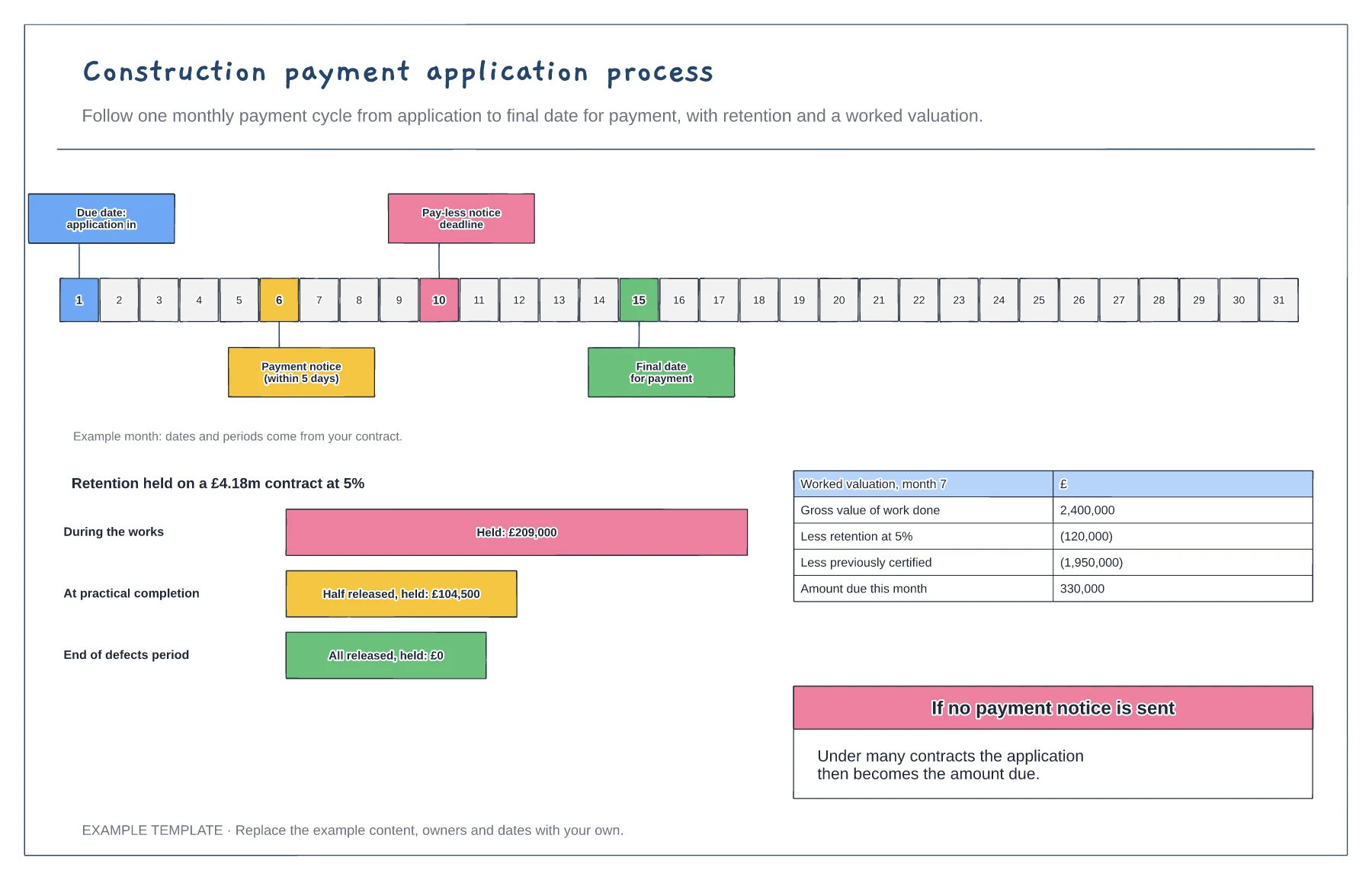
Replace the example days with the due dates, notice periods and final date for payment in your contract.
Put the payment notice and pay-less notice deadlines in the diary. Missing them can change what is legally due.
Record retention held on every valuation and diary the release dates at practical completion and the end of the defects period.
Yes. Move the due date, payment notice, pay-less notice and final date markers on the calendar, and edit the retention percentage in the worked valuation.
No. Open the template and edit it in your browser. Your work saves on this device. An account is optional if you want to sync your workspace.
Yes. Use Export in the editor to save a PNG, SVG or PDF, or download an editable .epicdraw backup.
Four steps from identified to instructed · Cost and time impact so far · Variation register with status
Preview and use template →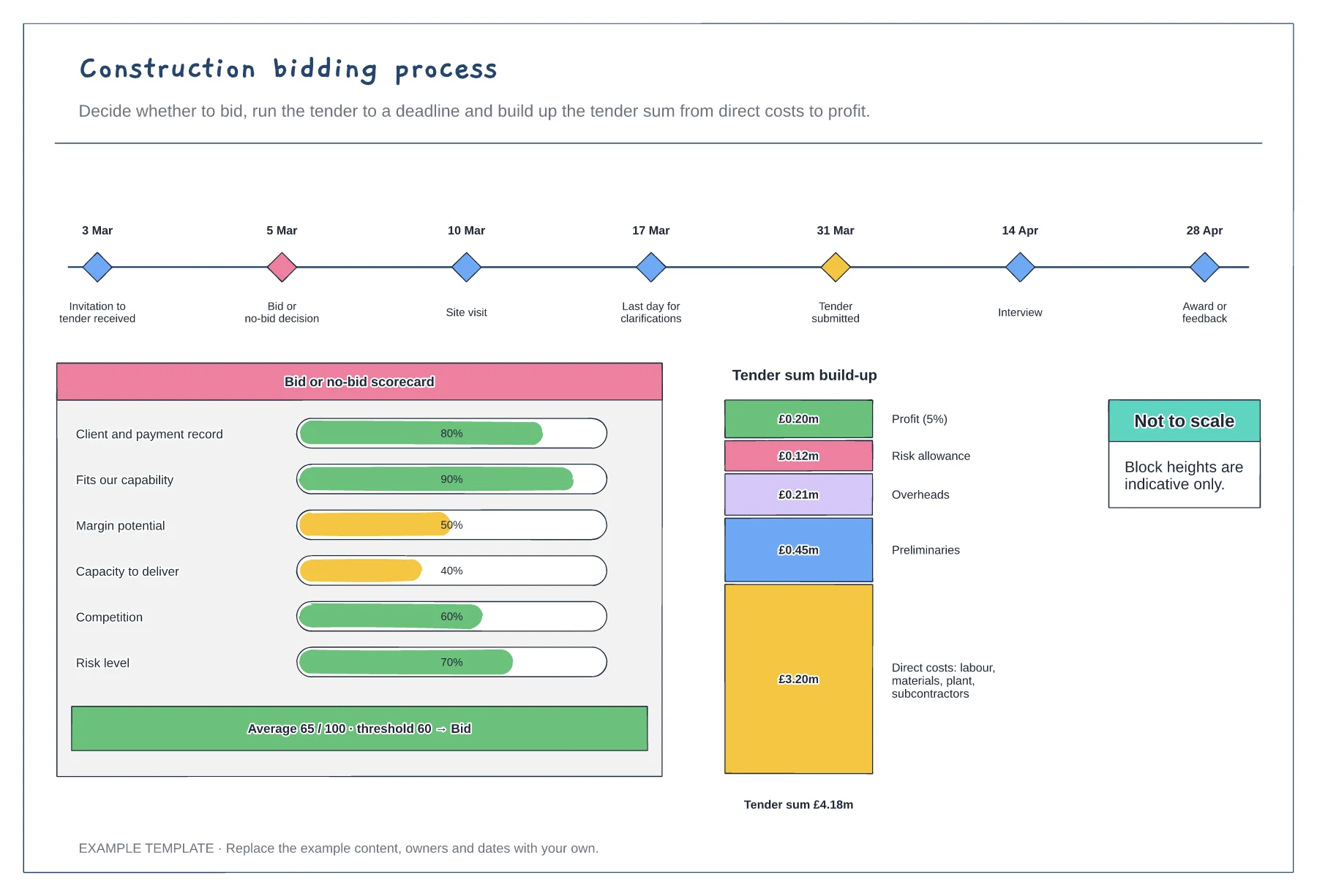
Tender timeline with key dates · Bid or no-bid scorecard · Tender sum build-up
Preview and use template →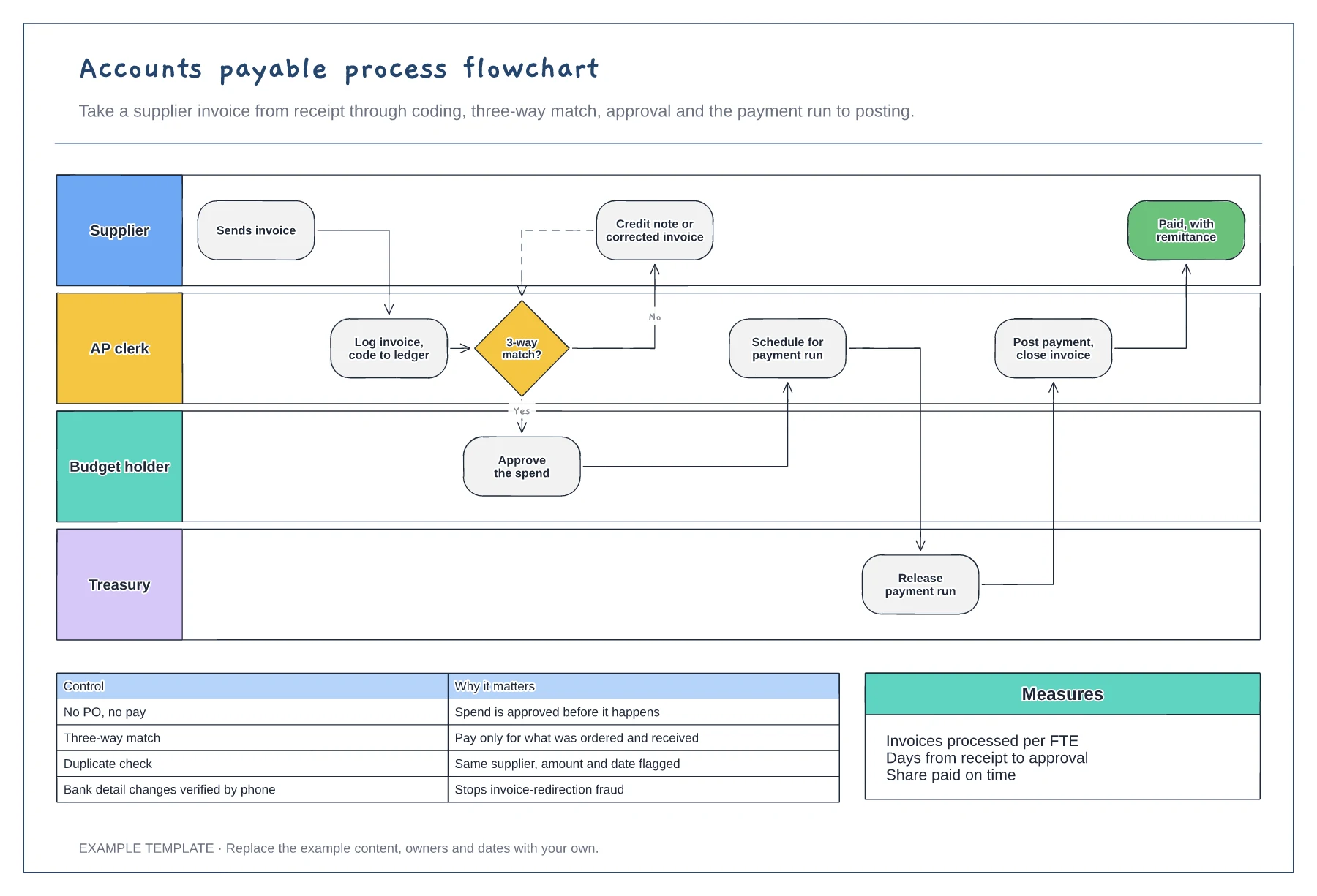
Supplier, AP, budget holder and treasury lanes · Three-way match with a query loop · Key AP controls and measures
Preview and use template →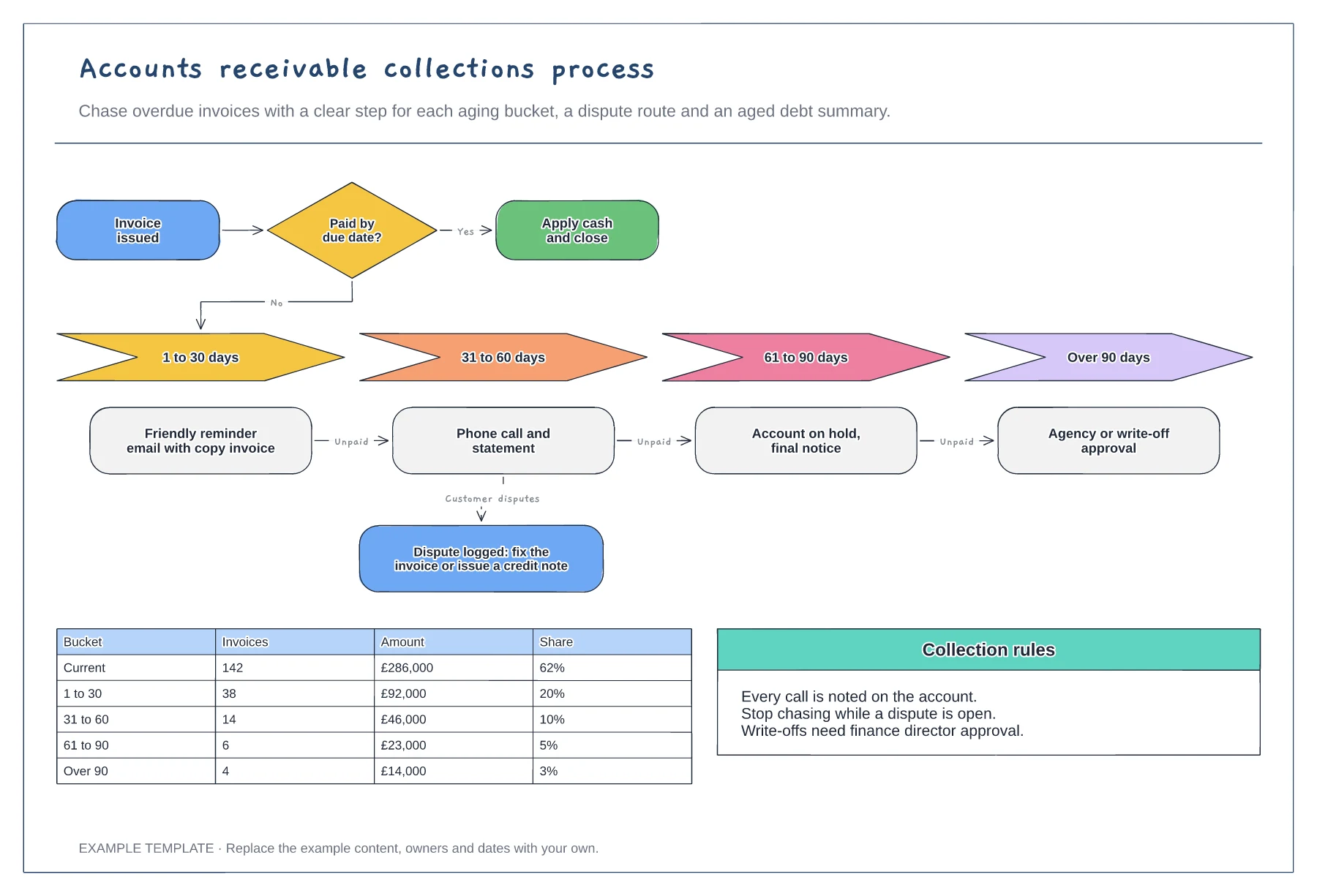
Actions by aging bucket · Dispute route that pauses chasing · Aged debt summary table
Preview and use template →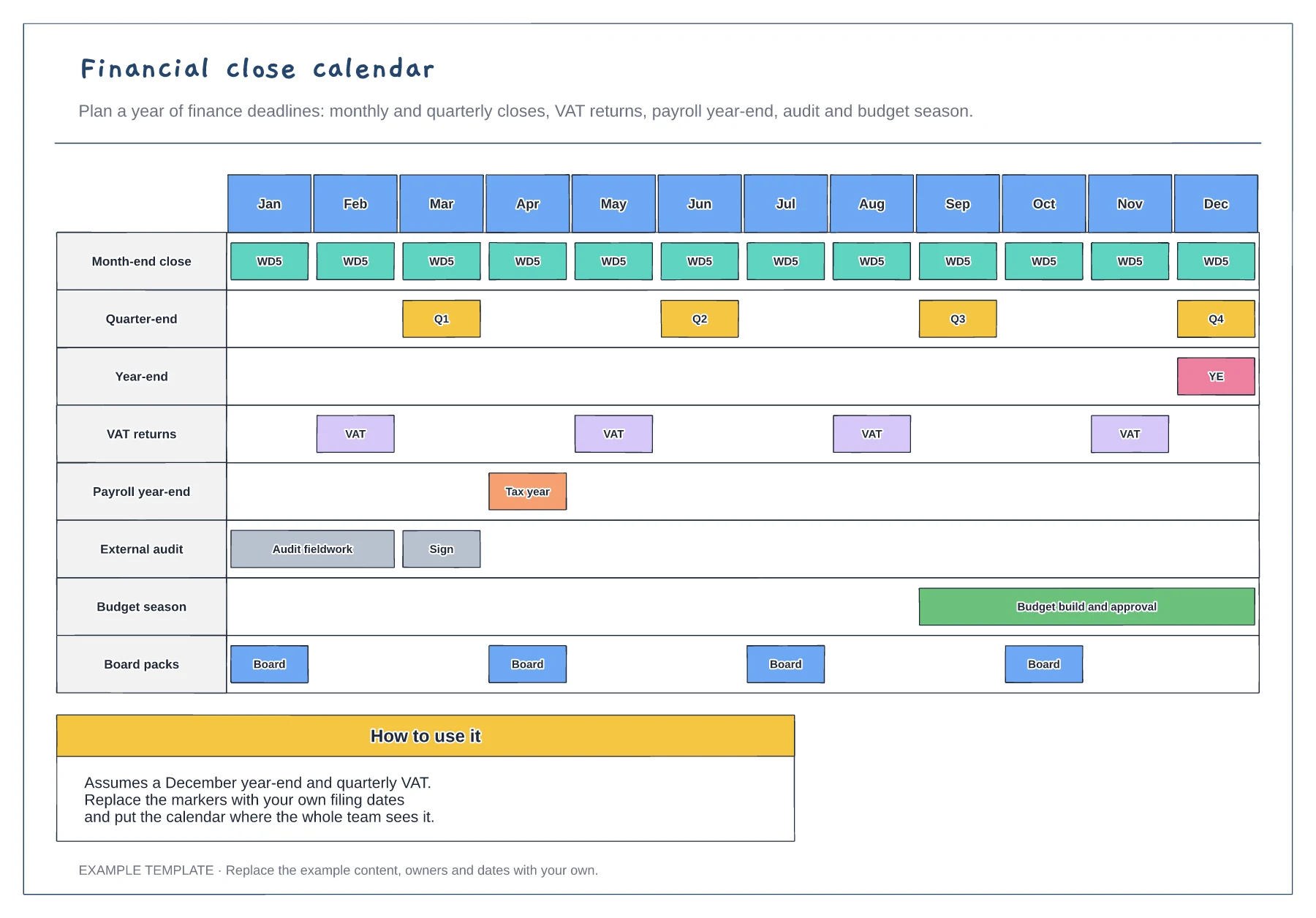
Twelve months on one page · Closes, filings, audit and budget · Board pack dates
Preview and use template →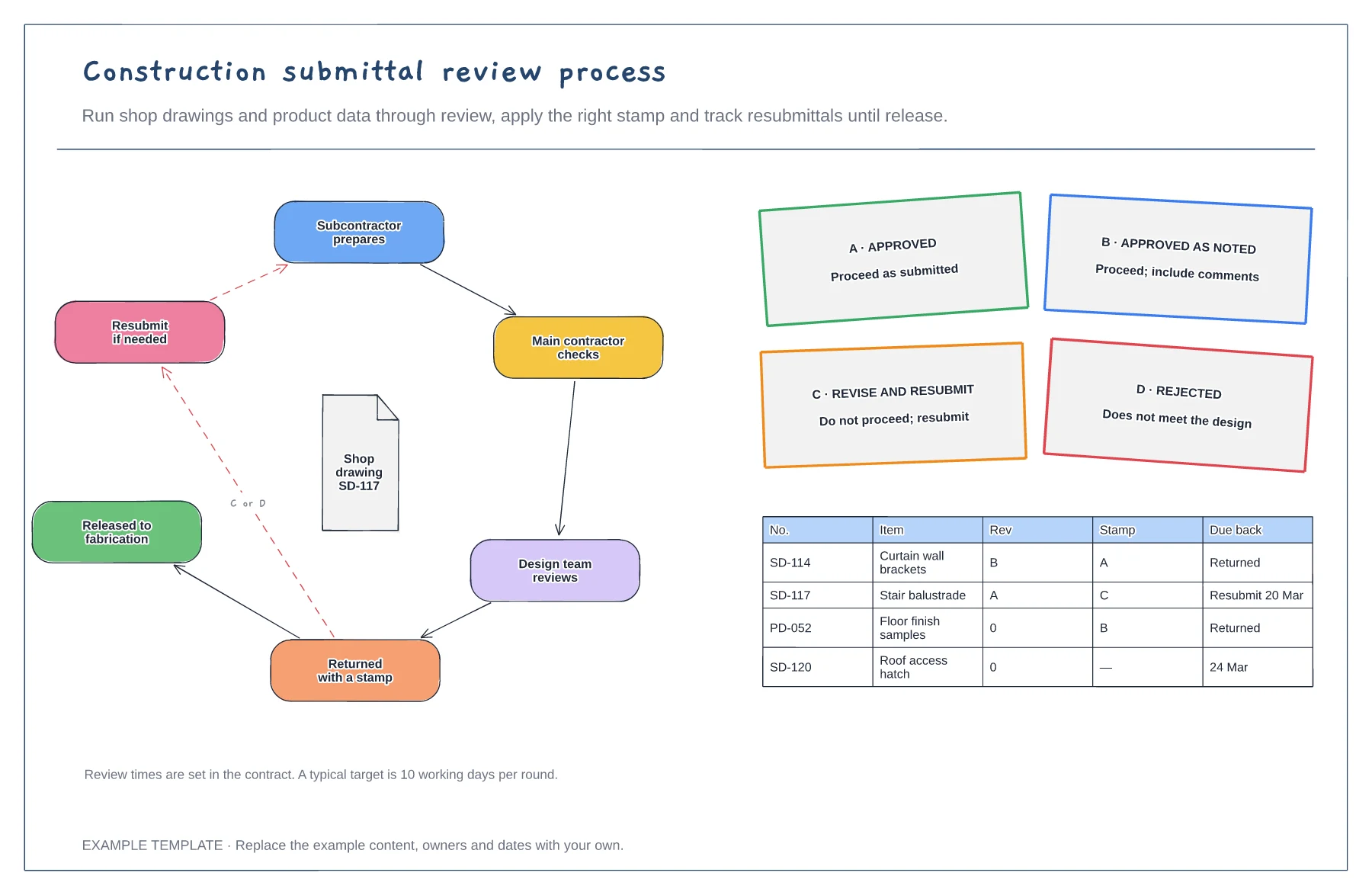
Review loop from prepare to release · Four review stamps and their meaning · Submittal log with revisions
Preview and use template →