Healthcare
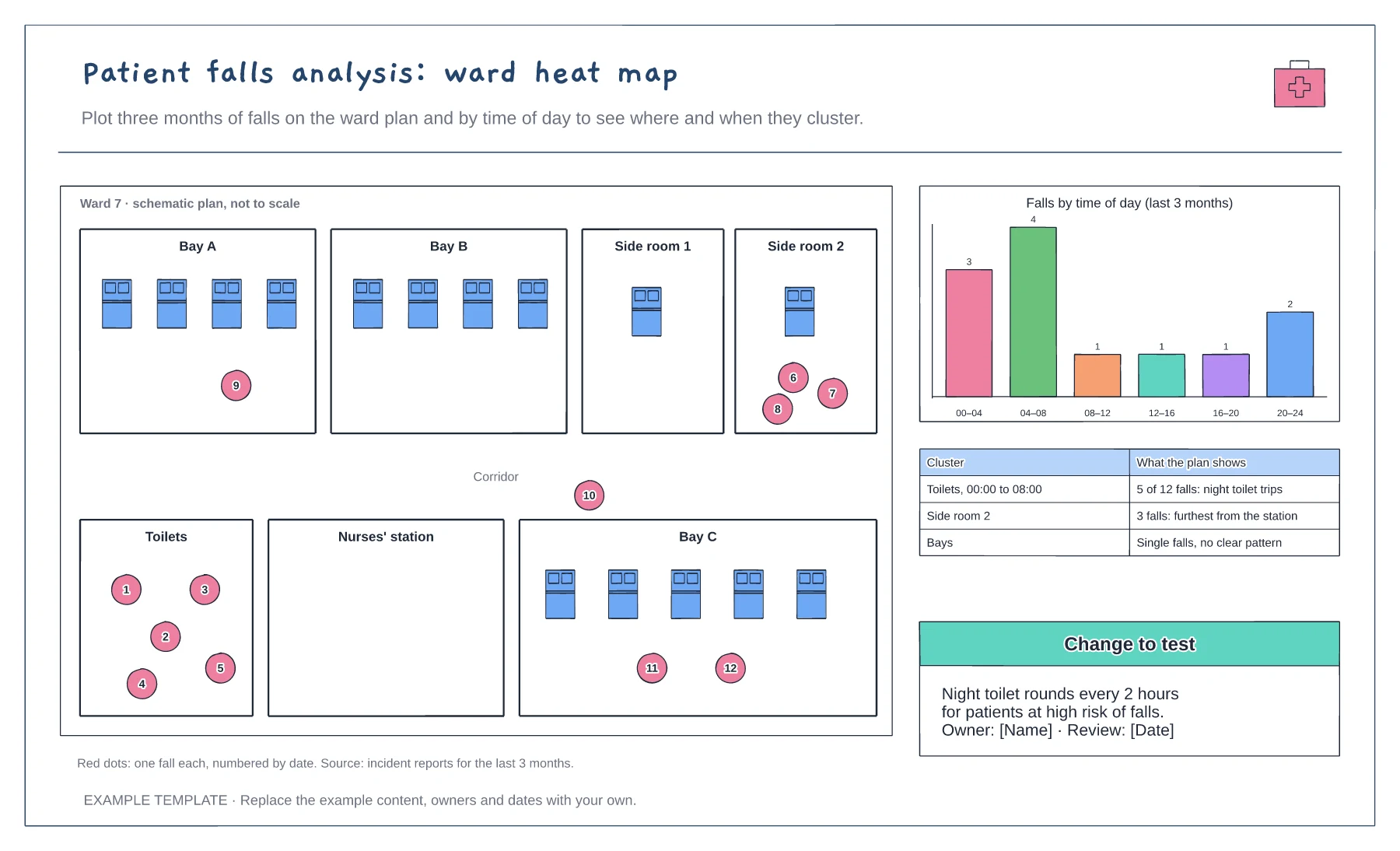
Patient falls analysis: ward heat map template
Ward plan with each fall plotted · Falls by time of day chart · Clusters and a change to test
Preview and use template →An incident reporting flowchart shows staff what to do after an incident or near miss, and what happens to their report. This example covers making the situation safe, telling the person in charge, reporting, manager review, a local or patient safety team route, talking with the patient and family, and sharing learning.
This is a planning example for process improvement, not clinical or legal guidance. Follow your organisation's incident policy, review framework and duty of candour procedure.
No account needed · Opens as your own editable page
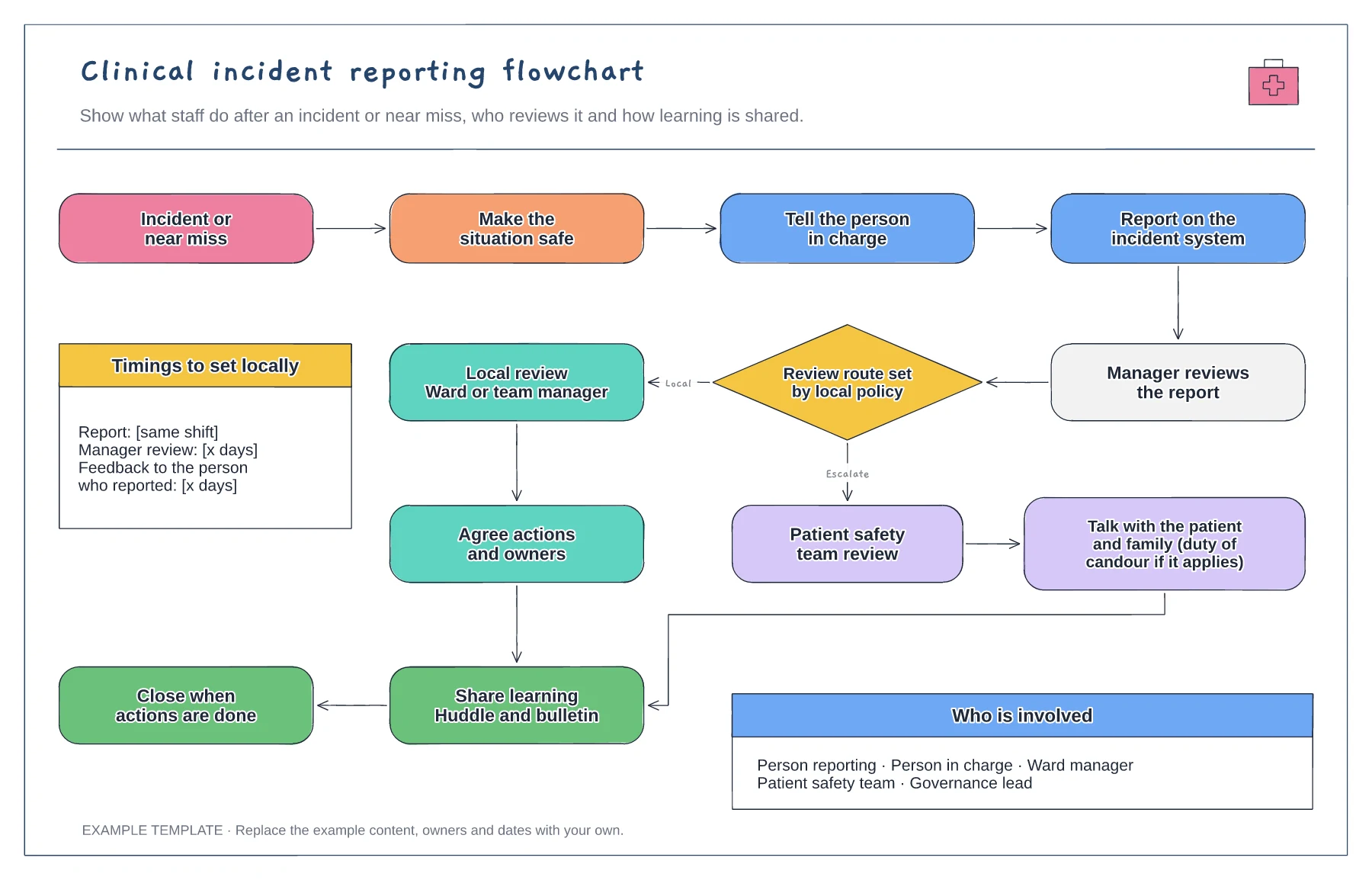
Fill in the timings panel from your incident policy: when to report, when the manager reviews and when the reporter hears back. Clear timings make it easier for staff to know the report is moving.
Replace the review routes with the ones your organisation uses, such as a local review, an after action review or a patient safety investigation. Keep the decision rule in your policy, not on the chart.
Show how learning is shared and how the person who reported hears the outcome. Staff report more readily when they see their reports lead to change.
Yes. The review route is set by local policy, so rename the boxes and decision labels to match the routes, roles and timescales your organisation uses.
No. Open the template and edit it in your browser. Your work saves on this device. An account is optional if you want to sync your workspace.
Yes. Use Export in the editor to save a PNG, SVG or PDF, or download an editable .epicdraw backup.
Ward plan with each fall plotted · Falls by time of day chart · Clusters and a change to test
Preview and use template →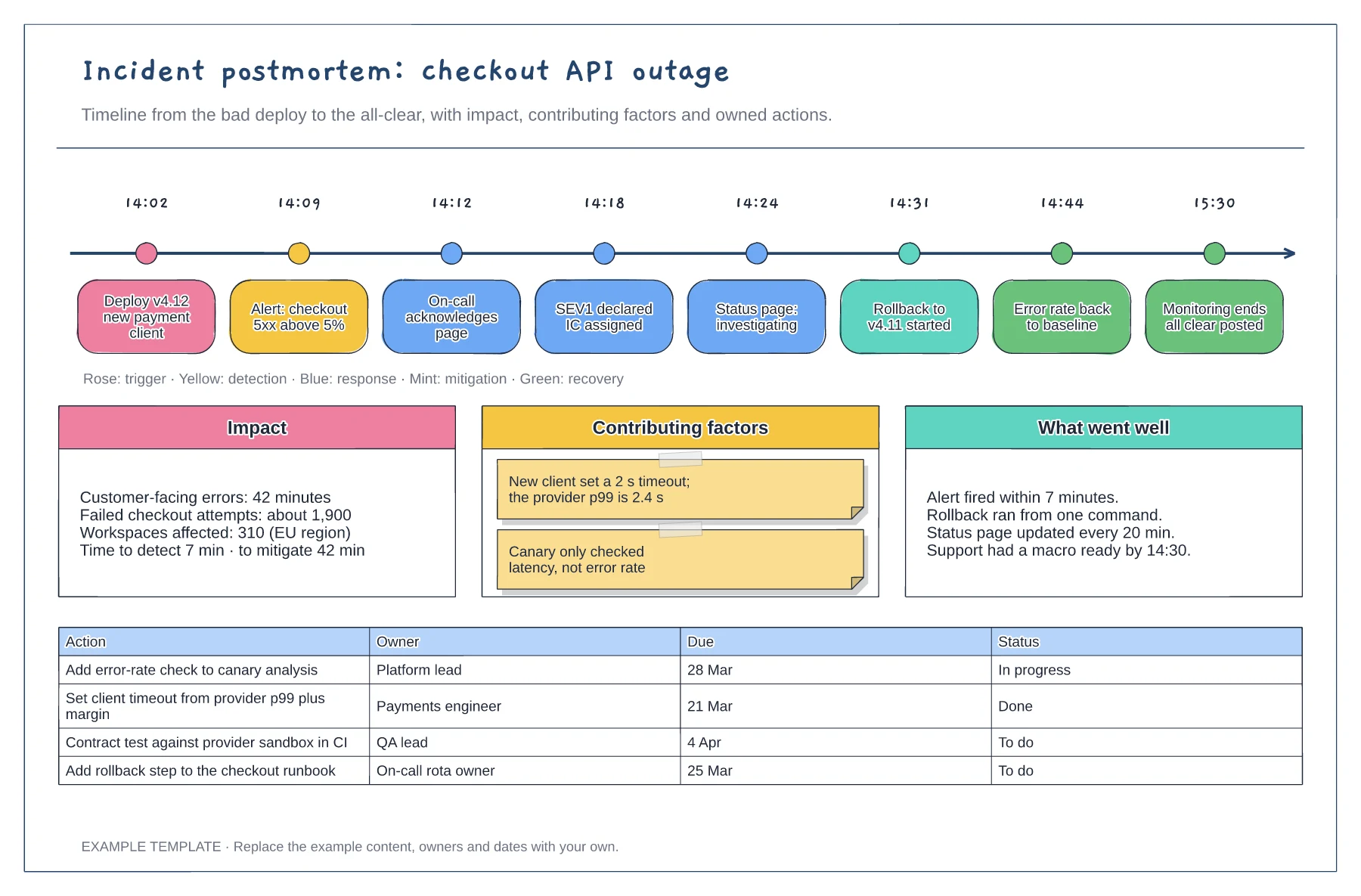
Timestamped events from deploy to all-clear · Impact, contributing factors and what went well · Action table with owners, due dates and status
Preview and use template →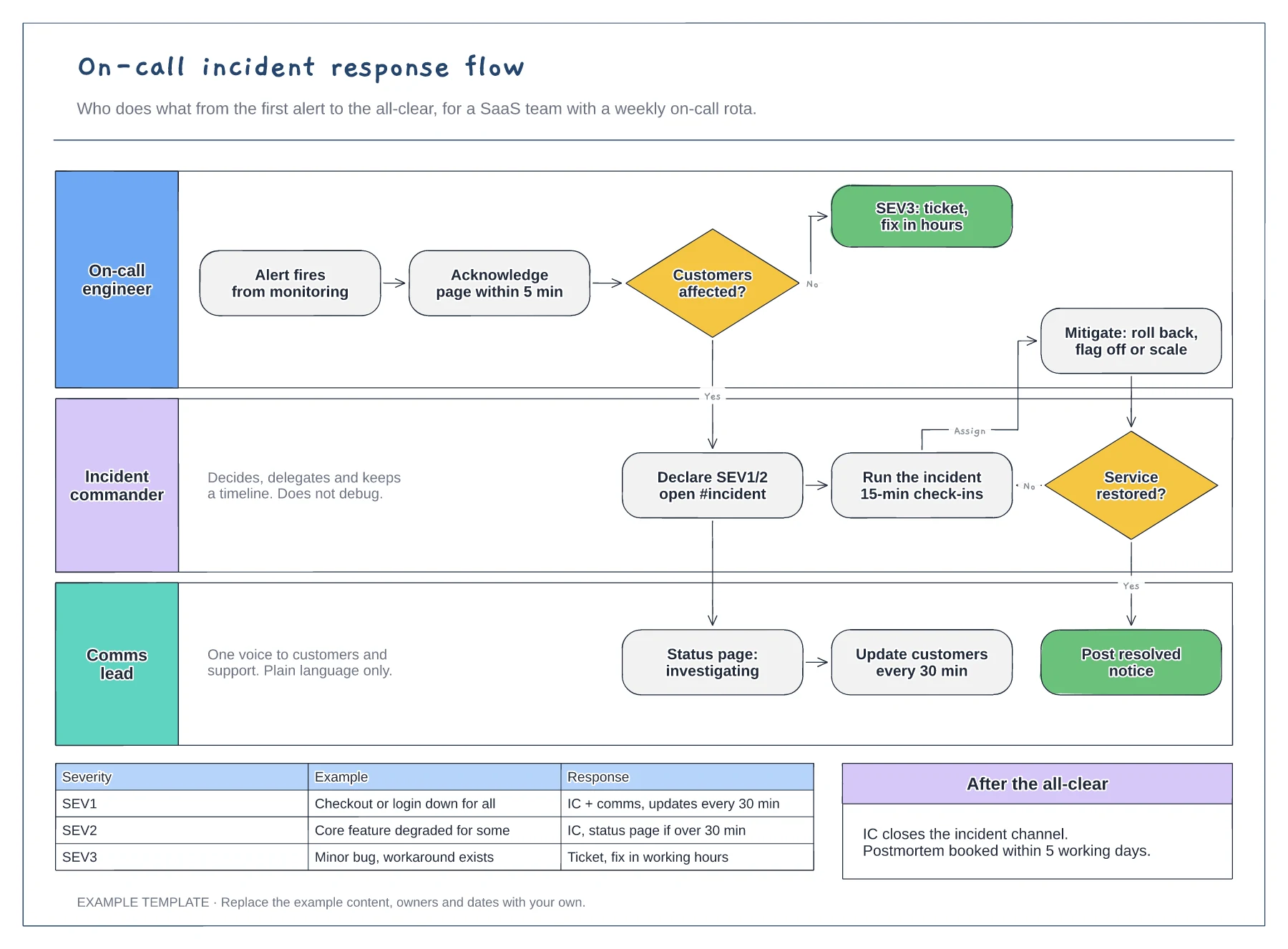
Lanes for on-call, incident commander and comms · Severity decision with SEV1 to SEV3 examples · Mitigation loop and customer update cadence
Preview and use template →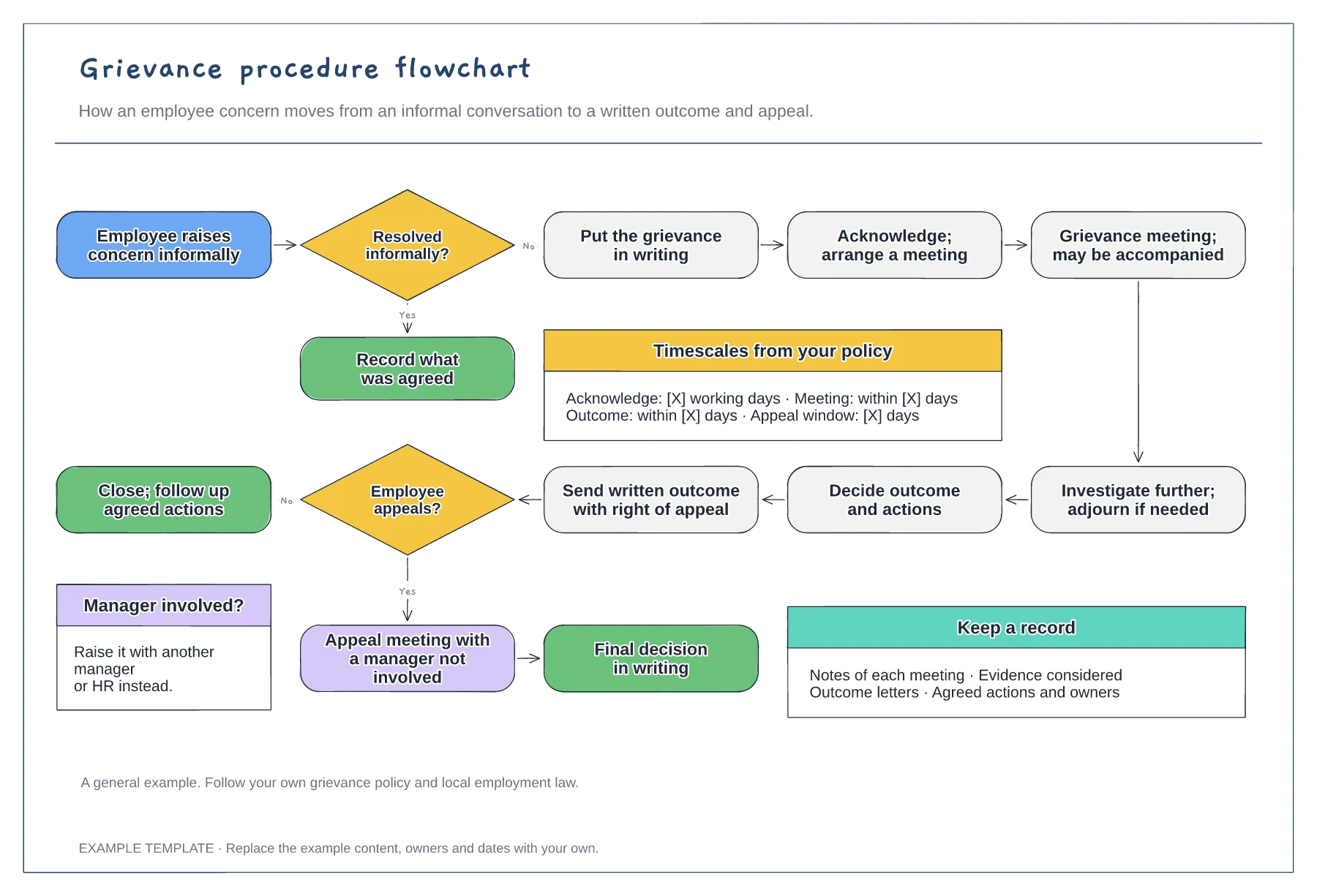
Informal and formal routes · Meeting, investigation and written outcome · Appeal and timescales from your policy
Preview and use template →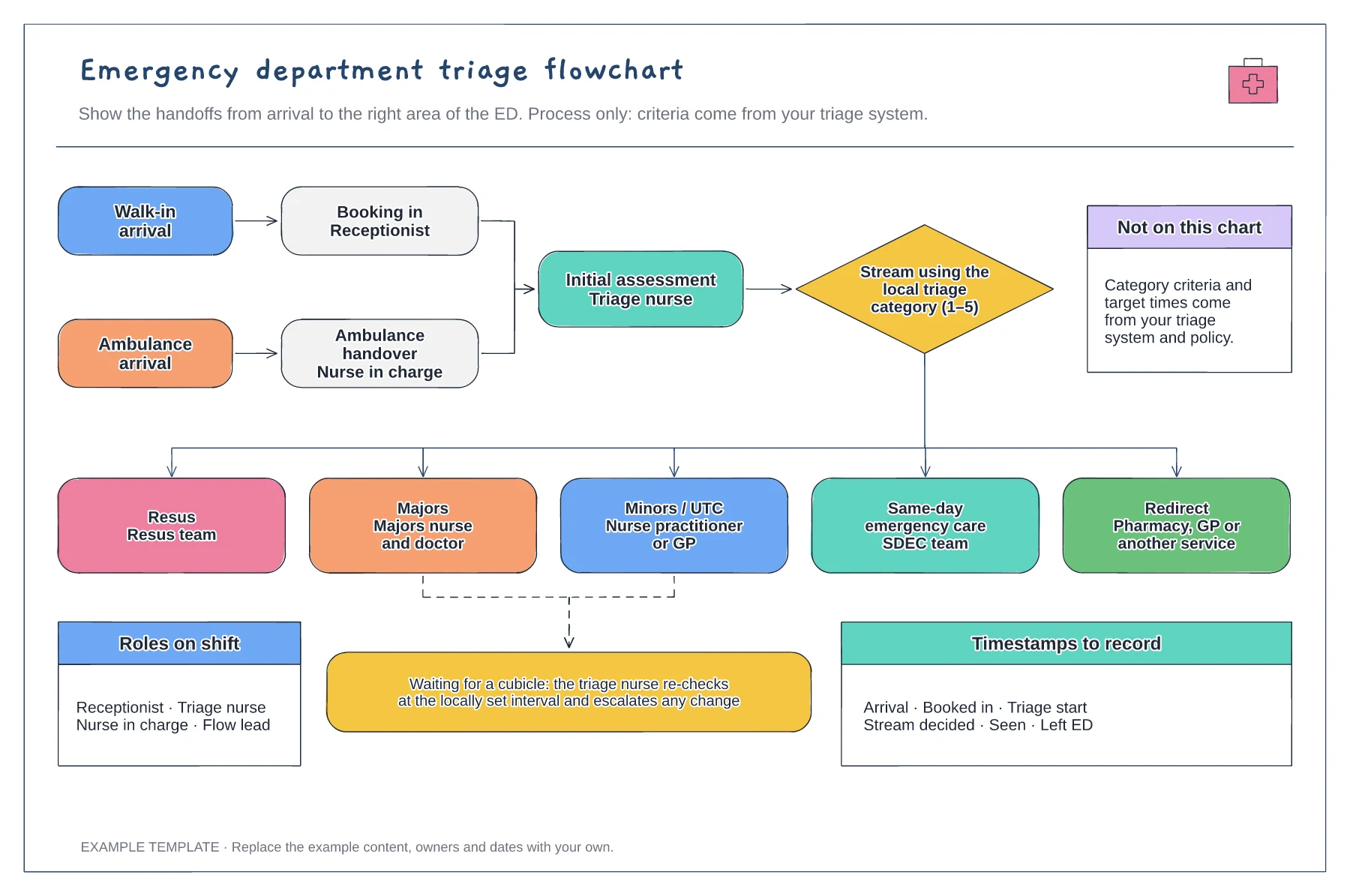
Walk-in and ambulance arrival routes · Streaming to five areas of the ED · Waiting re-check loop and timestamps
Preview and use template →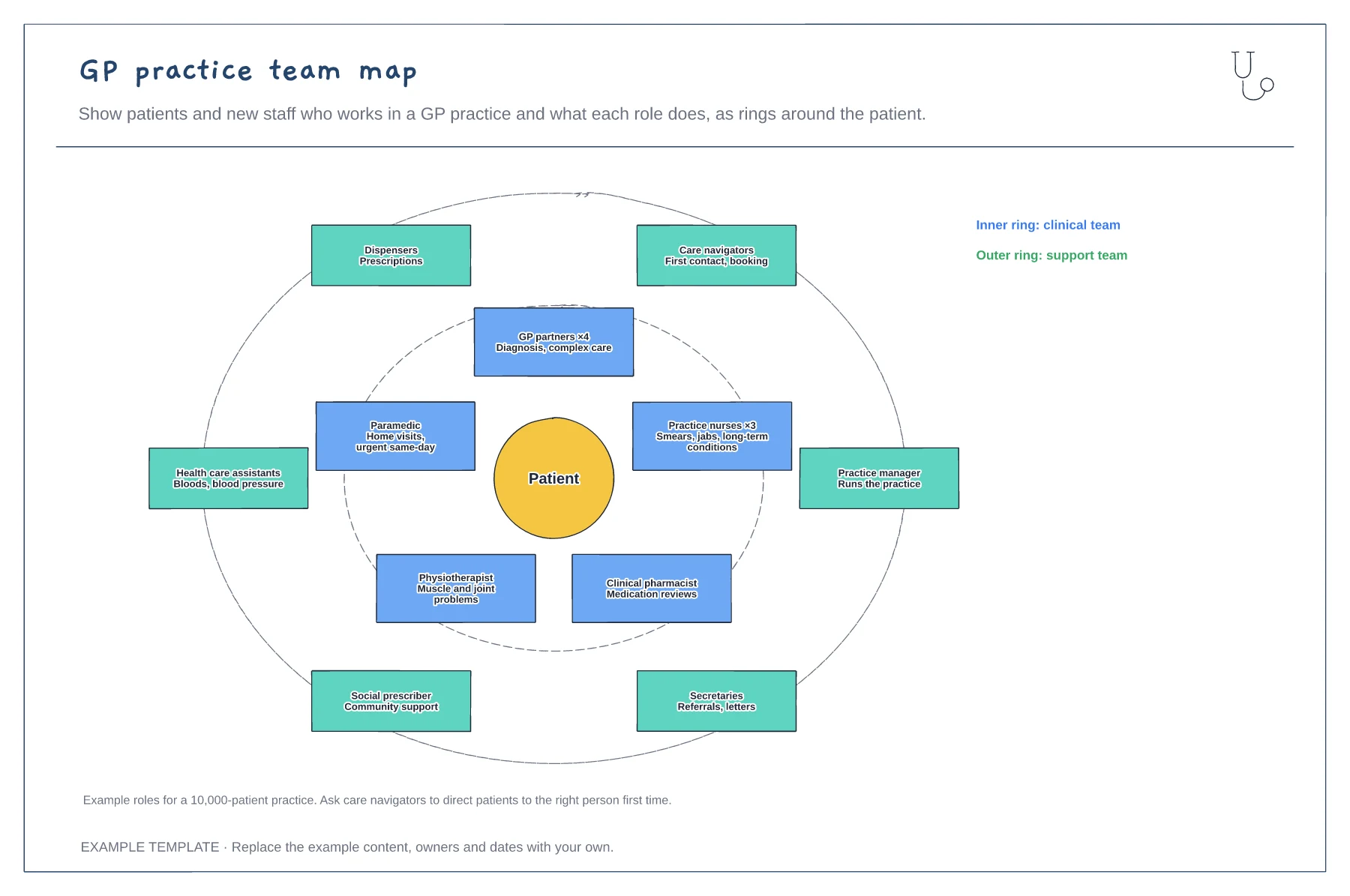
Clinical team in the inner ring · Support team in the outer ring · What each role is for
Preview and use template →