Healthcare
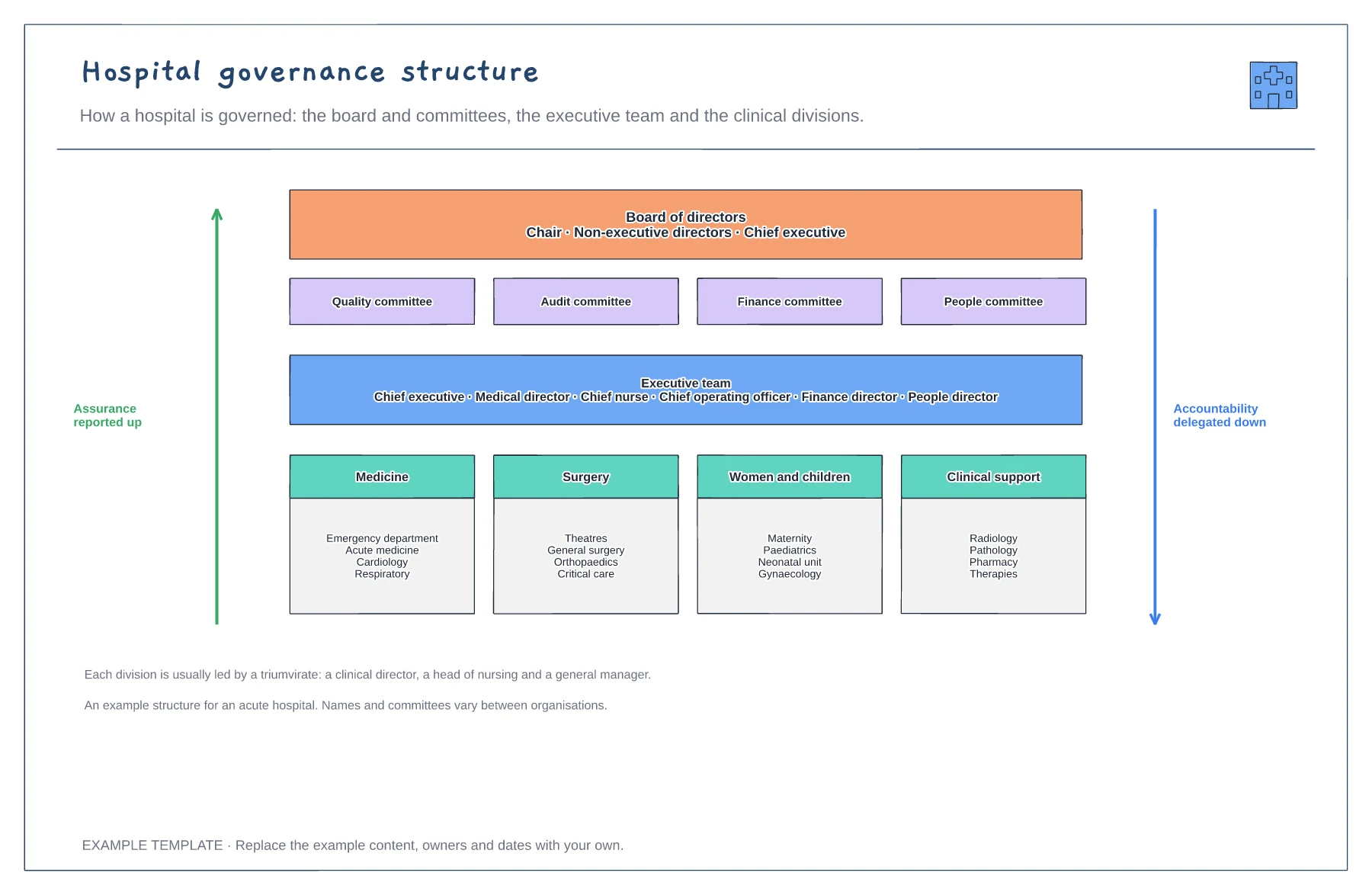
Hospital governance structure template
Board and four committees · Executive team · Clinical divisions and their services
Preview and use template →Patients and new staff often do not know who does what in a modern GP practice. This team map puts the patient at the centre, the clinical team in the inner ring, from GPs and nurses to the clinical pharmacist, physiotherapist and paramedic, and the support team in the outer ring, with a short note on what each role is for.
This is a planning example for process improvement, not clinical guidance. Follow your organisation's policies and clinical protocols.
No account needed · Opens as your own editable page
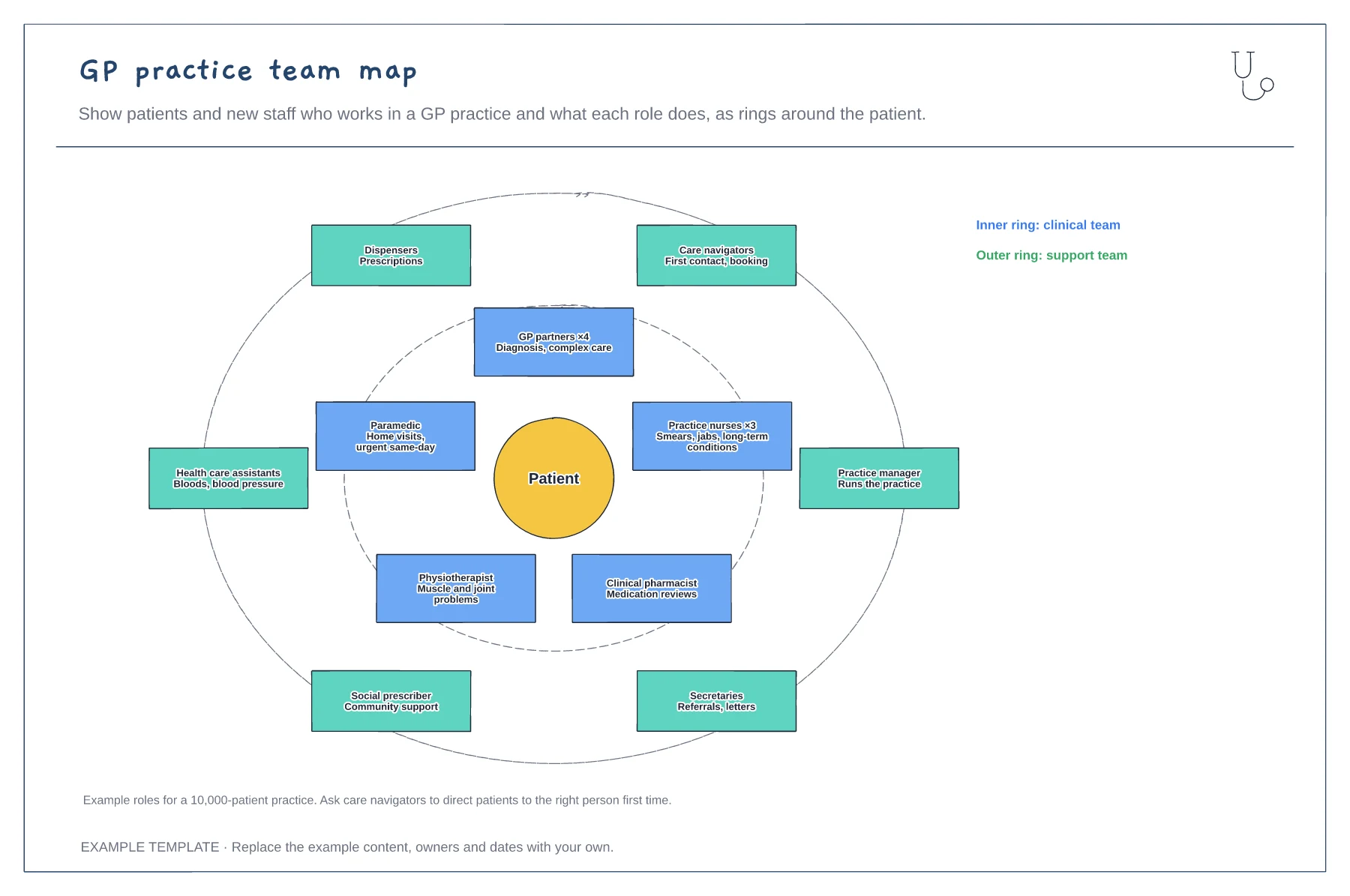
Add each role in your practice, including shared or network staff, with how many people do it.
Write a few words on what patients should see each role about. Keep it in plain language.
Share the map with care navigators and on your website, so patients are booked with the right person first time.
The patient sits in the centre, with the clinical team in the inner ring and the support team around it. Move a role between rings or add one if your practice works differently.
No. Open the template and edit it in your browser. Your work saves on this device. An account is optional if you want to sync your workspace.
Yes. Use Export in the editor to save a PNG, SVG or PDF, or download an editable .epicdraw backup.
Board and four committees · Executive team · Clinical divisions and their services
Preview and use template →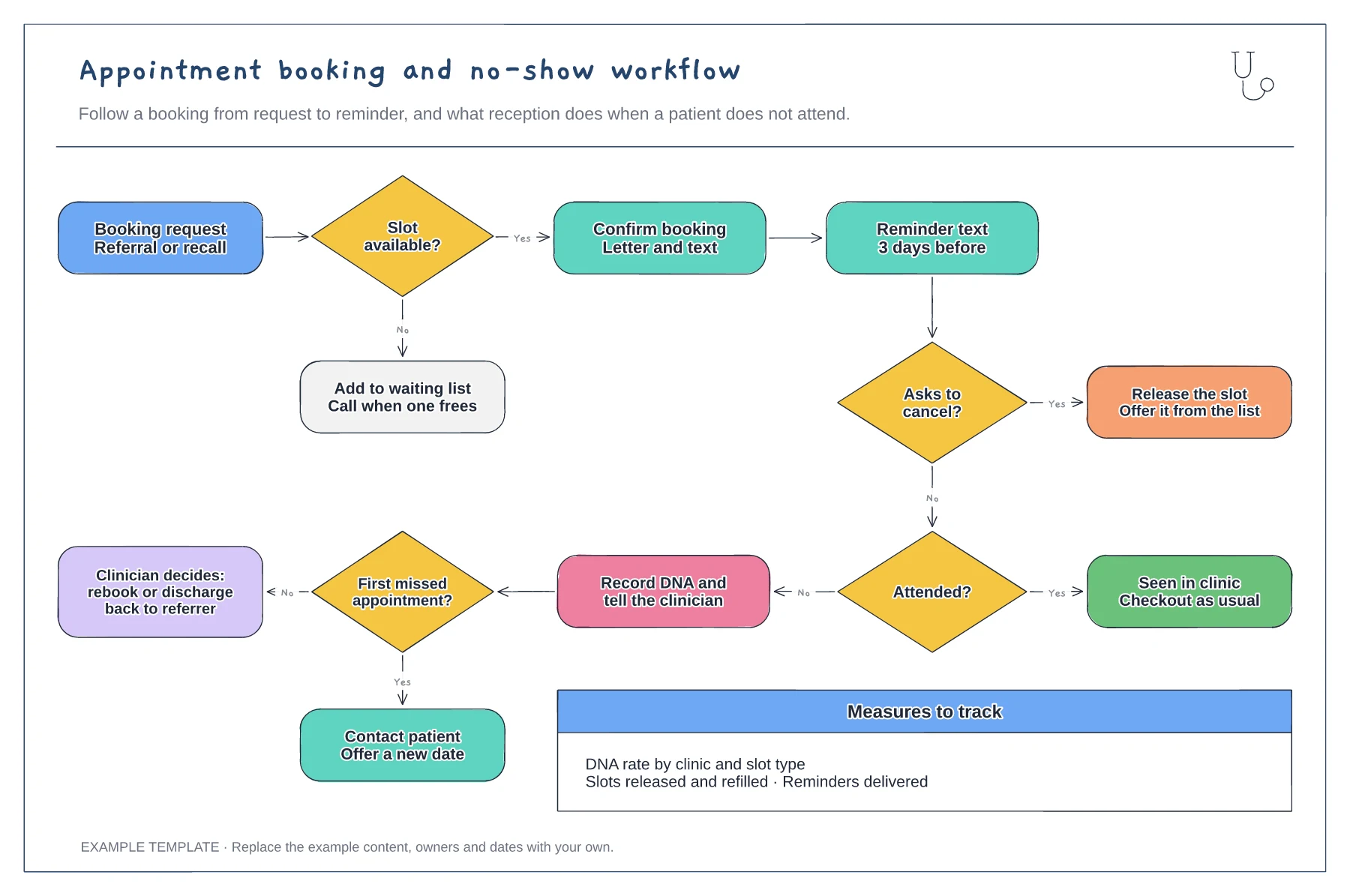
Booking, confirmation and reminder steps · Cancellation route that refills the slot · DNA route with rebook or discharge
Preview and use template →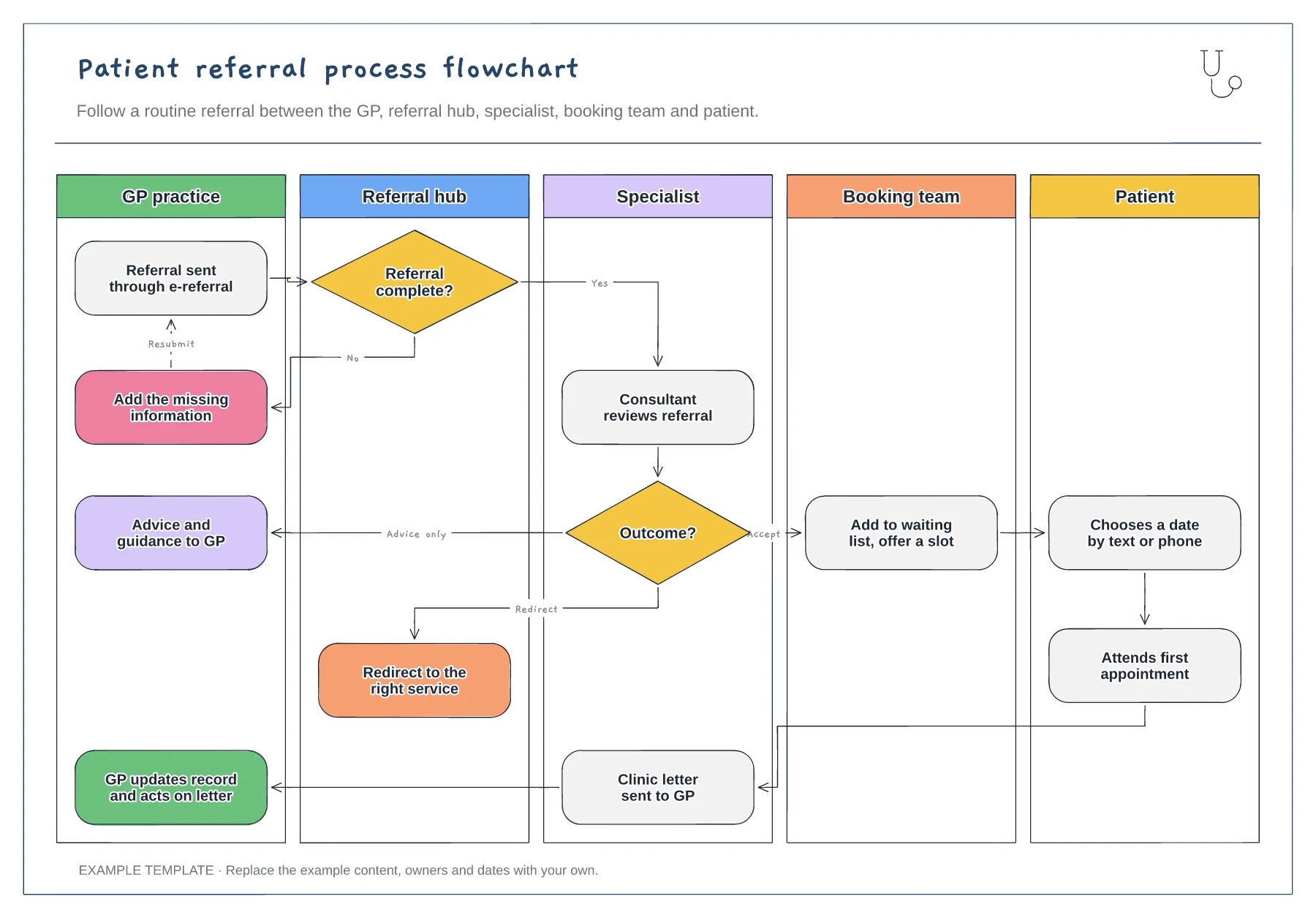
Five vertical swimlanes · Completeness check with resubmit loop · Accept, advice-only and redirect outcomes
Preview and use template →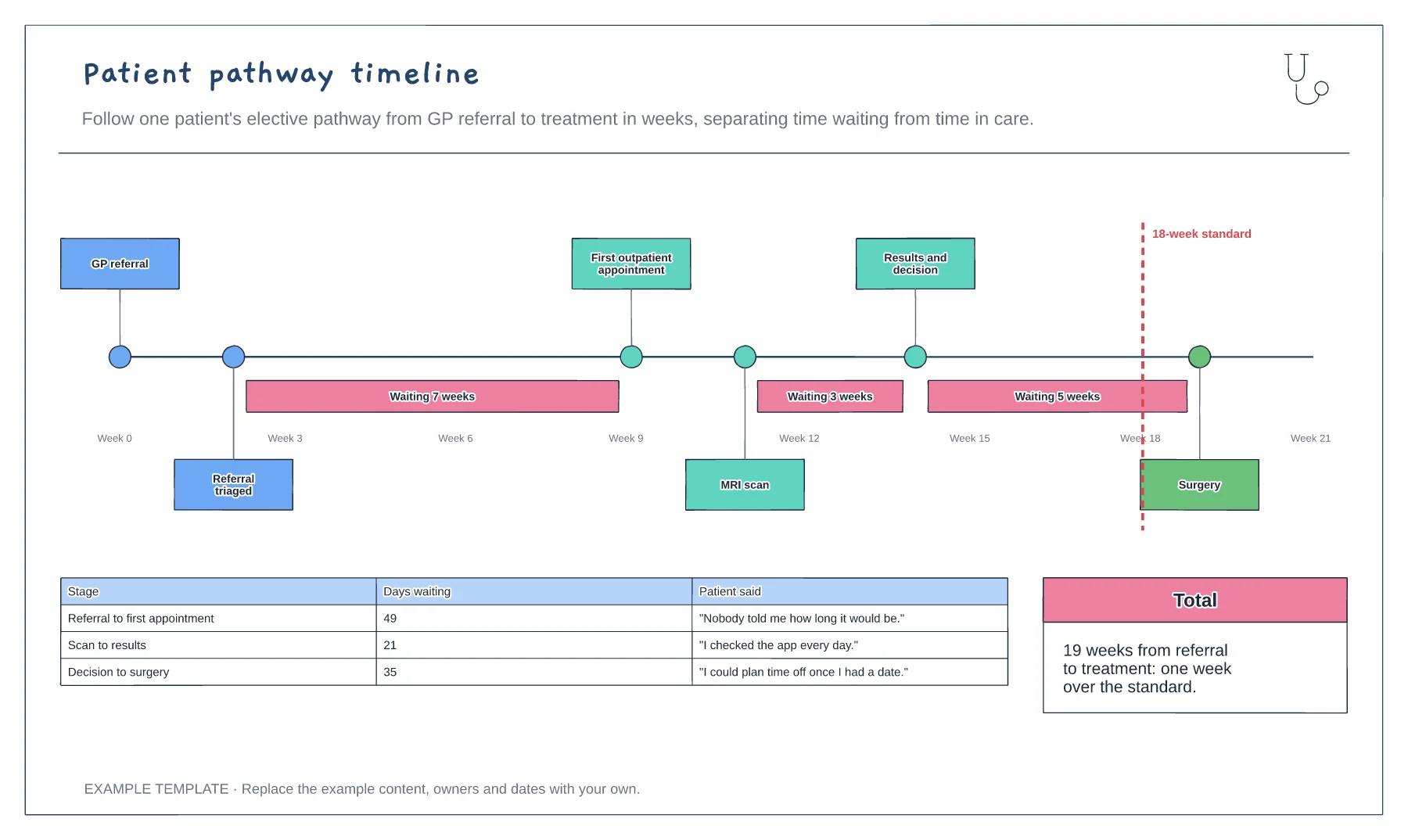
Pathway steps on a weeks axis · Waits highlighted between steps · 18-week standard and patient comments
Preview and use template →
Leadership and reporting lines · Functional roles and team ownership · Editable names and vacant roles
Preview and use template →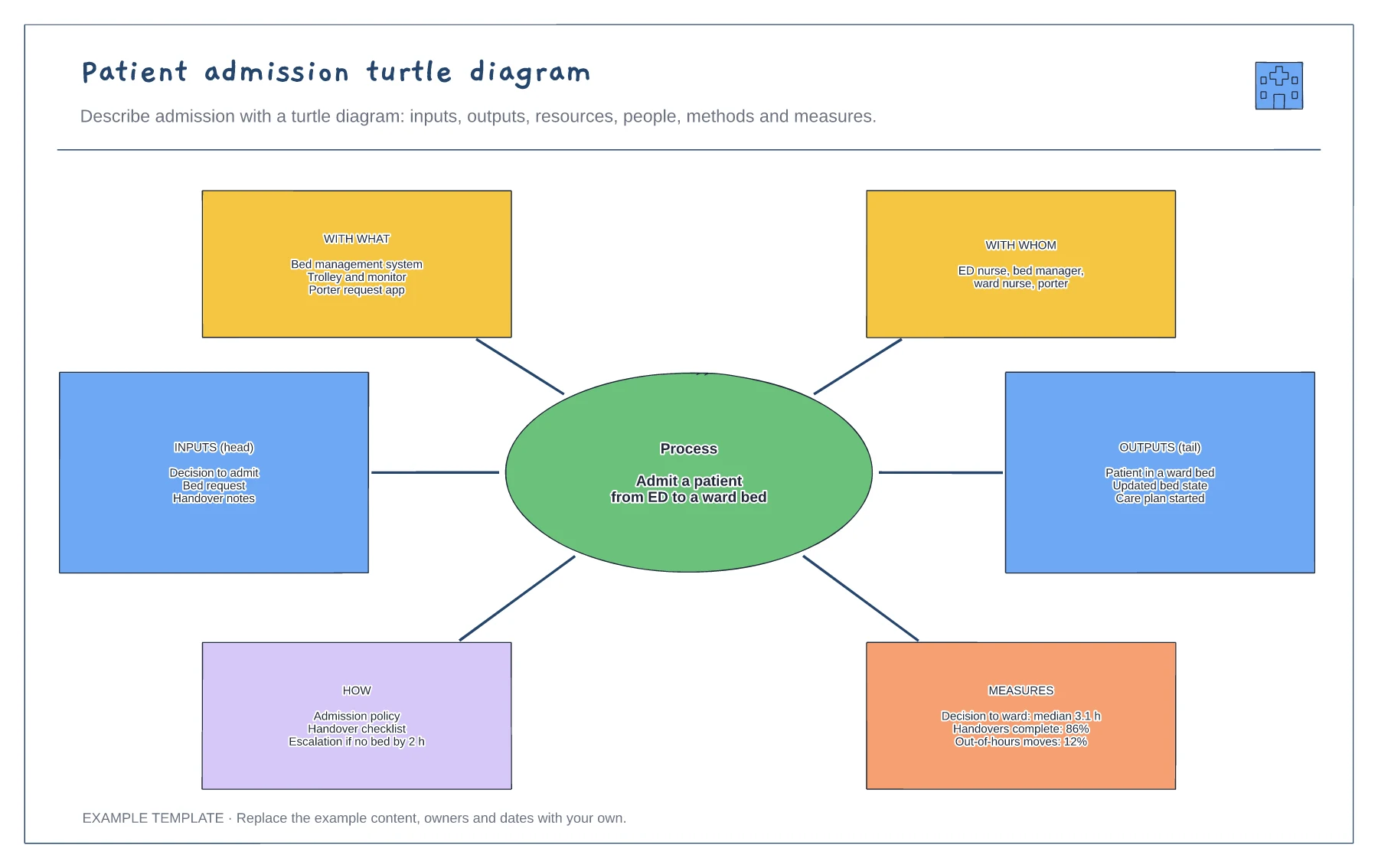
Process at the centre · Inputs and outputs · Resources, people, methods and measures
Preview and use template →