Engineering
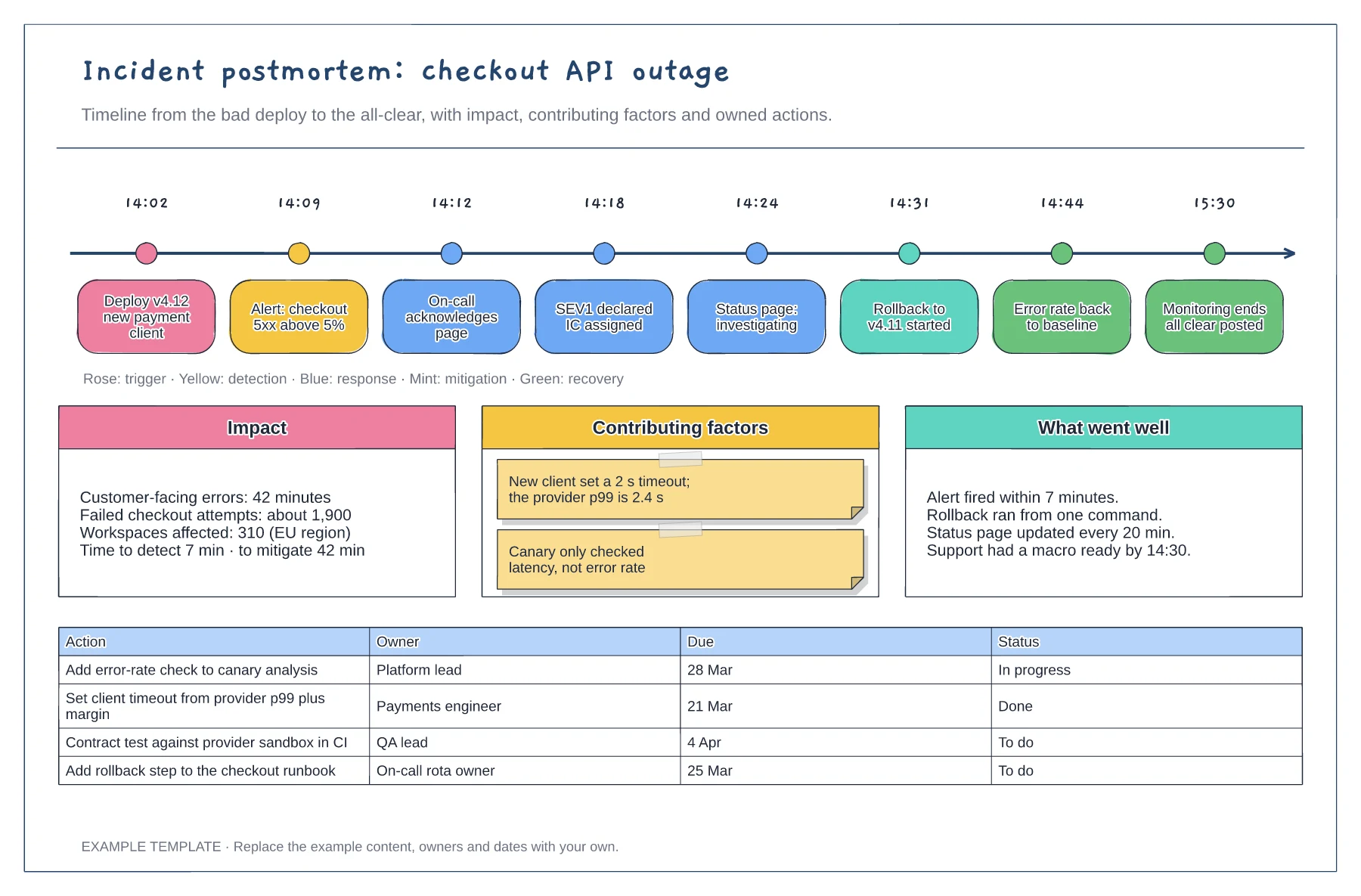
Incident postmortem timeline template
Timestamped events from deploy to all-clear · Impact, contributing factors and what went well · Action table with owners, due dates and status
Preview and use template →An incident response flowchart tells the person holding the pager exactly what to do in the first ten minutes, and who takes over after that. This swimlane example covers acknowledging the alert, deciding severity, declaring an incident, mitigating the problem, customer updates and booking the postmortem.
No account needed · Opens as your own editable page
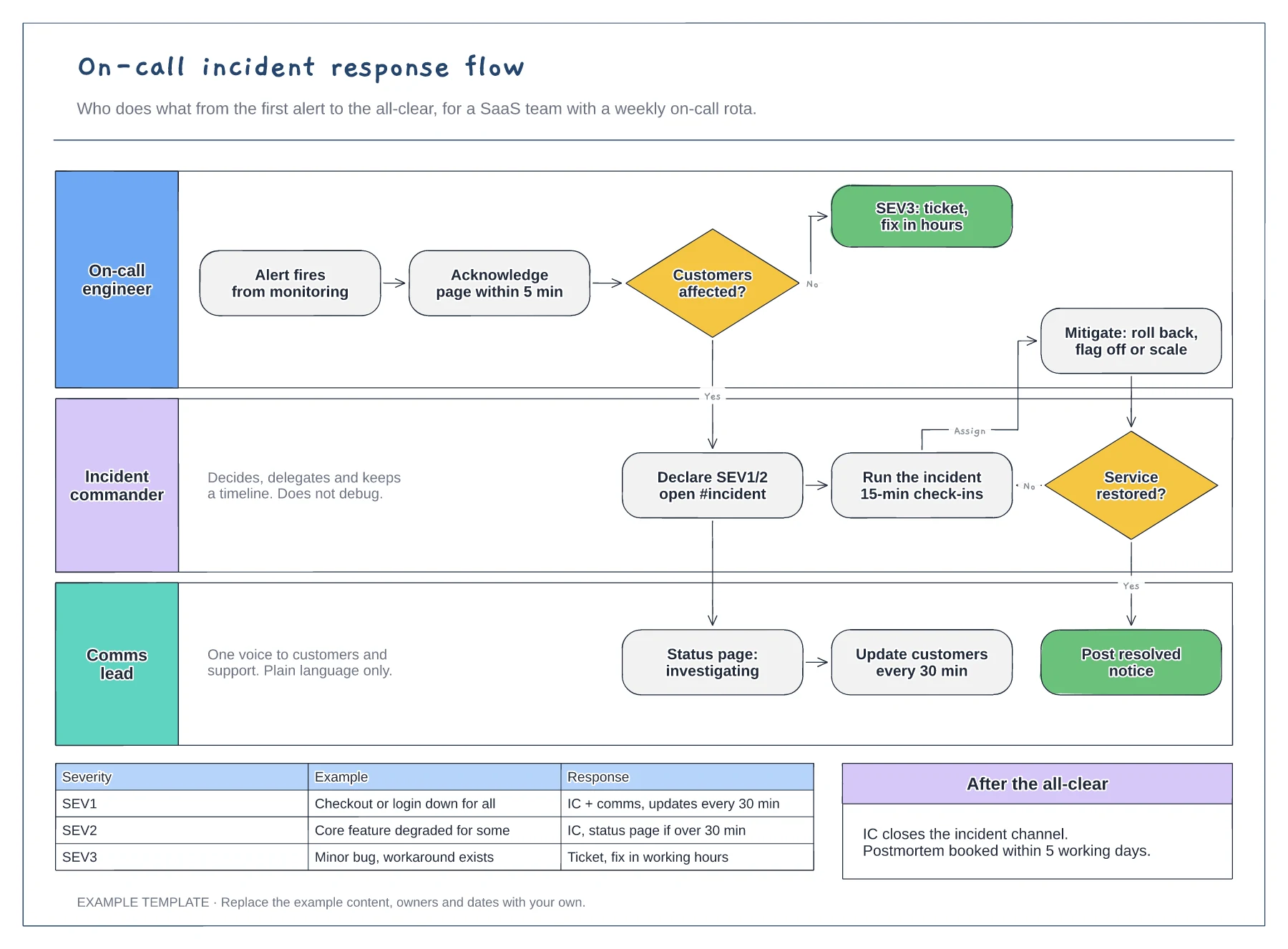
Replace the table with severity definitions your team already uses, tied to customer impact rather than technical symptoms. The decision diamond only works if anyone on the rota can make the call in under a minute.
Keep the lanes as roles such as incident commander, because the rota changes weekly. Add a lane for support or engineering leadership if they join every SEV1 at your company.
Change the 30-minute customer updates and 15-minute check-ins to intervals your team can sustain at 3am. A promise you miss during an incident does more damage than a longer interval.
Merge the on-call and incident commander lanes, or keep both and put the same name on each so the coordination steps stay visible.
No. Open the template and edit it in your browser. Your work saves on this device. An account is optional if you want to sync your workspace.
Yes. Use Export in the editor to save a PNG, SVG or PDF, or download an editable .epicdraw backup.
Timestamped events from deploy to all-clear · Impact, contributing factors and what went well · Action table with owners, due dates and status
Preview and use template →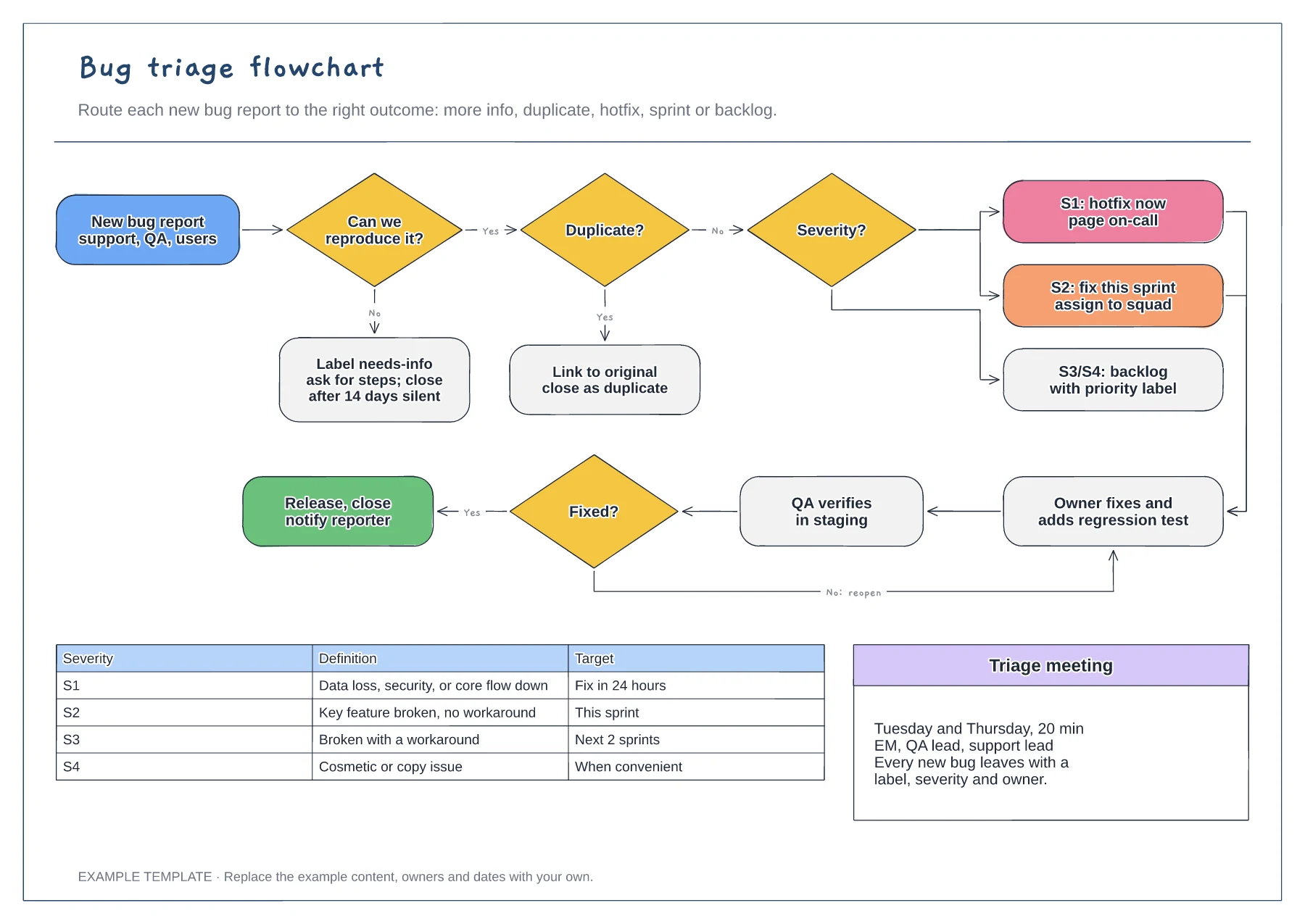
Reproduce and duplicate checks · Severity routing from S1 to S4 · Fix, verify and reopen loop with a severity table
Preview and use template →
First-line triage and impact check · Specialist ownership and investigation · Customer updates and closure
Preview and use template →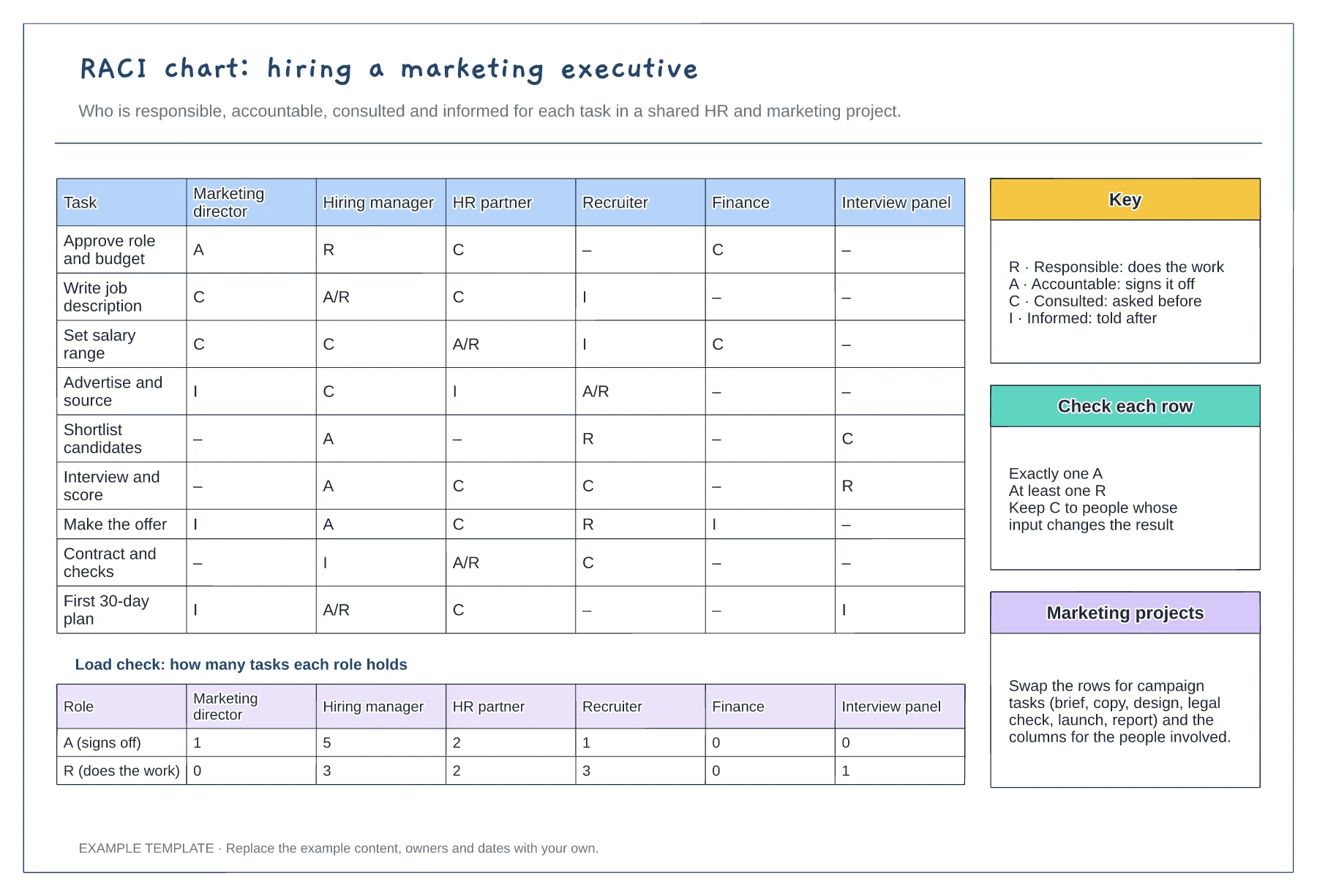
Tasks against six roles with R, A, C and I · Load check of A and R per role · Key, row checks and reuse notes
Preview and use template →
Observations from the sprint · Discussion and improvement ideas · An owned experiment and review
Preview and use template →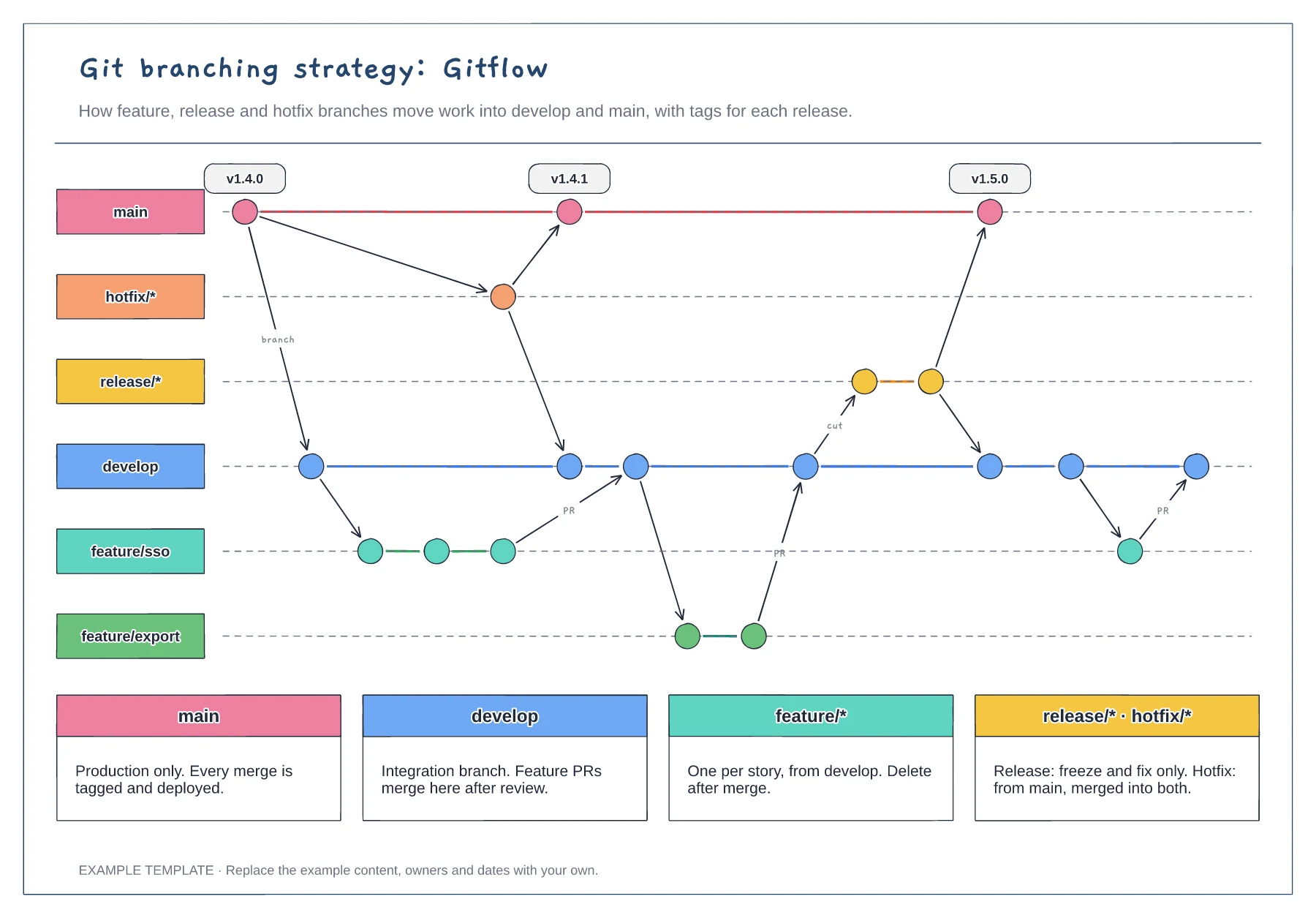
Lanes for main, develop, feature, release and hotfix · Commits, merges and version tags · One rule per branch type
Preview and use template →