Healthcare
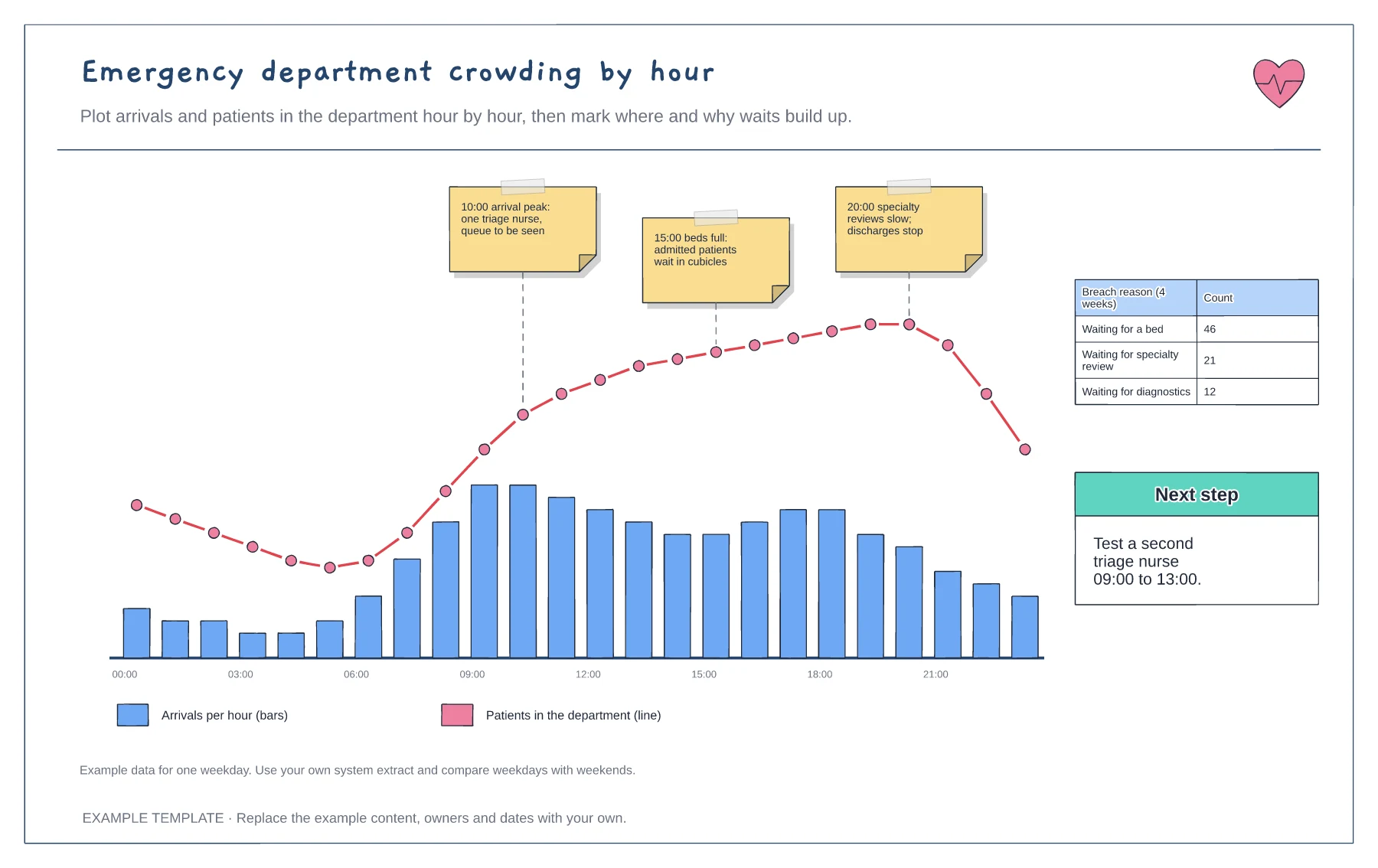
Emergency department crowding by hour template
Arrivals per hour and occupancy line · Annotated pressure points · Breach reason tally and next step
Preview and use template →An ED triage flowchart shows how patients move from the door to the right area of the department. This example covers the operational handoffs only: walk-in and ambulance arrival, booking in, triage, streaming to five areas and the re-check loop for people waiting. Clinical criteria and target times stay in your triage system.
This is an operational planning example, not clinical guidance. Triage categories, criteria and target times must come from your organisation's approved triage system and clinical protocols.
No account needed · Opens as your own editable page
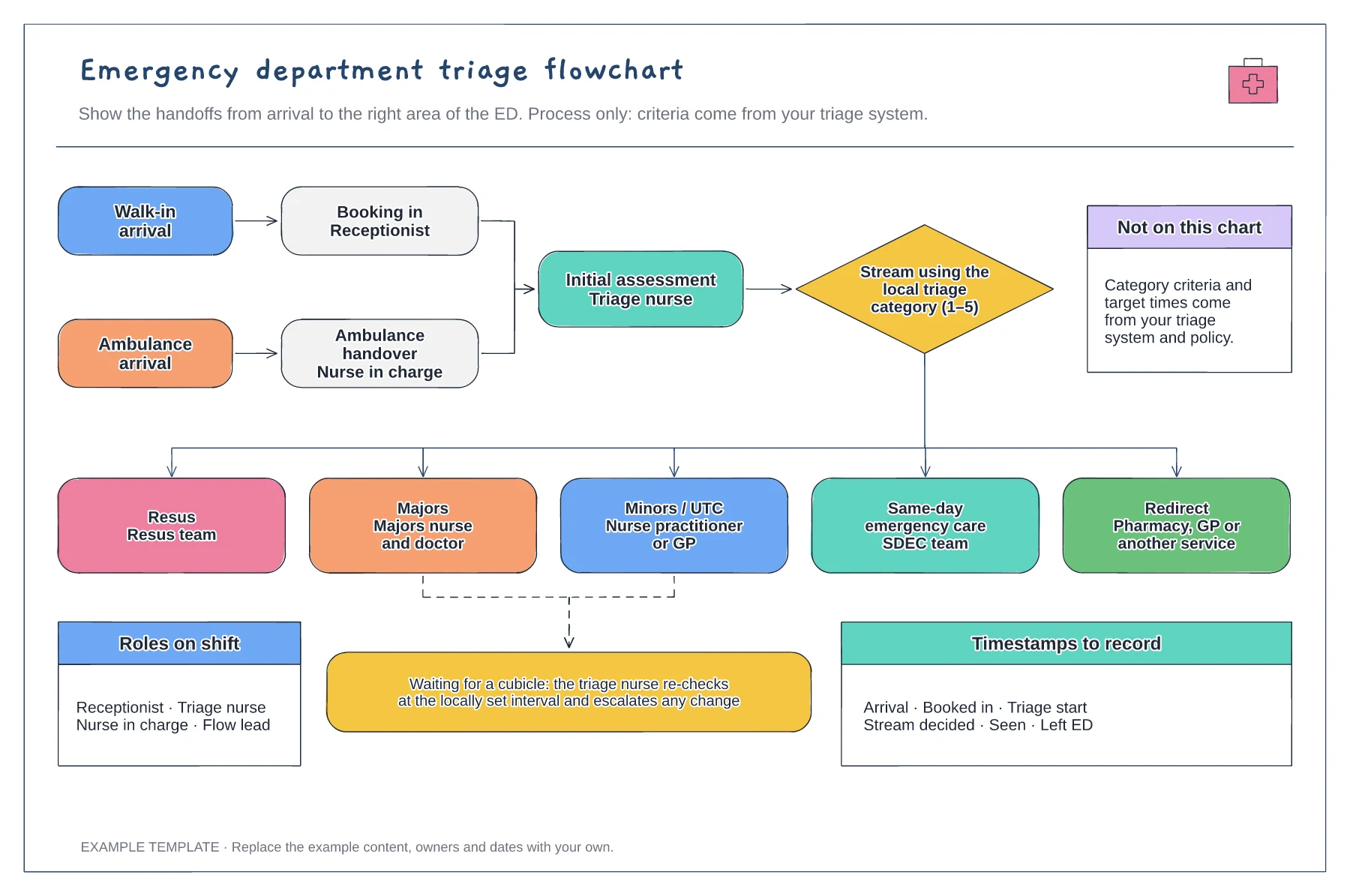
Rename the streams for the areas your department runs, such as an urgent treatment centre, paediatrics or same-day emergency care. Remove any your hospital does not have, so staff can follow the chart on shift.
Write who is responsible at each step, from the receptionist to the flow lead. Handoffs without a named role are where patients can be missed during busy periods.
List the times your system captures, such as arrival, triage start and seen. These show where time is lost between steps without putting any clinical criteria on the diagram.
No. The chart shows the operational route a patient takes and who is responsible at each step. Triage categories and the criteria behind them must come from your organisation's approved triage system and clinical protocols.
No. Open the template and edit it in your browser. Your work saves on this device. An account is optional if you want to sync your workspace.
Yes. Use Export in the editor to save a PNG, SVG or PDF, or download an editable .epicdraw backup.
Arrivals per hour and occupancy line · Annotated pressure points · Breach reason tally and next step
Preview and use template →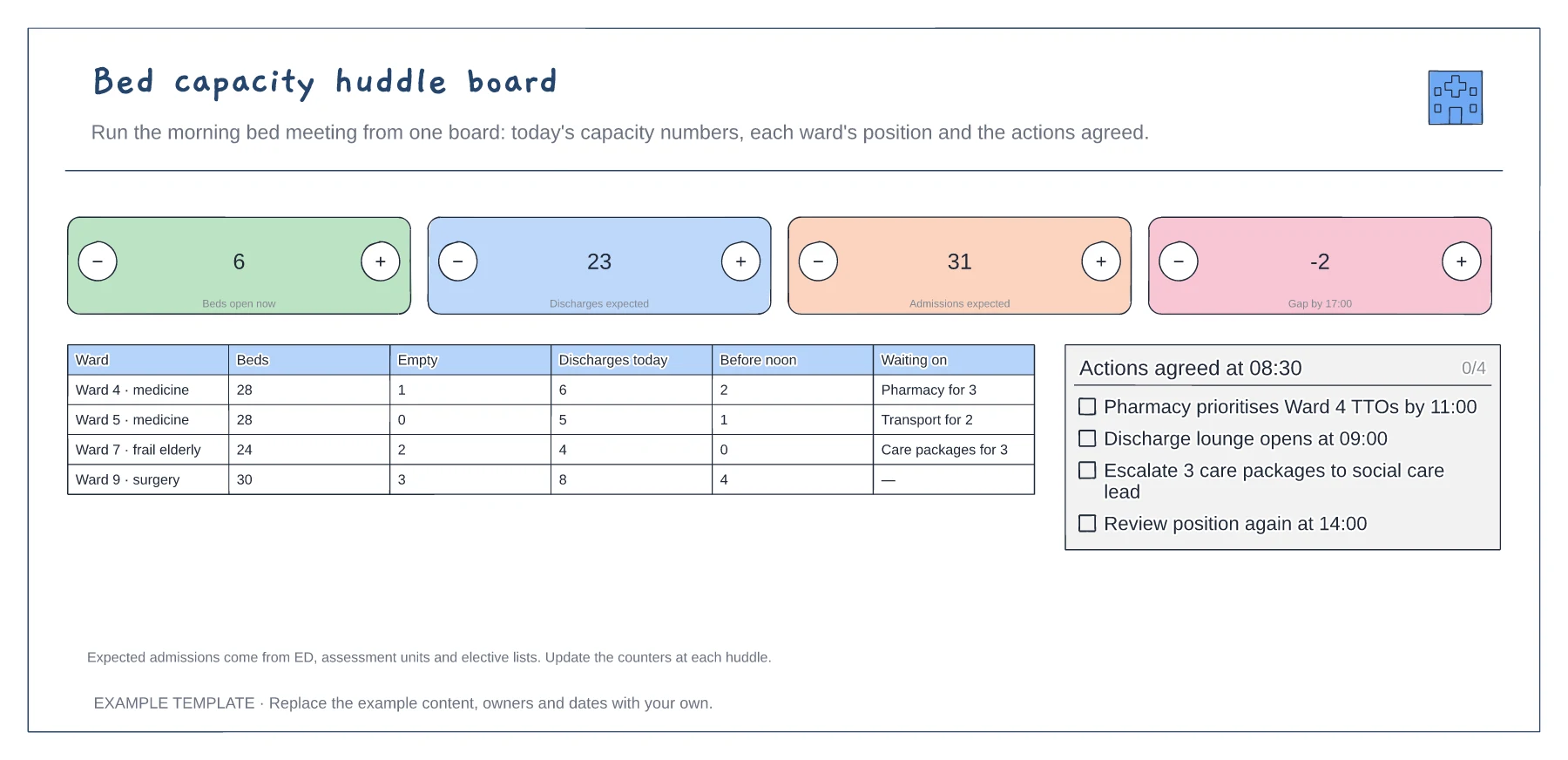
Four headline capacity counts · Ward-by-ward position · Actions agreed at the huddle
Preview and use template →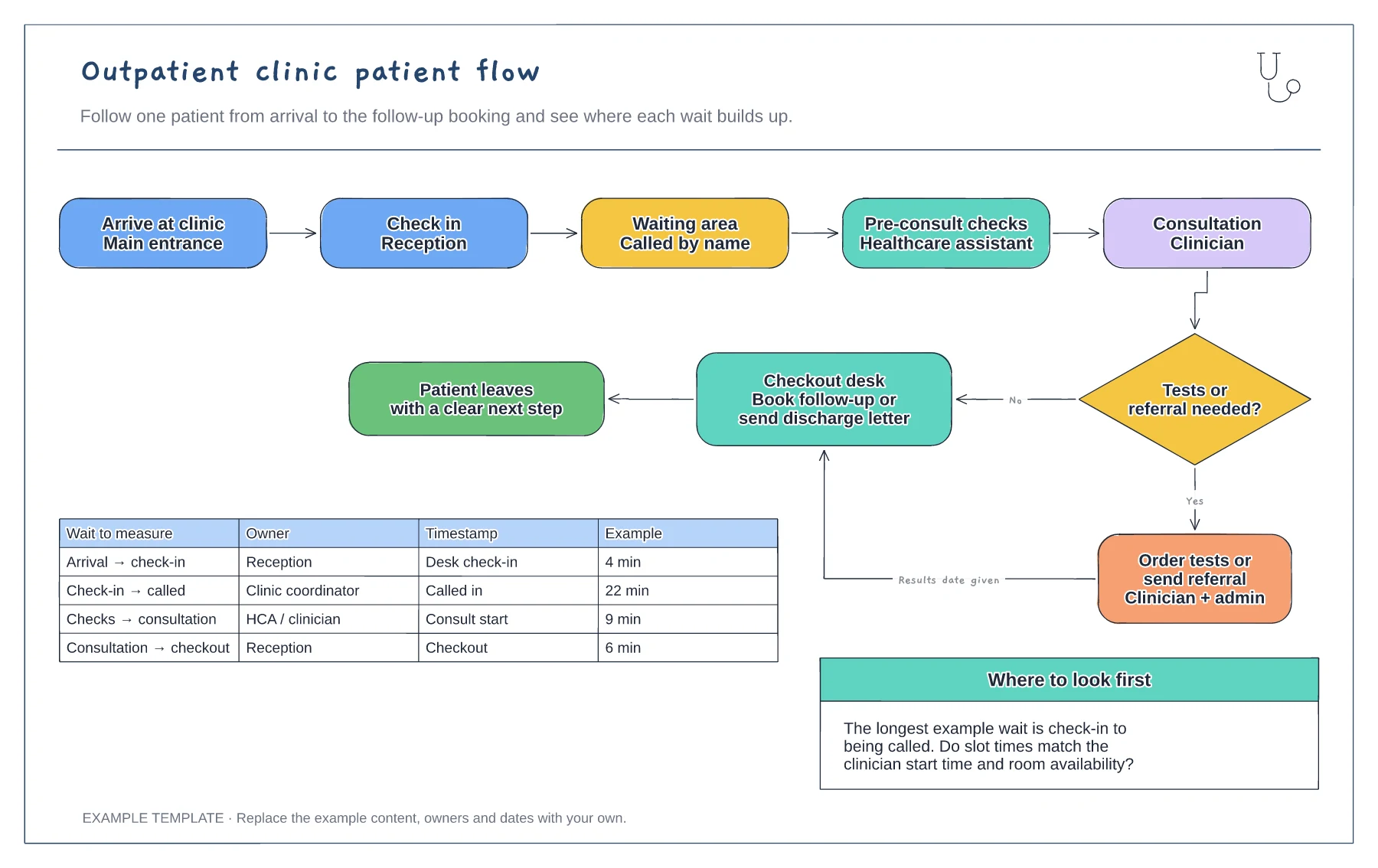
Five steps from arrival to consultation · Tests or referral decision with checkout · Wait-time table with owners and timestamps
Preview and use template →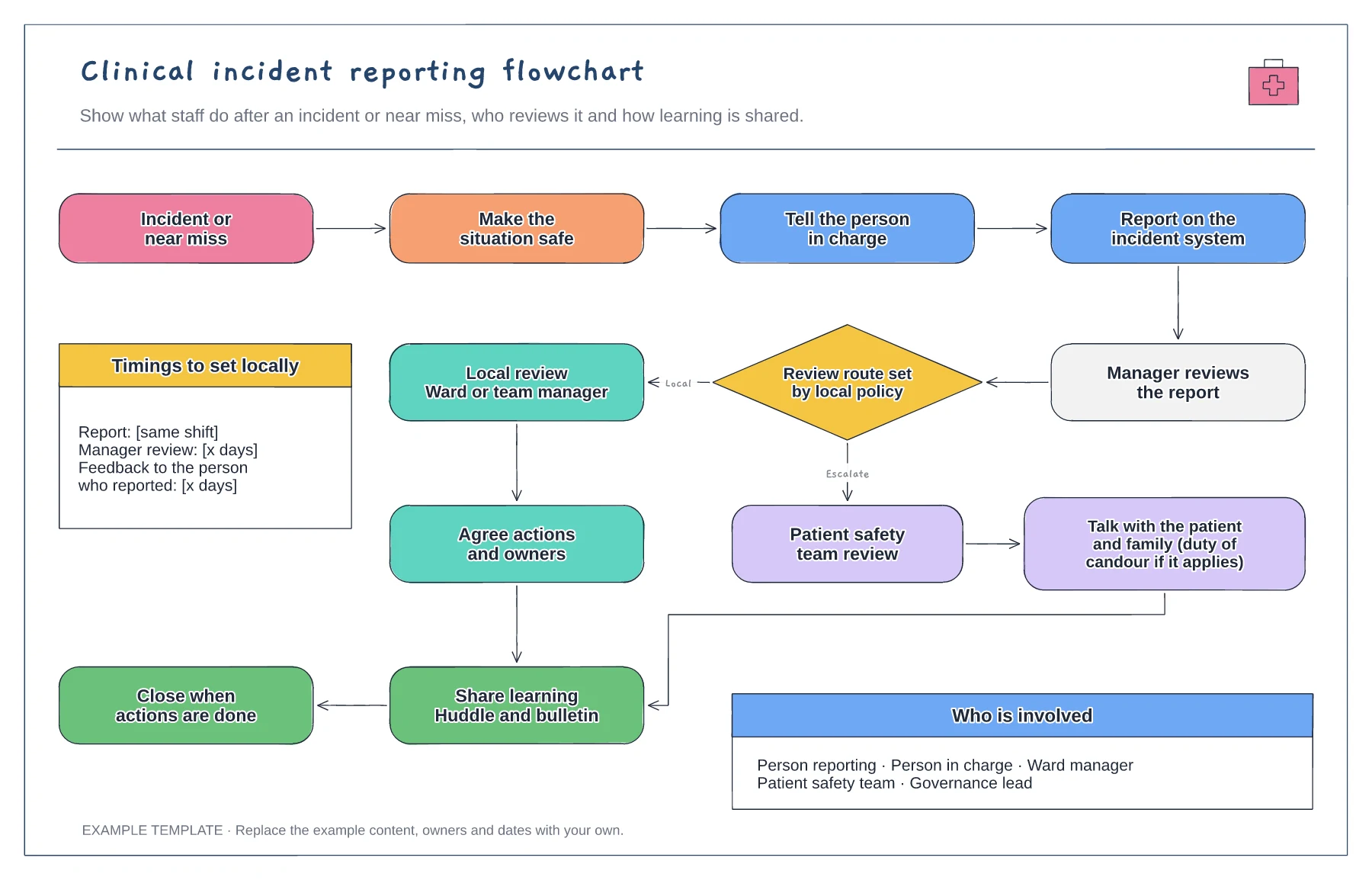
Immediate actions and reporting · Review route set by local policy · Learning shared and report closed
Preview and use template →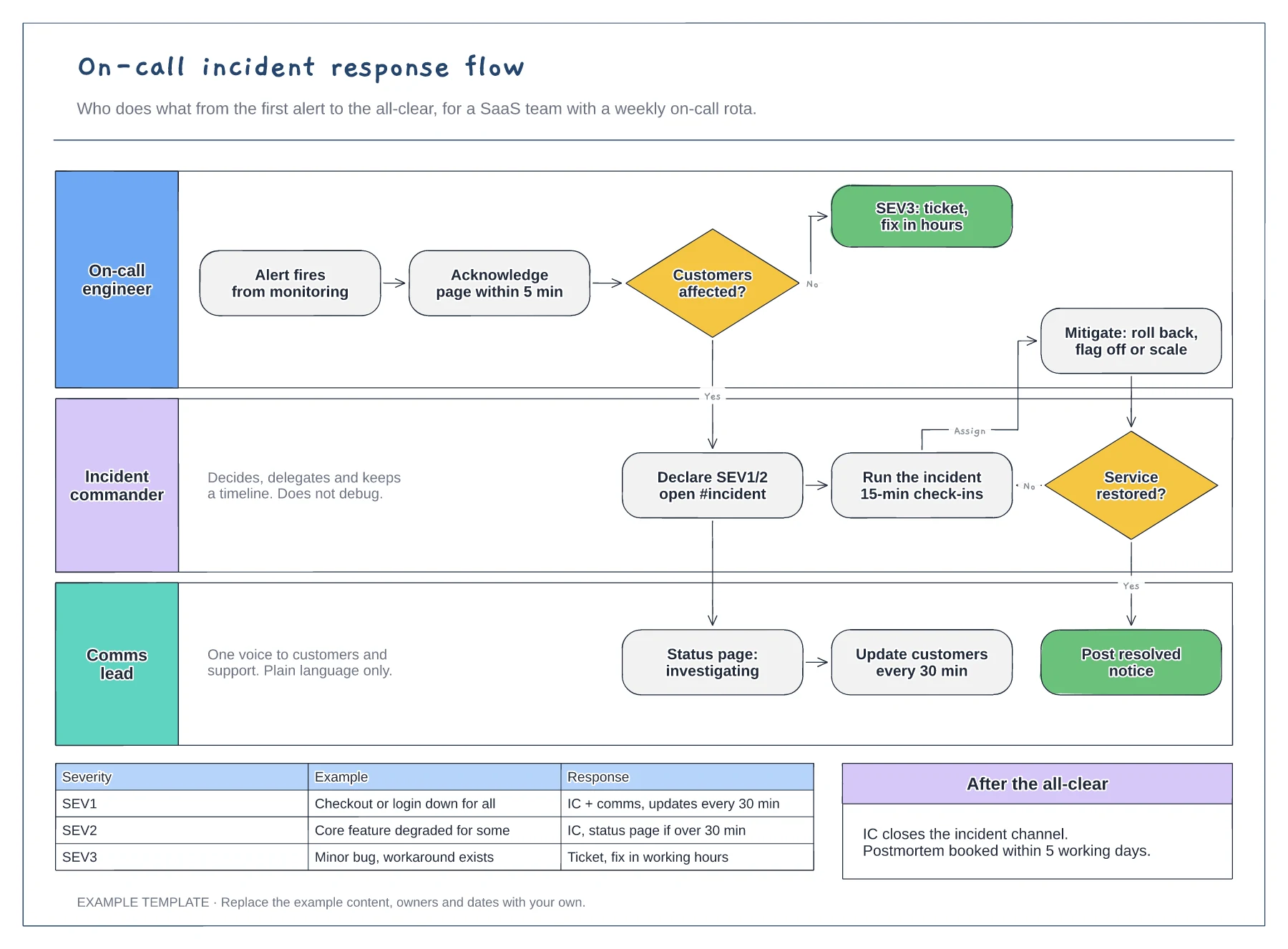
Lanes for on-call, incident commander and comms · Severity decision with SEV1 to SEV3 examples · Mitigation loop and customer update cadence
Preview and use template →
First-line triage and impact check · Specialist ownership and investigation · Customer updates and closure
Preview and use template →