IT and security
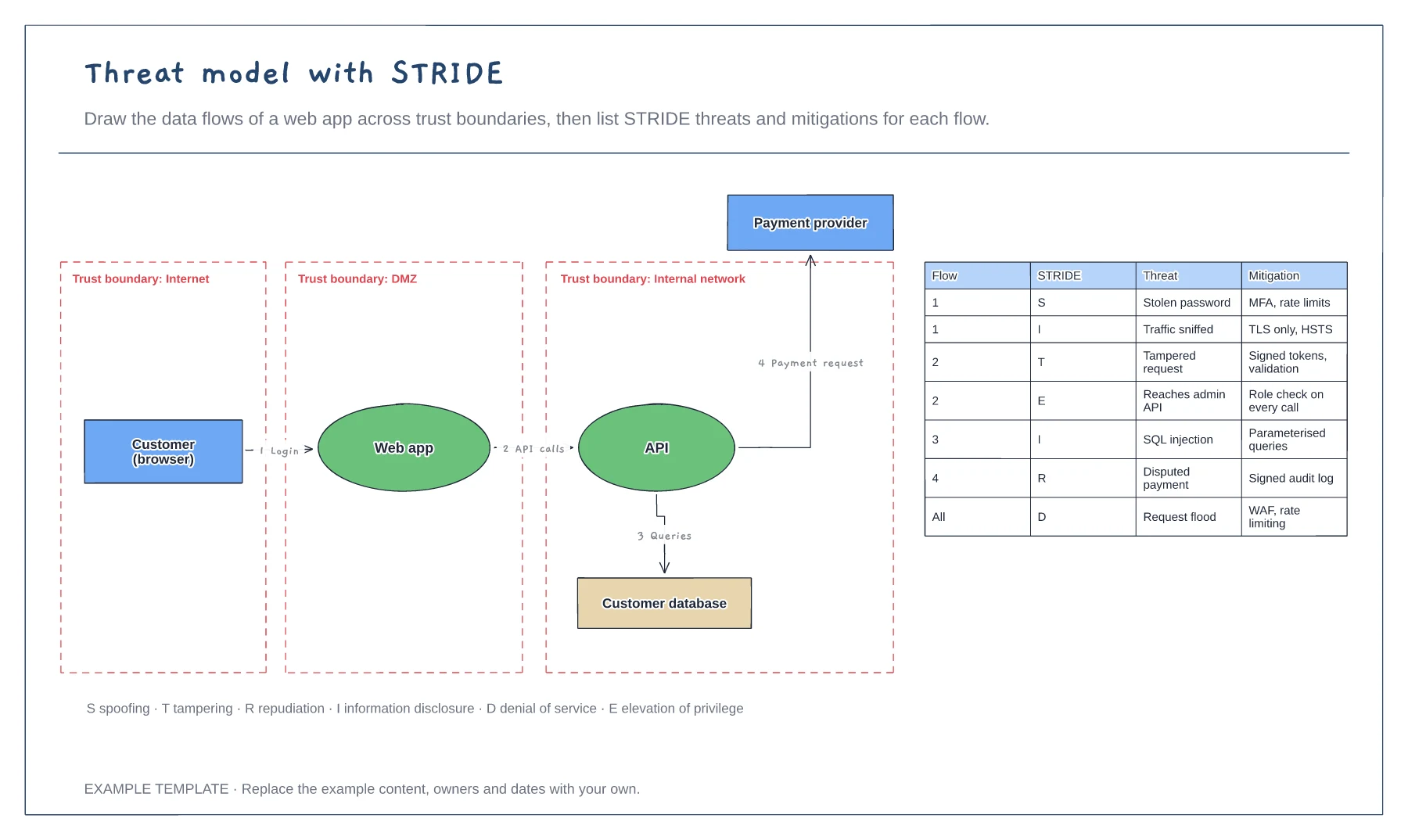
Threat model with STRIDE template
Data flow diagram with trust boundaries · Numbered flows between components · STRIDE threat and mitigation table
Preview and use template →A zero trust architecture checks every request instead of trusting anything inside the network. This example shows the control plane, where identity, device health, security monitoring and data classification feed a policy engine, and the data plane, where an enforcement point allows or denies each user, device or workload access to segmented apps, data and workloads.
No account needed · Opens as your own editable page
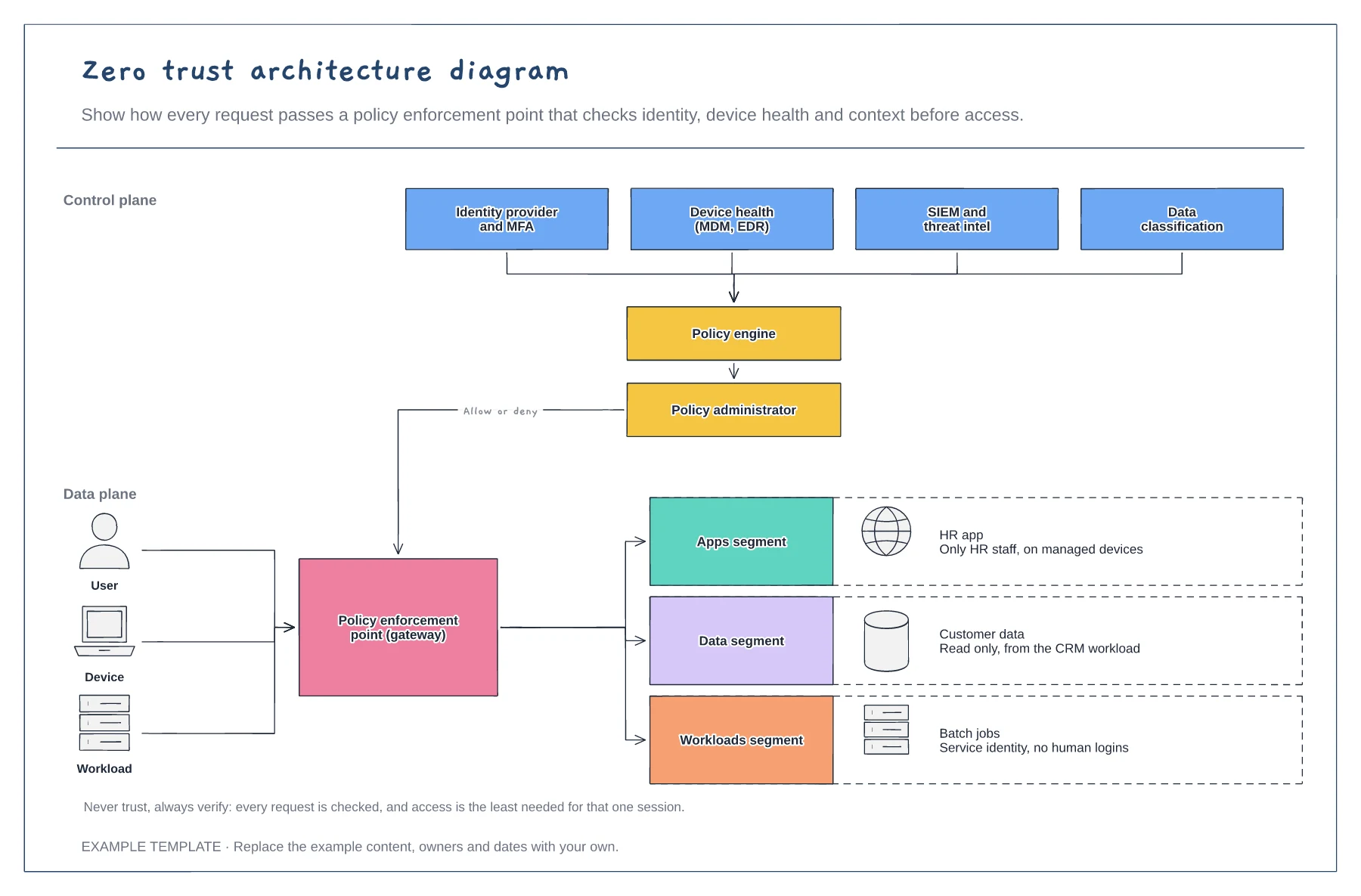
Write down what you know about each request: who the user is, whether MFA passed, whether the device is managed and healthy, and where it is coming from.
Group resources by sensitivity and decide who should reach each group, on which devices and from where.
Put one important app behind the enforcement point first, learn from it, then extend. Zero trust is a journey, not a product.
Yes. Rename the identity, device and threat signal boxes with the products you use and connect them to the policy engine.
No. Open the template and edit it in your browser. Your work saves on this device. An account is optional if you want to sync your workspace.
Yes. Use Export in the editor to save a PNG, SVG or PDF, or download an editable .epicdraw backup.
Data flow diagram with trust boundaries · Numbered flows between components · STRIDE threat and mitigation table
Preview and use template →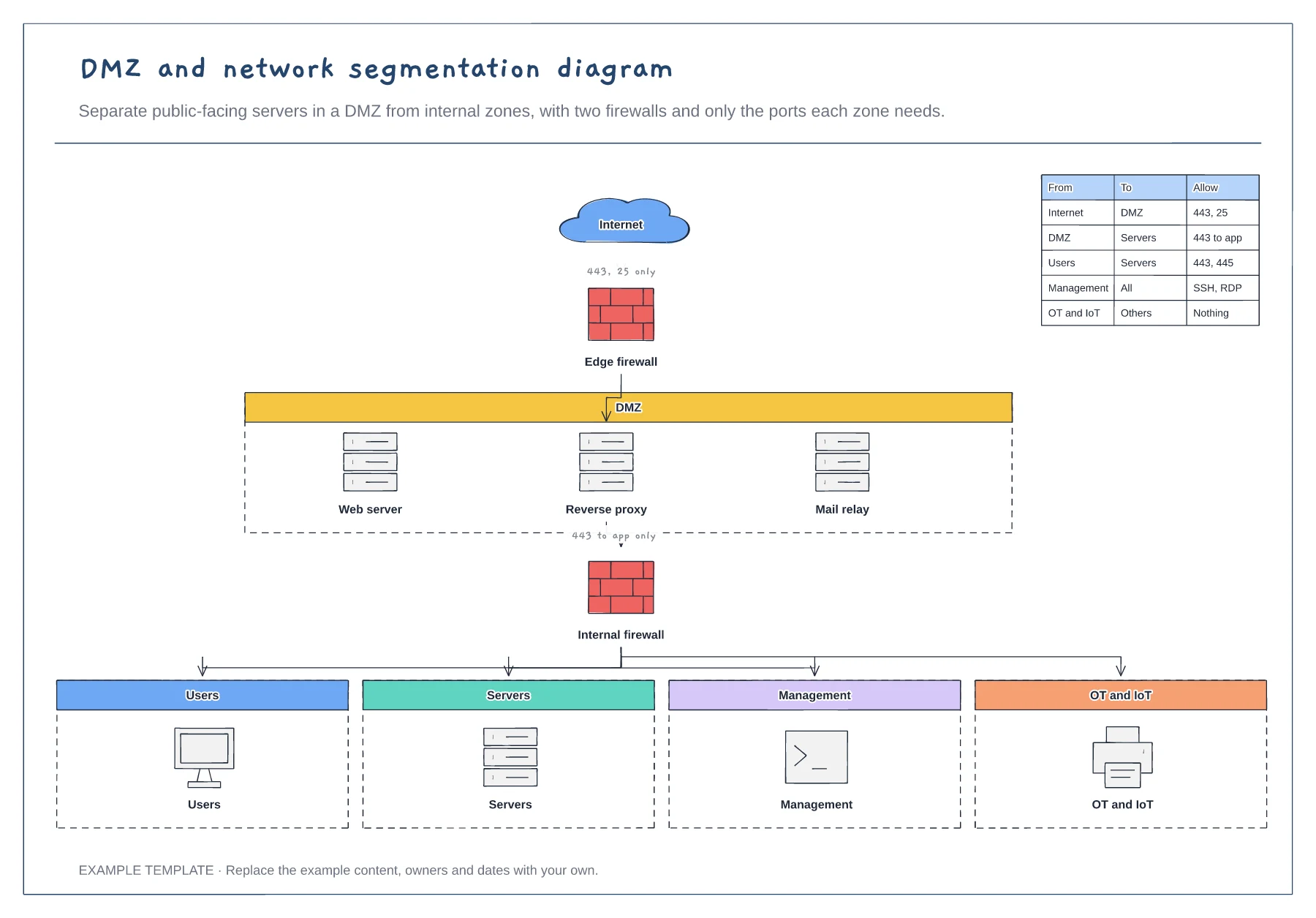
Edge and internal firewalls · DMZ with public-facing servers · Four internal zones and a rules table
Preview and use template →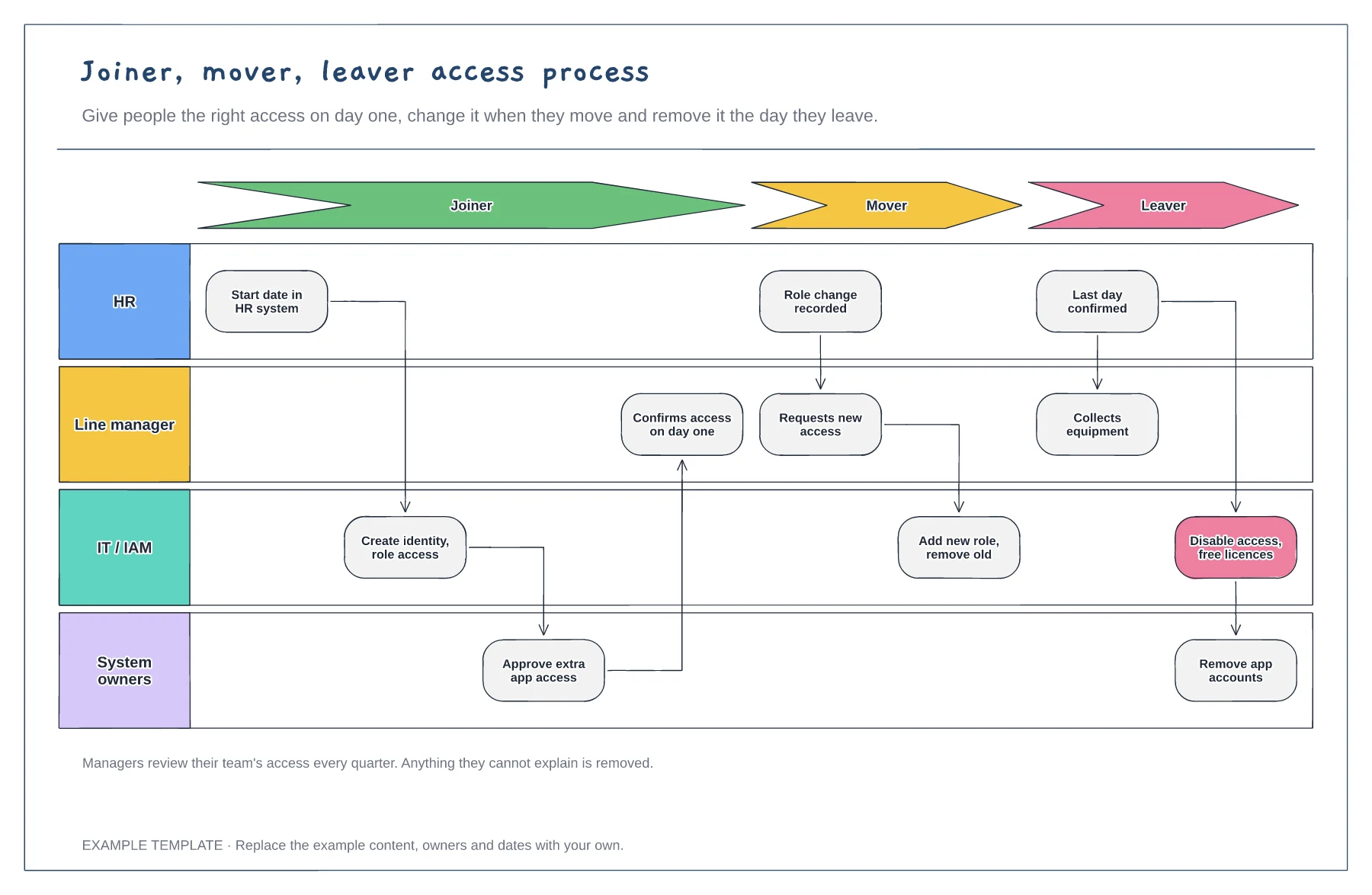
Joiner, mover and leaver stages · HR, manager, IT and system owner lanes · Quarterly access review
Preview and use template →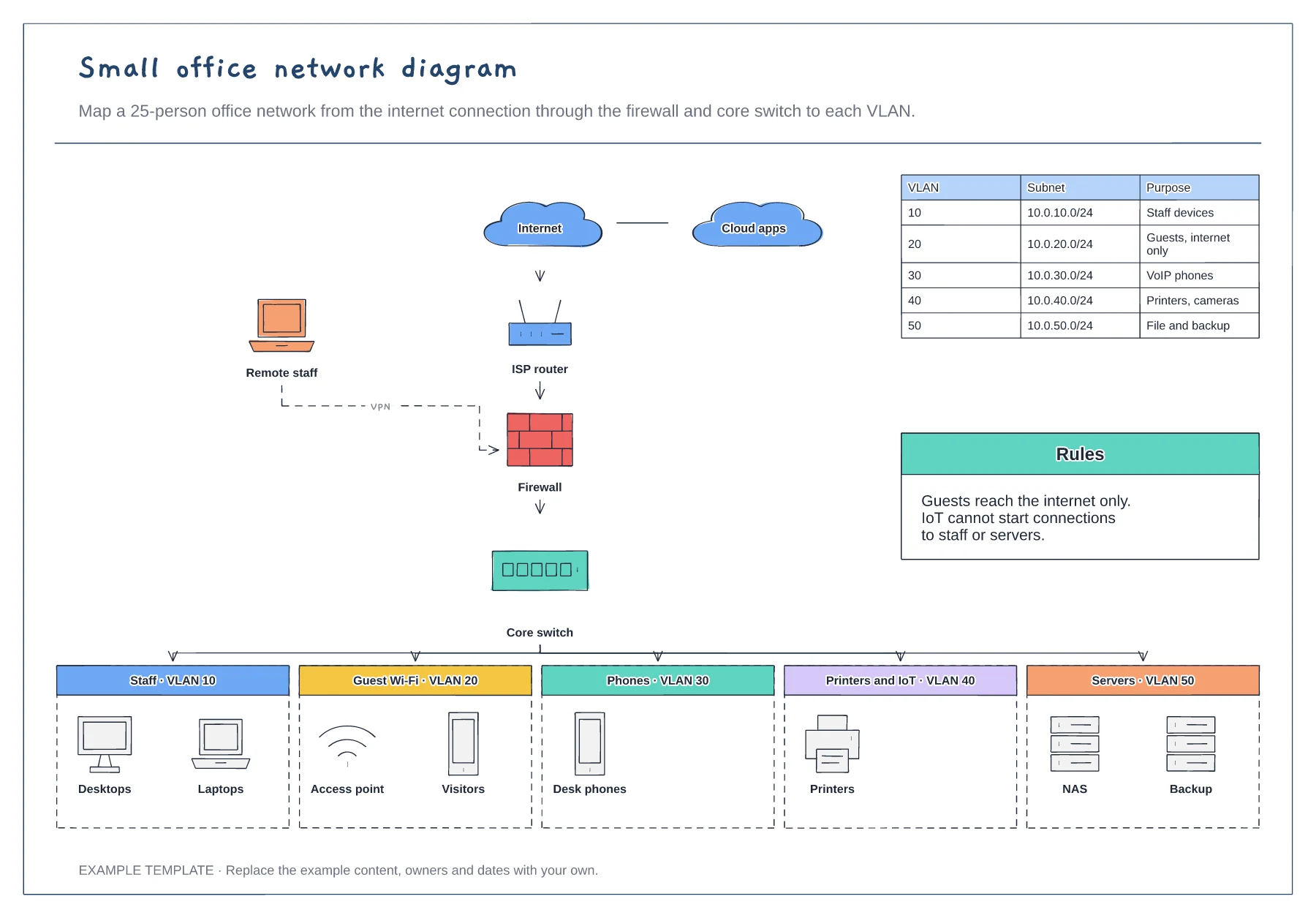
Internet, router, firewall and core switch · Five VLANs with example devices · Subnet table and segmentation rules
Preview and use template →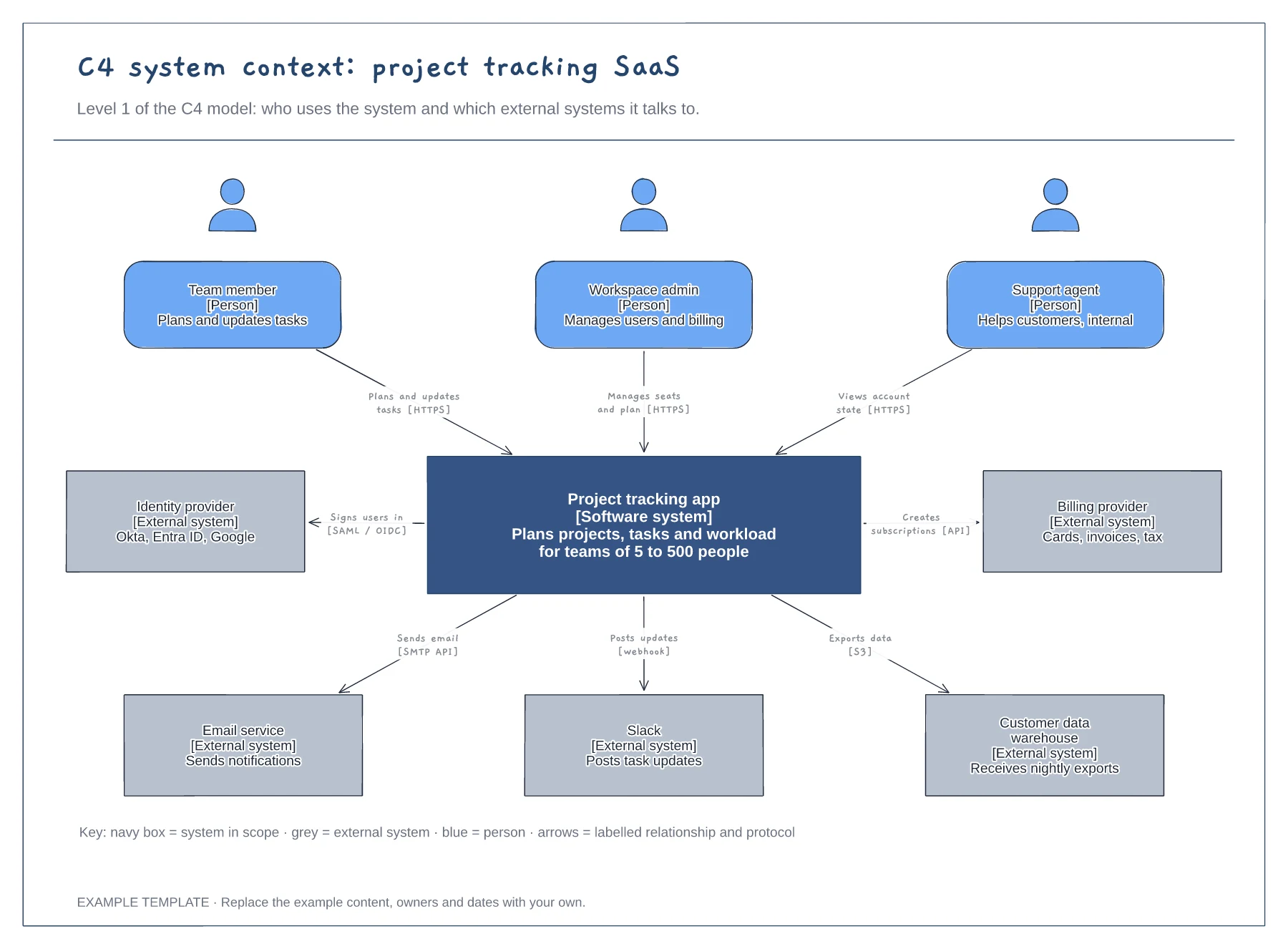
People with roles and descriptions · The system in scope and its external systems · Labelled relationships with protocols, plus a key
Preview and use template →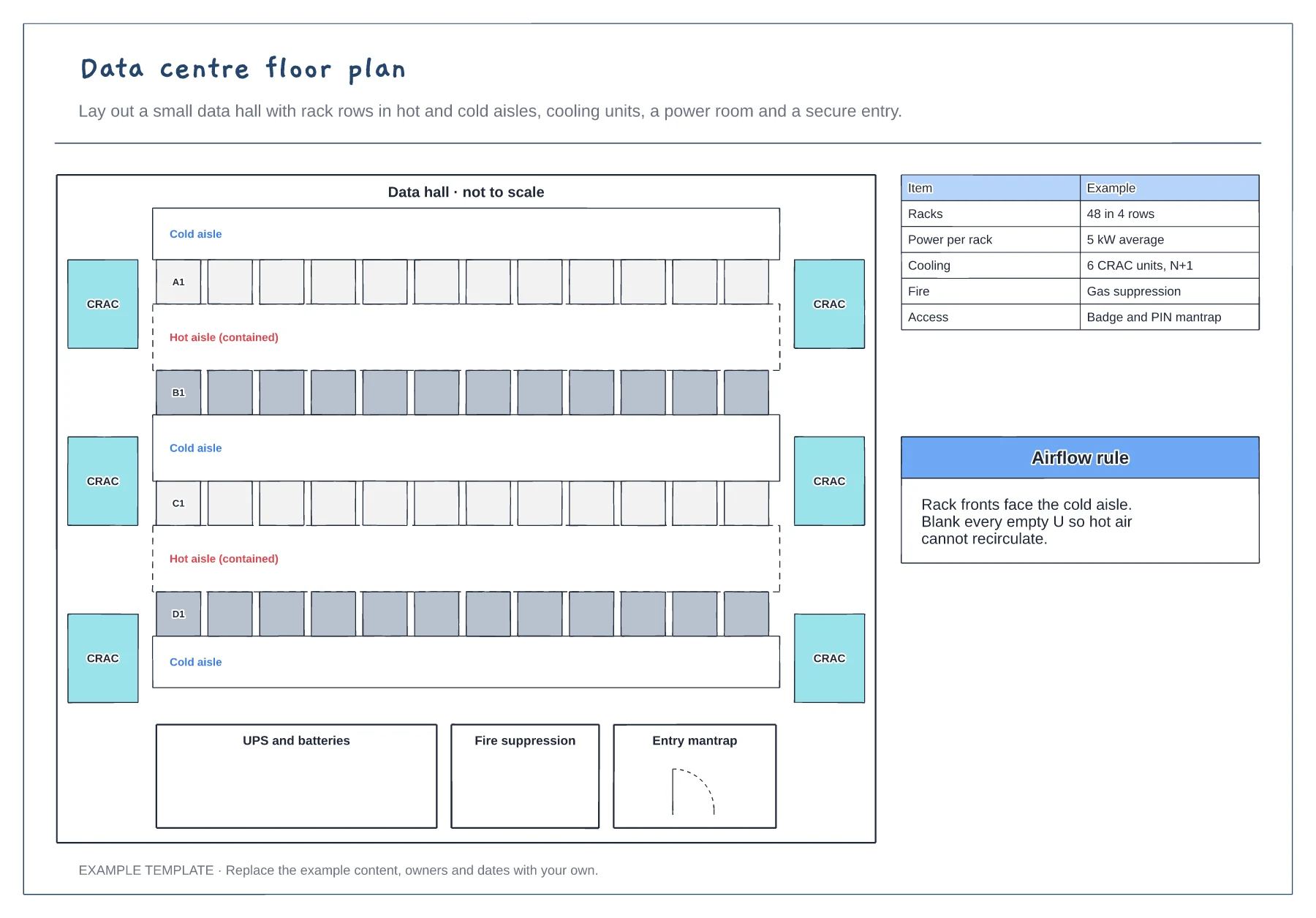
Rack rows in hot and cold aisles · Cooling units, UPS room and fire suppression · Secure entry and key figures
Preview and use template →