IT and security
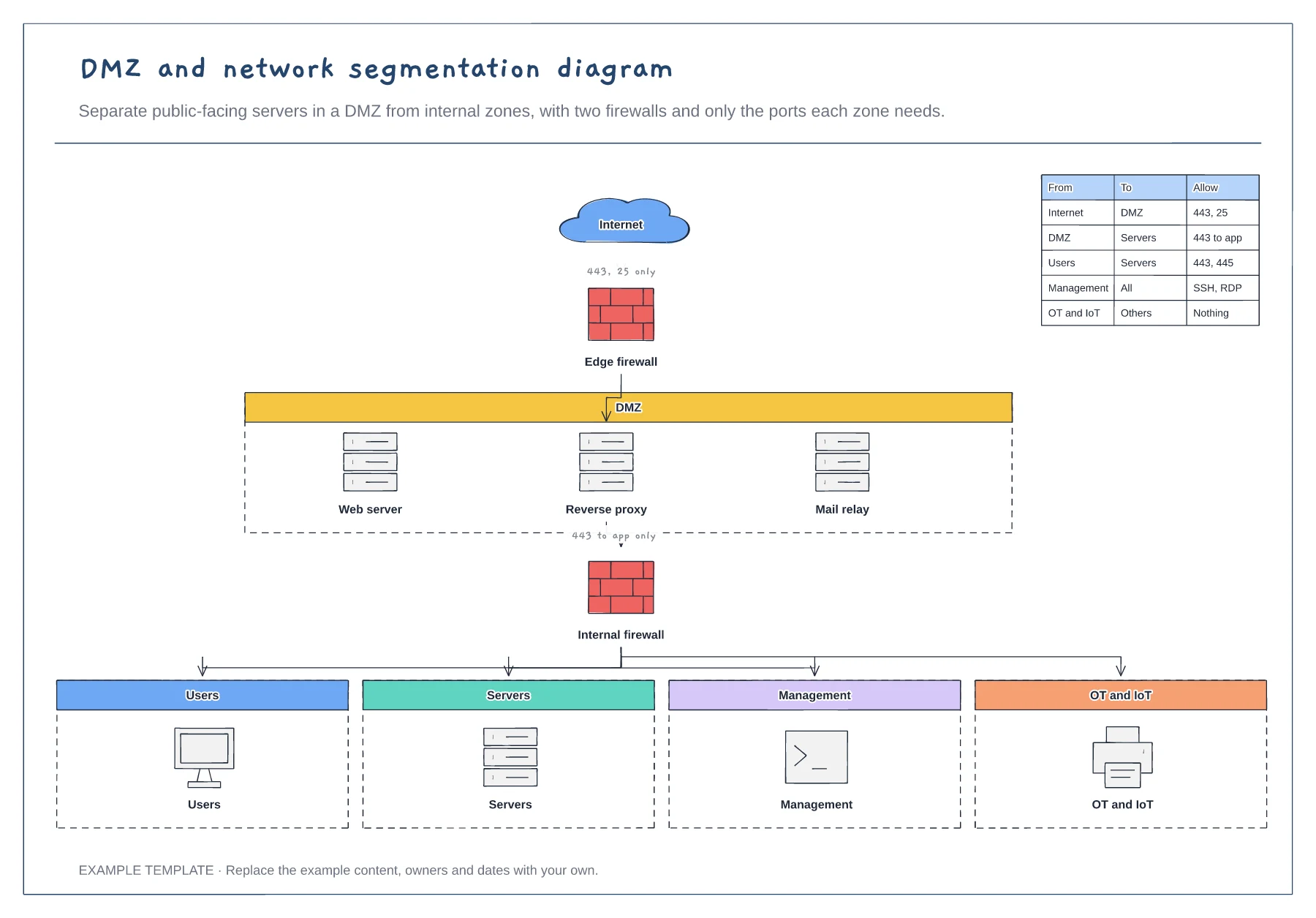
DMZ and network segmentation diagram template
Edge and internal firewalls · DMZ with public-facing servers · Four internal zones and a rules table
Preview and use template →A network diagram shows how every device in the office connects to the internet and to each other. This example maps a 25-person office from the internet connection through the router, firewall and core switch to five VLANs for staff, guests, phones, printers and servers, with remote staff on a VPN and a table of subnets.
No account needed · Opens as your own editable page
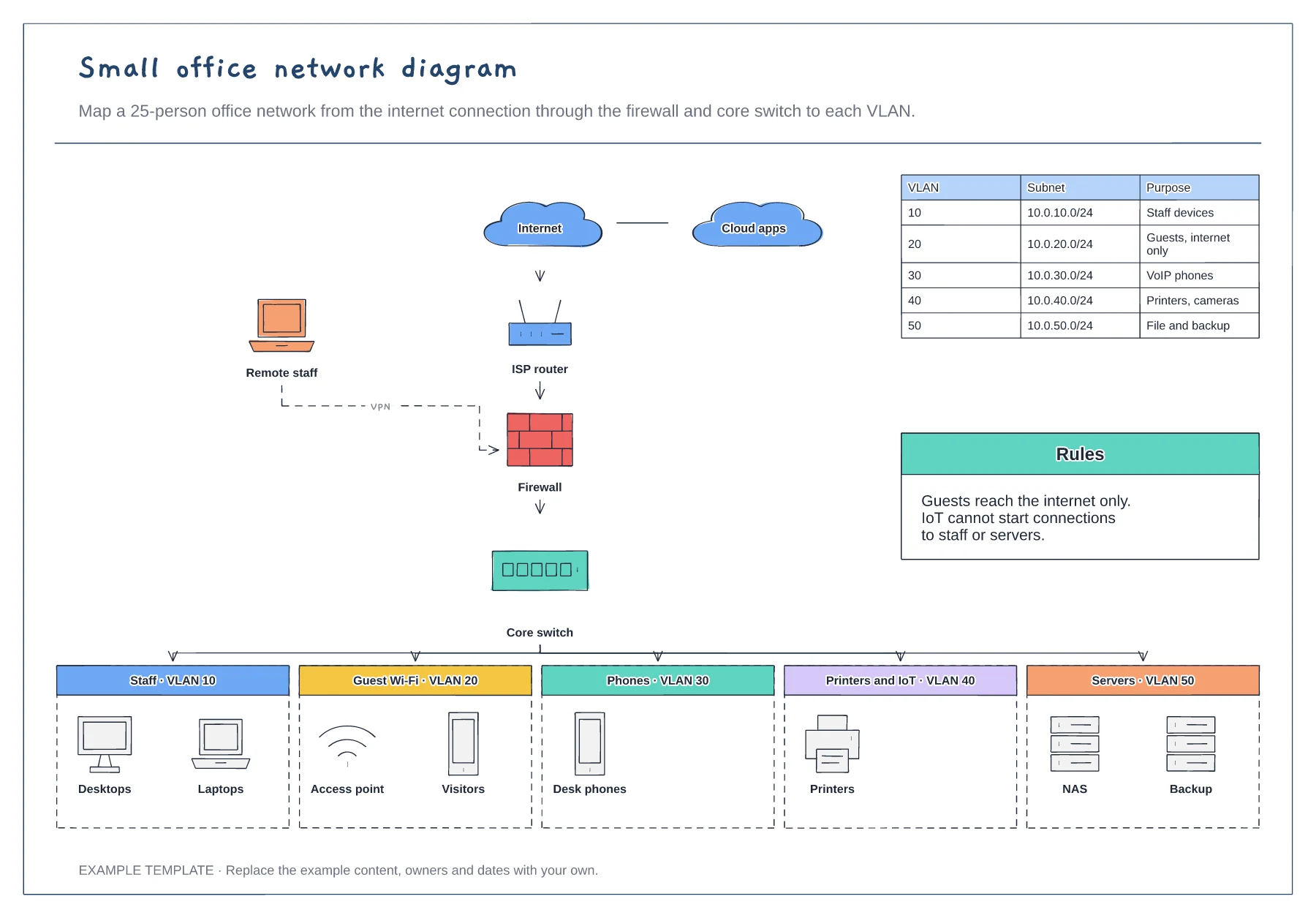
Draw the internet connection, router and firewall first, then the core switch. Label each with its model or IP address if that helps the people supporting it.
Put devices into the network segments they actually use. Keep guests and smart devices away from staff and servers.
List the subnet for each VLAN and the traffic allowed between them. The rules matter as much as the boxes when something goes wrong.
Yes. Copy a VLAN box, connect it to the core switch and add a row to the subnet table with its range and rules.
No. Open the template and edit it in your browser. Your work saves on this device. An account is optional if you want to sync your workspace.
Yes. Use Export in the editor to save a PNG, SVG or PDF, or download an editable .epicdraw backup.
Edge and internal firewalls · DMZ with public-facing servers · Four internal zones and a rules table
Preview and use template →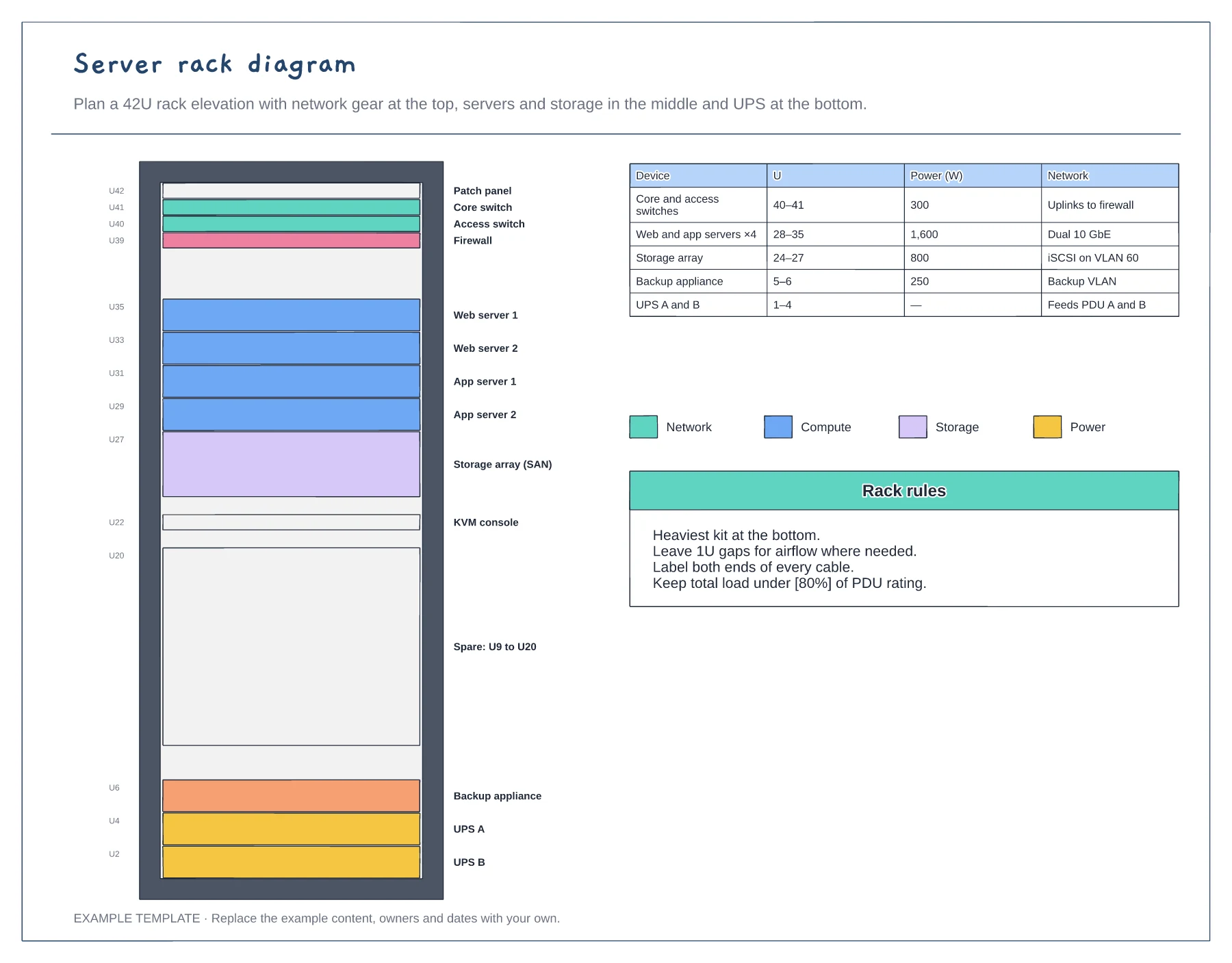
42U rack elevation with unit numbers · Network, compute, storage and power colours · Power and network table
Preview and use template →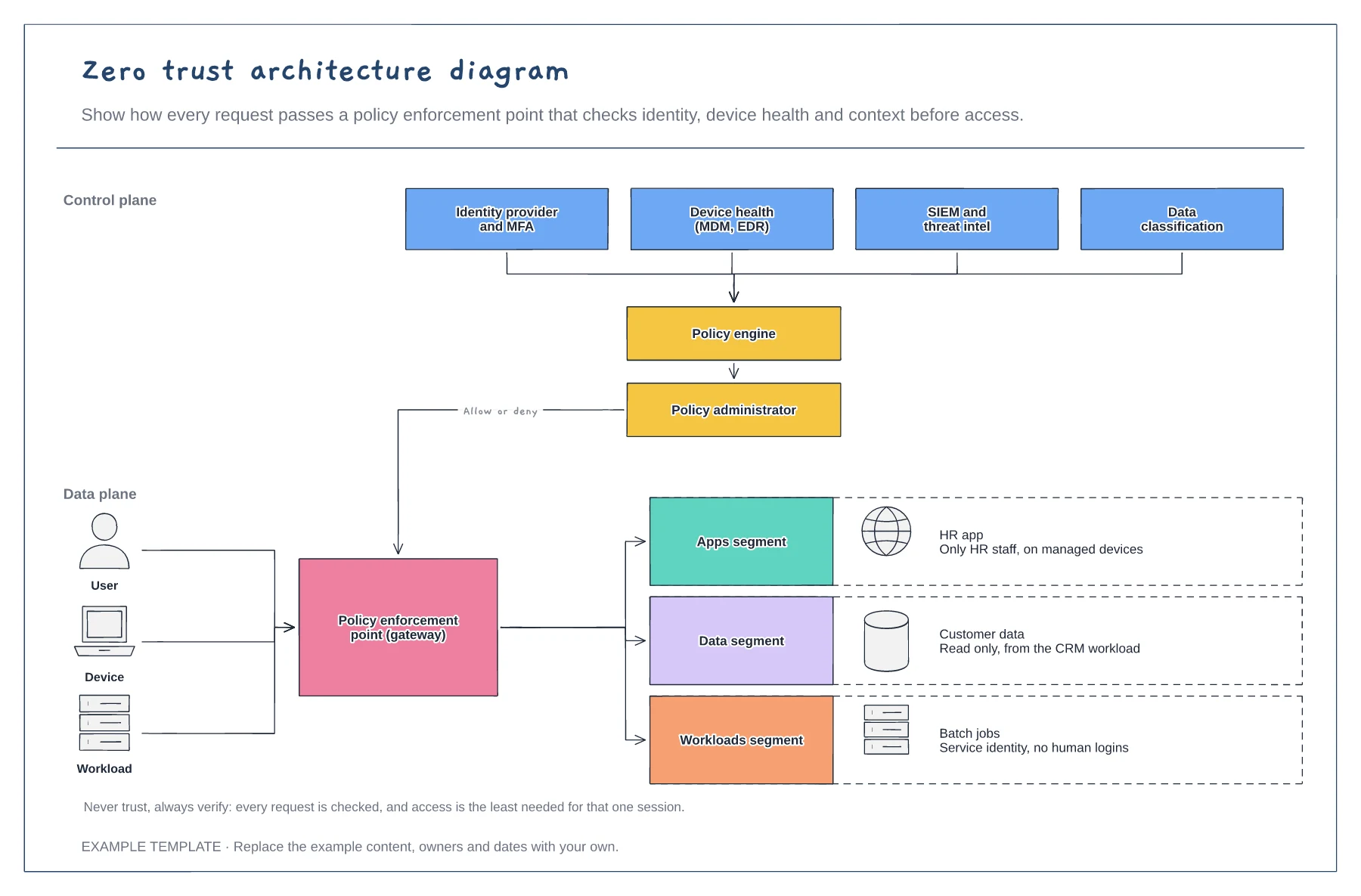
Signals feeding the policy engine · Policy enforcement point · Segmented apps, data and workloads
Preview and use template →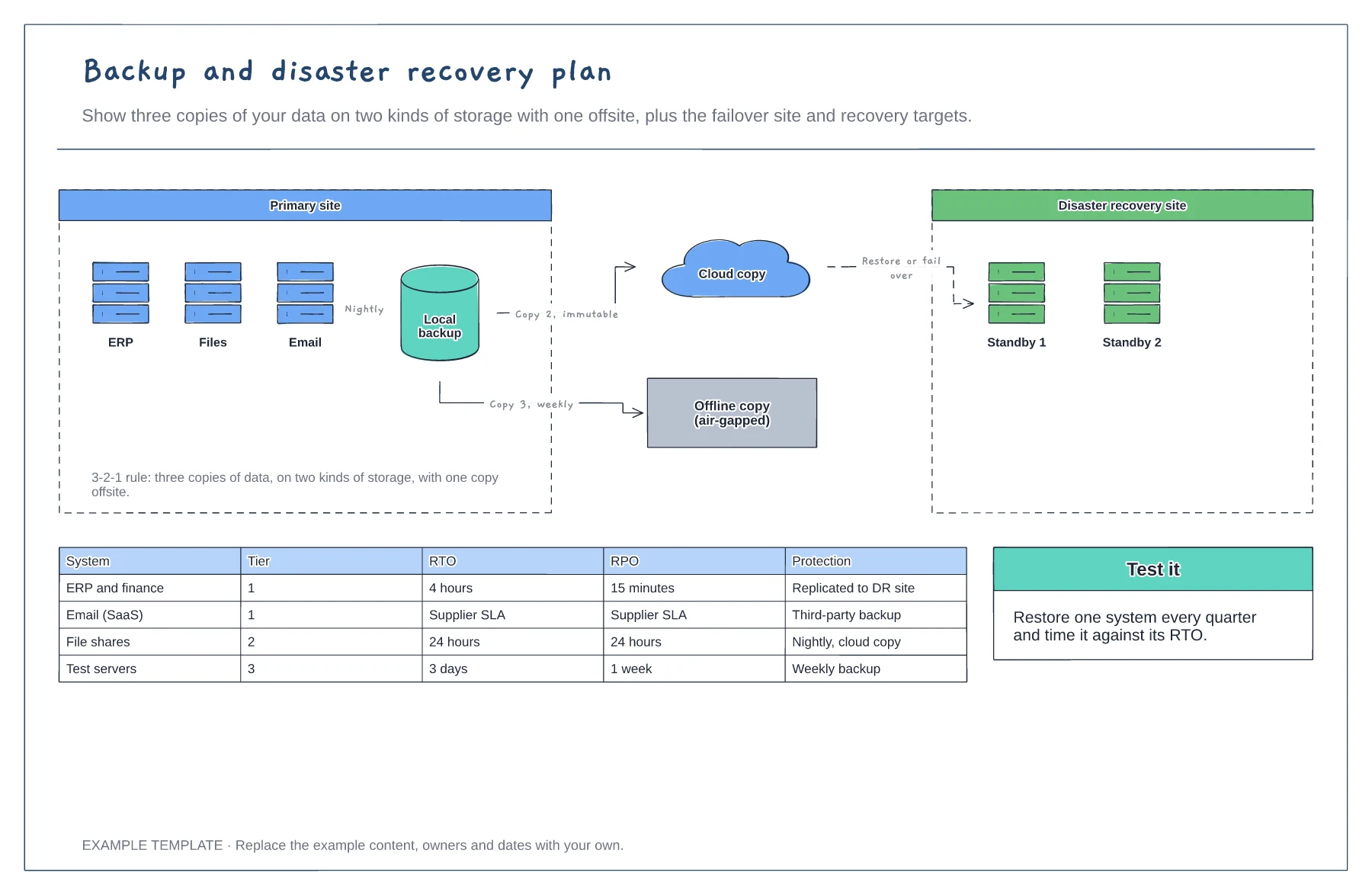
3-2-1 backup copies · Disaster recovery site and failover · RTO and RPO by system tier
Preview and use template →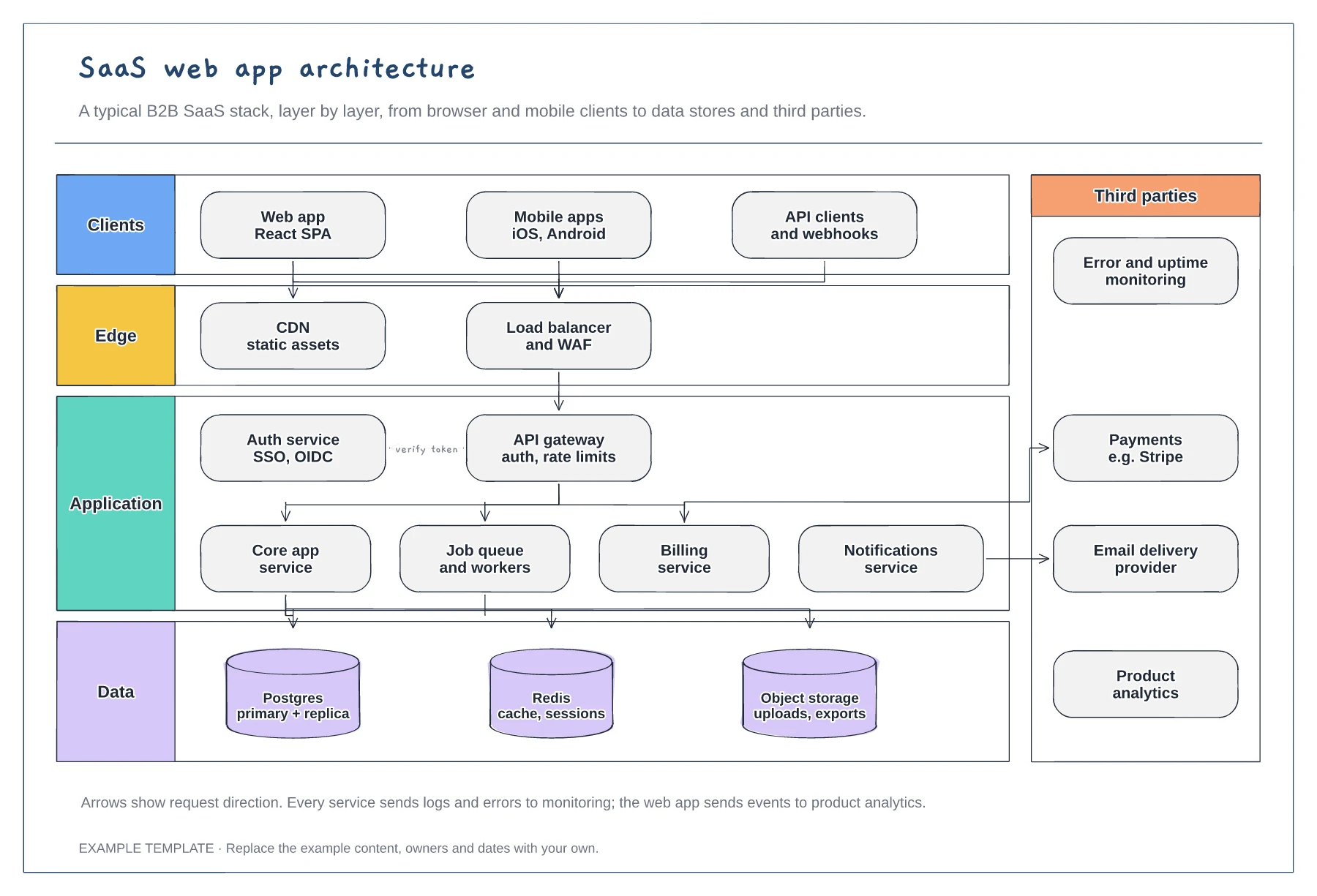
Client, edge, application and data layers · Services behind an API gateway and auth service · Third parties such as payments and email
Preview and use template →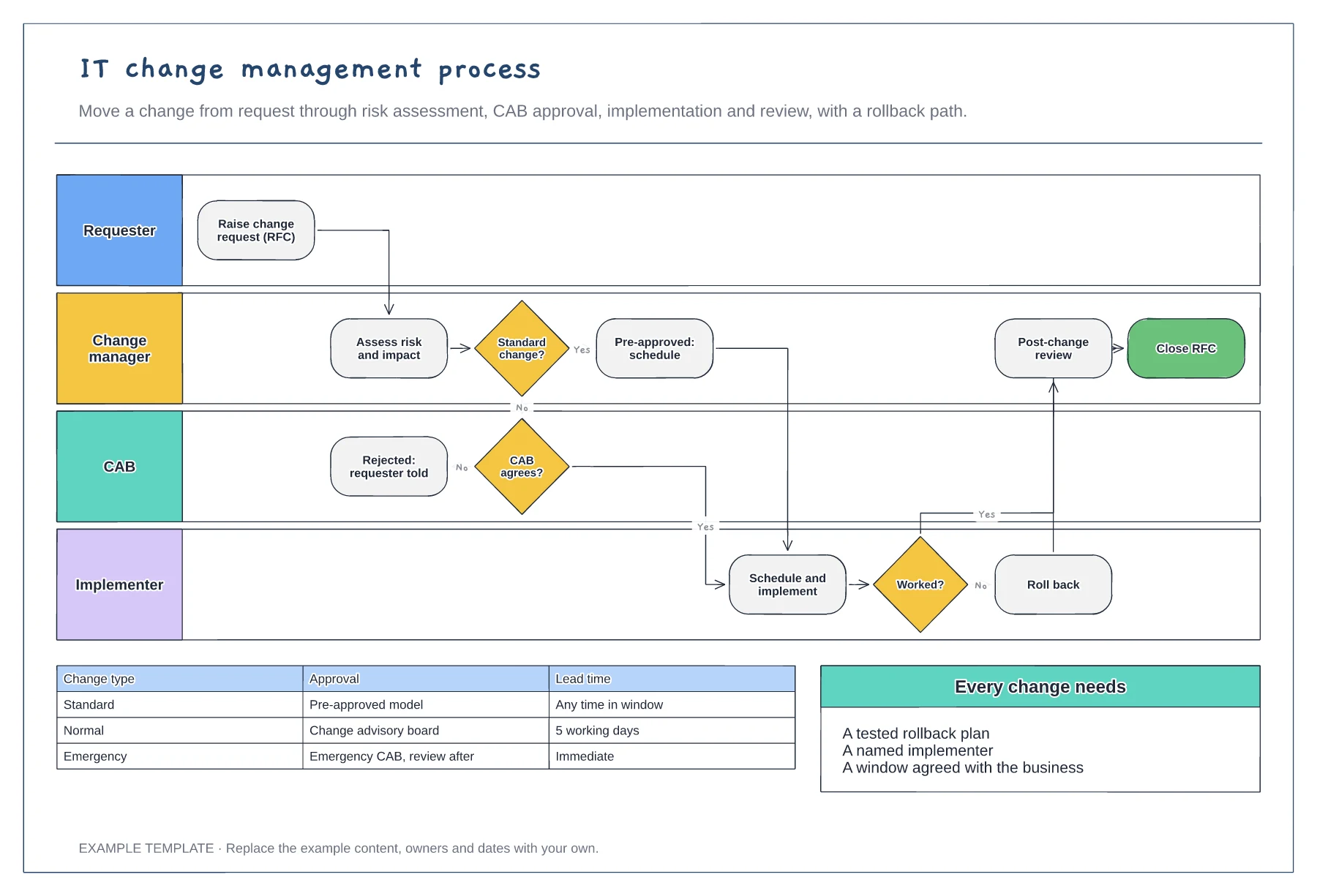
Requester, change manager, CAB and implementer · Standard change fast path and CAB review · Rollback and post-change review
Preview and use template →