IT and security
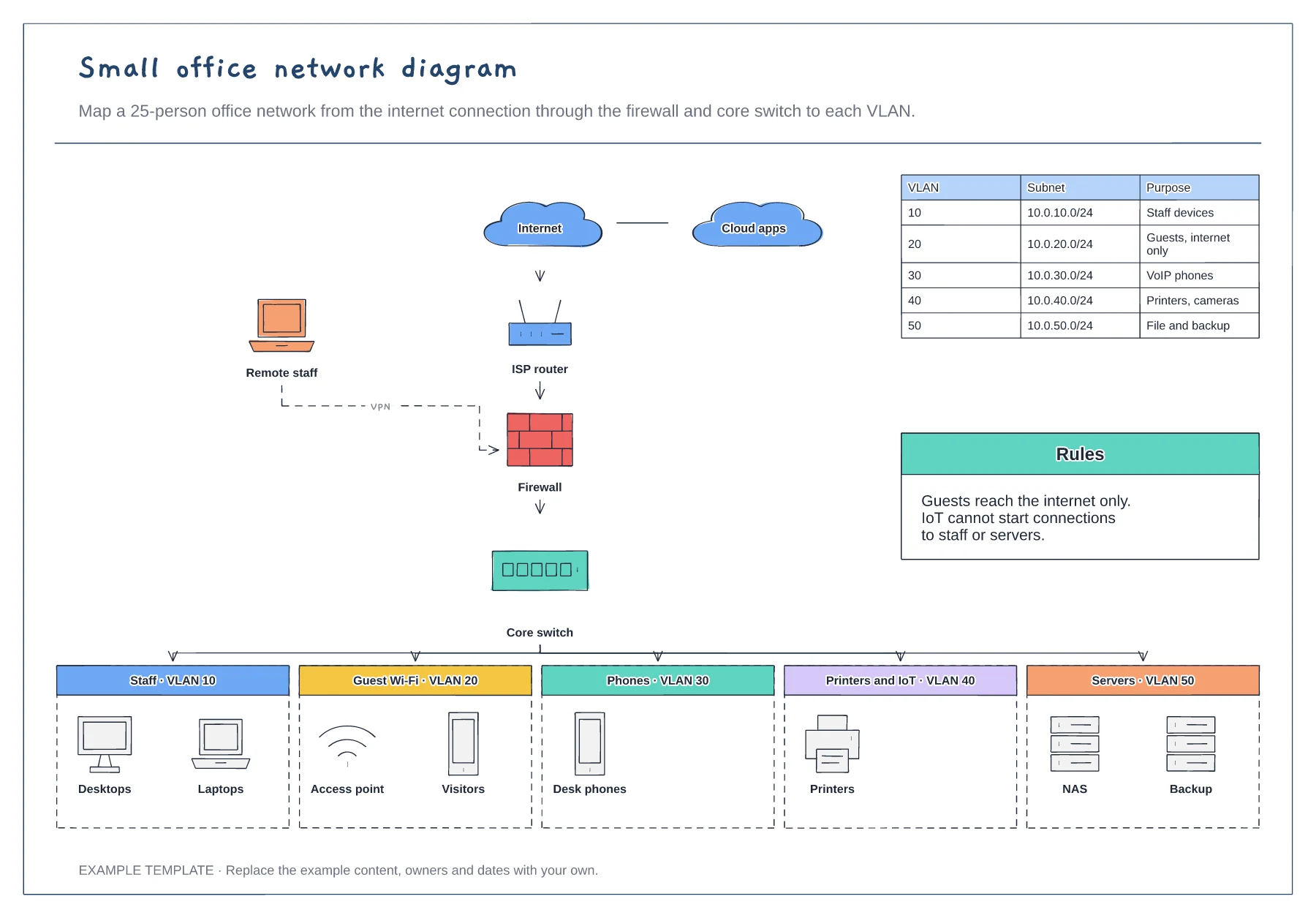
Small office network diagram template
Internet, router, firewall and core switch · Five VLANs with example devices · Subnet table and segmentation rules
Preview and use template →A DMZ keeps public-facing servers away from the internal network, so a compromised web server does not lead straight to everything else. This example puts a web server, reverse proxy and mail relay between an edge firewall and an internal firewall, then splits the inside into user, server, management and OT or IoT zones, with a table of the traffic allowed between them.
No account needed · Opens as your own editable page
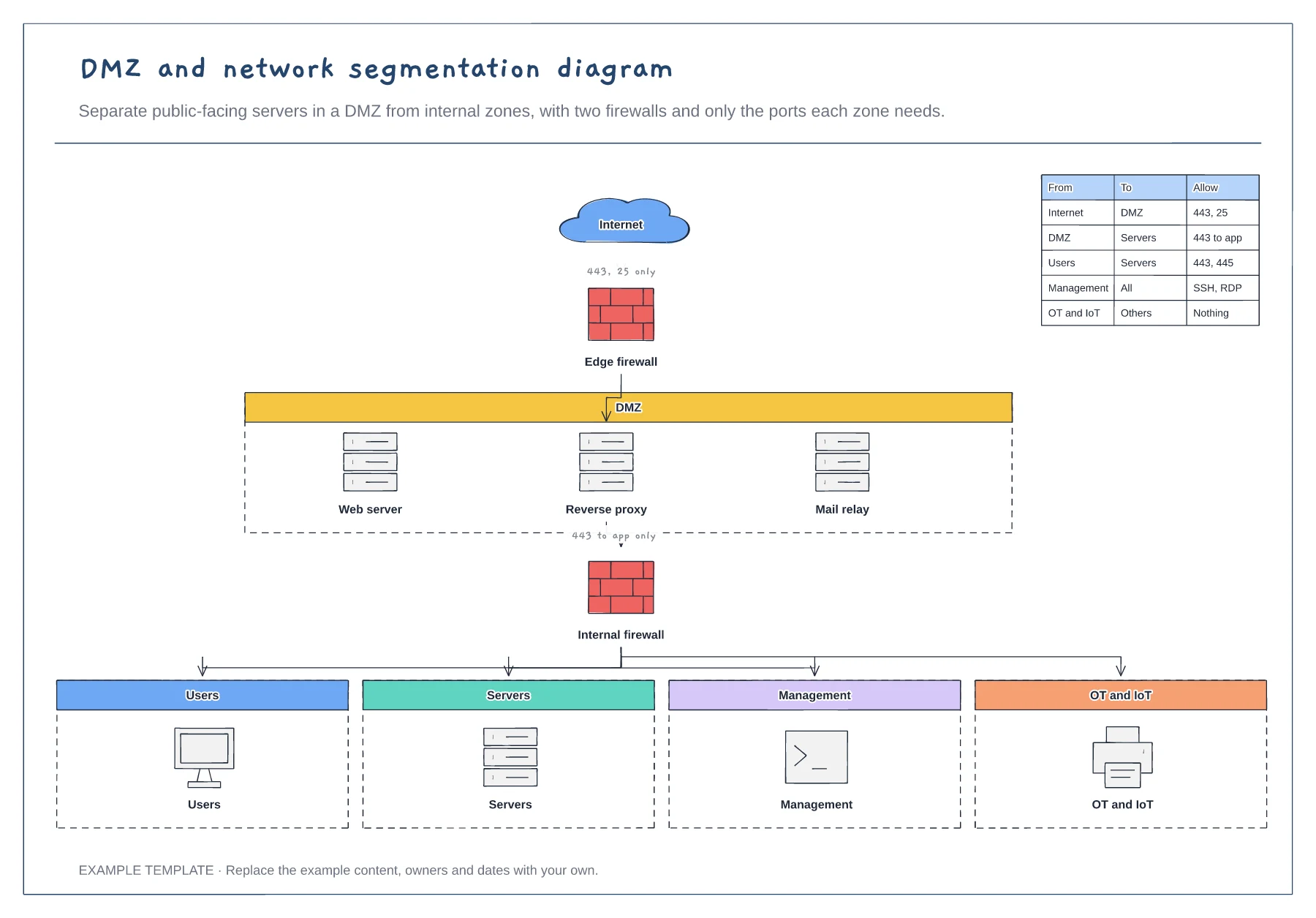
Put only the services the public must reach in the DMZ, and nothing that stores sensitive data.
Separate users, servers, management and operational technology so a problem in one zone cannot spread freely.
For each pair of zones, list only the traffic that must flow. Block everything else by default.
Use the rules table on the board. Each row shows traffic allowed between zones, so edit it as you add or remove servers in the DMZ.
No. Open the template and edit it in your browser. Your work saves on this device. An account is optional if you want to sync your workspace.
Yes. Use Export in the editor to save a PNG, SVG or PDF, or download an editable .epicdraw backup.
Internet, router, firewall and core switch · Five VLANs with example devices · Subnet table and segmentation rules
Preview and use template →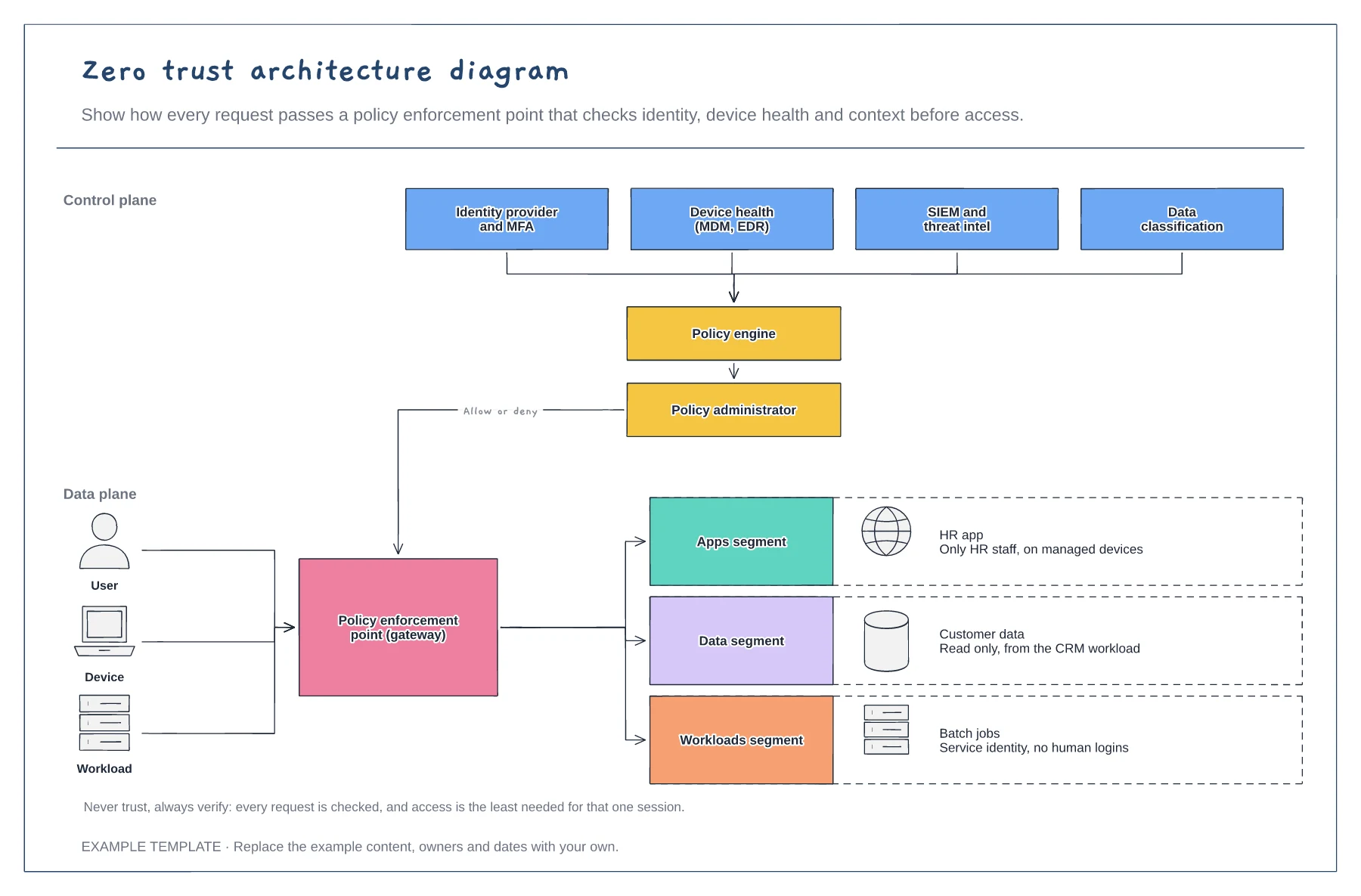
Signals feeding the policy engine · Policy enforcement point · Segmented apps, data and workloads
Preview and use template →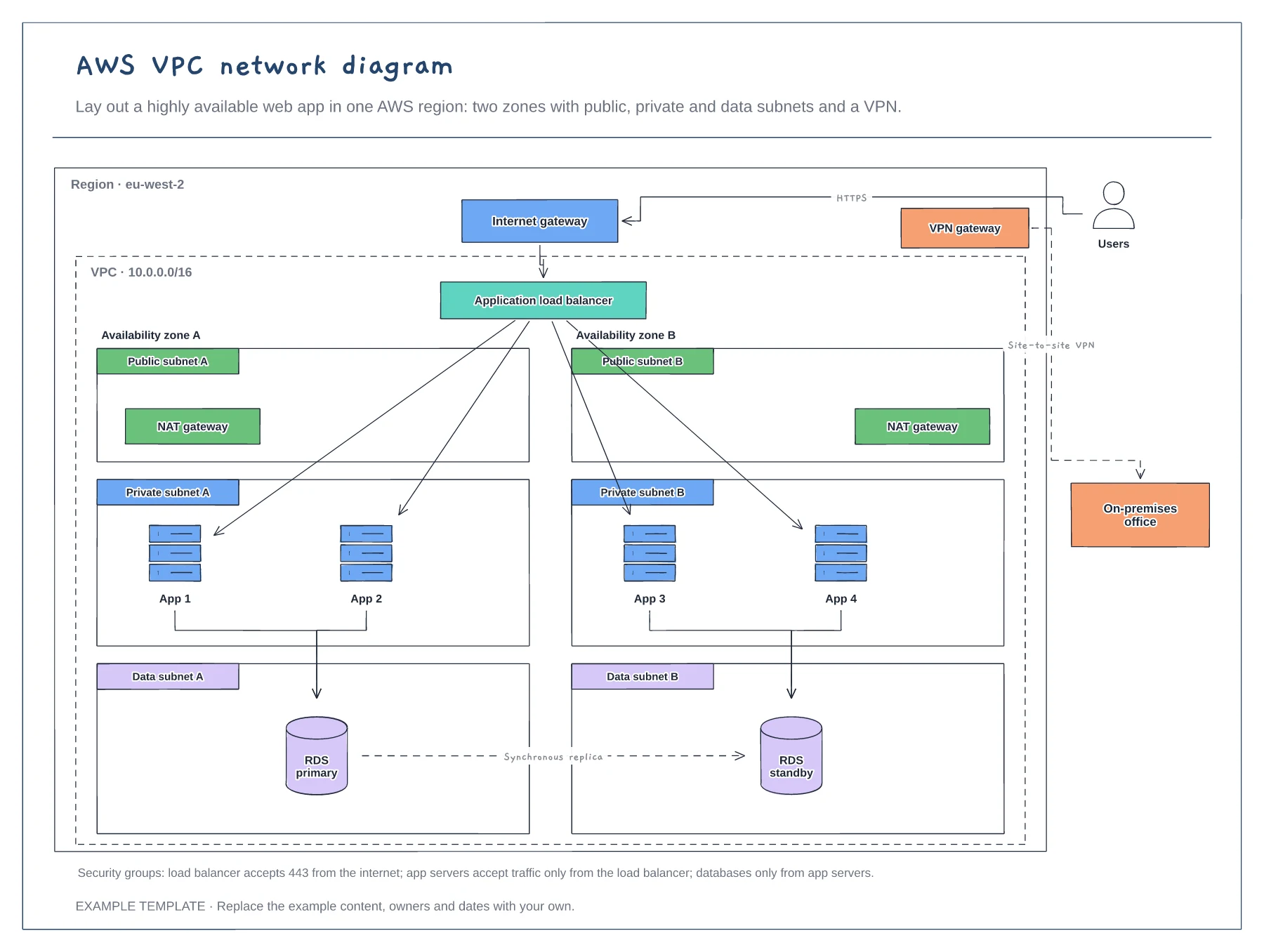
Region, VPC and two availability zones · Public, private and data subnets · Load balancer, NAT, RDS and VPN
Preview and use template →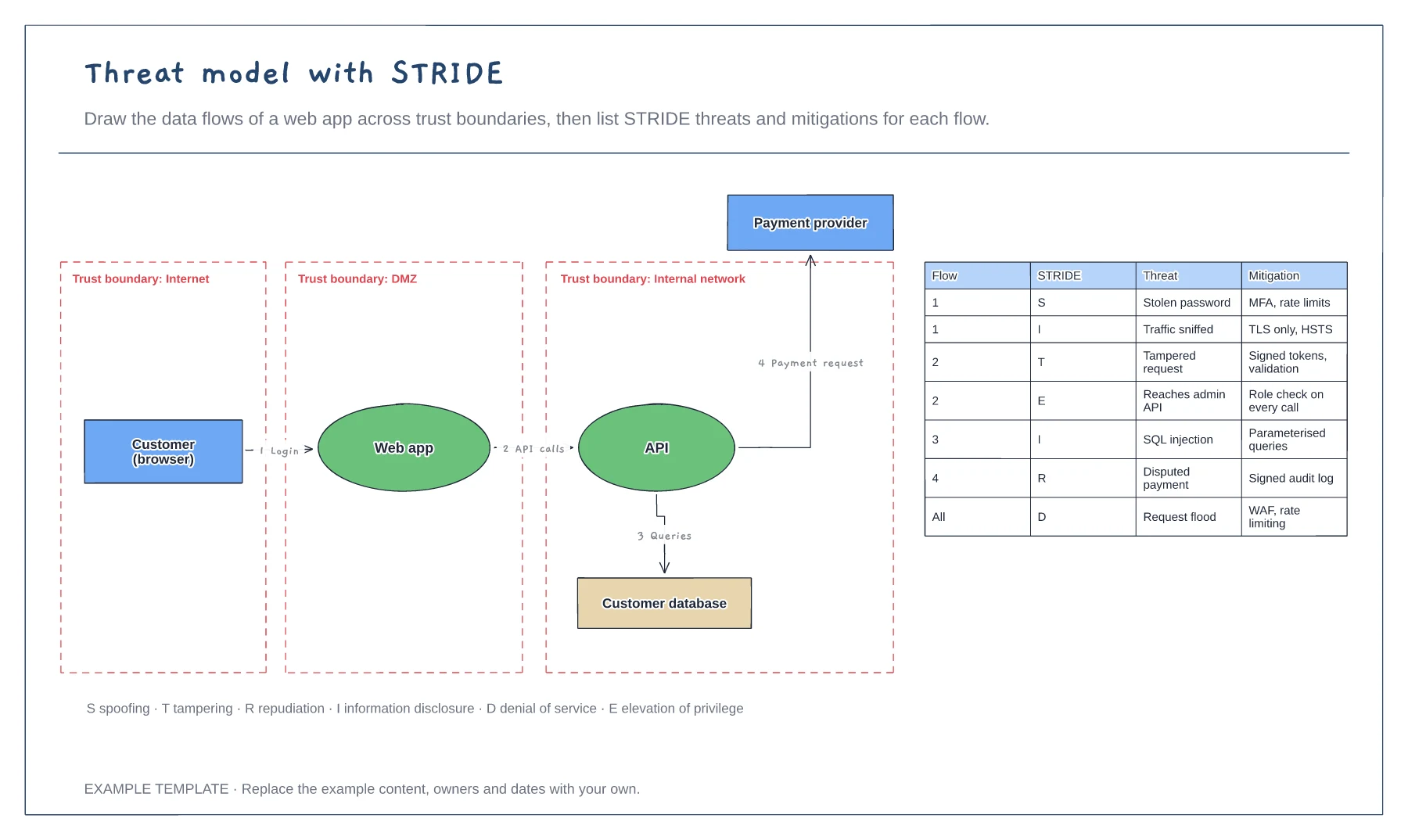
Data flow diagram with trust boundaries · Numbered flows between components · STRIDE threat and mitigation table
Preview and use template →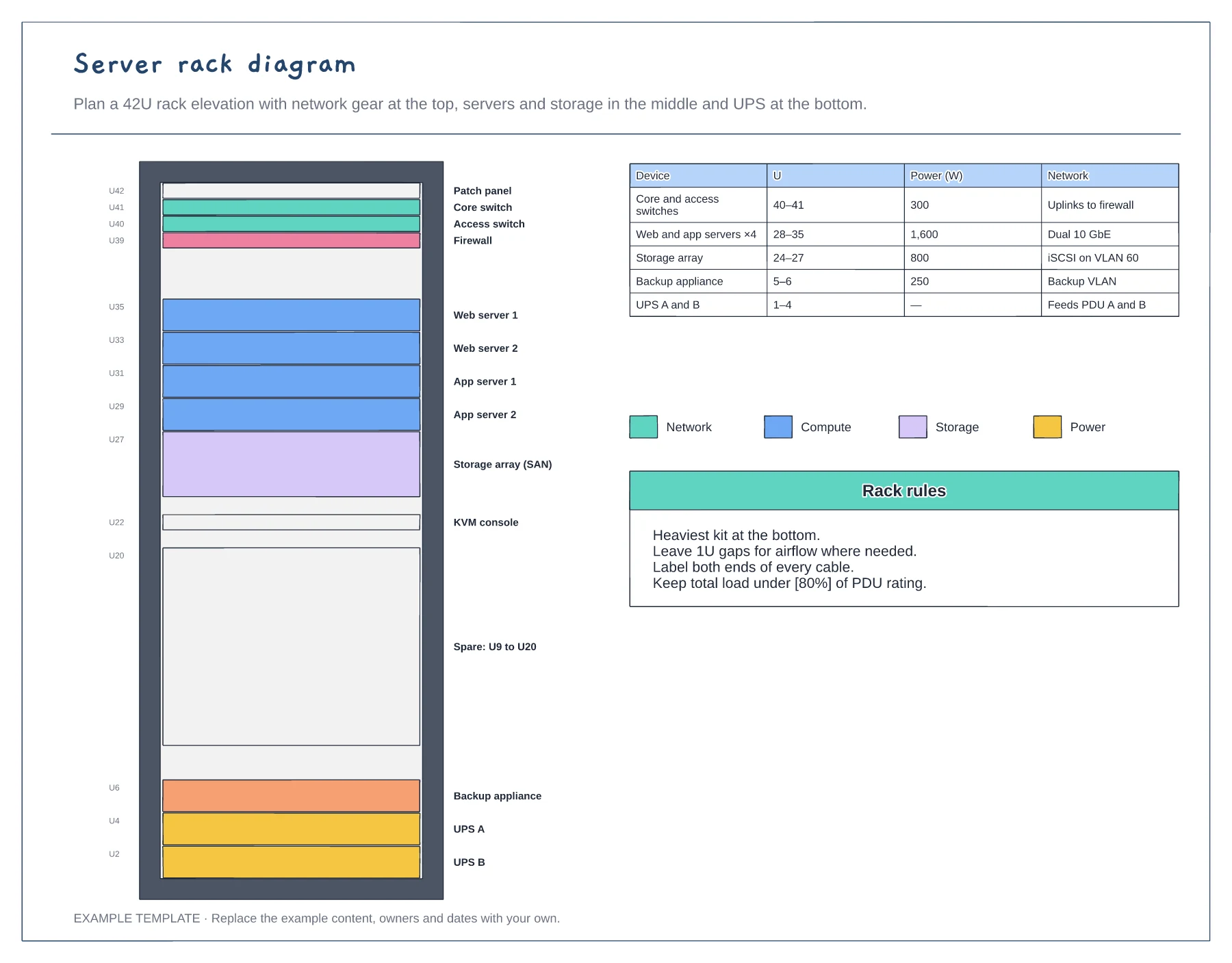
42U rack elevation with unit numbers · Network, compute, storage and power colours · Power and network table
Preview and use template →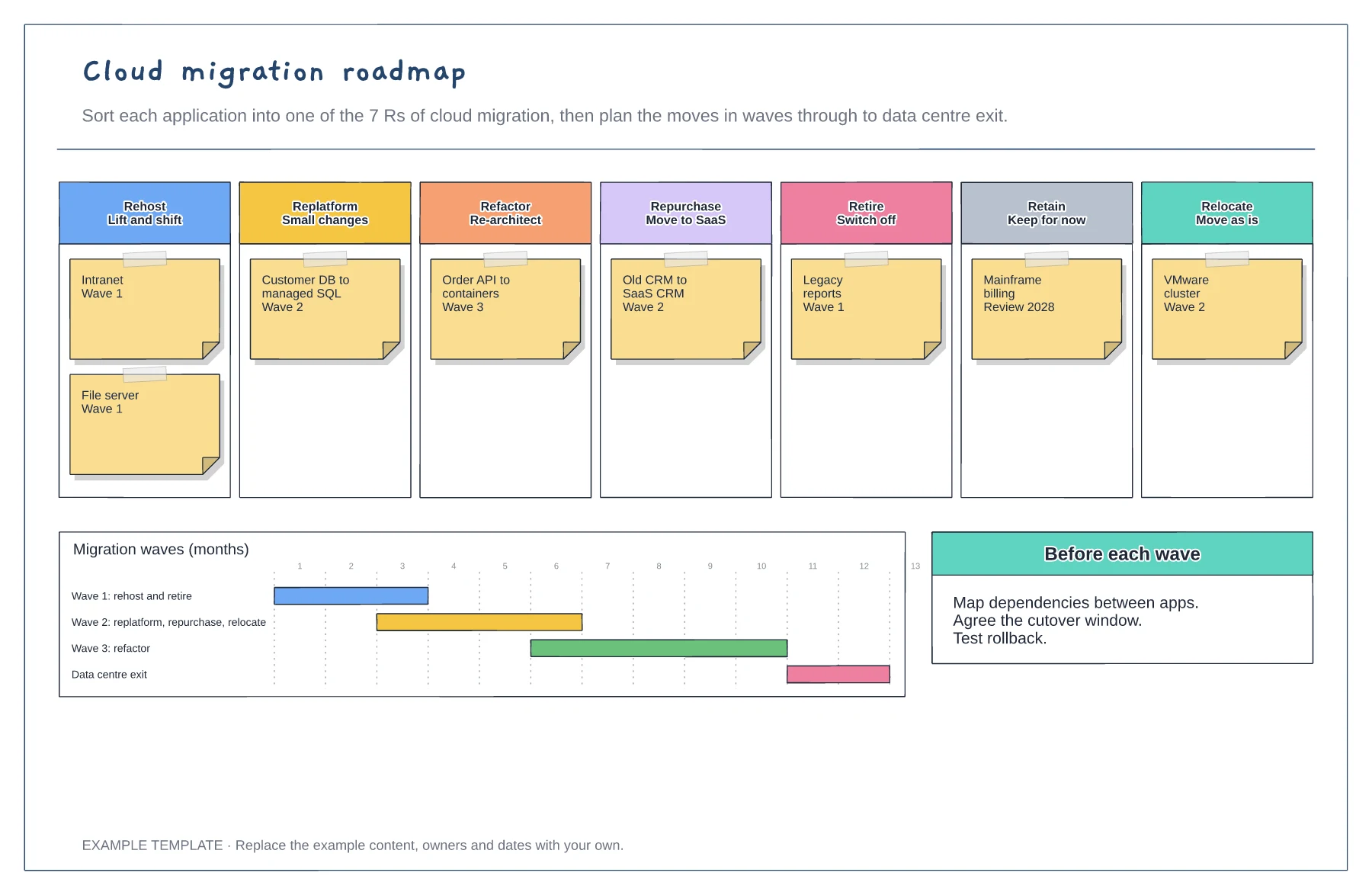
Applications sorted into the 7 Rs · Migration waves on a timeline · Checks before each wave
Preview and use template →