IT and security
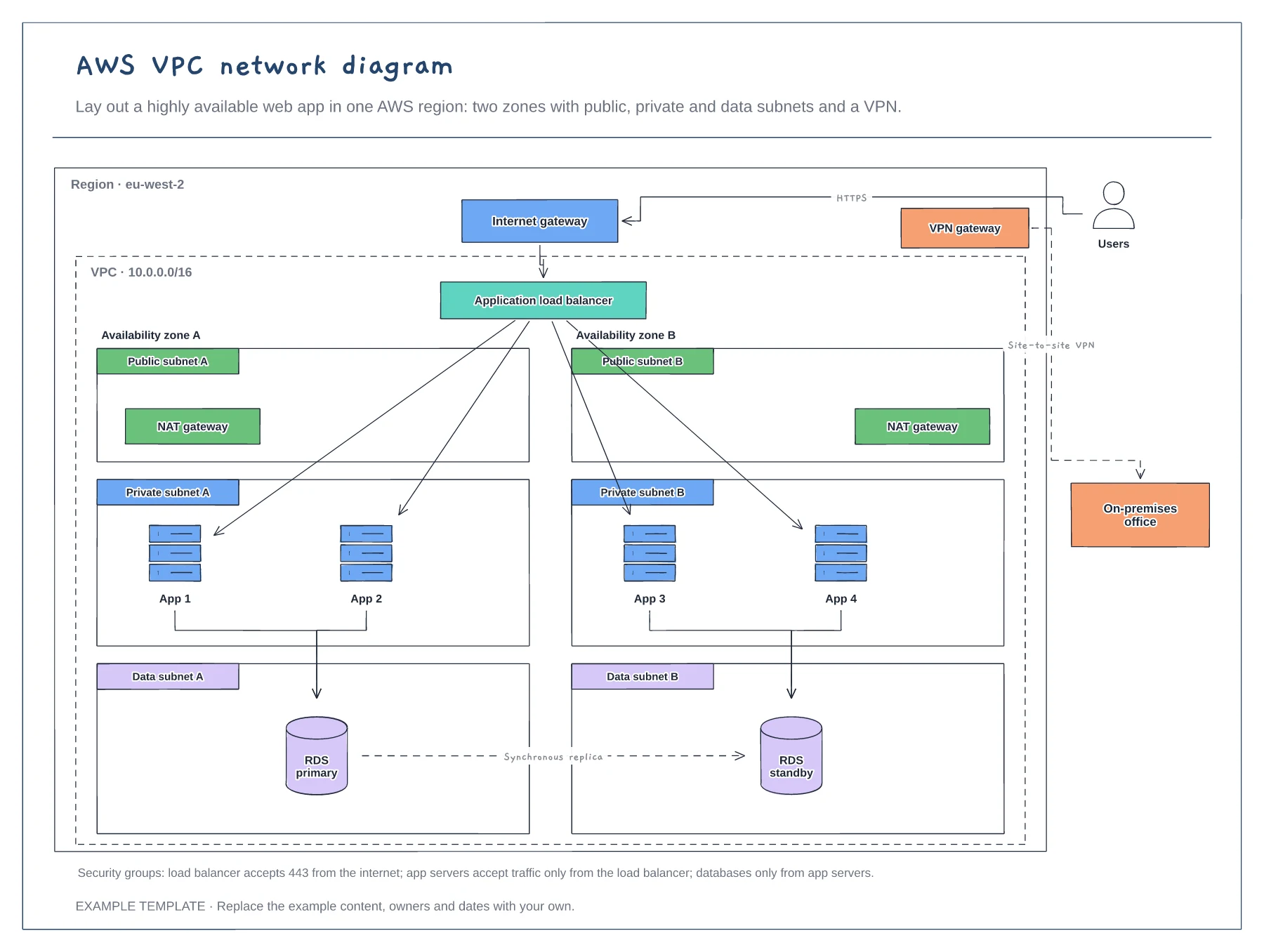
AWS VPC network diagram template
Region, VPC and two availability zones · Public, private and data subnets · Load balancer, NAT, RDS and VPN
Preview and use template →A Kubernetes architecture diagram explains how a cluster fits together for people new to it. This example shows the control plane with the API server, etcd, scheduler and controller manager, two worker nodes running kubelet, kube-proxy and pods, an ingress controller for user traffic, a container registry and a persistent volume for stateful pods.
No account needed · Opens as your own editable page
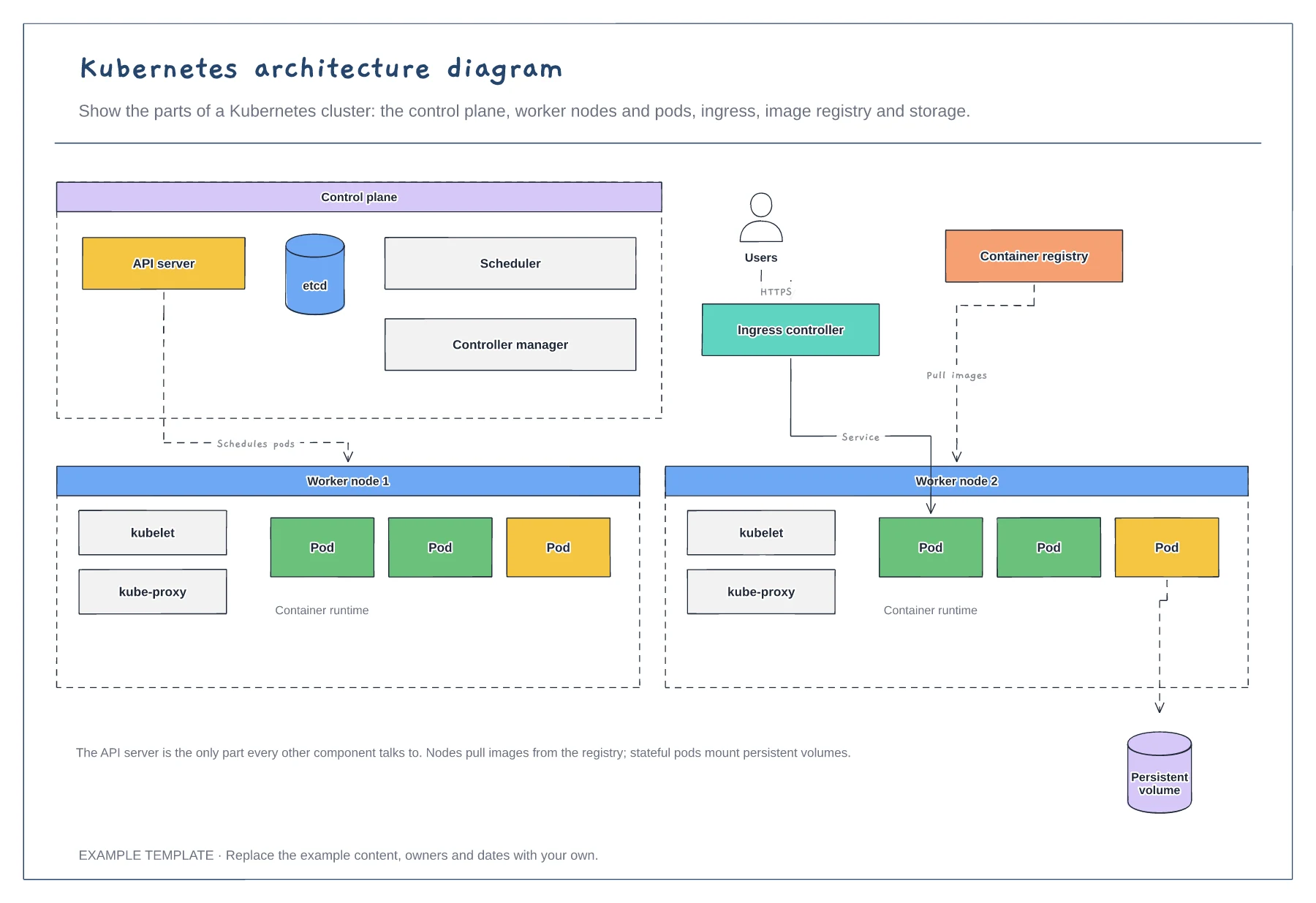
Show the API server at the centre, since every other component talks to it. Add etcd, the scheduler and controllers around it.
Draw the worker nodes and the pods that matter most. Group pods by namespace or service if you have many.
Draw how users reach the app through ingress, where images come from, and which pods use persistent storage.
Yes. Duplicate a worker node box with its kubelet, kube-proxy, pods and container runtime, then draw its links back to the API server.
No. Open the template and edit it in your browser. Your work saves on this device. An account is optional if you want to sync your workspace.
Yes. Use Export in the editor to save a PNG, SVG or PDF, or download an editable .epicdraw backup.
Region, VPC and two availability zones · Public, private and data subnets · Load balancer, NAT, RDS and VPN
Preview and use template →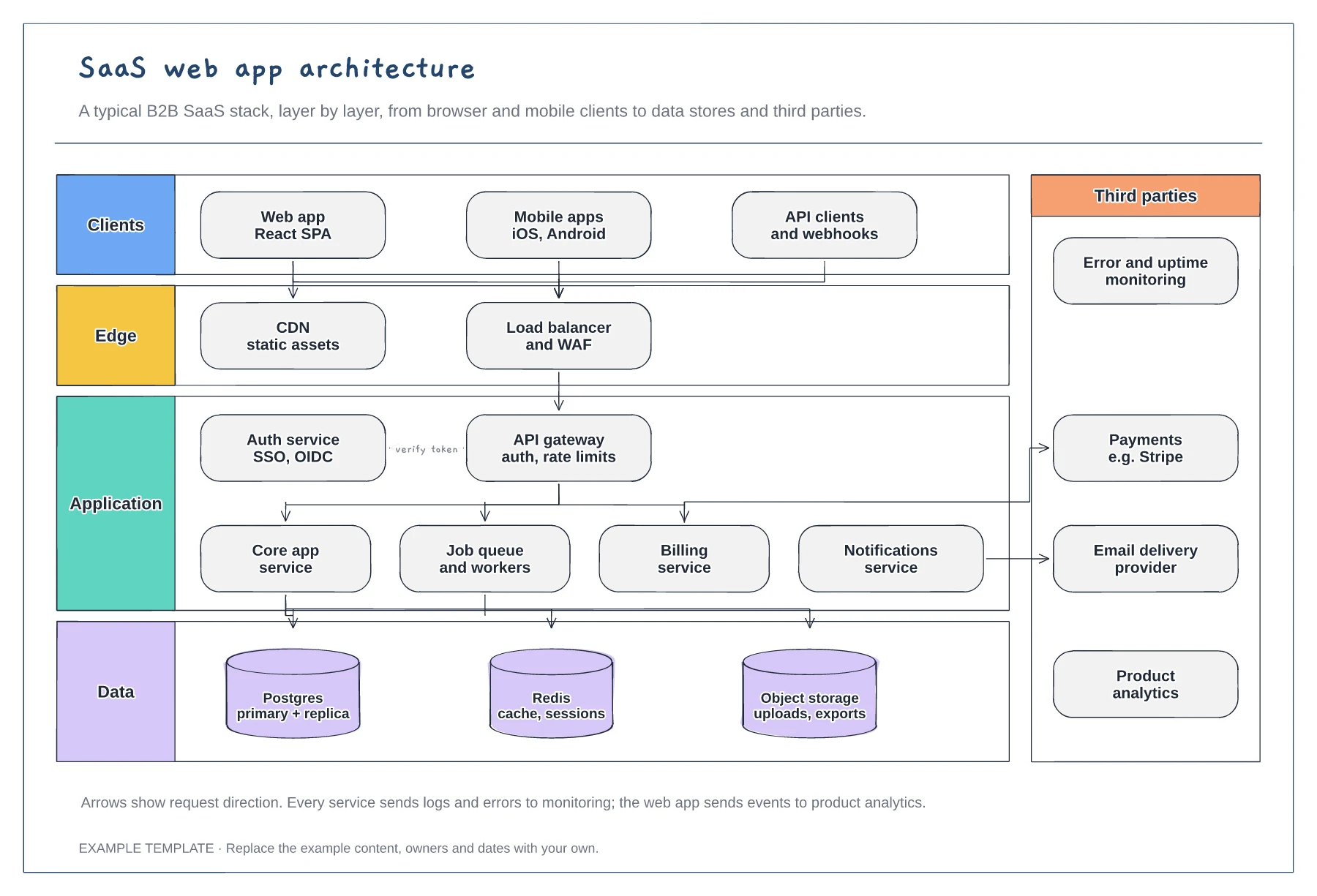
Client, edge, application and data layers · Services behind an API gateway and auth service · Third parties such as payments and email
Preview and use template →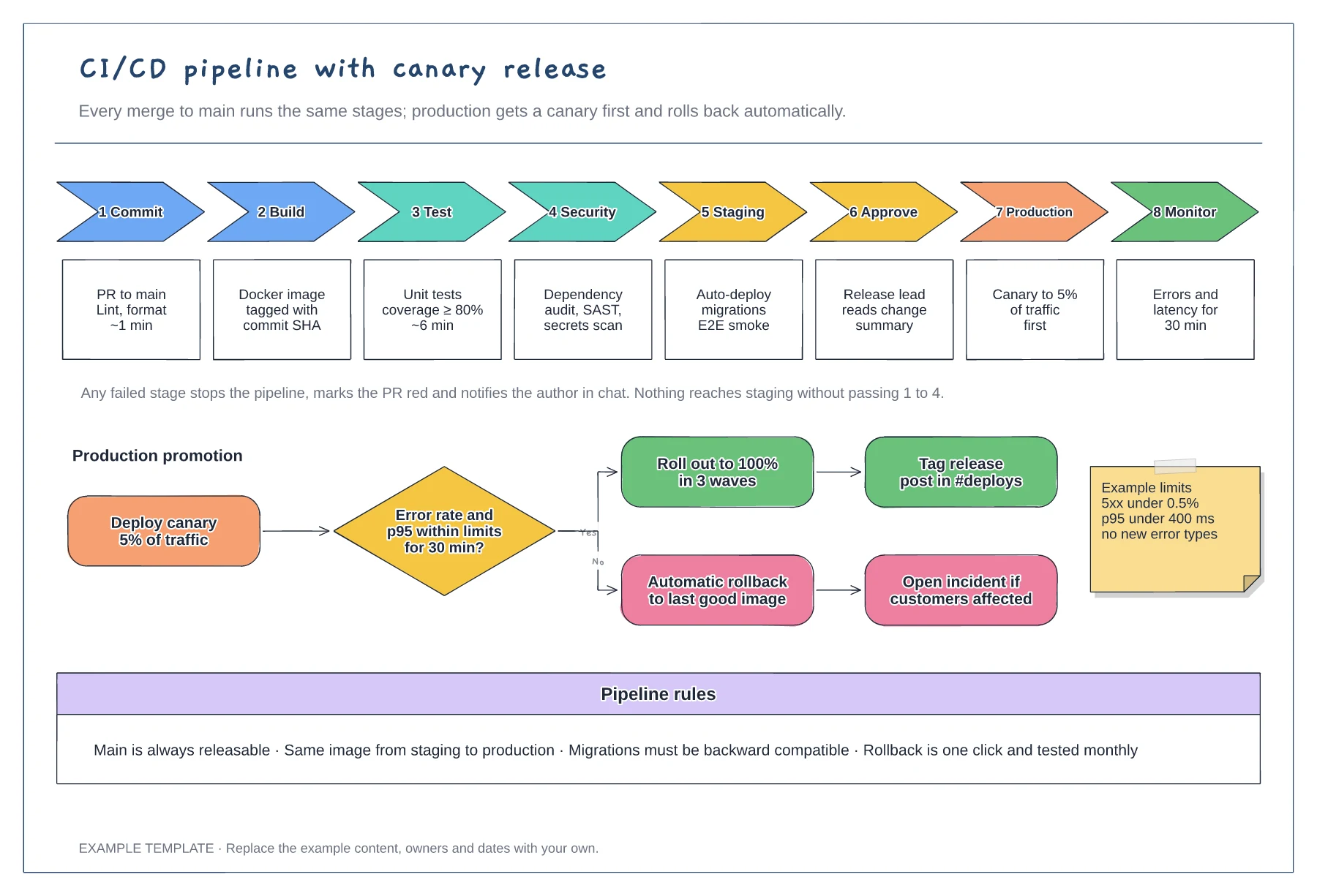
Eight stages with checks and time budgets · Canary promotion with a rollback branch · Example limits and pipeline rules
Preview and use template →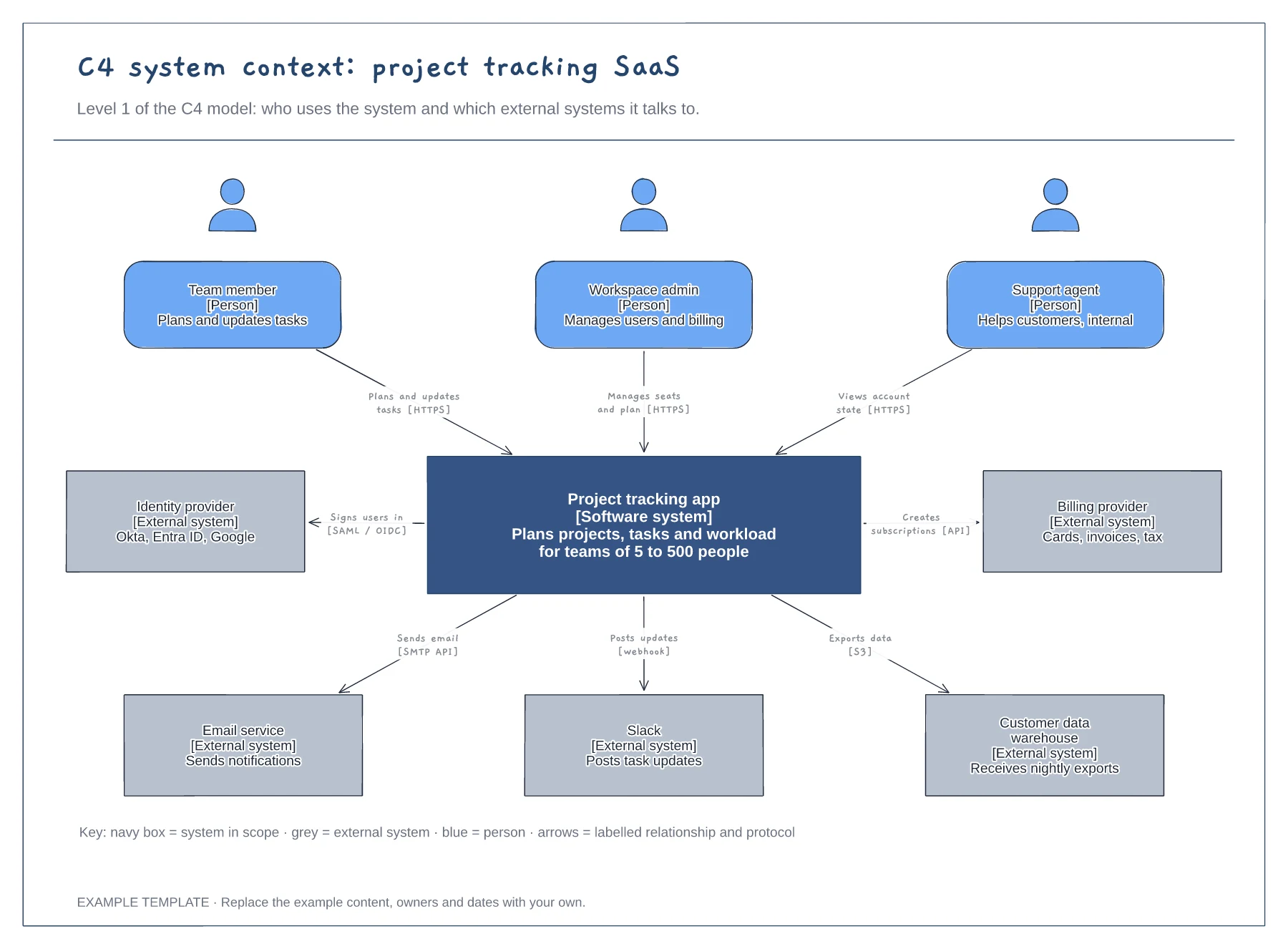
People with roles and descriptions · The system in scope and its external systems · Labelled relationships with protocols, plus a key
Preview and use template →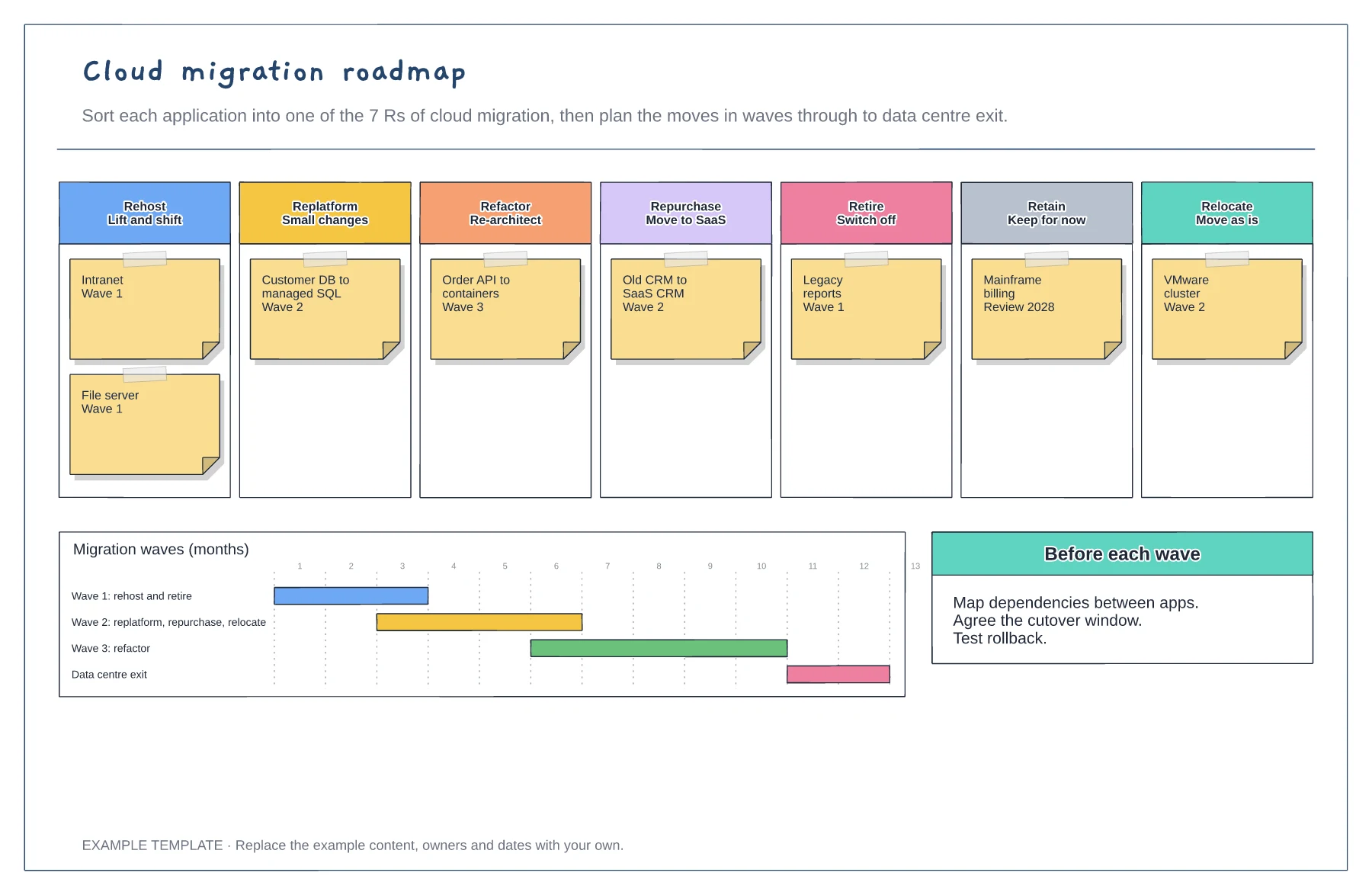
Applications sorted into the 7 Rs · Migration waves on a timeline · Checks before each wave
Preview and use template →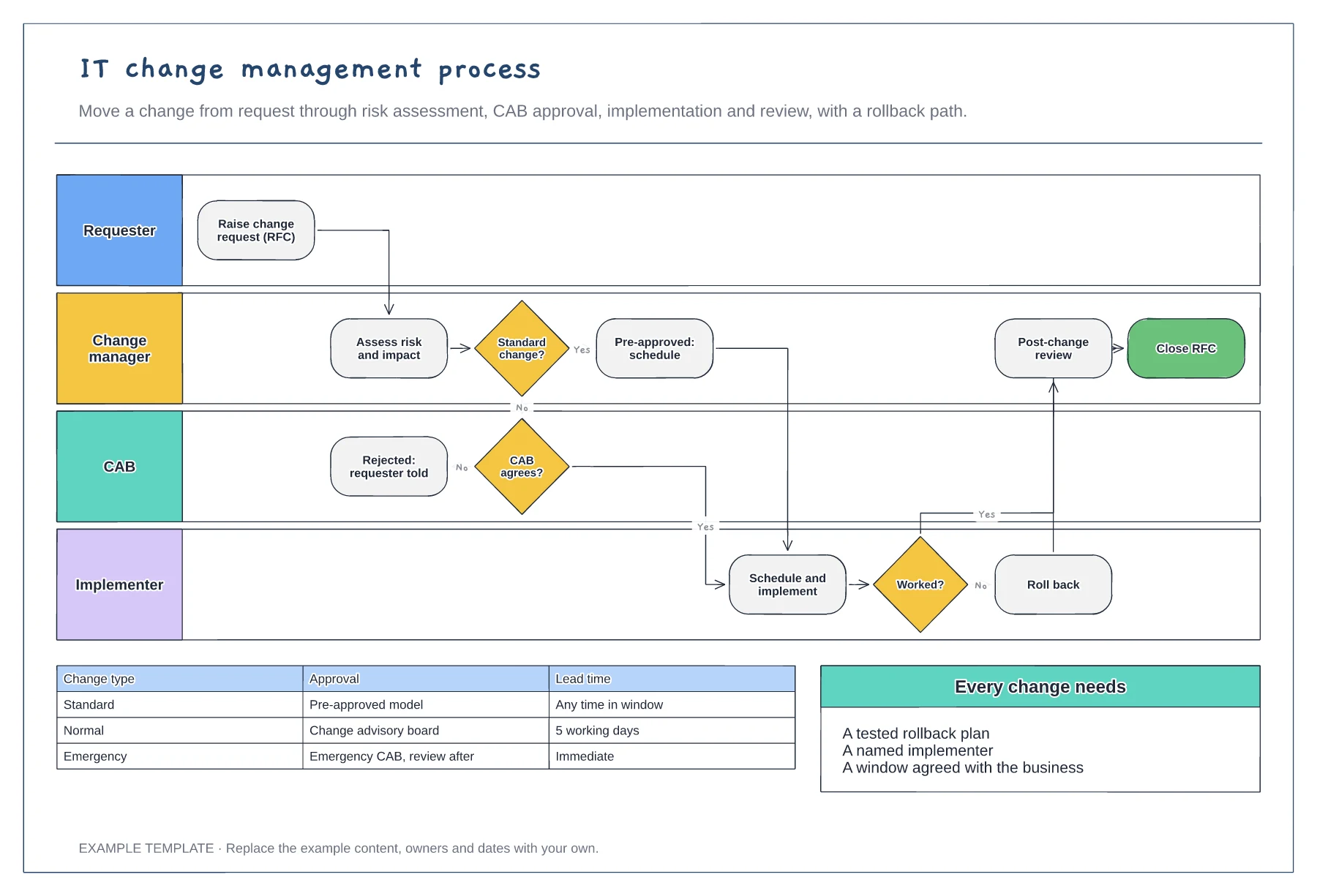
Requester, change manager, CAB and implementer · Standard change fast path and CAB review · Rollback and post-change review
Preview and use template →