IT and security
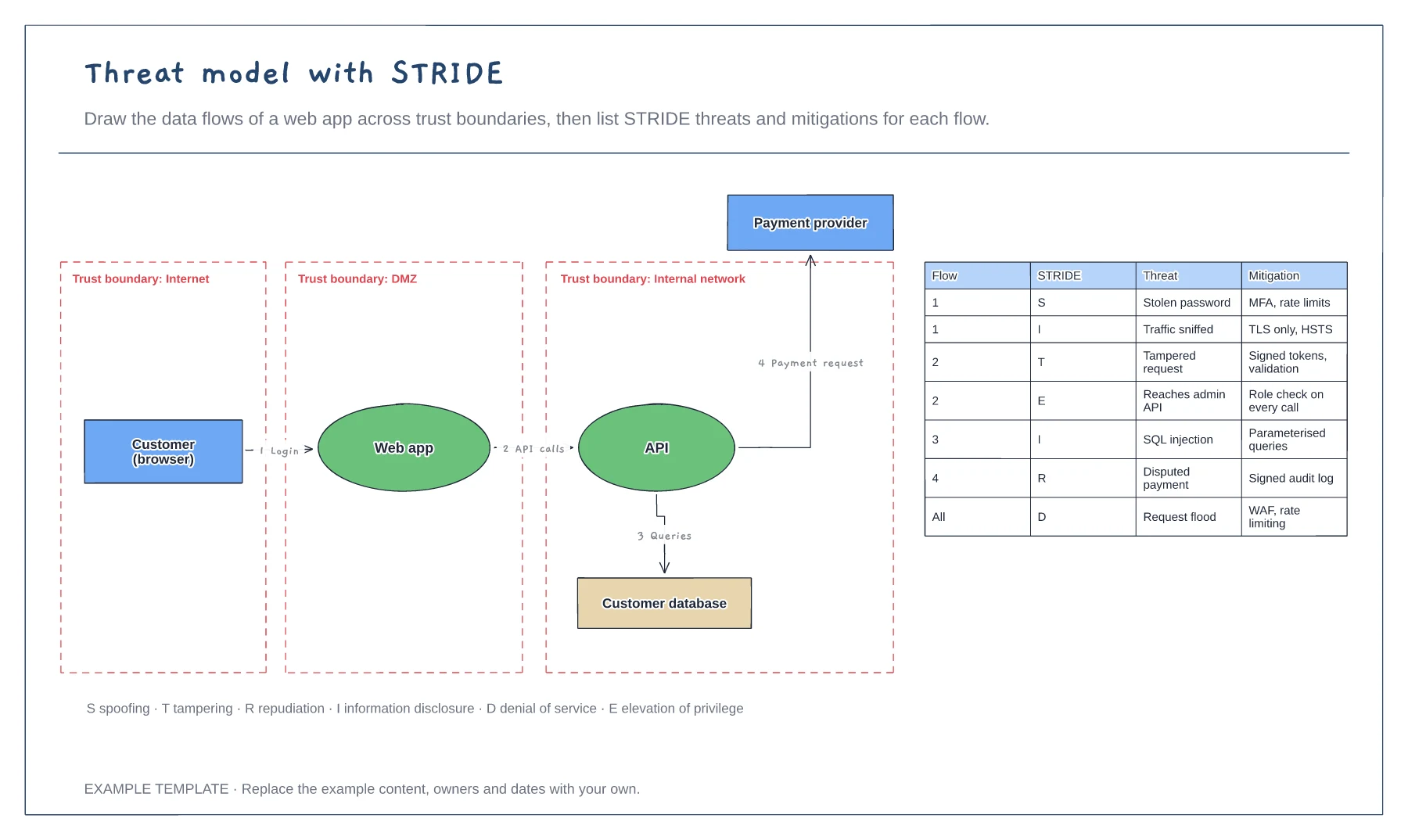
Threat model with STRIDE template
Data flow diagram with trust boundaries · Numbered flows between components · STRIDE threat and mitigation table
Preview and use template →An attack tree breaks one attacker goal into the different ways it could be reached, so you can see which defences matter most. This example takes access to a customer database as the goal and splits it into stolen credentials, a web app exploit and an insider, using AND and OR gates, with a likelihood and a blocking control on every leaf.
No account needed · Opens as your own editable page
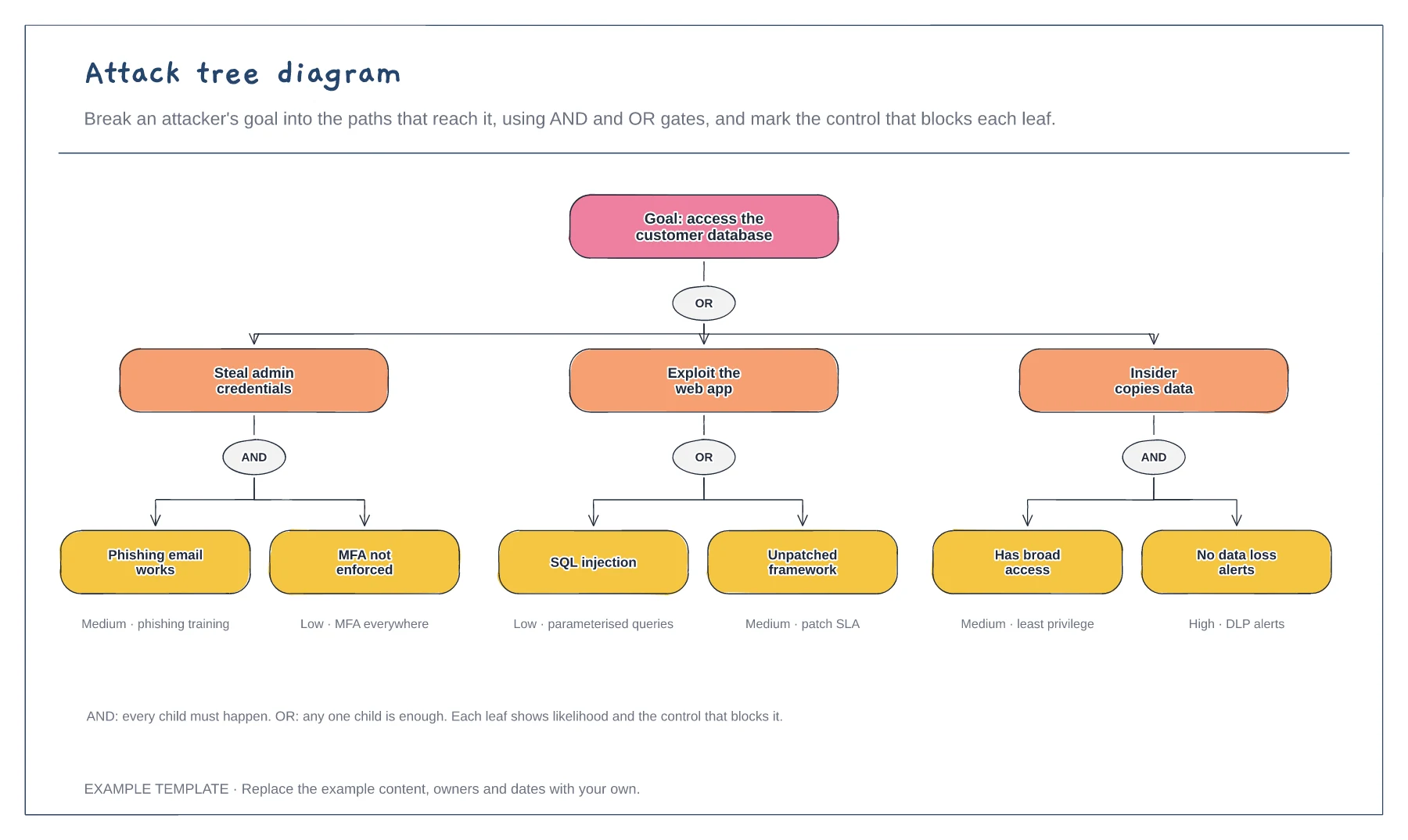
Write the attacker's goal at the top in plain words, such as access the customer database or stop the payment system.
Keep breaking each path down until the leaves are specific actions an attacker would take. Use AND when all children are needed and OR when any one is enough.
Mark each leaf's likelihood and the control that blocks it. Leaves with high likelihood and no control are where to invest.
Under an AND gate every child must happen for the attack to work. Under an OR gate any one child is enough, so each of those branches usually needs its own control.
No. Open the template and edit it in your browser. Your work saves on this device. An account is optional if you want to sync your workspace.
Yes. Use Export in the editor to save a PNG, SVG or PDF, or download an editable .epicdraw backup.
Data flow diagram with trust boundaries · Numbered flows between components · STRIDE threat and mitigation table
Preview and use template →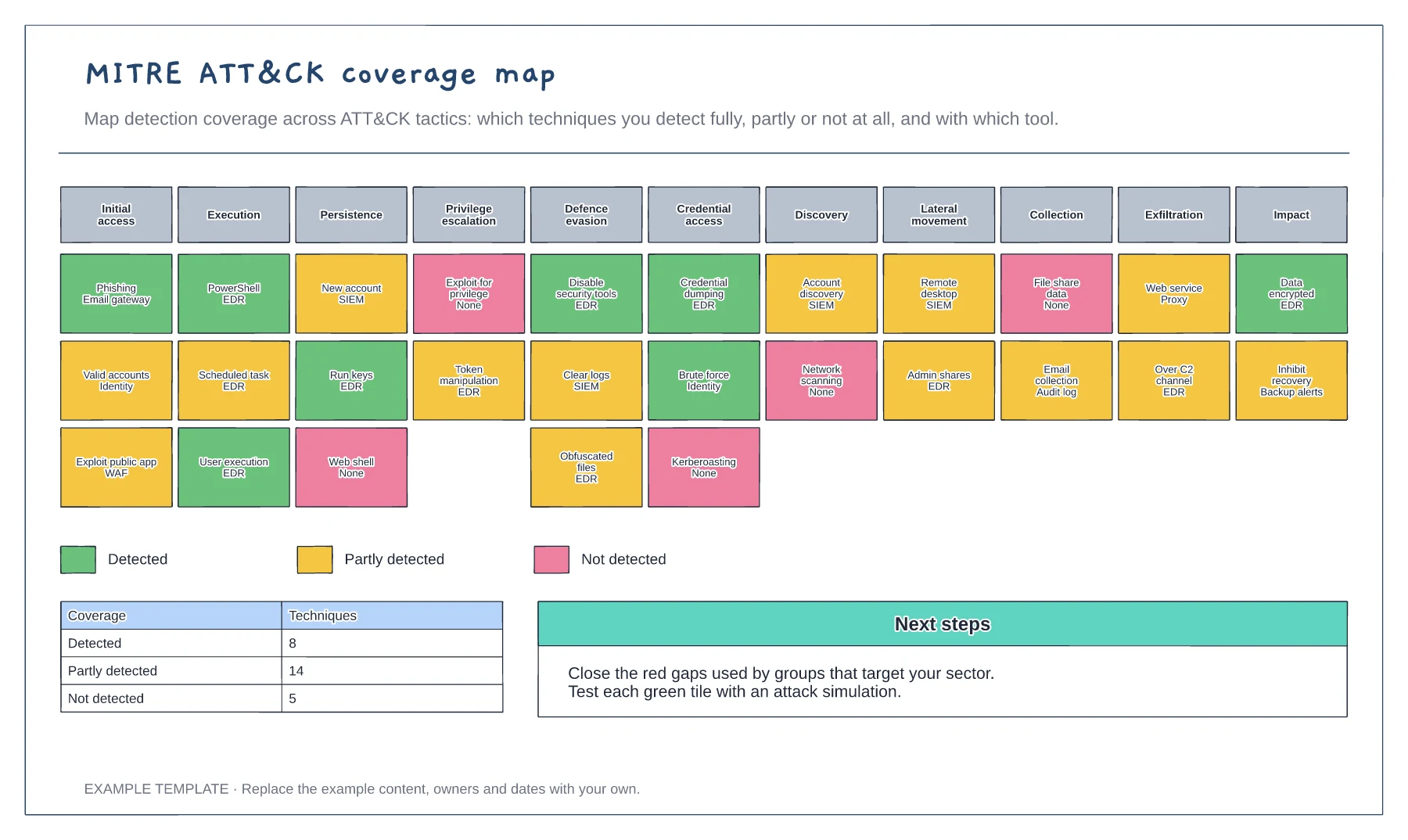
Eleven ATT&CK tactics · Techniques coloured by detection coverage · Coverage summary and next steps
Preview and use template →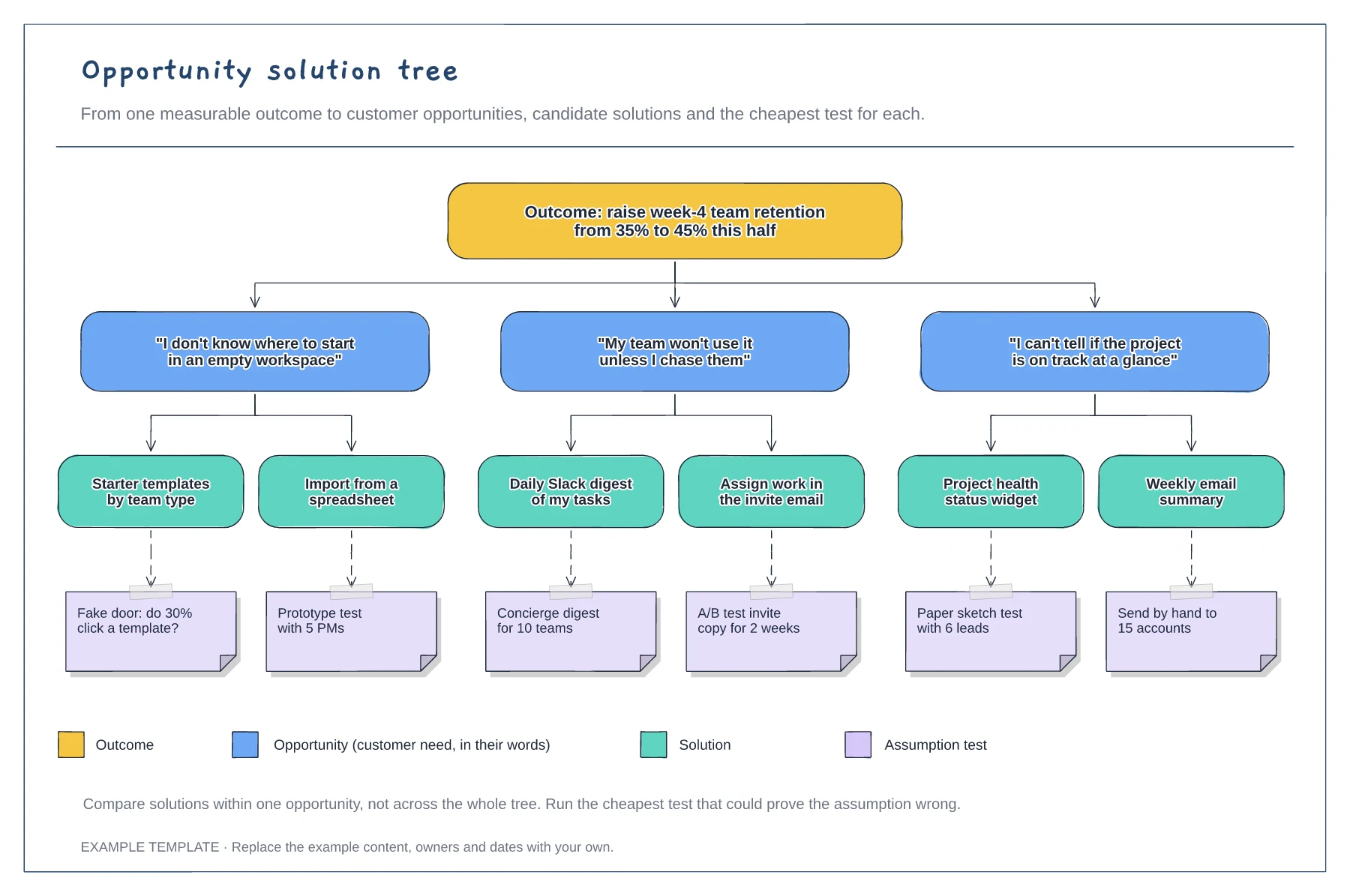
A measurable outcome at the top · Opportunities phrased as customer quotes · Solutions with assumption tests and a legend
Preview and use template →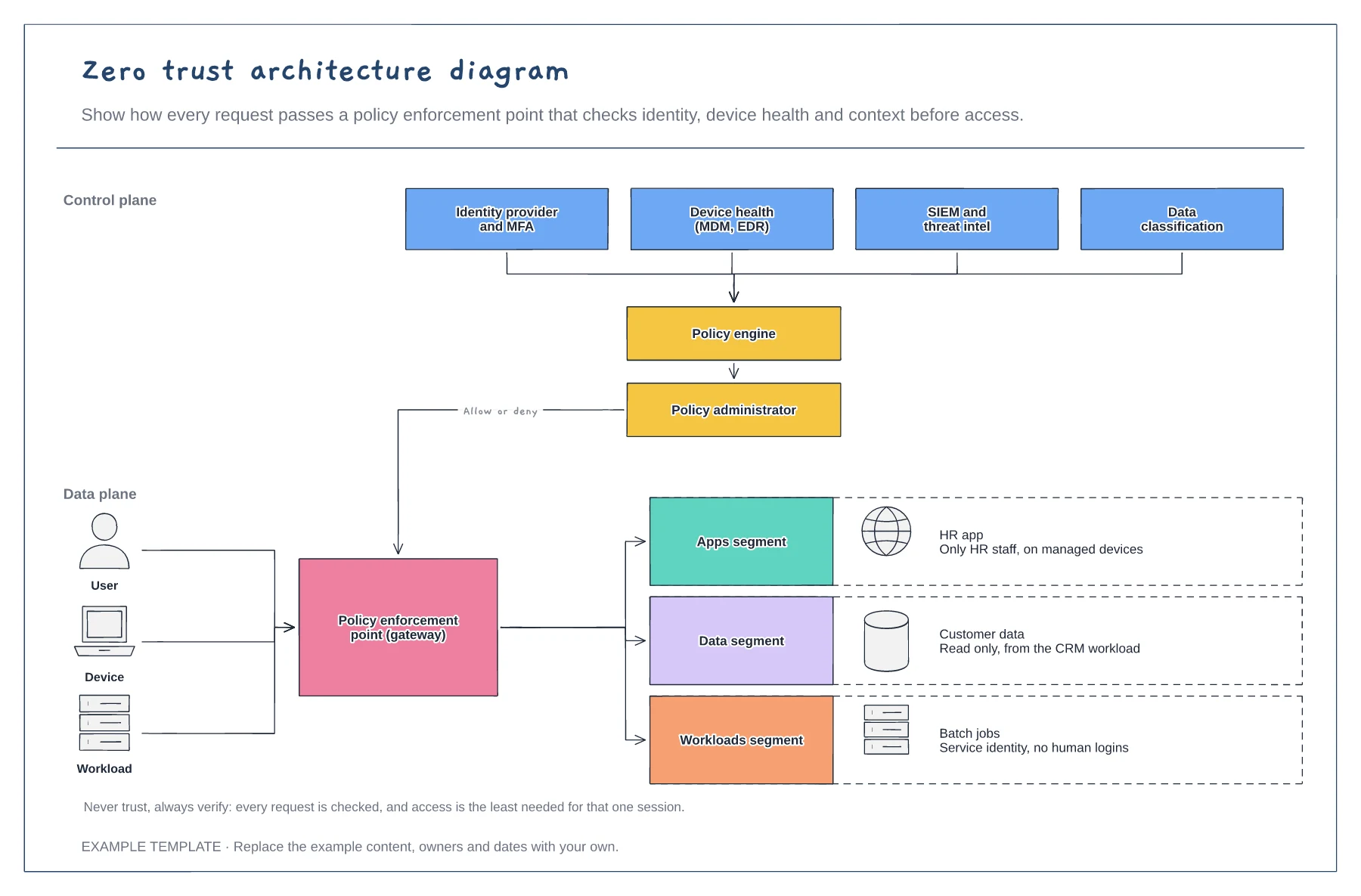
Signals feeding the policy engine · Policy enforcement point · Segmented apps, data and workloads
Preview and use template →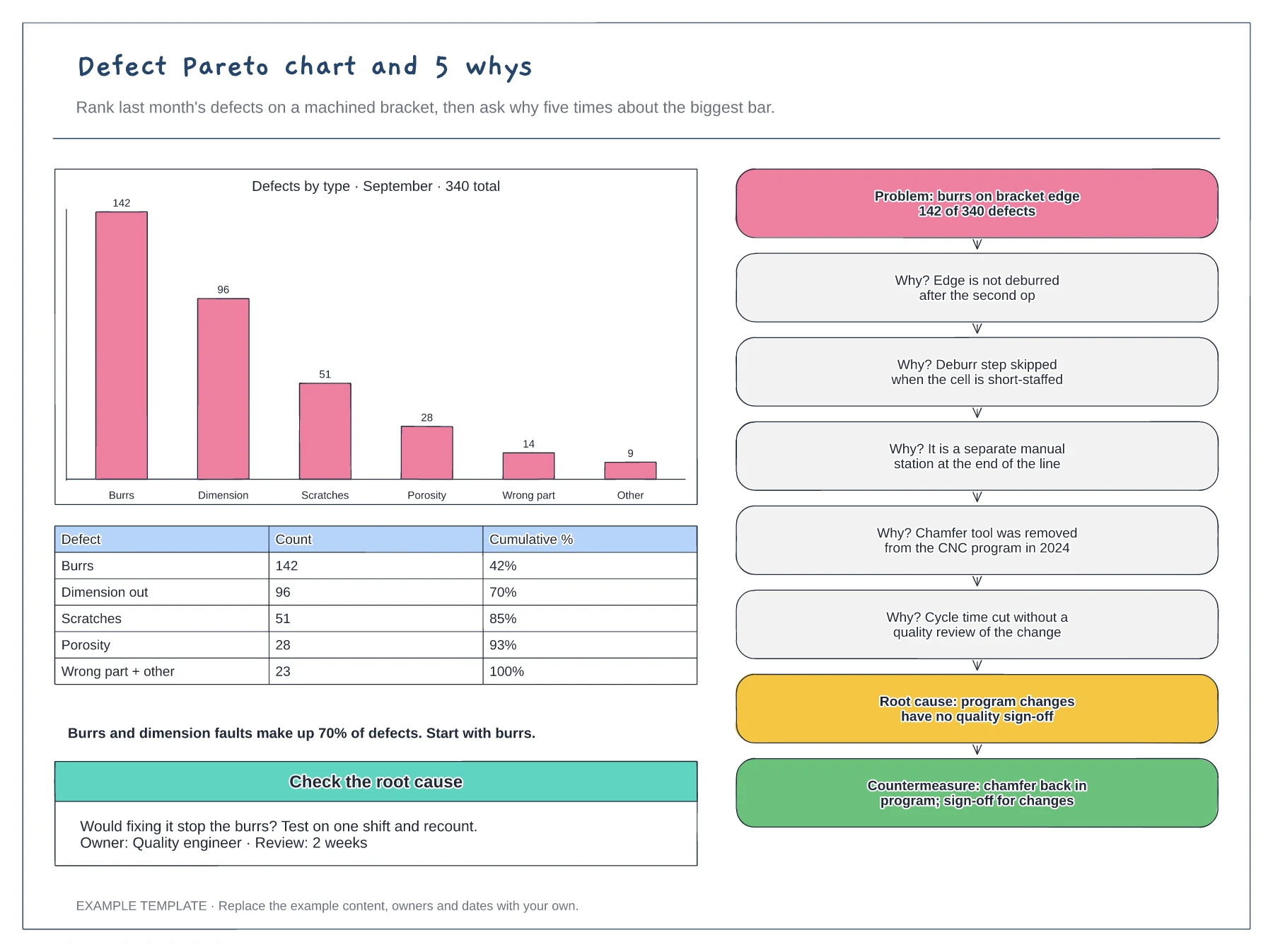
Pareto bar chart and cumulative table · 5 whys ladder from problem to root cause · Countermeasure and a check of the cause
Preview and use template →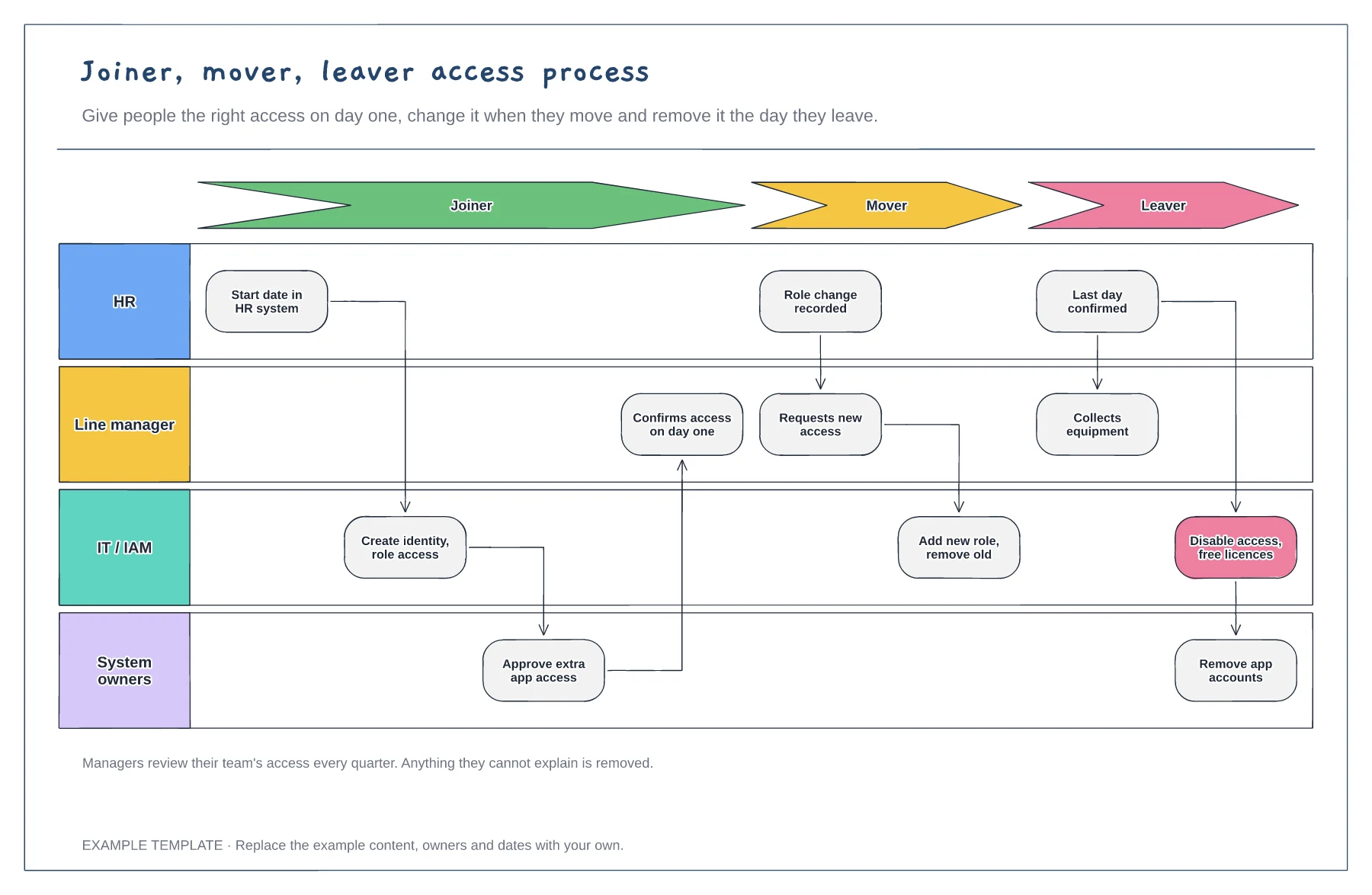
Joiner, mover and leaver stages · HR, manager, IT and system owner lanes · Quarterly access review
Preview and use template →