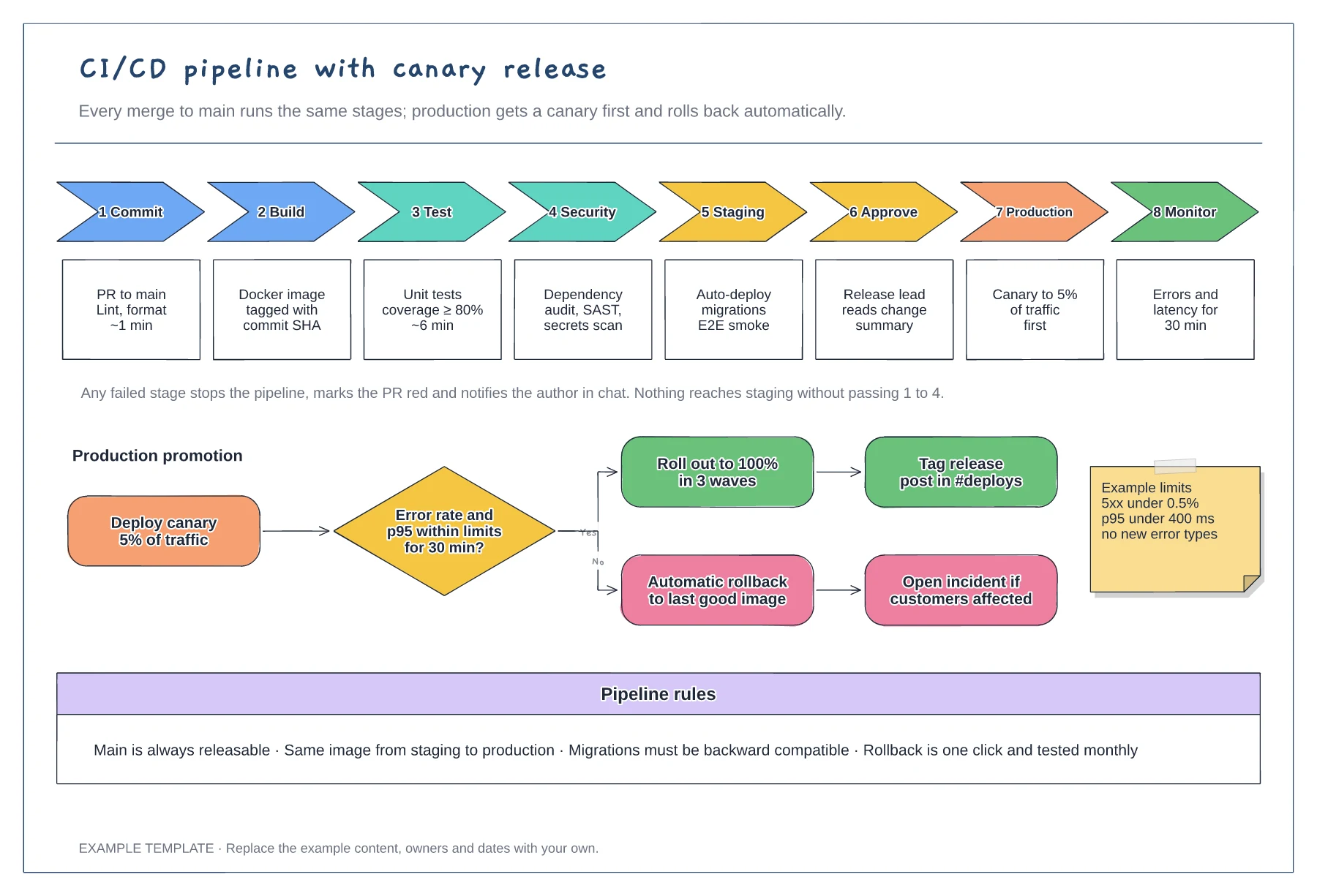
Engineering
CI/CD pipeline diagram template
Eight stages with checks and time budgets · Canary promotion with a rollback branch · Example limits and pipeline rules
Preview and use template →A branching strategy diagram shows a team where to start work, where it merges and how releases reach production. This Gitflow example draws main, develop, two feature branches, a release branch and a hotfix as lanes, with commits, merges and version tags, plus the rule for each branch type.
No account needed · Opens as your own editable page
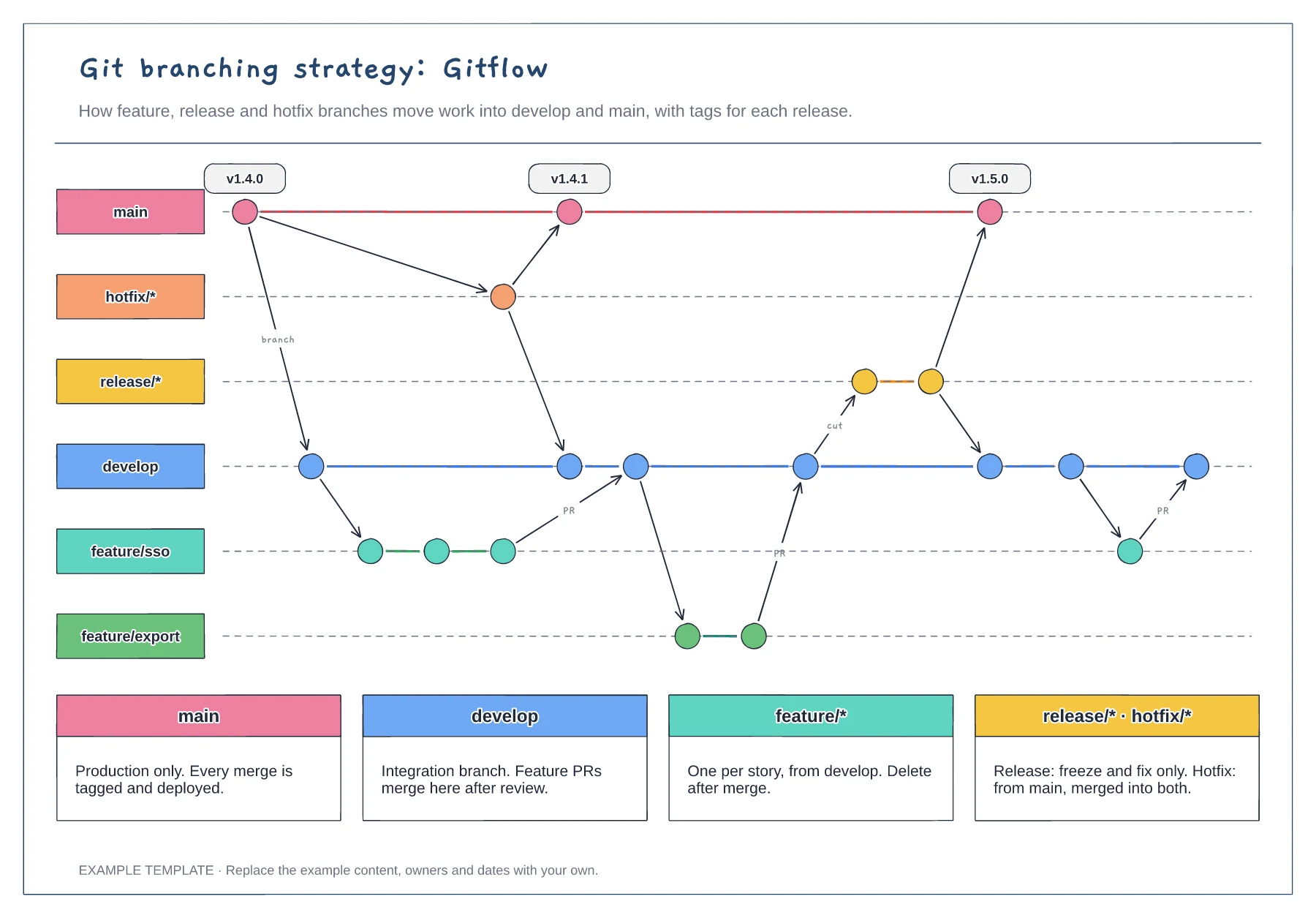
If your team merges short-lived branches straight into main, delete the develop and release lanes to get a trunk-based diagram. Drawing a process nobody follows confuses new starters.
Replace feature/sso and the version tags with names from your repository. Concrete names help people connect the diagram to what they see in their Git client.
Edit the four rule cards to match your branch protection settings, such as required reviews. The diagram shows the flow; the rules explain what is allowed.
Partly. Remove the develop and release lanes, keep main with short-lived feature branches and rewrite the branch rules to match how your team merges.
No. Open the template and edit it in your browser. Your work saves on this device. An account is optional if you want to sync your workspace.
Yes. Use Export in the editor to save a PNG, SVG or PDF, or download an editable .epicdraw backup.
Eight stages with checks and time budgets · Canary promotion with a rollback branch · Example limits and pipeline rules
Preview and use template →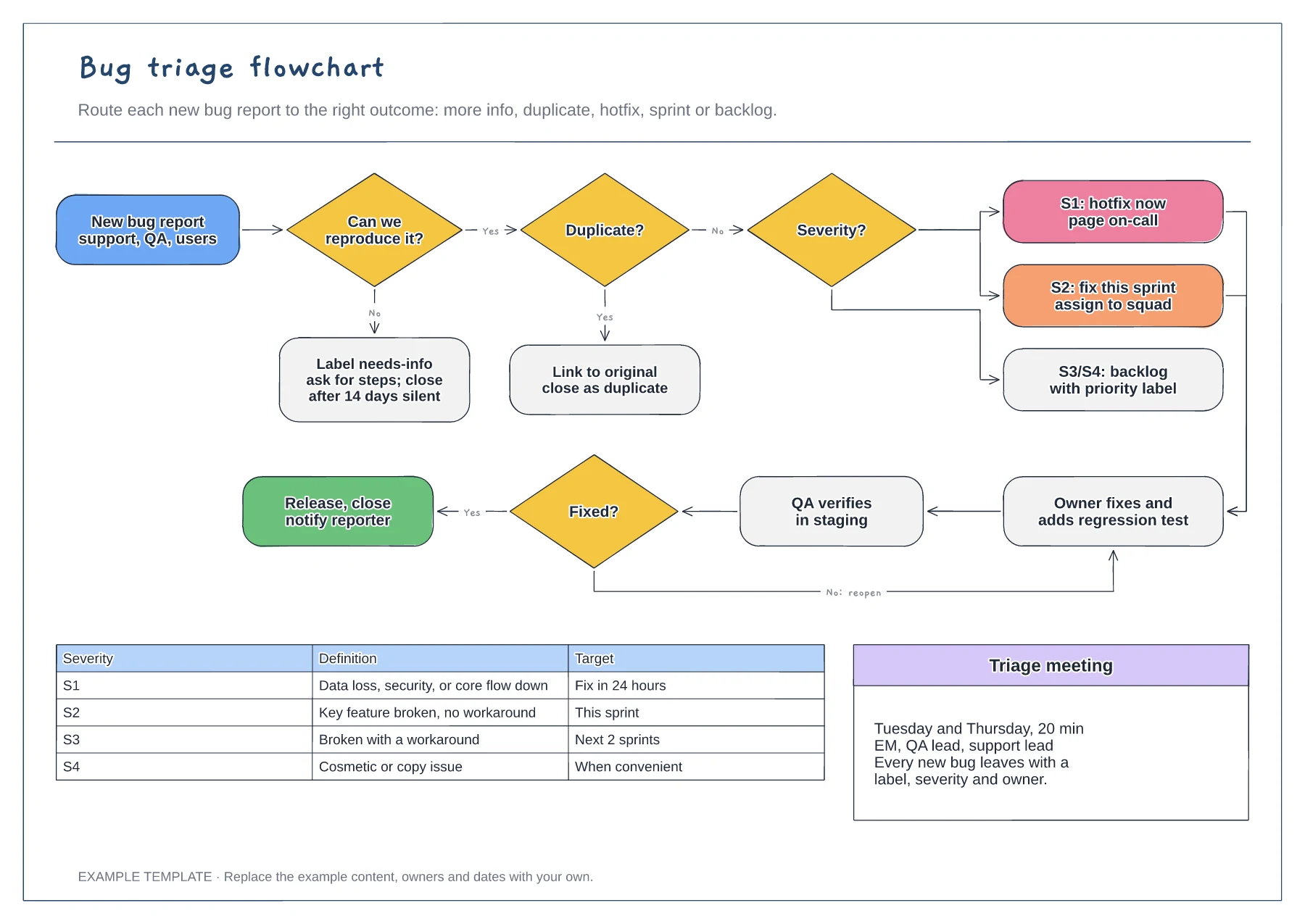
Reproduce and duplicate checks · Severity routing from S1 to S4 · Fix, verify and reopen loop with a severity table
Preview and use template →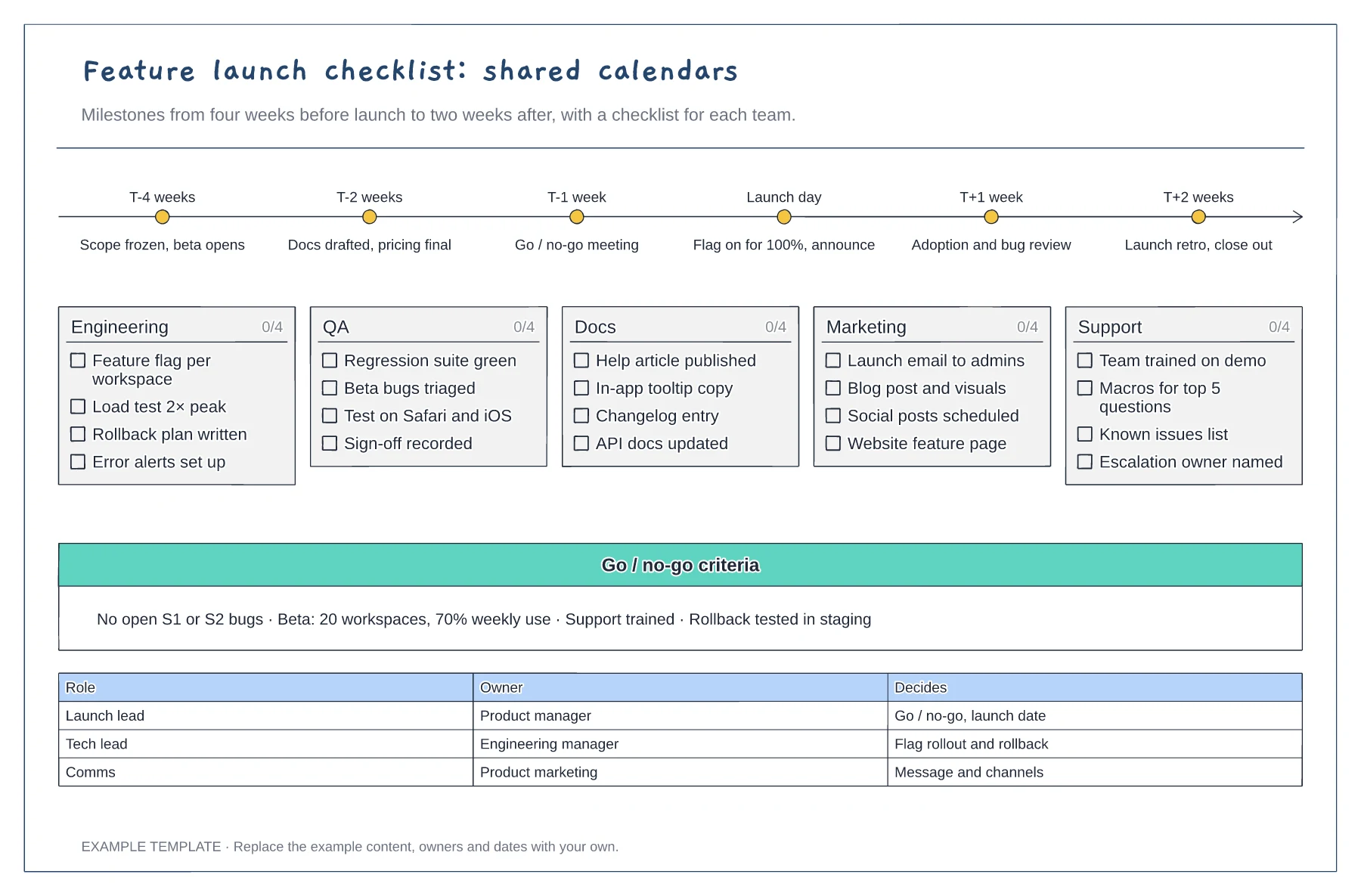
Milestones from T-4 weeks to T+2 weeks · Tickable checklists for five teams · Go or no-go criteria and decision owners
Preview and use template →
Before-start preparation · Day-one and first-week activities · First-month review
Preview and use template →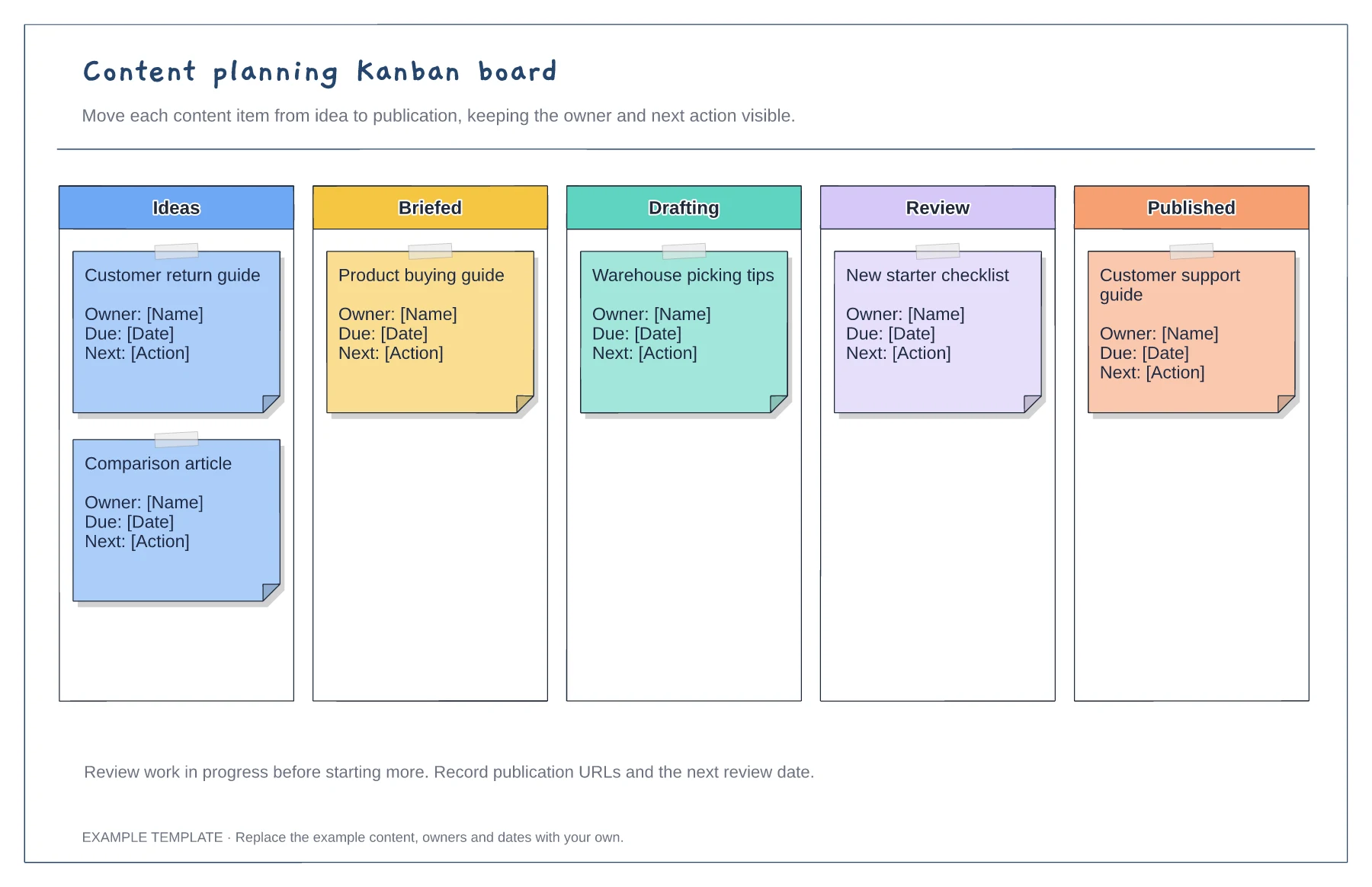
Columns from idea to published · Editable example content cards · Owner and next-action prompts
Preview and use template →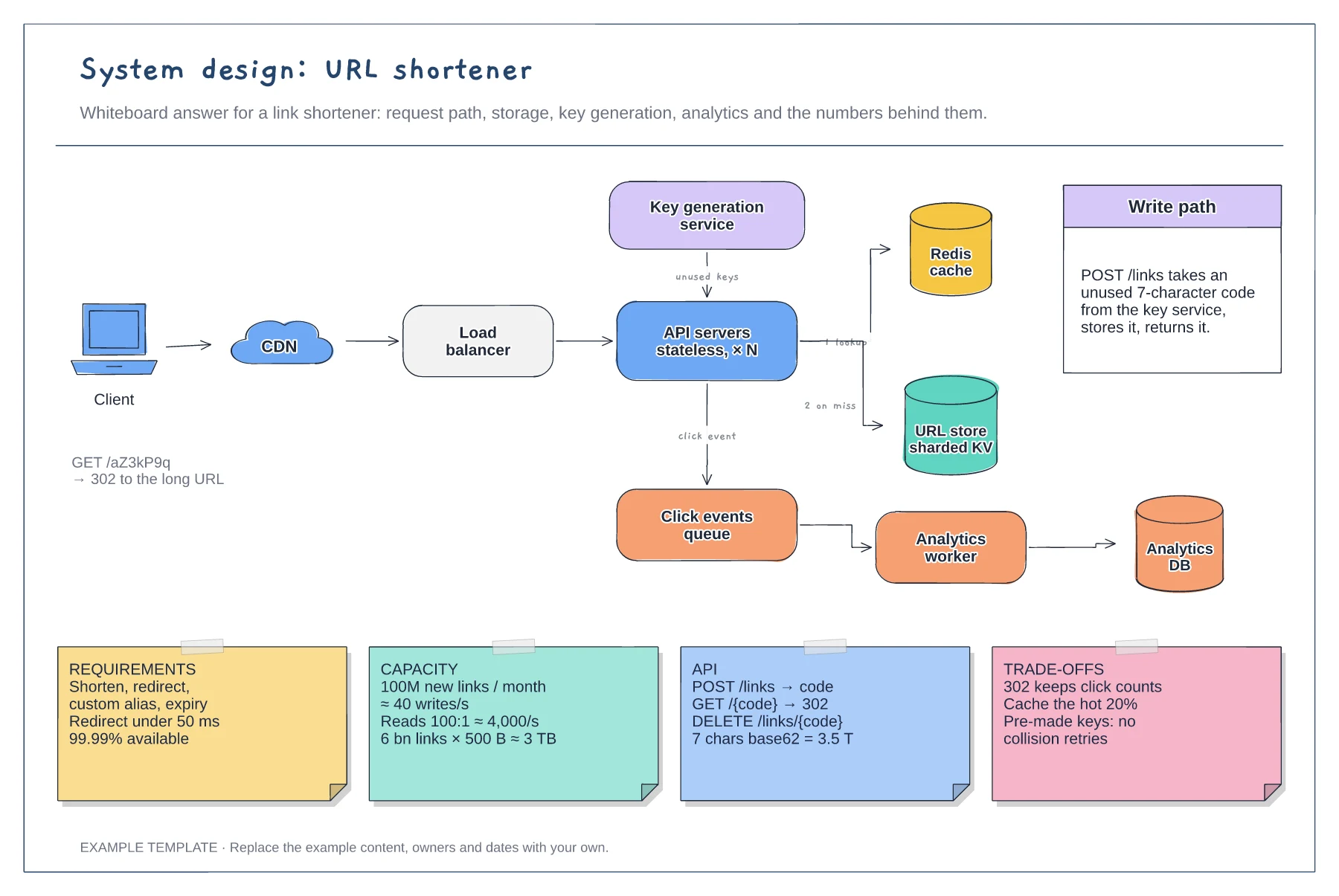
Read and write paths through cache and store · Key generation service and analytics queue · Requirement, capacity, API and trade-off notes
Preview and use template →