IT and security
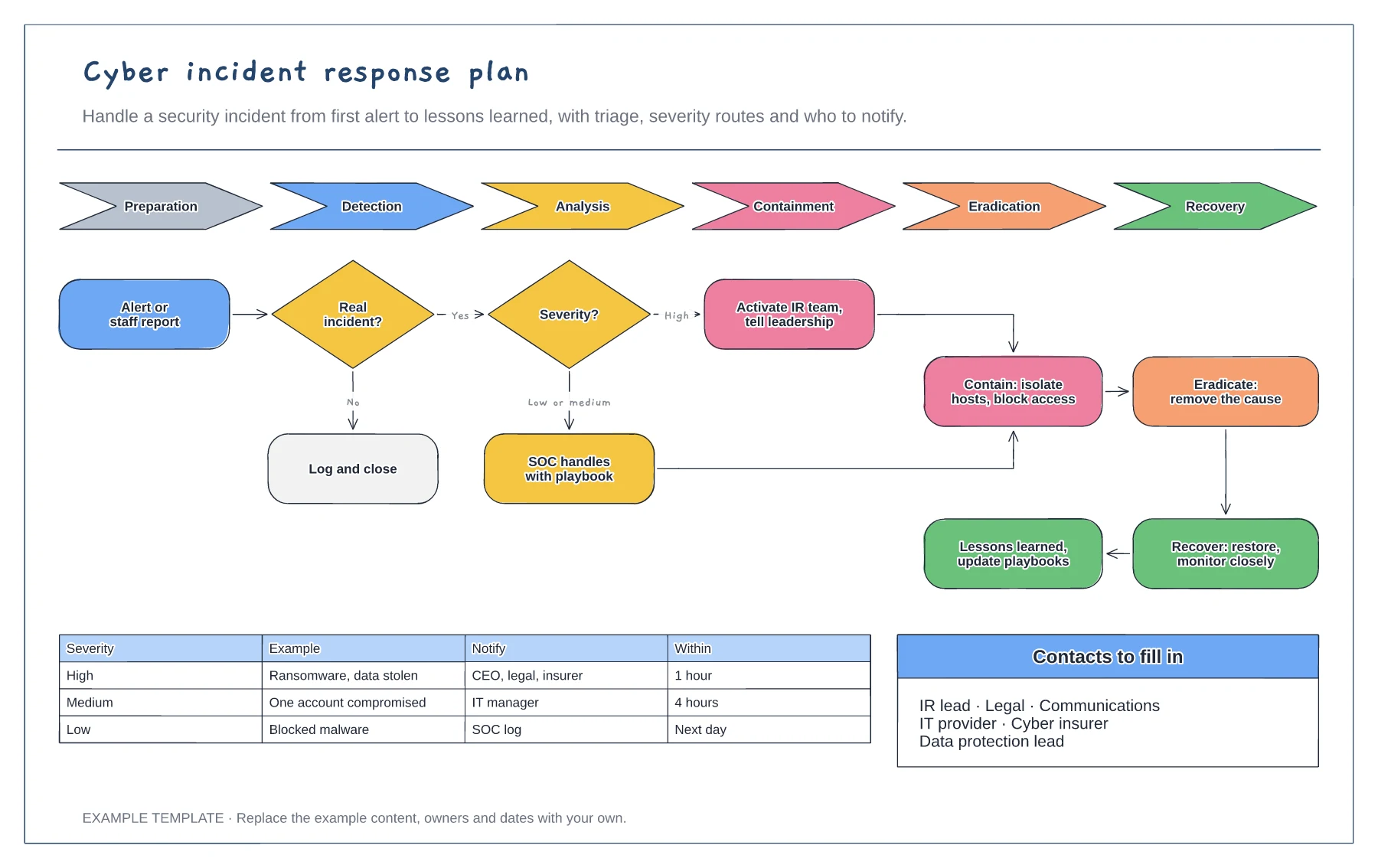
Cyber incident response plan template
NIST lifecycle from preparation to recovery · Triage and severity routes · Escalation matrix and contacts
Preview and use template →A SOC triage flowchart helps analysts handle a high volume of alerts consistently. This example enriches each alert with asset, user and threat intelligence, decides whether it is a true positive, tunes the detection if not, scores severity, and either resolves it with a playbook or escalates to a specialist and incident response.
No account needed · Opens as your own editable page
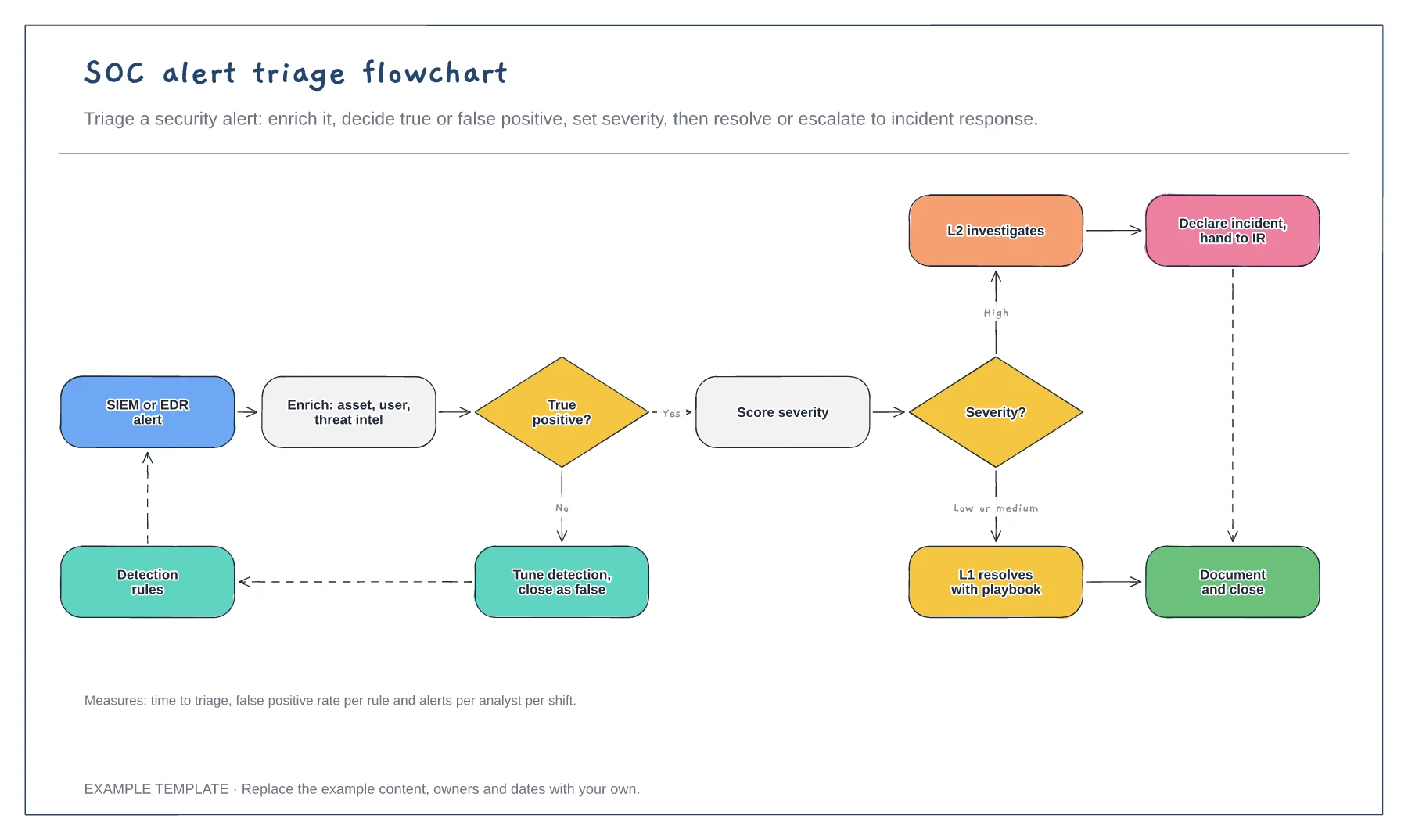
Pull in who the user is, what the asset does and what threat intelligence says before judging the alert. Context prevents most wrong calls.
Every false positive should feed back into the detection rules. Alert fatigue is a bigger risk than a missed tuning task.
Define what makes an alert high severity and who takes it next, so analysts do not hesitate.
The first asks whether the alert is a true positive; if not, you tune the rule and close it. The second sends low or medium severity to L1 and high severity to L2 or incident response.
No. Open the template and edit it in your browser. Your work saves on this device. An account is optional if you want to sync your workspace.
Yes. Use Export in the editor to save a PNG, SVG or PDF, or download an editable .epicdraw backup.
NIST lifecycle from preparation to recovery · Triage and severity routes · Escalation matrix and contacts
Preview and use template →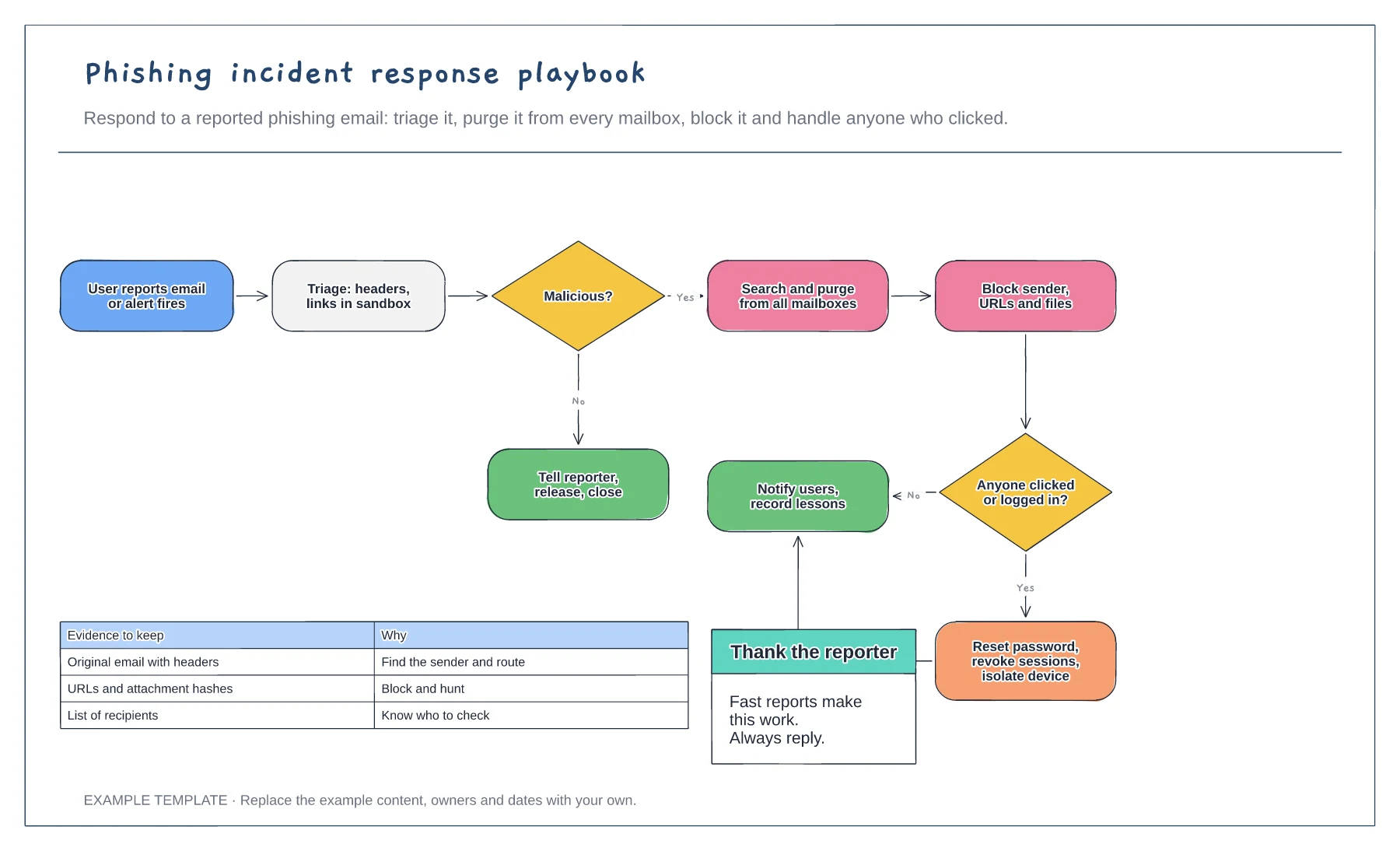
Triage, purge and block steps · Branch for users who clicked or logged in · Evidence to keep
Preview and use template →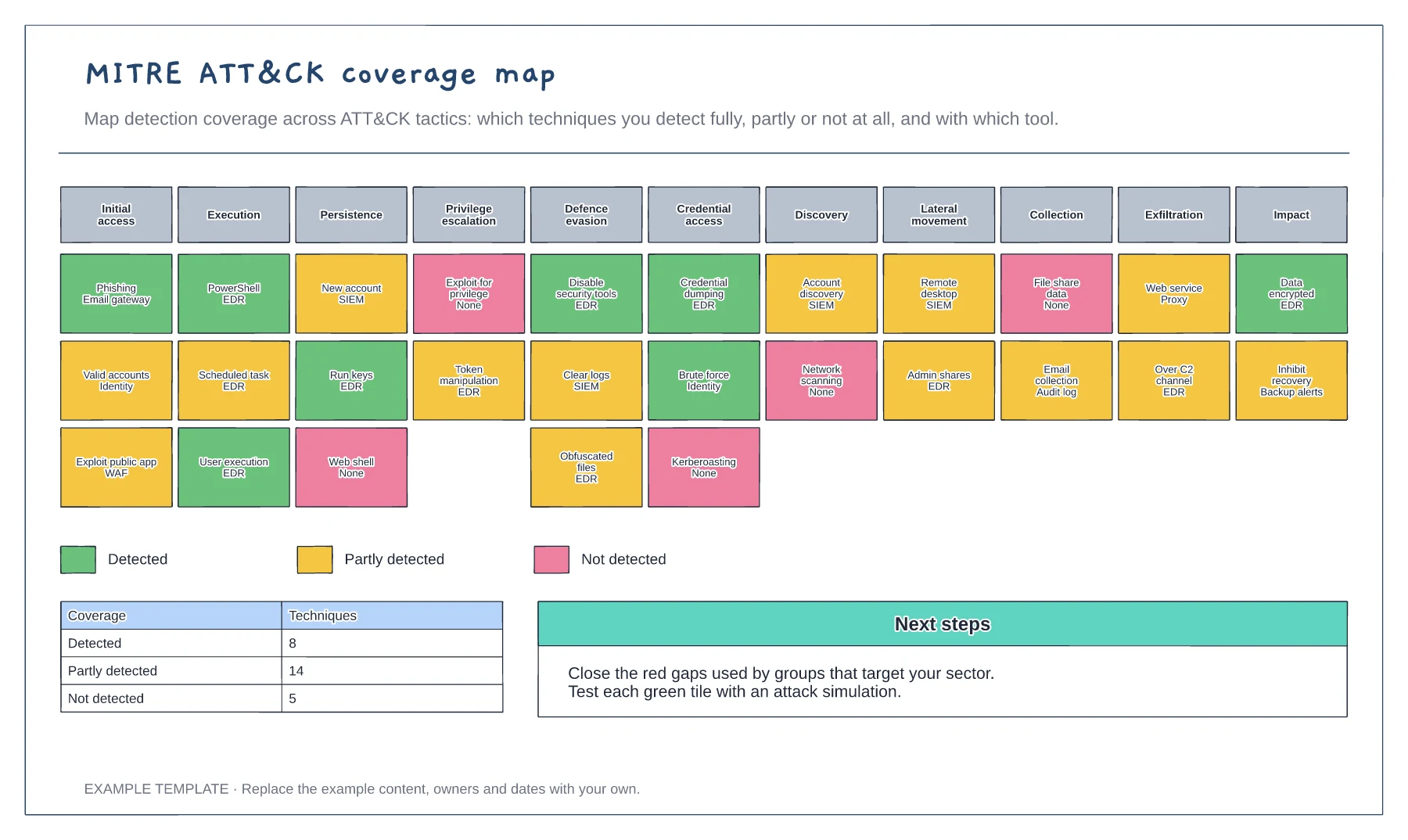
Eleven ATT&CK tactics · Techniques coloured by detection coverage · Coverage summary and next steps
Preview and use template →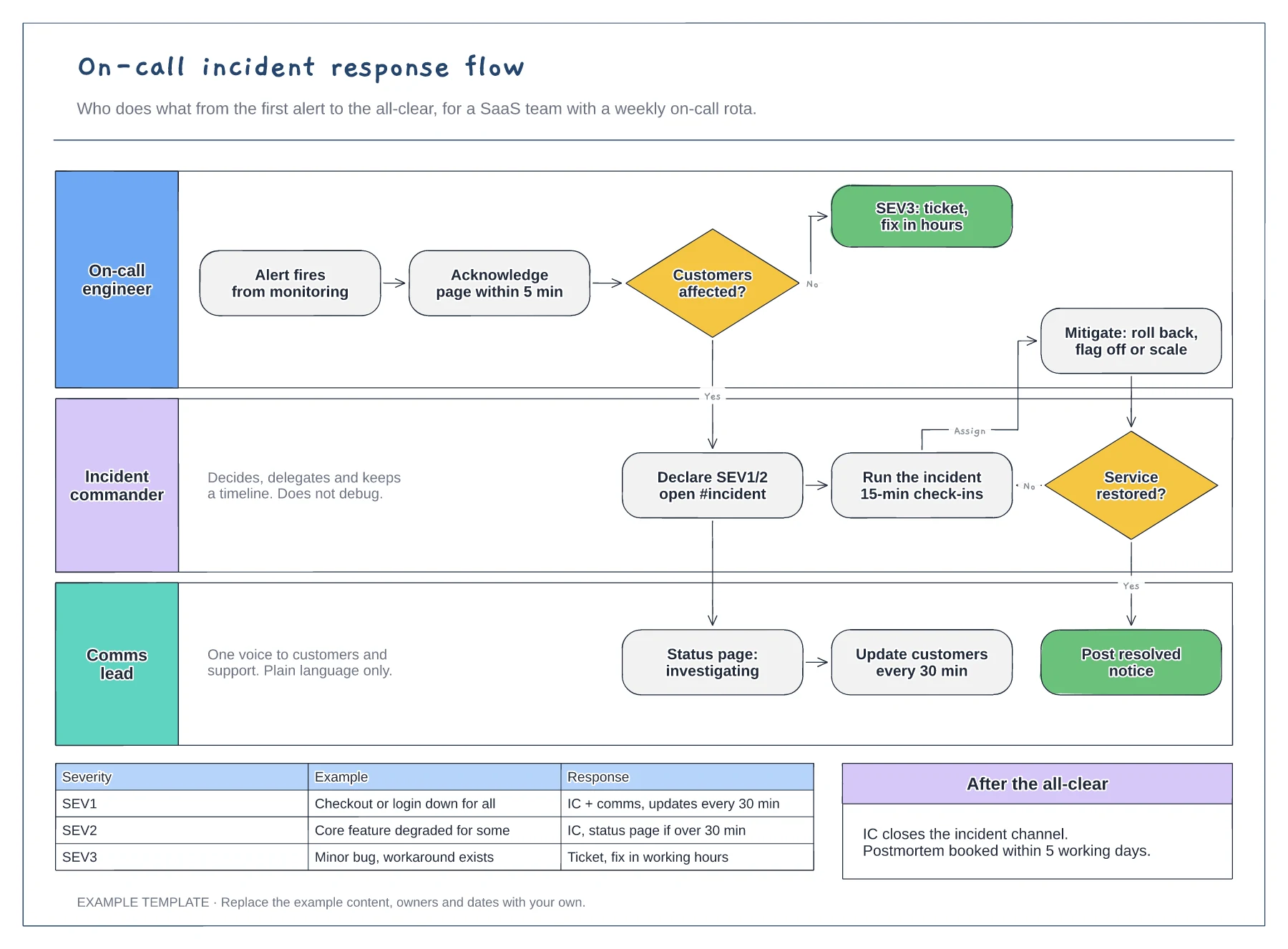
Lanes for on-call, incident commander and comms · Severity decision with SEV1 to SEV3 examples · Mitigation loop and customer update cadence
Preview and use template →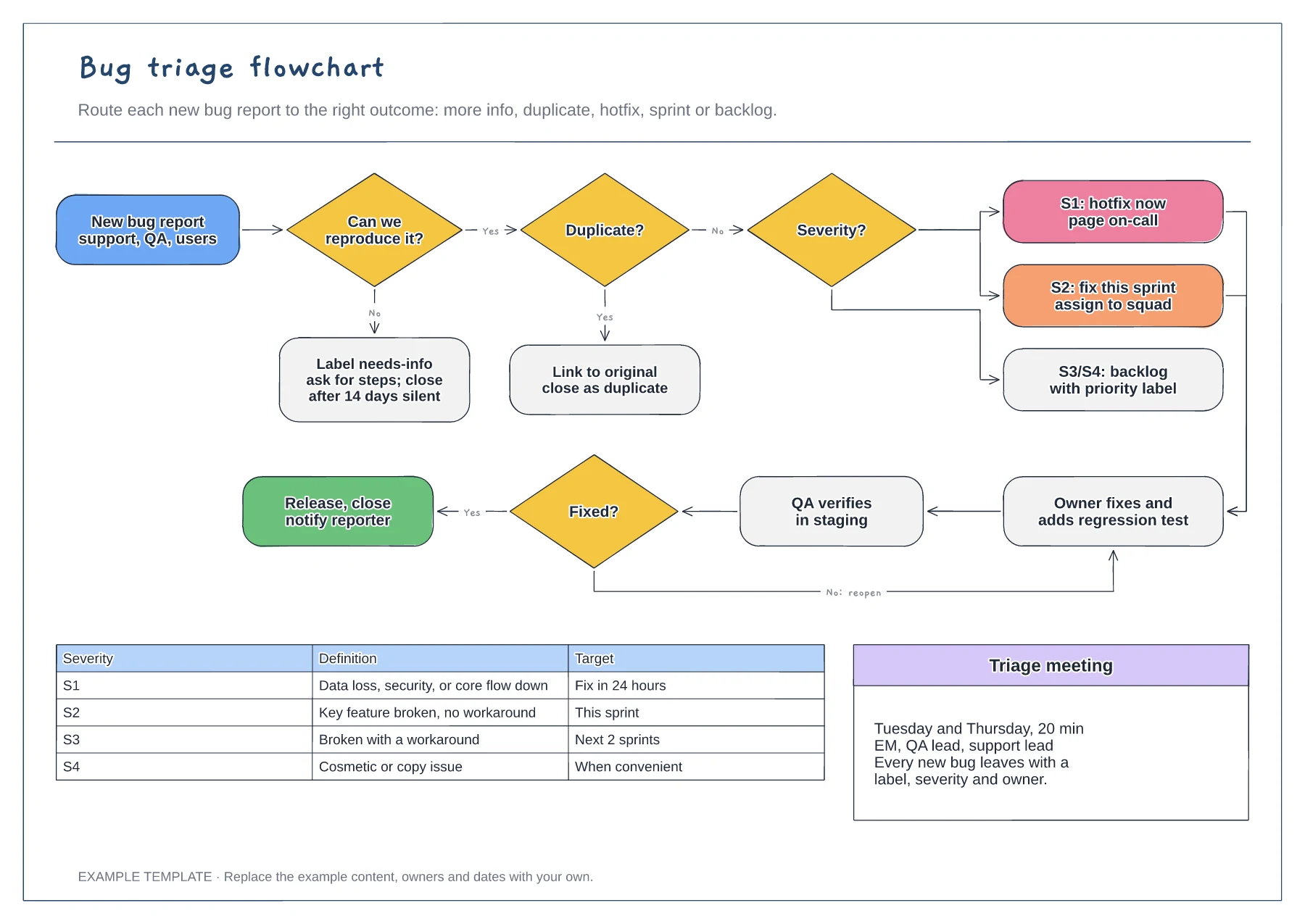
Reproduce and duplicate checks · Severity routing from S1 to S4 · Fix, verify and reopen loop with a severity table
Preview and use template →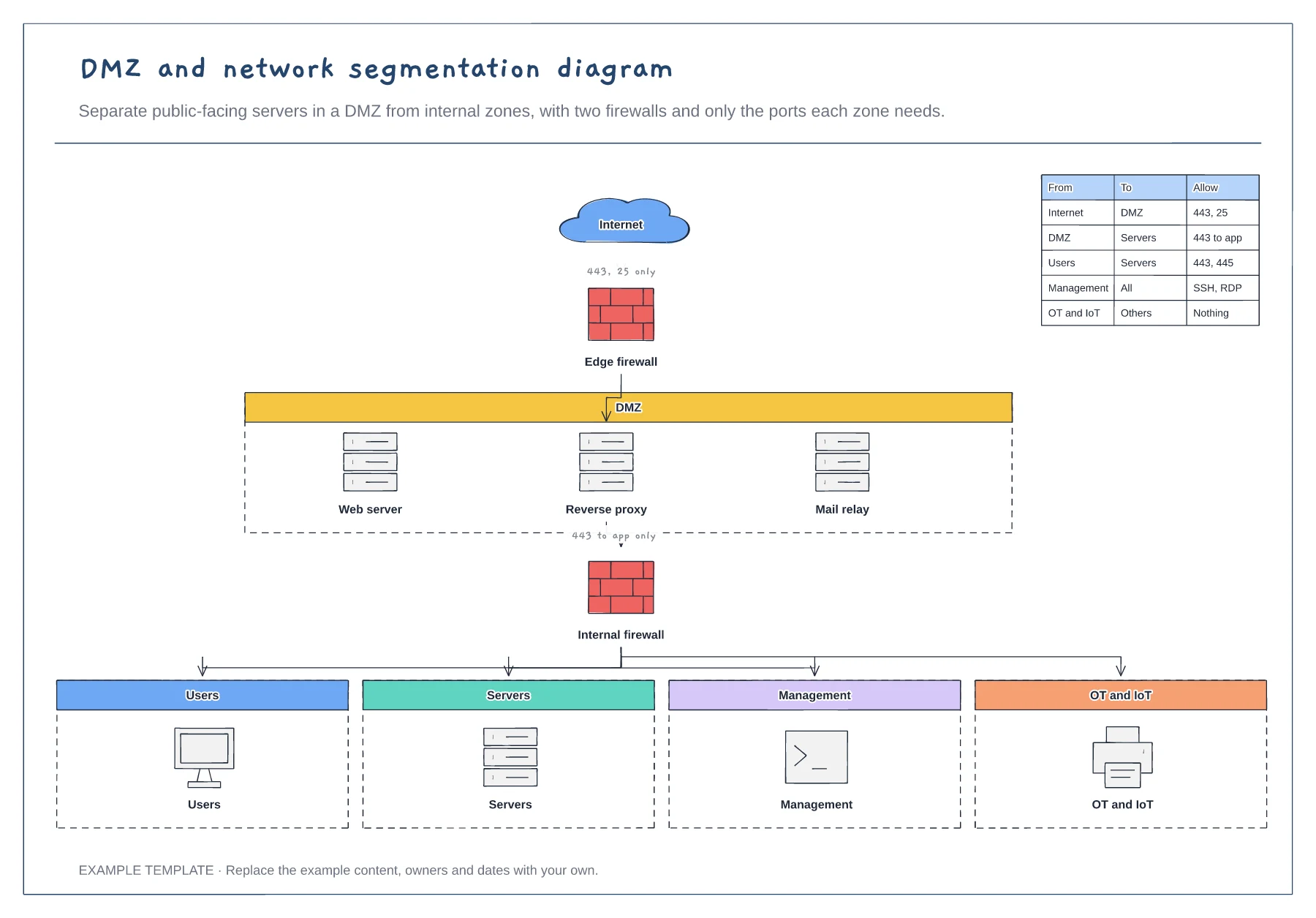
Edge and internal firewalls · DMZ with public-facing servers · Four internal zones and a rules table
Preview and use template →