Engineering
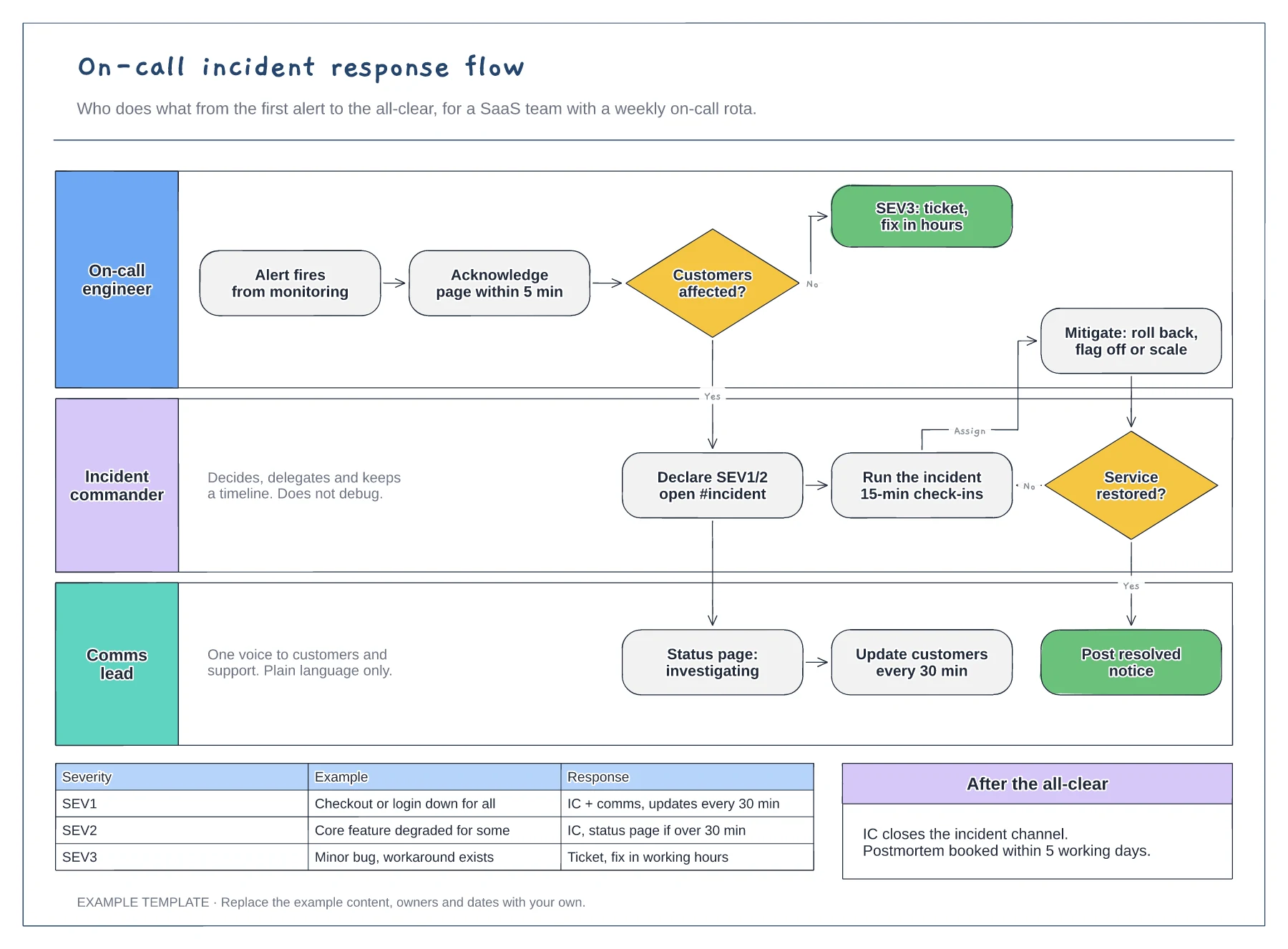
On-call incident response flowchart template
Lanes for on-call, incident commander and comms · Severity decision with SEV1 to SEV3 examples · Mitigation loop and customer update cadence
Preview and use template →A bug triage flowchart gives every new report the same route, so nothing sits unlabelled and urgent bugs reach the right squad quickly. This example checks whether a bug can be reproduced and whether it is a duplicate, assigns a severity from S1 to S4, then sends it to a hotfix, the sprint or the backlog.
No account needed · Opens as your own editable page
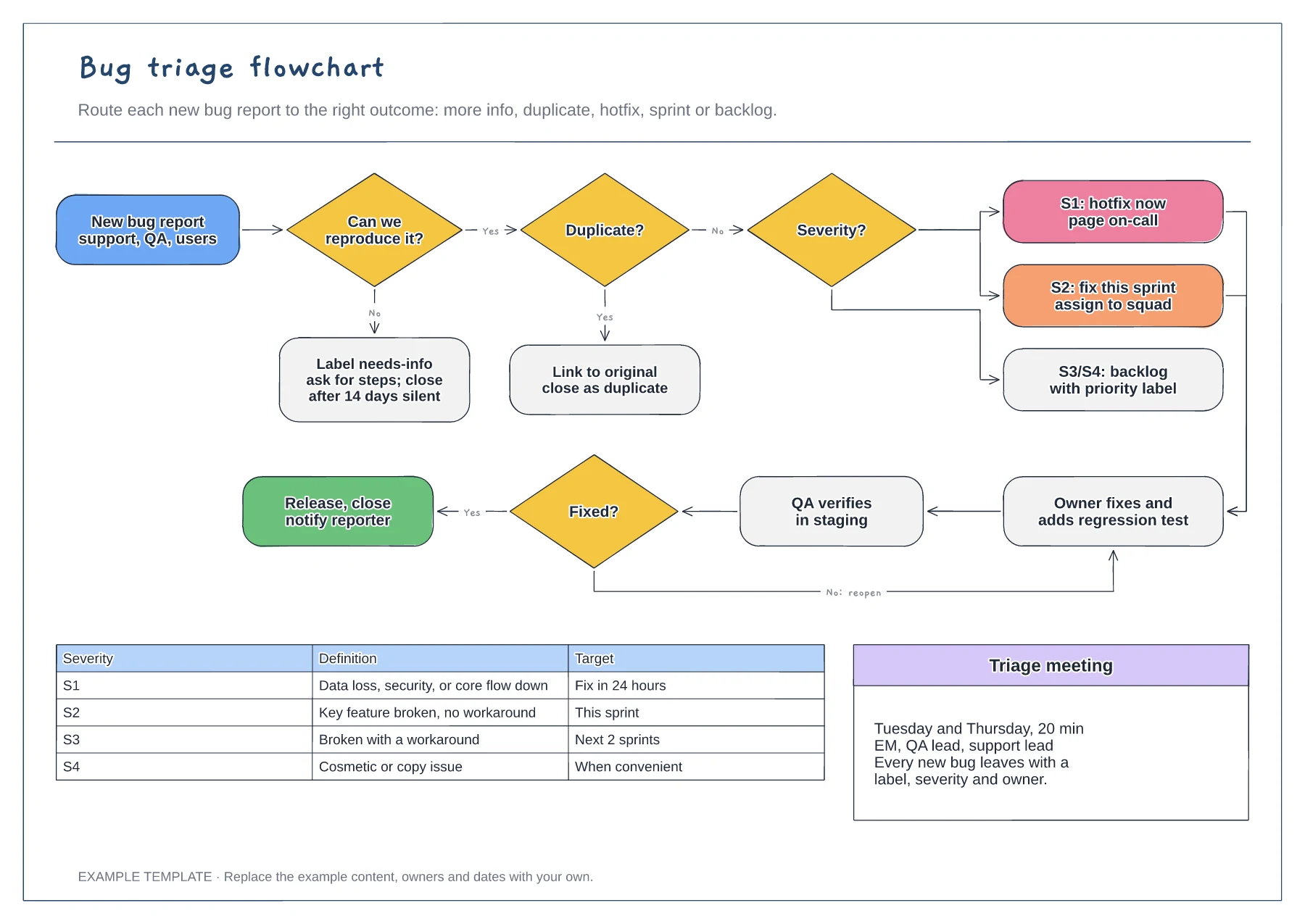
Rewrite the table with examples from your own product, such as which flows count as core. Triage gets faster when people compare a bug with a familiar example rather than an abstract scale.
Decide how long a report waits for missing steps before it is closed. A clear rule, like 14 days, keeps the queue honest and tells reporters what to expect.
Name the roles who run triage and how often. A short meeting twice a week works for many teams; others rotate a daily triage owner so reports never wait for a meeting.
Yes. Rename S1 to S4 in the severity table and the routing decision, then change which level goes to a hotfix, the sprint or the backlog.
No. Open the template and edit it in your browser. Your work saves on this device. An account is optional if you want to sync your workspace.
Yes. Use Export in the editor to save a PNG, SVG or PDF, or download an editable .epicdraw backup.
Lanes for on-call, incident commander and comms · Severity decision with SEV1 to SEV3 examples · Mitigation loop and customer update cadence
Preview and use template →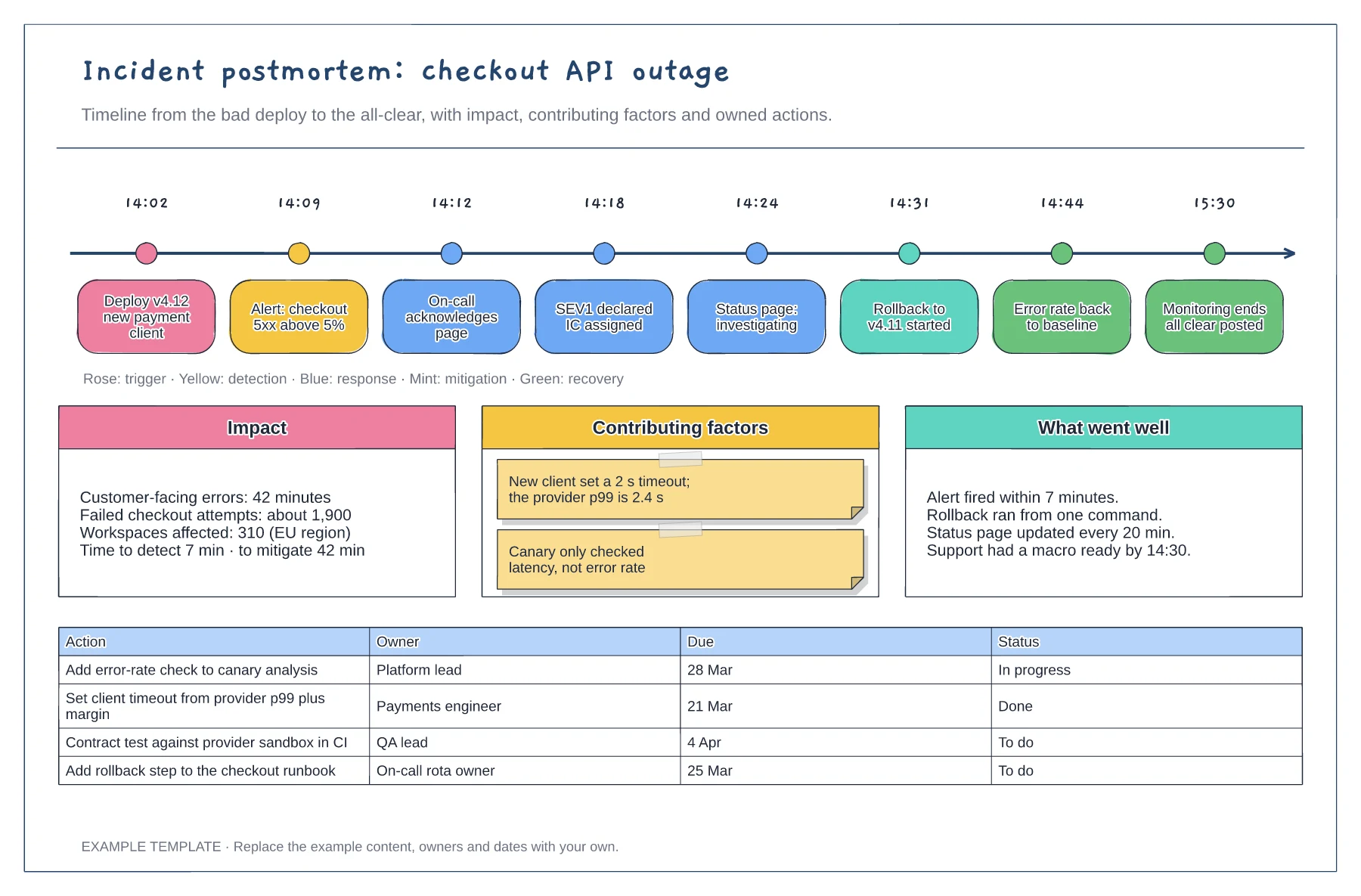
Timestamped events from deploy to all-clear · Impact, contributing factors and what went well · Action table with owners, due dates and status
Preview and use template →
First-line triage and impact check · Specialist ownership and investigation · Customer updates and closure
Preview and use template →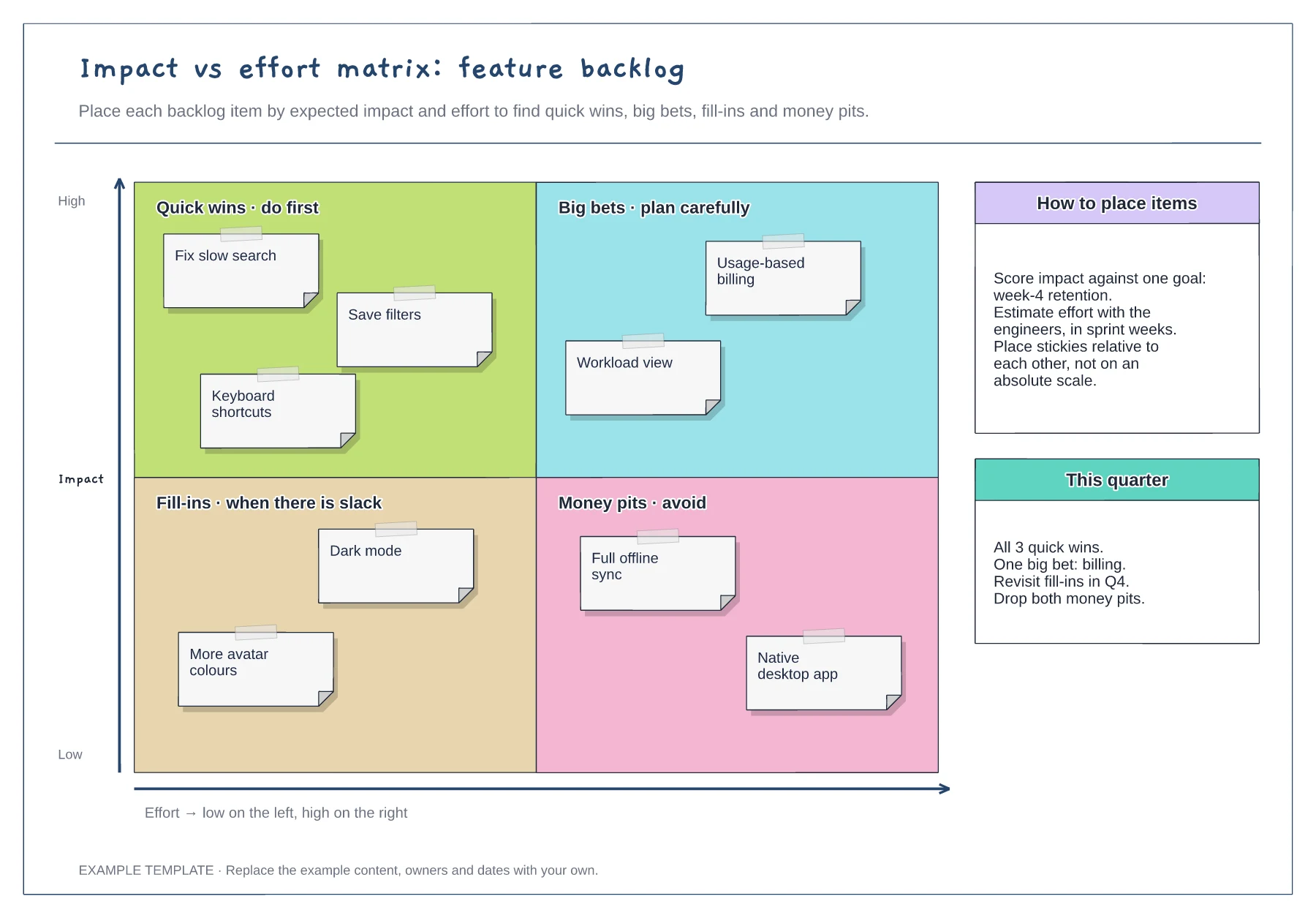
Quick wins, big bets, fill-ins and money pits · Nine example backlog items · Placement guidance and a quarter plan
Preview and use template →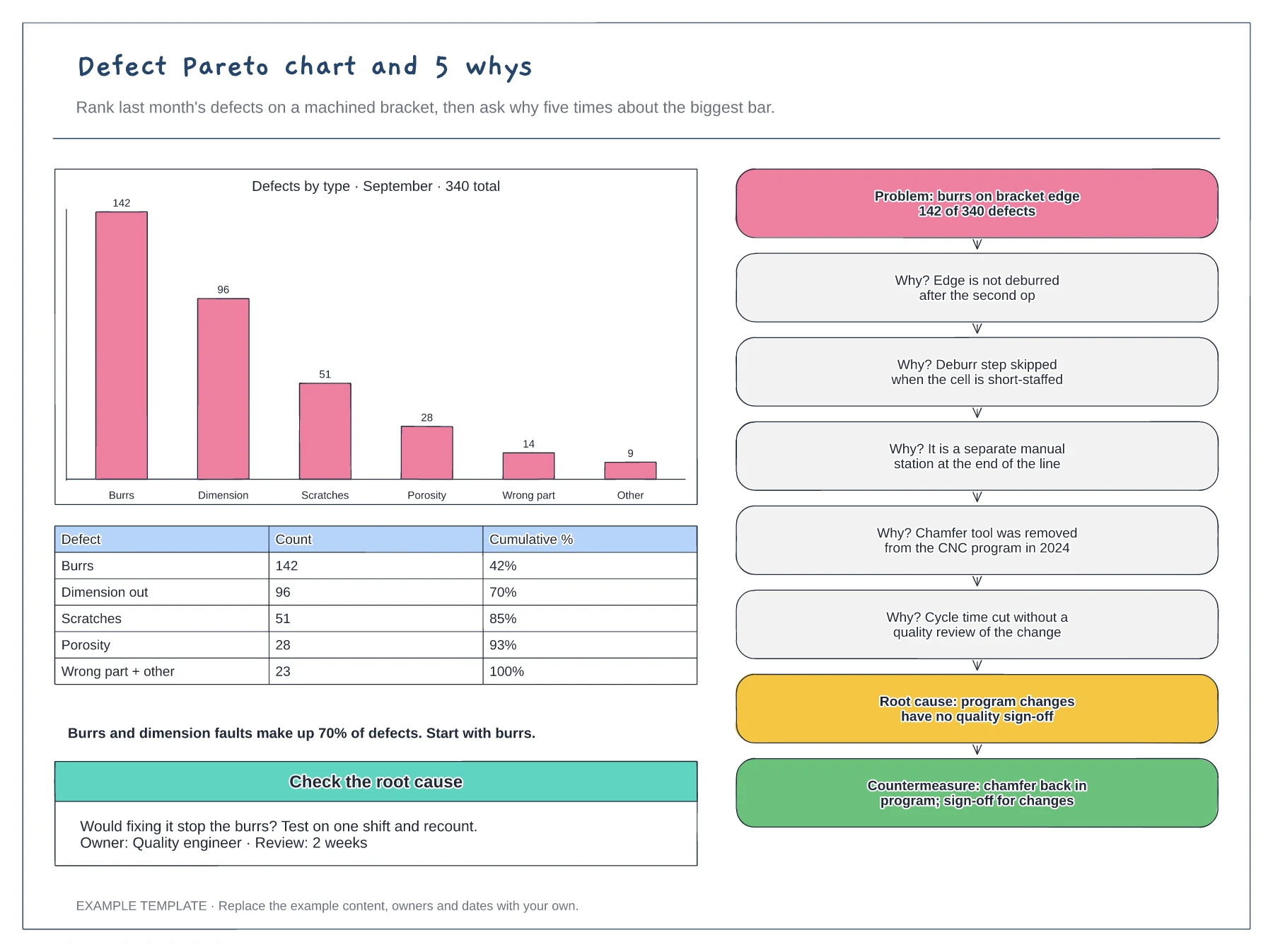
Pareto bar chart and cumulative table · 5 whys ladder from problem to root cause · Countermeasure and a check of the cause
Preview and use template →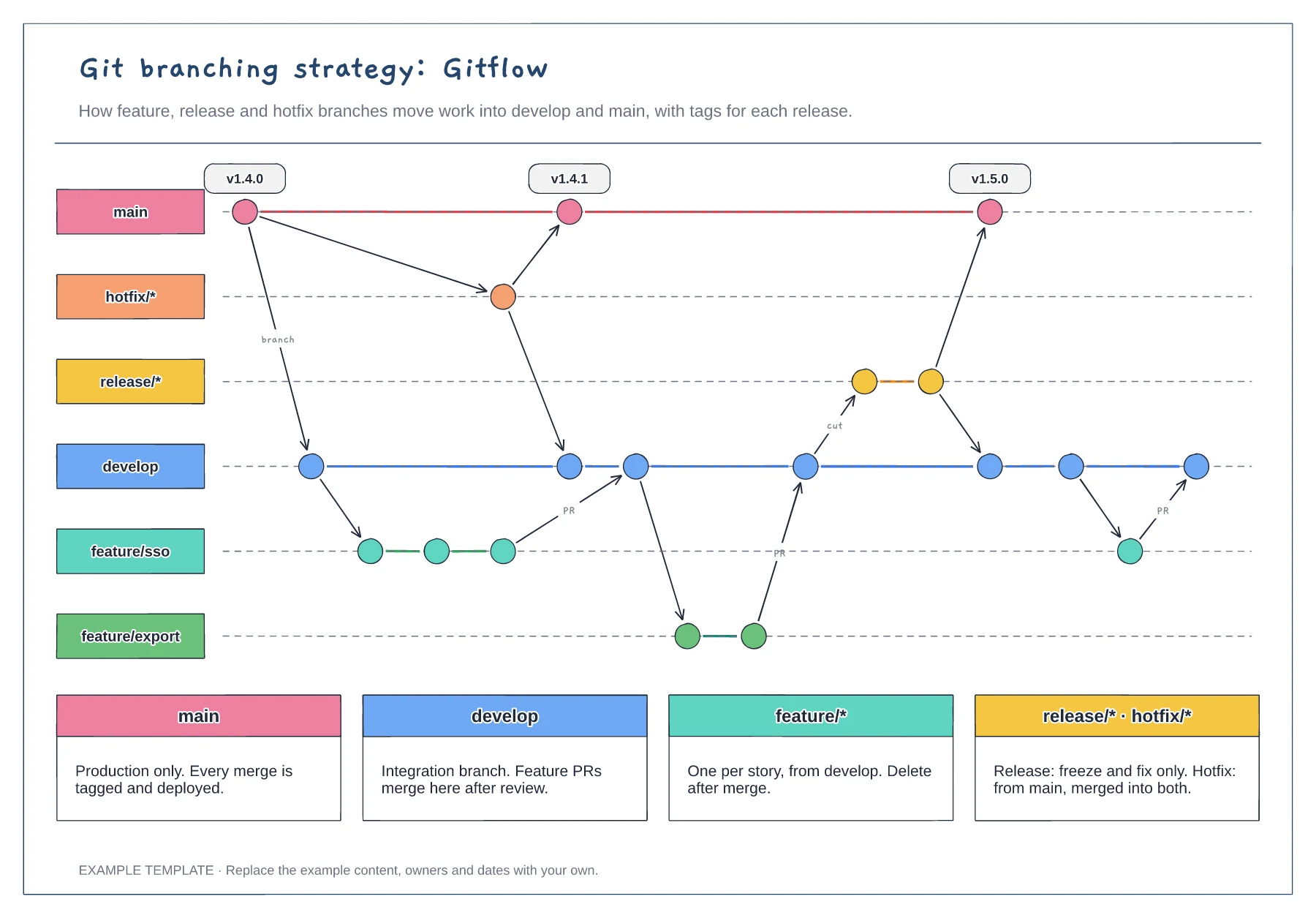
Lanes for main, develop, feature, release and hotfix · Commits, merges and version tags · One rule per branch type
Preview and use template →