IT and security
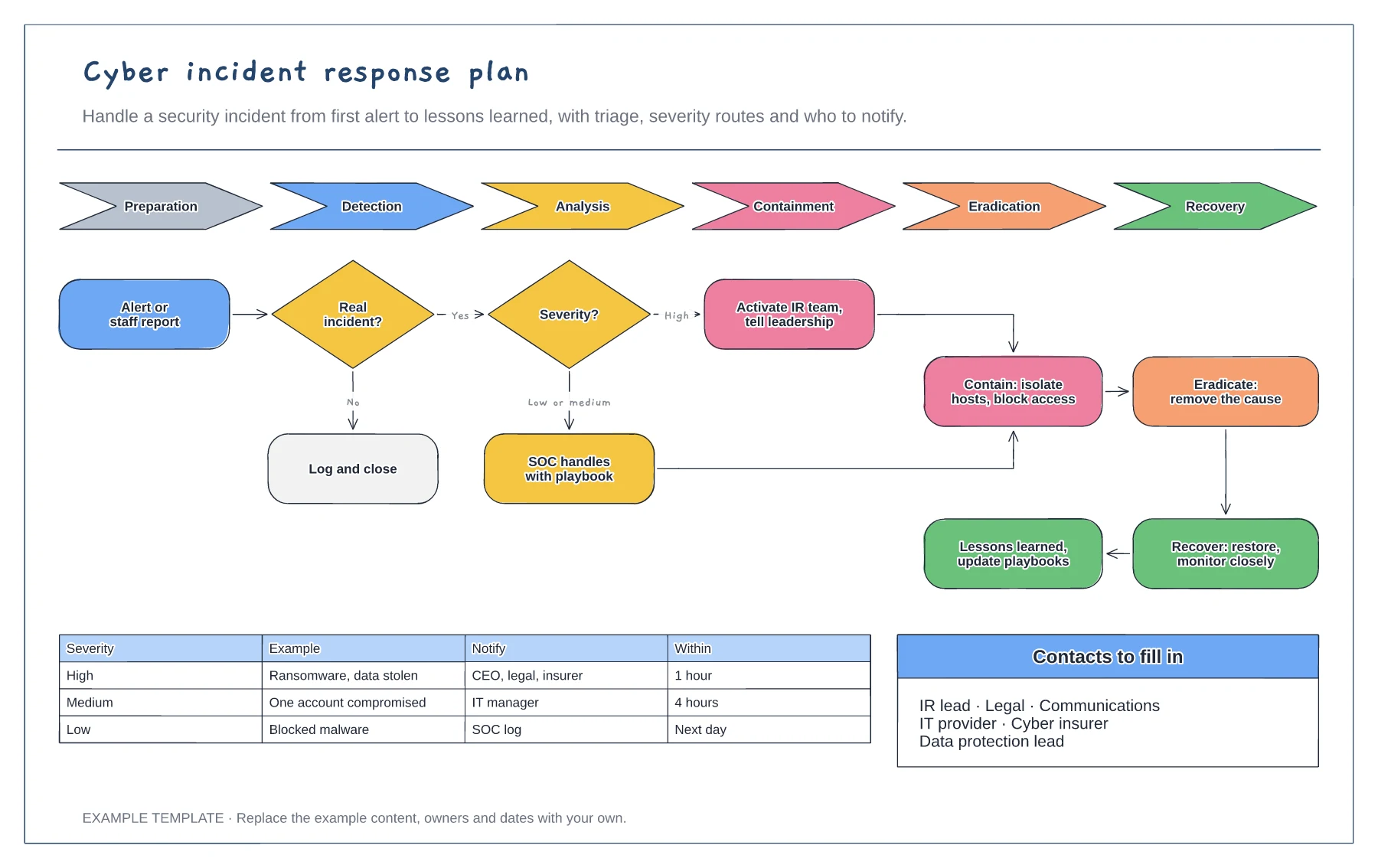
Cyber incident response plan template
NIST lifecycle from preparation to recovery · Triage and severity routes · Escalation matrix and contacts
Preview and use template →A phishing playbook turns a reported email into a quick, repeatable response. This example triages the message in a sandbox, purges it from every mailbox if it is malicious, blocks the sender and links, then checks whether anyone clicked or entered a password and resets their account if so, ending with a note to users and lessons learned.
No account needed · Opens as your own editable page
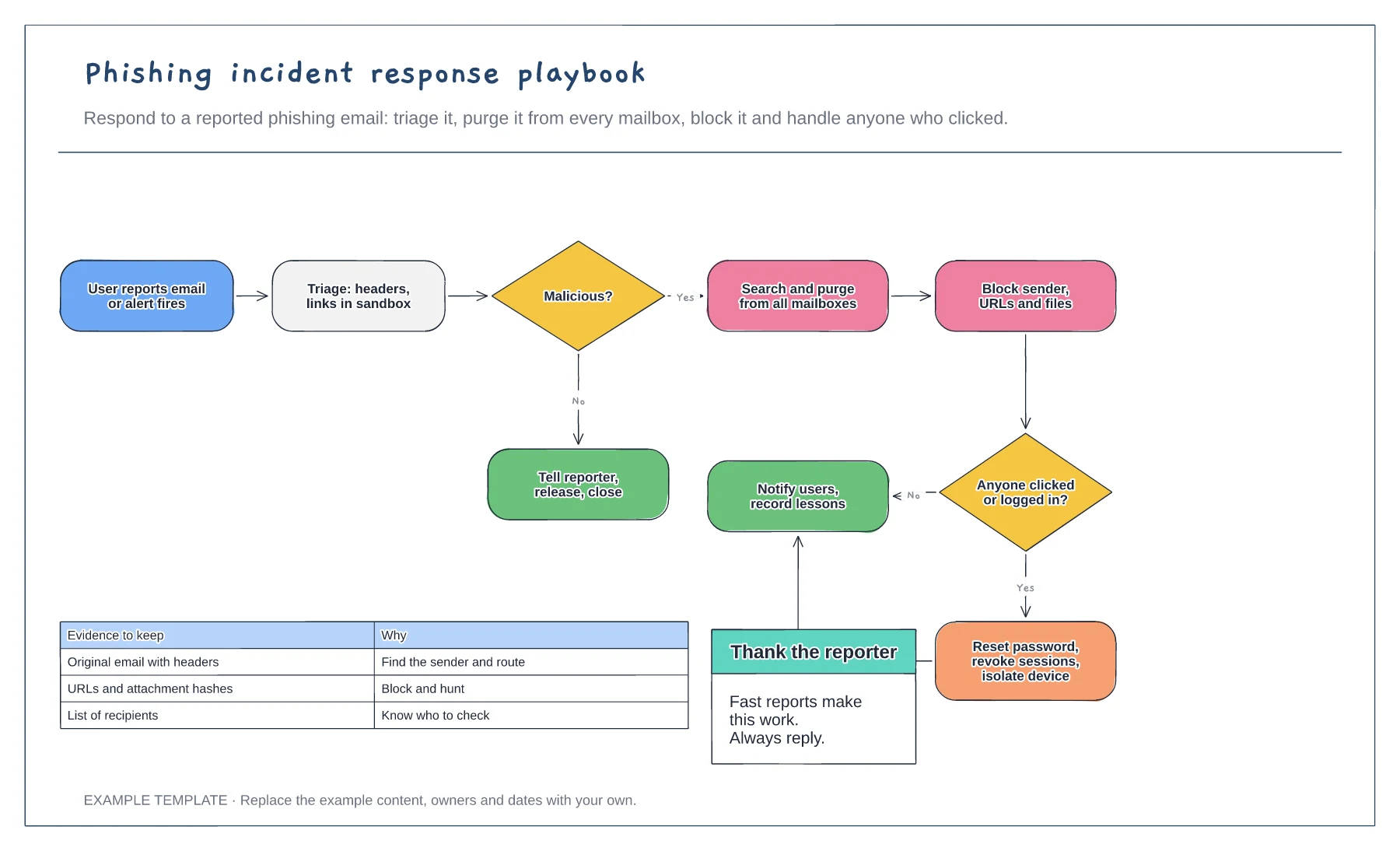
Give staff a report button in their email client and reply to every report. Fast reports are what make the playbook work.
Remove the email from every mailbox as soon as it looks malicious, before more people open it.
Use sign-in and proxy logs to find anyone who clicked or entered a password. Reset and revoke sessions for those accounts straight away.
It is the route for users who opened the link or entered details, adding account resets and checks before the case is closed.
No. Open the template and edit it in your browser. Your work saves on this device. An account is optional if you want to sync your workspace.
Yes. Use Export in the editor to save a PNG, SVG or PDF, or download an editable .epicdraw backup.
NIST lifecycle from preparation to recovery · Triage and severity routes · Escalation matrix and contacts
Preview and use template →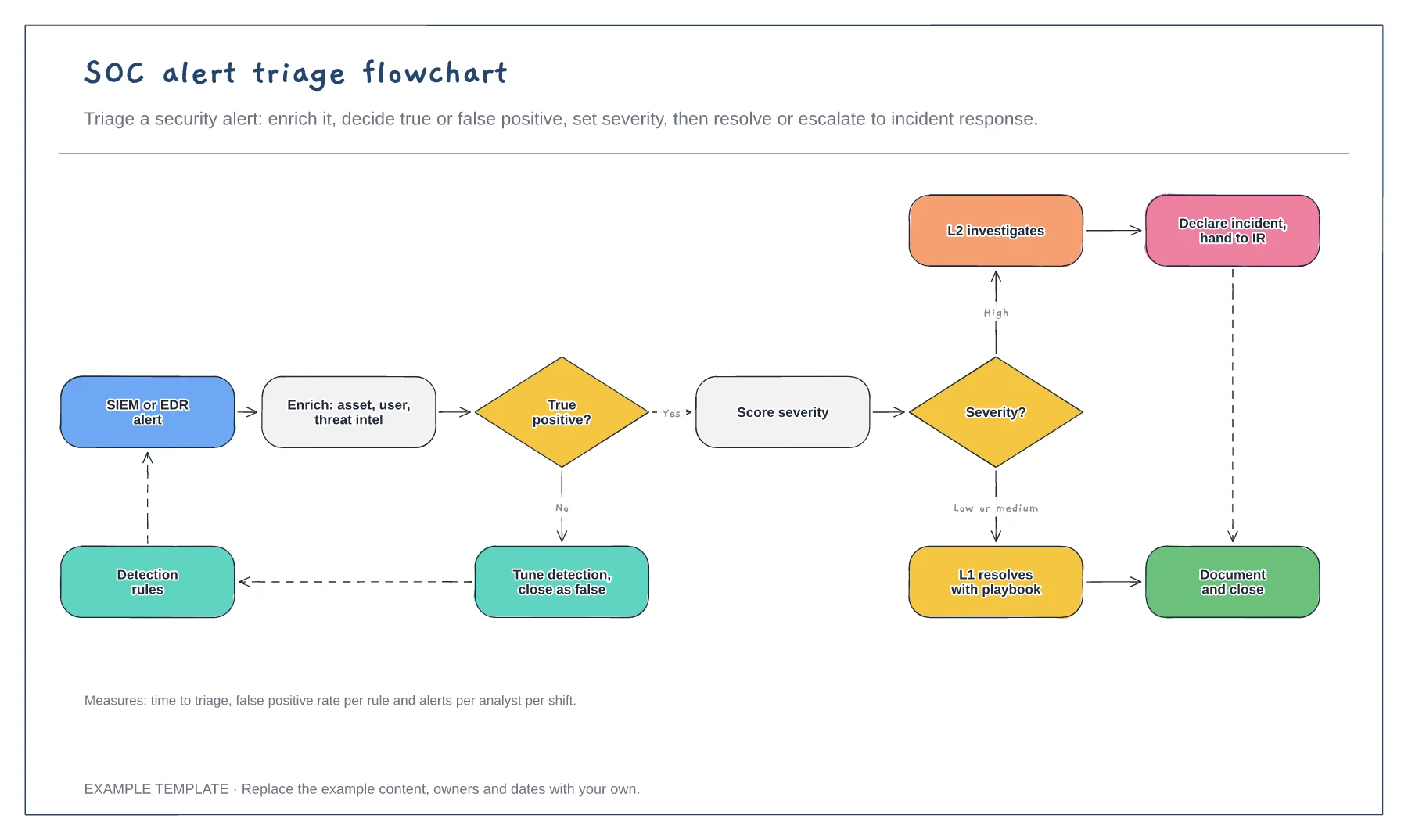
Enrichment and true or false positive decision · Detection tuning feedback loop · Severity routes and escalation
Preview and use template →
First-line triage and impact check · Specialist ownership and investigation · Customer updates and closure
Preview and use template →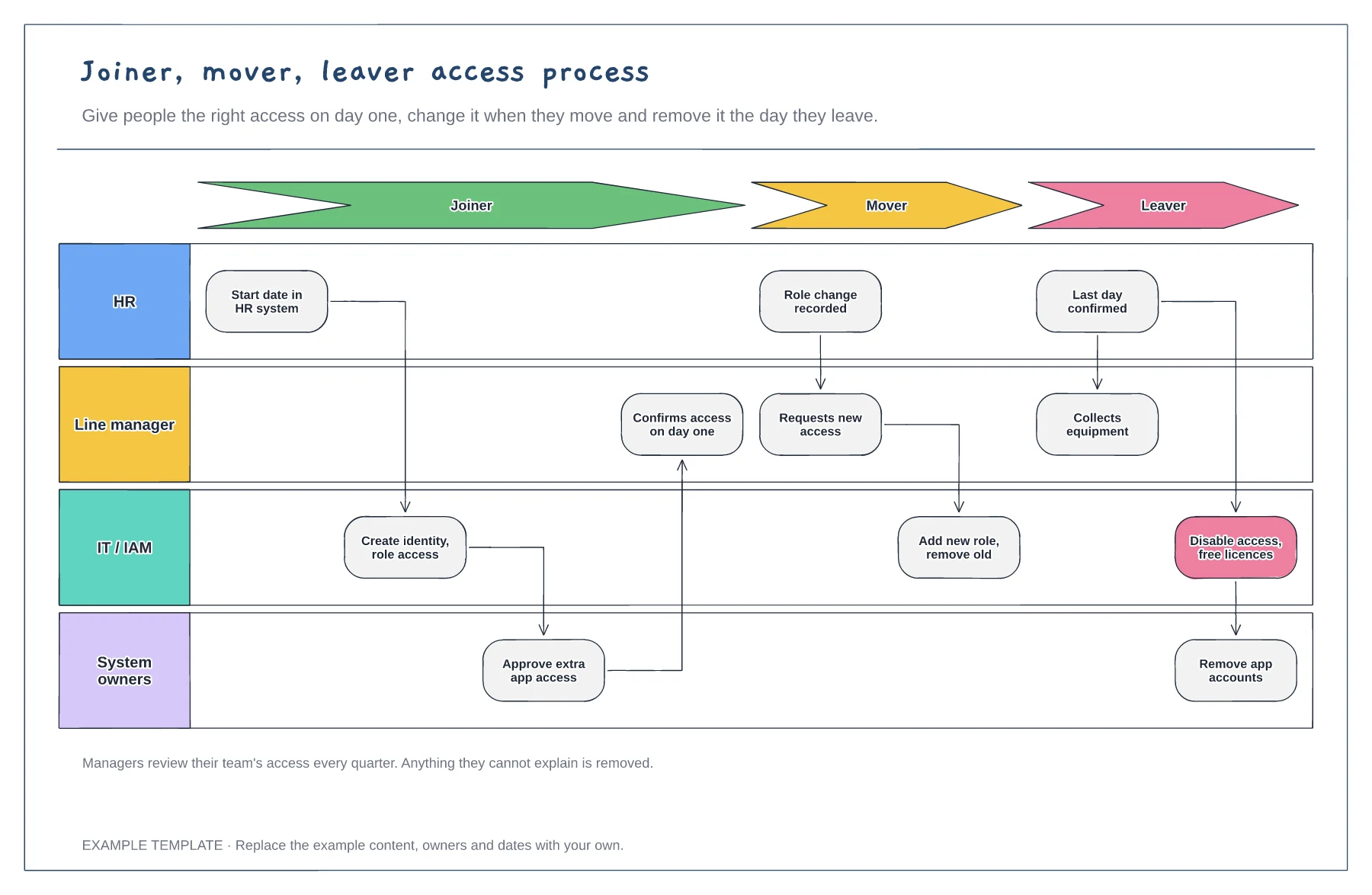
Joiner, mover and leaver stages · HR, manager, IT and system owner lanes · Quarterly access review
Preview and use template →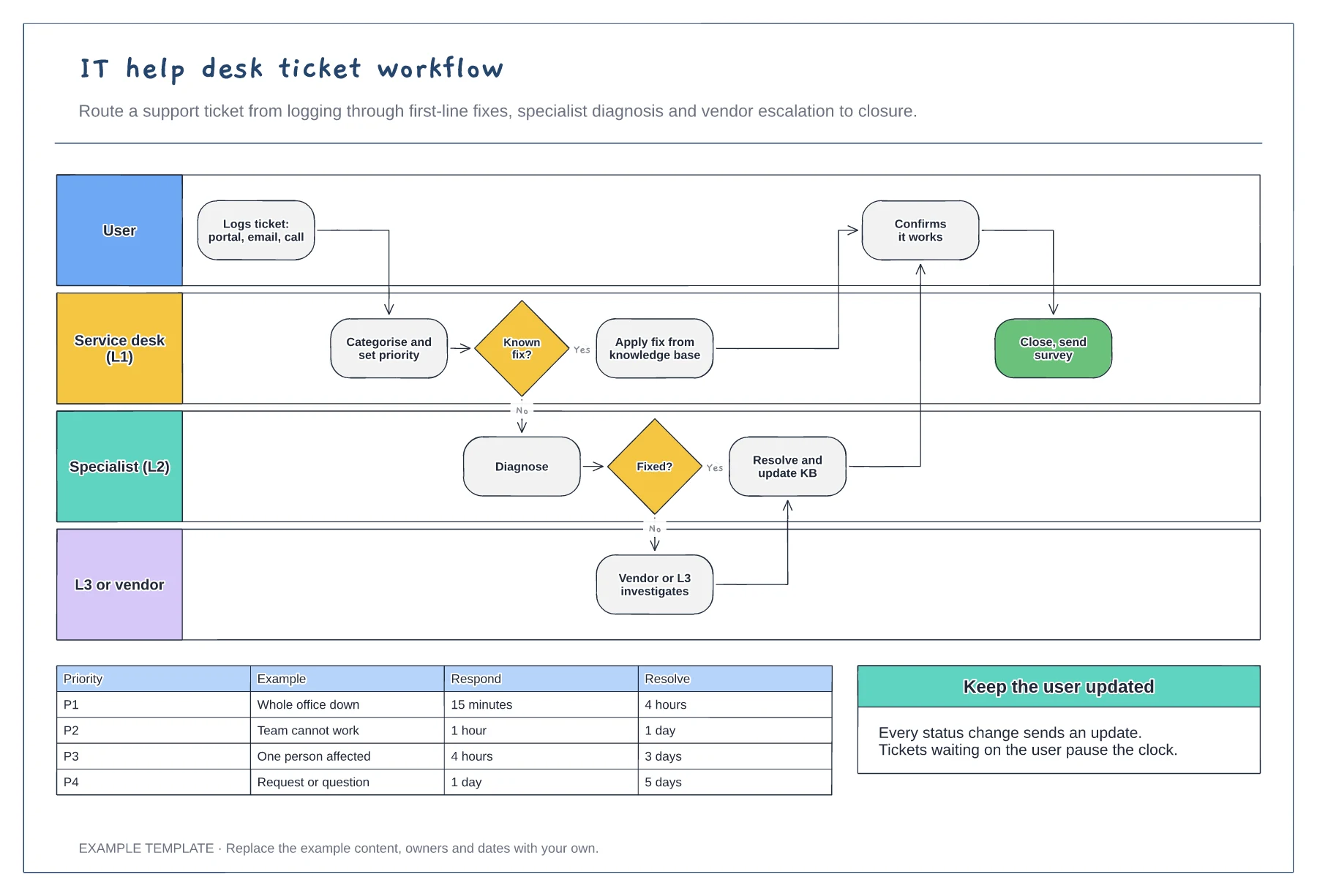
User, L1, L2 and L3 or vendor lanes · Knowledge base fix and escalation path · Priority SLA table
Preview and use template →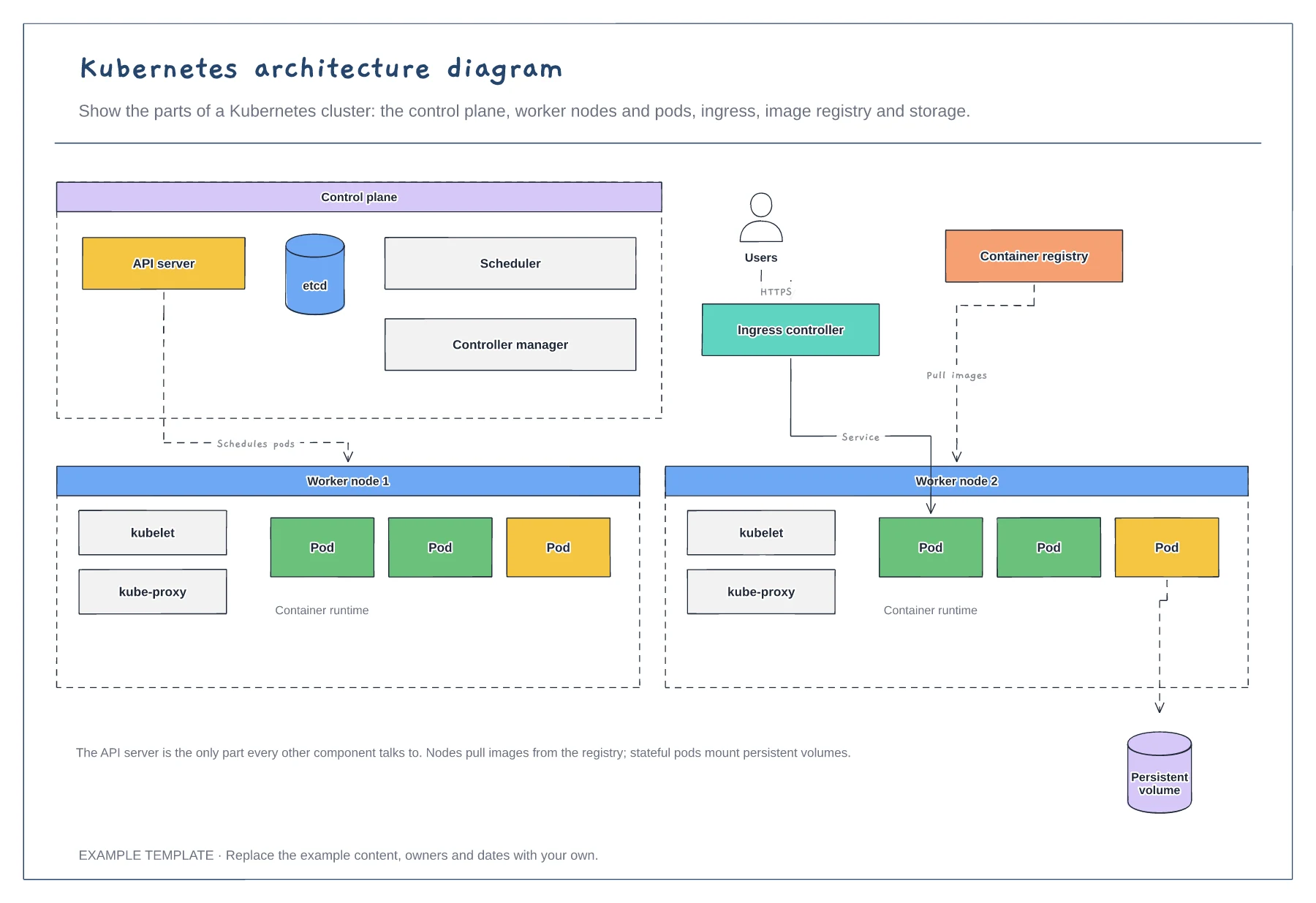
Control plane components · Worker nodes, kubelet and pods · Ingress, registry and storage
Preview and use template →