Engineering
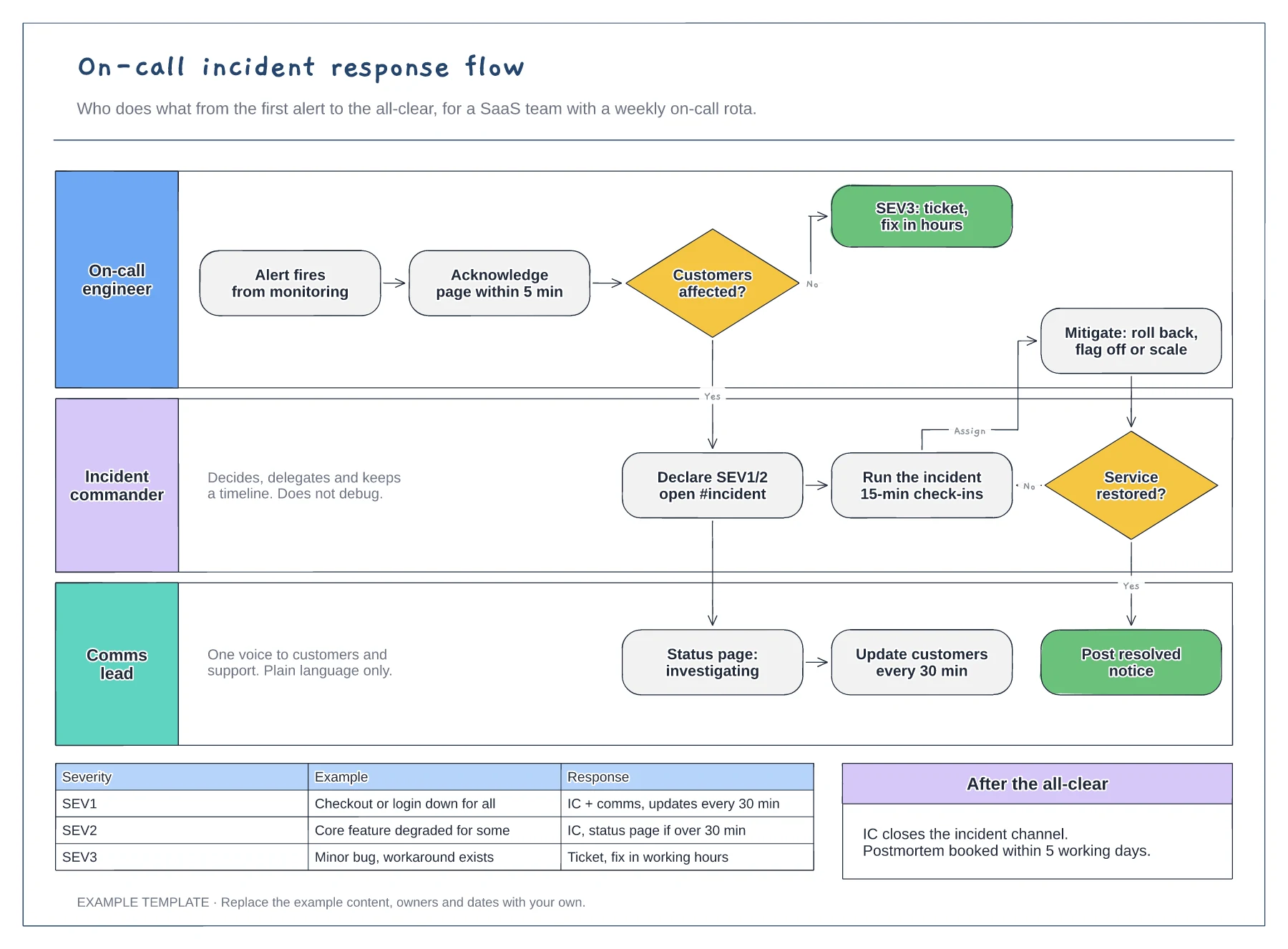
On-call incident response flowchart template
Lanes for on-call, incident commander and comms · Severity decision with SEV1 to SEV3 examples · Mitigation loop and customer update cadence
Preview and use template →A change management process lets IT make changes quickly without breaking things that people depend on. This example runs across requester, change manager, change advisory board and implementer lanes, with a fast path for pre-approved standard changes, CAB review for the rest, a rollback branch and a review before the request is closed.
No account needed · Opens as your own editable page
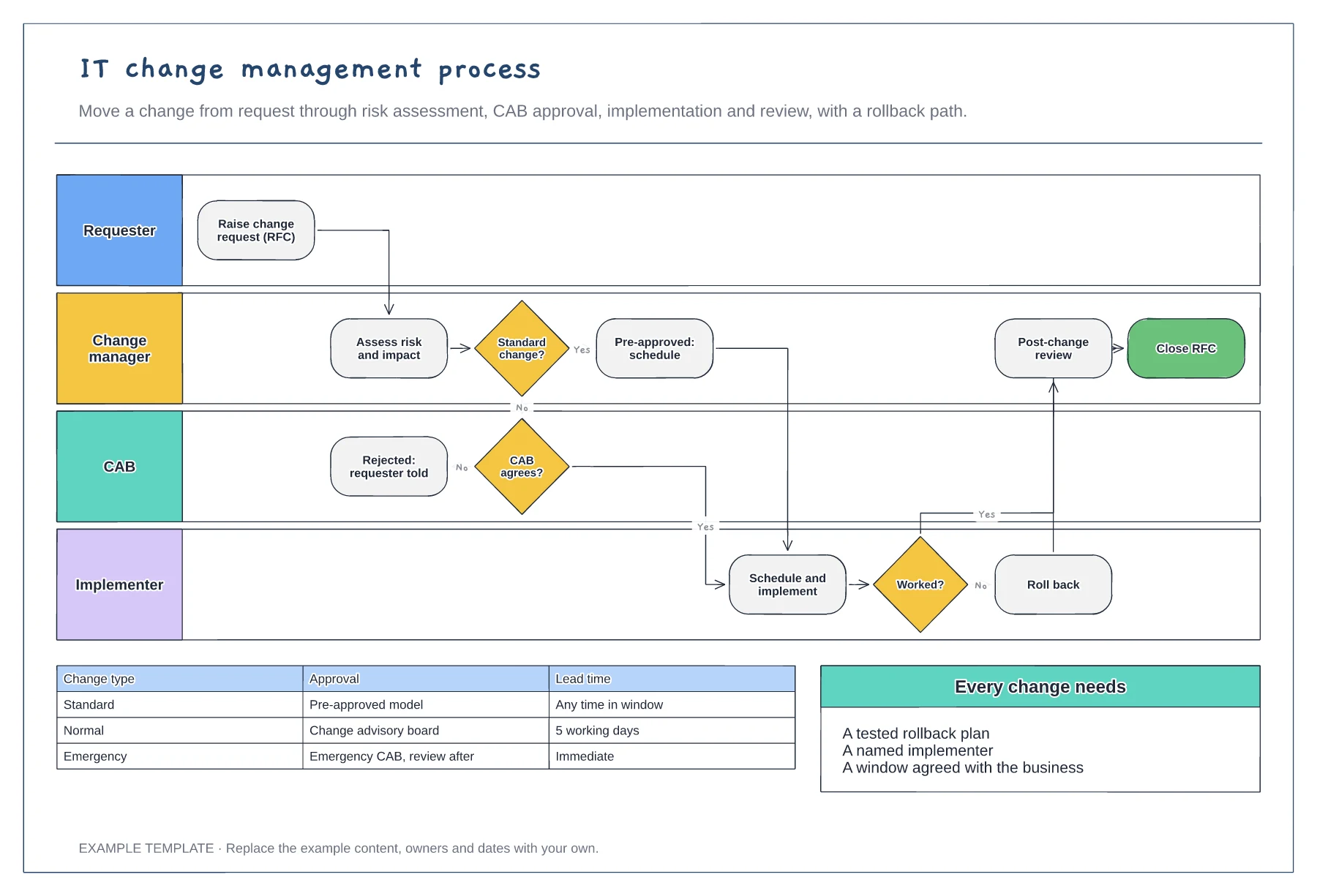
Agree which routine changes are standard and pre-approved, and what counts as normal or emergency. Put the rules in the table on the board.
Send only changes with real risk to the advisory board. A CAB that reviews everything becomes a rubber stamp.
Review changes that failed or rolled back and turn the lessons into better checks or new standard changes.
Low-risk, pre-approved changes skip the CAB review and go straight to implementation. Edit it to name the changes your team treats as standard.
No. Open the template and edit it in your browser. Your work saves on this device. An account is optional if you want to sync your workspace.
Yes. Use Export in the editor to save a PNG, SVG or PDF, or download an editable .epicdraw backup.
Lanes for on-call, incident commander and comms · Severity decision with SEV1 to SEV3 examples · Mitigation loop and customer update cadence
Preview and use template →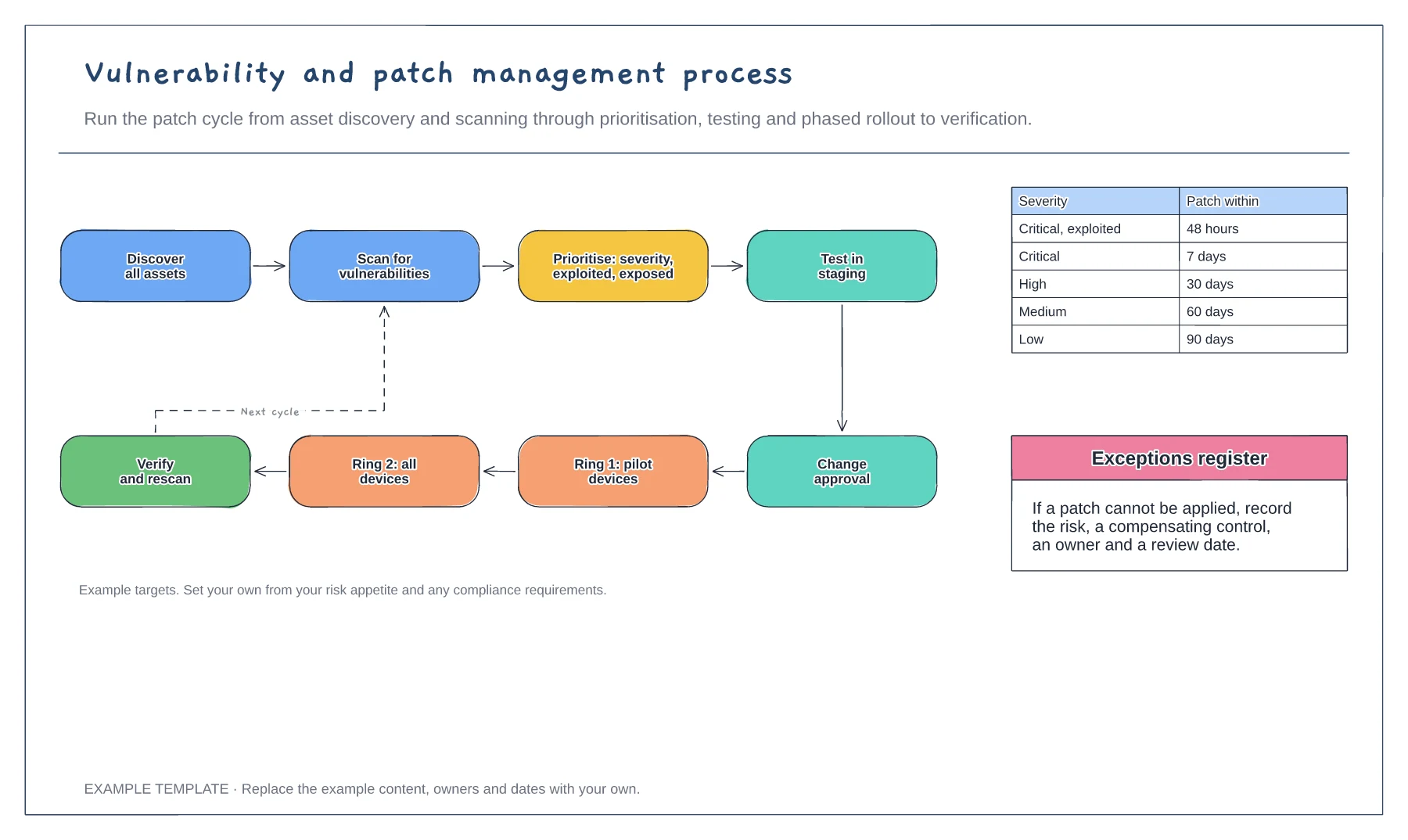
Eight-step patch cycle · Patch deadlines by severity · Exceptions register
Preview and use template →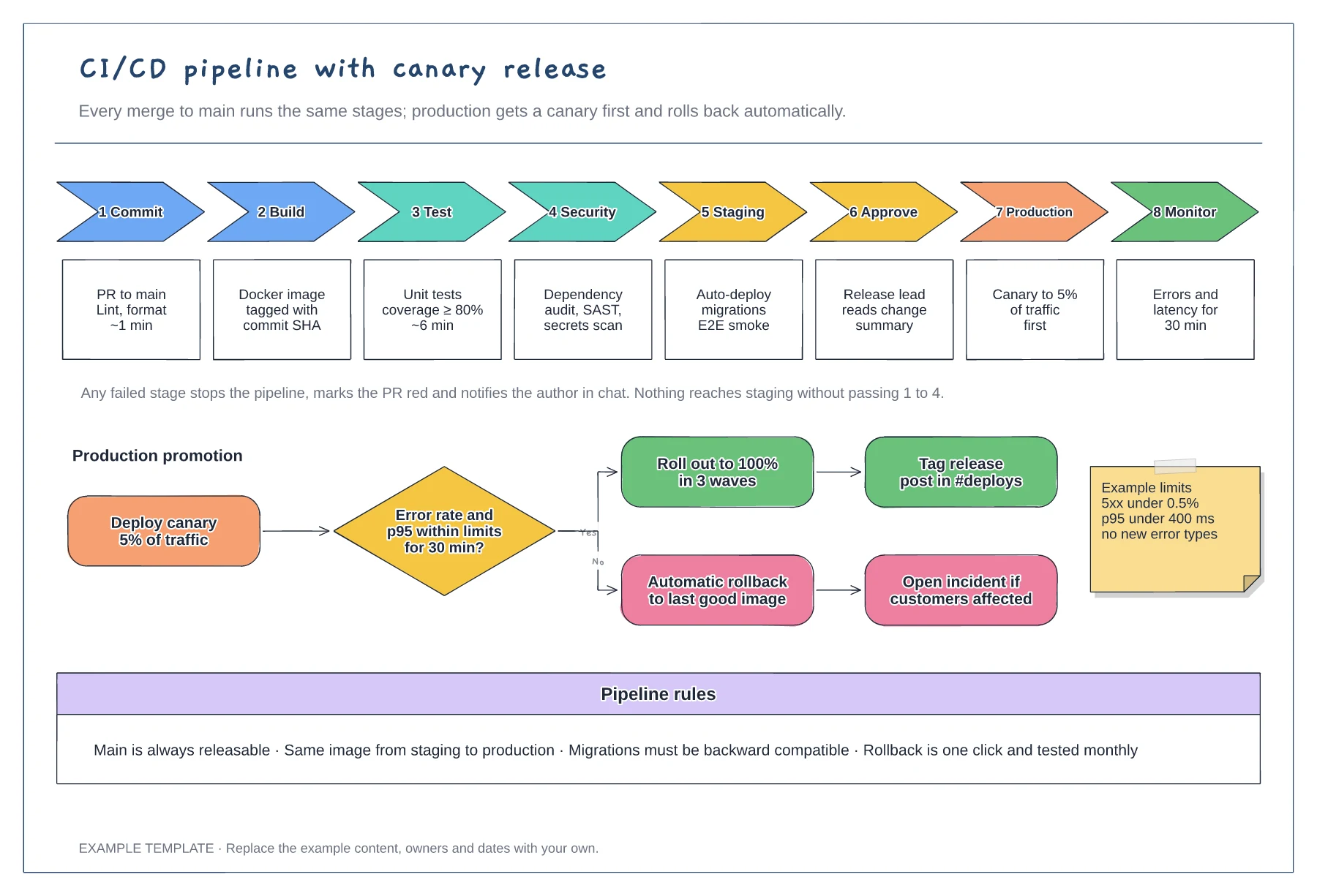
Eight stages with checks and time budgets · Canary promotion with a rollback branch · Example limits and pipeline rules
Preview and use template →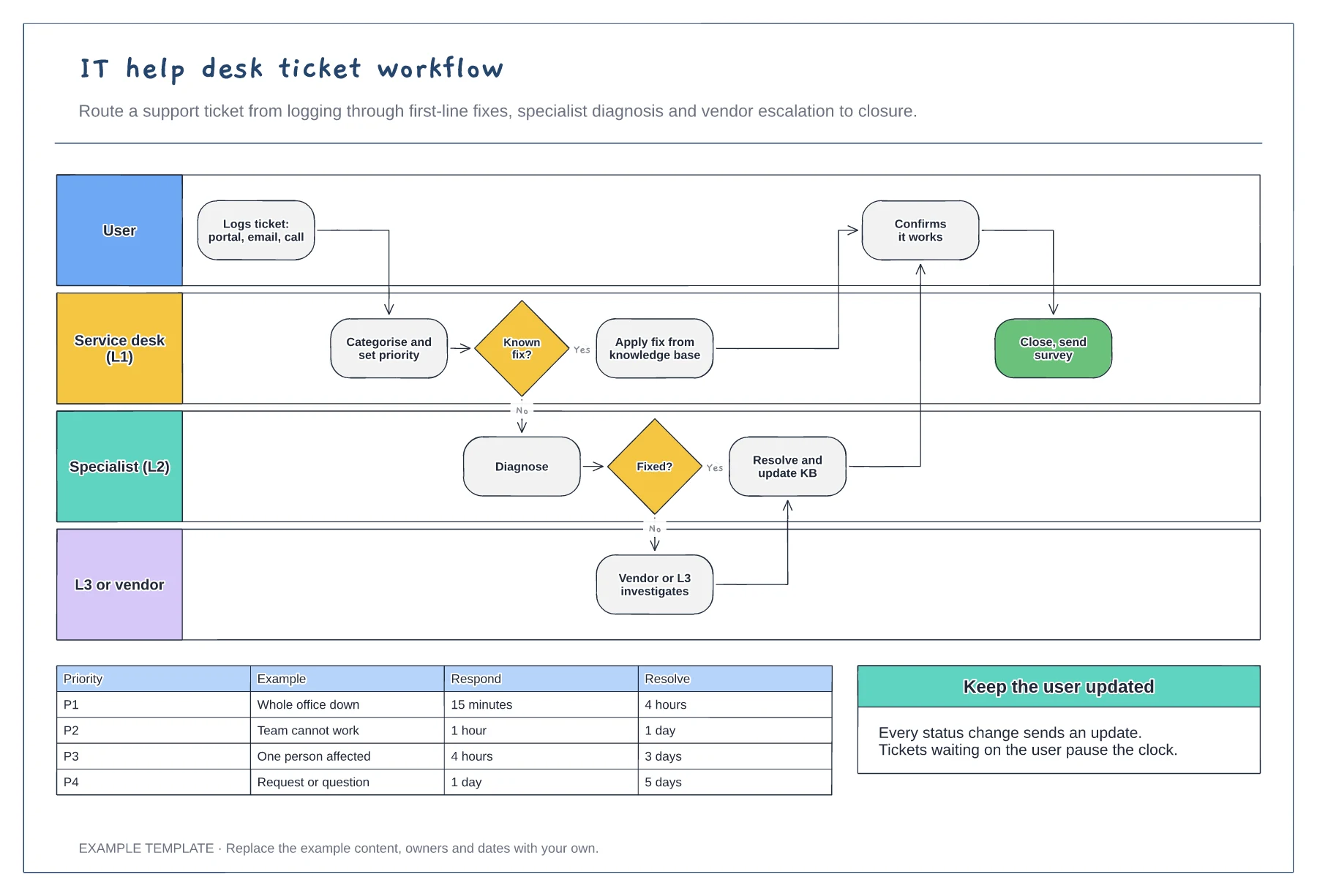
User, L1, L2 and L3 or vendor lanes · Knowledge base fix and escalation path · Priority SLA table
Preview and use template →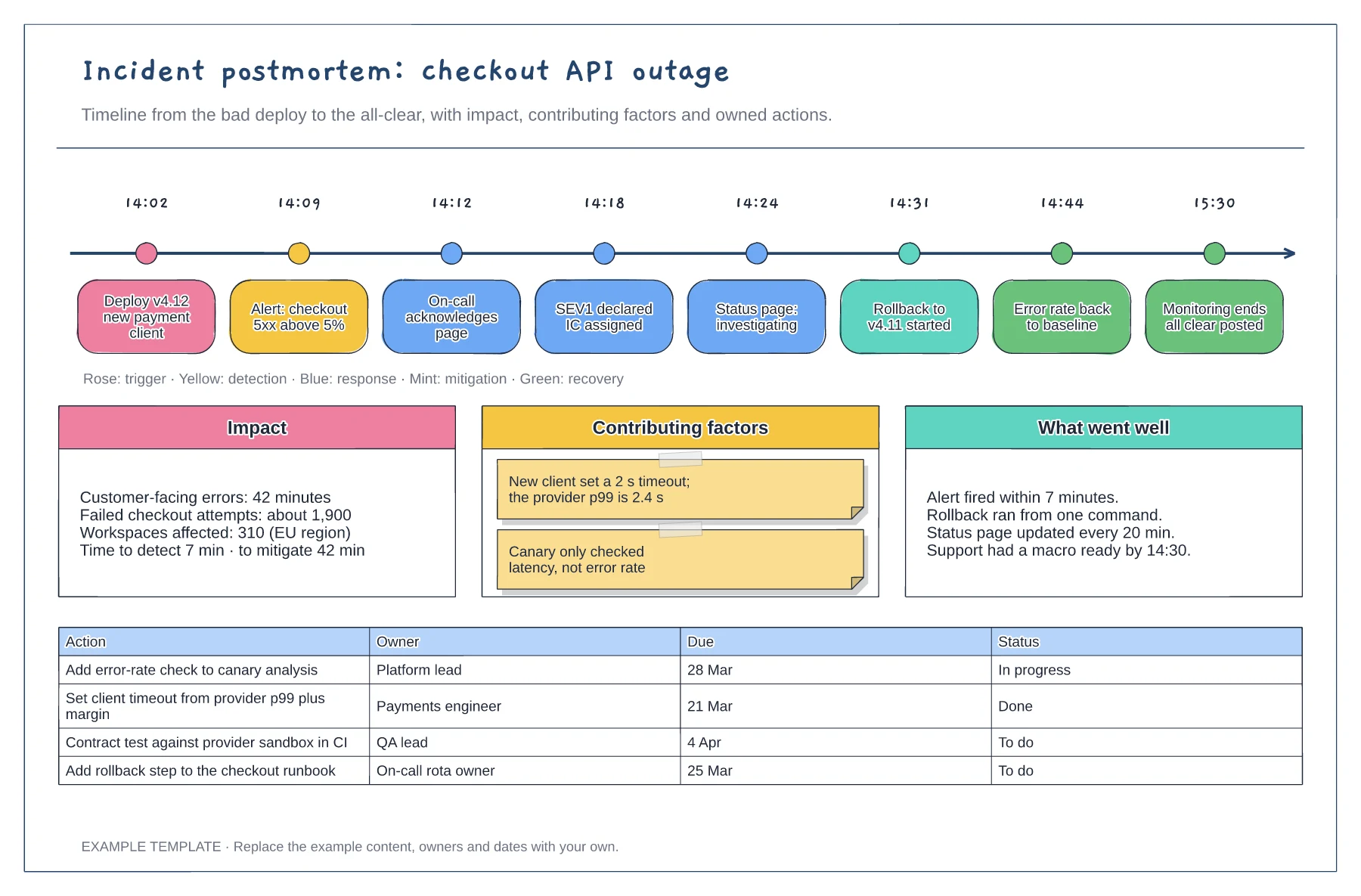
Timestamped events from deploy to all-clear · Impact, contributing factors and what went well · Action table with owners, due dates and status
Preview and use template →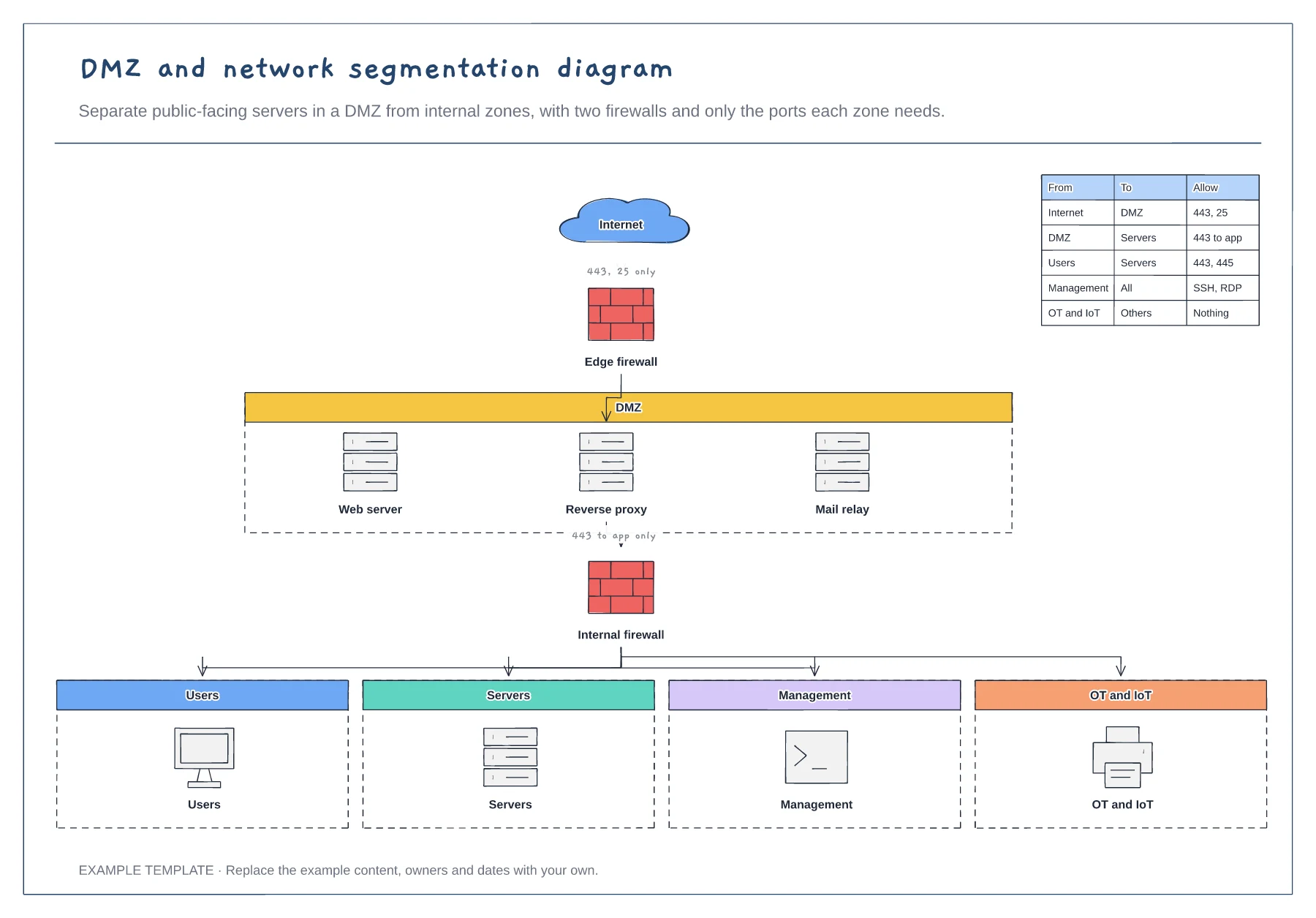
Edge and internal firewalls · DMZ with public-facing servers · Four internal zones and a rules table
Preview and use template →