IT and security
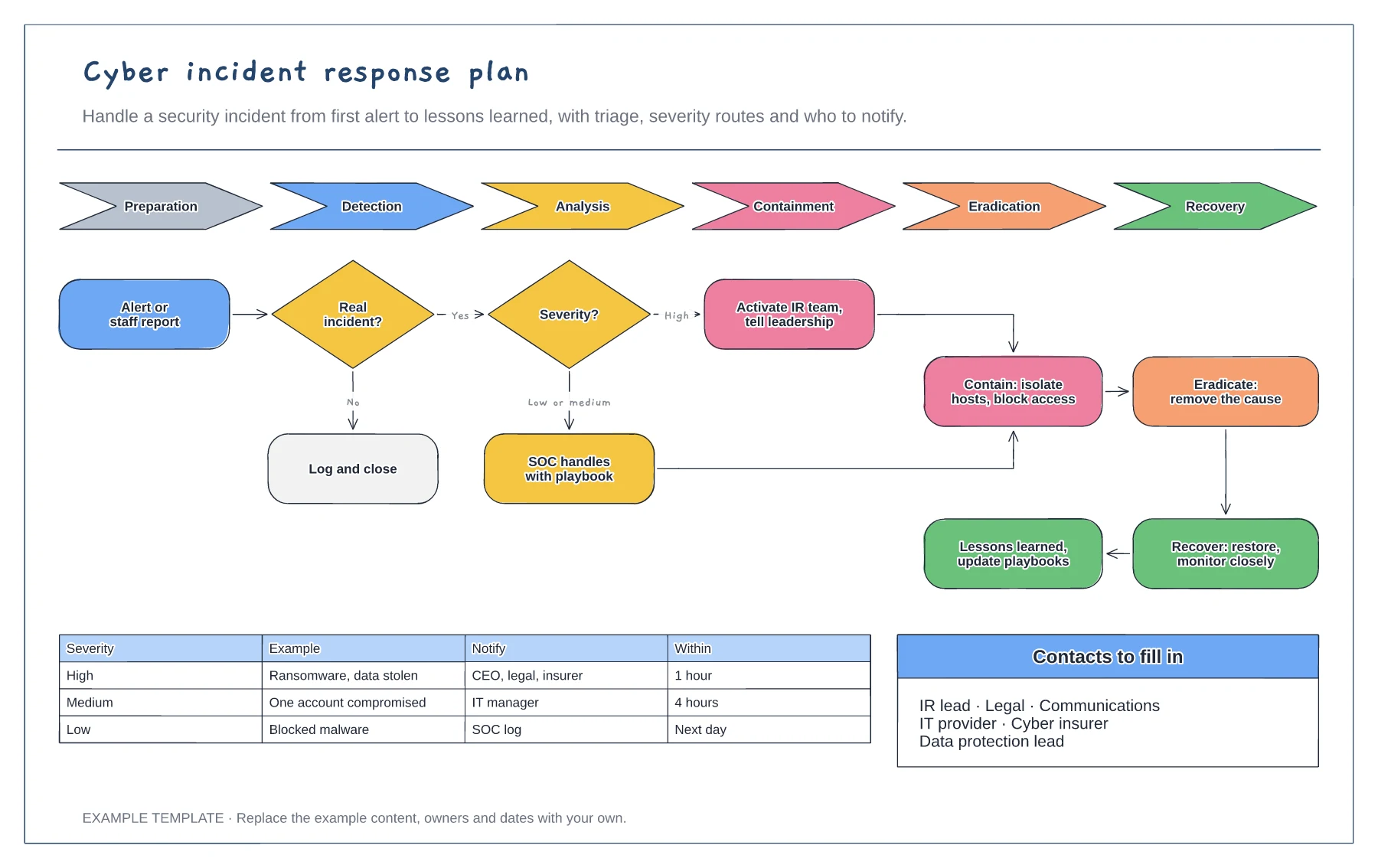
Cyber incident response plan template
NIST lifecycle from preparation to recovery · Triage and severity routes · Escalation matrix and contacts
Preview and use template →A backup and disaster recovery diagram shows where your data is copied and how you get systems running again after a failure. This example follows the 3-2-1 rule with a local backup, an immutable cloud copy and an offline copy, adds a disaster recovery site for failover and sets recovery time and data loss targets for each system.
No account needed · Opens as your own editable page
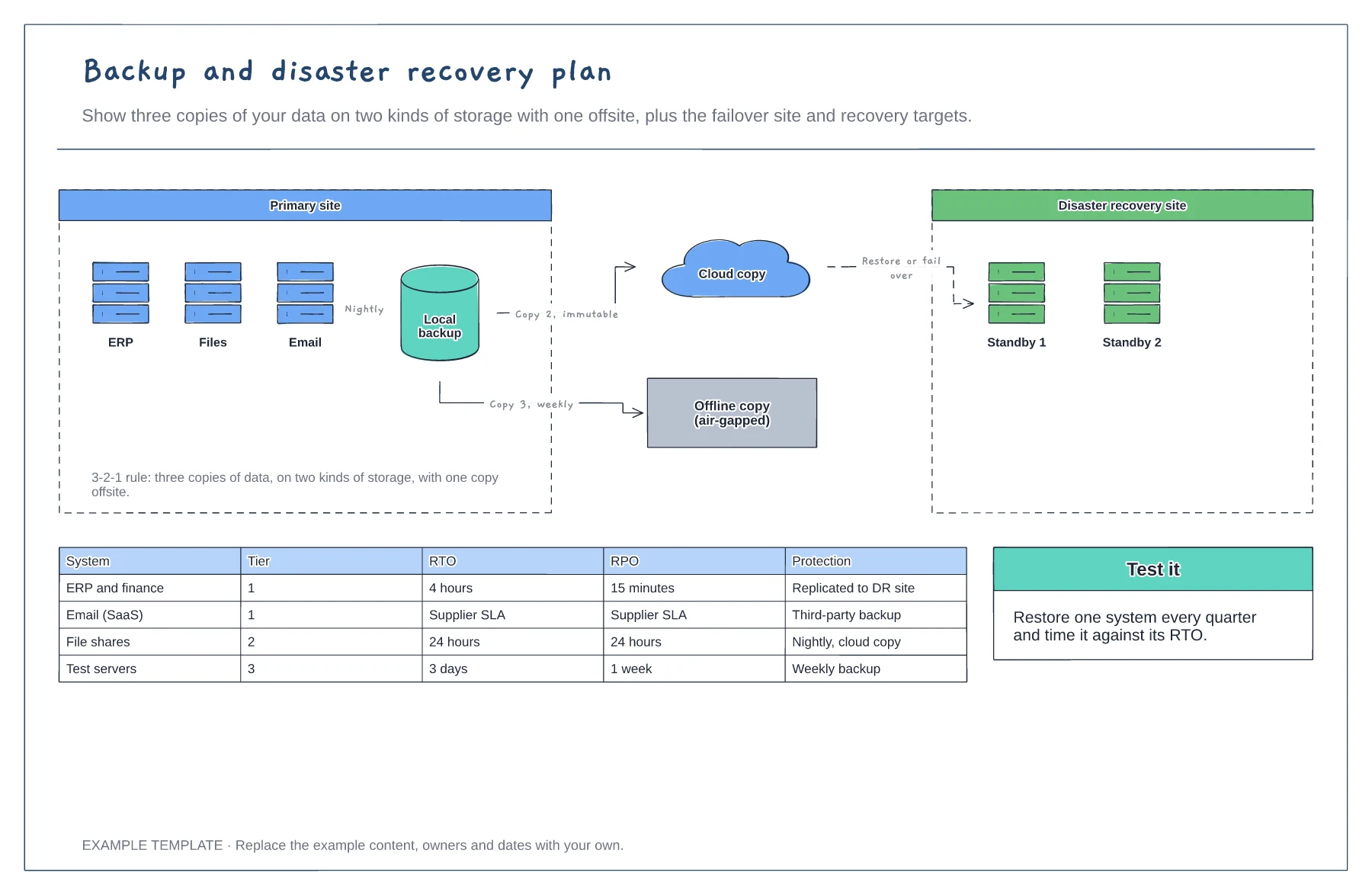
Group systems into tiers and agree how long each can be down (RTO) and how much data you can afford to lose (RPO).
Give tier 1 systems replication or fast restore, and cheaper nightly or weekly backups to the rest.
Restore a system every quarter and time it against its target. A backup you have not restored is a hope, not a plan.
Yes. Edit the targets for each system tier, so critical systems recover first and less important ones can wait longer.
No. Open the template and edit it in your browser. Your work saves on this device. An account is optional if you want to sync your workspace.
Yes. Use Export in the editor to save a PNG, SVG or PDF, or download an editable .epicdraw backup.
NIST lifecycle from preparation to recovery · Triage and severity routes · Escalation matrix and contacts
Preview and use template →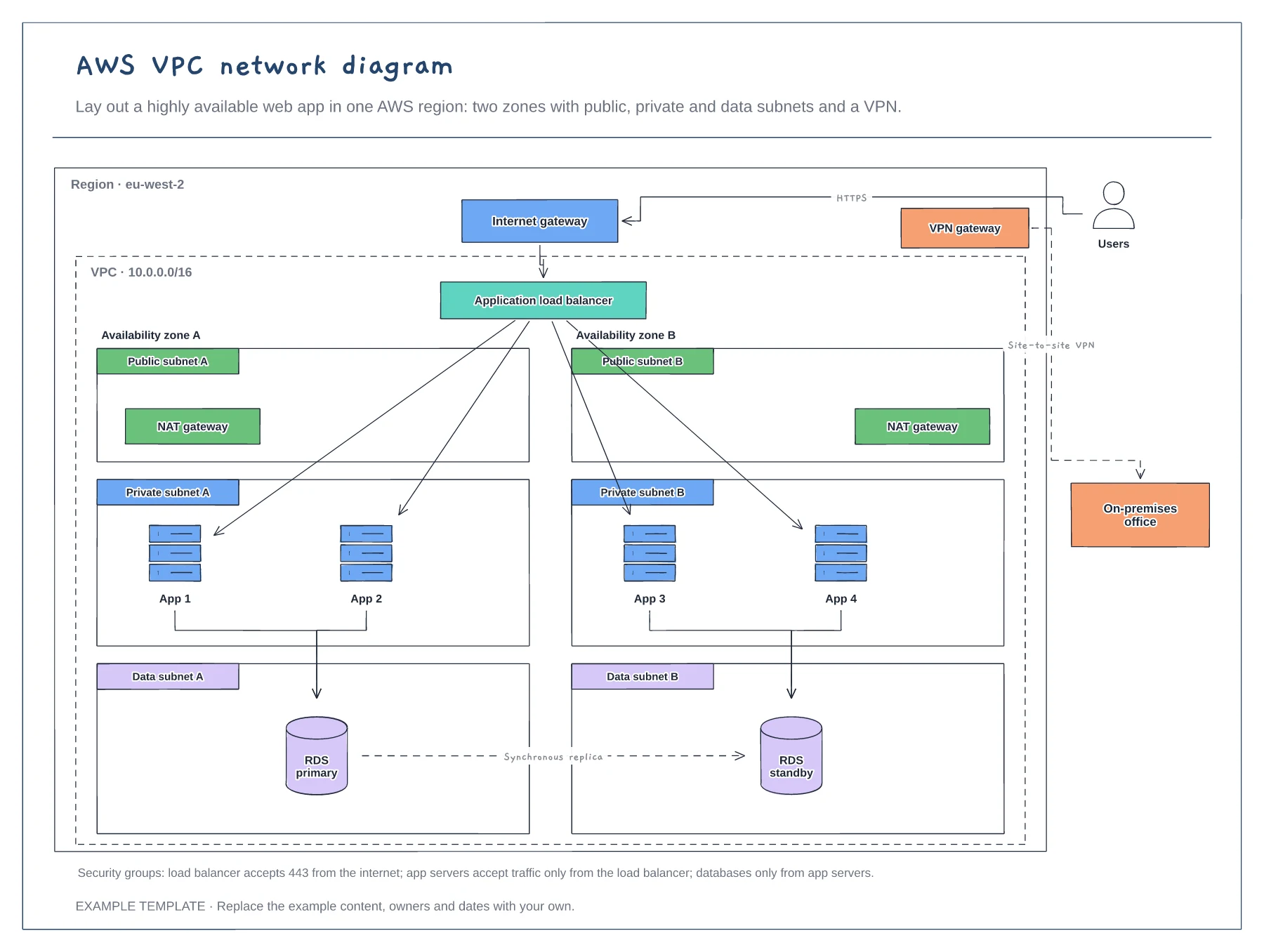
Region, VPC and two availability zones · Public, private and data subnets · Load balancer, NAT, RDS and VPN
Preview and use template →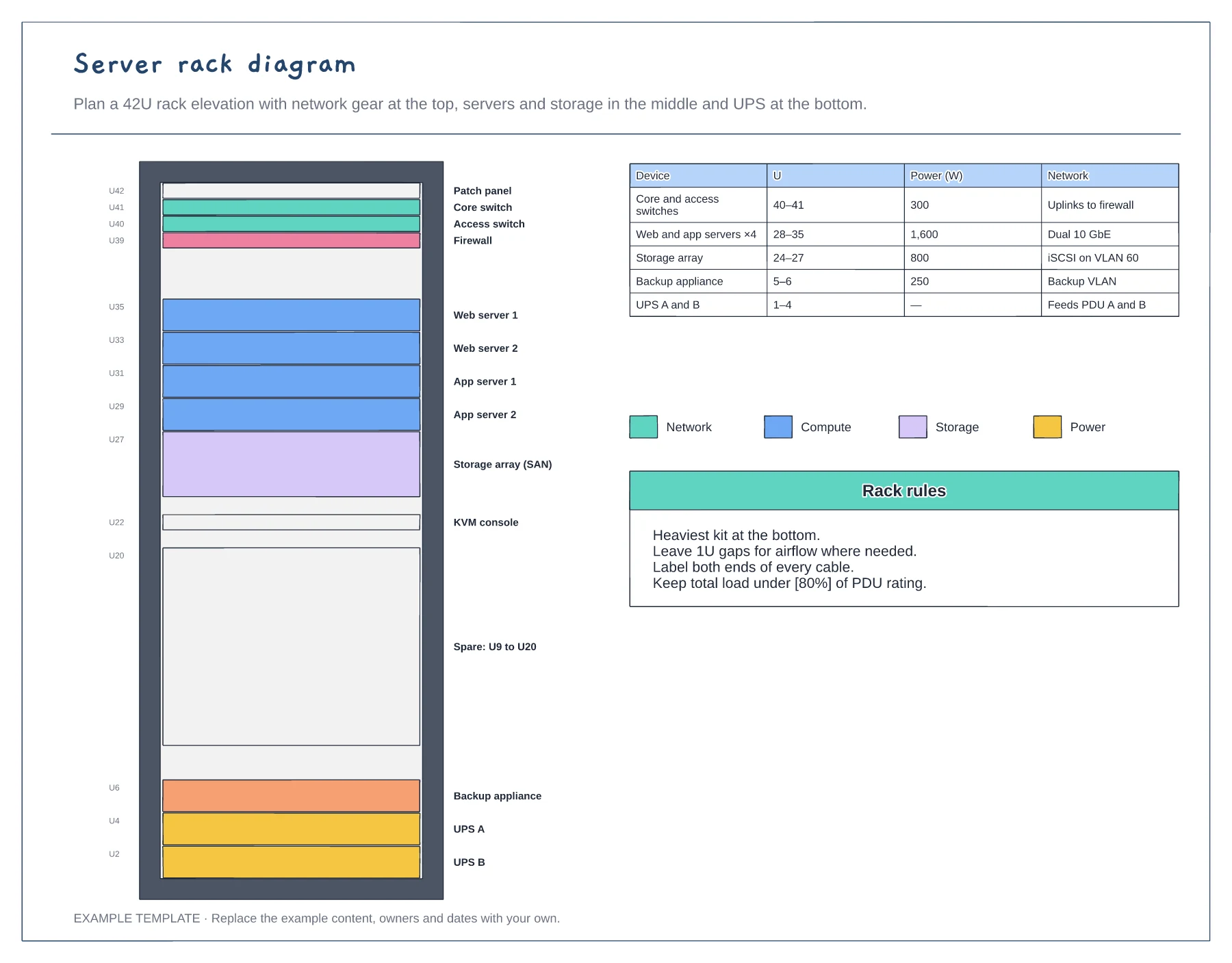
42U rack elevation with unit numbers · Network, compute, storage and power colours · Power and network table
Preview and use template →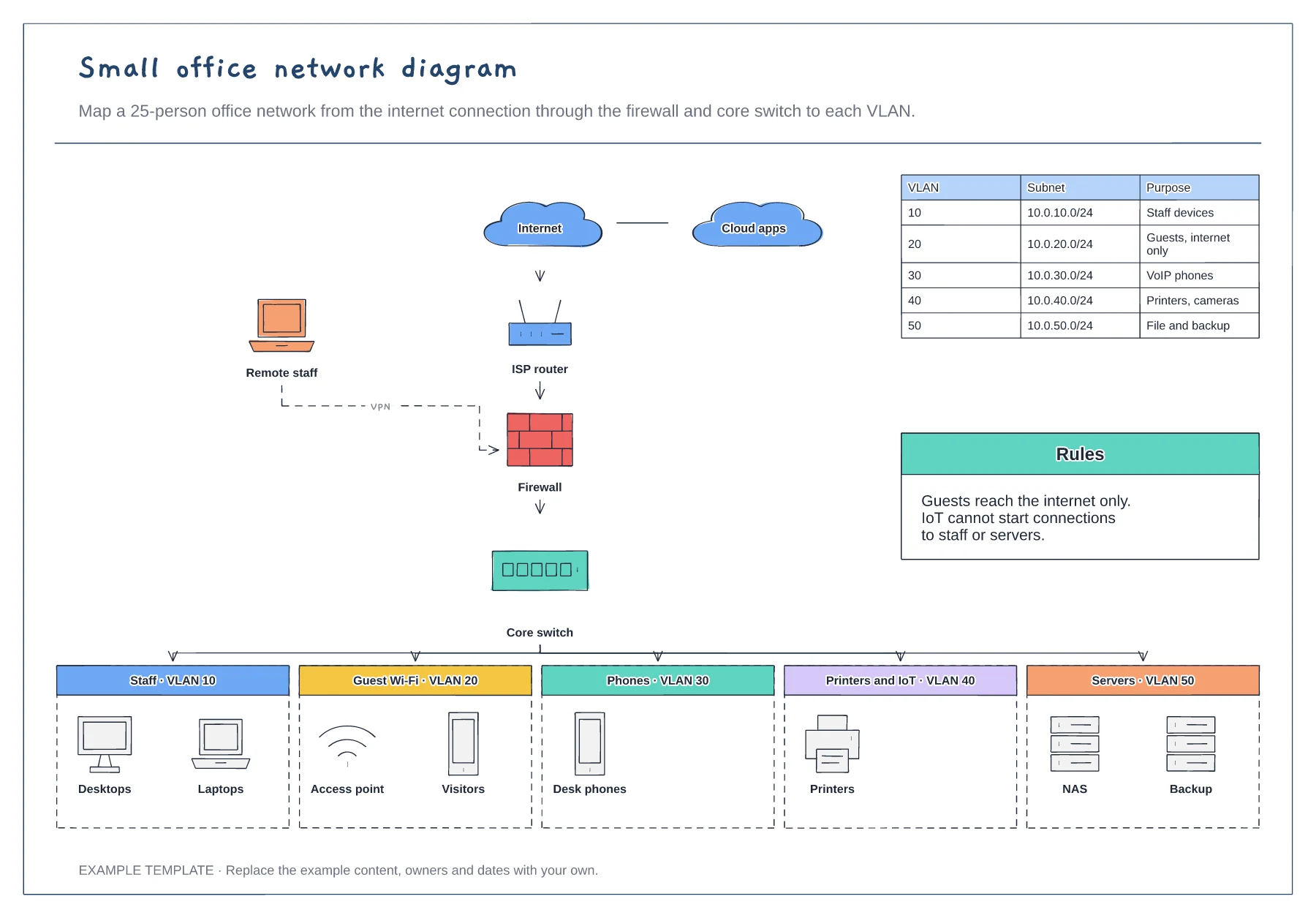
Internet, router, firewall and core switch · Five VLANs with example devices · Subnet table and segmentation rules
Preview and use template →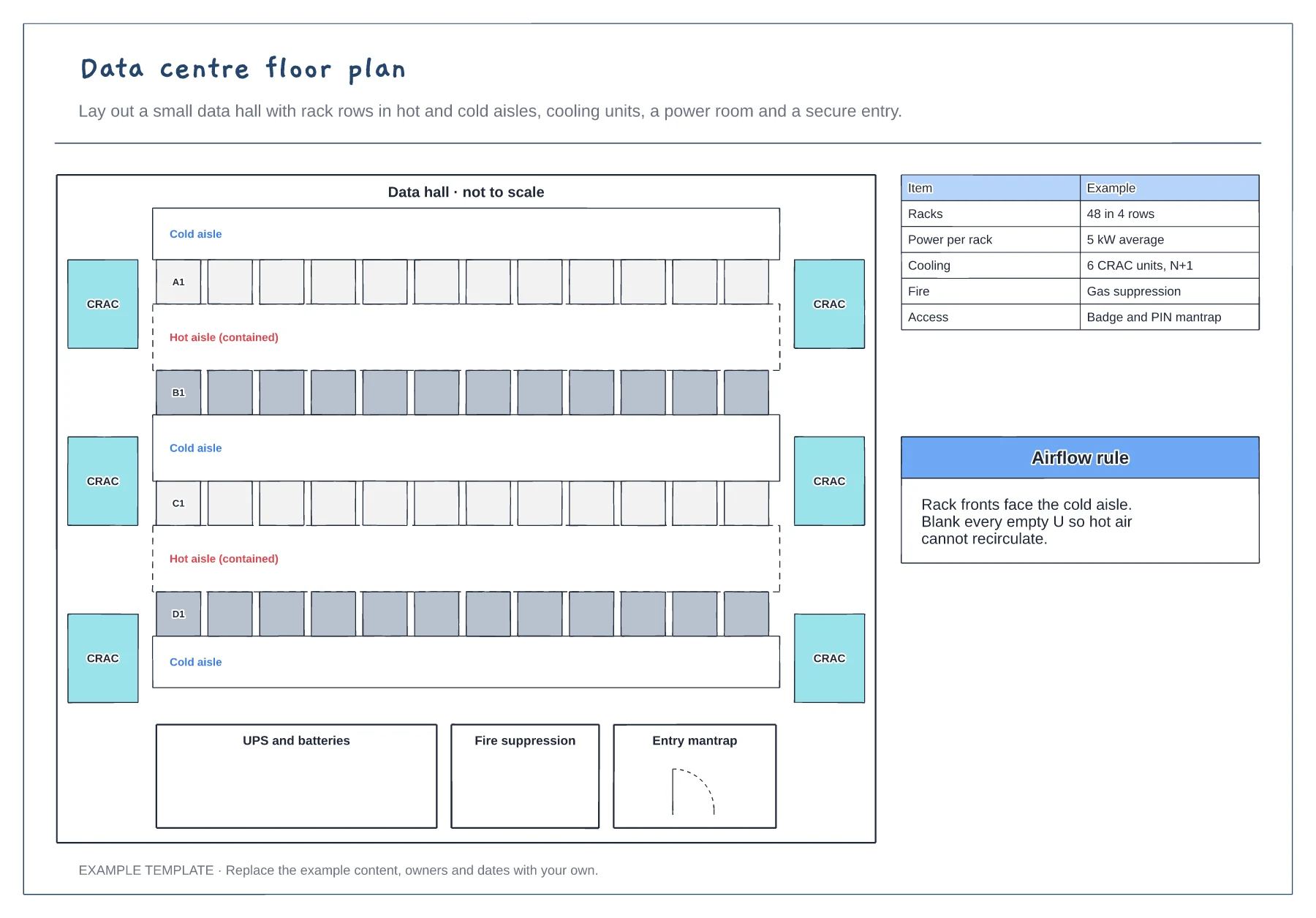
Rack rows in hot and cold aisles · Cooling units, UPS room and fire suppression · Secure entry and key figures
Preview and use template →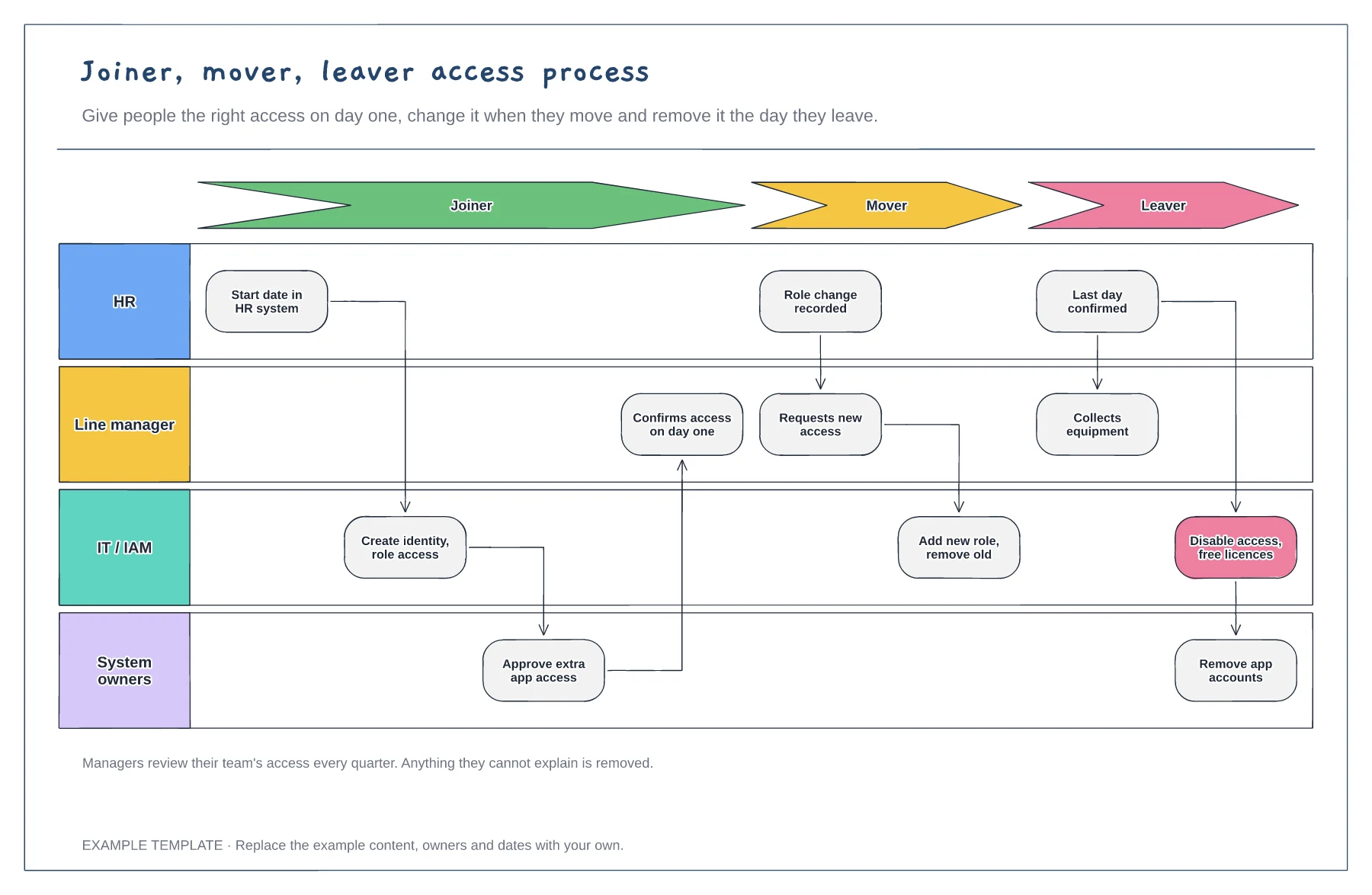
Joiner, mover and leaver stages · HR, manager, IT and system owner lanes · Quarterly access review
Preview and use template →