Manufacturing
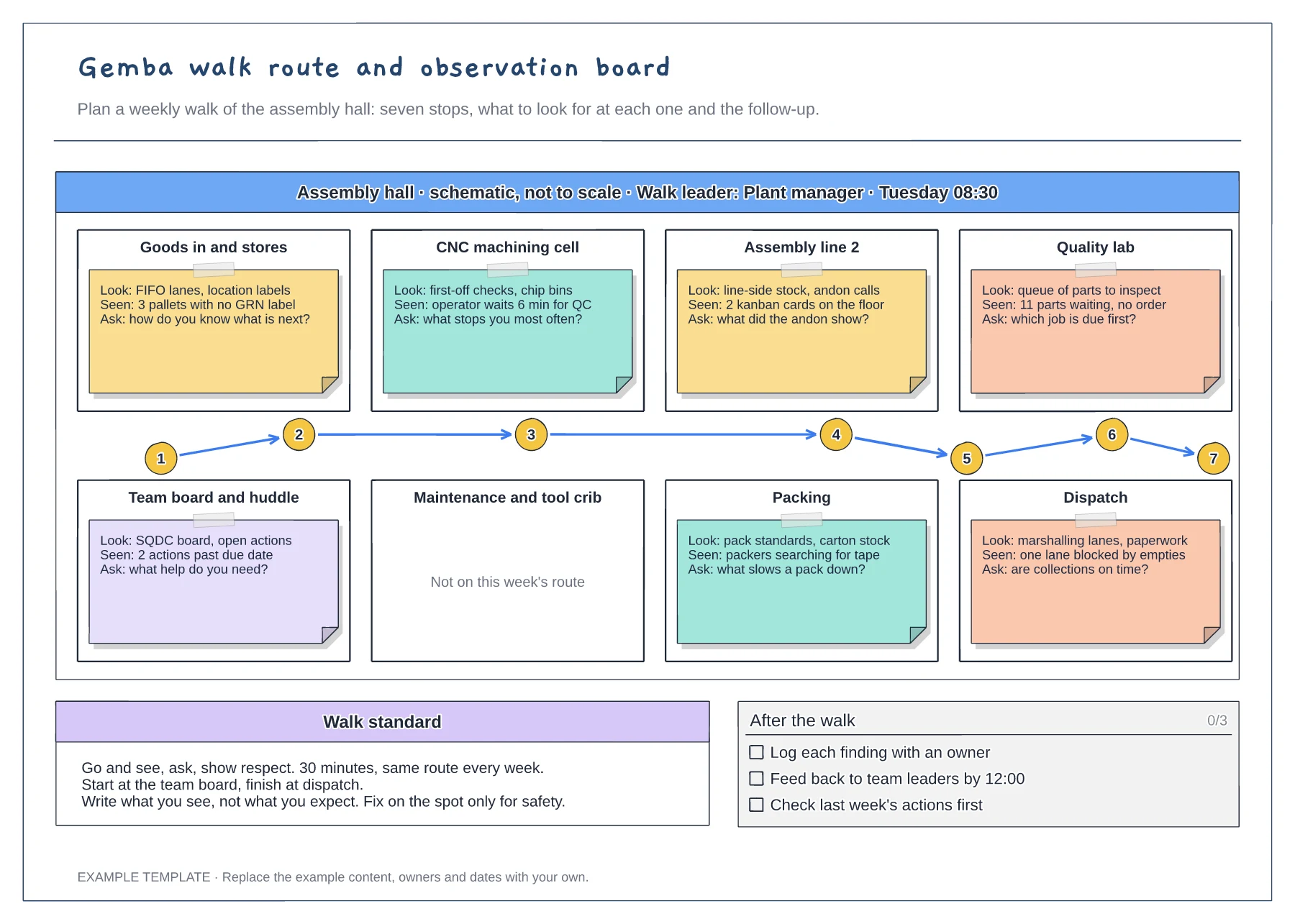
Gemba walk route and observation board template
Floor plan with a numbered walk route · Look, seen and ask notes at every stop · Walk standard and after-the-walk checklist
Preview and use template →An SQDC board gives a team a few minutes at the start of each shift to look at safety, quality, delivery and cost together. This example shows a week on Line 3: an October safety cross, defects per shift, units short of plan, scrap cost, the issues behind Thursday's bad day and the actions with owners.
No account needed · Opens as your own editable page
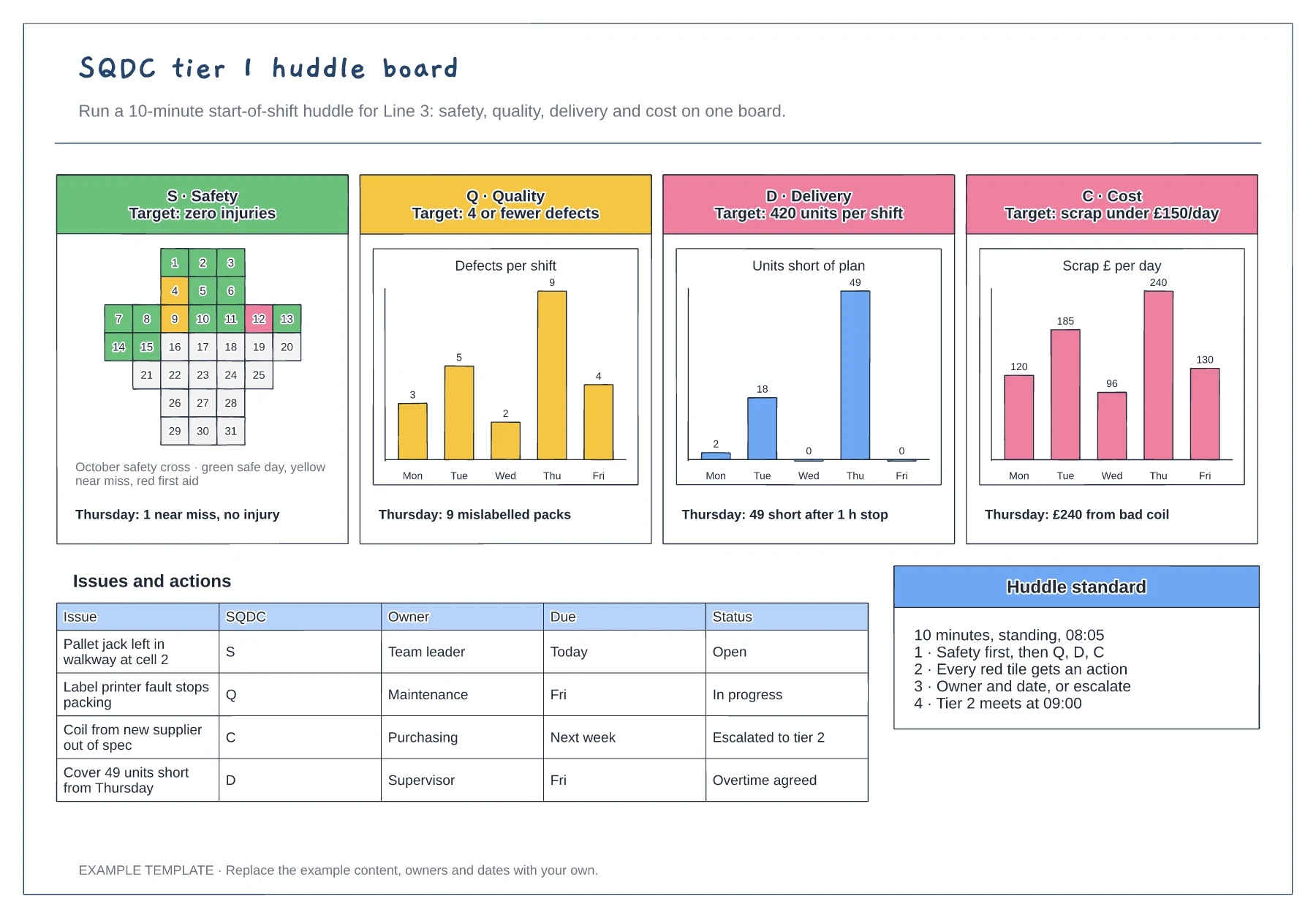
Choose a single measure the team can influence for each of S, Q, D and C, and write its target in the header. Too many measures turn a huddle into a report.
Have the team leader fill in yesterday's numbers and colours before the meeting. The huddle should spend its ten minutes on problems, not on drawing charts.
For each missed target, add a line to the actions table with an owner and date, or escalate it to tier 2. A board that shows problems without actions soon stops being read.
Colour the square for that date, for example green for no incident and red for an injury, and update the key if your site uses other colours.
No. Open the template and edit it in your browser. Your work saves on this device. An account is optional if you want to sync your workspace.
Yes. Use Export in the editor to save a PNG, SVG or PDF, or download an editable .epicdraw backup.
Floor plan with a numbered walk route · Look, seen and ask notes at every stop · Walk standard and after-the-walk checklist
Preview and use template →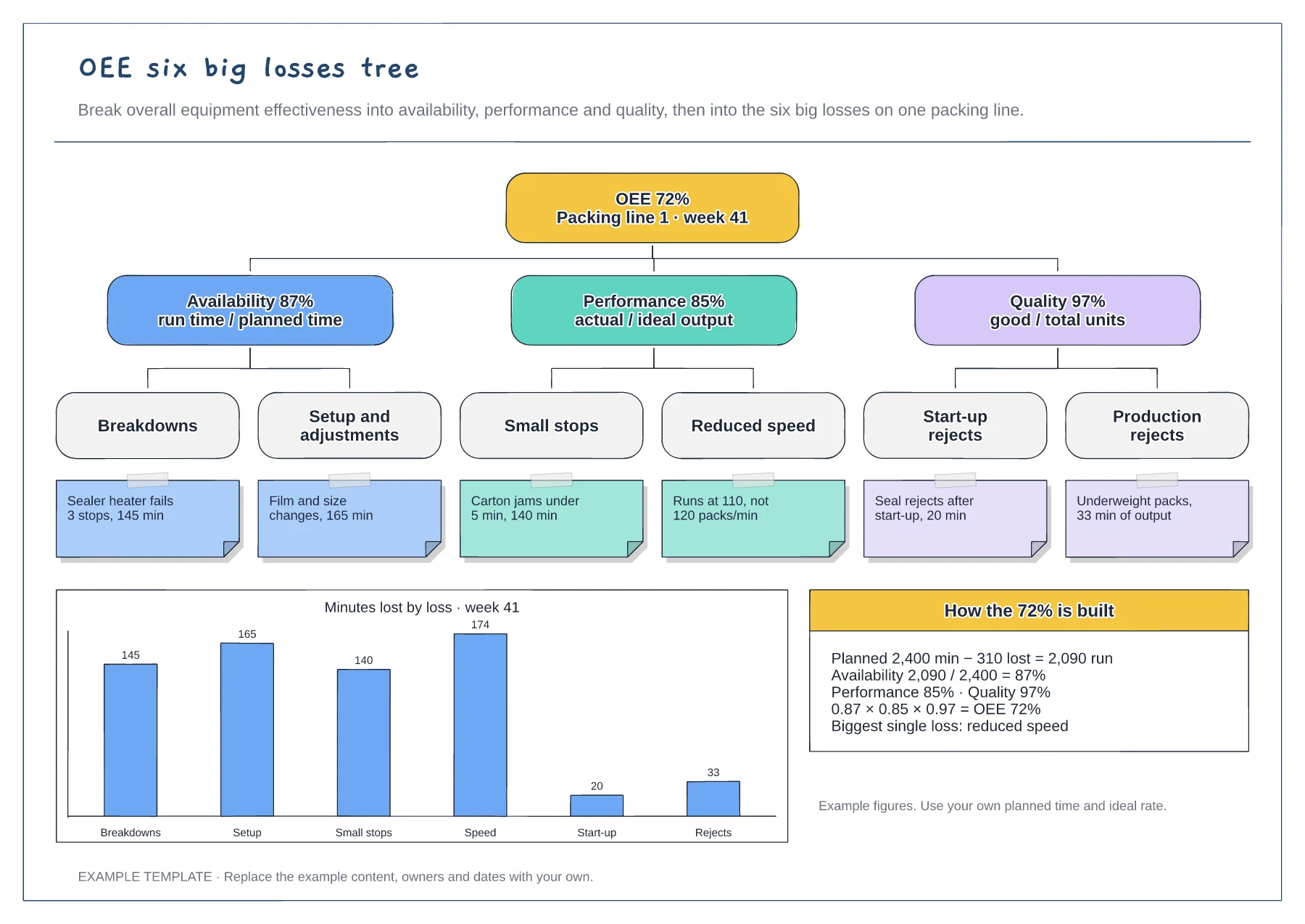
Tree from OEE to the six big losses · Example cause under each loss · Minutes-lost chart and the OEE calculation
Preview and use template →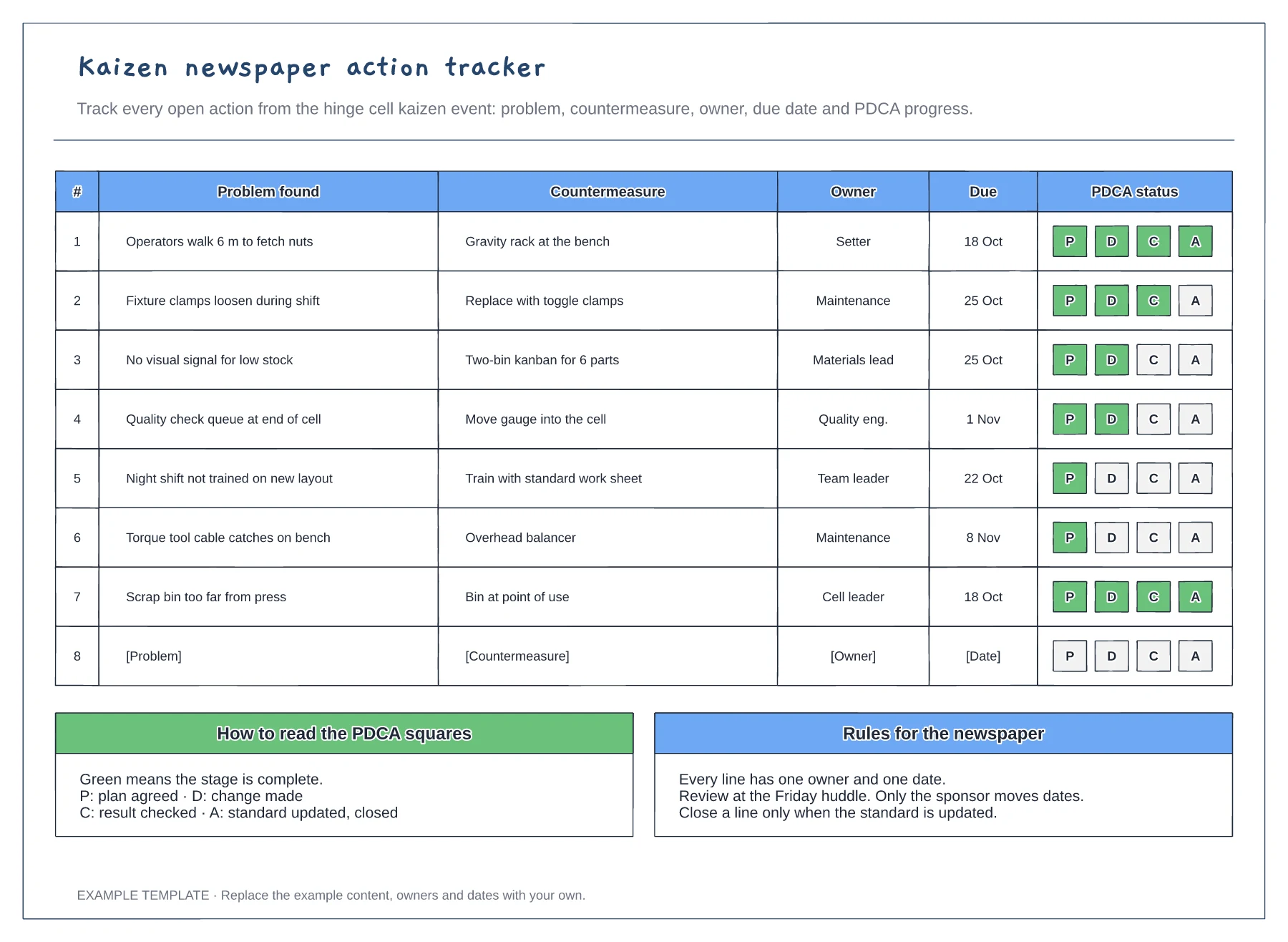
Problem and countermeasure for each line · Owner and due date columns · PDCA progress squares and newspaper rules
Preview and use template →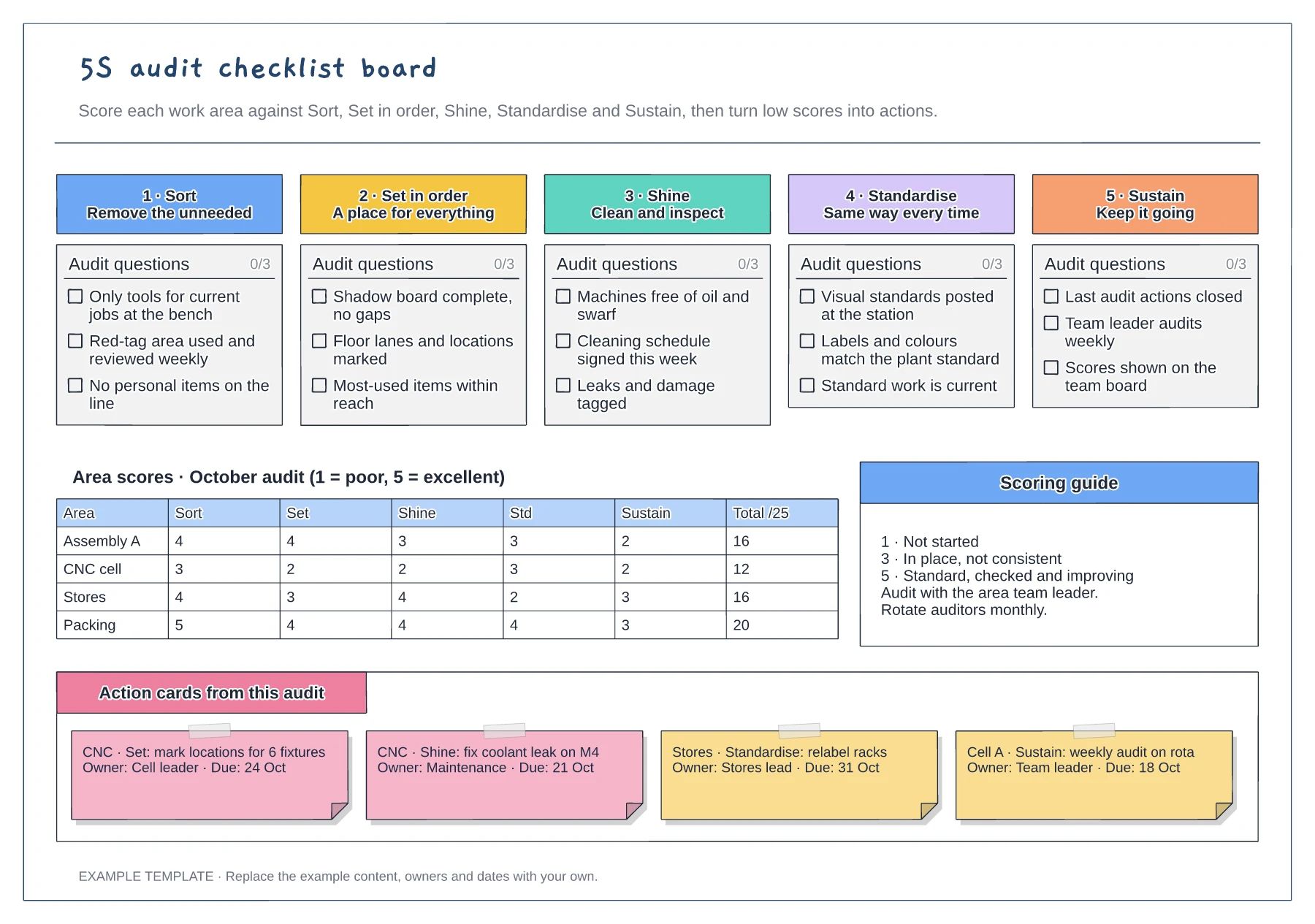
Tickable audit questions for each S · Score grid by area and pillar · Action cards with owner and due date
Preview and use template →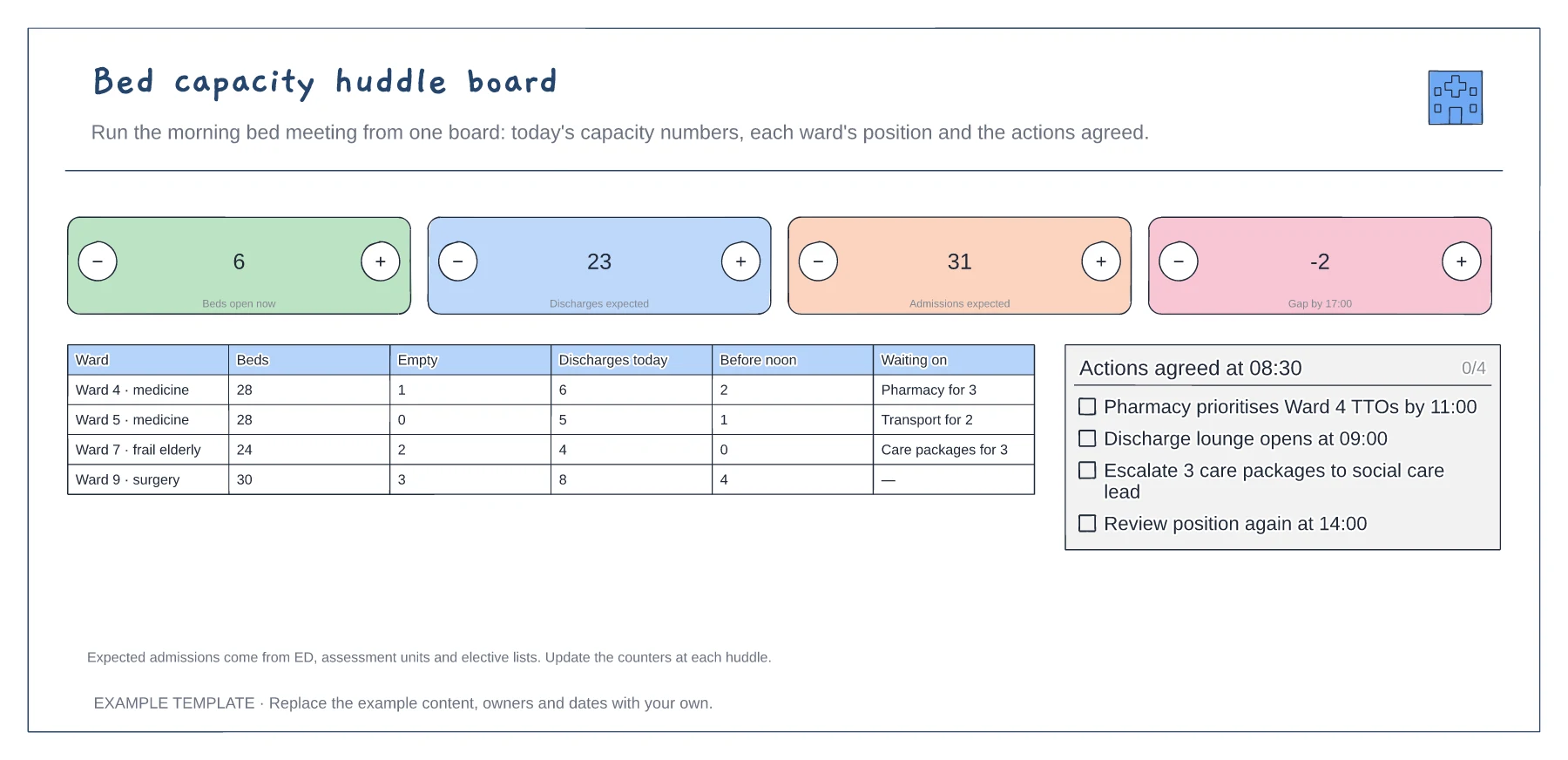
Four headline capacity counts · Ward-by-ward position · Actions agreed at the huddle
Preview and use template →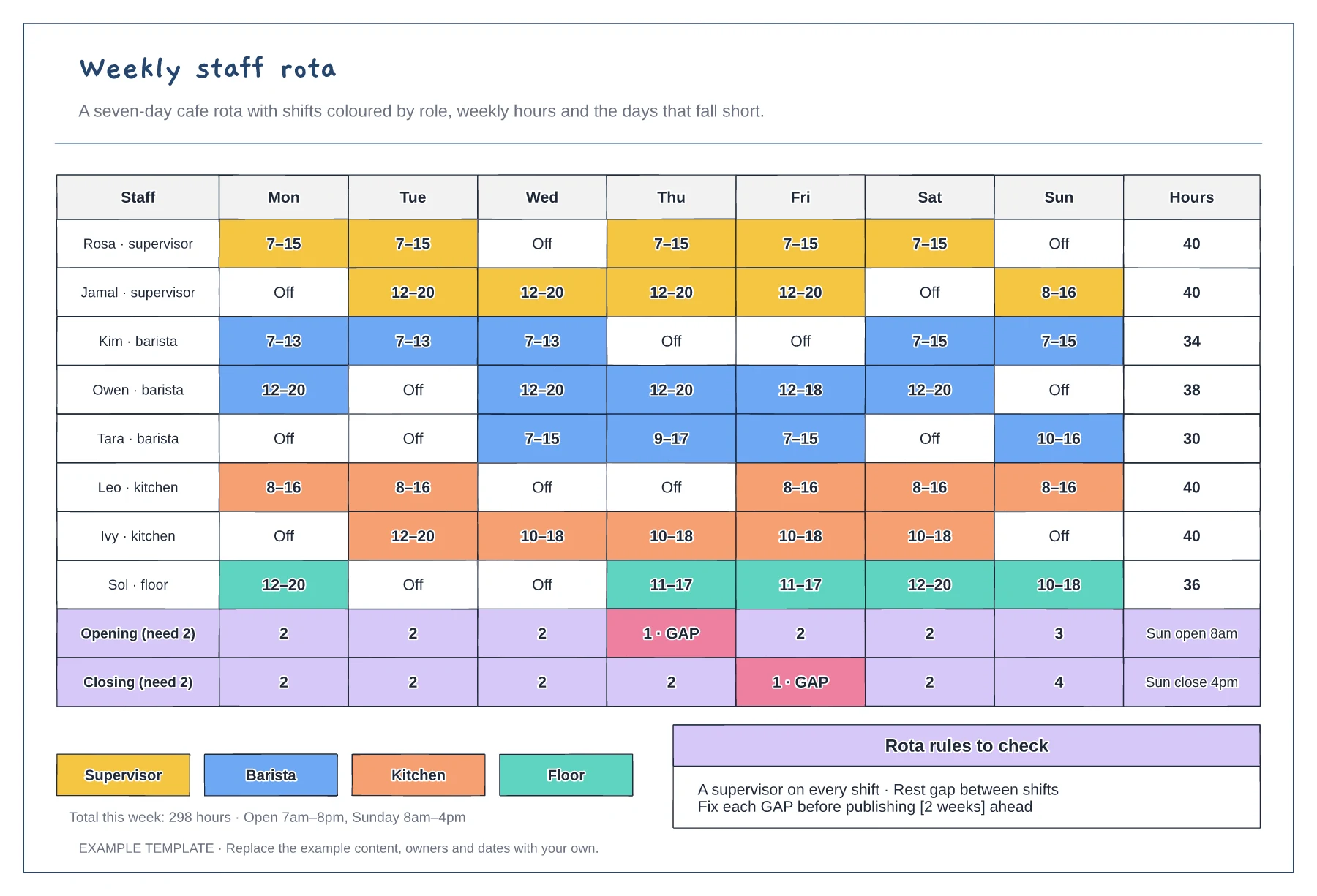
Mon to Sun shifts coloured by role · Weekly hours per person · Opening and closing cover with gaps flagged
Preview and use template →