
HR
Employee onboarding checklist template
Before-start preparation · Day-one and first-week activities · First-month review
Preview and use template →A recruitment process flowchart shows each step from a vacancy request to a new starter’s first day, and who owns it. This example uses three lanes for the hiring manager, recruiter and candidate, with decisions for role approval, the offer and the candidate’s acceptance, plus what happens when the answer is no.
No account needed · Opens as your own editable page
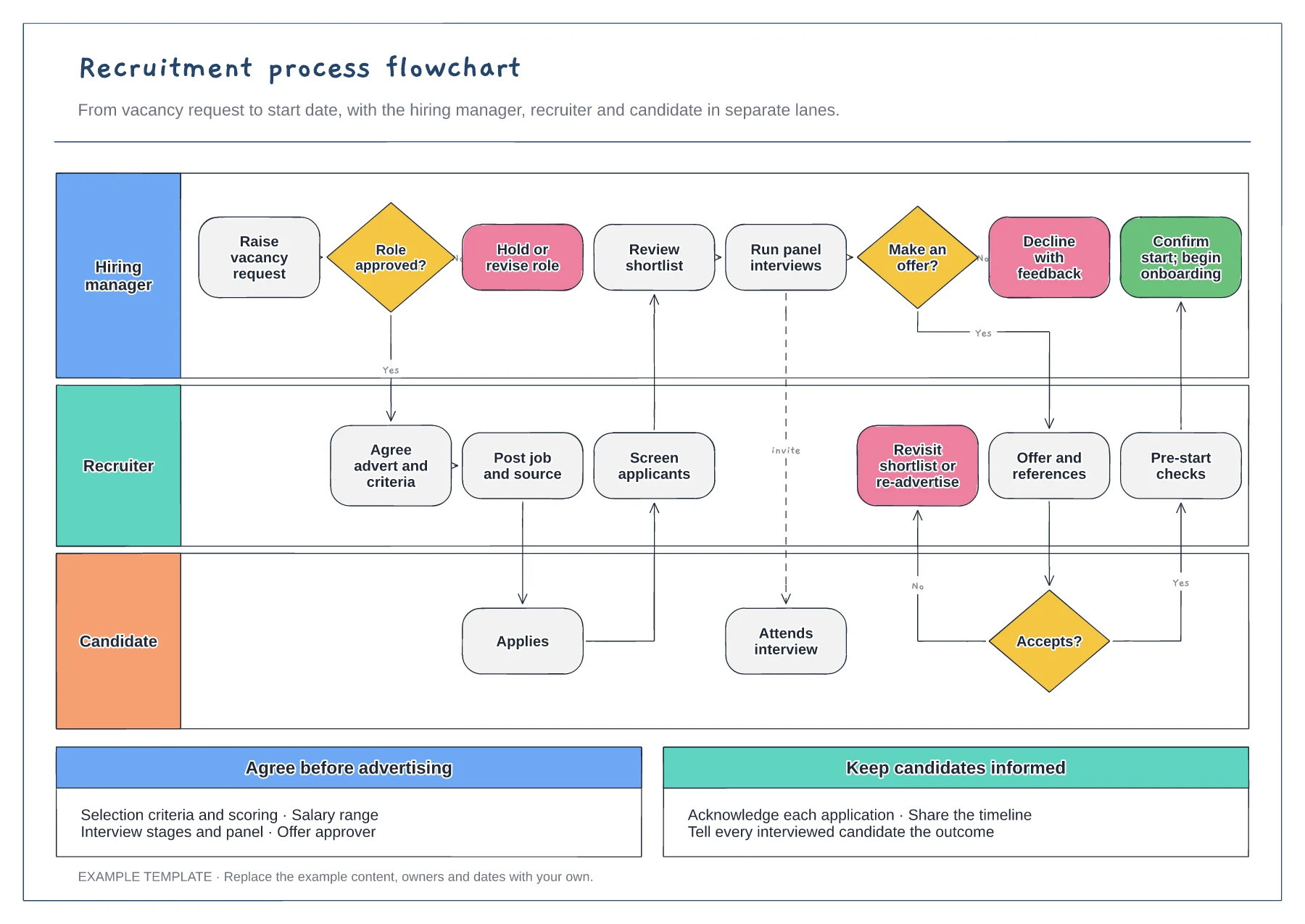
Replace the first decision with your real sign-off for new roles. If headcount needs finance or a director, add that person as a step so delays at the start of the process are visible.
Split the interview box into the stages you actually run, such as a phone screen, task and panel. Each extra stage adds time for the candidate, so the chart helps you question any that do not change decisions.
Follow a rejected candidate and a declined offer through the chart. Check that each one gets an outcome and that the role returns to a named owner instead of stalling.
Yes. Insert a step in the candidate and recruiter lanes after shortlisting and connect it to the interview decision so the order stays clear.
No. Open the template and edit it in your browser. Your work saves on this device. An account is optional if you want to sync your workspace.
Yes. Use Export in the editor to save a PNG, SVG or PDF, or download an editable .epicdraw backup.
Before-start preparation · Day-one and first-week activities · First-month review
Preview and use template →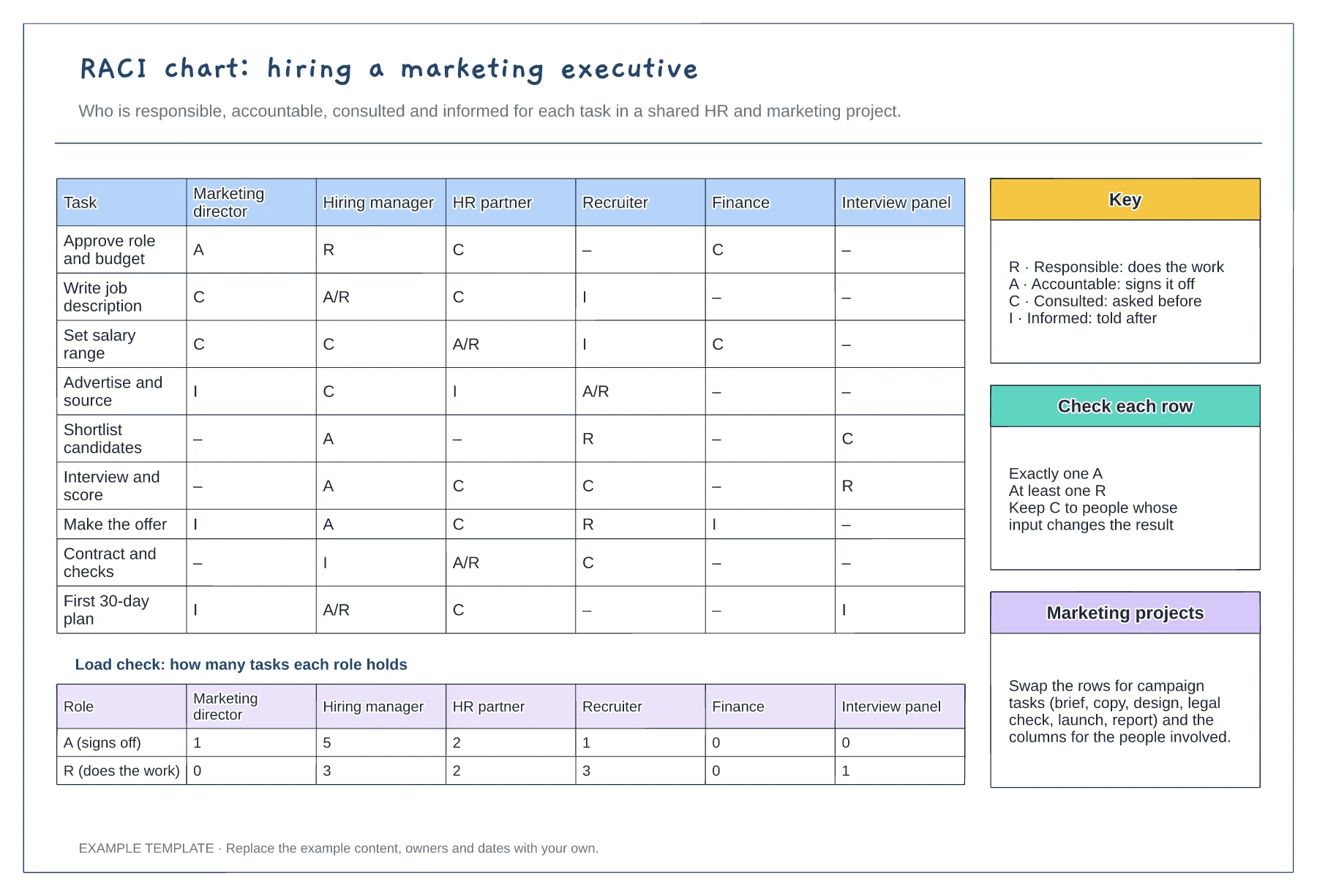
Tasks against six roles with R, A, C and I · Load check of A and R per role · Key, row checks and reuse notes
Preview and use template →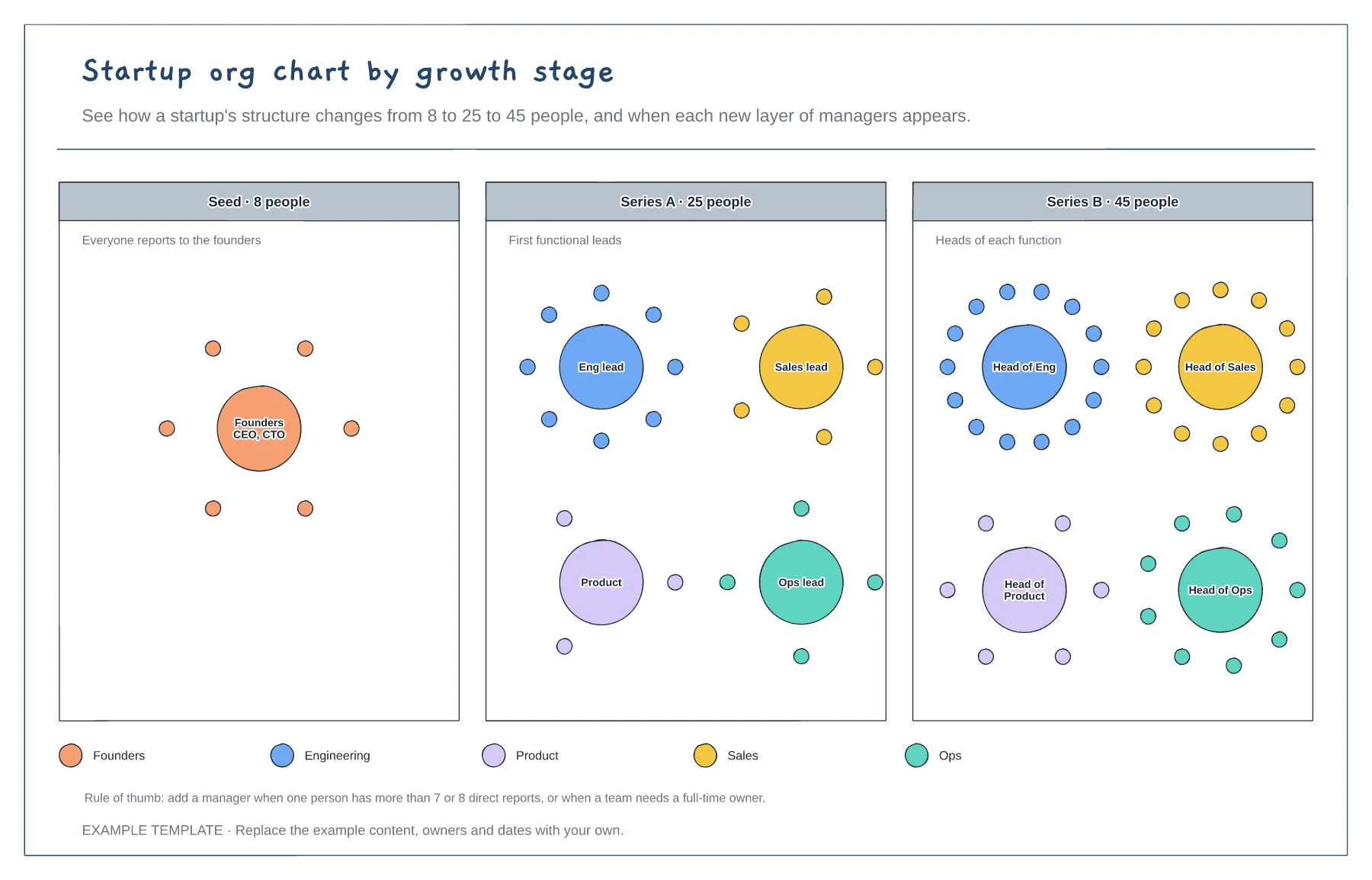
The same company at three headcounts · Clusters of people around each leader · When to add a layer of managers
Preview and use template →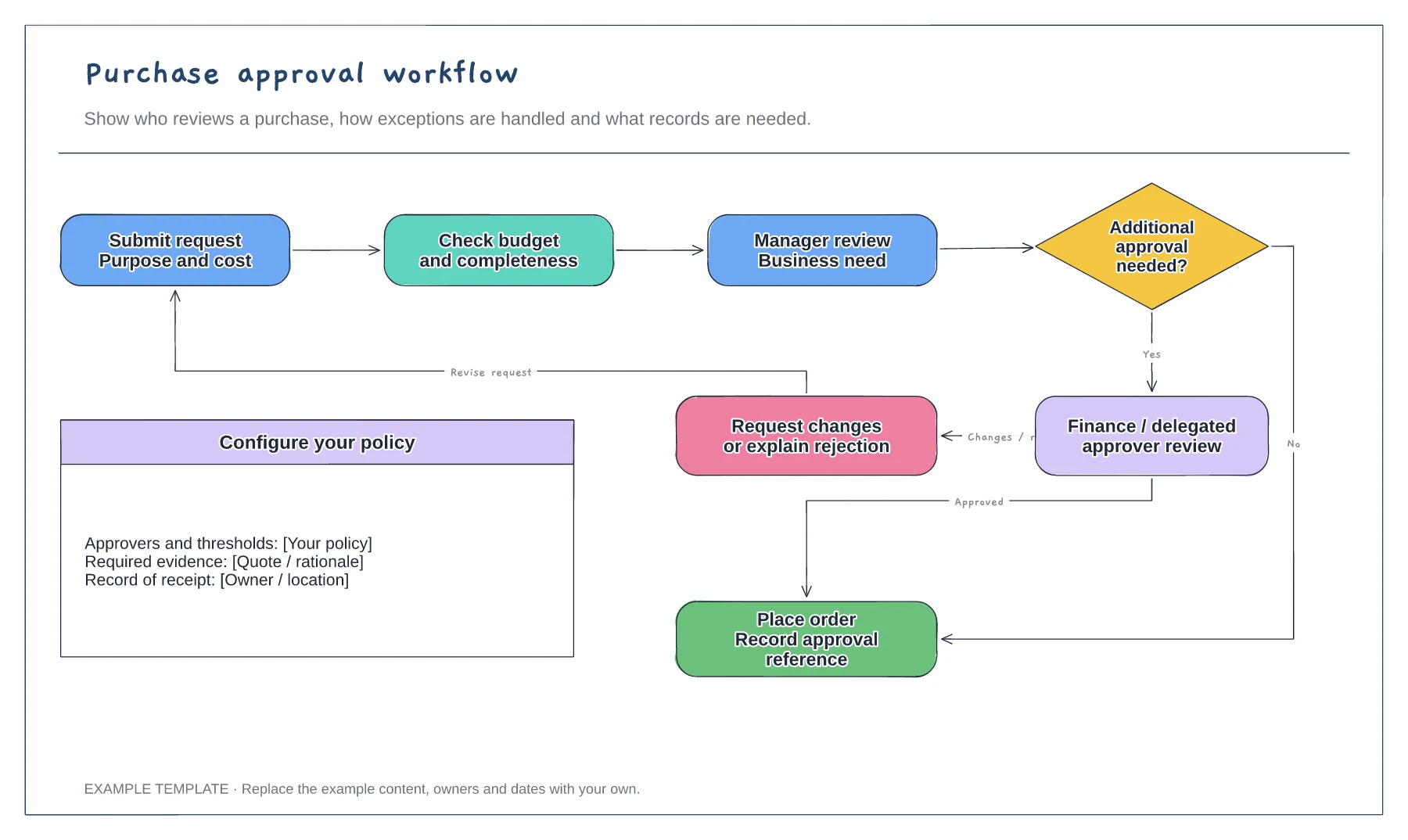
Purchase request and supporting information · Approval decisions and revision path · Order and record-keeping steps
Preview and use template →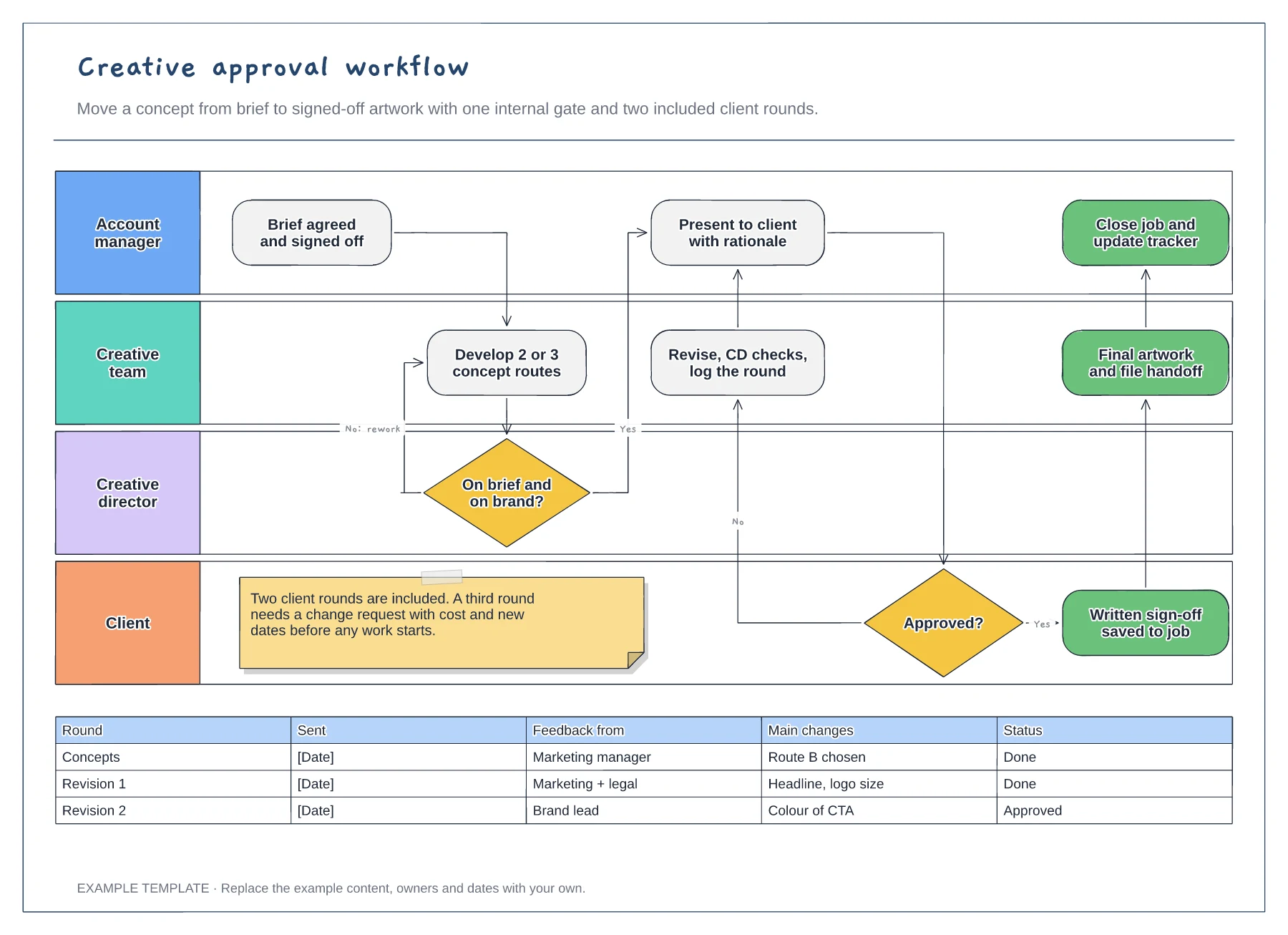
Four swimlanes from account manager to client · Internal gate and client revision loop · Revision log and a limit on included rounds
Preview and use template →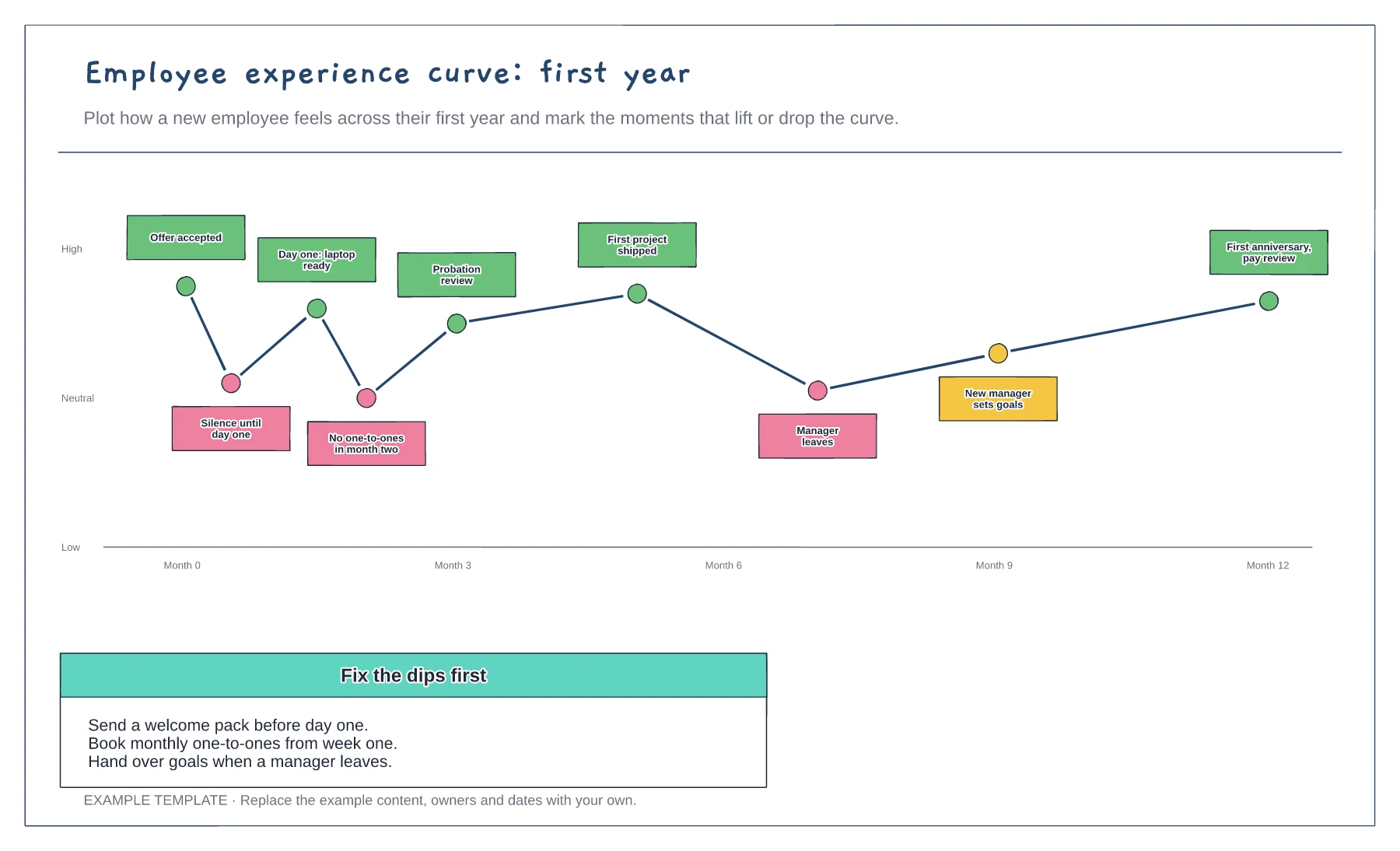
Feeling curve over the first year · Moments that lift or drop it · Fixes for the dips
Preview and use template →