HR
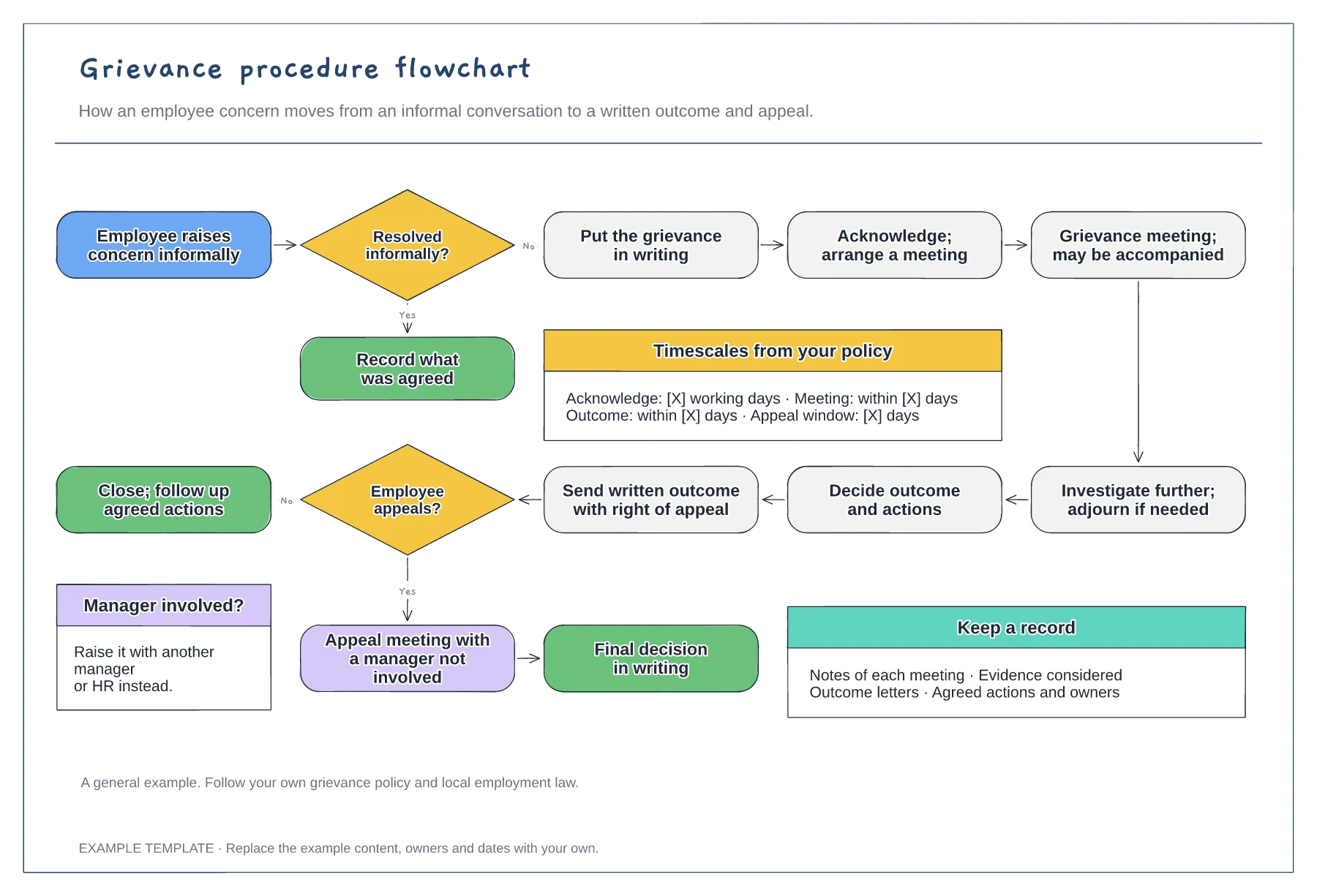
Grievance procedure flowchart template
Informal and formal routes · Meeting, investigation and written outcome · Appeal and timescales from your policy
Preview and use template →A progressive discipline flowchart helps managers handle a conduct or performance concern the same way each time. This general example starts with an informal conversation, then follows the formal route through investigation, a meeting, a range of outcomes from no action to dismissal, written confirmation and appeal.
This is a general process example, not legal advice. Follow your own disciplinary policy and the employment law that applies where you work.
No account needed · Opens as your own editable page
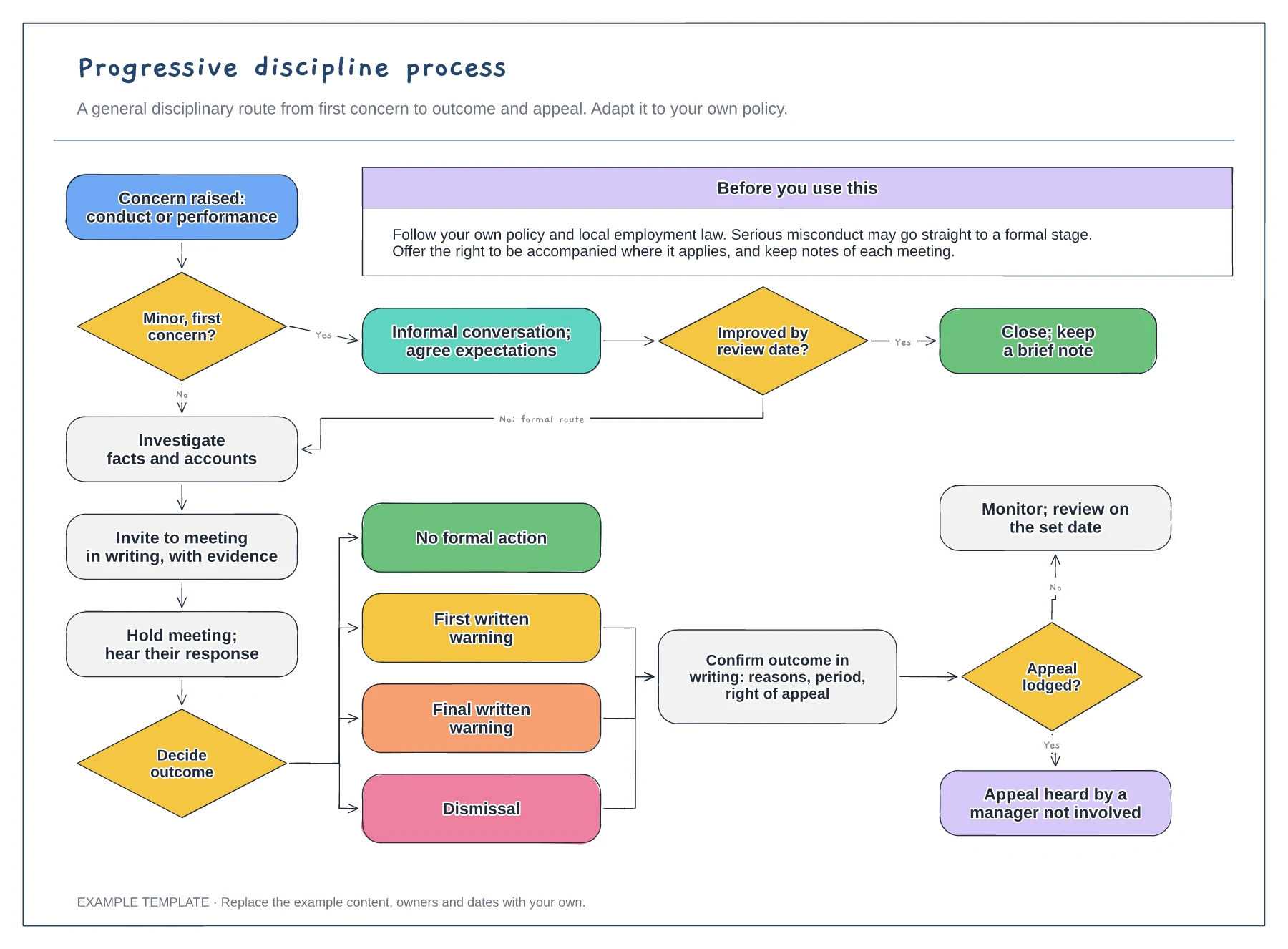
Replace the outcome boxes with the stages your policy actually uses, such as a first written warning and final written warning. Add how long each warning stays live, since that affects what happens if a new concern arises.
Keep the investigation and the meeting as distinct steps. Where possible, a different person investigates and decides, which helps the process look and feel fair to the employee.
Name who hears an appeal and how long the employee has to lodge one. The appeal manager should not have been involved in the original decision.
Yes, if your policy differs. Rename, add or remove the warning boxes so the chart follows your own procedure and the appeal route at each formal stage.
No. Open the template and edit it in your browser. Your work saves on this device. An account is optional if you want to sync your workspace.
Yes. Use Export in the editor to save a PNG, SVG or PDF, or download an editable .epicdraw backup.
Informal and formal routes · Meeting, investigation and written outcome · Appeal and timescales from your policy
Preview and use template →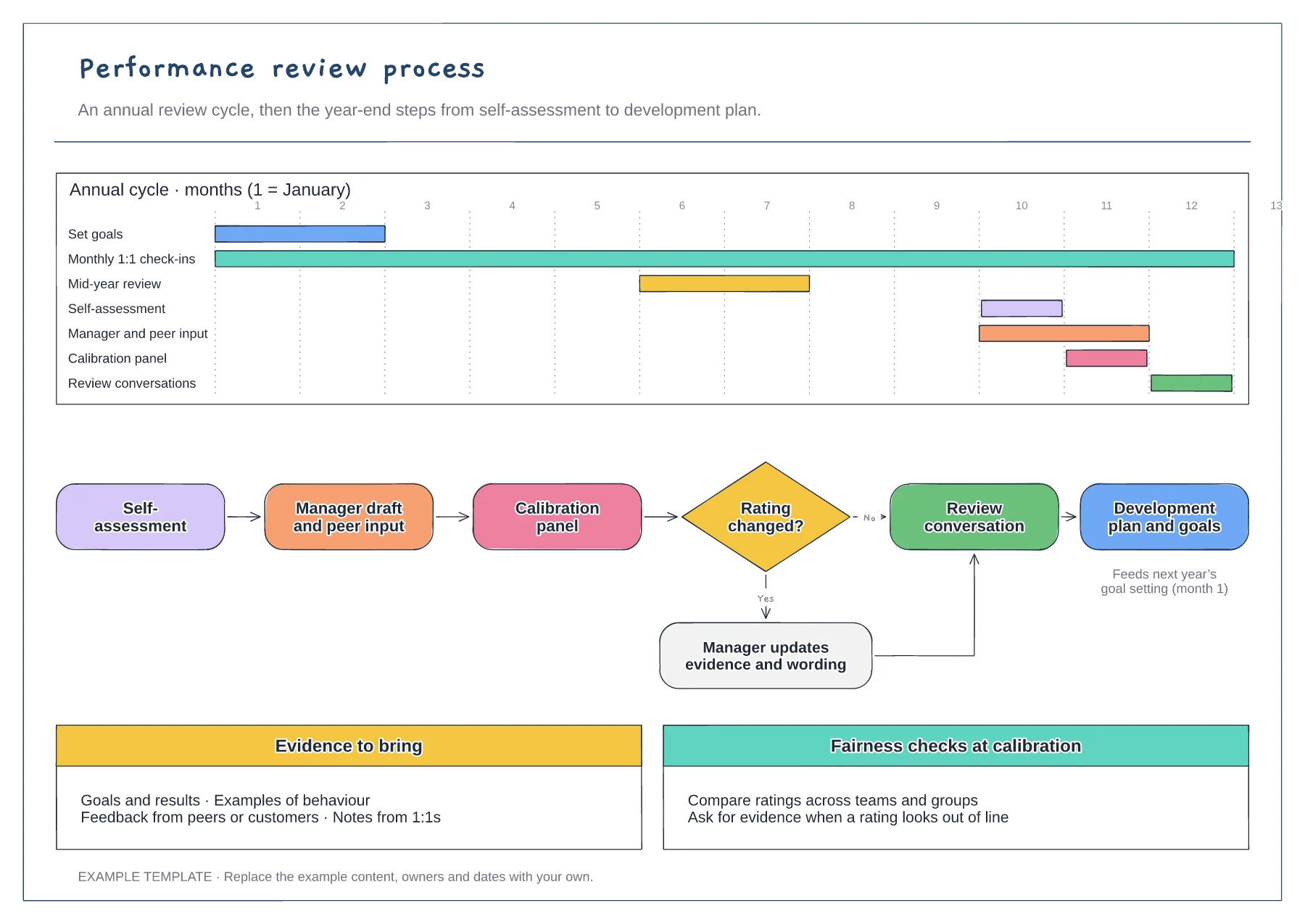
Annual cycle on a Gantt chart · Year-end flow with calibration decision · Evidence and fairness checks
Preview and use template →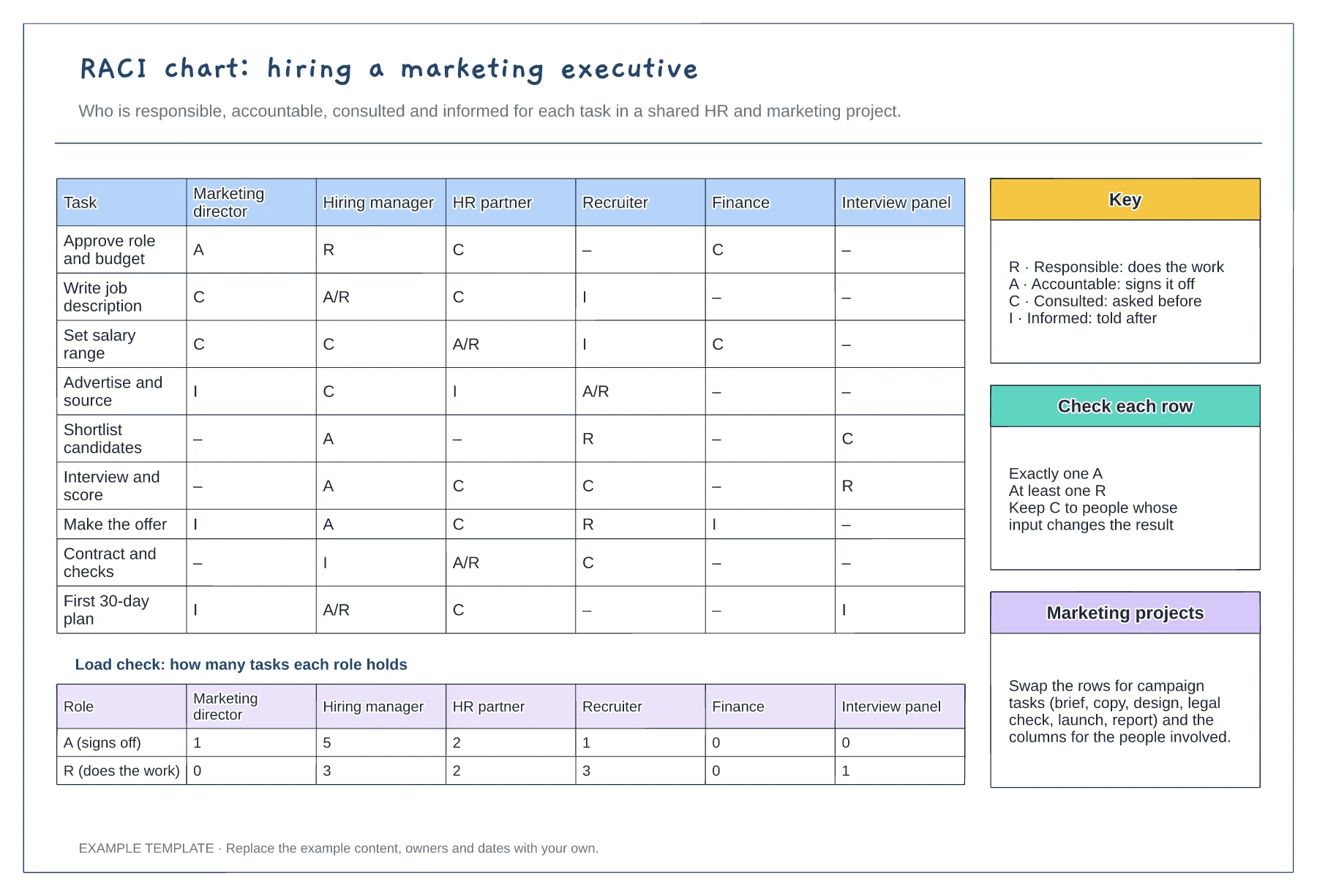
Tasks against six roles with R, A, C and I · Load check of A and R per role · Key, row checks and reuse notes
Preview and use template →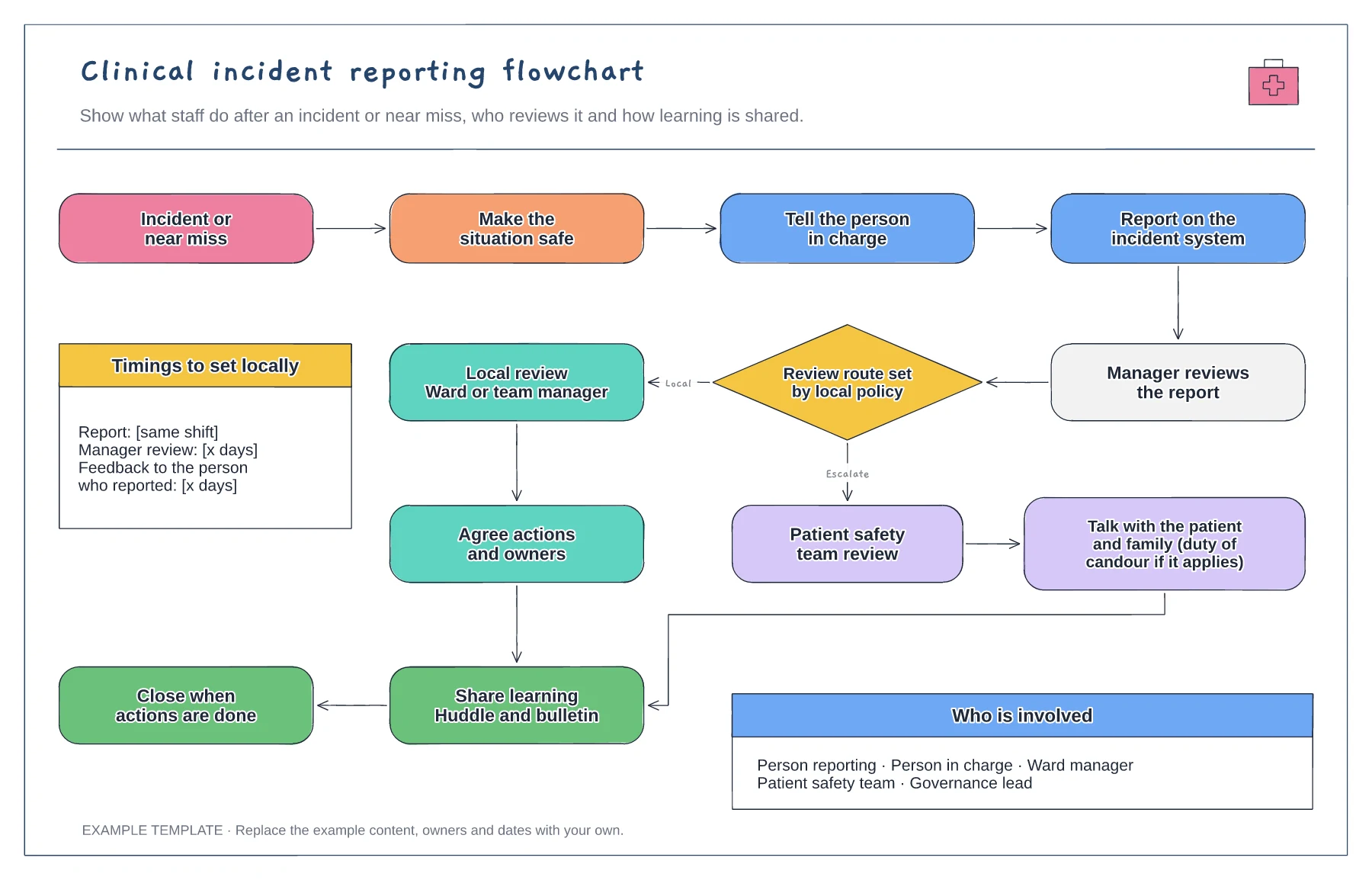
Immediate actions and reporting · Review route set by local policy · Learning shared and report closed
Preview and use template →
First-line triage and impact check · Specialist ownership and investigation · Customer updates and closure
Preview and use template →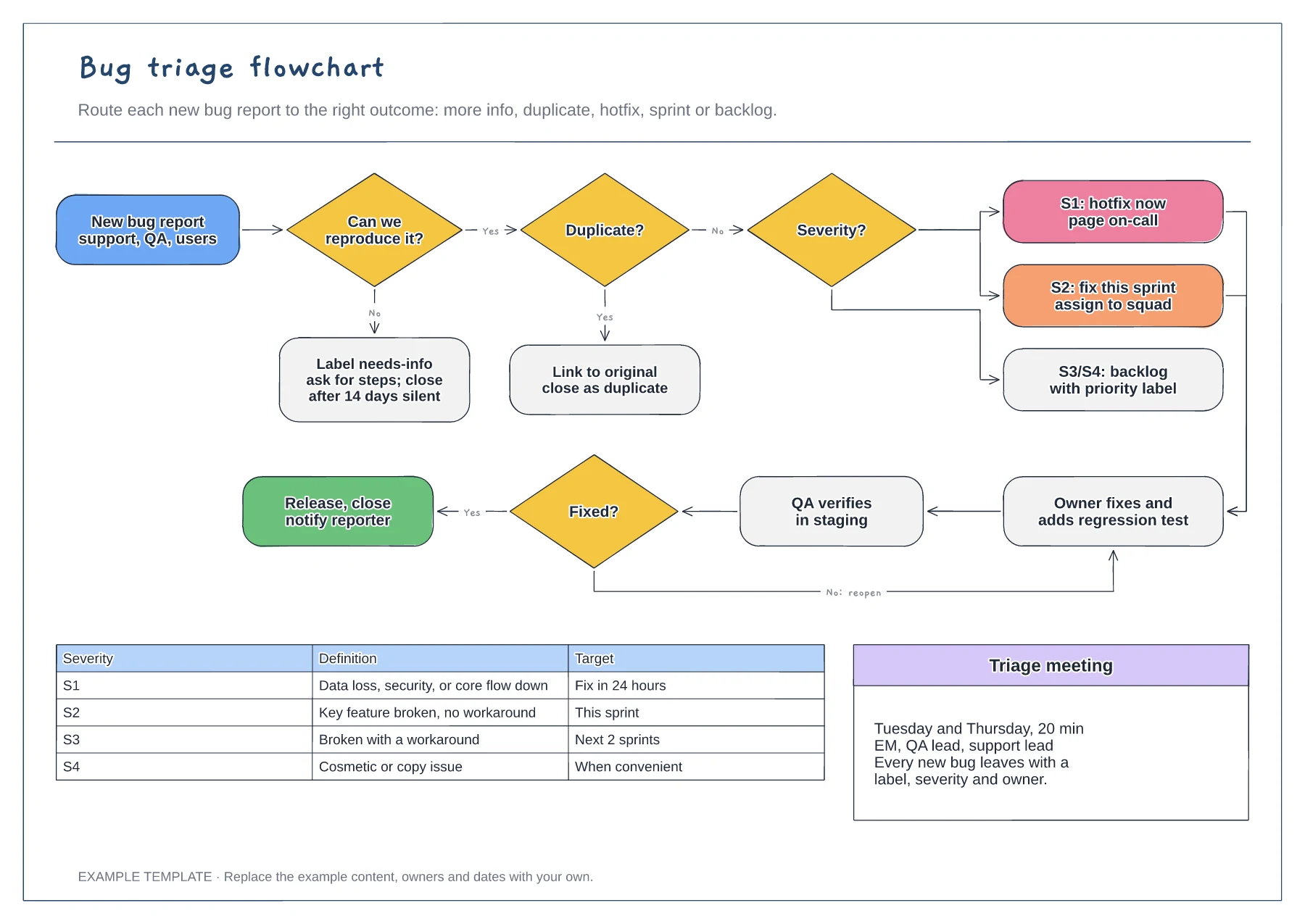
Reproduce and duplicate checks · Severity routing from S1 to S4 · Fix, verify and reopen loop with a severity table
Preview and use template →