Finance
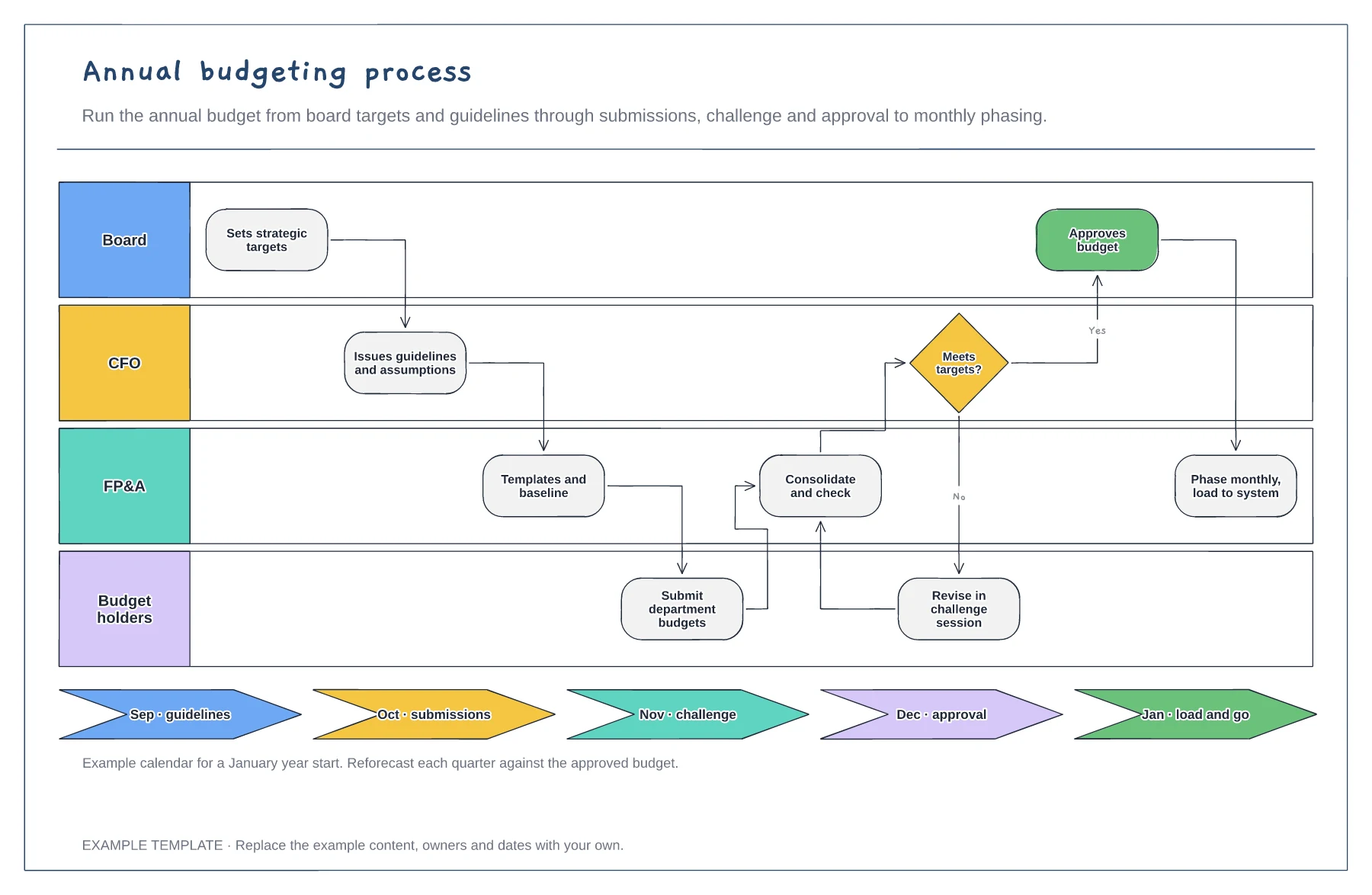
Annual budgeting process template
Board, CFO, FP&A and budget holder lanes · Challenge loop when targets are missed · Budget calendar by month
Preview and use template →A profit driver tree breaks one big number into the smaller numbers that move it, so each team can see which lever it owns. This example splits £1.2m of net profit into revenue and costs, then into orders, price, cost of sales and operating costs, and finally into nine measures such as customers, discounts and materials, each with an owner.
This is a planning example, not financial, accounting, tax or legal advice. Check your own policies, auditors and local rules.
No account needed · Opens as your own editable page
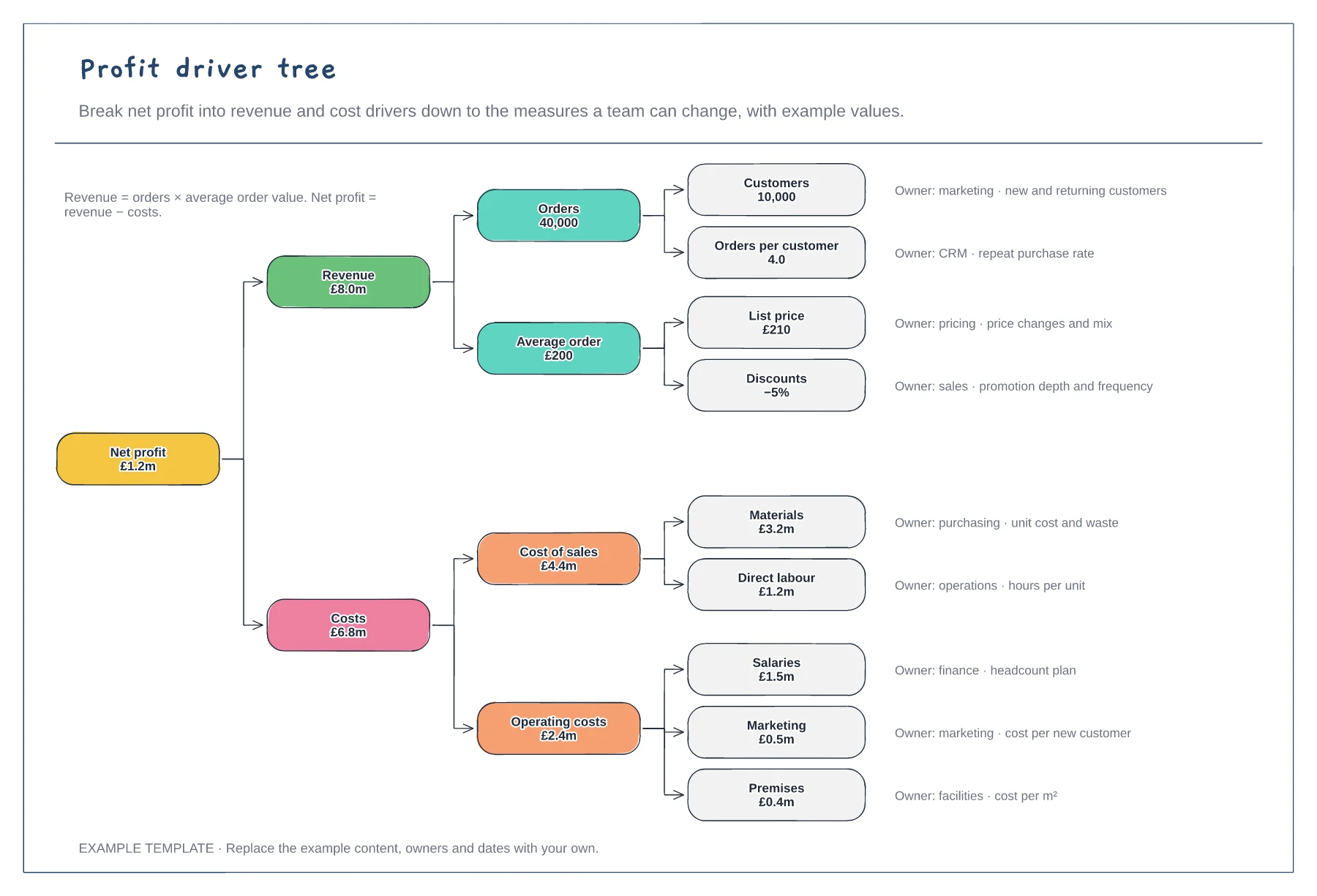
Replace the example values with last year's actuals or this year's budget. Check that each level adds up to the one above.
Keep breaking drivers down until you reach a measure a team controls, such as orders per customer or cost per unit.
Name the owner and the measure next to every leaf. Use the tree in planning to test what happens if one driver moves.
Yes. Each box is built from the ones below it, so when you enter your own figures check they still roll up to net profit.
No. Open the template and edit it in your browser. Your work saves on this device. An account is optional if you want to sync your workspace.
Yes. Use Export in the editor to save a PNG, SVG or PDF, or download an editable .epicdraw backup.
Board, CFO, FP&A and budget holder lanes · Challenge loop when targets are missed · Budget calendar by month
Preview and use template →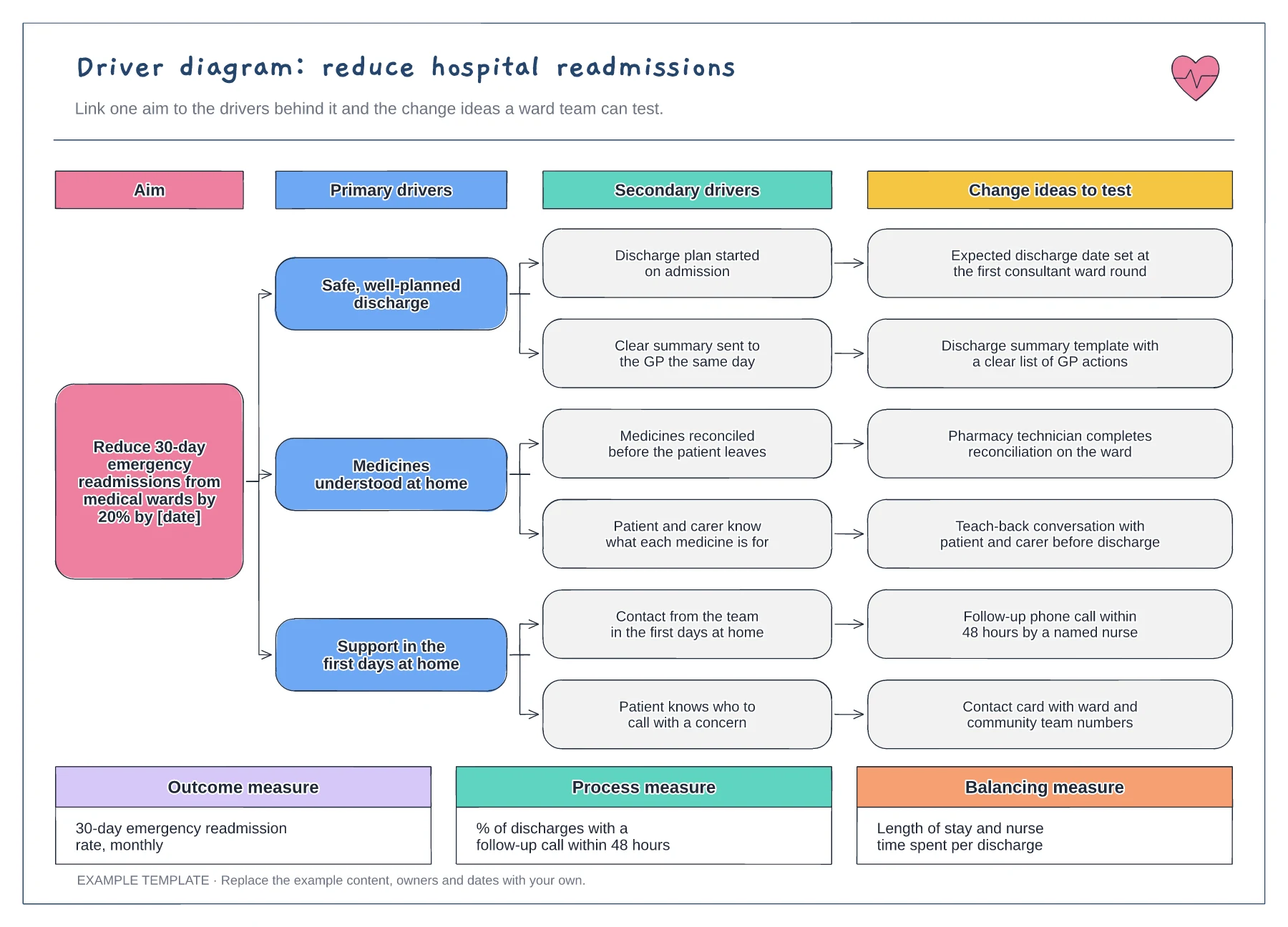
Aim with a target and date · Primary and secondary drivers · Change ideas and three types of measure
Preview and use template →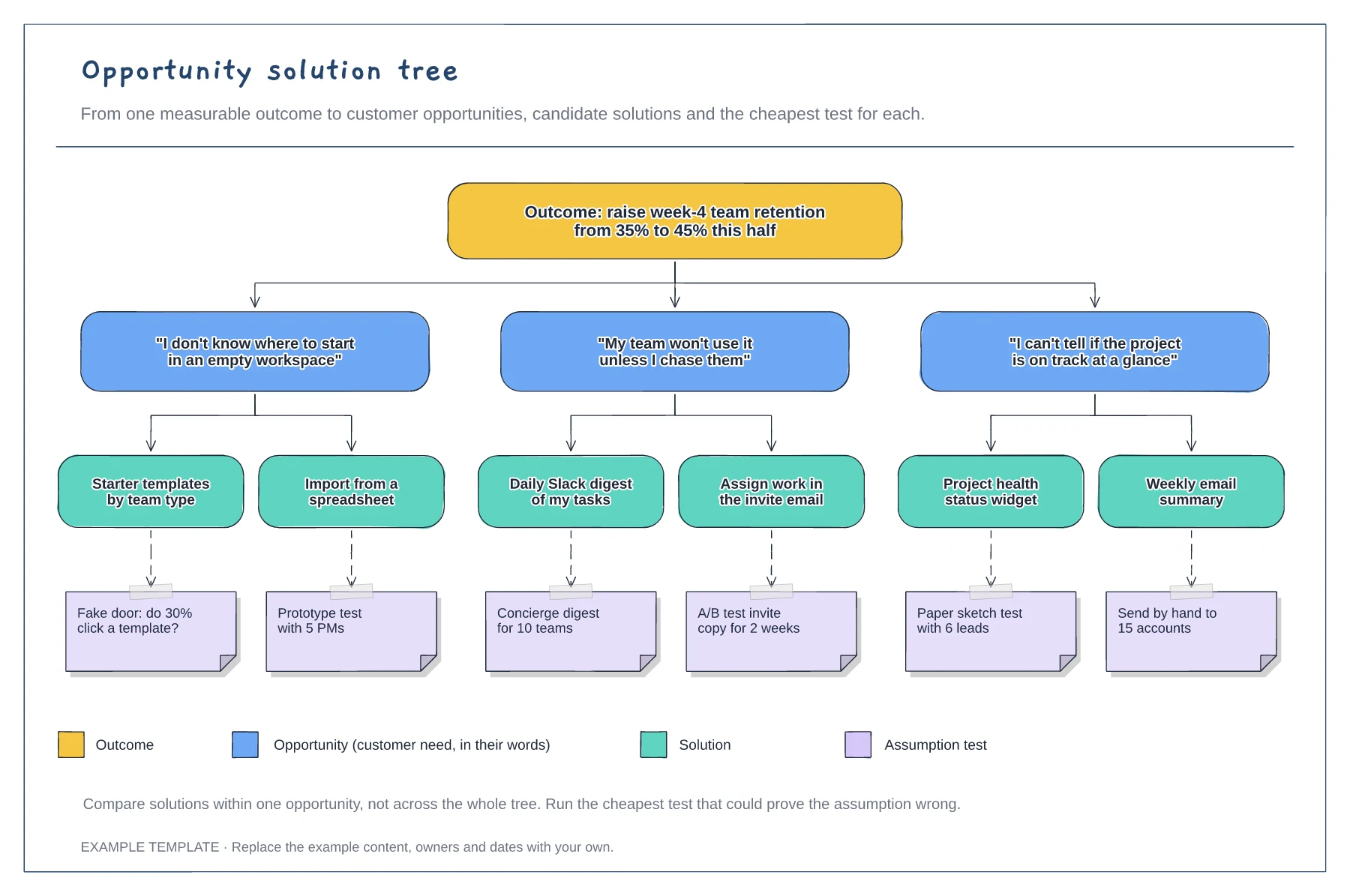
A measurable outcome at the top · Opportunities phrased as customer quotes · Solutions with assumption tests and a legend
Preview and use template →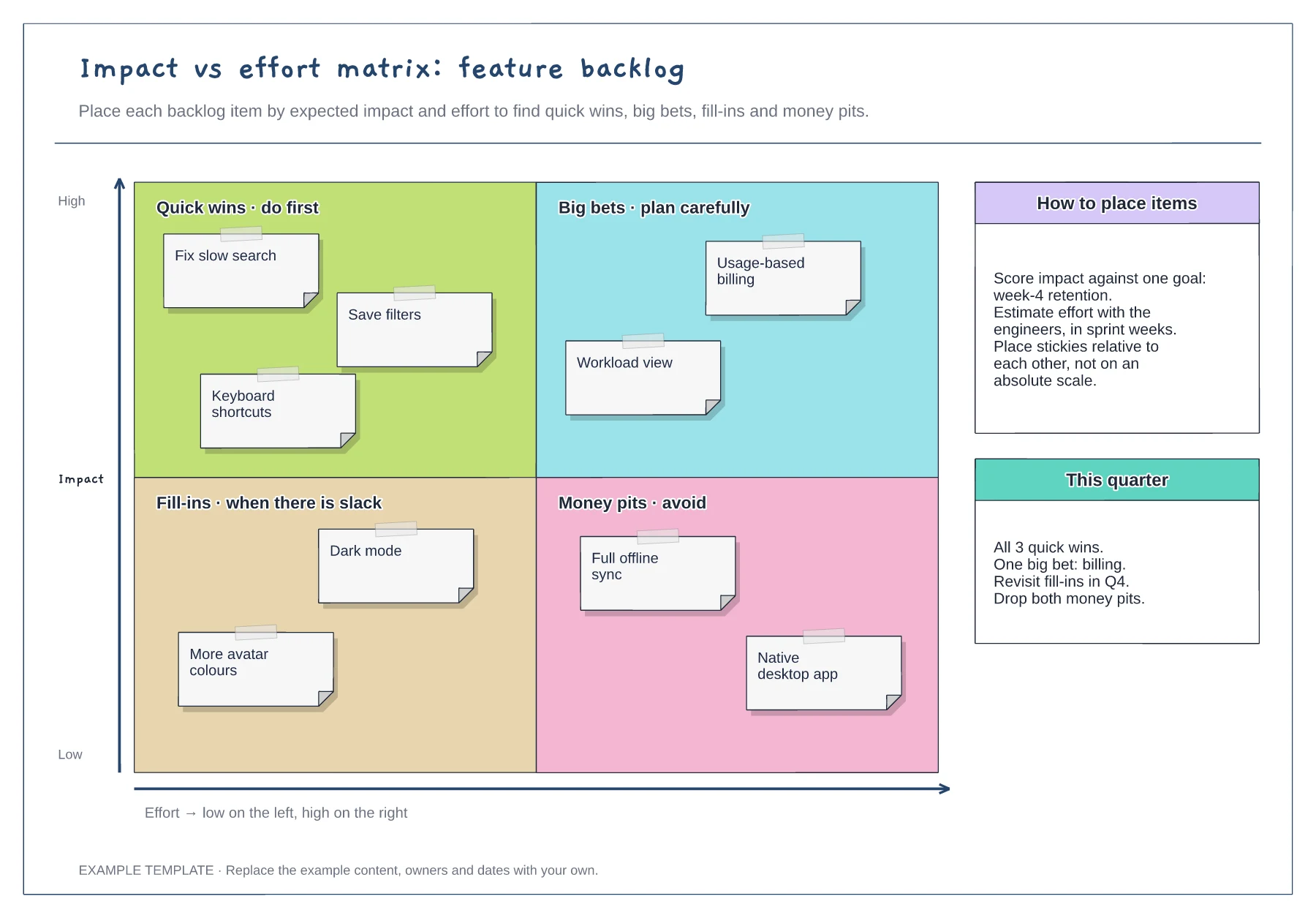
Quick wins, big bets, fill-ins and money pits · Nine example backlog items · Placement guidance and a quarter plan
Preview and use template →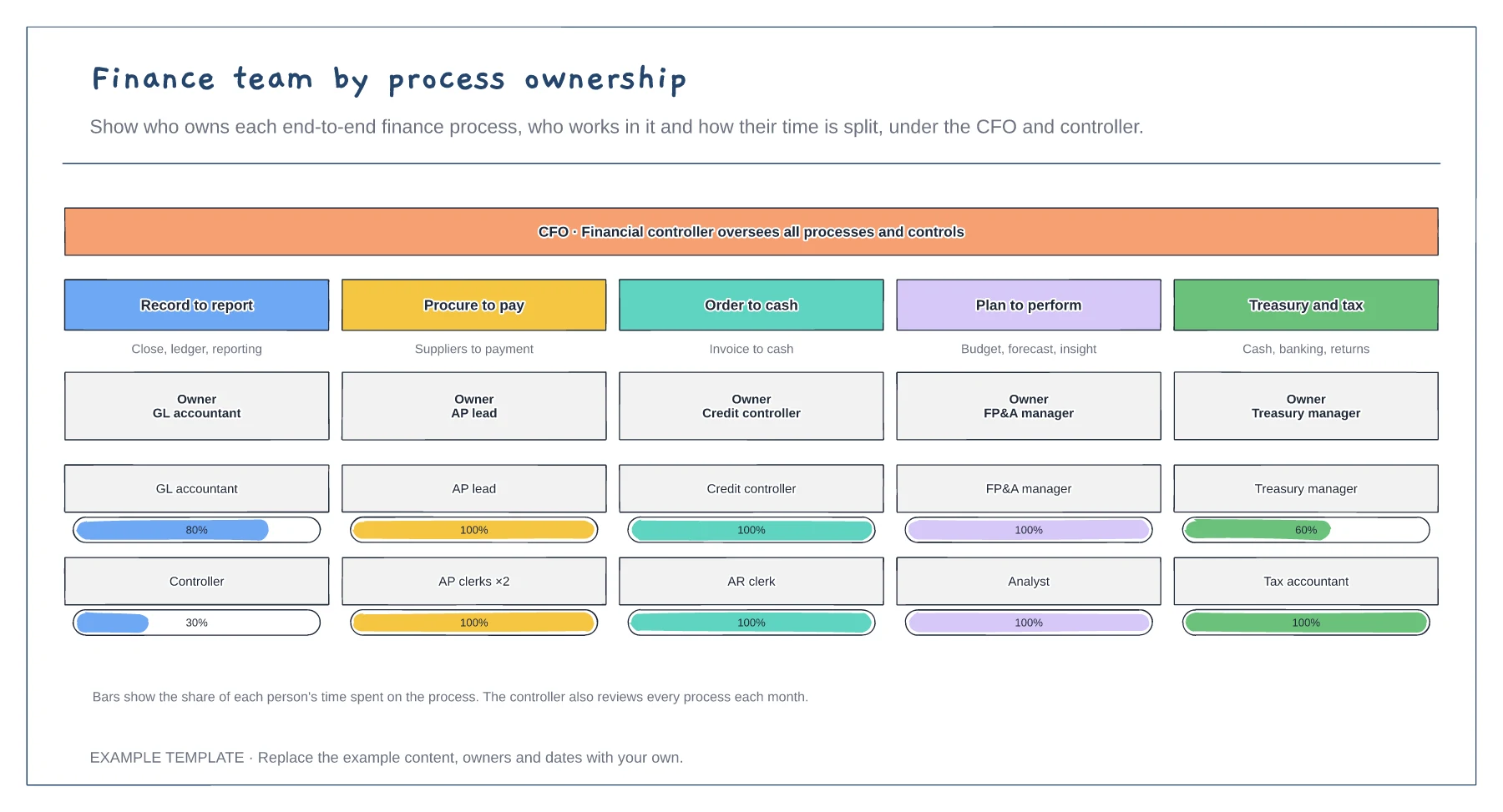
Five end-to-end finance processes · An owner for each process · Time split for each person
Preview and use template →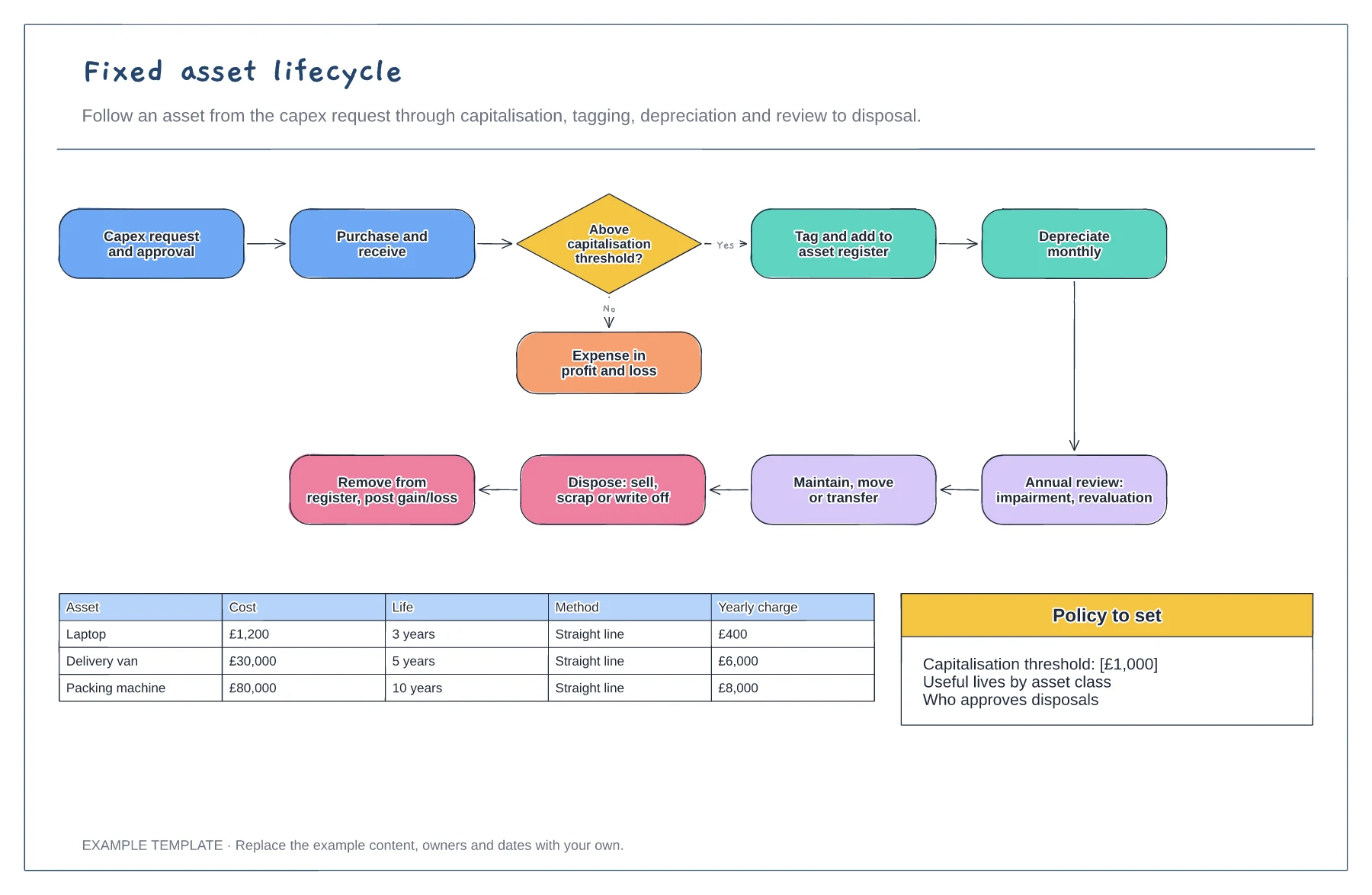
Request to disposal in one loop · Capitalisation threshold decision · Depreciation examples by asset
Preview and use template →