Finance
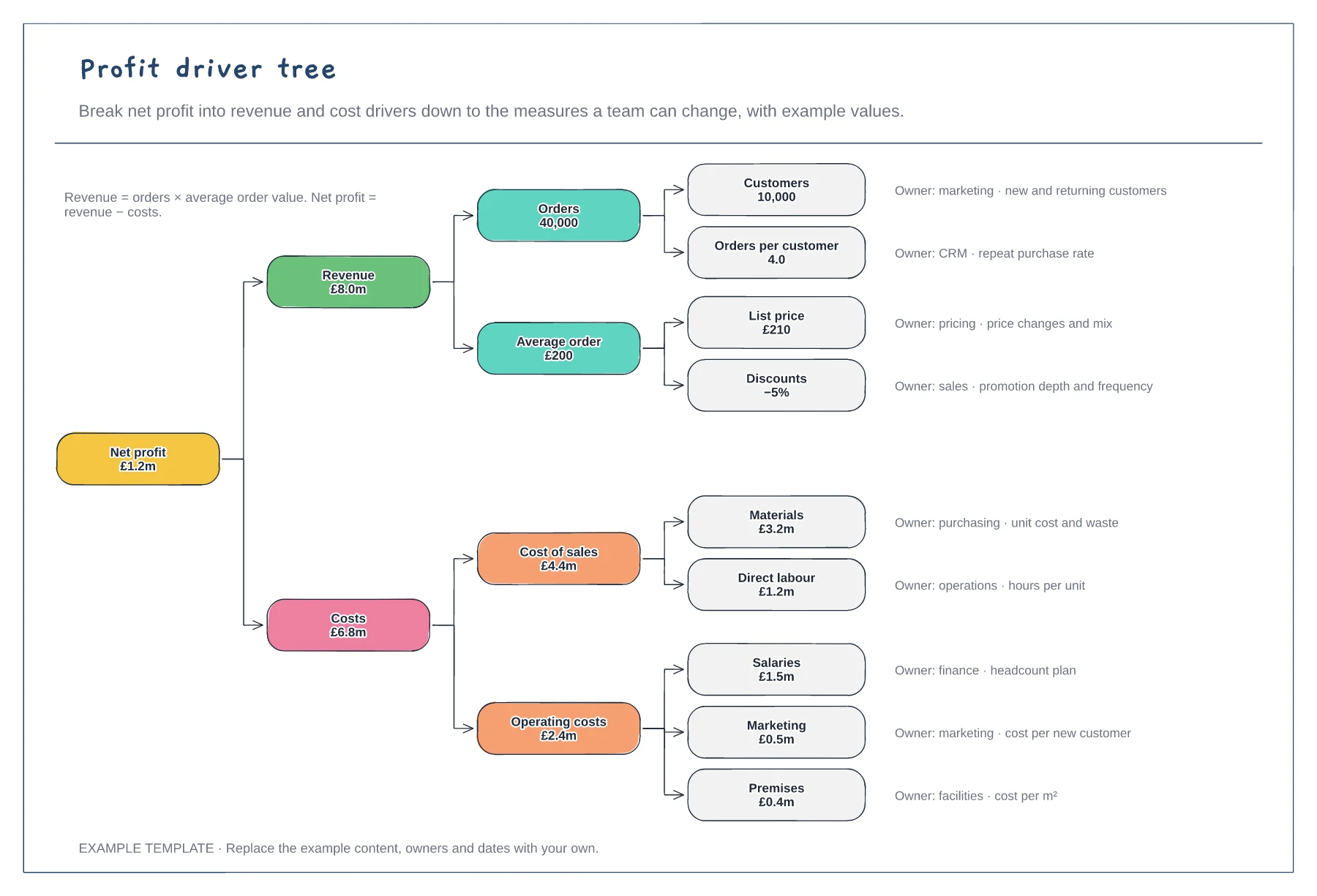
Profit driver tree template
Net profit down to nine drivers · Example values that add up · An owner and measure for each driver
Preview and use template →An annual budgeting process sets out who does what between the board's targets and an approved budget loaded into the system. This example runs across board, CFO, FP&A and budget holder lanes, with a challenge loop when submissions miss the targets, and a calendar from September guidelines to January go-live.
This is a planning example, not financial, accounting, tax or legal advice. Check your own policies, auditors and local rules.
No account needed · Opens as your own editable page
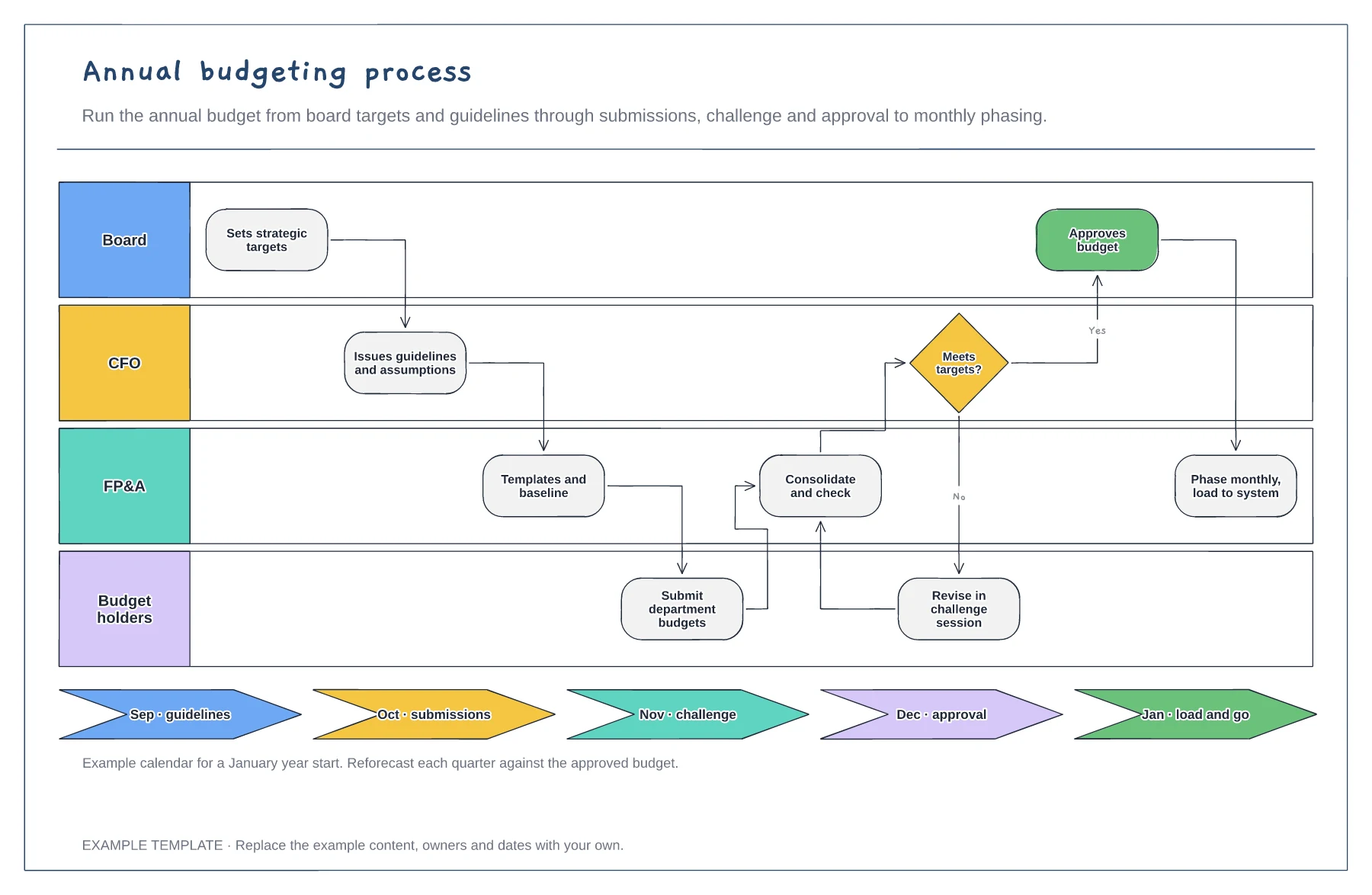
Fix the board approval date and work backwards to set deadlines for guidelines, submissions and challenge sessions.
Give budget holders the same assumptions on pay rises, inflation and growth so submissions can be compared.
Book challenge sessions before submissions are due and agree how gaps to target will be closed.
Yes. Move the steps in the budget calendar closer together and remove a challenge round if you do not need one.
No. Open the template and edit it in your browser. Your work saves on this device. An account is optional if you want to sync your workspace.
Yes. Use Export in the editor to save a PNG, SVG or PDF, or download an editable .epicdraw backup.
Net profit down to nine drivers · Example values that add up · An owner and measure for each driver
Preview and use template →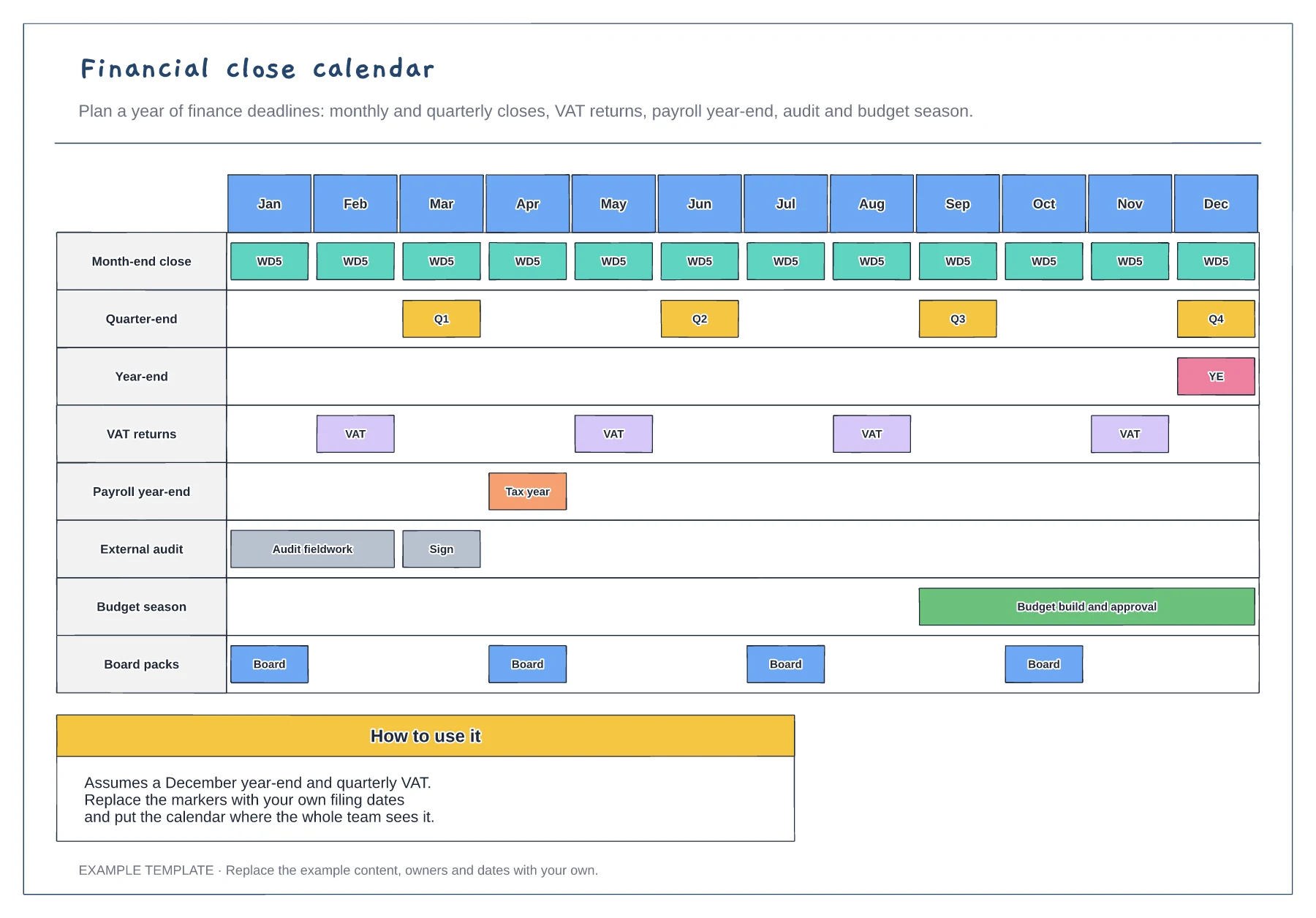
Twelve months on one page · Closes, filings, audit and budget · Board pack dates
Preview and use template →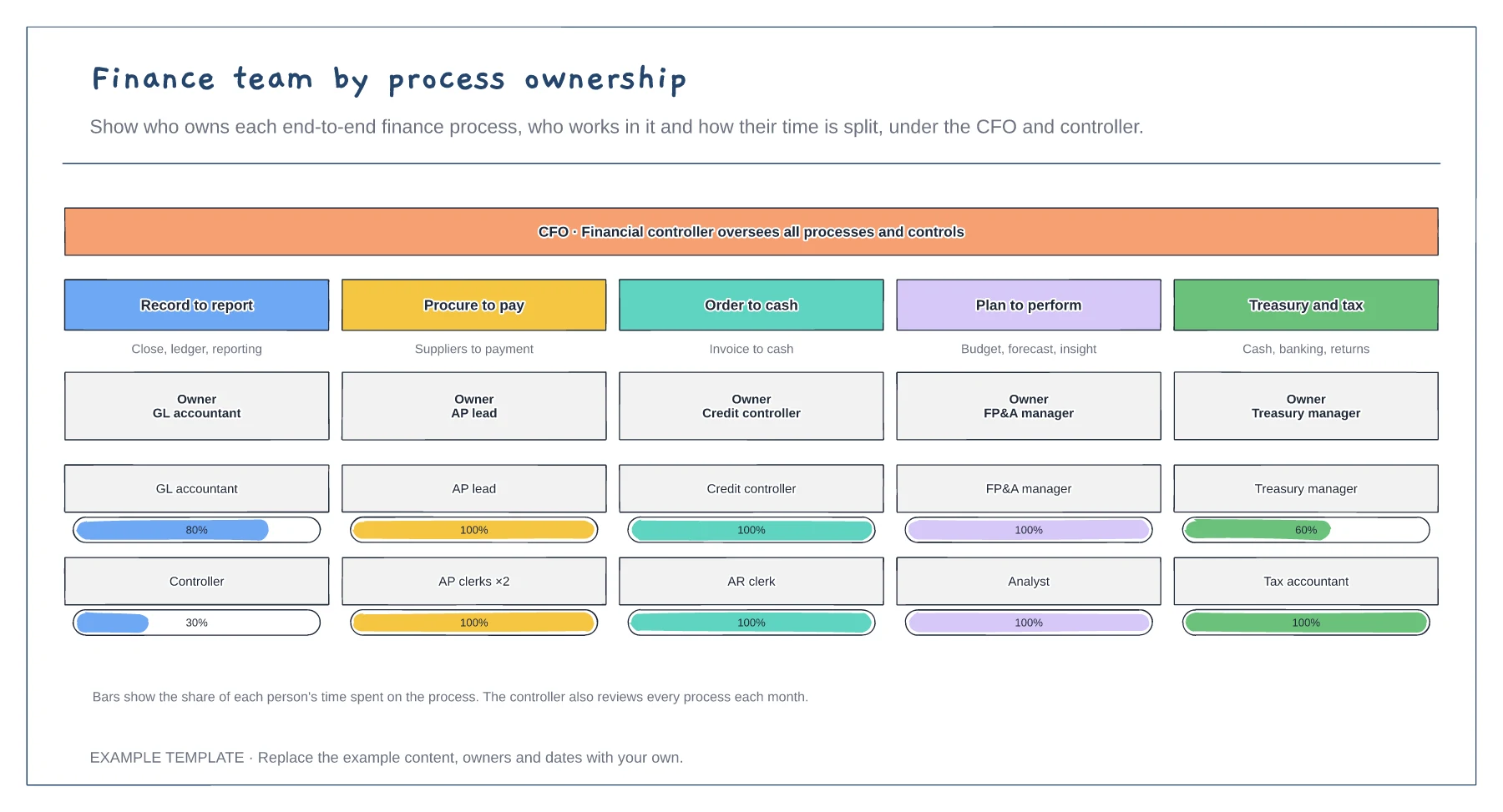
Five end-to-end finance processes · An owner for each process · Time split for each person
Preview and use template →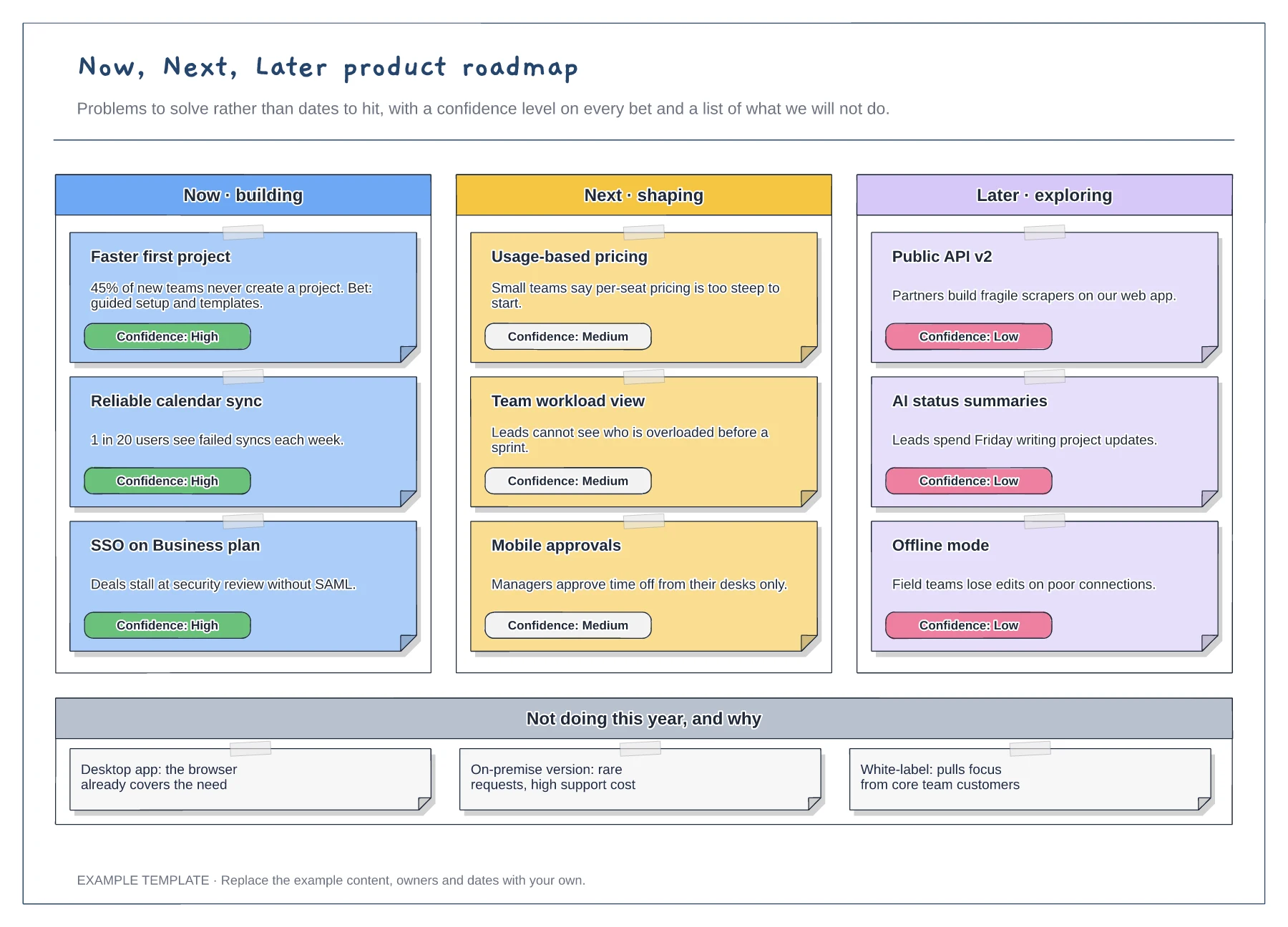
Now, Next and Later columns · Problem statements with confidence tags · A not-doing list with reasons
Preview and use template →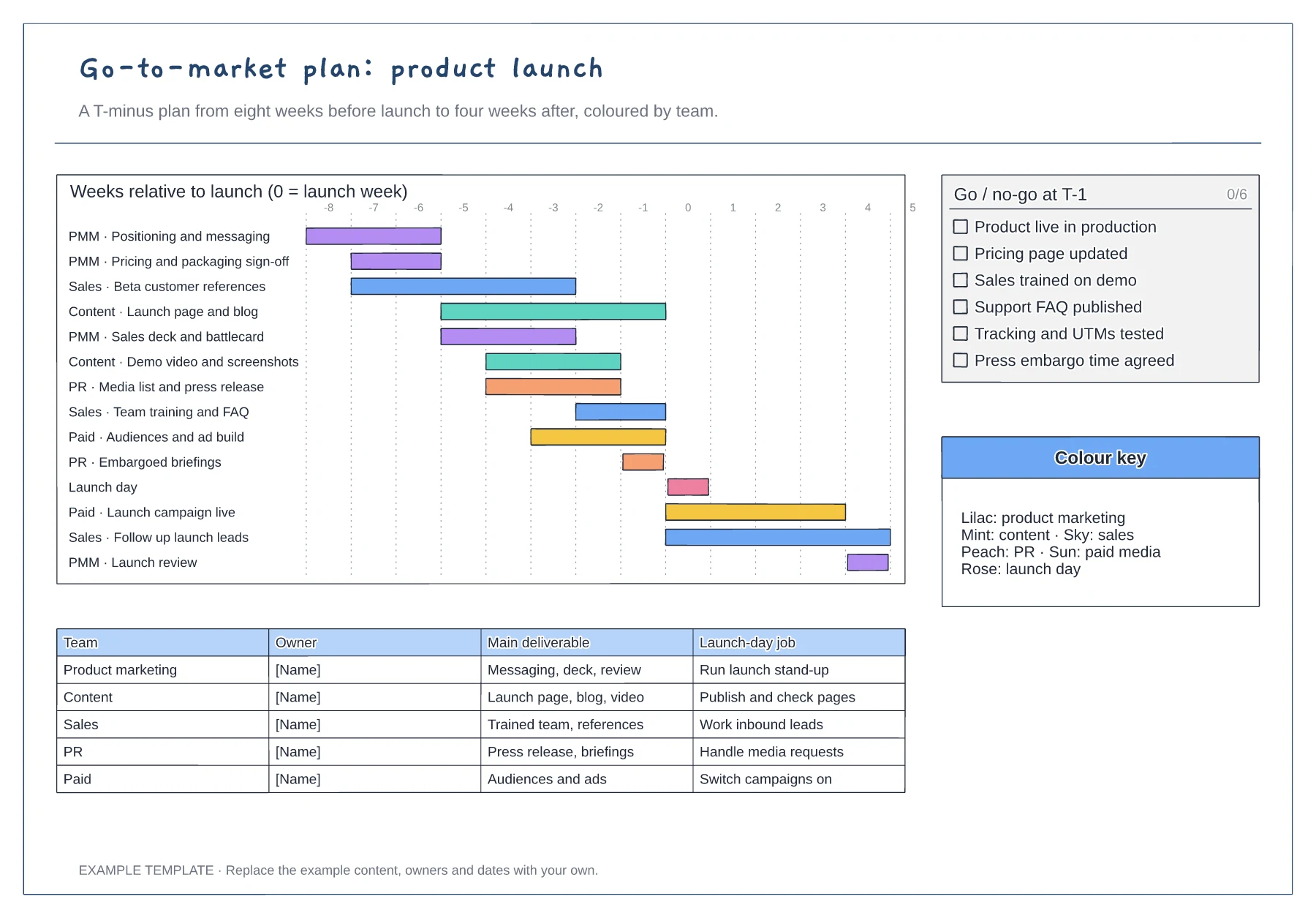
T-minus gantt chart coloured by team · Go/no-go checklist for the week before launch · Owner table with each team's launch-day job
Preview and use template →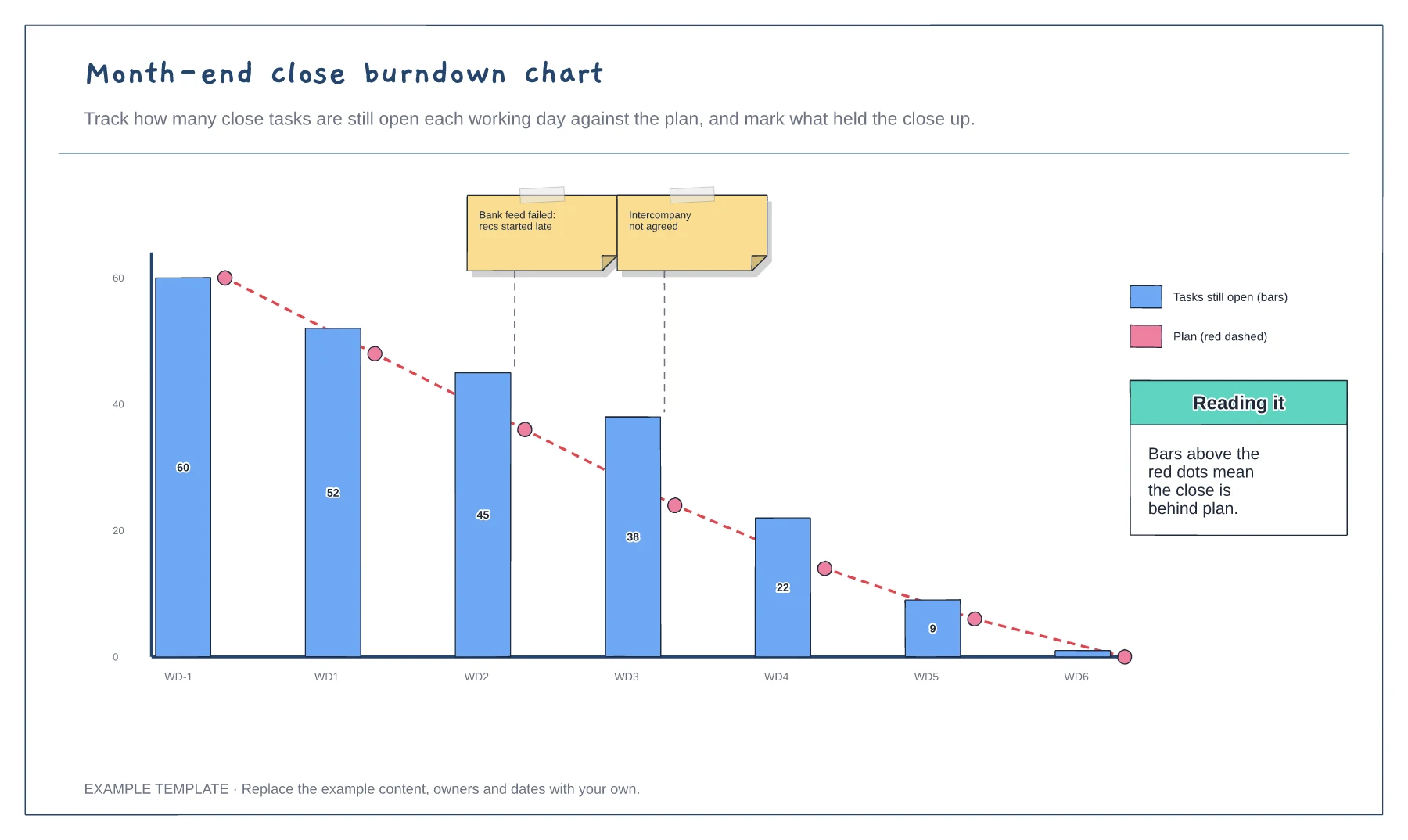
Open tasks by working day · Planned burndown line · Blockers marked on the chart
Preview and use template →