Manufacturing
Kaizen event plan template
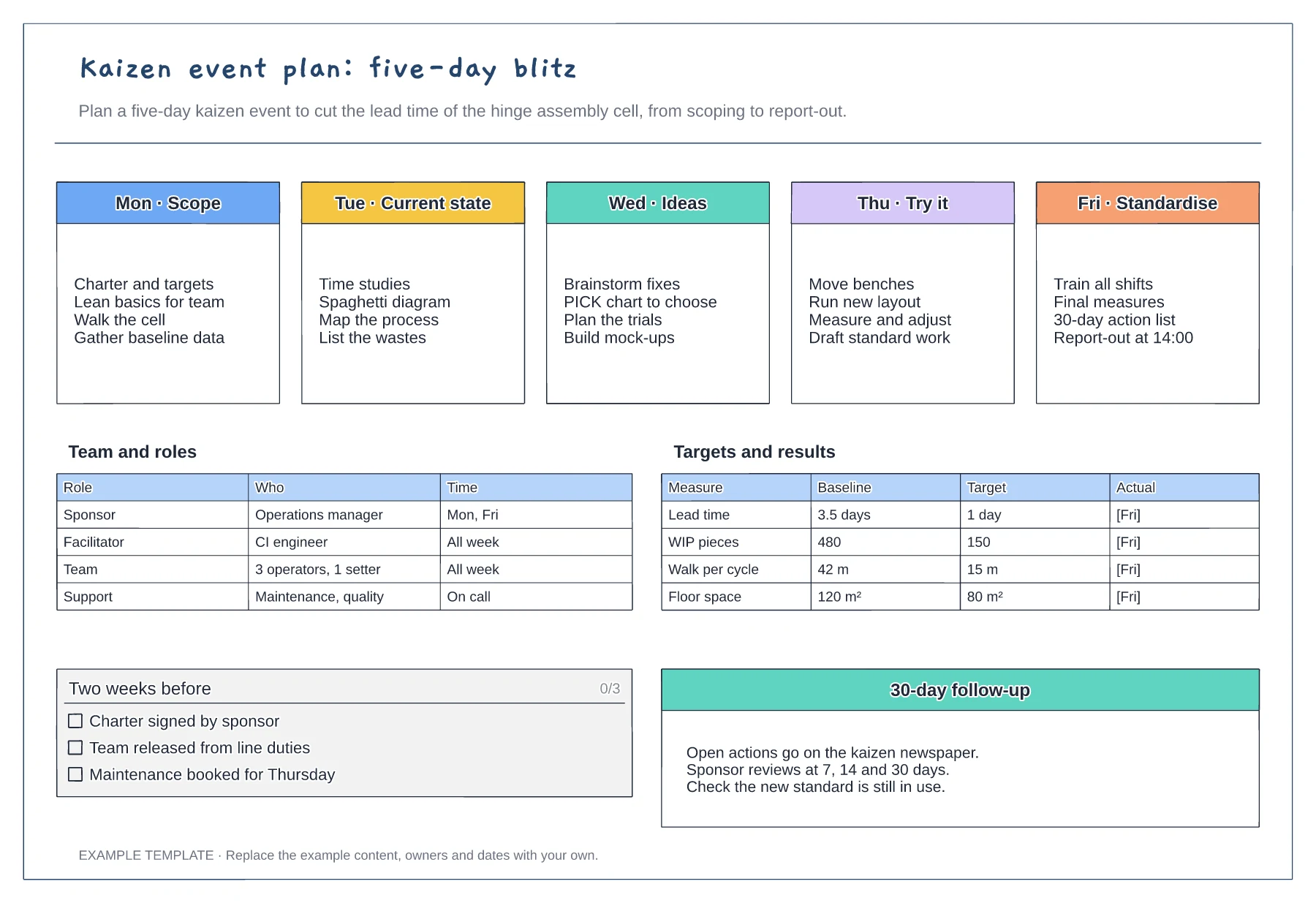
Five-day agenda from scope to standardise · Team roles and time commitment · Baseline, target and actual measures
Preview and use template →A PICK chart helps a team decide which improvement ideas to act on now, which need a business case and which to drop. This example places 11 ideas from a packing line kaizen on a payoff against effort grid, from a shadow board for changeover tools in Implement to a new WMS module in Kill.
No account needed · Opens as your own editable page
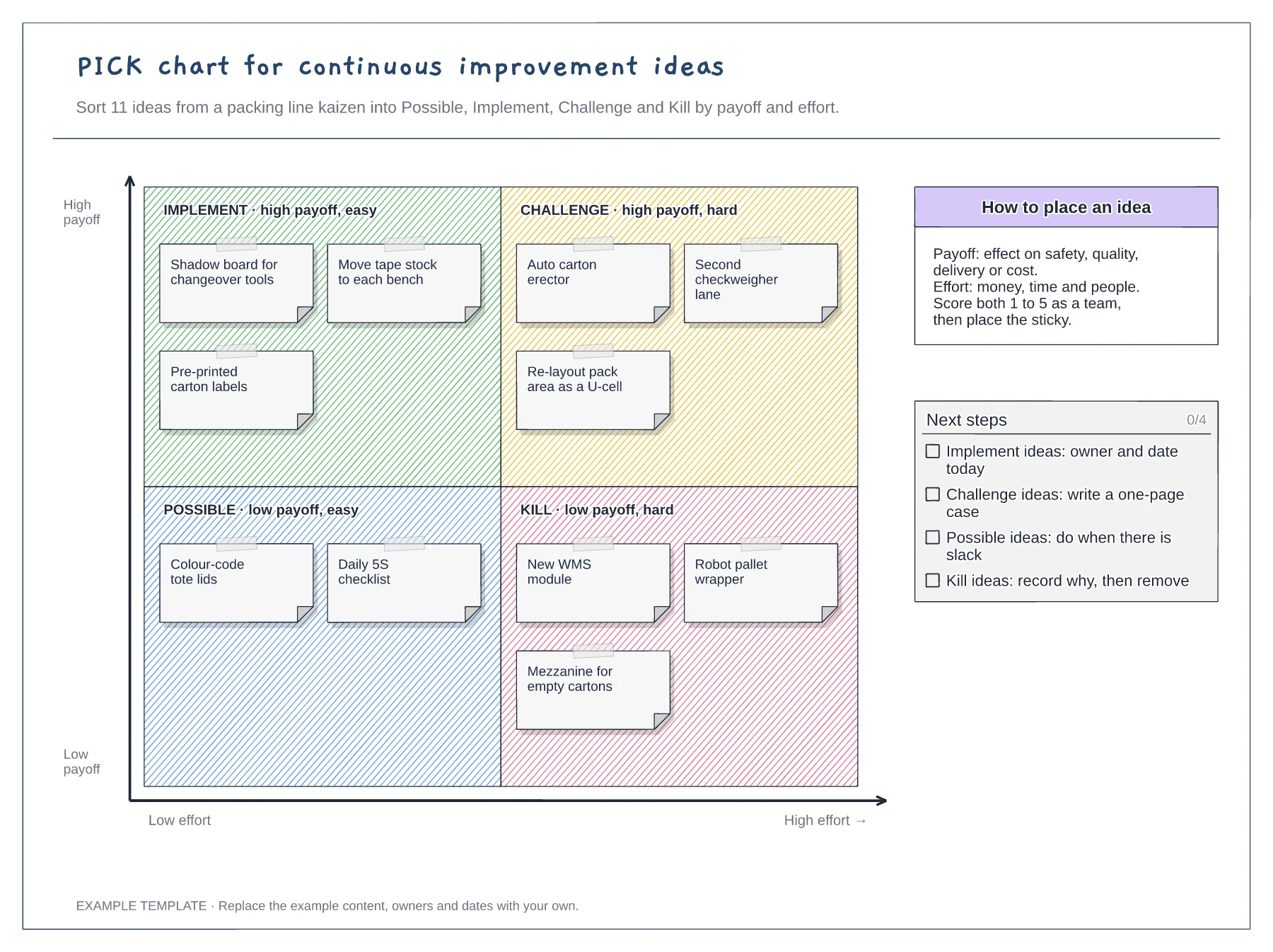
Define payoff in terms of safety, quality, delivery or cost before placing anything. Without a shared definition, people tend to place their own ideas higher than others.
Count money, time and people needed, including other teams such as maintenance or IT. Ideas that depend on another team are often harder than they look.
Give every Implement idea an owner and date before the meeting ends, and assign someone to write the case for each Challenge. The chart has done its job only when work starts.
Use the scoring guide on the board to rate each idea's payoff and effort, then drag its sticky note into Possible, Implement, Challenge or Kill.
No. Open the template and edit it in your browser. Your work saves on this device. An account is optional if you want to sync your workspace.
Yes. Use Export in the editor to save a PNG, SVG or PDF, or download an editable .epicdraw backup.
Five-day agenda from scope to standardise · Team roles and time commitment · Baseline, target and actual measures
Preview and use template →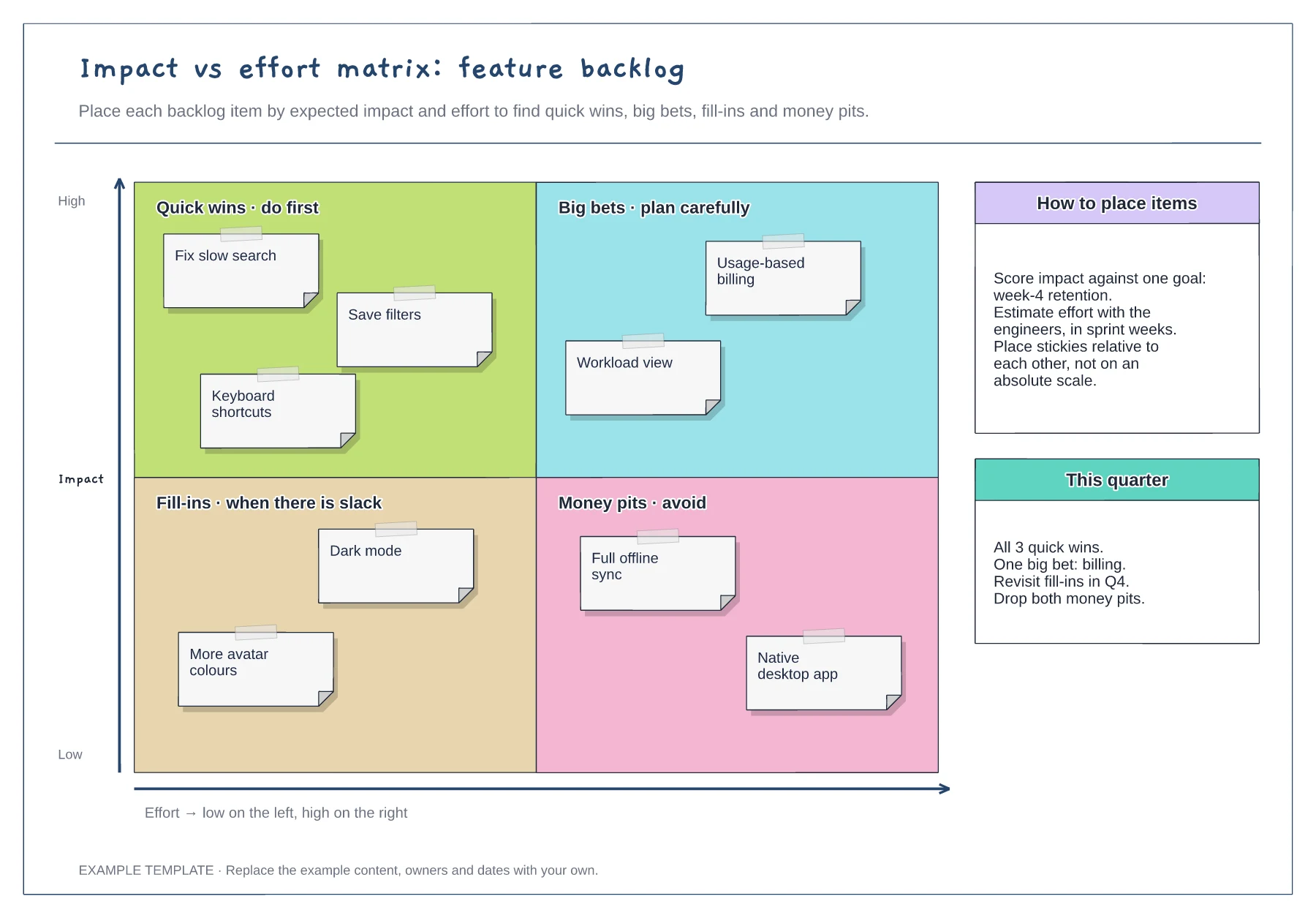
Quick wins, big bets, fill-ins and money pits · Nine example backlog items · Placement guidance and a quarter plan
Preview and use template →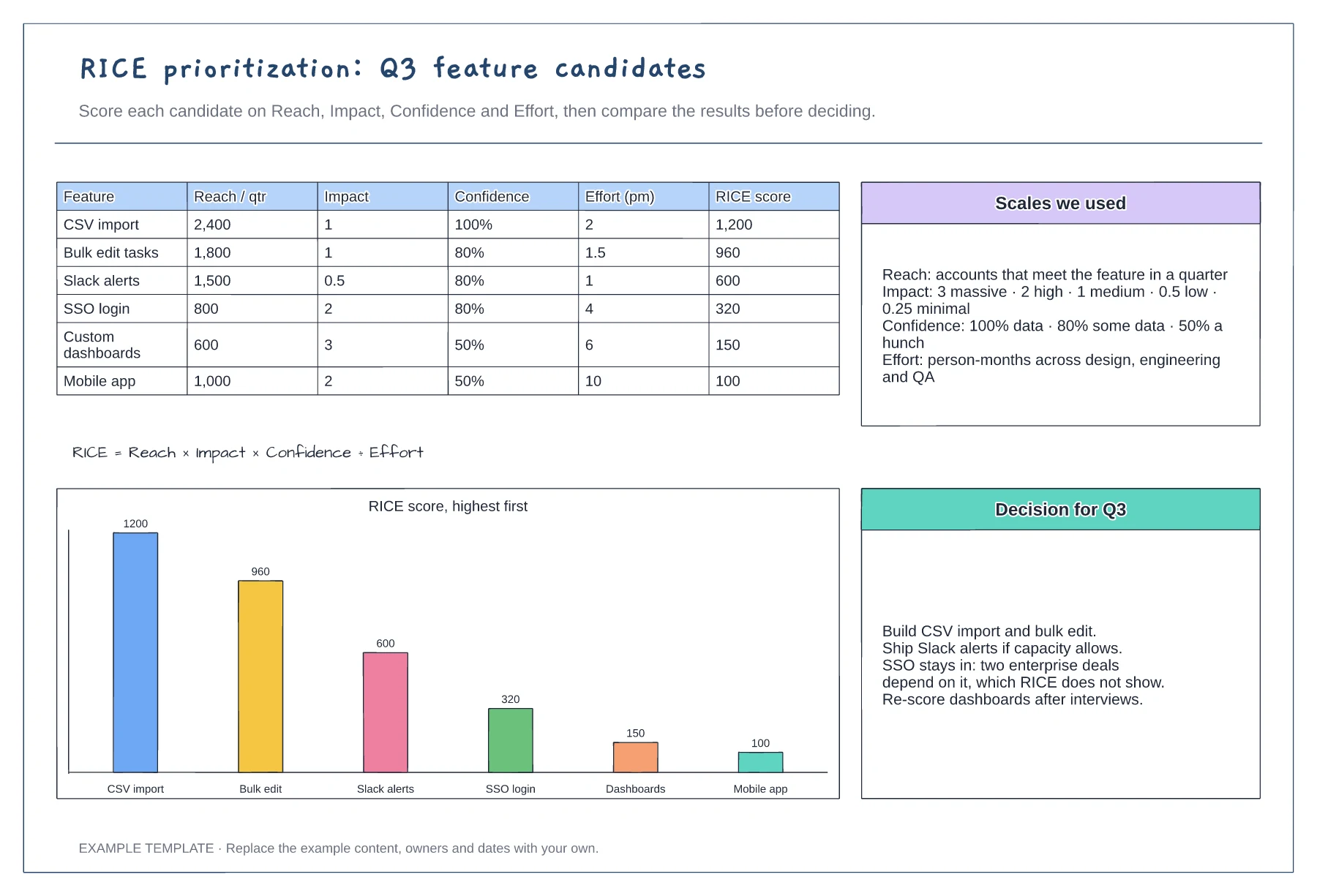
Scoring table with six features · Scales for reach, impact, confidence and effort · Ranked chart and a recorded decision
Preview and use template →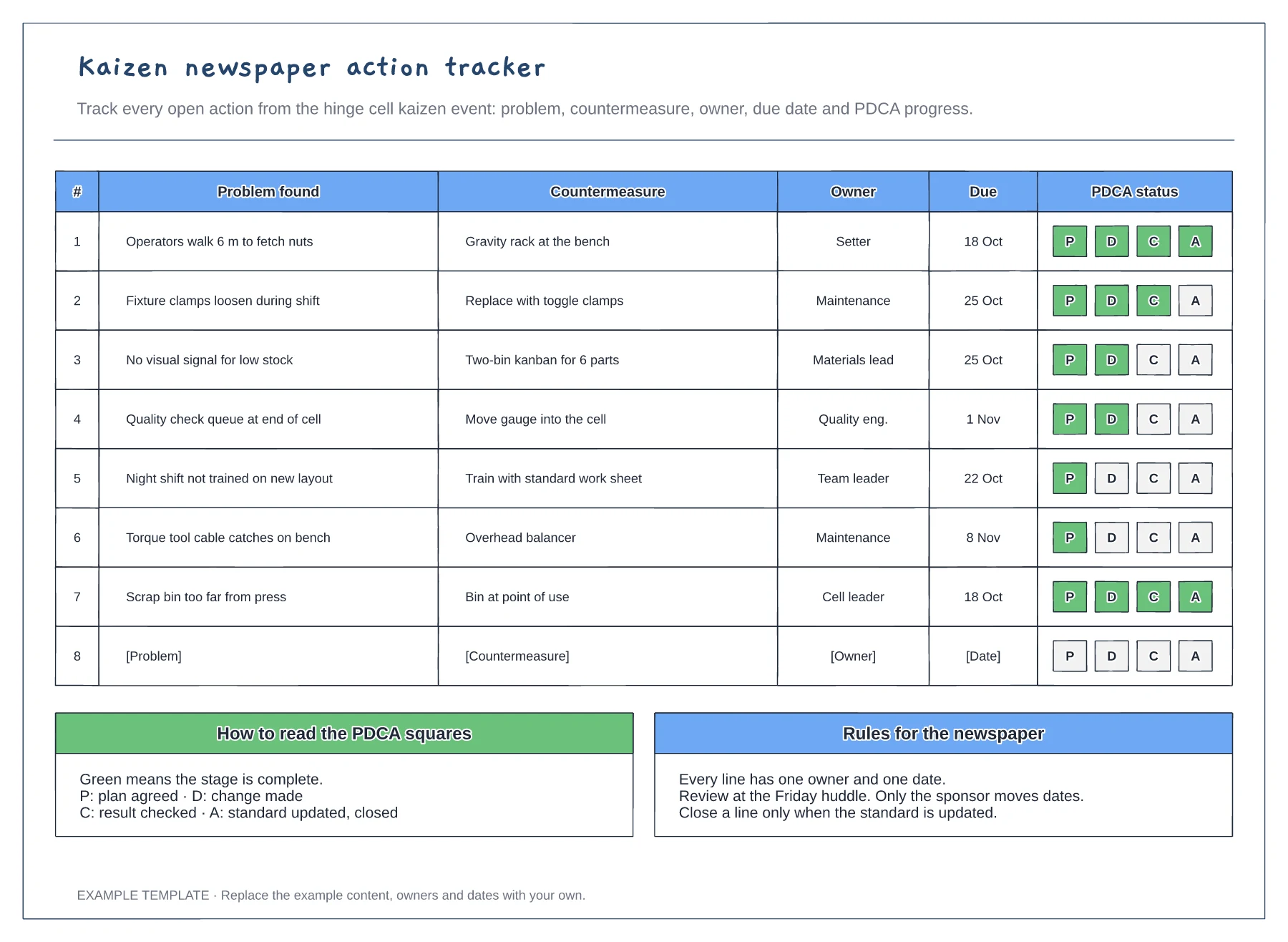
Problem and countermeasure for each line · Owner and due date columns · PDCA progress squares and newspaper rules
Preview and use template →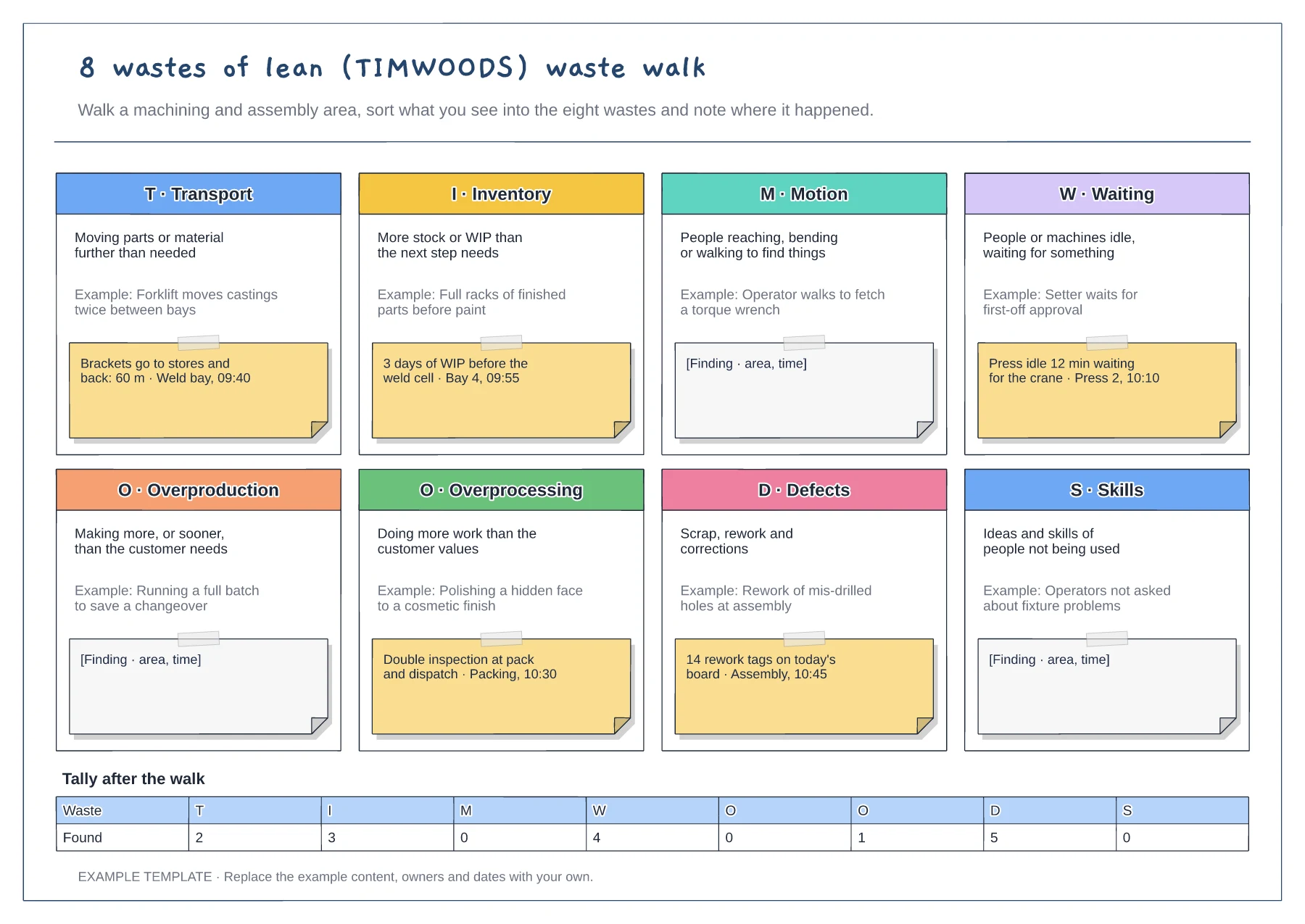
Eight tiles for TIMWOODS · Shop-floor example under each waste · Finding notes and a tally after the walk
Preview and use template →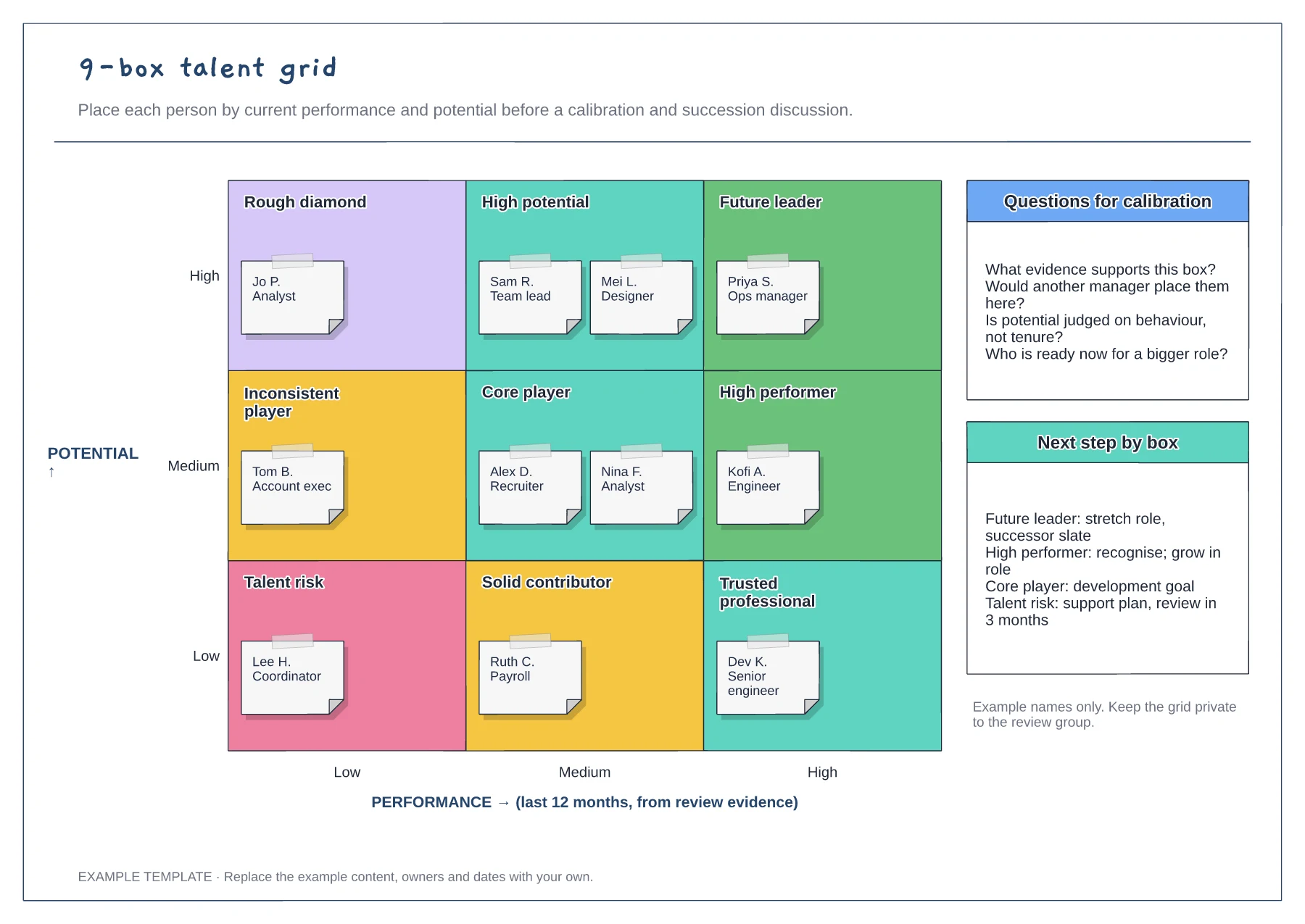
Performance and potential axes · Nine labelled cells with employee notes · Calibration questions and next steps
Preview and use template →