Product
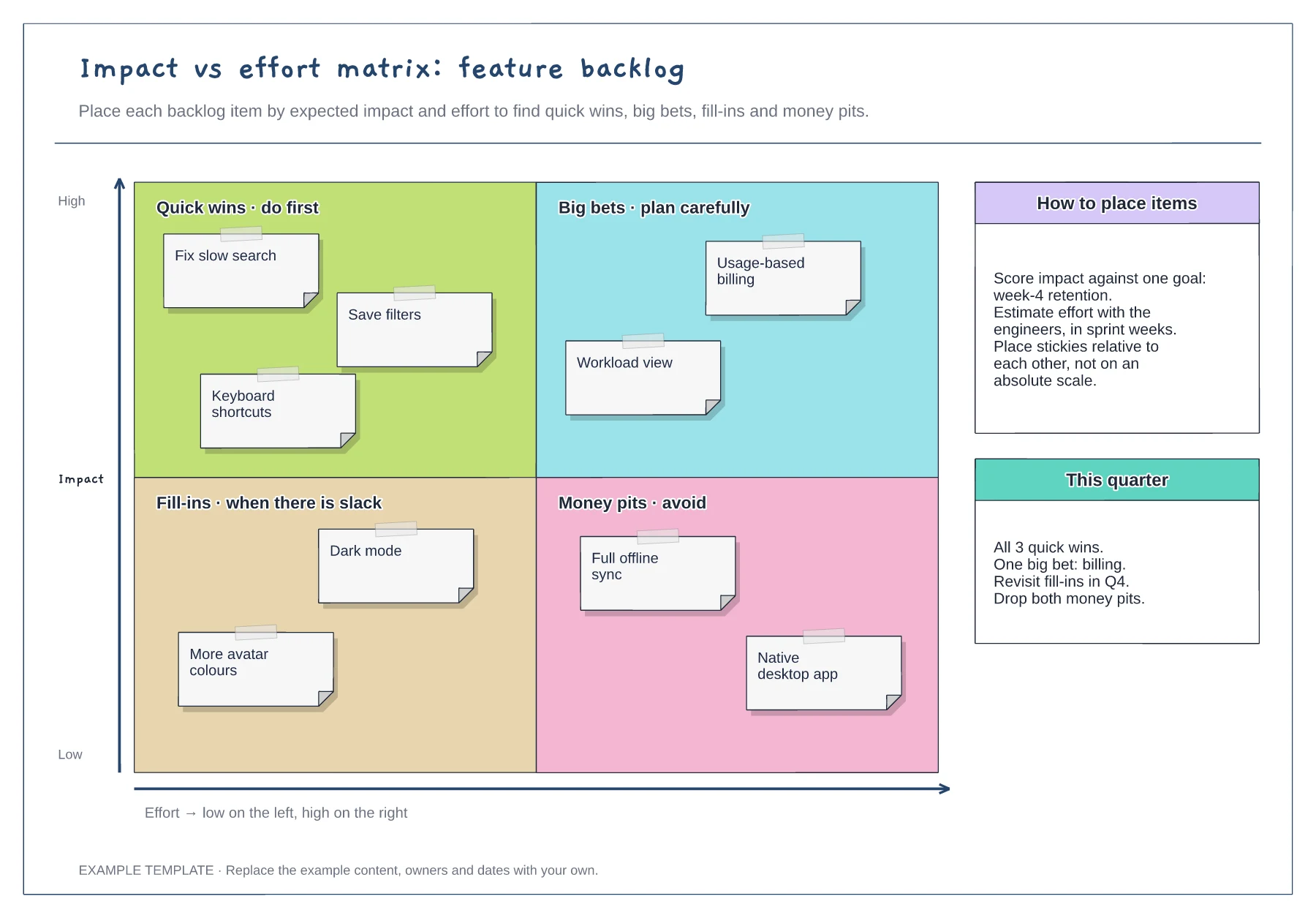
Impact effort matrix template
Quick wins, big bets, fill-ins and money pits · Nine example backlog items · Placement guidance and a quarter plan
Preview and use template →RICE scoring compares features on four factors, Reach, Impact, Confidence and Effort, so a prioritisation debate starts from the same numbers. This example scores six candidate features for a quarter, explains the scale for each factor, ranks the results in a bar chart and records a decision that departs from the ranking where needed.
No account needed · Opens as your own editable page
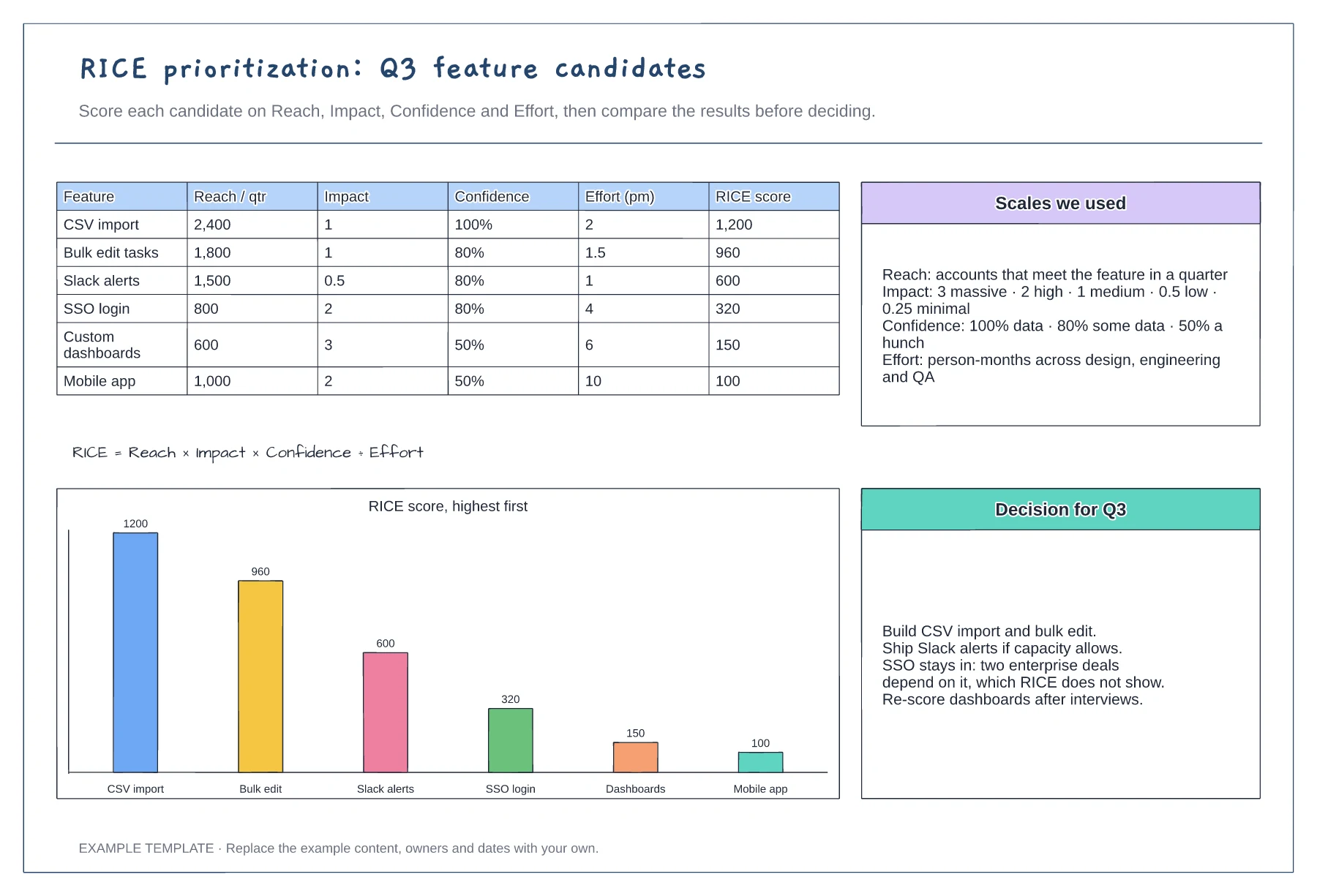
Agree what reach measures and which period it covers, and keep the impact and confidence steps the same for every item. Scores are only comparable when everyone uses one scale.
Ask engineers for effort and use data or research for reach and confidence. When a confidence score is low, note what evidence would raise it and who could find it.
RICE leaves out deadlines, dependencies and contract commitments. When you choose a lower-scoring item, write the reason down beside the table, as the example does for SSO.
Add a row with its reach, impact, confidence and effort, work out the score, then add a bar for it in the right place on the ranked chart.
No. Open the template and edit it in your browser. Your work saves on this device. An account is optional if you want to sync your workspace.
Yes. Use Export in the editor to save a PNG, SVG or PDF, or download an editable .epicdraw backup.
Quick wins, big bets, fill-ins and money pits · Nine example backlog items · Placement guidance and a quarter plan
Preview and use template →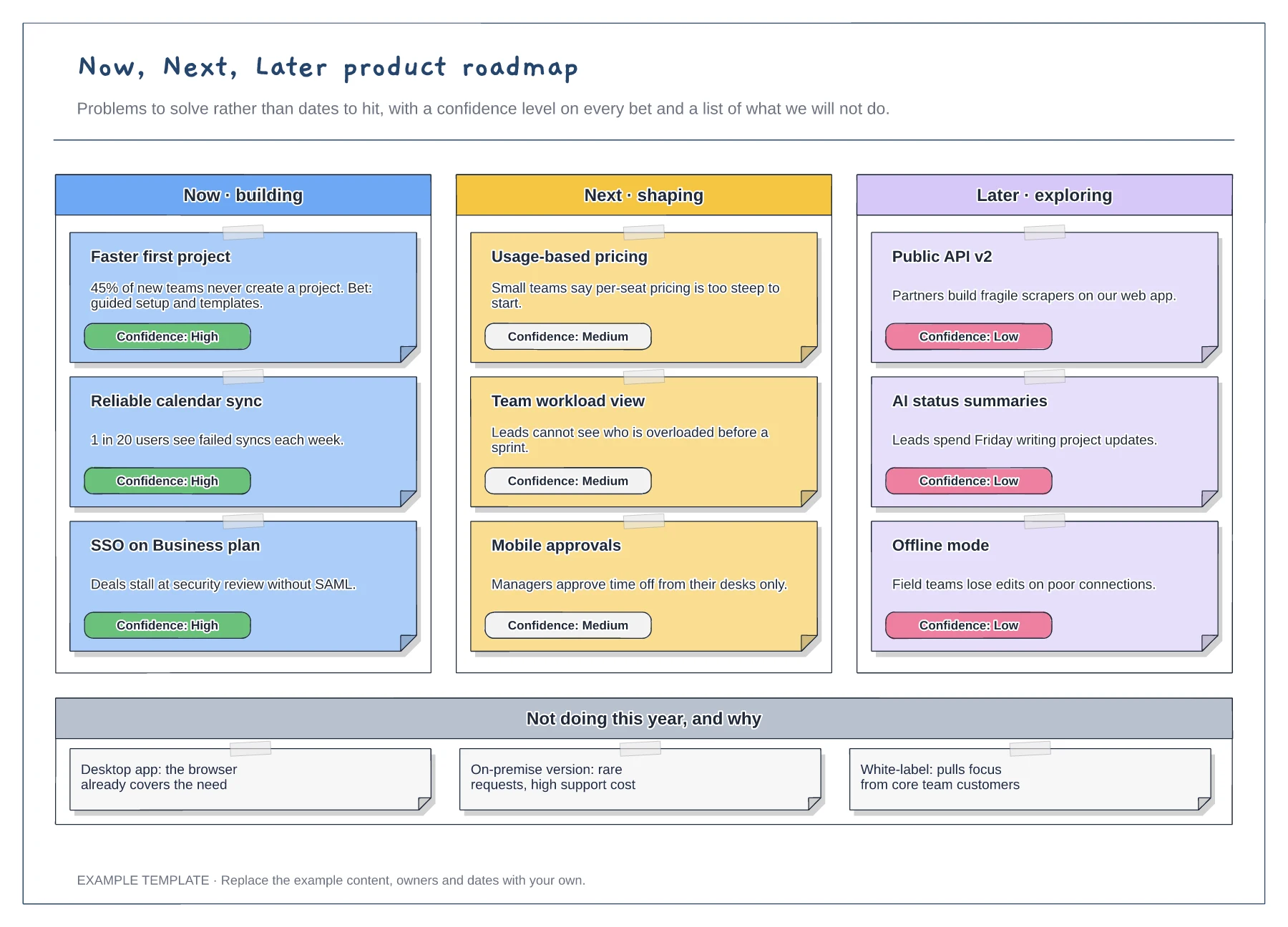
Now, Next and Later columns · Problem statements with confidence tags · A not-doing list with reasons
Preview and use template →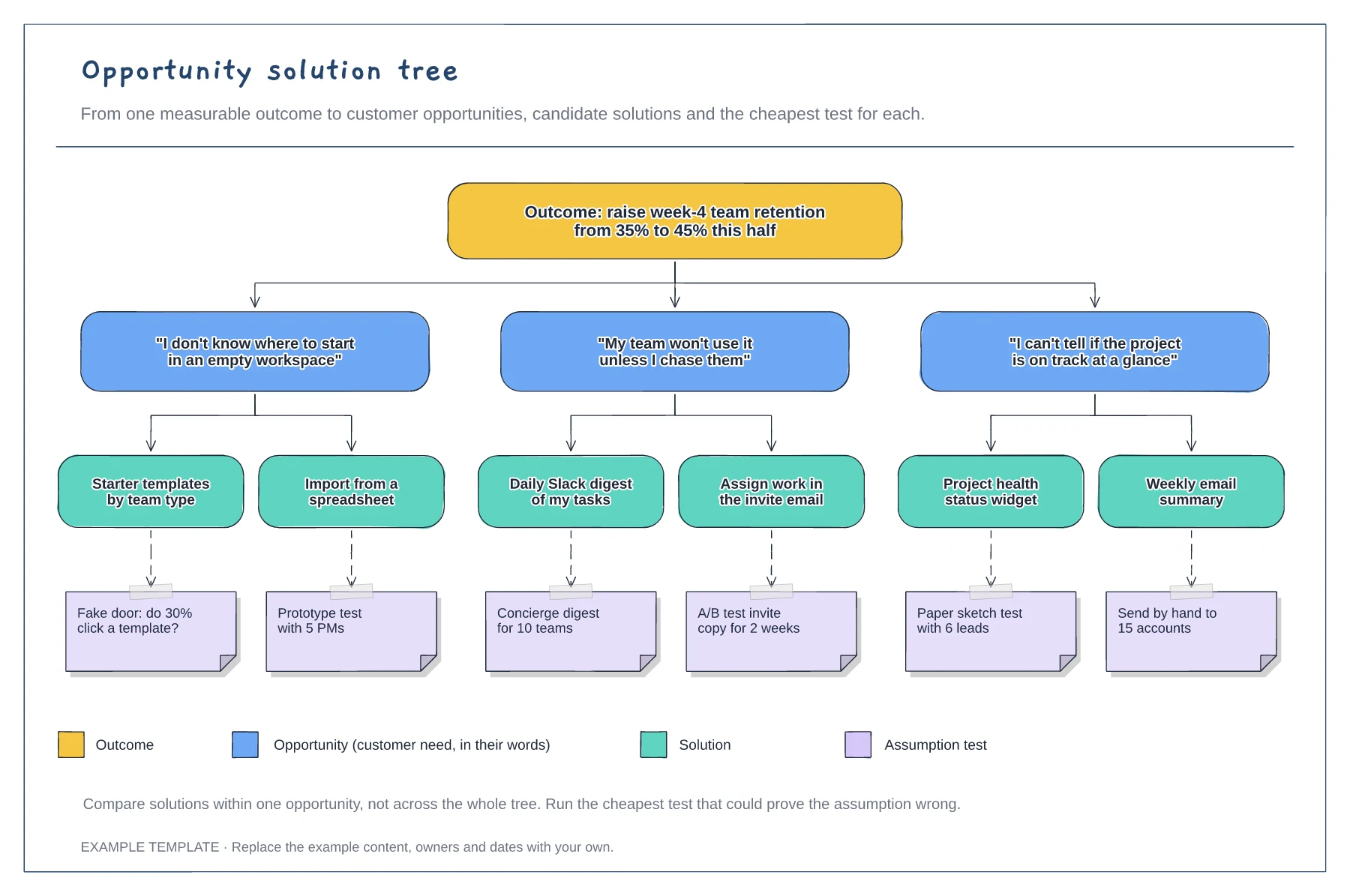
A measurable outcome at the top · Opportunities phrased as customer quotes · Solutions with assumption tests and a legend
Preview and use template →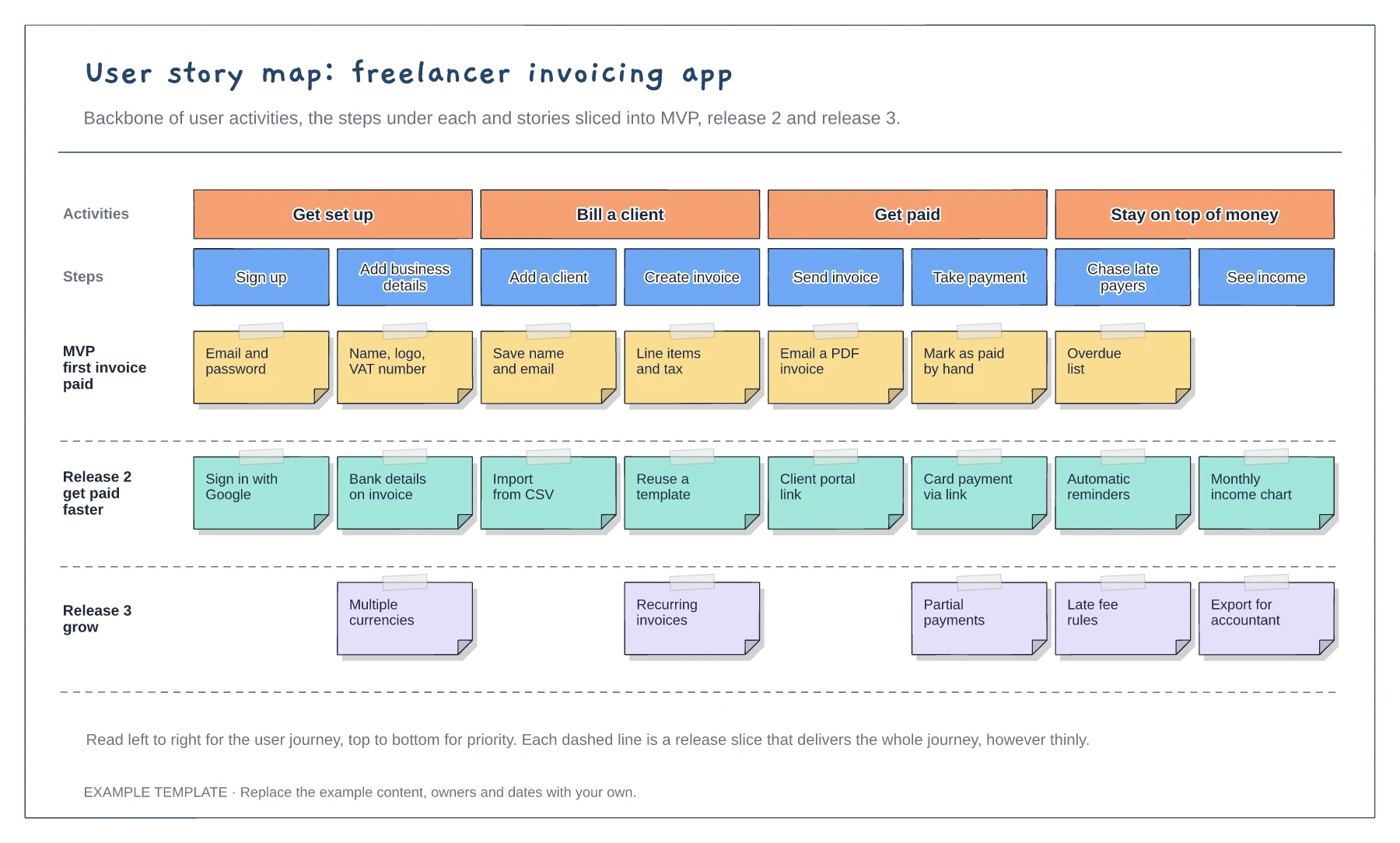
Backbone of four user activities · Eight steps with stories under each · Release slices for MVP, release 2 and release 3
Preview and use template →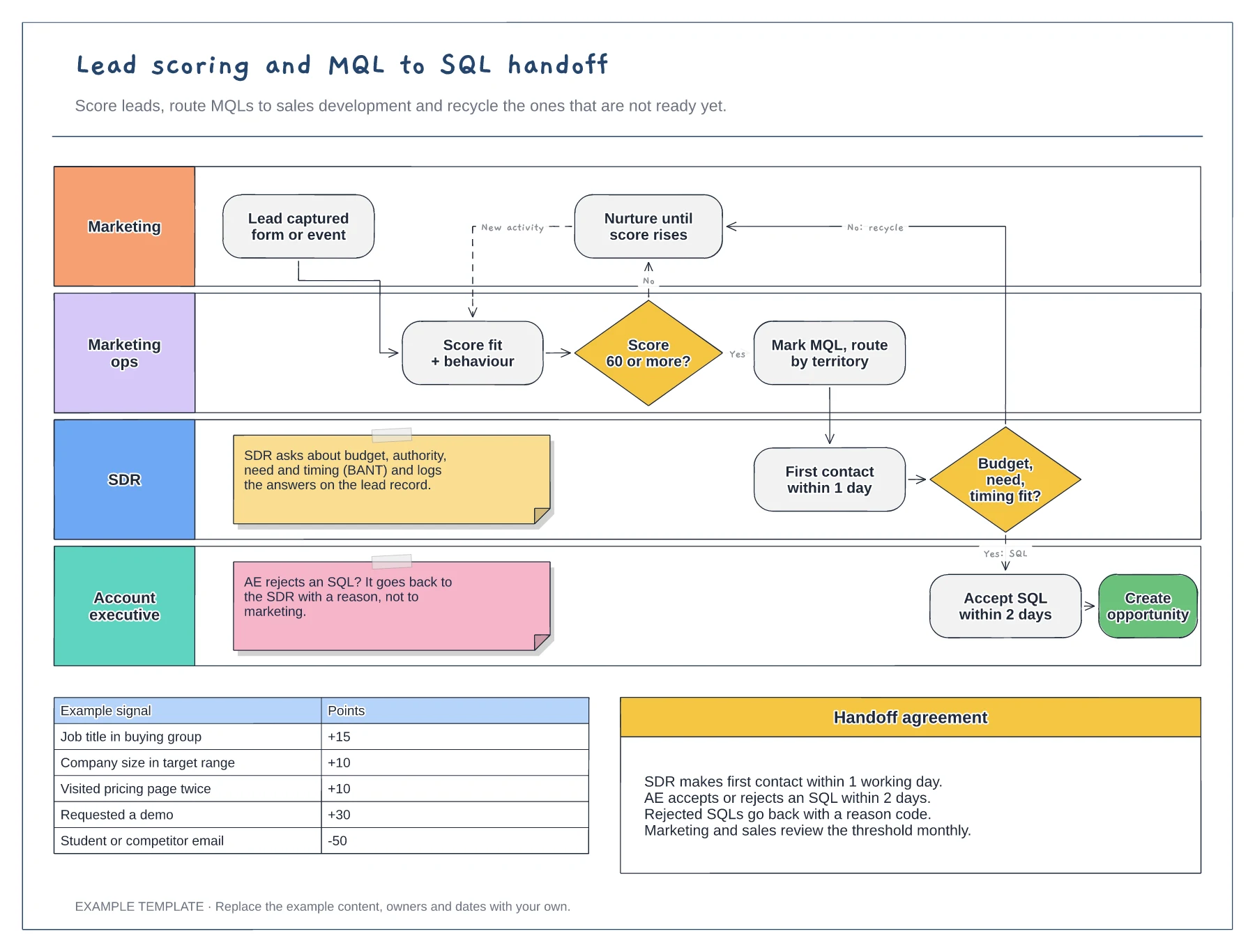
Swimlanes for marketing, marketing ops, SDR and AE · Example scoring model with points · Service-level agreement between the teams
Preview and use template →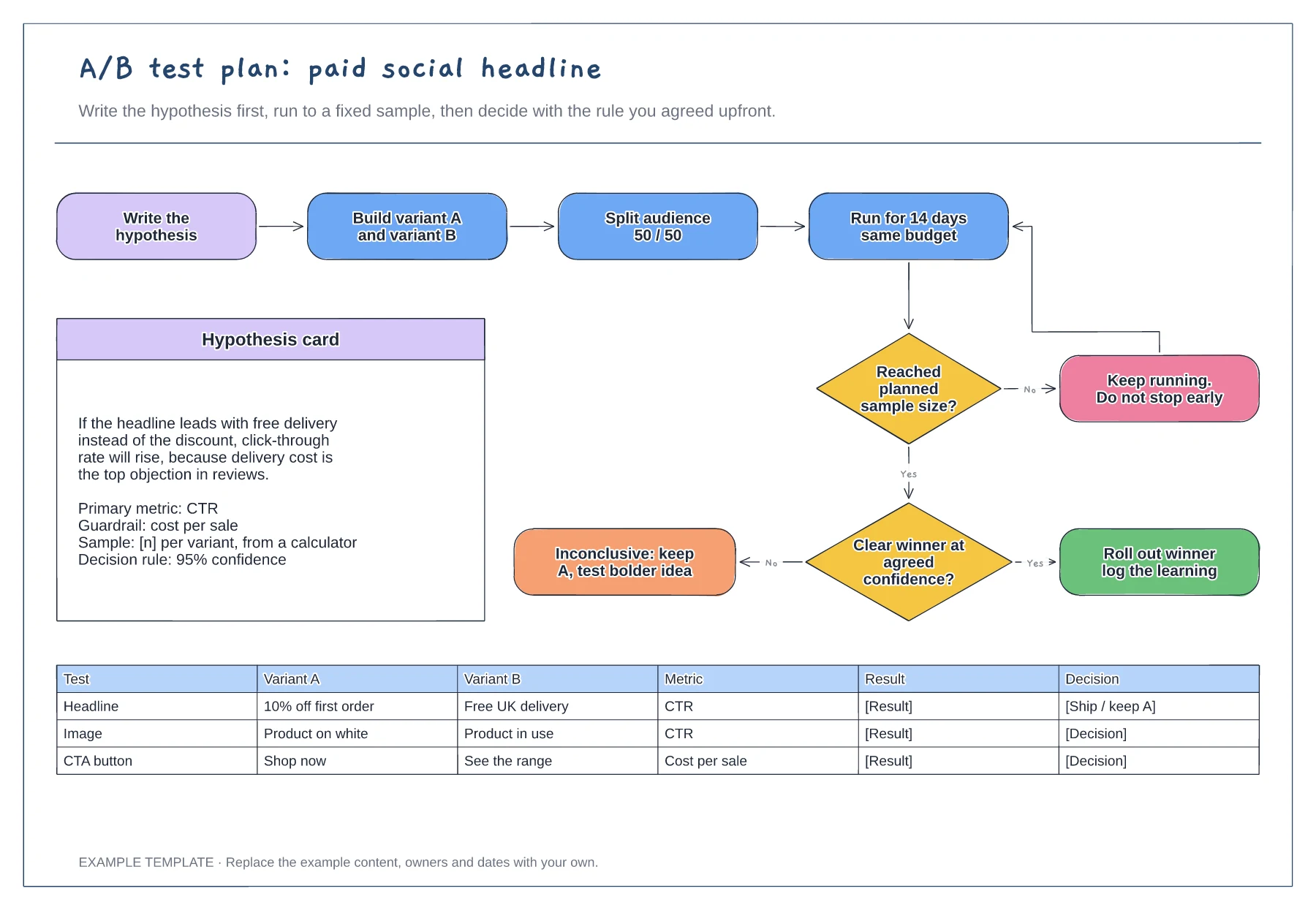
Hypothesis card with metric and guardrail · Decision flow with a no-peeking loop · Test log for variants and results
Preview and use template →