Manufacturing
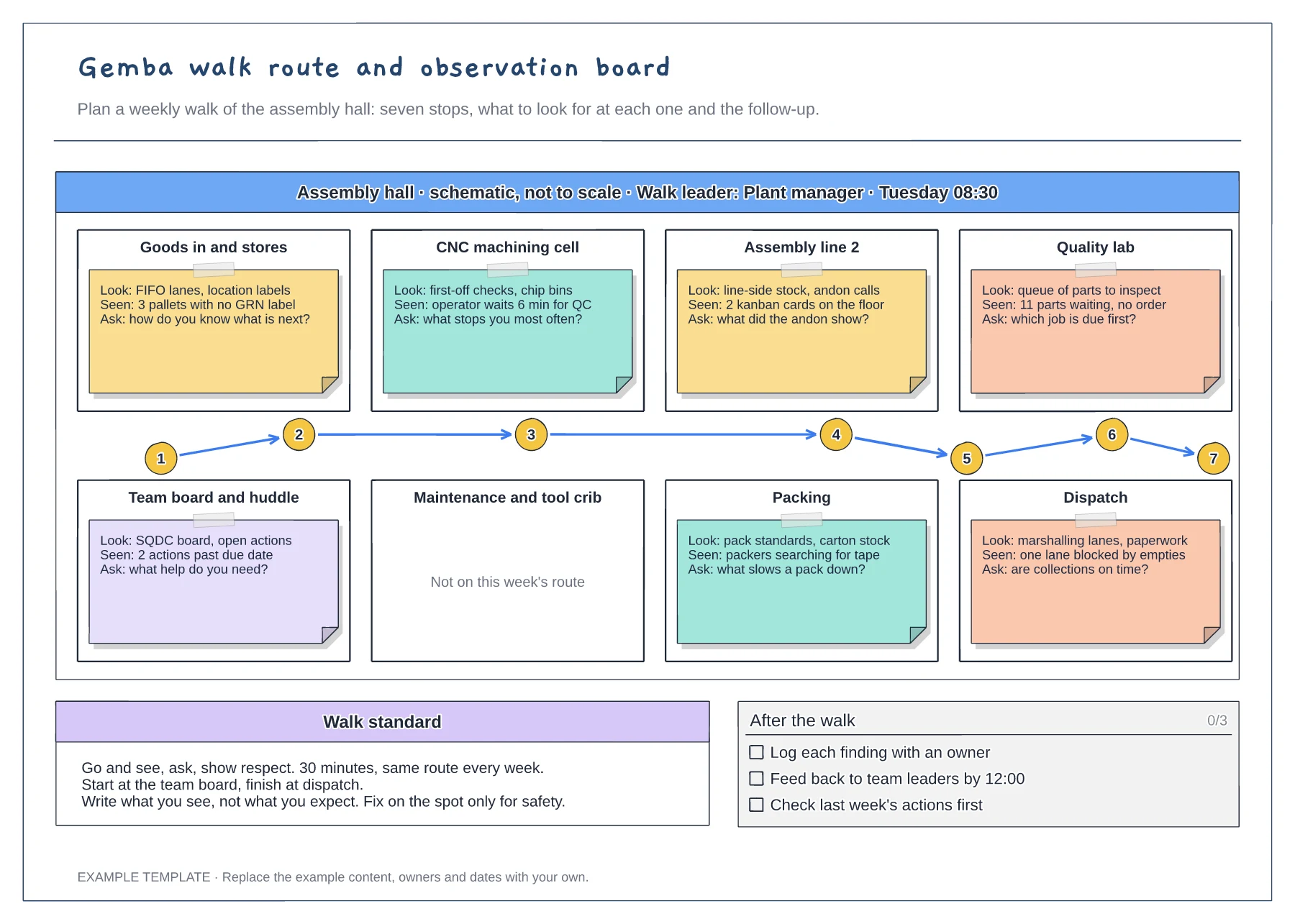
Gemba walk route and observation board template
Floor plan with a numbered walk route · Look, seen and ask notes at every stop · Walk standard and after-the-walk checklist
Preview and use template →The eight wastes give a team a shared vocabulary for spotting activity that adds cost but no value. This example lays out TIMWOODS as eight tiles, each with a short definition, a machining or assembly example and a sticky note recording what was found on a walk, where and when.
No account needed · Opens as your own editable page
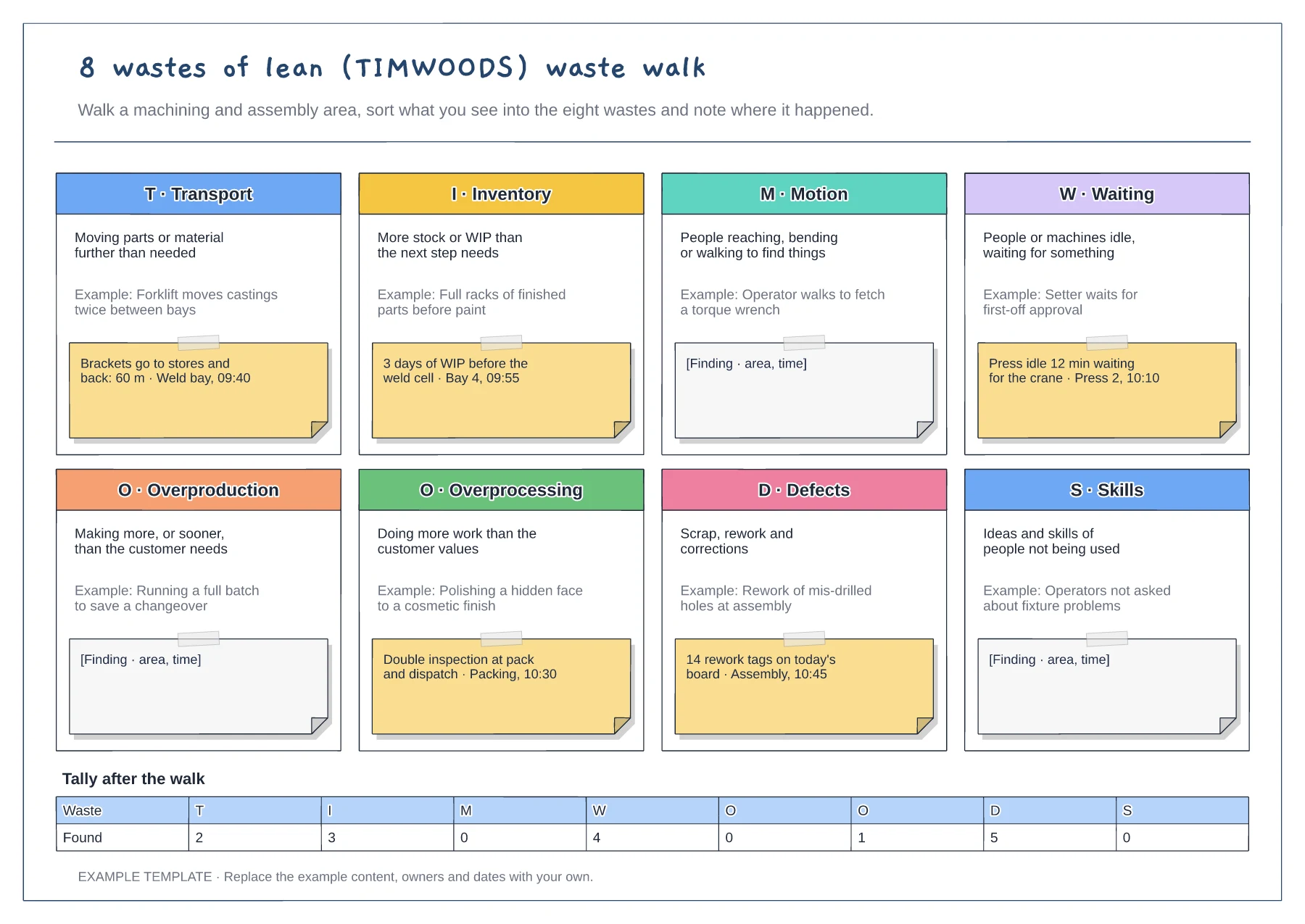
Take operators or team members on the walk and let them place the findings. They know where time goes, and they will support changes they helped find.
Write the area and time on each finding, not just the waste. A location tells you where to look next; a time can link the waste to a shift or a changeover.
Count the findings under each waste and pick one with a clear owner to work on first. Trying to fix all eight at once usually means none get fixed.
Each person adds a sticky note under the waste tile that matches what they saw, then you count the notes into the tally after the walk.
No. Open the template and edit it in your browser. Your work saves on this device. An account is optional if you want to sync your workspace.
Yes. Use Export in the editor to save a PNG, SVG or PDF, or download an editable .epicdraw backup.
Floor plan with a numbered walk route · Look, seen and ask notes at every stop · Walk standard and after-the-walk checklist
Preview and use template →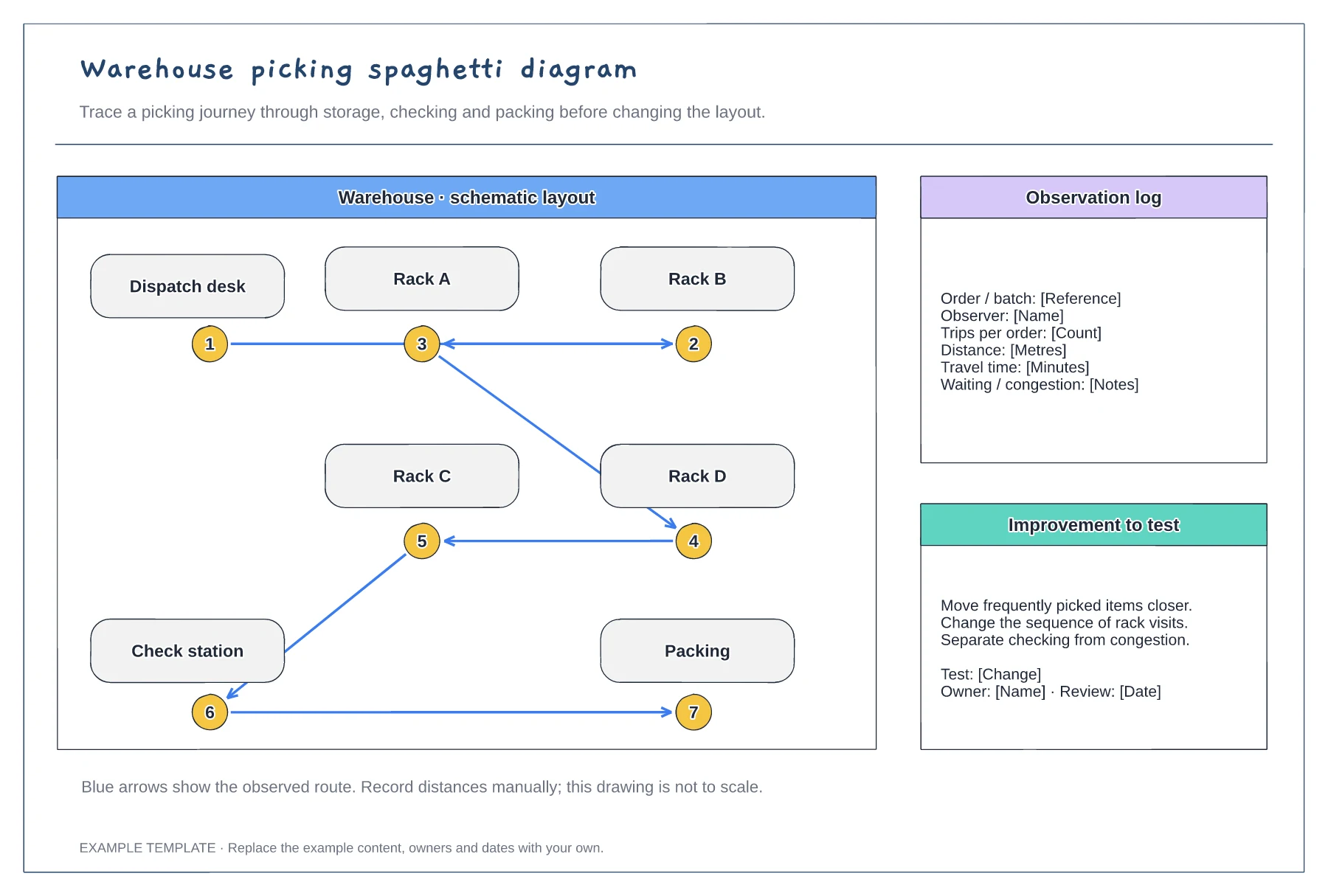
An example warehouse layout · Numbered picking stops and route arrows · Space to discuss movement and changes
Preview and use template →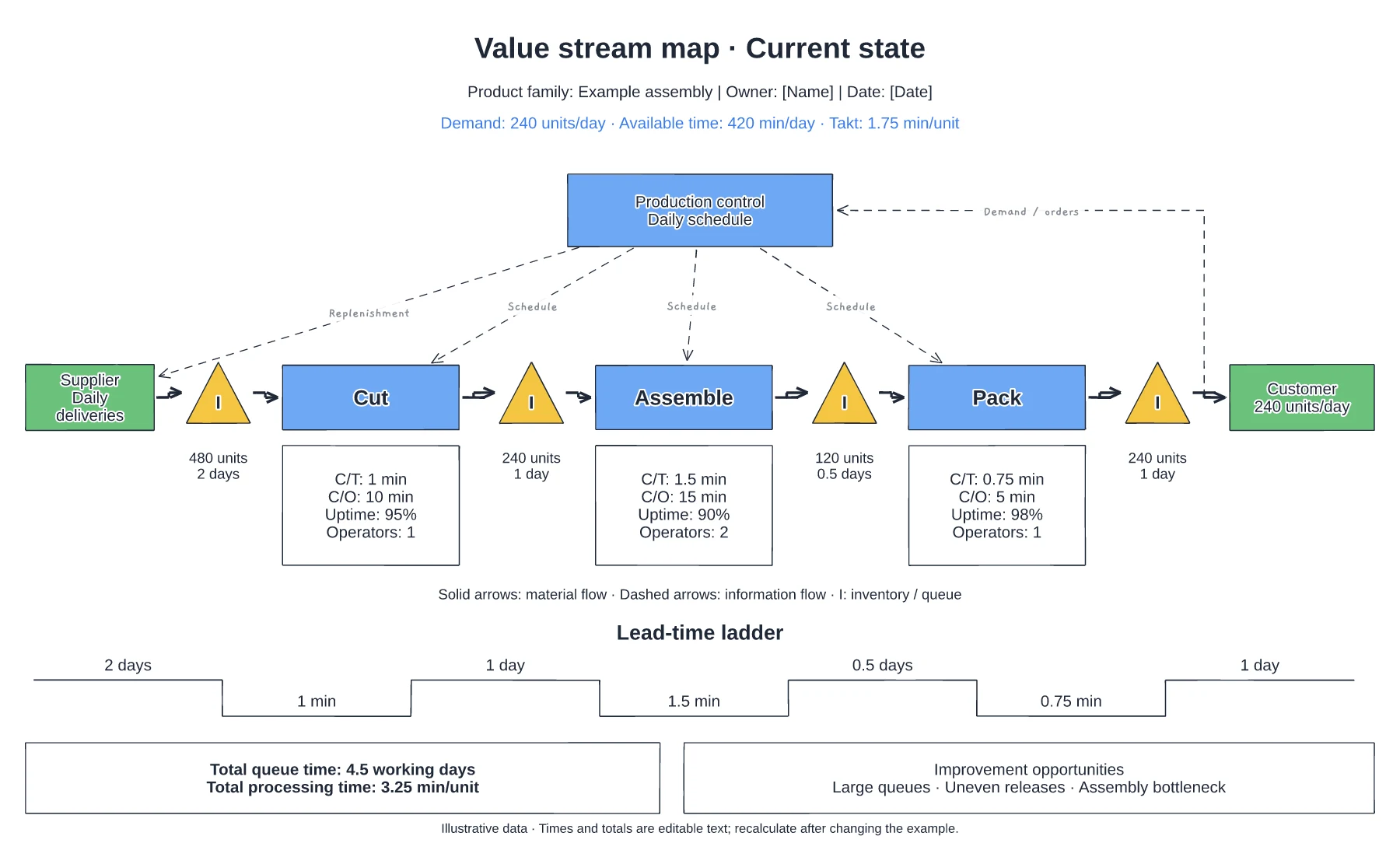
Supplier, process and customer flow · Inventory queues and process data · Information flow and timing line
Preview and use template →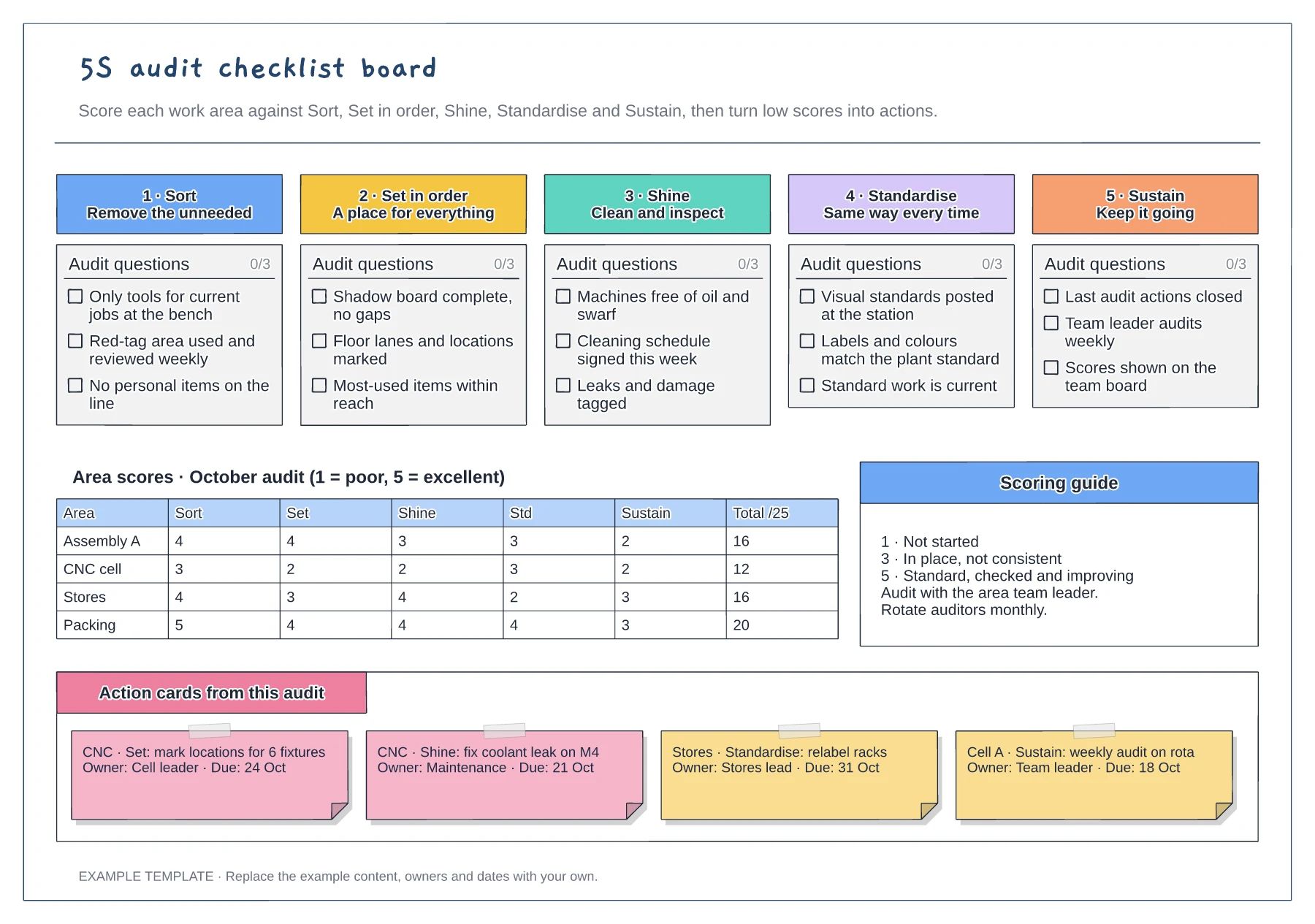
Tickable audit questions for each S · Score grid by area and pillar · Action cards with owner and due date
Preview and use template →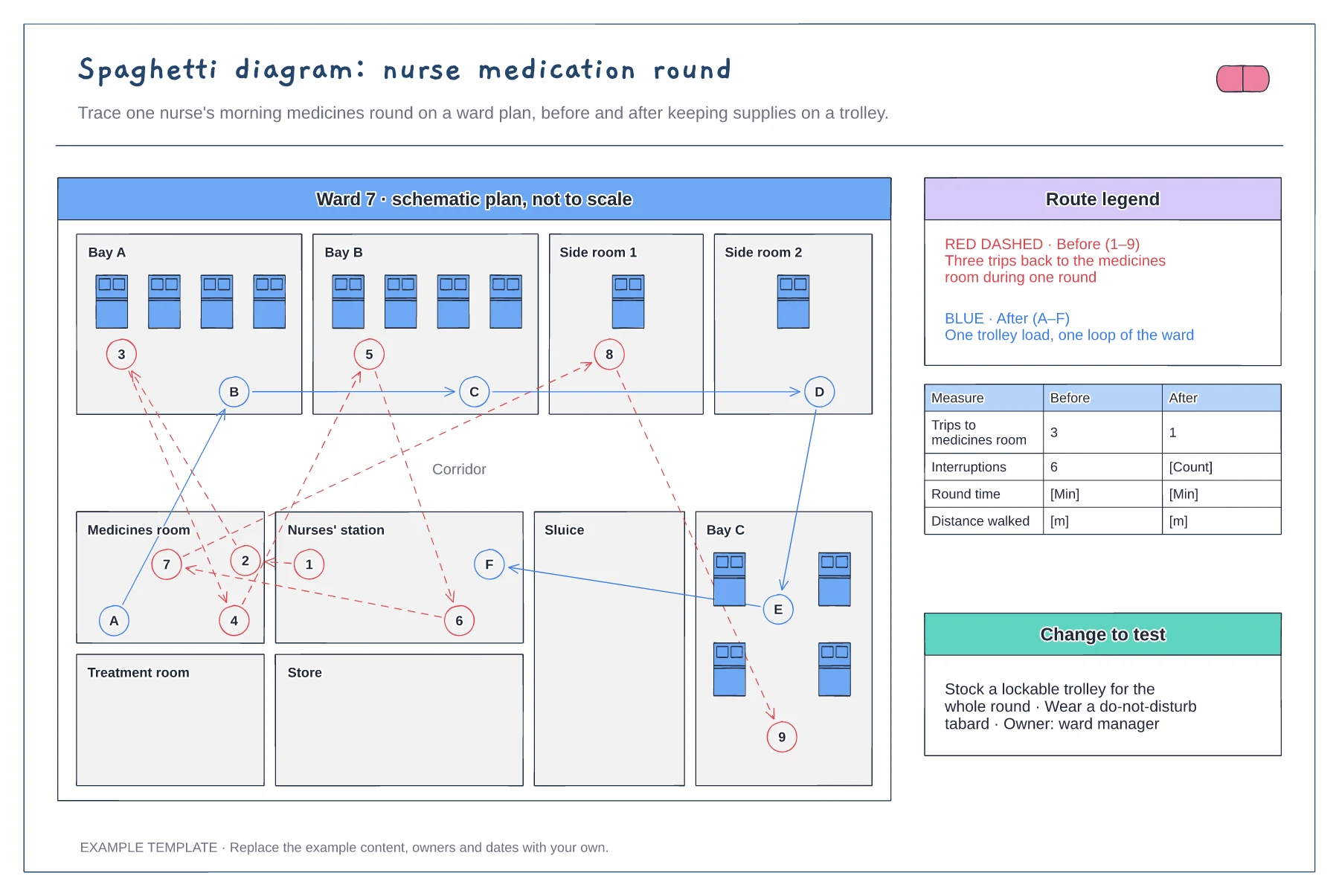
Ward floor plan with bays and rooms · Before and after routes with numbered stops · Measures table and change to test
Preview and use template →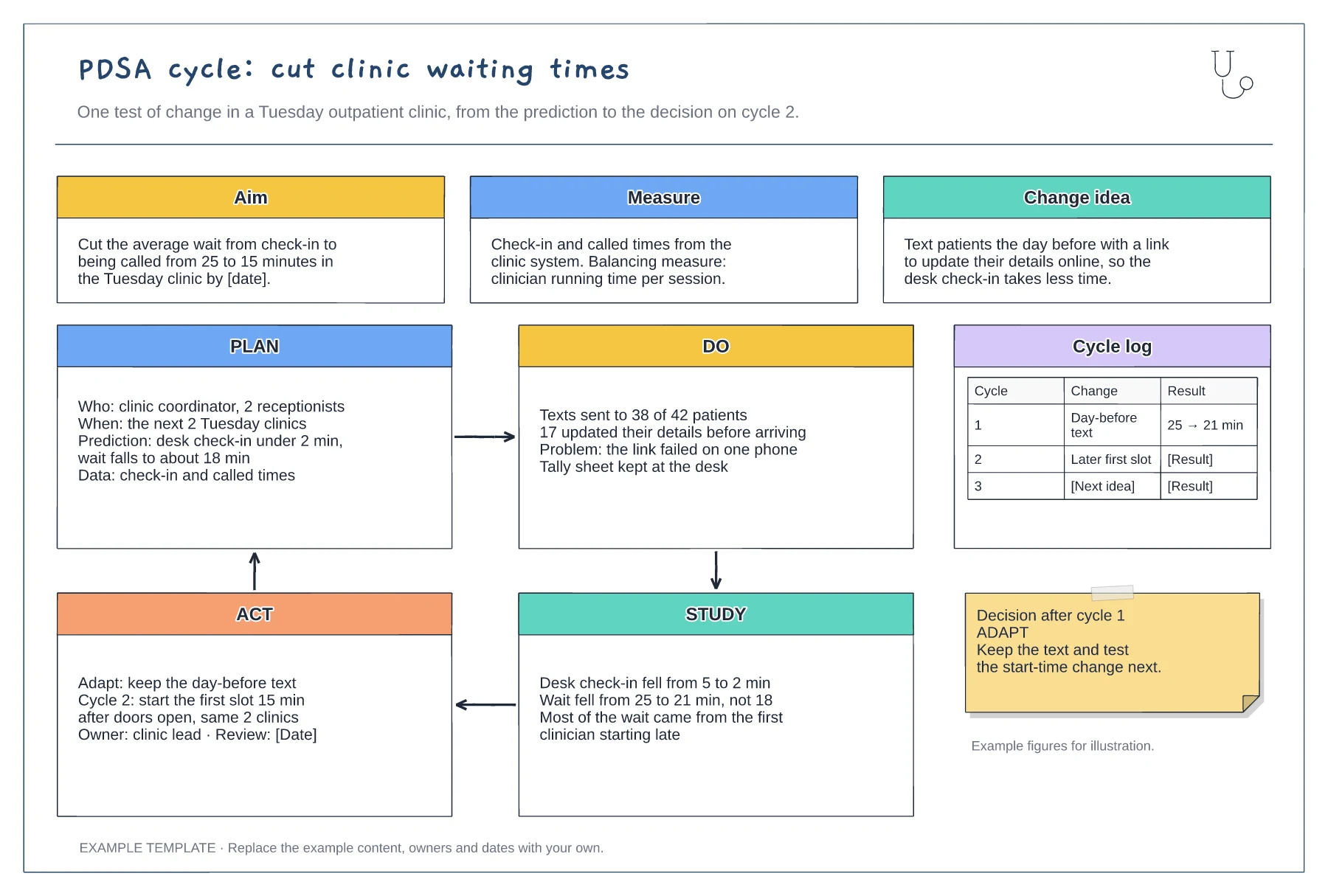
Aim, measure and change idea · Filled-in Plan, Do, Study and Act panels · Cycle log and decision note
Preview and use template →