Manufacturing
Kaizen event plan template
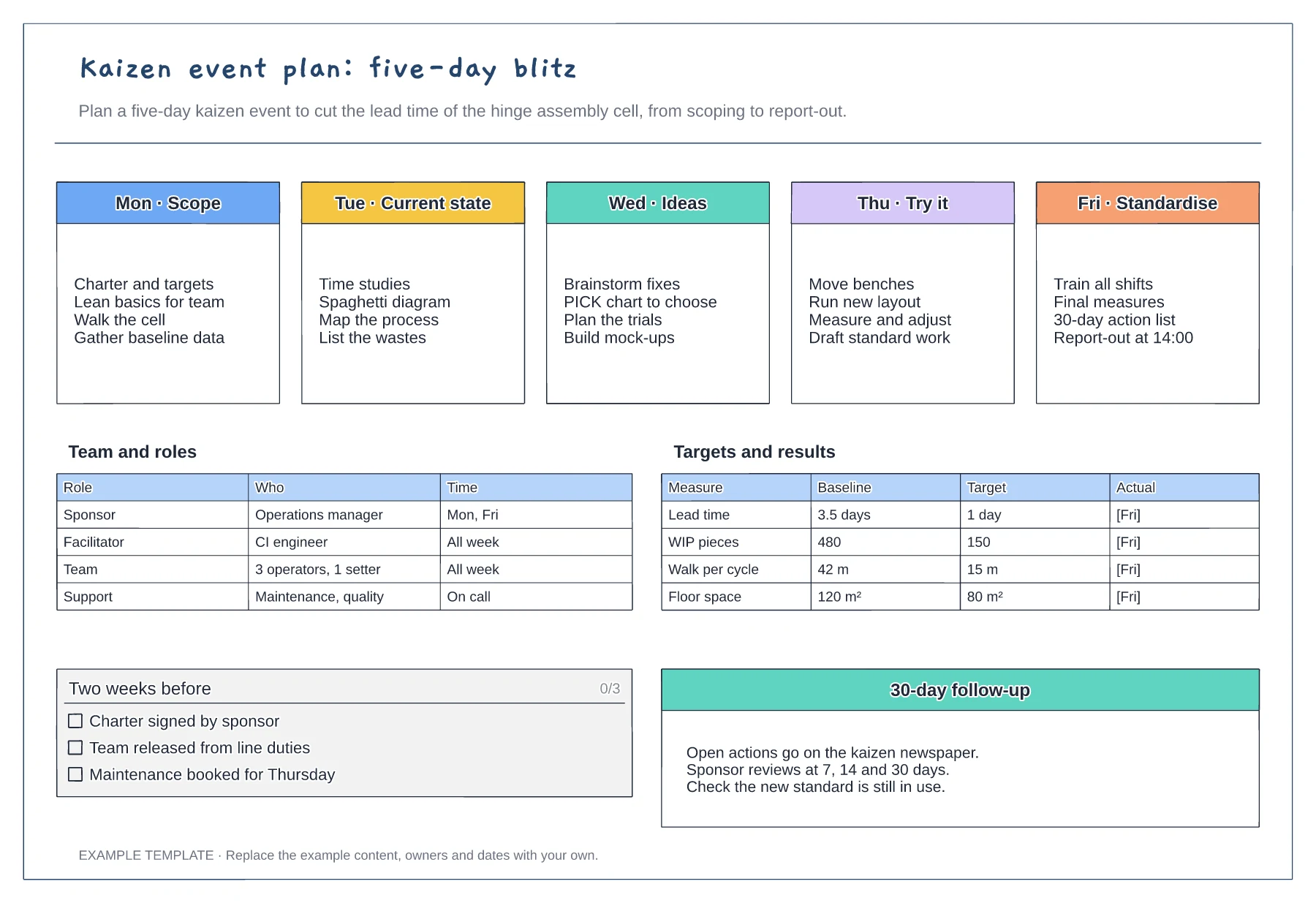
Five-day agenda from scope to standardise · Team roles and time commitment · Baseline, target and actual measures
Preview and use template →A kaizen newspaper keeps the actions from an improvement event visible until each one is finished. This example tracks eight actions from an assembly cell kaizen, with the problem found, the countermeasure, one owner, a due date and four PDCA squares that turn green as each stage is completed.
No account needed · Opens as your own editable page
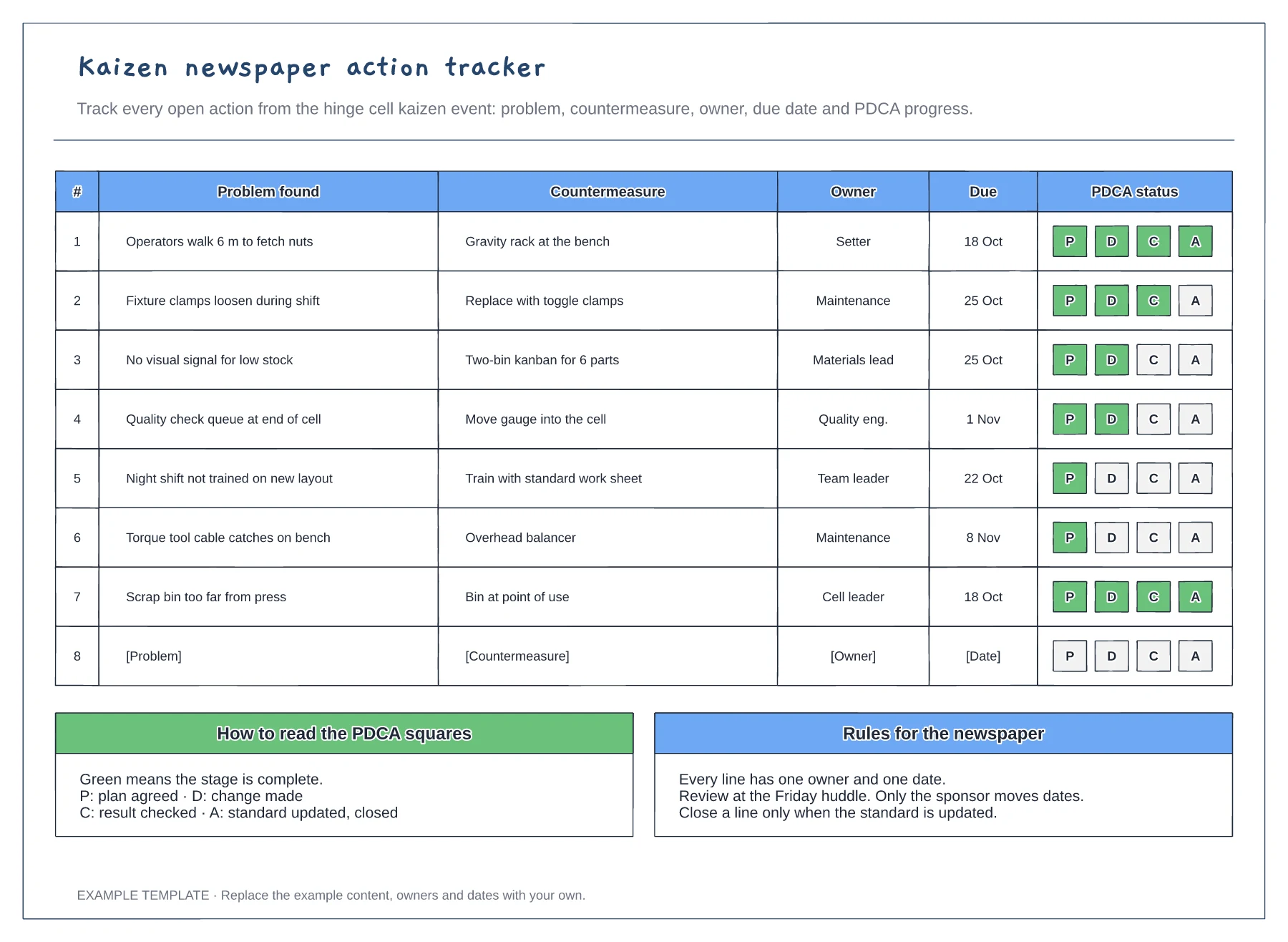
Describe what was wrong next to each countermeasure. When the action is reviewed weeks later, the problem statement tells you whether the fix actually worked.
Give every line a single named owner and a date they agreed to. Shared ownership is the most common reason a newspaper line stays open.
Colour the squares as each stage is done and close a line only when the standard is updated. A change that is made but not written into standard work tends to slip back.
Fill in one square as each stage is reached: plan, do, check and act. A line with all four filled is complete and can come off the list.
No. Open the template and edit it in your browser. Your work saves on this device. An account is optional if you want to sync your workspace.
Yes. Use Export in the editor to save a PNG, SVG or PDF, or download an editable .epicdraw backup.
Five-day agenda from scope to standardise · Team roles and time commitment · Baseline, target and actual measures
Preview and use template →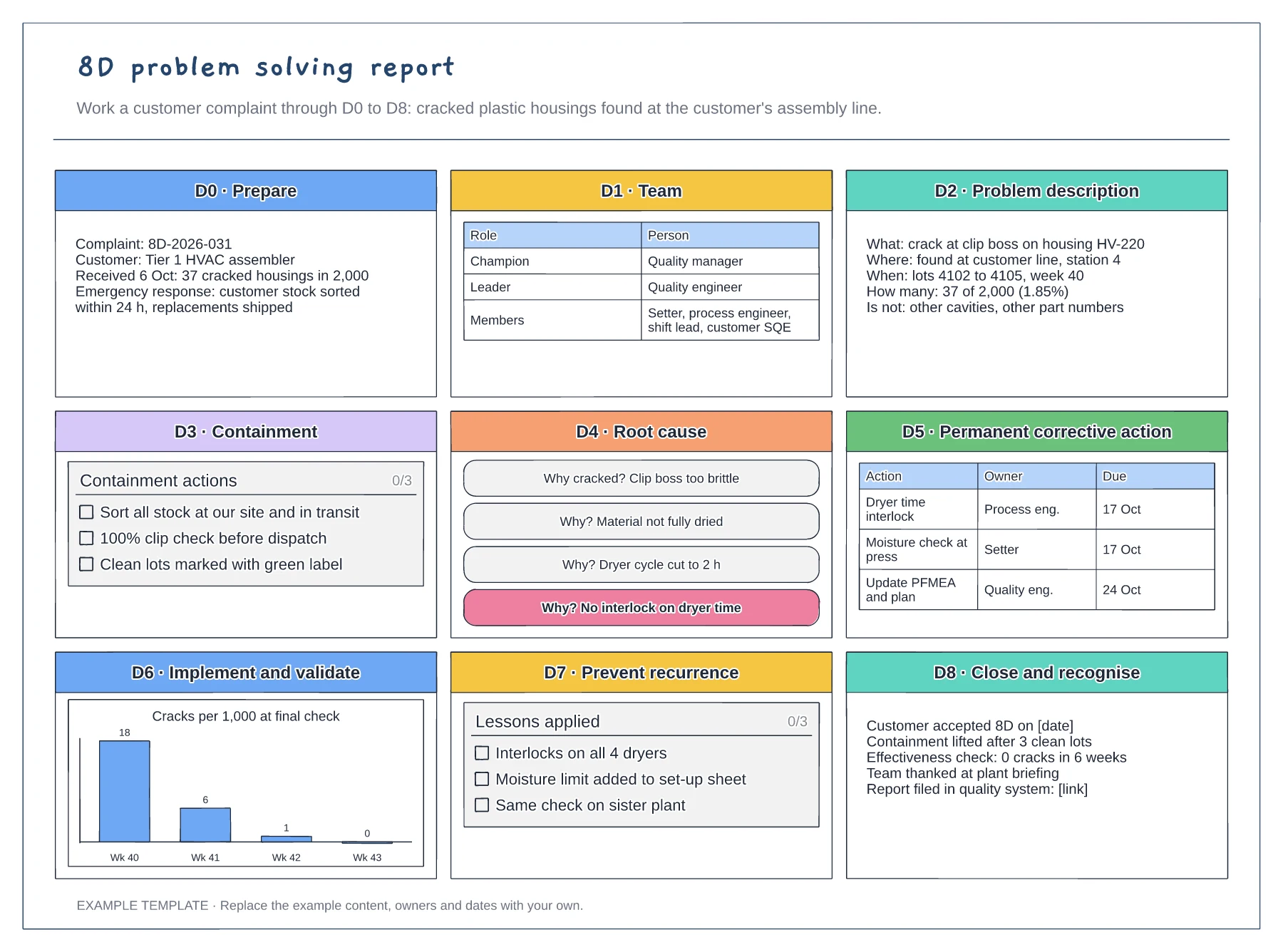
Nine panels from D0 to D8 · 5 whys root cause and action table · Validation chart and closure record
Preview and use template →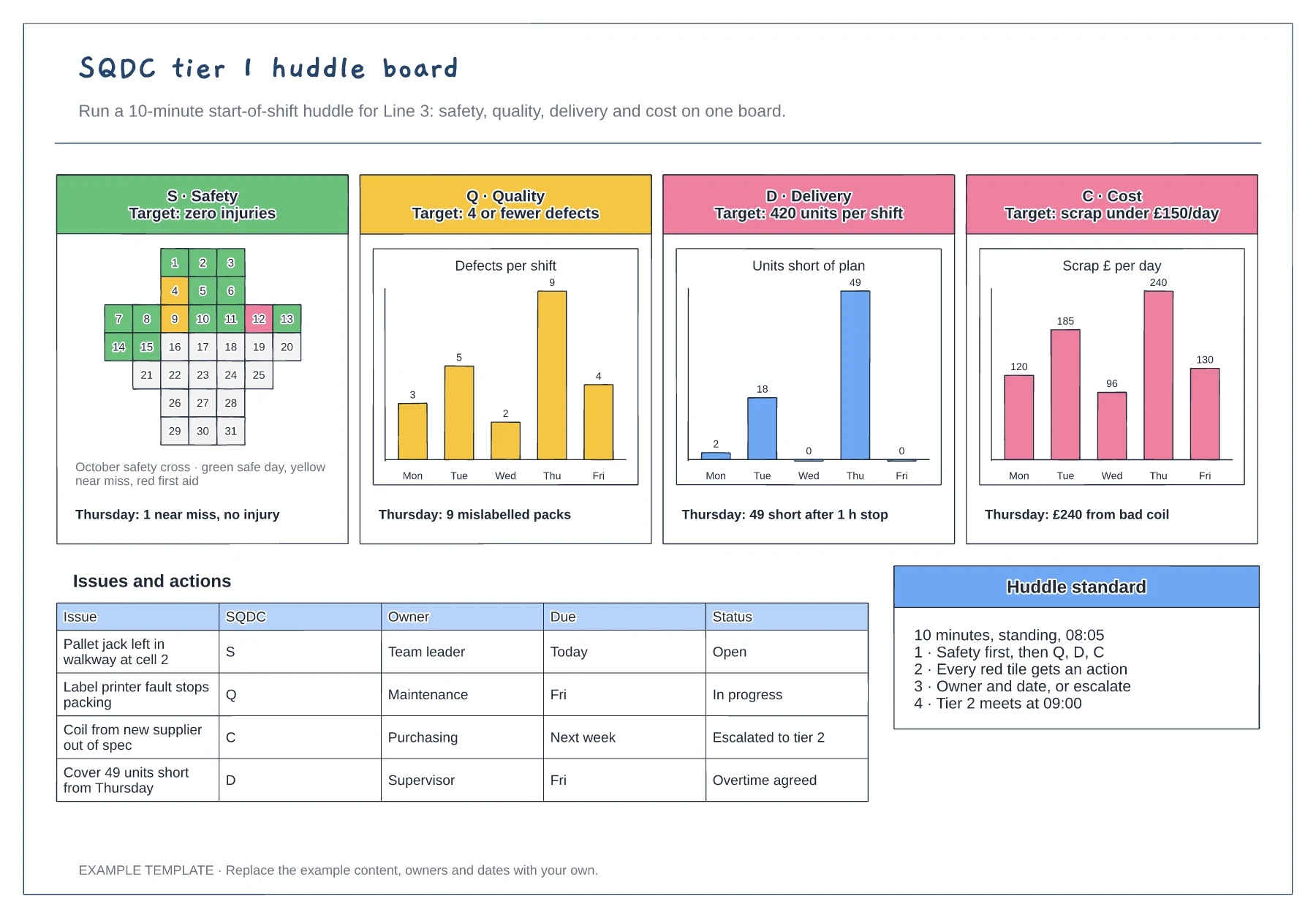
Safety cross for the month · Quality, delivery and cost charts by day · Issues and actions table with escalation
Preview and use template →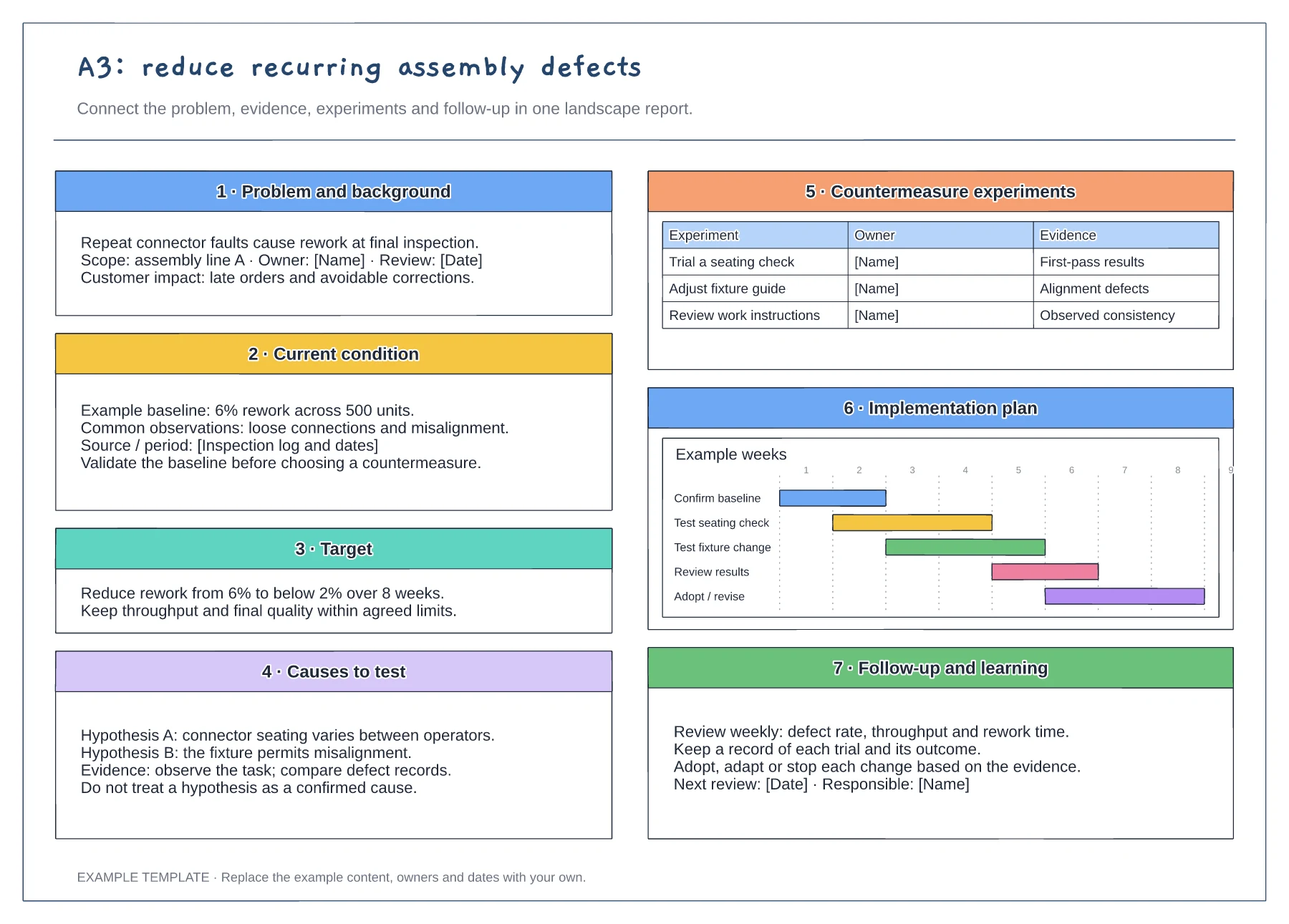
Problem statement and current condition · Cause analysis and countermeasure plan · Owners, checks and follow-up
Preview and use template →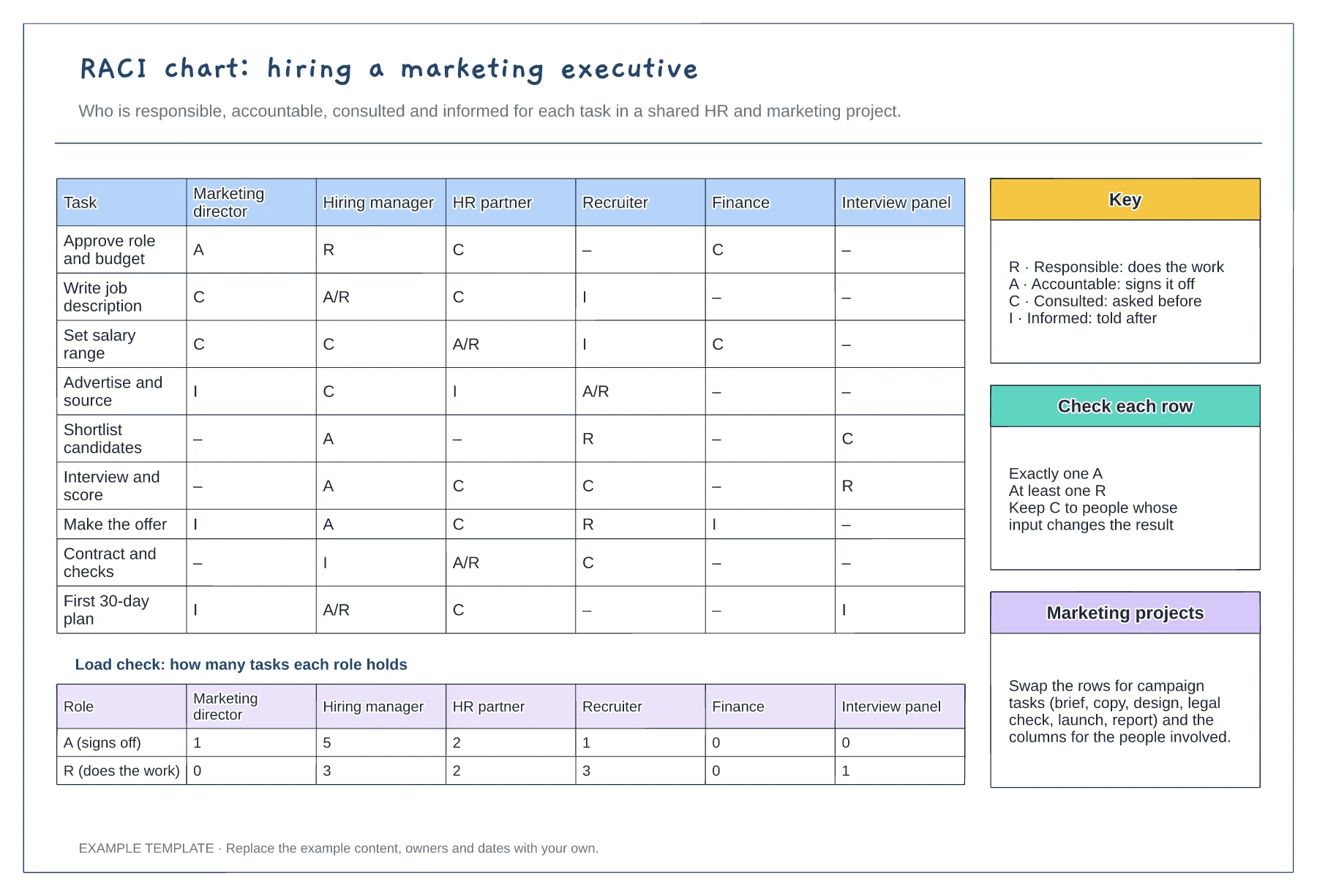
Tasks against six roles with R, A, C and I · Load check of A and R per role · Key, row checks and reuse notes
Preview and use template →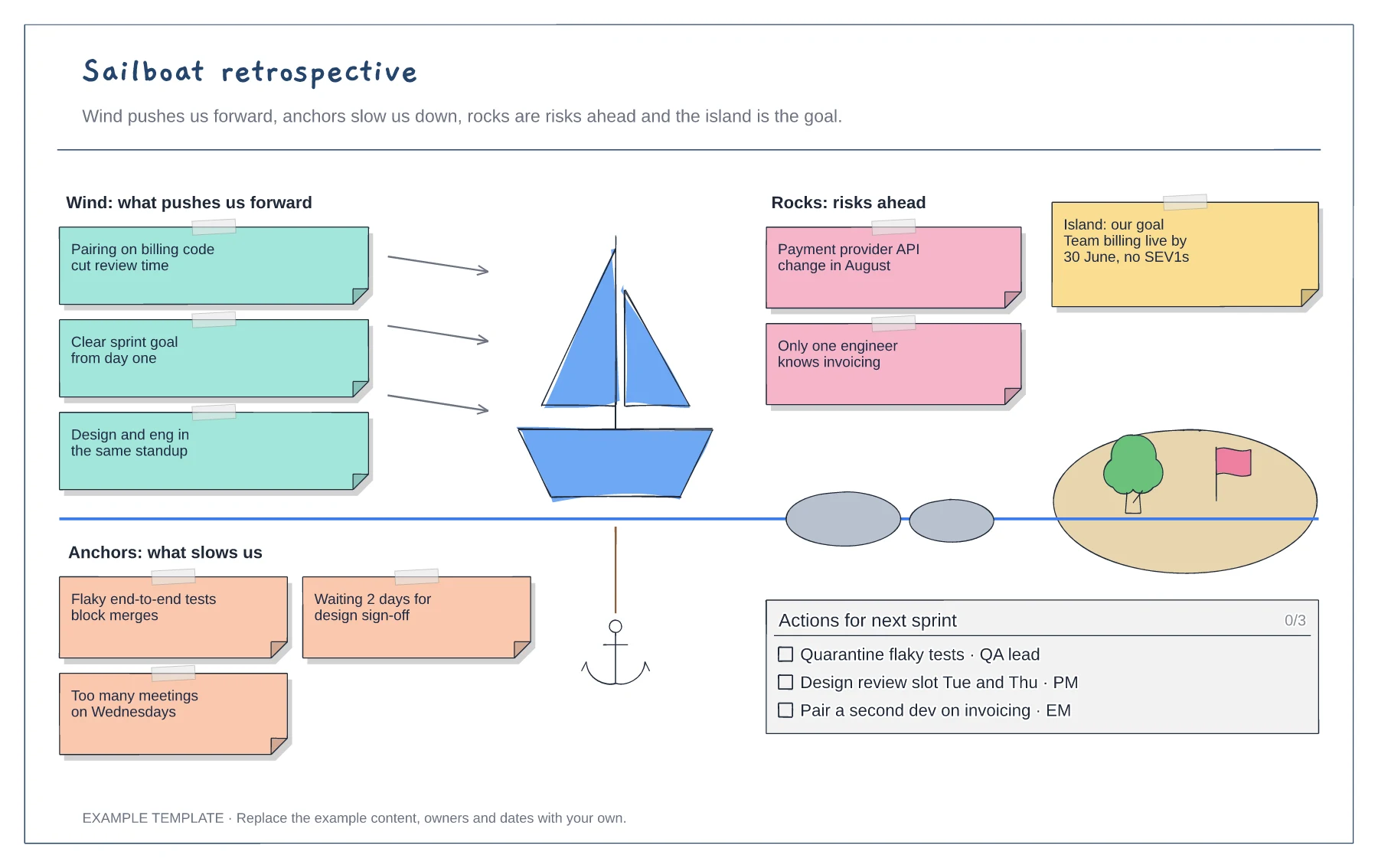
Wind, anchors, rocks and island areas · Example notes from a SaaS team · A checklist of actions with owners
Preview and use template →