Healthcare
Patient pathway timeline template
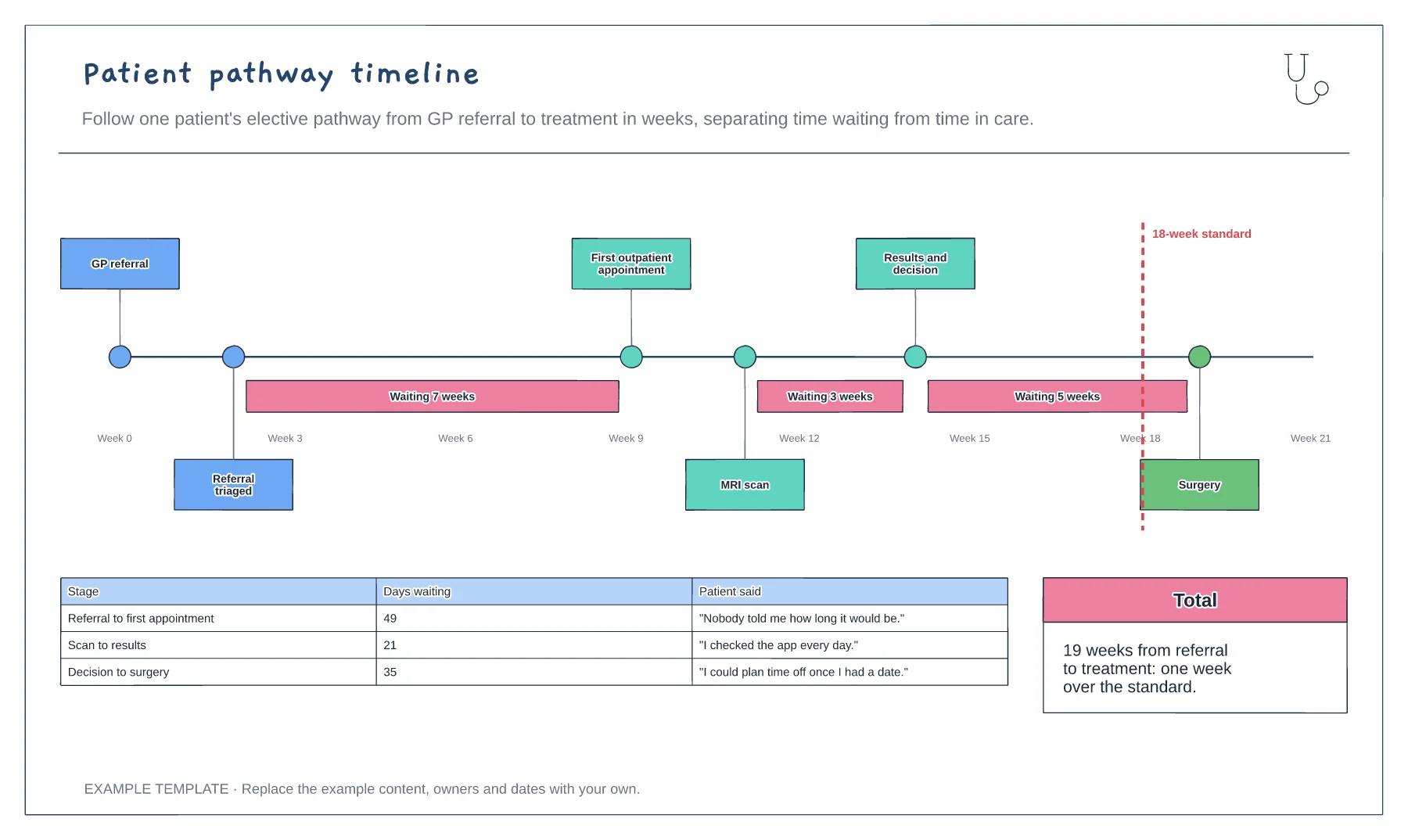
Pathway steps on a weeks axis · Waits highlighted between steps · 18-week standard and patient comments
Preview and use template →A patient flow diagram shows the route a patient takes through your clinic and where they wait along the way. This example follows one outpatient visit from the front door to checkout, with a tests-or-referral decision and a table that turns each handover into a wait you can time.
This is a planning example for process improvement, not clinical guidance. Follow your organisation's policies and clinical protocols.
No account needed · Opens as your own editable page
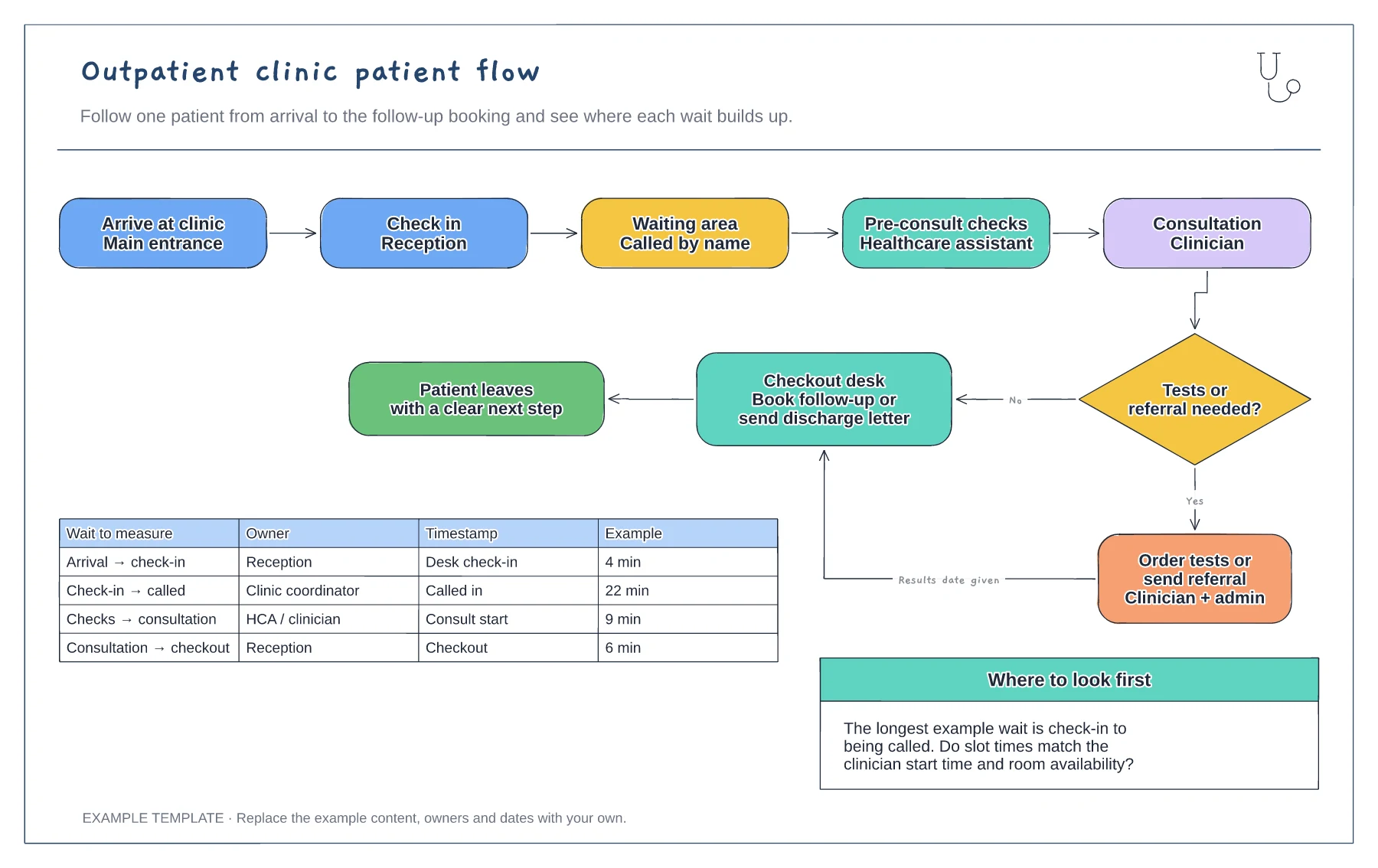
Follow a patient, or walk the route yourself, and rename each step to match your clinic. Include the places people actually stop, such as a second waiting area or a weighing room, because hidden stops are often where time goes.
Use the table to record when each step starts, using times your clinic system already captures where you can. A handful of clinics is enough to see which wait is longest, so you know where to focus first.
Make sure every branch ends with the patient knowing what happens next: a follow-up date, a referral or a discharge letter. A patient who leaves unsure often calls back, which adds work for reception.
Yes. Change the arrival and check-in steps to a queue or triage step, and keep the wait-time table to time each stage.
No. Open the template and edit it in your browser. Your work saves on this device. An account is optional if you want to sync your workspace.
Yes. Use Export in the editor to save a PNG, SVG or PDF, or download an editable .epicdraw backup.
Pathway steps on a weeks axis · Waits highlighted between steps · 18-week standard and patient comments
Preview and use template →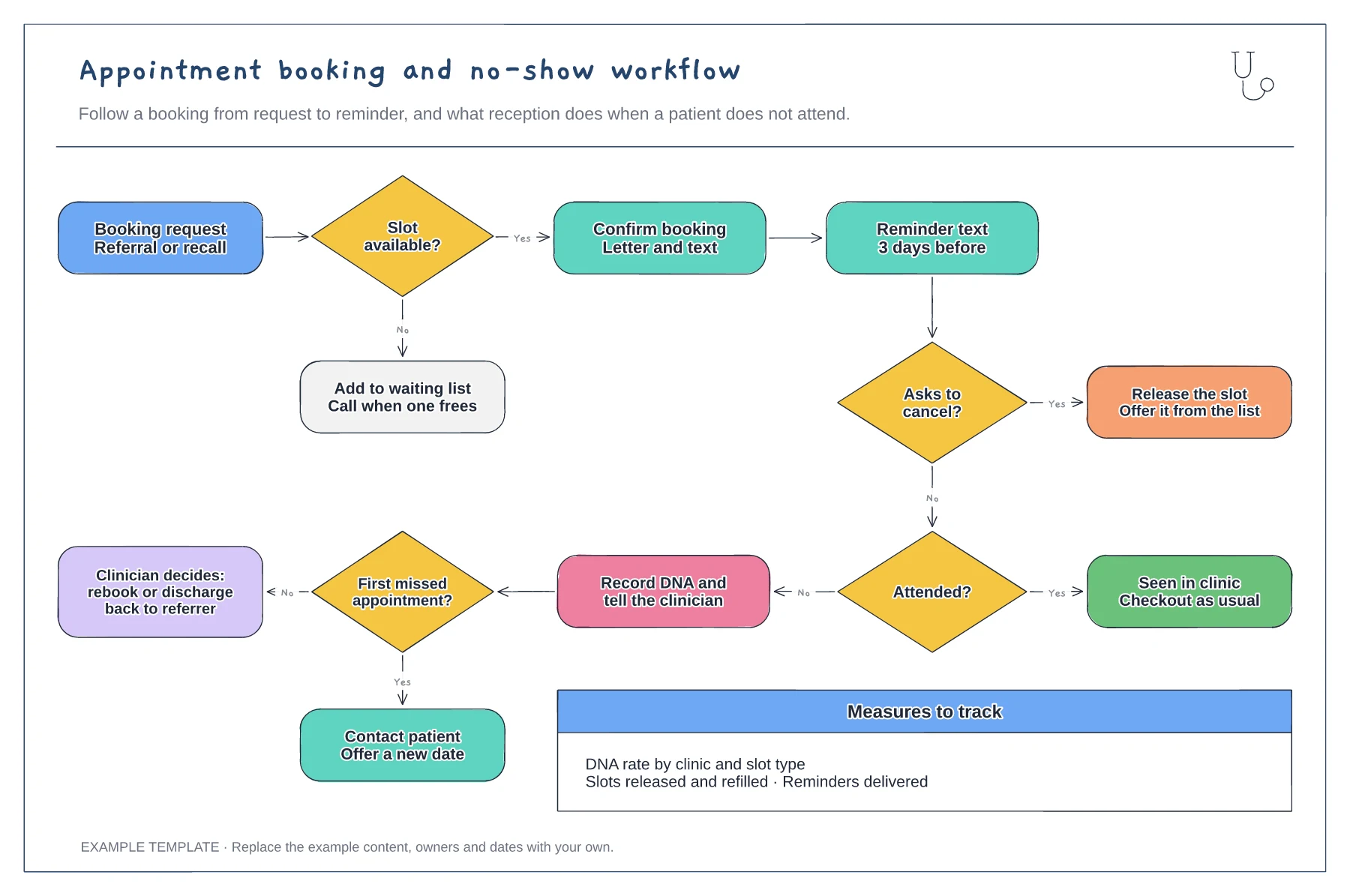
Booking, confirmation and reminder steps · Cancellation route that refills the slot · DNA route with rebook or discharge
Preview and use template →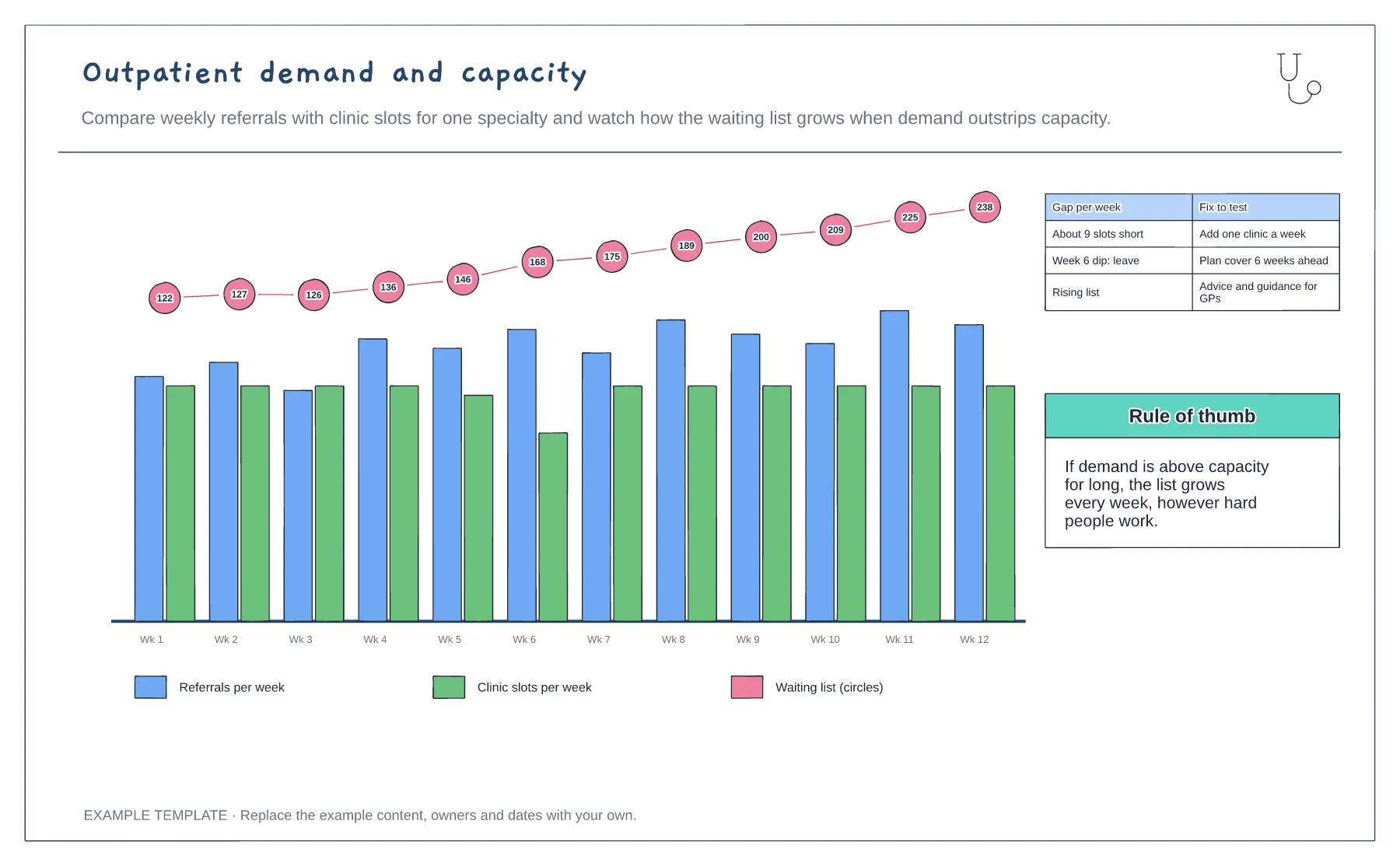
Weekly referrals and clinic slots · Waiting list growth · Gap and fixes to test
Preview and use template →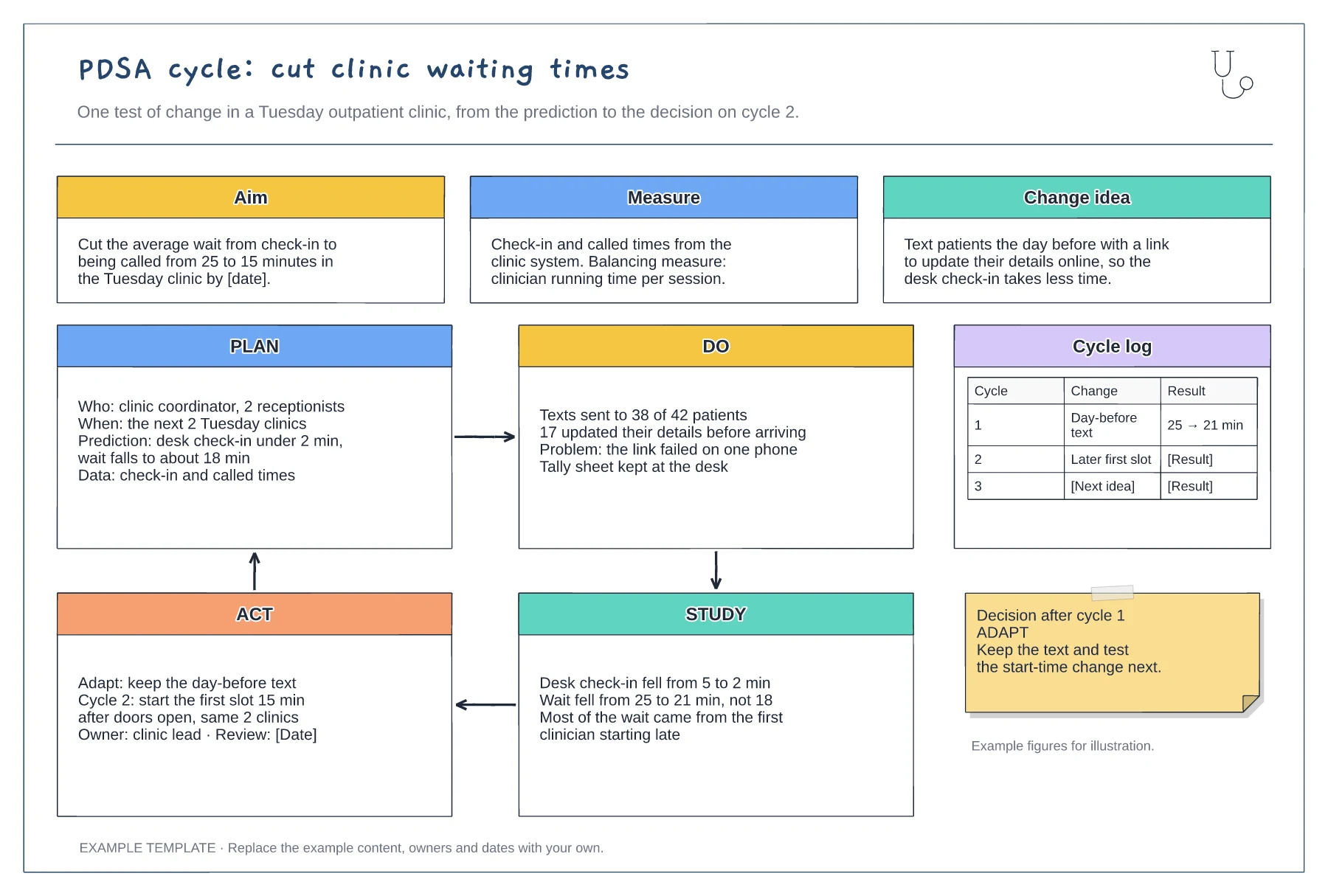
Aim, measure and change idea · Filled-in Plan, Do, Study and Act panels · Cycle log and decision note
Preview and use template →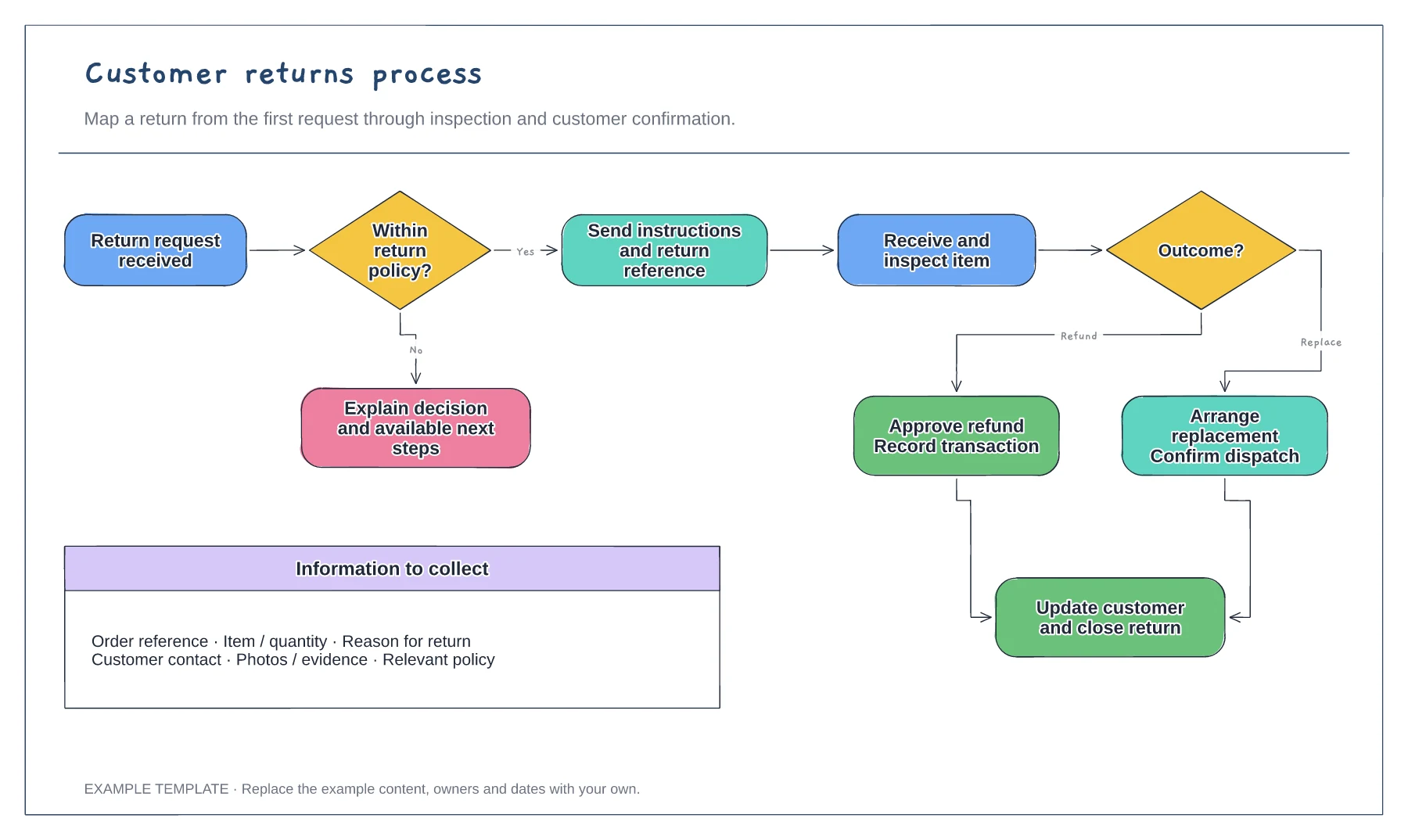
Return request and policy check · Approval or a clear explanation · Receipt, inspection and resolution
Preview and use template →
First-line triage and impact check · Specialist ownership and investigation · Customer updates and closure
Preview and use template →