IT and security
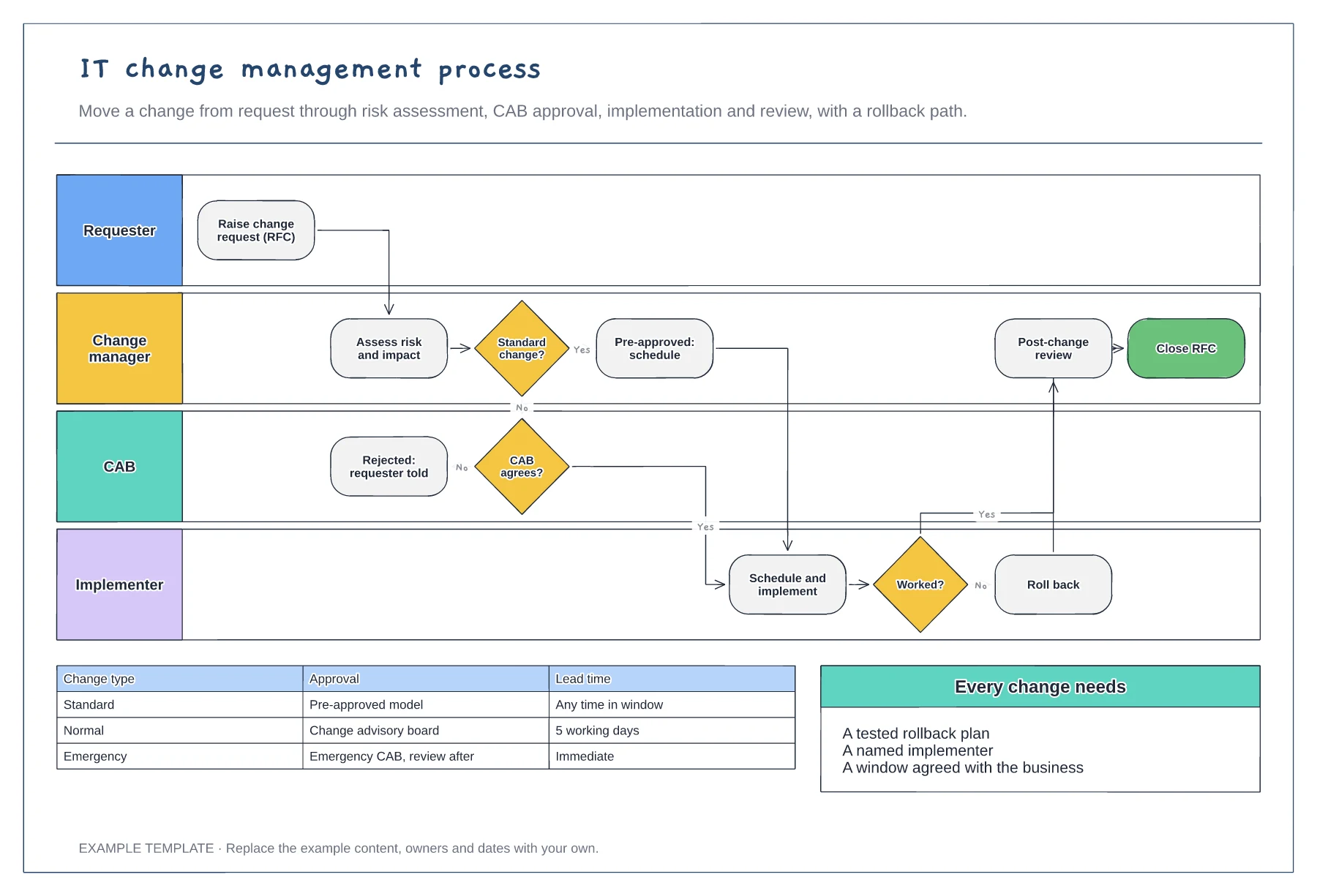
IT change management process template
Requester, change manager, CAB and implementer · Standard change fast path and CAB review · Rollback and post-change review
Preview and use template →A patch management process makes sure known vulnerabilities are fixed in order of risk, not in order of convenience. This example runs from asset discovery and scanning through prioritisation, testing, change approval and a two-ring rollout to verification, with patch deadlines by severity and an exceptions register for the patches that cannot be applied.
No account needed · Opens as your own editable page
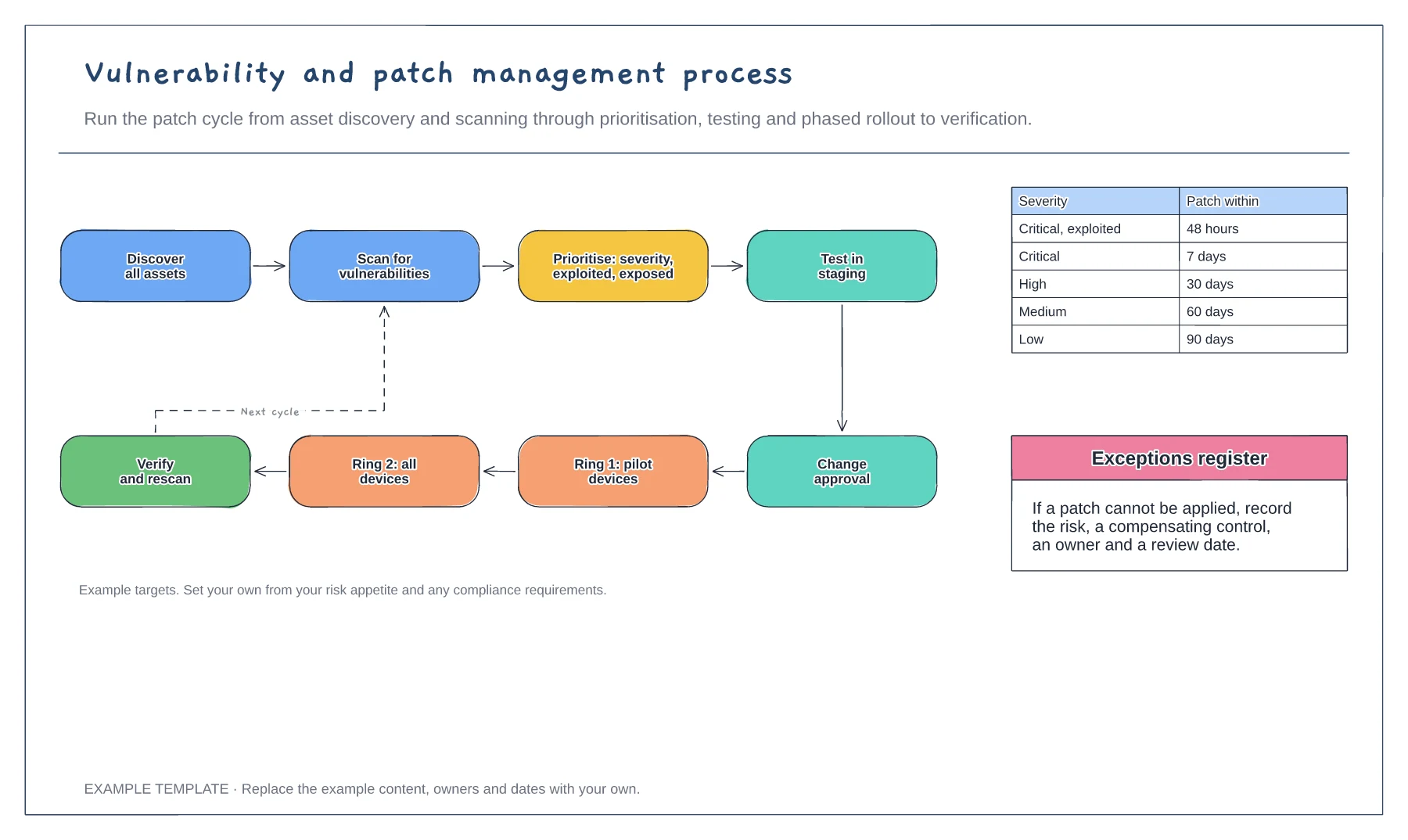
You cannot patch what you do not know about. Keep an up-to-date asset list, including cloud servers and laptops that are rarely in the office.
Combine severity with whether the vulnerability is being exploited and whether the system faces the internet. Patch those first.
Patch a pilot group first, wait a short time, then patch everyone. Verify with a rescan before you close the cycle.
Yes. The 48-hour to 90-day targets are examples, so edit each row to match your own policy and add rows for any extra severity levels.
No. Open the template and edit it in your browser. Your work saves on this device. An account is optional if you want to sync your workspace.
Yes. Use Export in the editor to save a PNG, SVG or PDF, or download an editable .epicdraw backup.
Requester, change manager, CAB and implementer · Standard change fast path and CAB review · Rollback and post-change review
Preview and use template →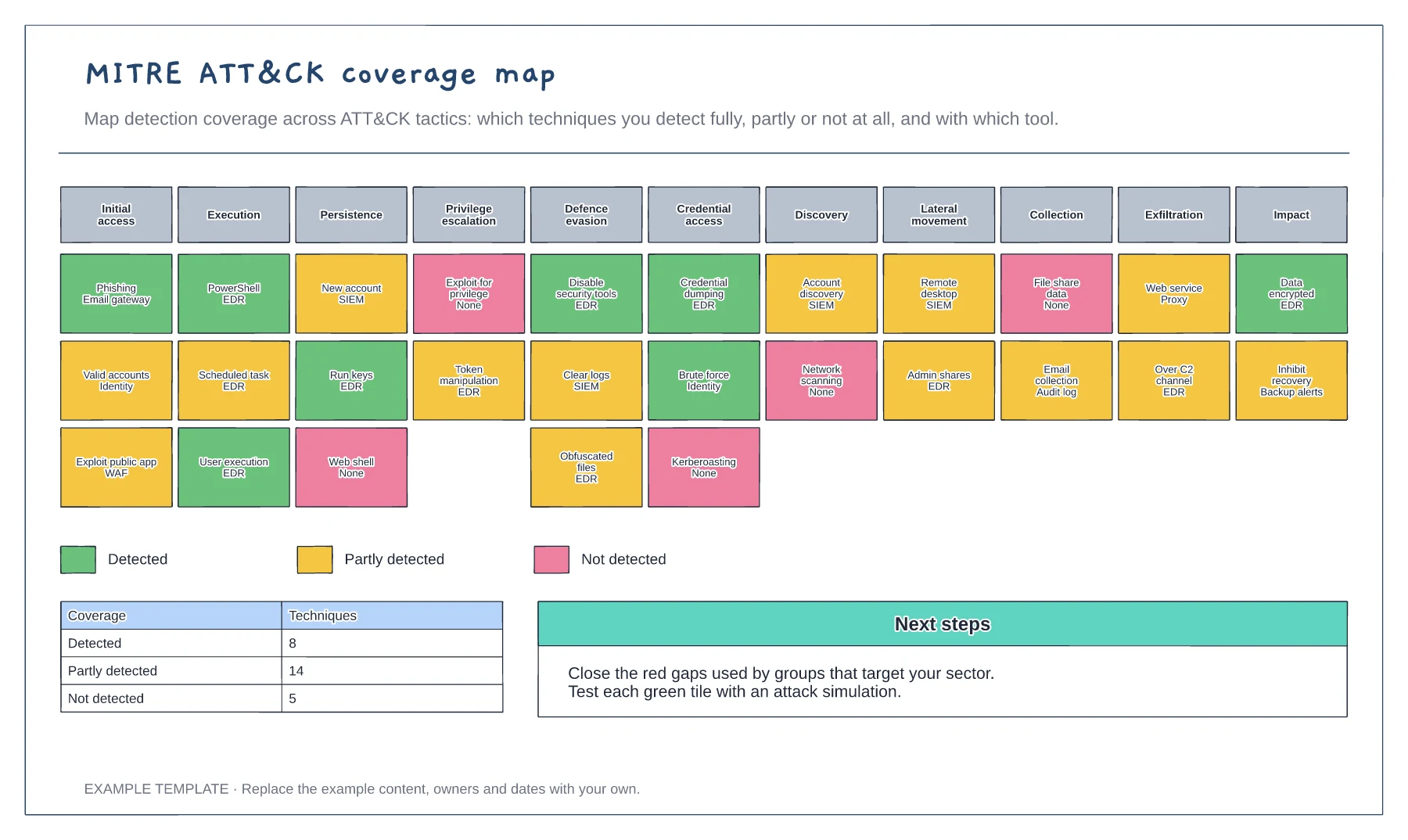
Eleven ATT&CK tactics · Techniques coloured by detection coverage · Coverage summary and next steps
Preview and use template →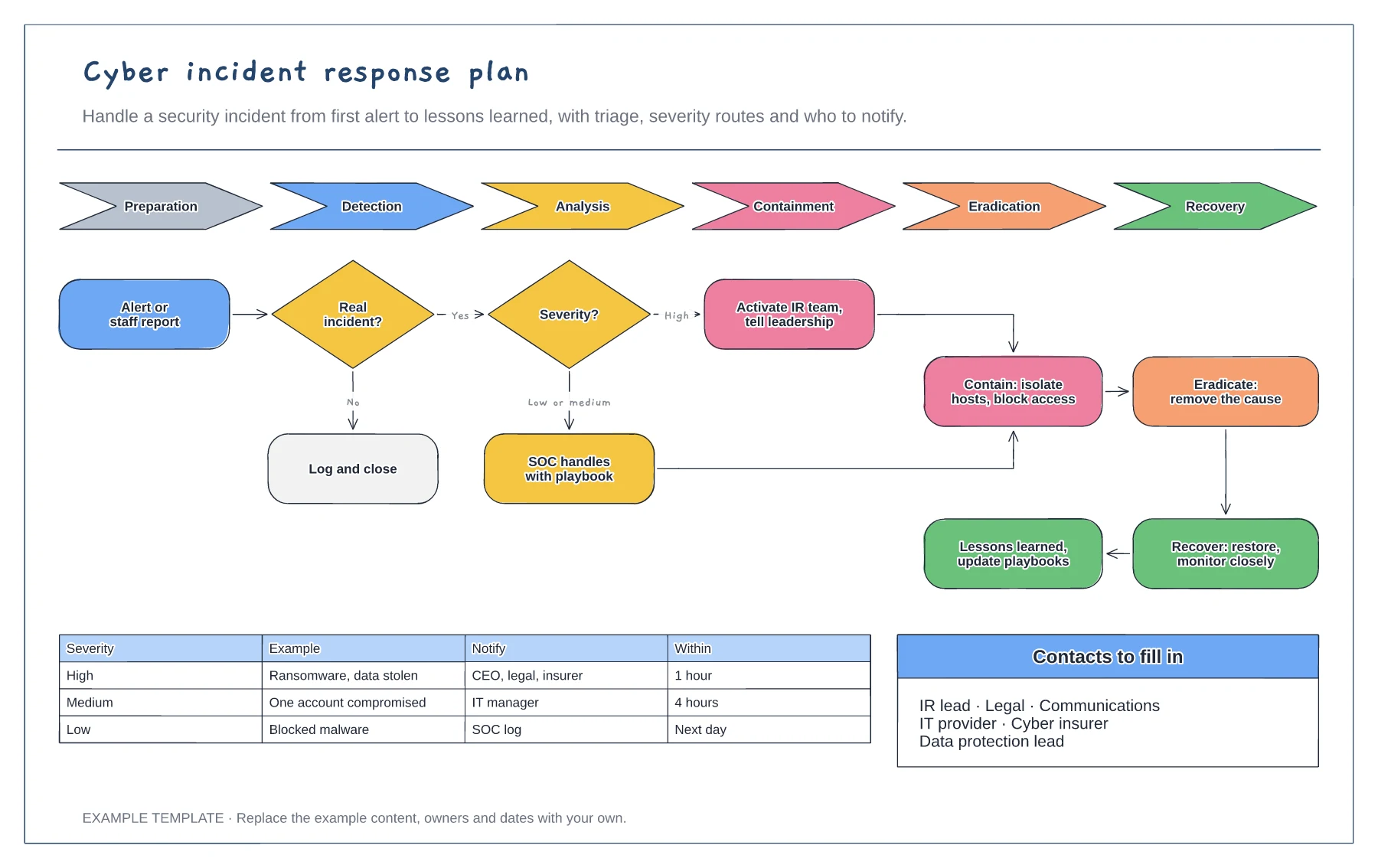
NIST lifecycle from preparation to recovery · Triage and severity routes · Escalation matrix and contacts
Preview and use template →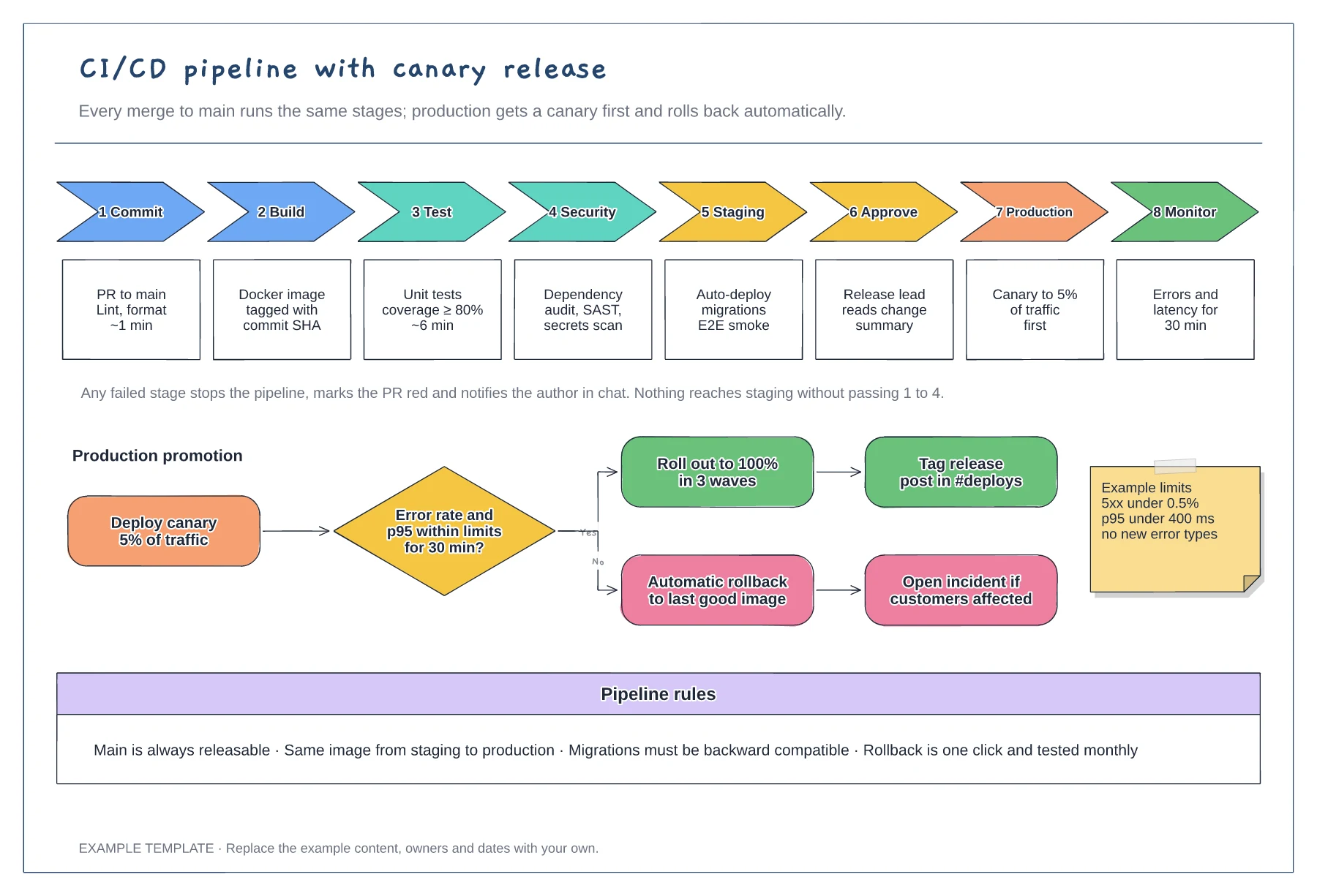
Eight stages with checks and time budgets · Canary promotion with a rollback branch · Example limits and pipeline rules
Preview and use template →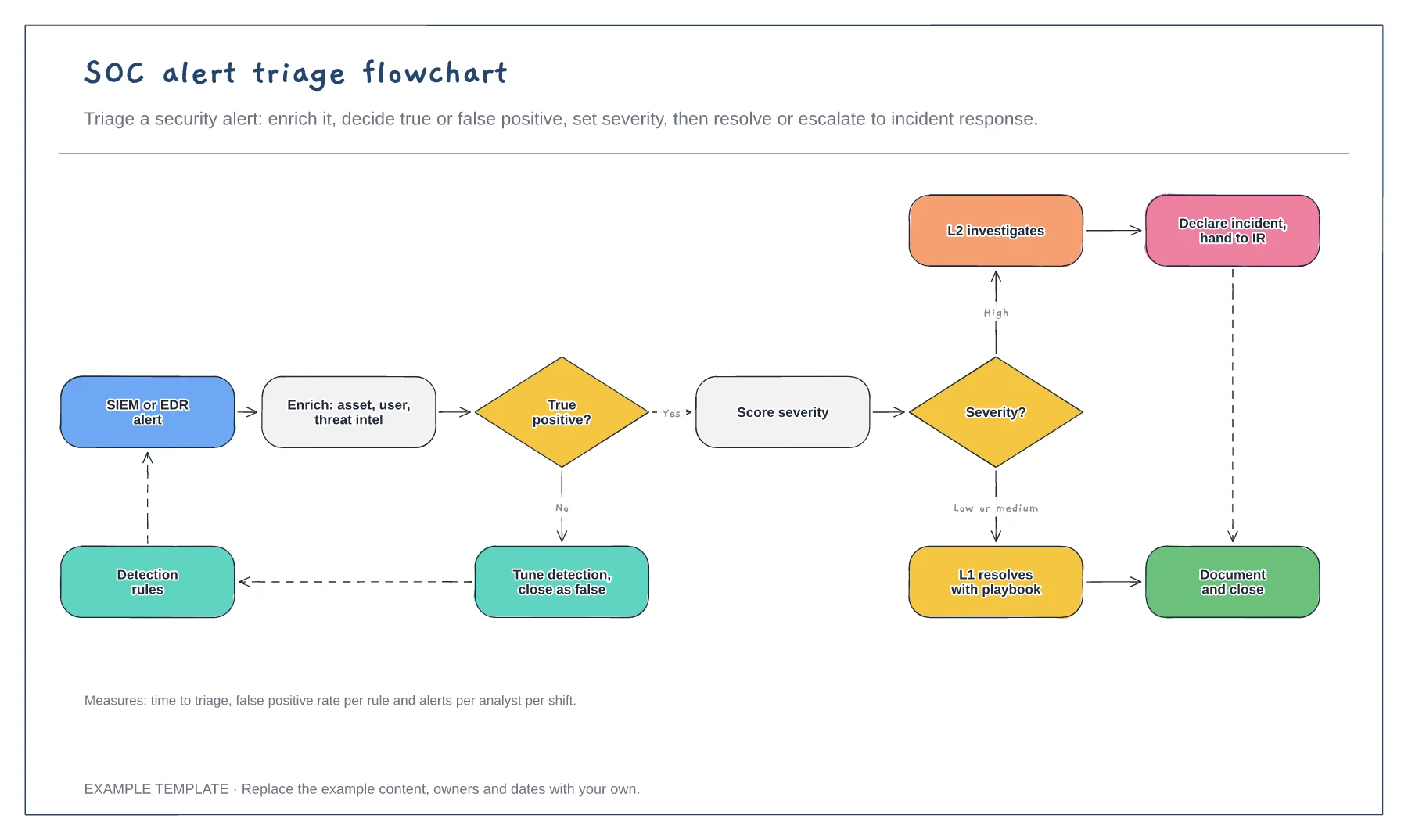
Enrichment and true or false positive decision · Detection tuning feedback loop · Severity routes and escalation
Preview and use template →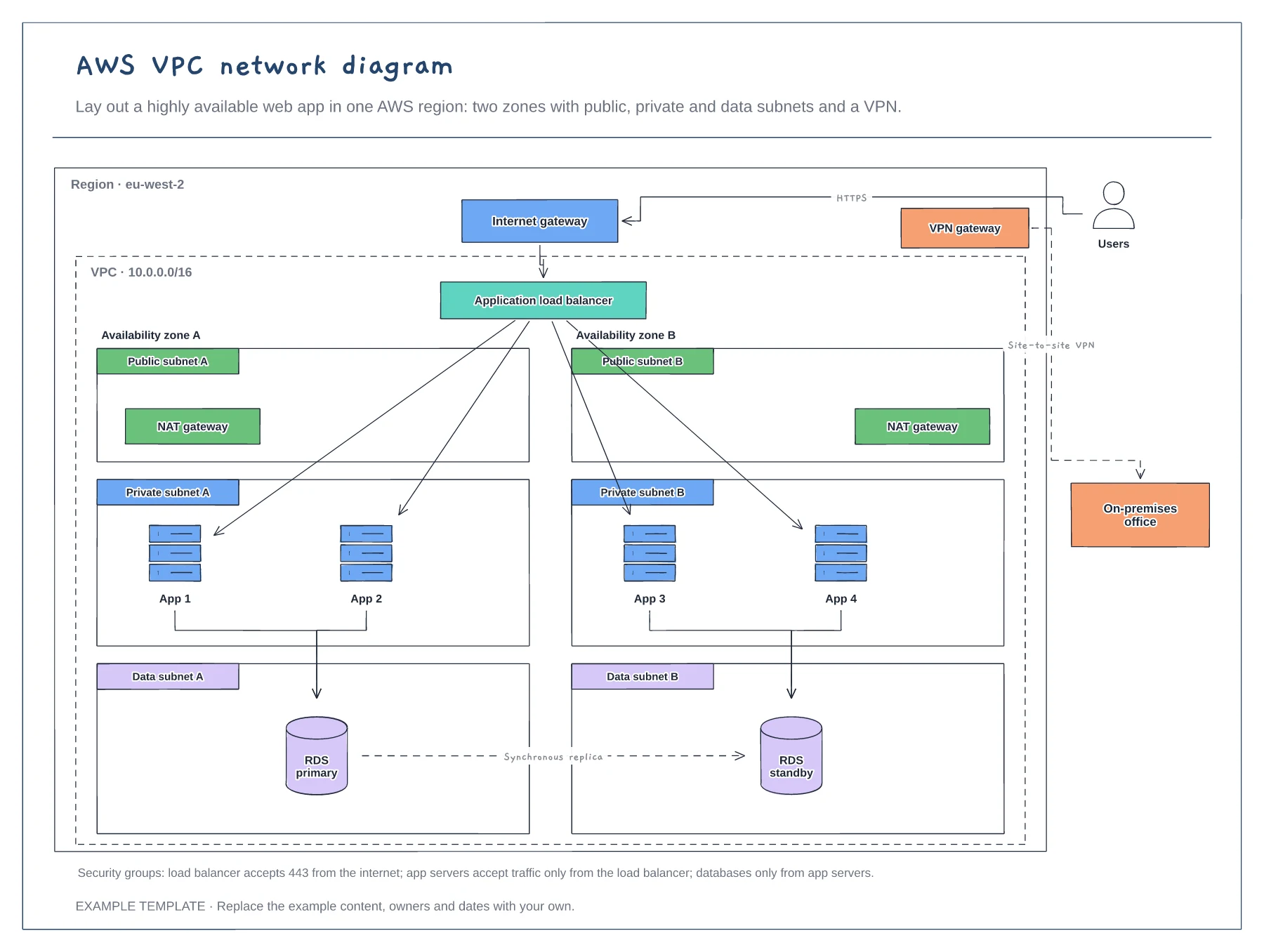
Region, VPC and two availability zones · Public, private and data subnets · Load balancer, NAT, RDS and VPN
Preview and use template →