IT and security
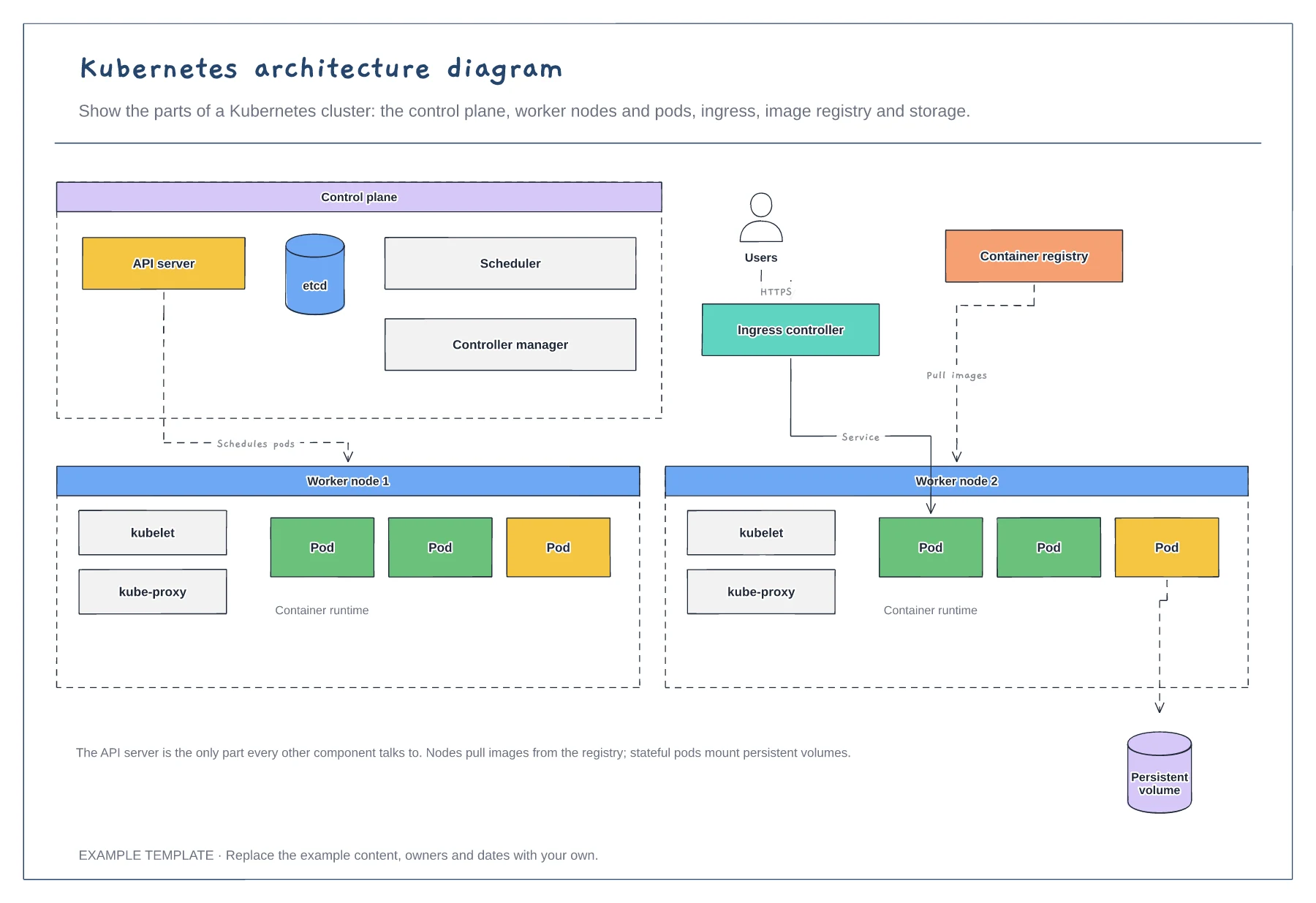
Kubernetes architecture diagram template
Control plane components · Worker nodes, kubelet and pods · Ingress, registry and storage
Preview and use template →An AWS network diagram shows how a cloud application is laid out across zones and subnets. This example places a highly available web app in one region, with an internet gateway and application load balancer, app servers in private subnets, a database with a standby in a second zone, NAT gateways and a VPN back to the office.
No account needed · Opens as your own editable page
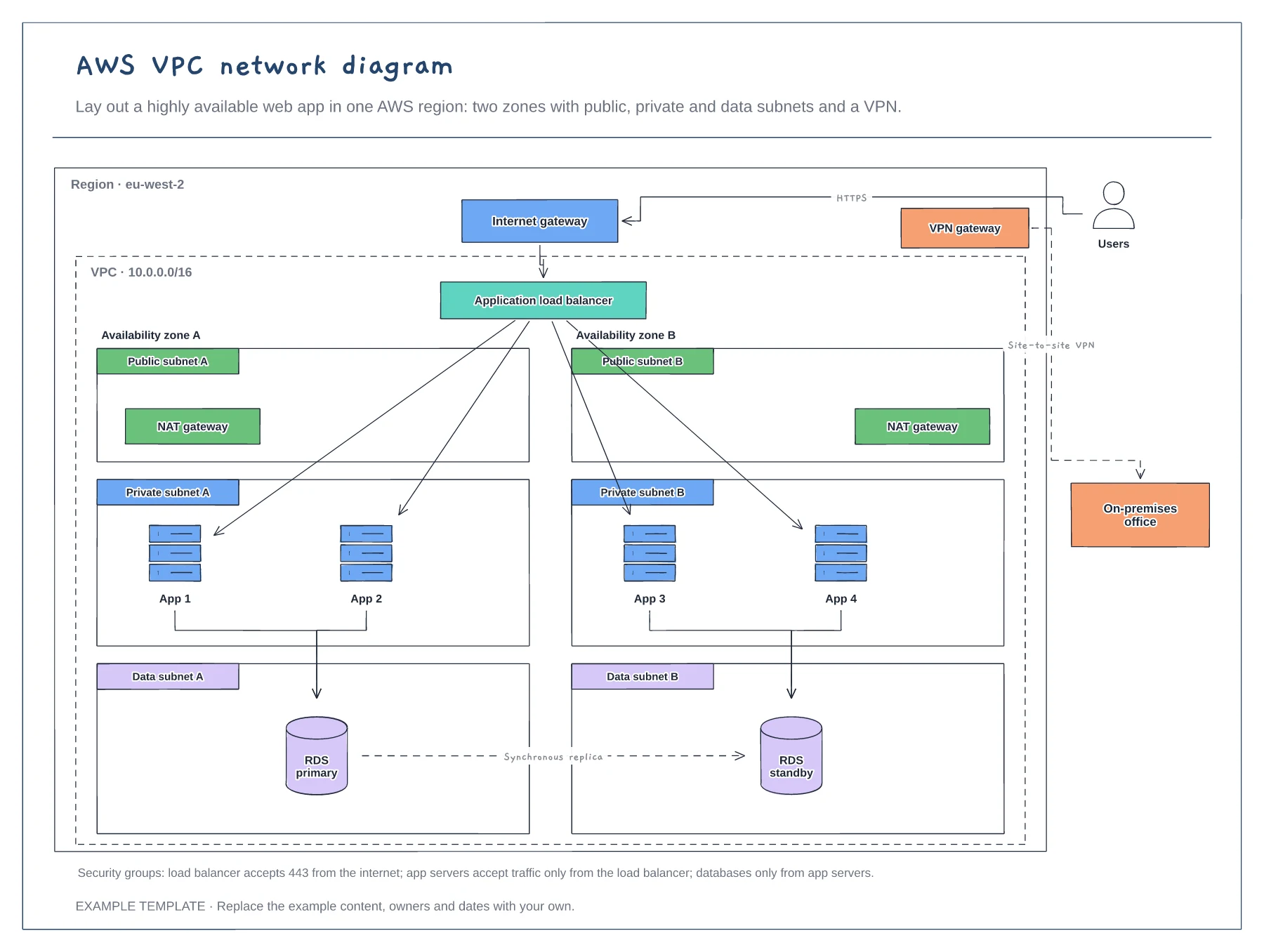
Start with the region, the VPC and the availability zones, then add the subnets inside each zone. The nesting shows the blast radius of a failure.
Put the load balancer and NAT gateways in public subnets, app servers in private ones and databases in data subnets.
Draw the traffic paths and write the security group rules beside them. Reviewers check the rules more than the boxes.
Yes. Copy one zone with its public, private and data subnets, then connect it to the load balancer and update the subnet ranges.
No. Open the template and edit it in your browser. Your work saves on this device. An account is optional if you want to sync your workspace.
Yes. Use Export in the editor to save a PNG, SVG or PDF, or download an editable .epicdraw backup.
Control plane components · Worker nodes, kubelet and pods · Ingress, registry and storage
Preview and use template →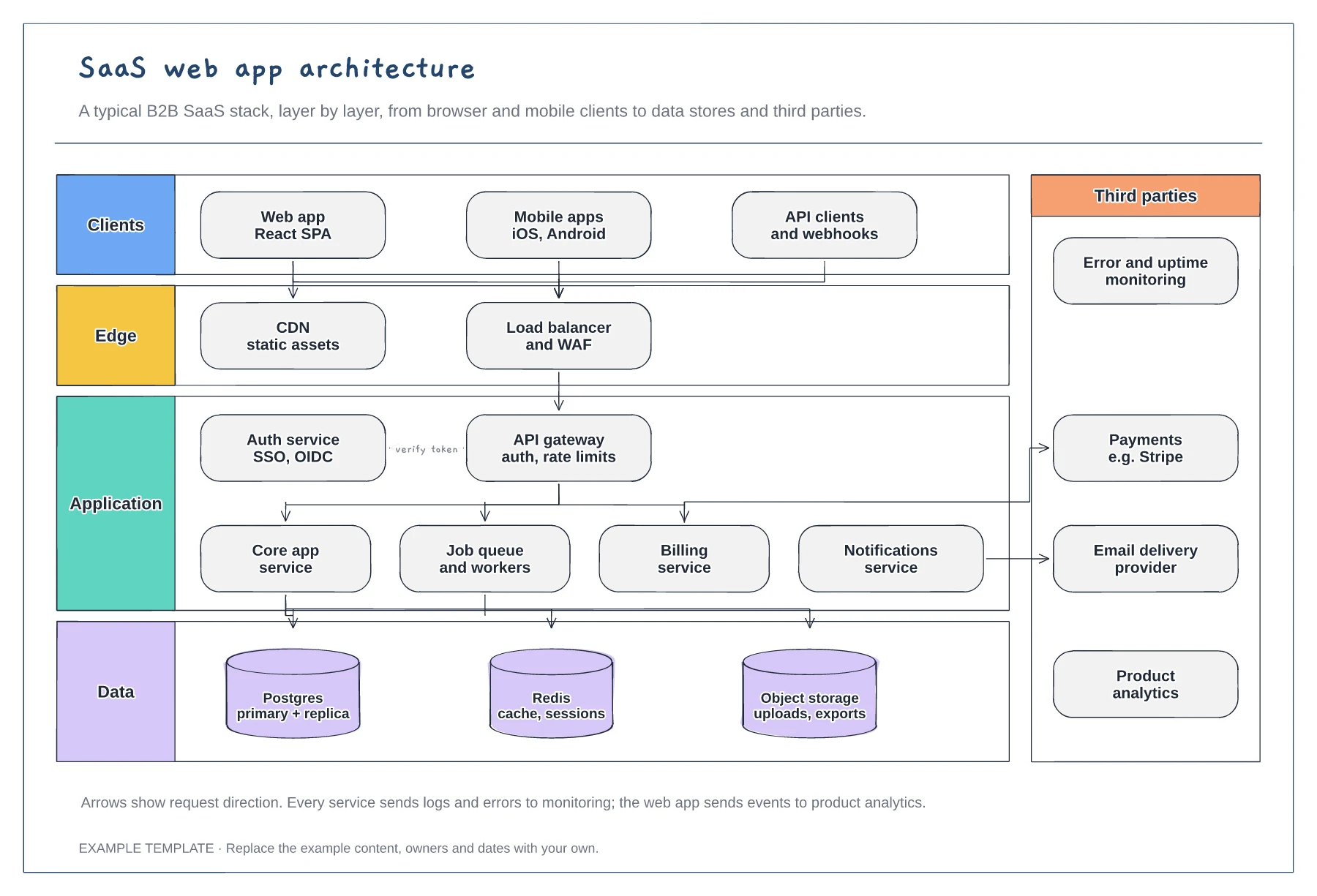
Client, edge, application and data layers · Services behind an API gateway and auth service · Third parties such as payments and email
Preview and use template →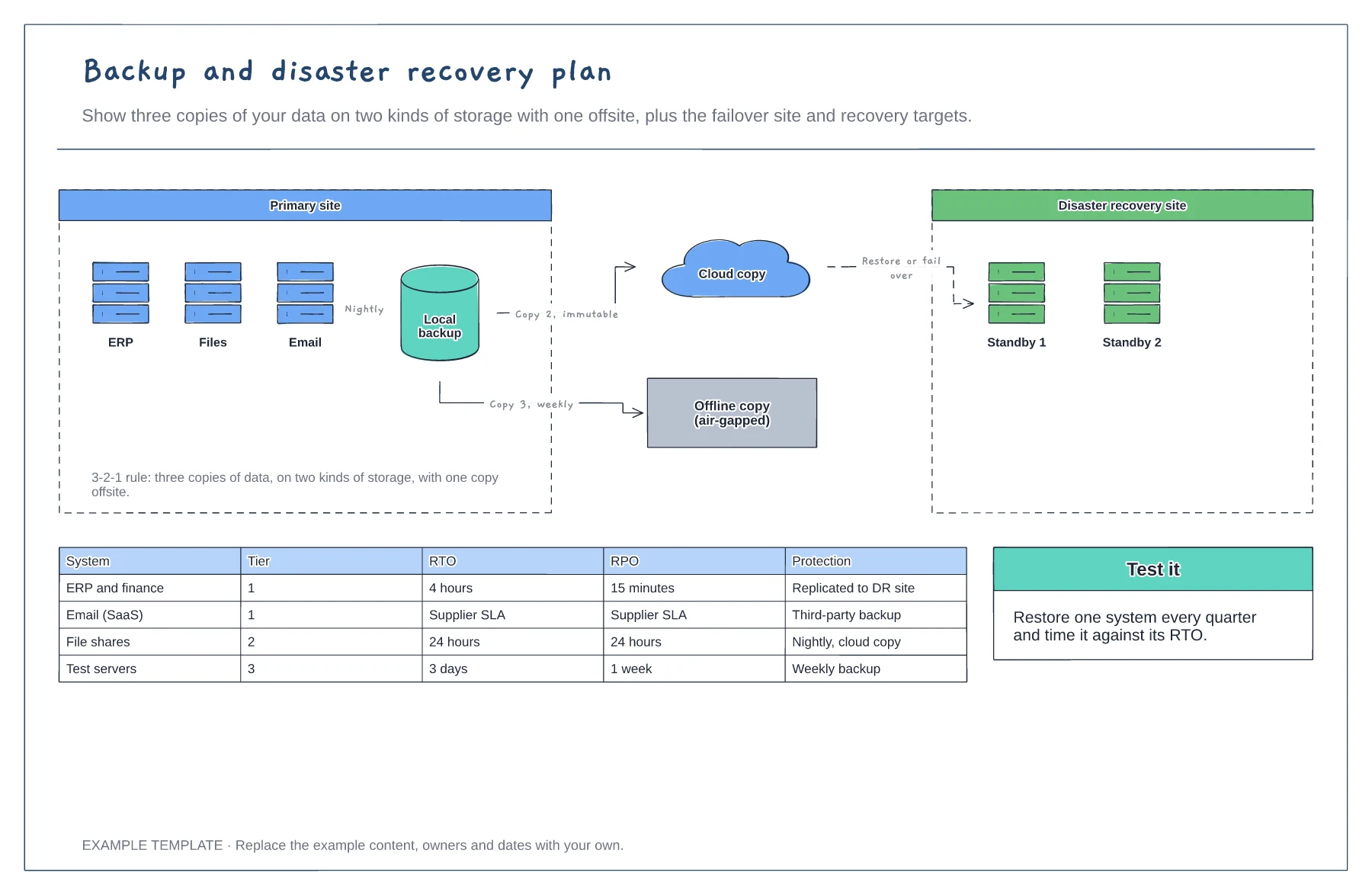
3-2-1 backup copies · Disaster recovery site and failover · RTO and RPO by system tier
Preview and use template →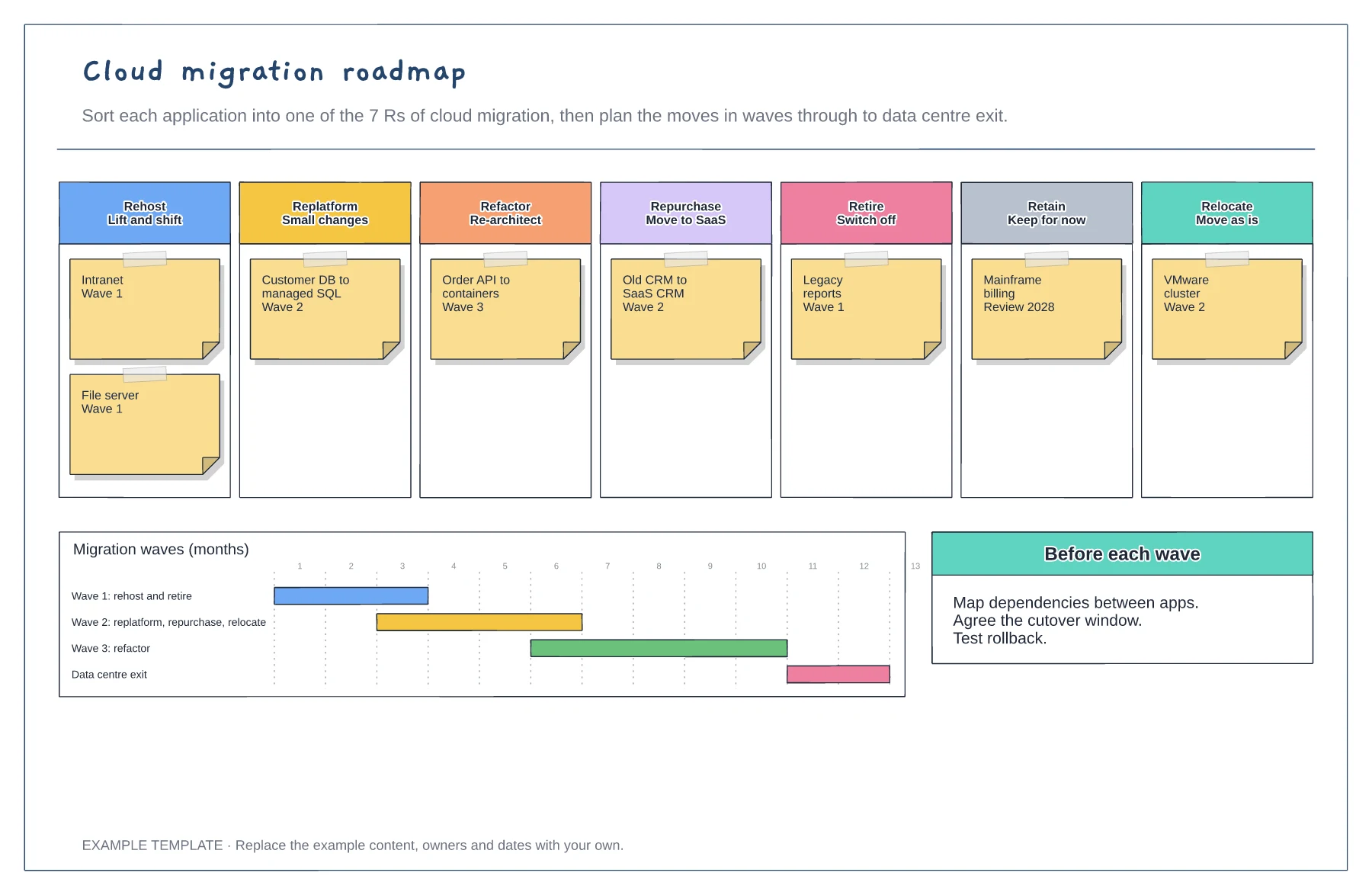
Applications sorted into the 7 Rs · Migration waves on a timeline · Checks before each wave
Preview and use template →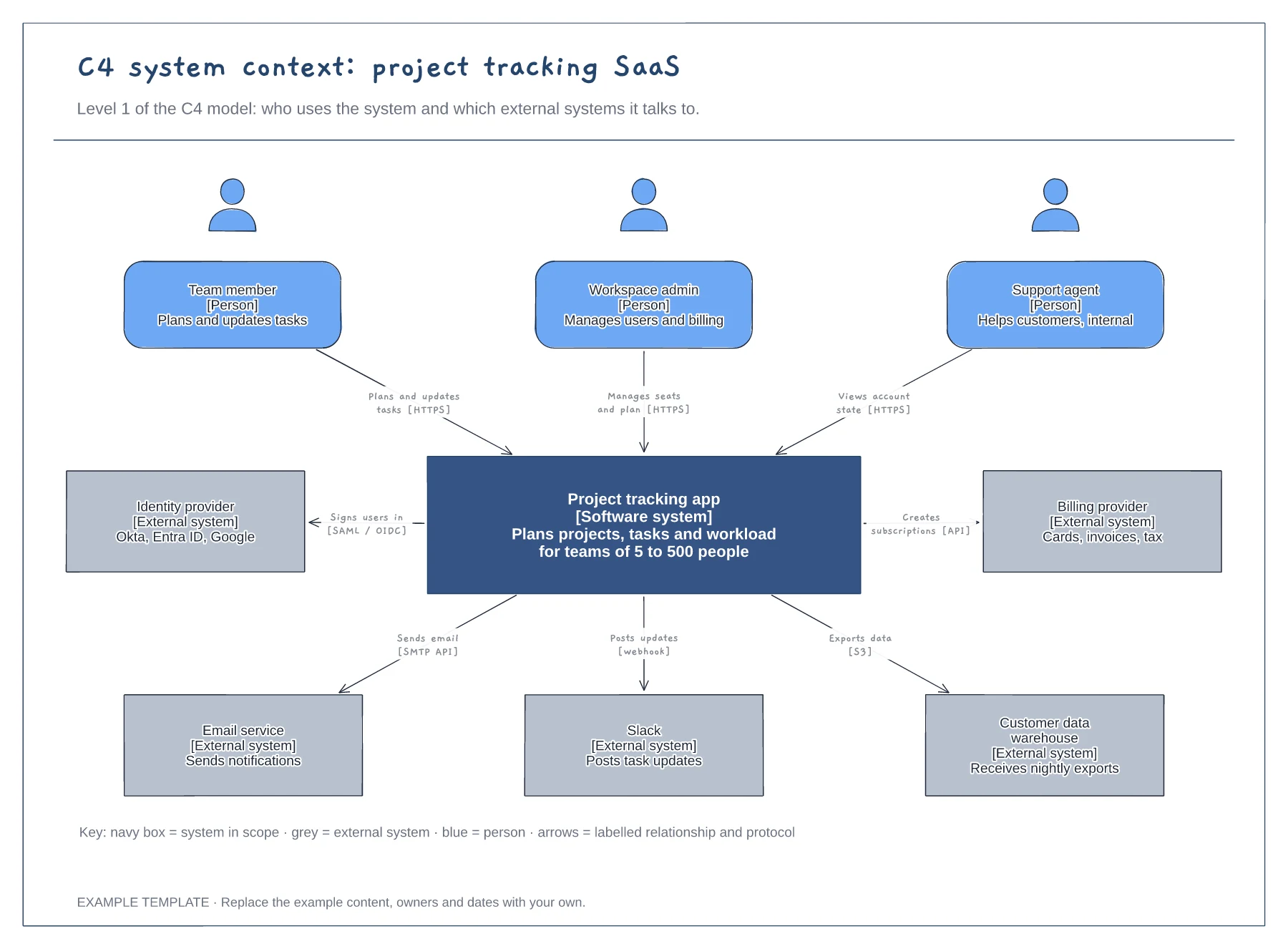
People with roles and descriptions · The system in scope and its external systems · Labelled relationships with protocols, plus a key
Preview and use template →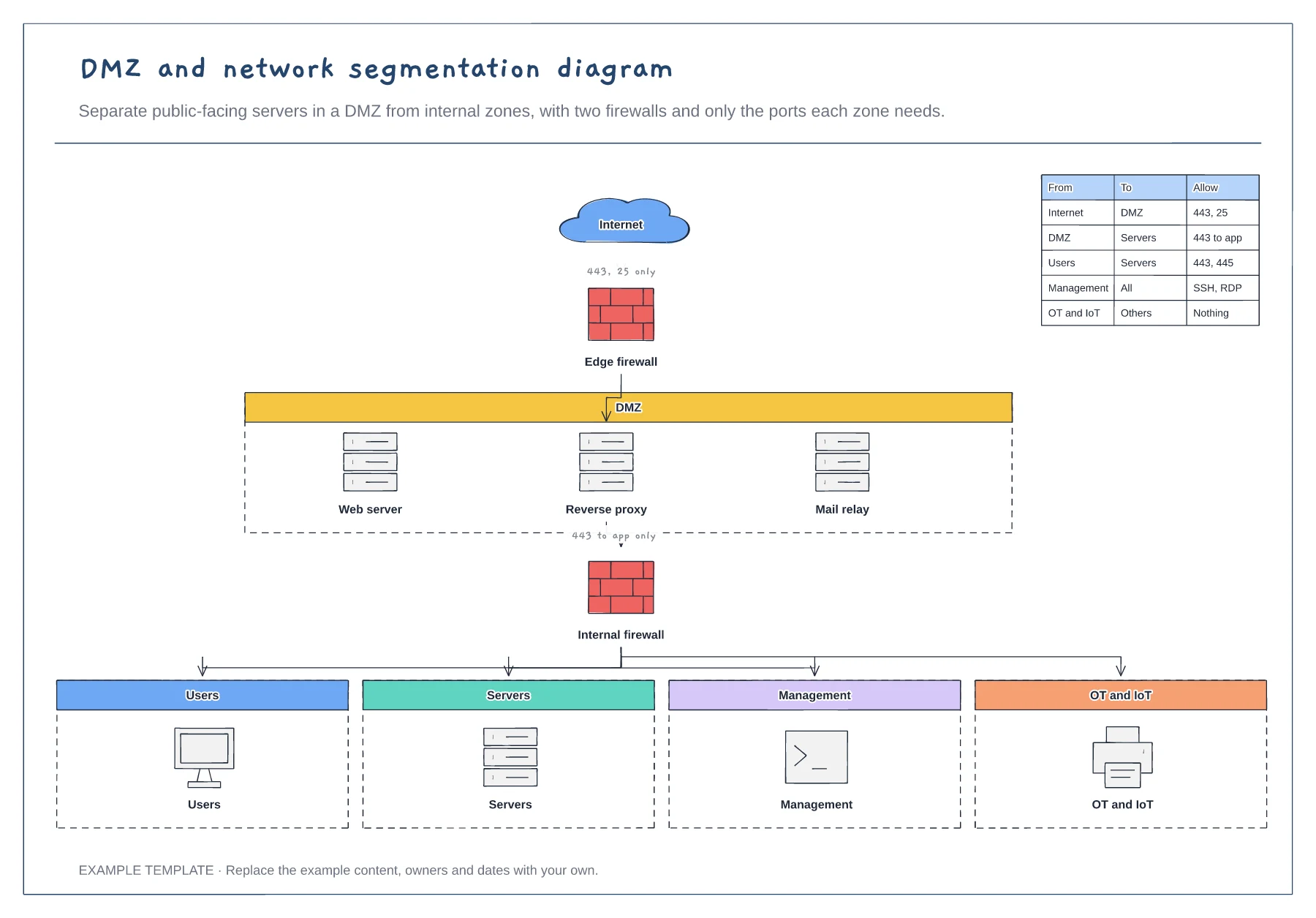
Edge and internal firewalls · DMZ with public-facing servers · Four internal zones and a rules table
Preview and use template →