Sales
Cold call script flowchart template
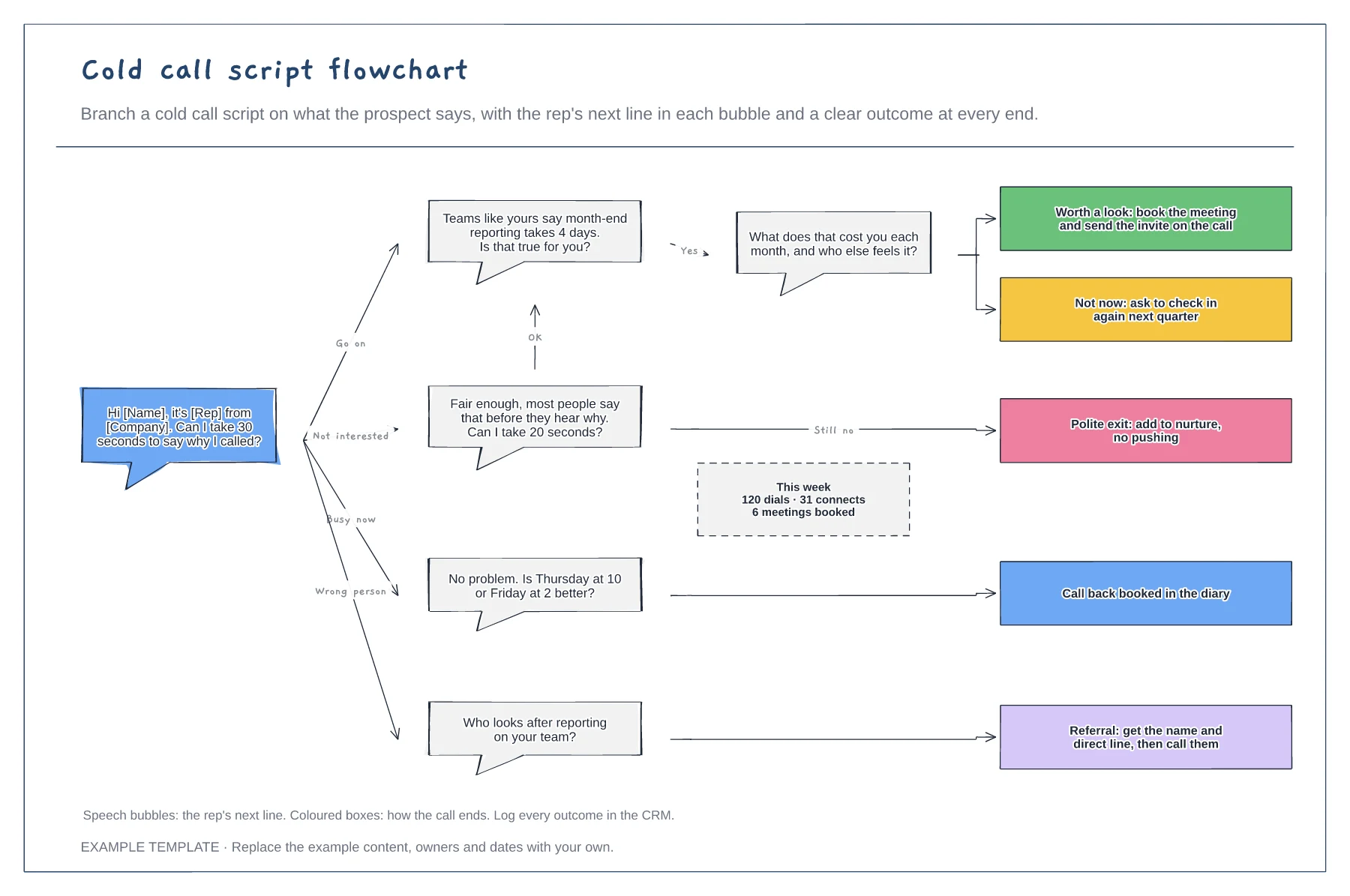
Opener and branching replies · Next lines as speech bubbles · An outcome at the end of every path
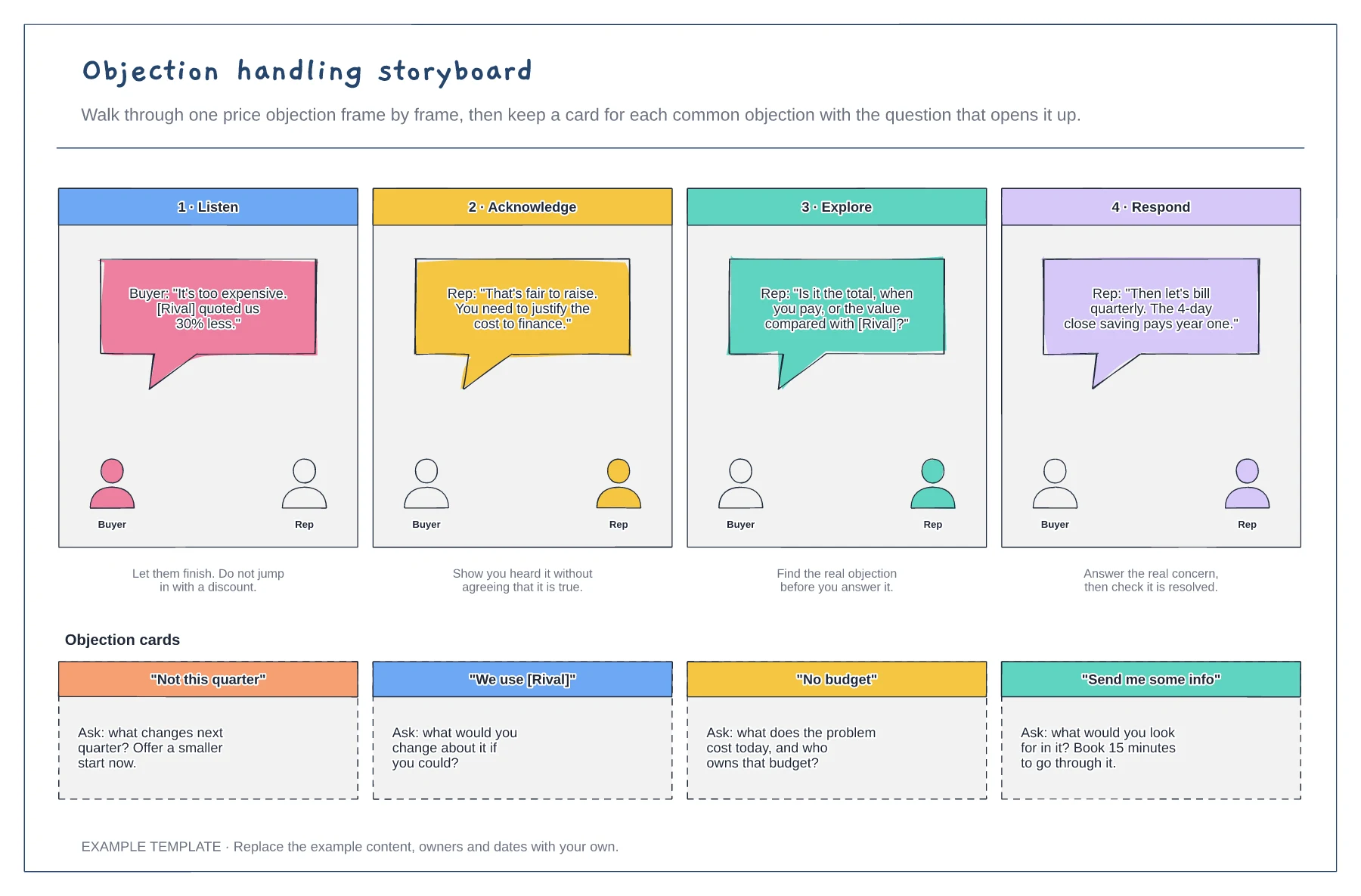
Preview and use template →Objections go better when reps slow down and find the real concern before answering. This example storyboards one price objection in four frames: listen, acknowledge, explore and respond, with what the buyer and rep say in each. Below it, a card for each common objection gives the question that opens the conversation back up.
No account needed · Opens as your own editable page
Choose the objection your team hears most and that costs the most deals, often price or timing.
Draw the conversation frame by frame: let the buyer finish, acknowledge it, ask a question to find the real issue, then answer that.
For each other common objection, write one question to ask and one thing to offer. Keep each card short enough to read on a call.
Yes. Copy a card, write the objection as the buyer says it and add the question that opens it up, so reps have one card per common objection.
No. Open the template and edit it in your browser. Your work saves on this device. An account is optional if you want to sync your workspace.
Yes. Use Export in the editor to save a PNG, SVG or PDF, or download an editable .epicdraw backup.
Opener and branching replies · Next lines as speech bubbles · An outcome at the end of every path
Preview and use template →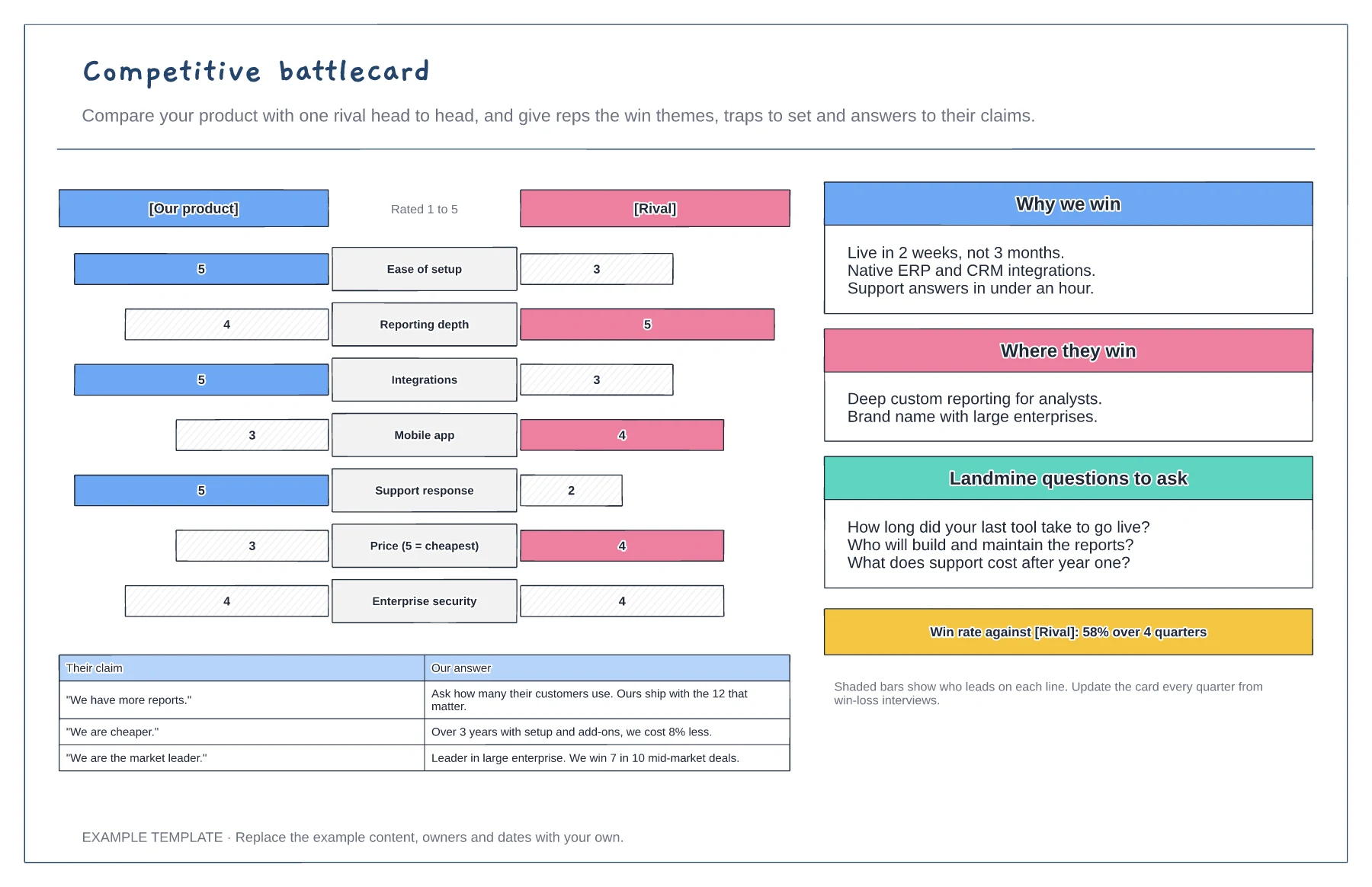
Head-to-head bar chart on seven criteria · Why we win and where they win · Landmine questions and claim answers
Preview and use template →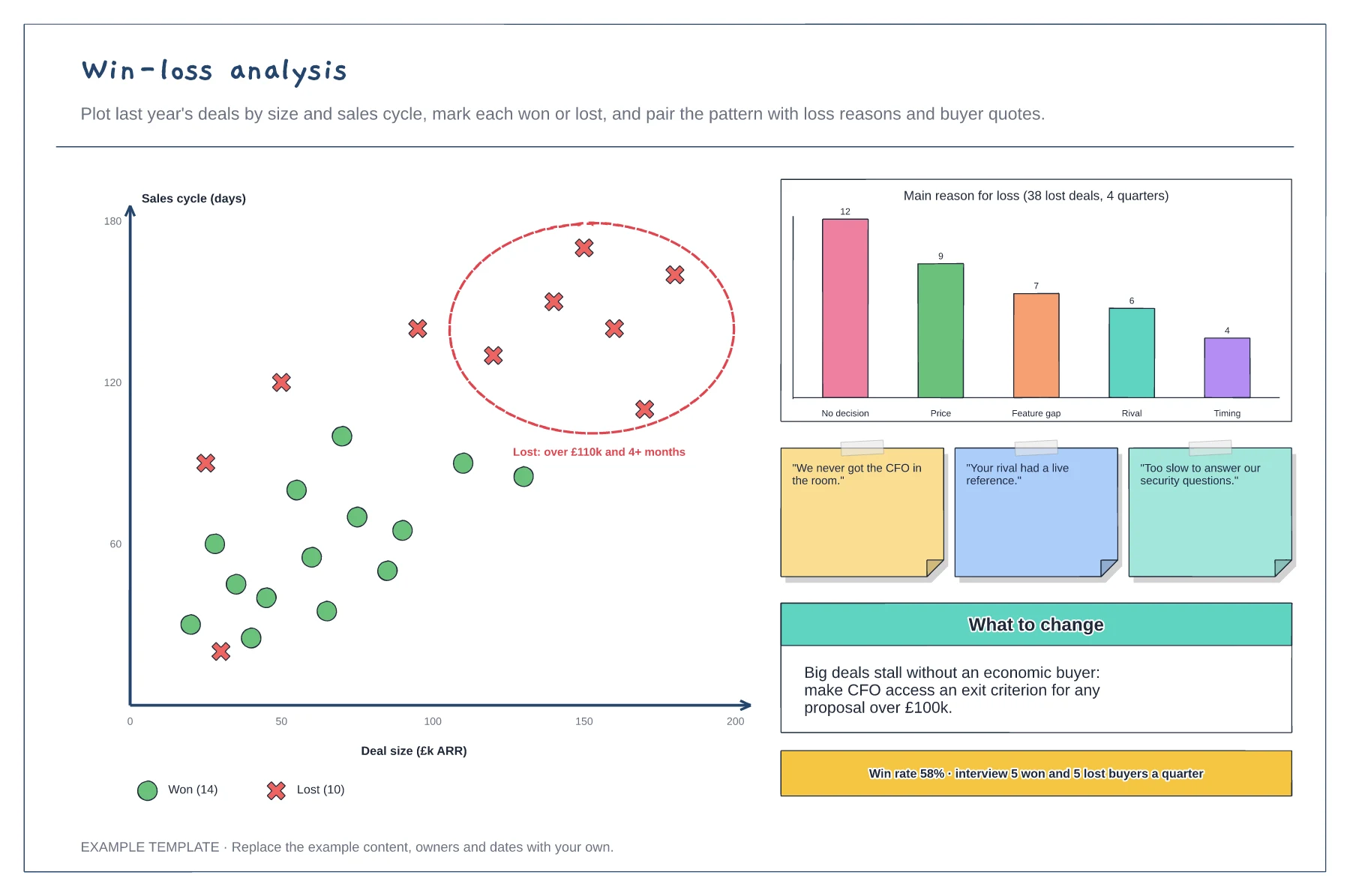
Scatter plot of won and lost deals · Main reasons for loss · Buyer quotes and the change to make
Preview and use template →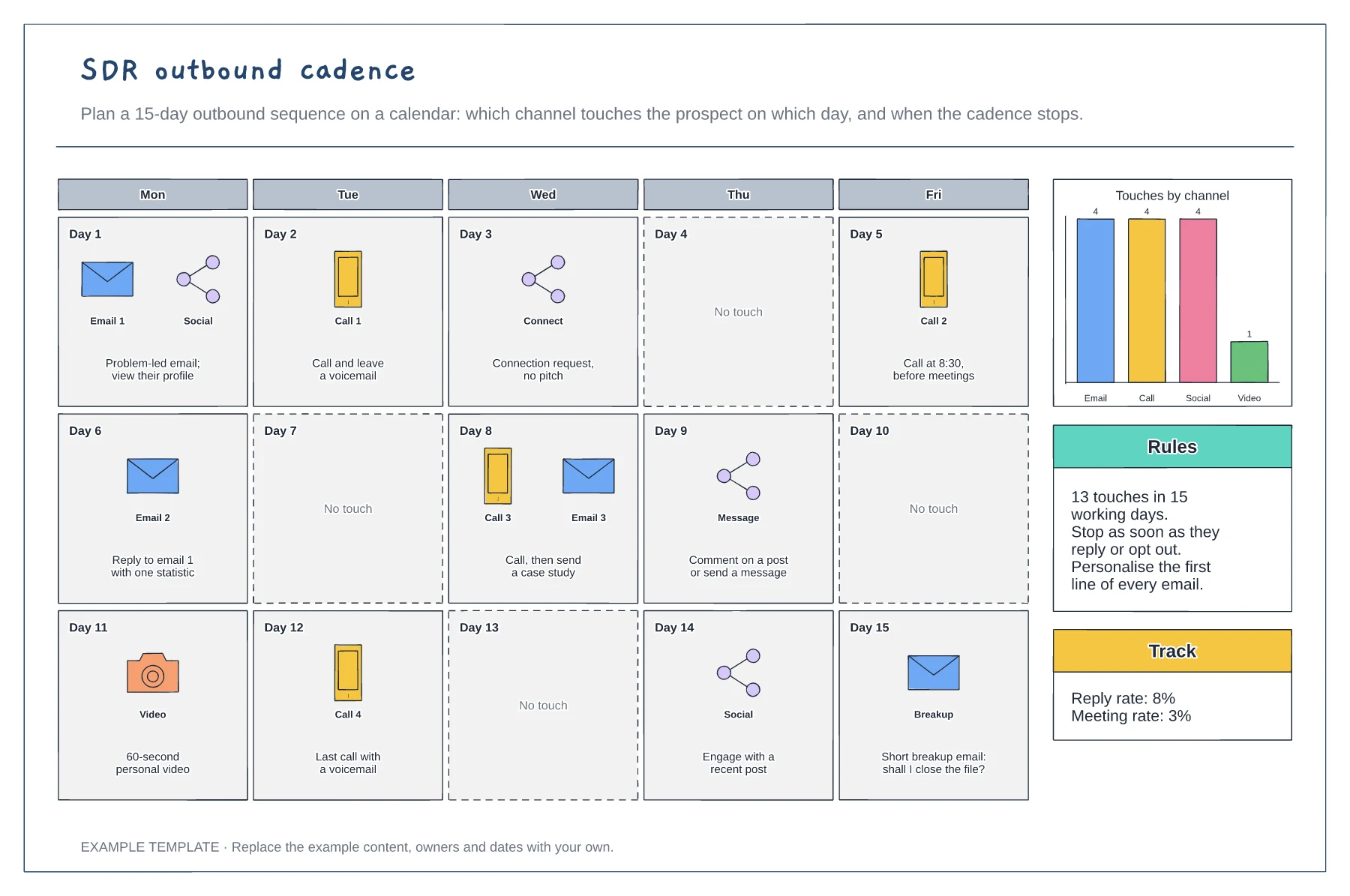
Three-week calendar of touches · Email, call, social and video by day · Channel mix, rules and results to track
Preview and use template →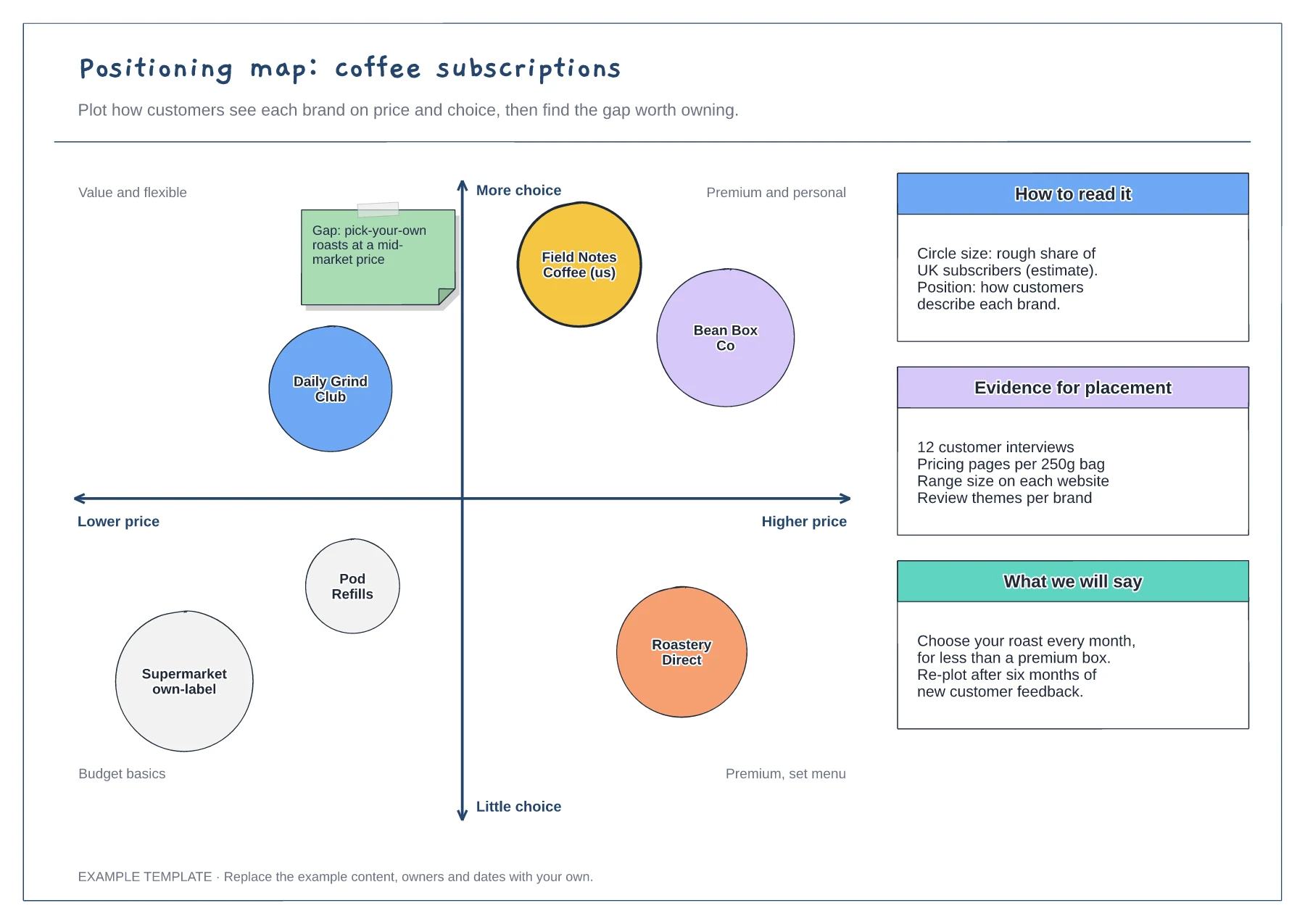
Two-axis map with labelled quadrants · Competitor circles sized by share · Notes on evidence and the message to test
Preview and use template →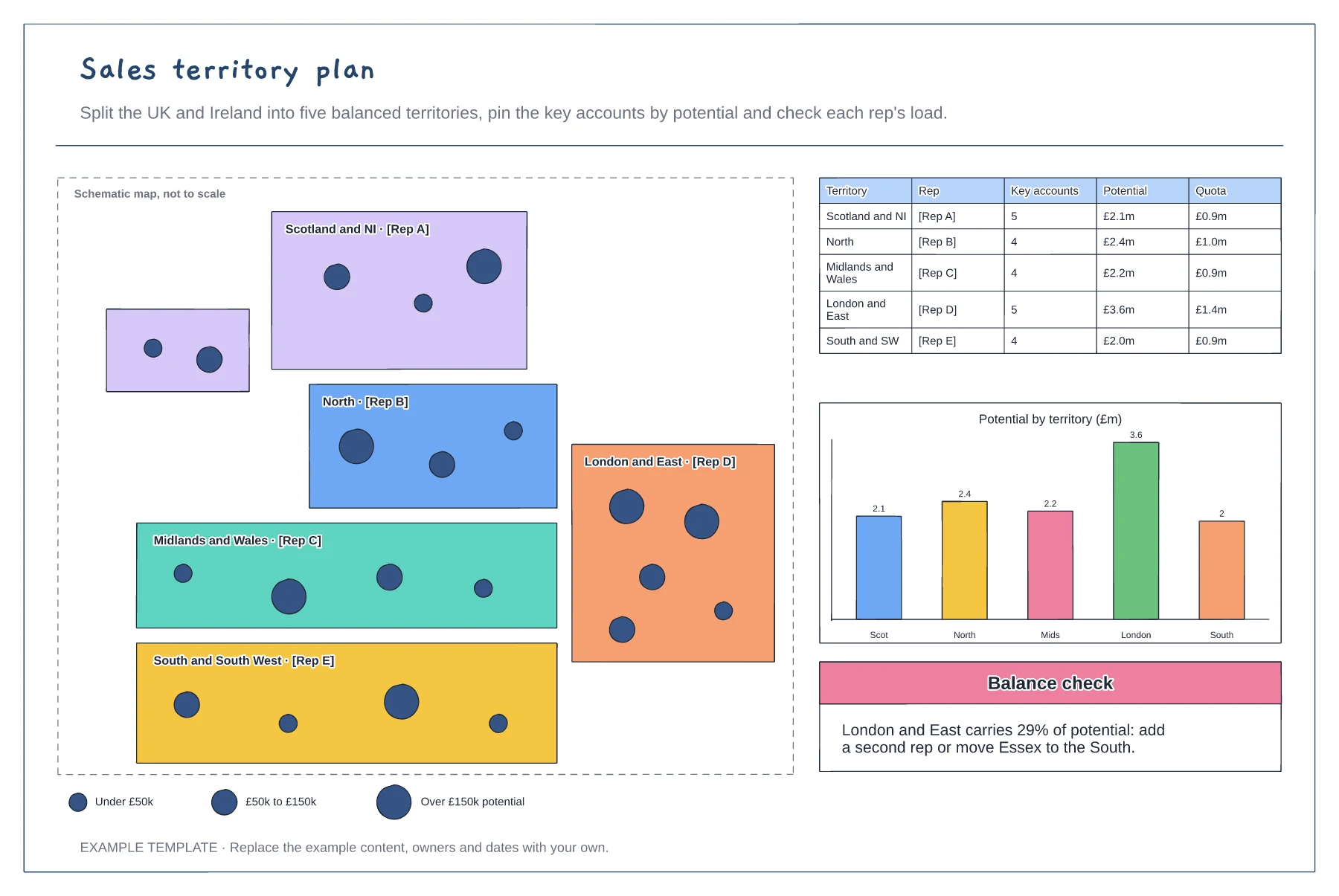
Schematic map of territories and reps · Account pins sized by potential · Balance table and potential chart
Preview and use template →