Sales
Strategic account plan template
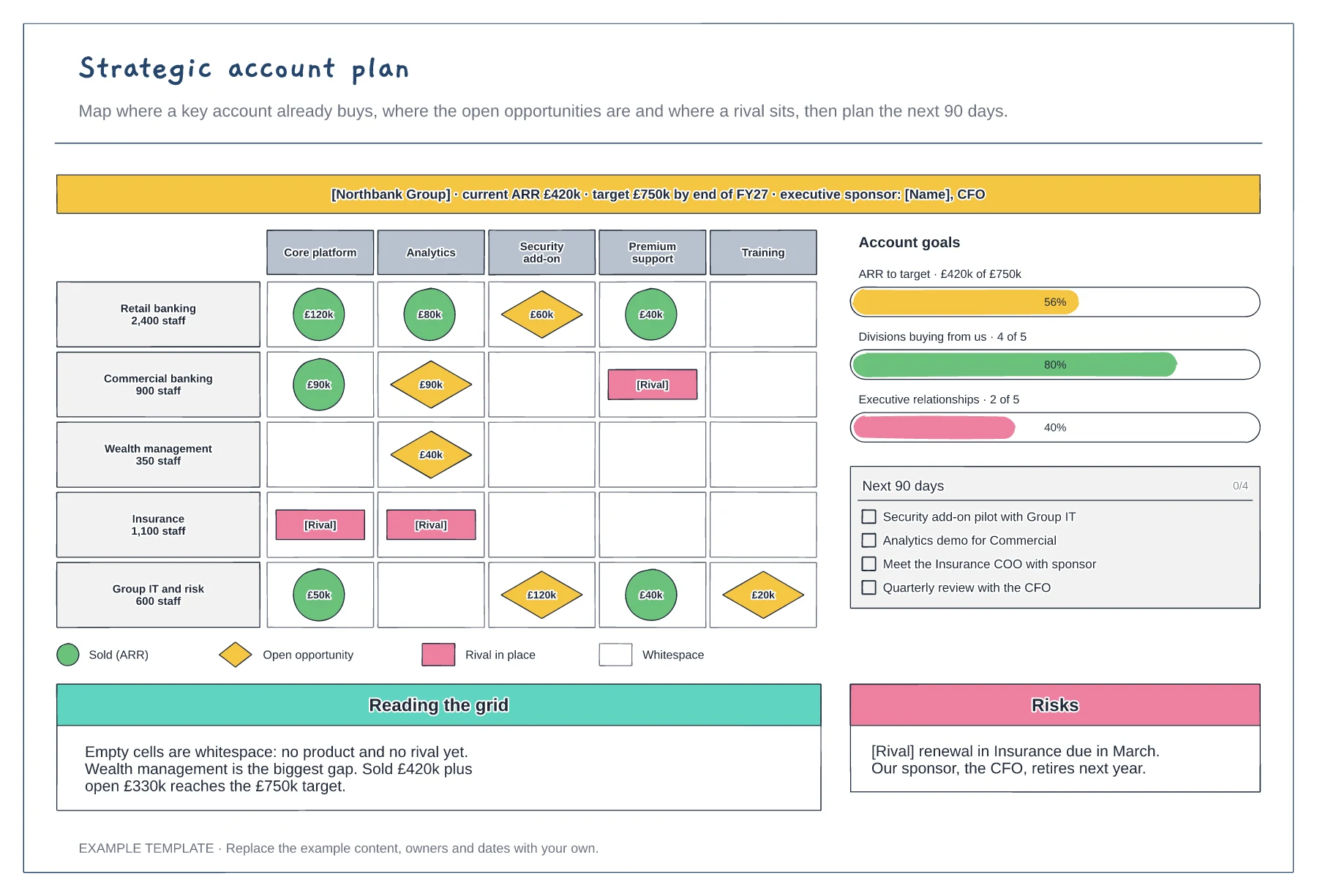
Whitespace grid of divisions and products · Account goals with progress bars · 90-day actions and risks
Preview and use template →A sales territory plan divides a market so each rep has a fair and workable patch. This example splits the UK and Ireland into five territories on a schematic map, pins the key accounts sized by revenue potential, and compares accounts, potential and quota by rep, with a chart that makes an overloaded territory easy to spot.
No account needed · Opens as your own editable page
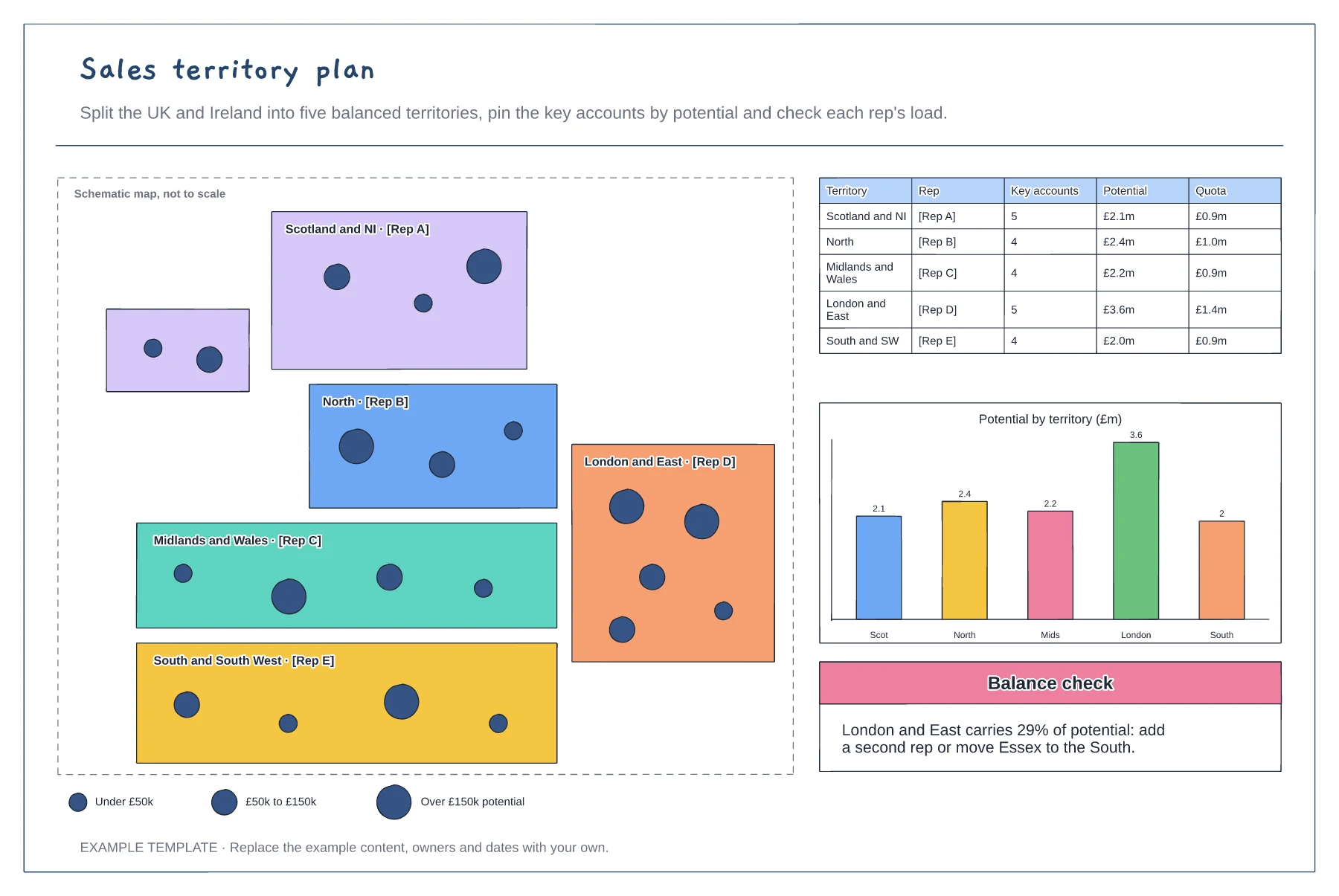
Sketch the regions roughly to shape and give each one a rep. A schematic map is enough; it does not need to be to scale.
Add your key accounts as pins sized by potential, so clusters and empty areas stand out.
Compare potential, account count and quota for each territory. Move borders or accounts until no rep carries far more than the others.
Rename the five territories, reshape the map areas and move the account pins, then update the potential and quota columns so the balance check still holds.
No. Open the template and edit it in your browser. Your work saves on this device. An account is optional if you want to sync your workspace.
Yes. Use Export in the editor to save a PNG, SVG or PDF, or download an editable .epicdraw backup.
Whitespace grid of divisions and products · Account goals with progress bars · 90-day actions and risks
Preview and use template →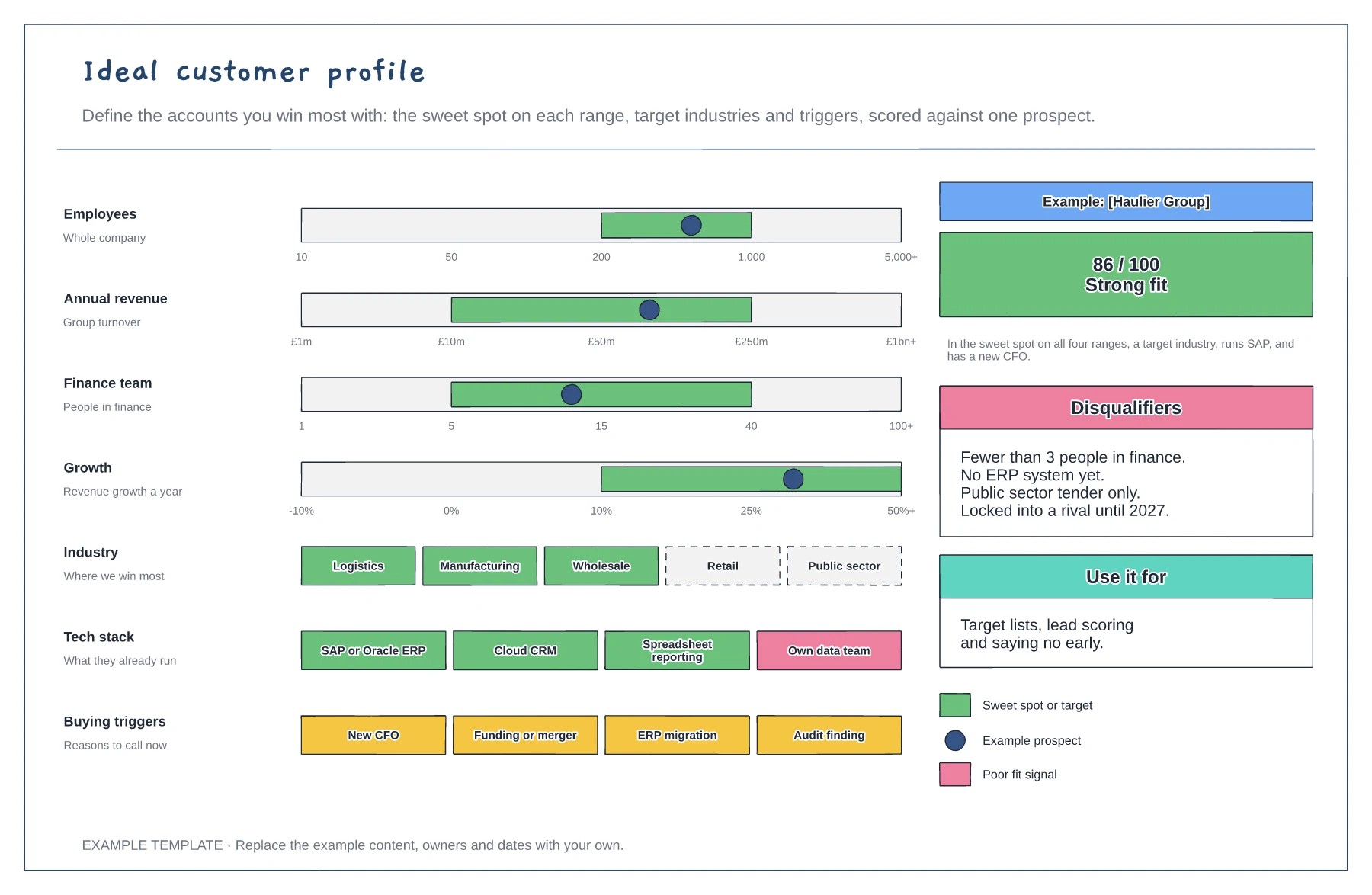
Sweet-spot ranges with a prospect marker · Industries, tech stack and buying triggers · Fit score and disqualifiers
Preview and use template →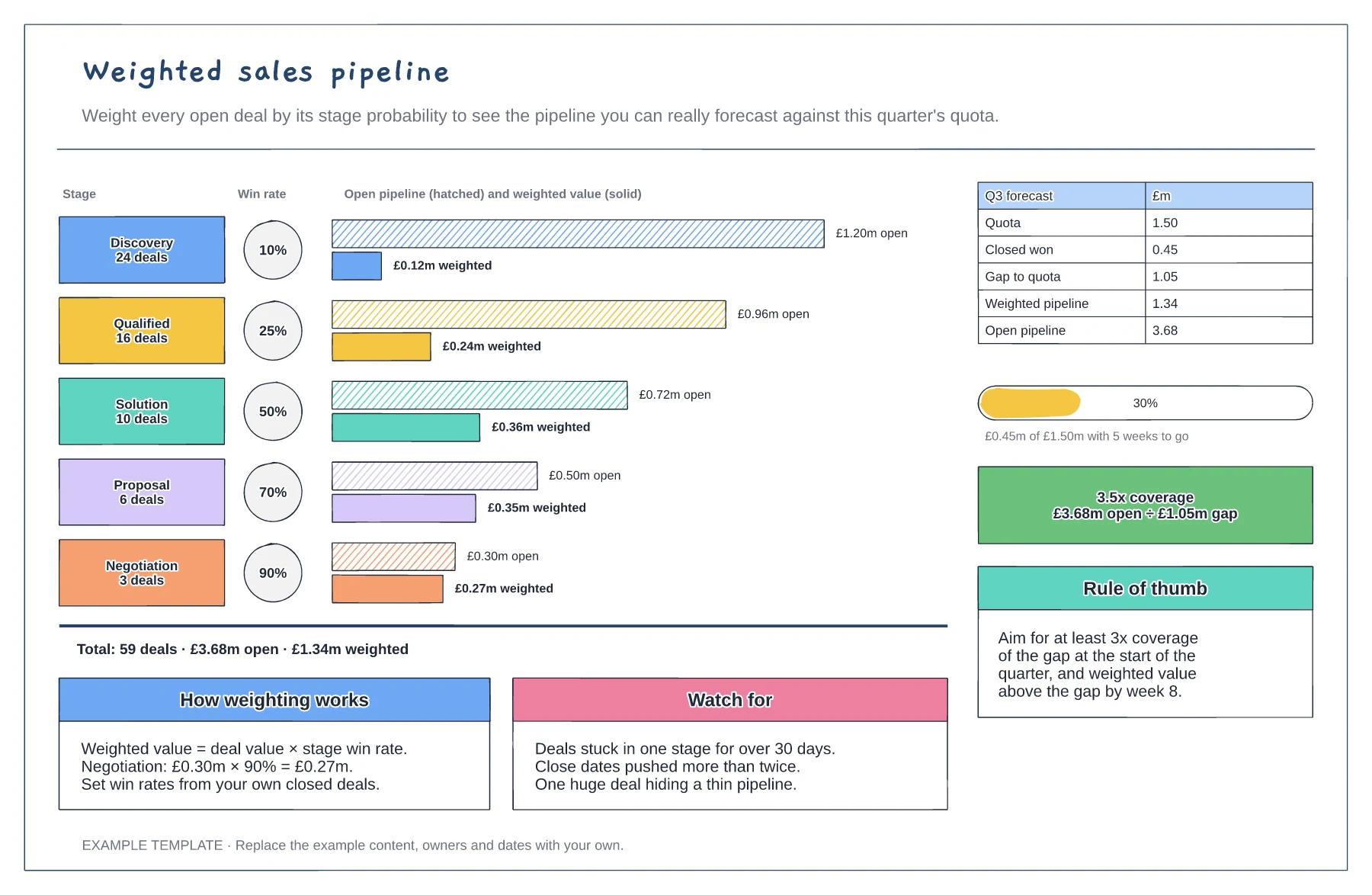
Open and weighted value for each stage · Stage win rates and deal counts · Quota gap, attainment and coverage
Preview and use template →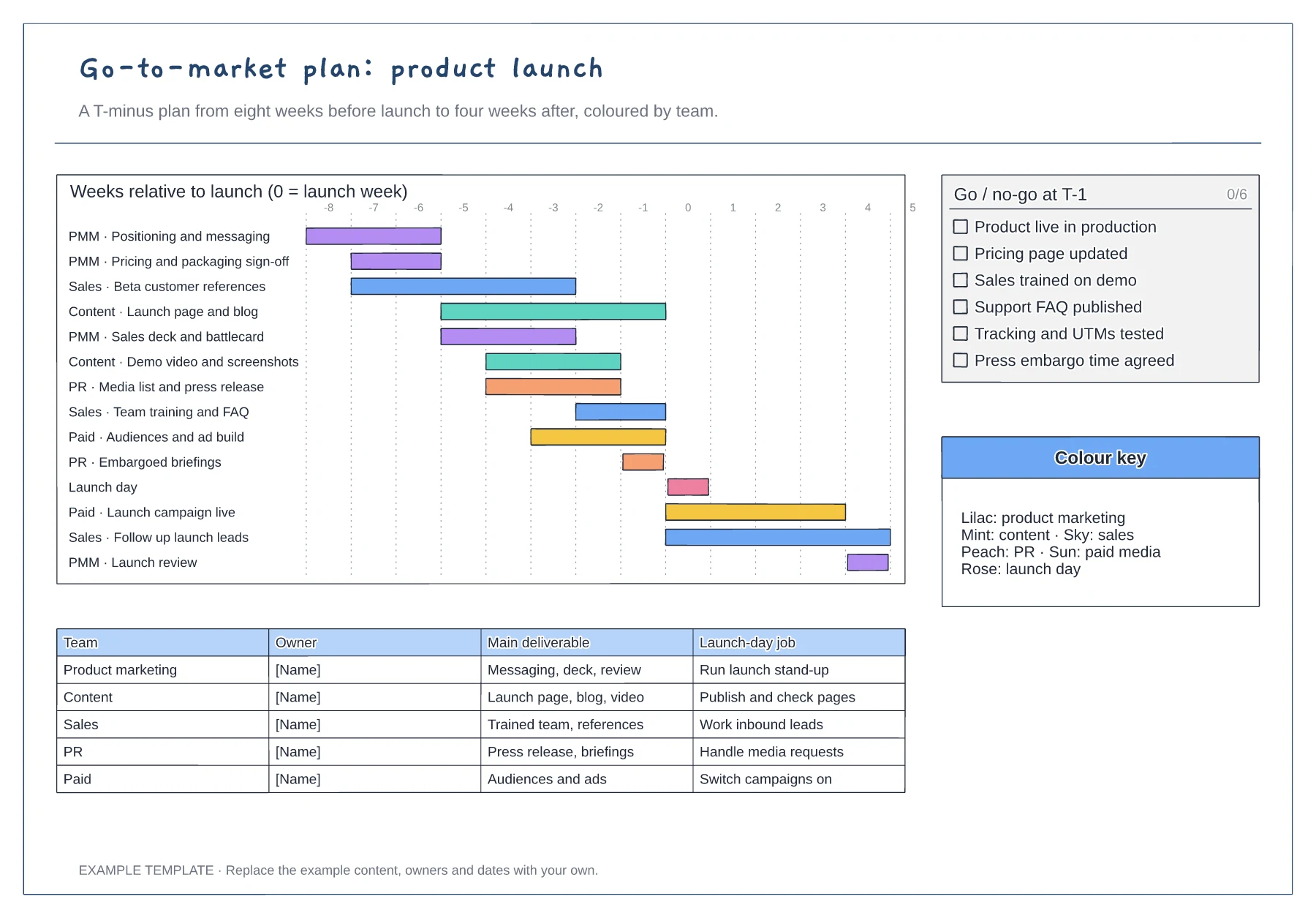
T-minus gantt chart coloured by team · Go/no-go checklist for the week before launch · Owner table with each team's launch-day job
Preview and use template →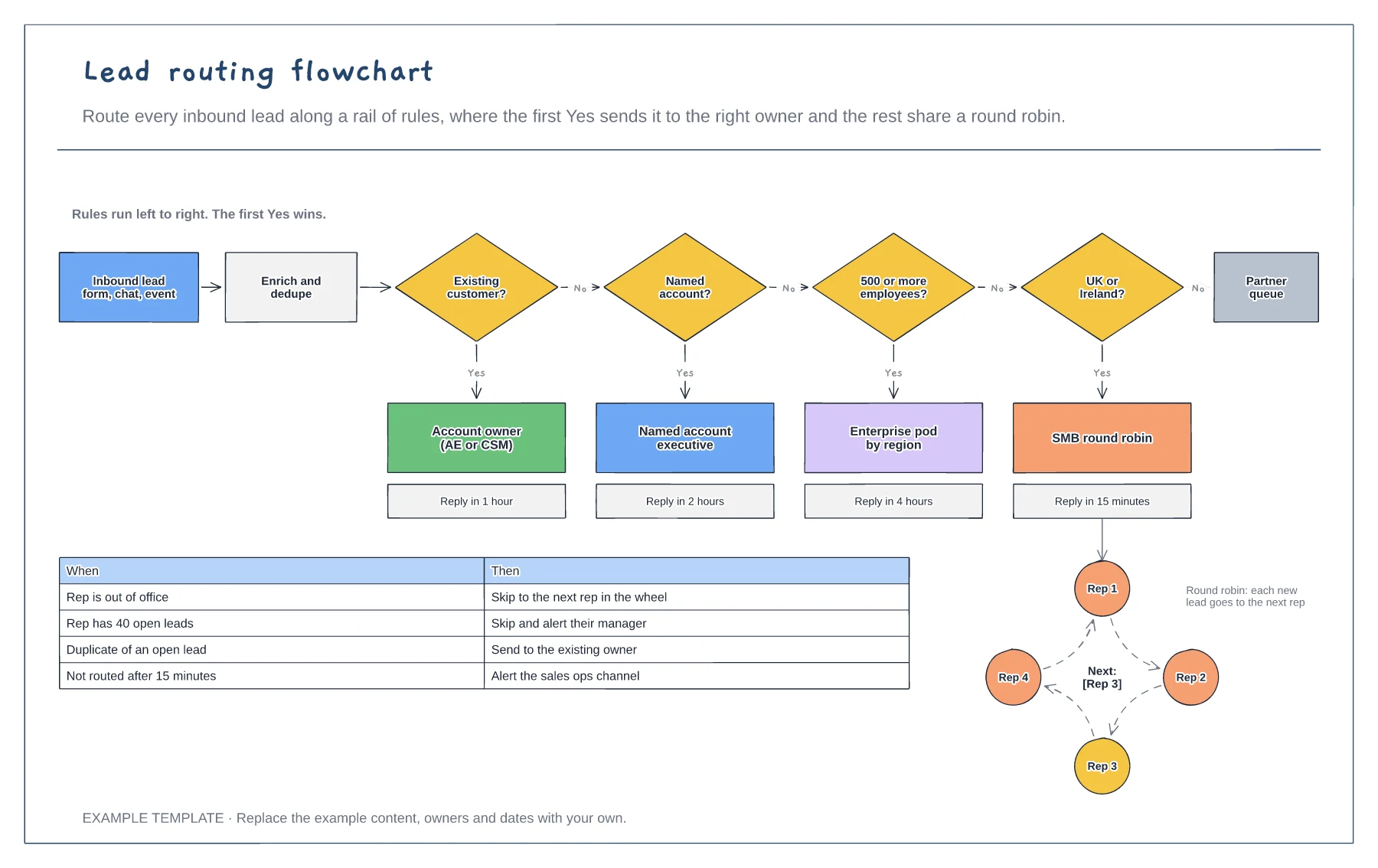
Rail of routing rules in order · Queues with response times · Round robin and exception rules
Preview and use template →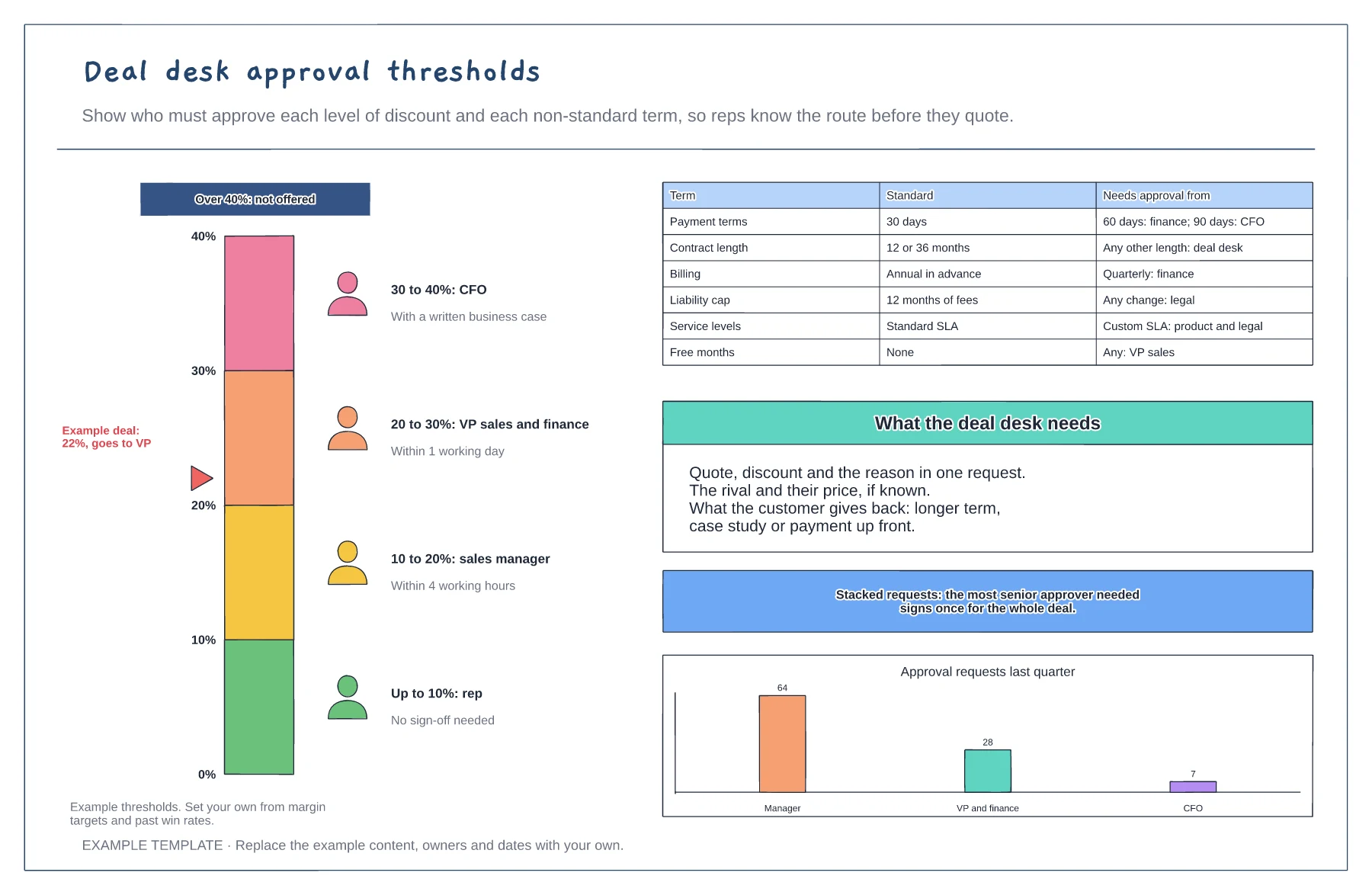
Discount gauge with approval bands · Approver and response time per band · Non-standard terms and their approvers
Preview and use template →