Sales
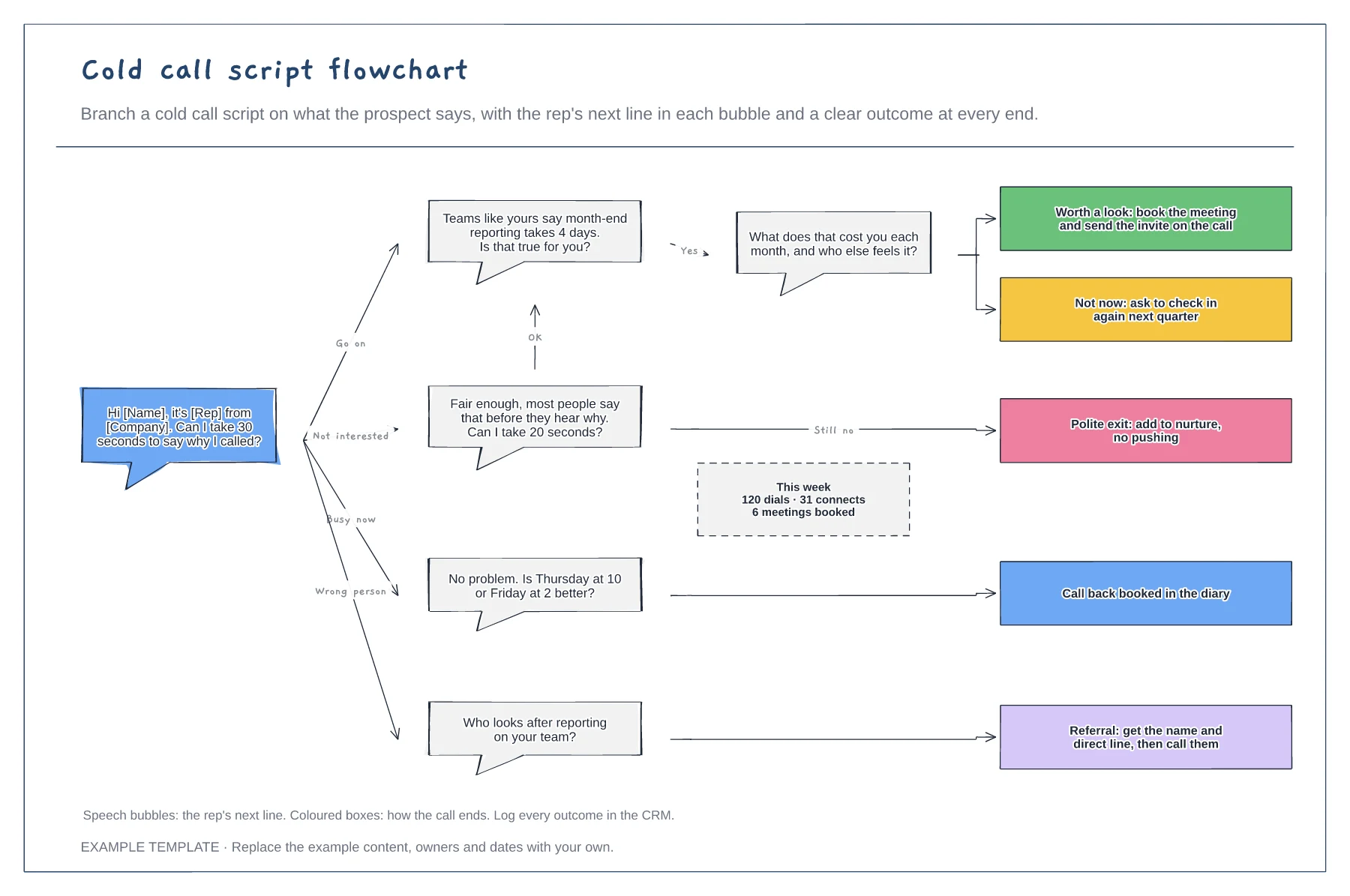
Cold call script flowchart template
Opener and branching replies · Next lines as speech bubbles · An outcome at the end of every path
Preview and use template →An outbound cadence is the planned sequence of touches an SDR uses to reach a new prospect. This example lays out 13 touches over 15 working days on a calendar, with each email, call, social touch and video placed on its day, rest days left clear, a chart of touches by channel and the rules for when to stop.
No account needed · Opens as your own editable page
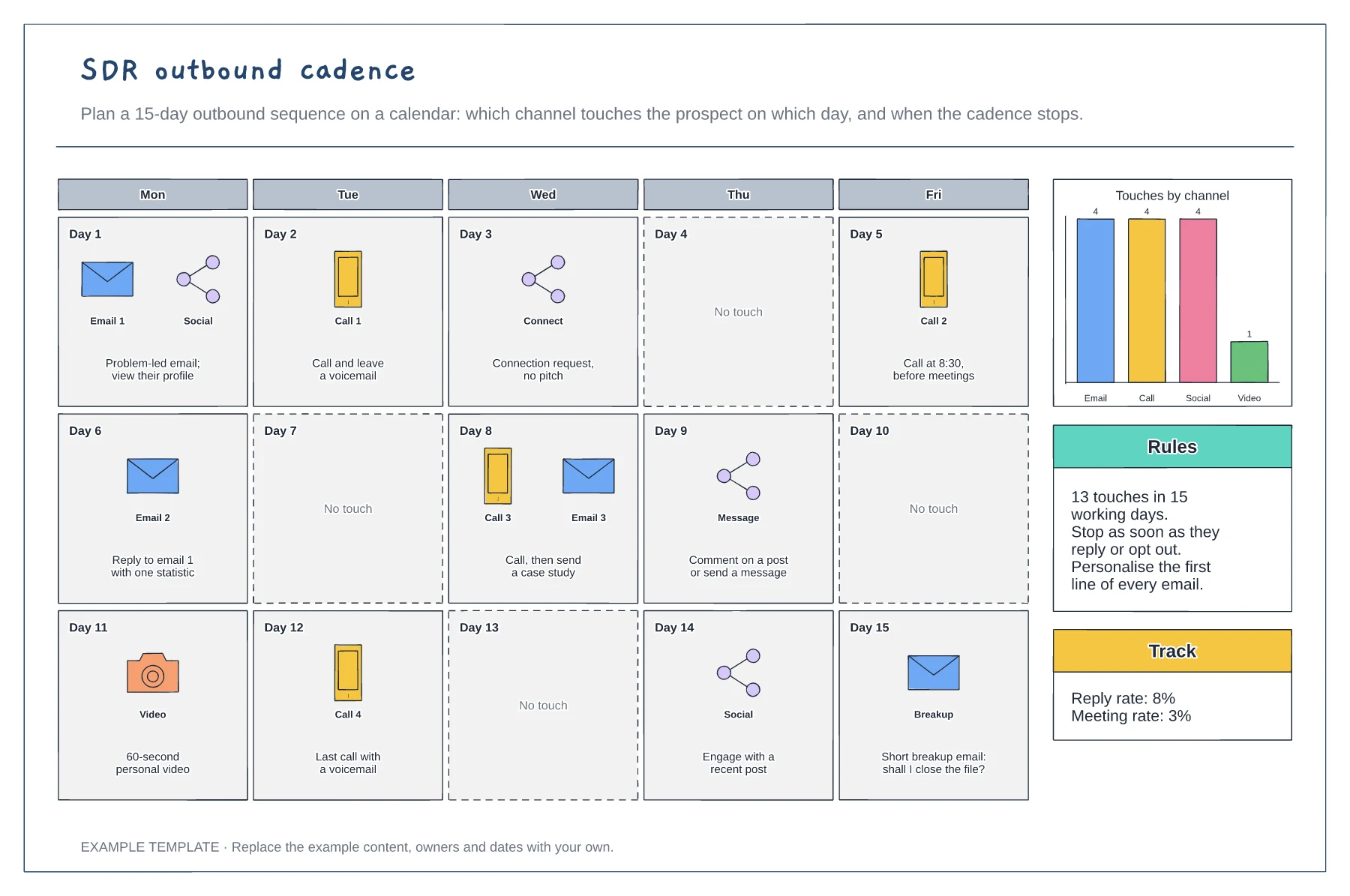
Pick how many working days and touches the cadence should run. Two to four weeks and 8 to 15 touches is common.
Put each touch on its day, mixing channels and leaving rest days so the prospect is not flooded.
Decide what ends the cadence early, such as a reply, a meeting or an opt-out, and how you will measure results.
They are planned rest days so the prospect is not contacted every day. Move them if you change the number of touches or the length of the cadence.
No. Open the template and edit it in your browser. Your work saves on this device. An account is optional if you want to sync your workspace.
Yes. Use Export in the editor to save a PNG, SVG or PDF, or download an editable .epicdraw backup.
Opener and branching replies · Next lines as speech bubbles · An outcome at the end of every path
Preview and use template →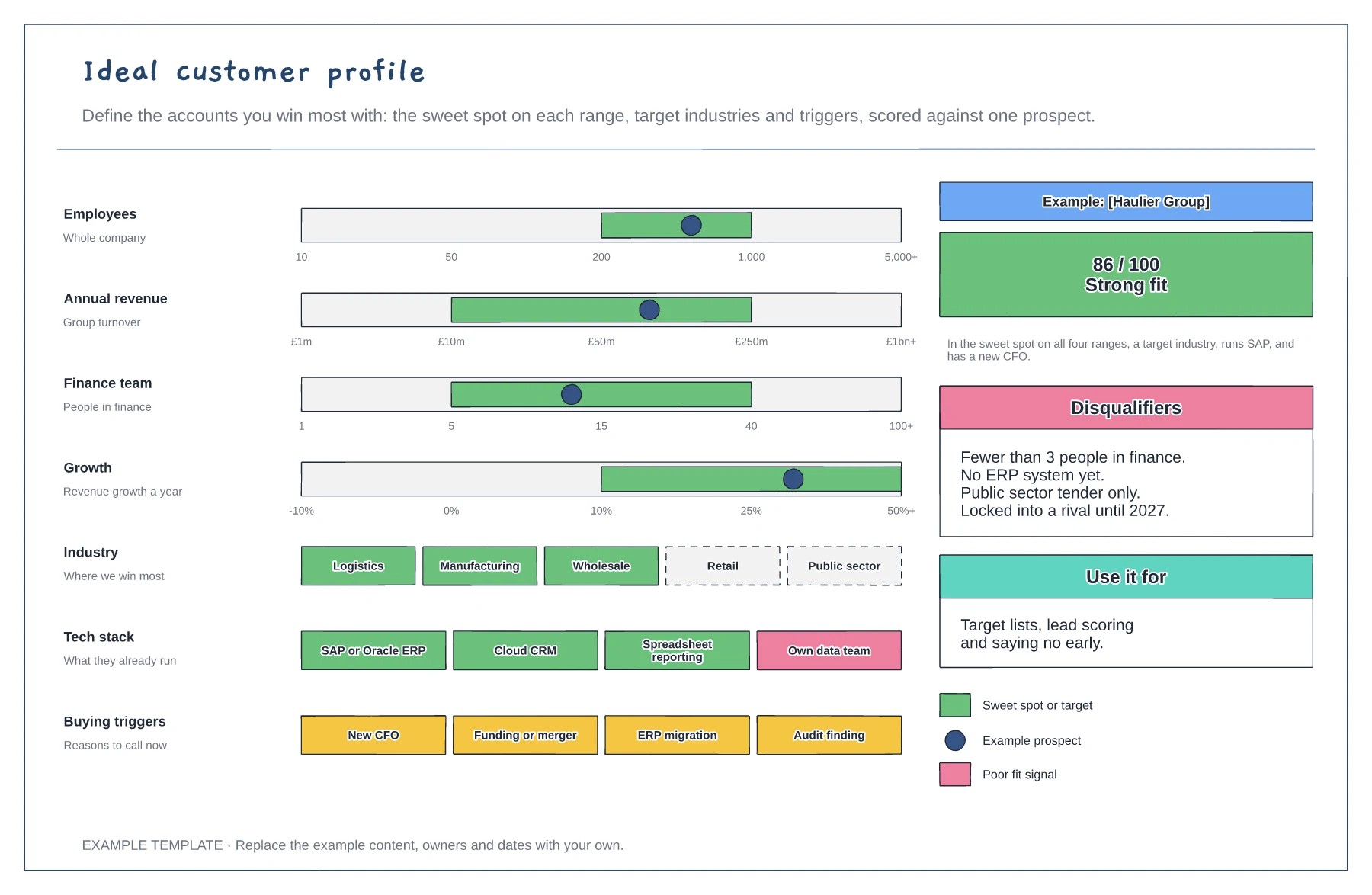
Sweet-spot ranges with a prospect marker · Industries, tech stack and buying triggers · Fit score and disqualifiers
Preview and use template →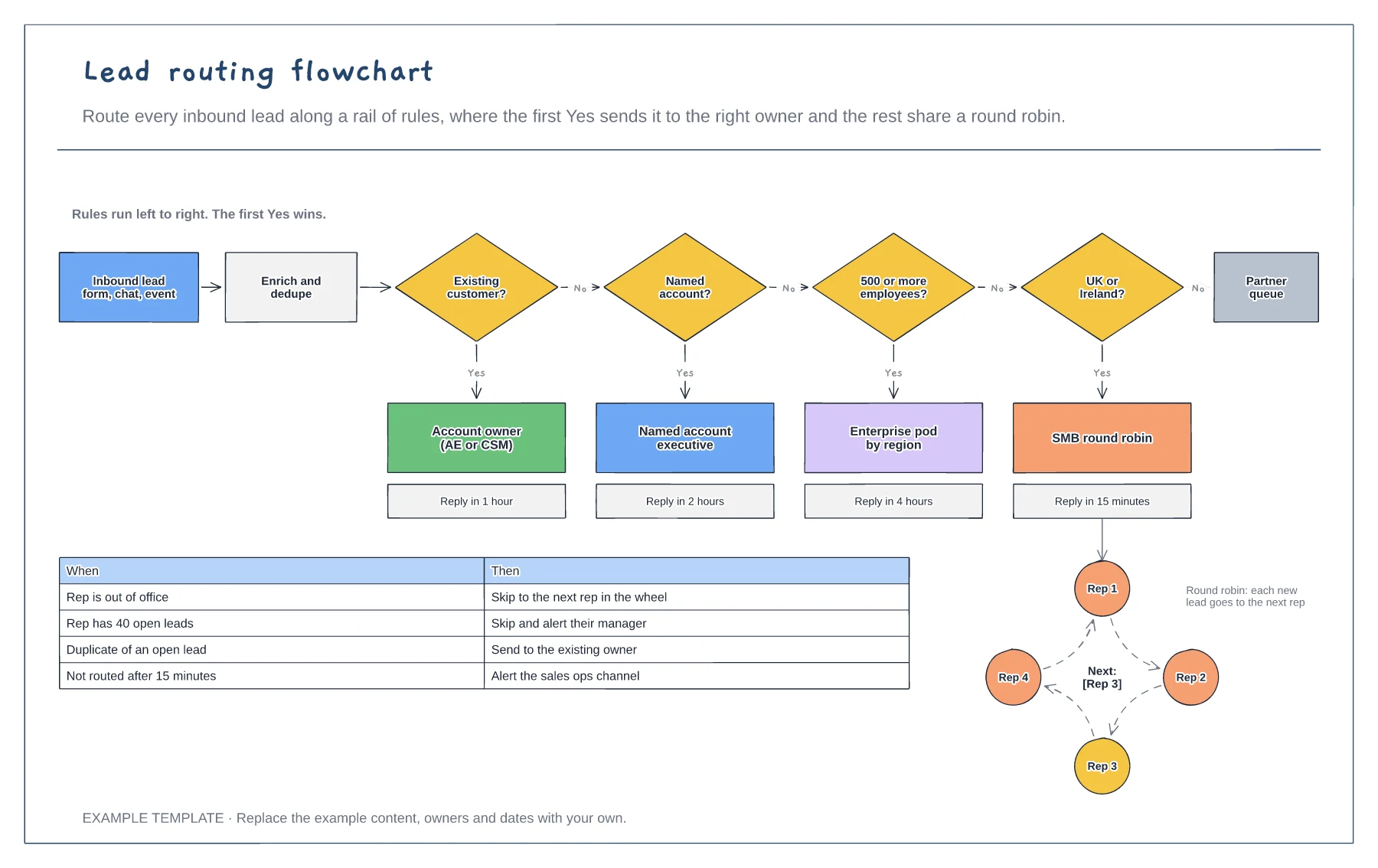
Rail of routing rules in order · Queues with response times · Round robin and exception rules
Preview and use template →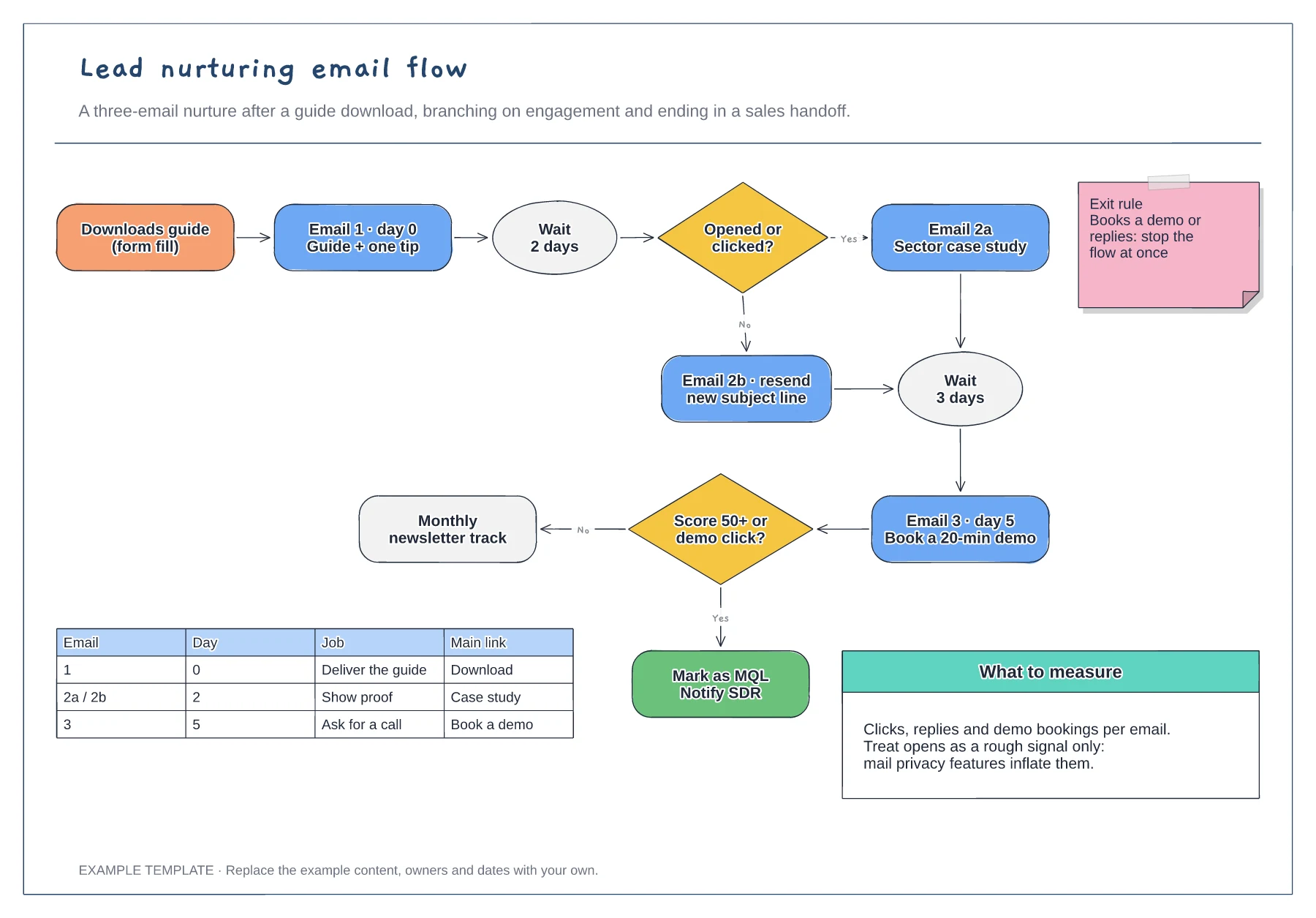
Trigger, wait steps and engagement branches · Exit rule and MQL handoff · Email table and notes on what to measure
Preview and use template →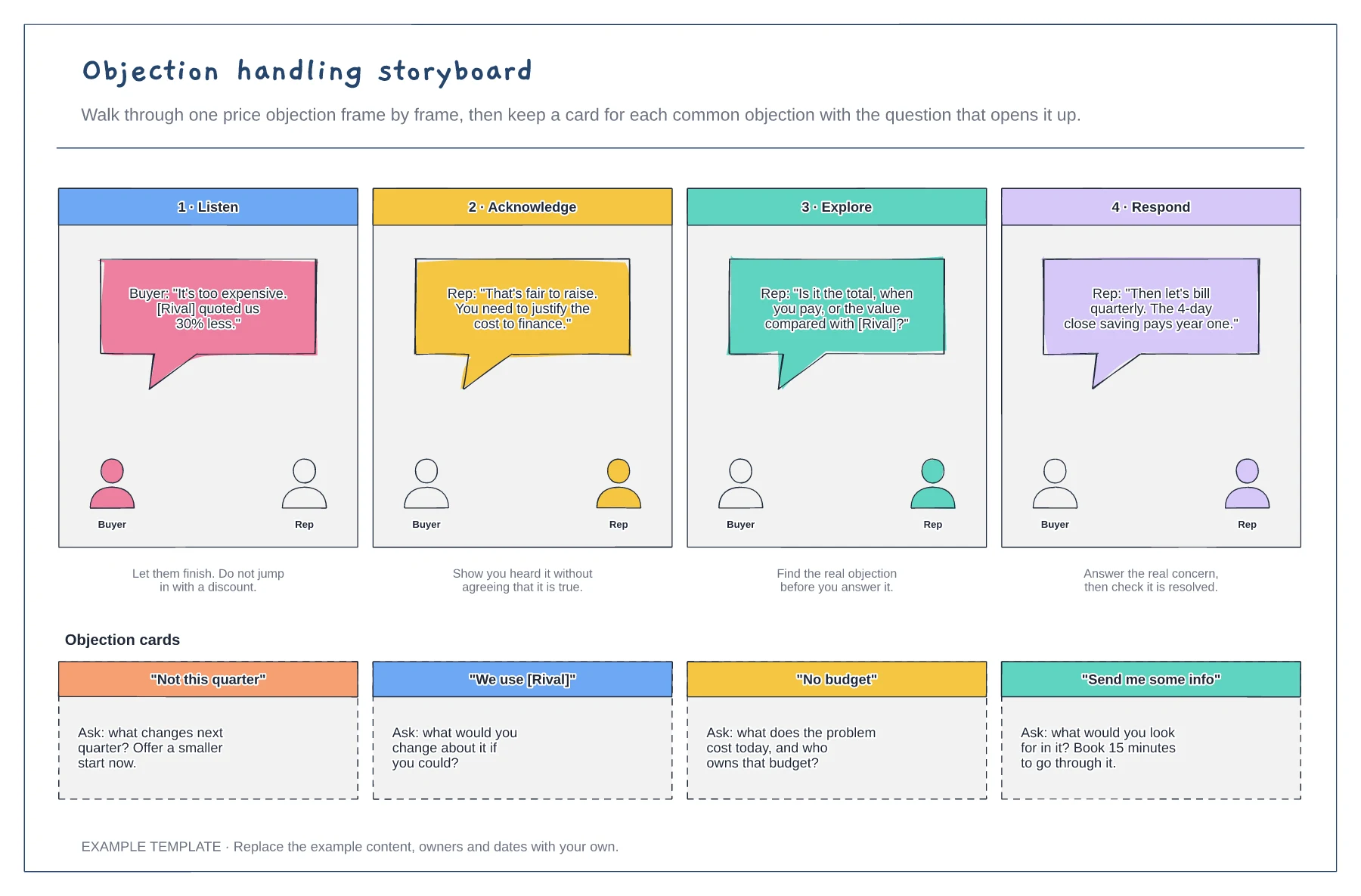
Four-frame storyboard of one objection · What the buyer and rep say · Cards for common objections
Preview and use template →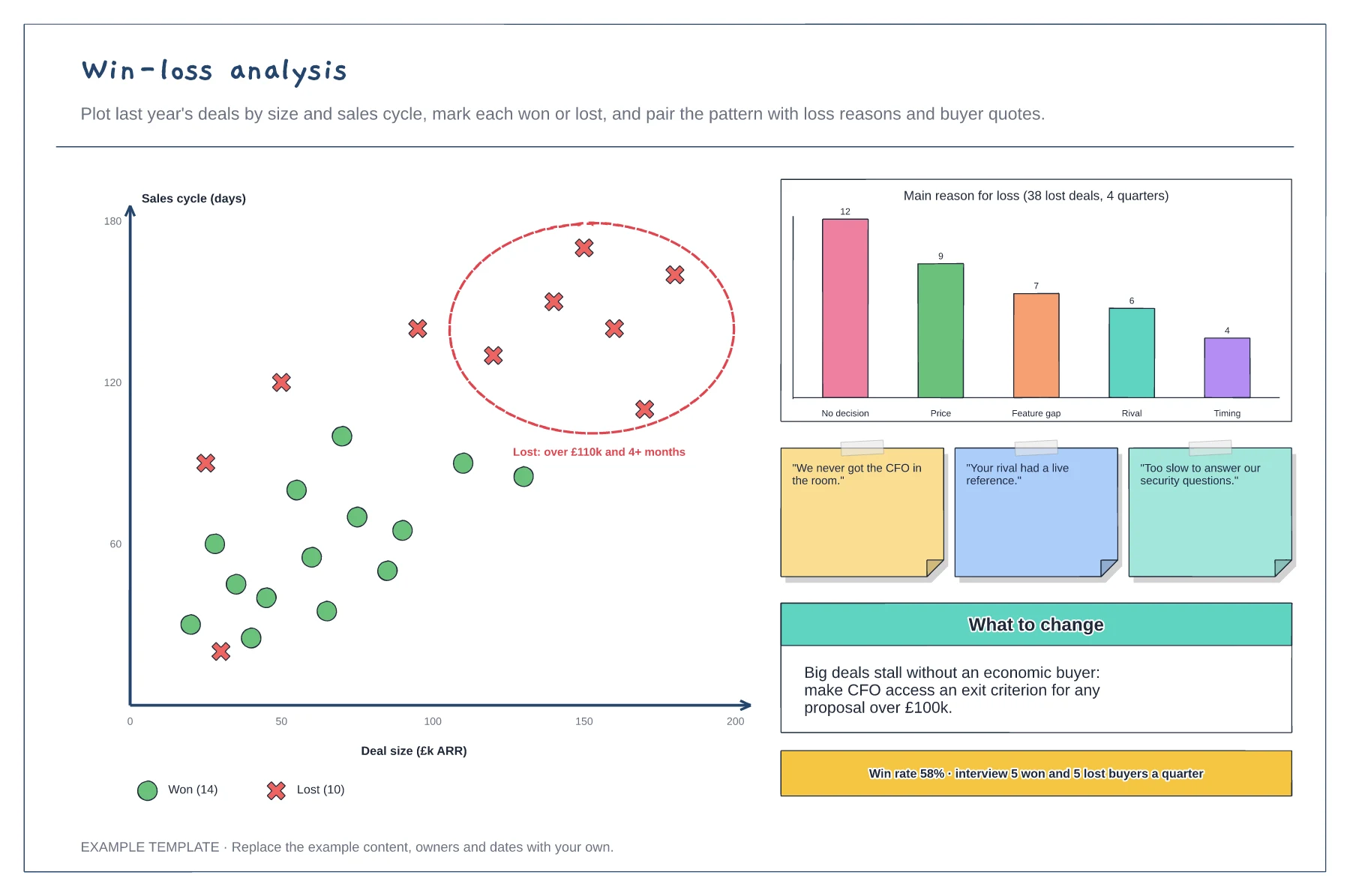
Scatter plot of won and lost deals · Main reasons for loss · Buyer quotes and the change to make
Preview and use template →