Real estate
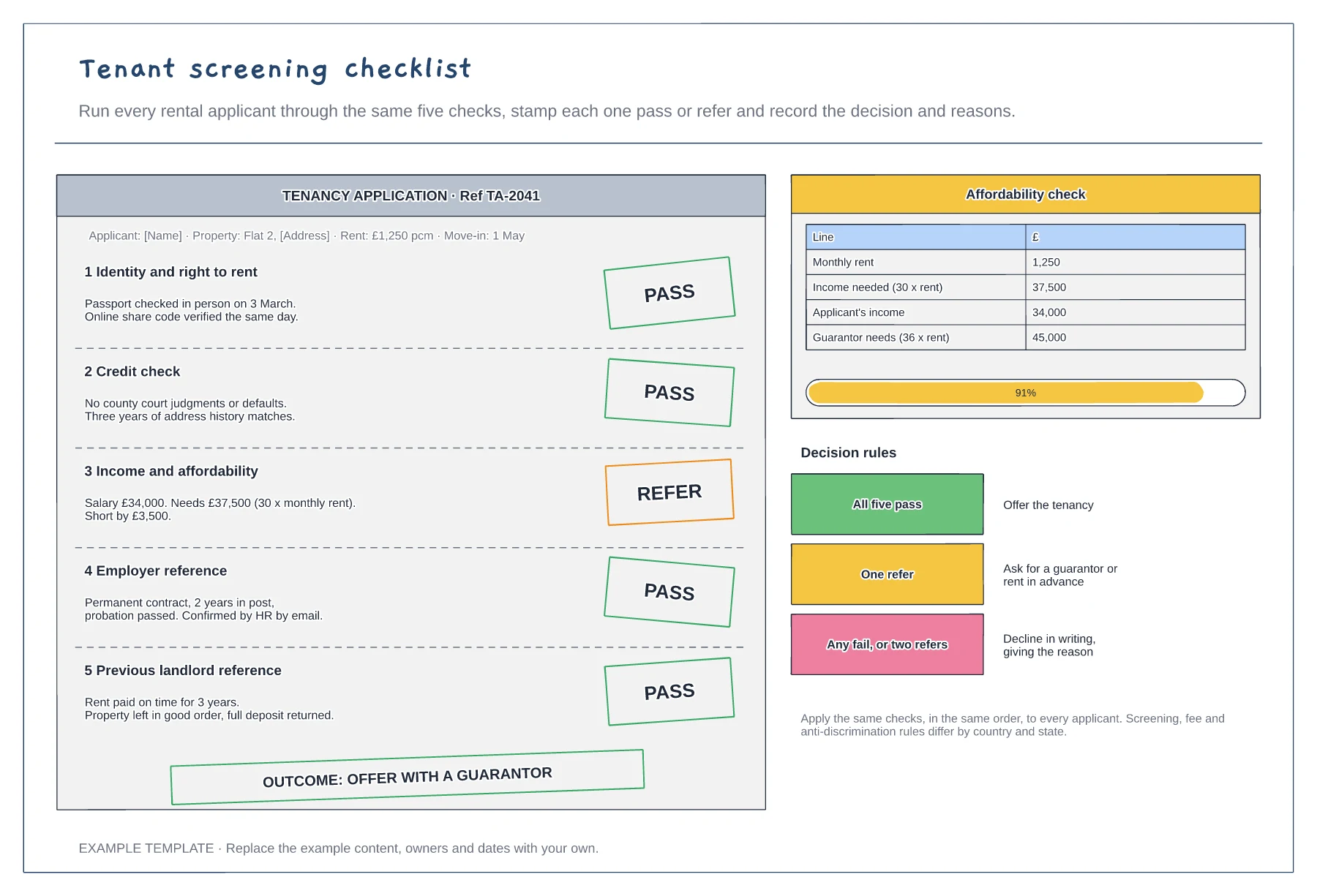
Tenant screening checklist template
Five checks, each stamped pass or refer · Affordability sum and guarantor threshold · Decision rules and recorded outcome
Preview and use template →A move-out inspection compares each room with how it was at check-in and decides what, if anything, comes out of the deposit. This example gives every room its own card with both visits side by side, the number of photos, and a charge or a fair wear and tear call. A bar at the bottom splits the £1,450 deposit between the tenant and each deduction.
This is a planning example, not legal or financial advice. Property and tenancy law differs by country and state and changes often: check current rules.
No account needed · Opens as your own editable page
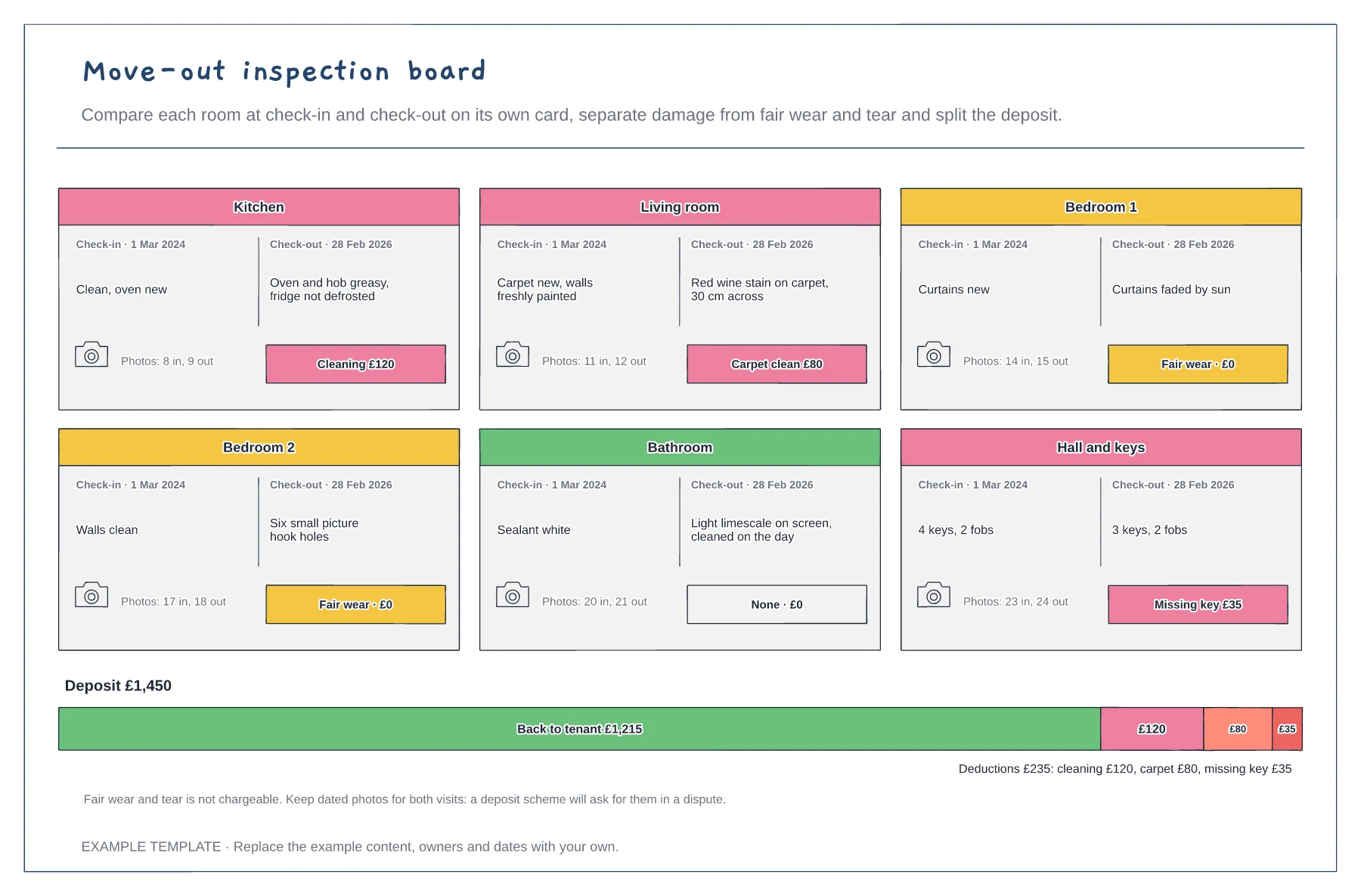
Copy the check-in condition of each room from the inventory, with its date and photo count.
Note what has changed in each room, take dated photos and decide whether it is damage, cleaning or fair wear and tear.
Price each deduction fairly, show what goes back to the tenant and send the breakdown with the photos.
Duplicate one of the room cards, rename it and fill in the check-in and check-out notes, photo references and charge. Then update the deposit split so the deductions still add up.
No. Open the template and edit it in your browser. Your work saves on this device. An account is optional if you want to sync your workspace.
Yes. Use Export in the editor to save a PNG, SVG or PDF, or download an editable .epicdraw backup.
Five checks, each stamped pass or refer · Affordability sum and guarantor threshold · Decision rules and recorded outcome
Preview and use template →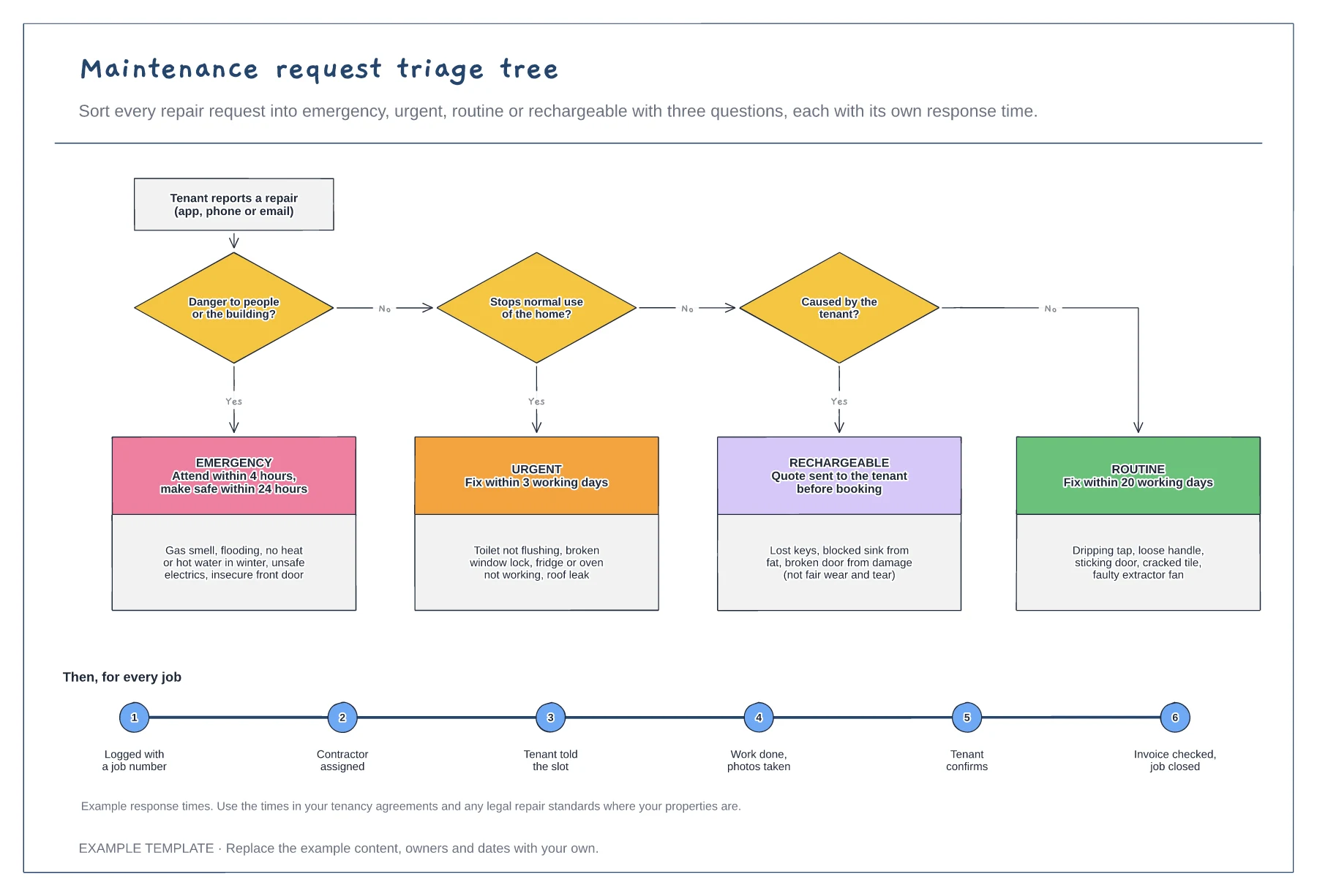
Three yes or no triage questions · Four priorities with response times · The steps from logging a job to closing it
Preview and use template →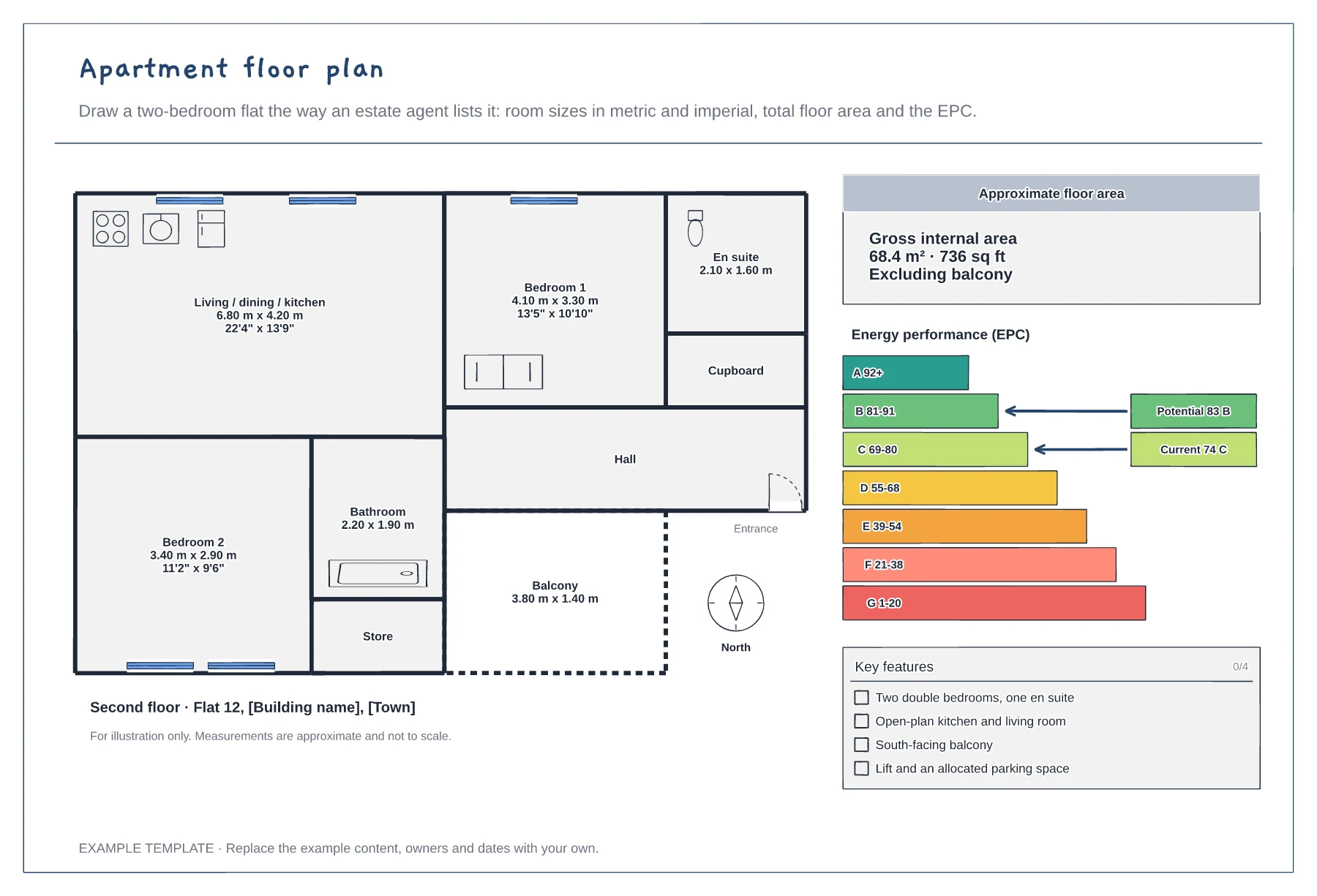
Rooms with metric and imperial sizes · Gross internal area and north point · EPC rating and key features
Preview and use template →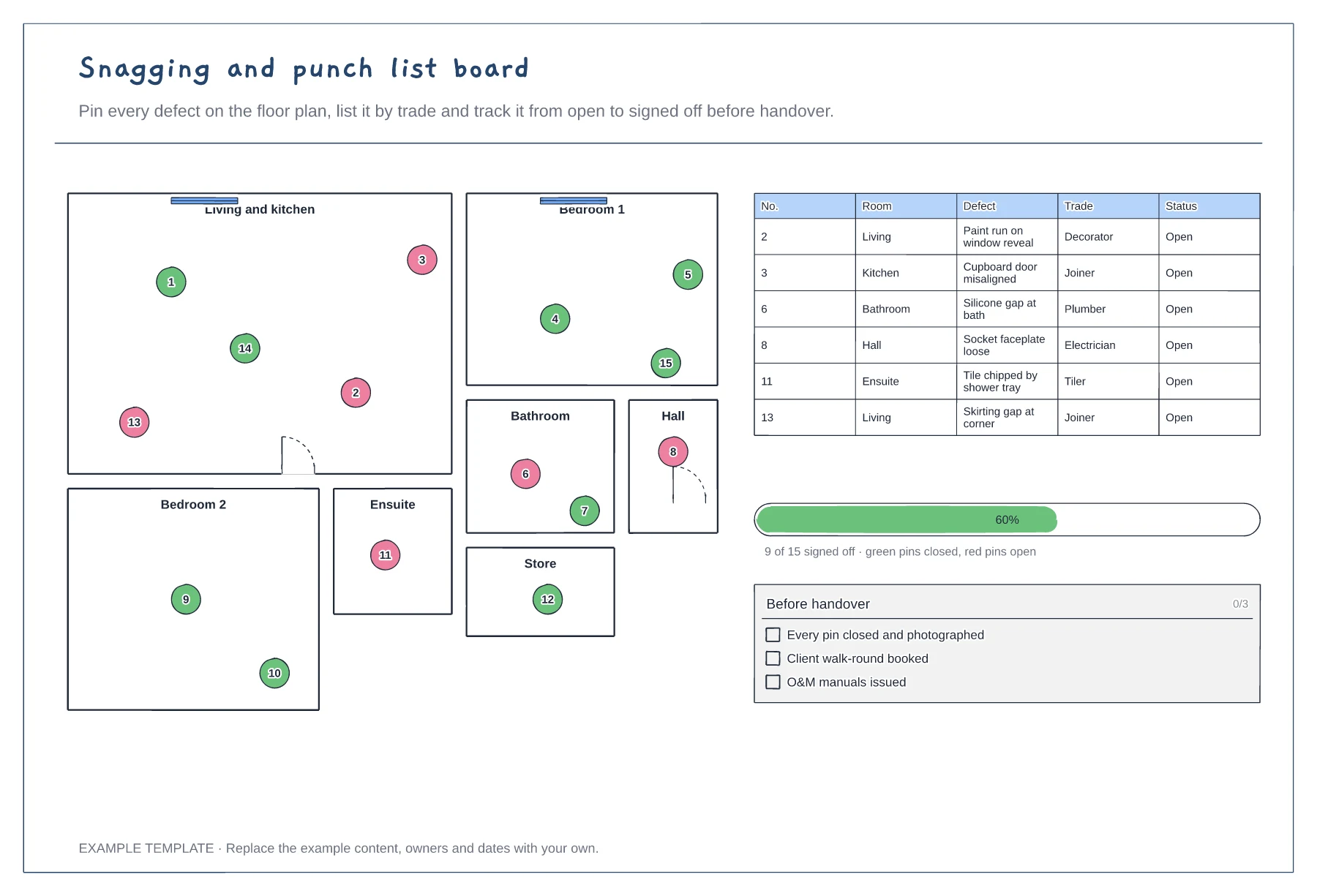
Floor plan with numbered snag pins · Snag list by room and trade · Progress to sign-off
Preview and use template →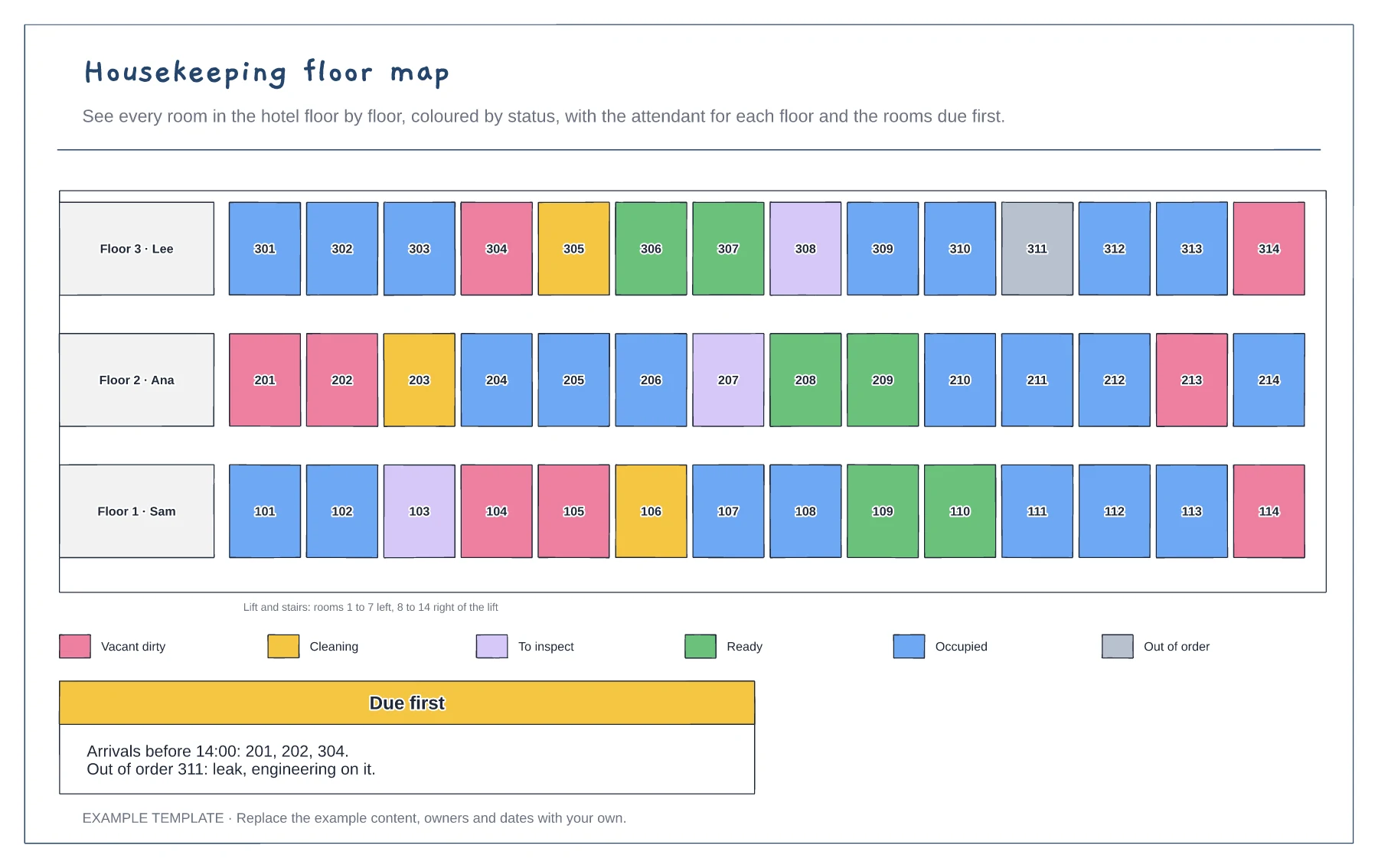
Every room by floor · Six room statuses by colour · Attendants and rooms due first
Preview and use template →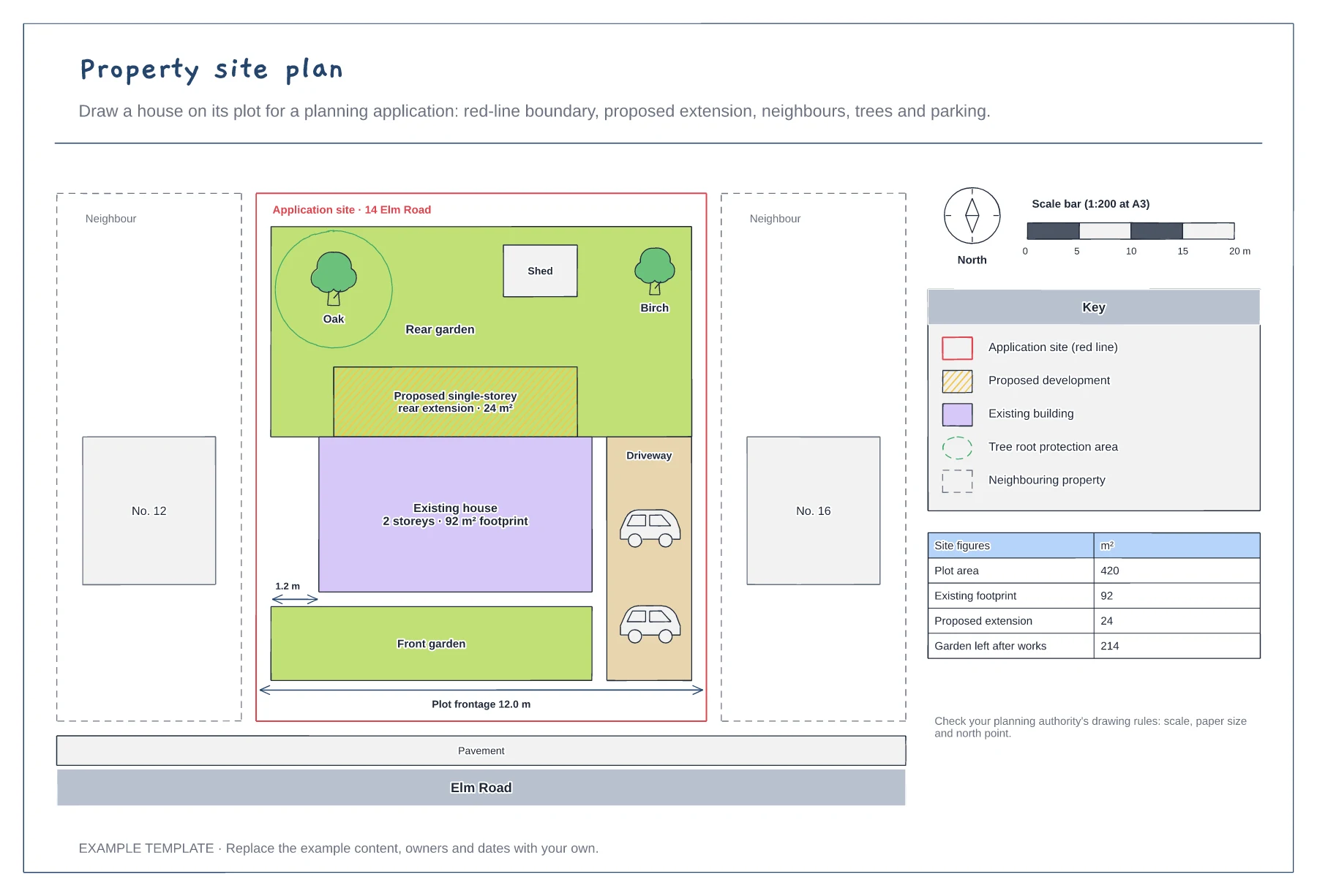
Red-line boundary and neighbouring buildings · Existing house and hatched proposal · North point, scale bar and site areas
Preview and use template →