Customer support / Free editable template

IVR call flow menu tree template

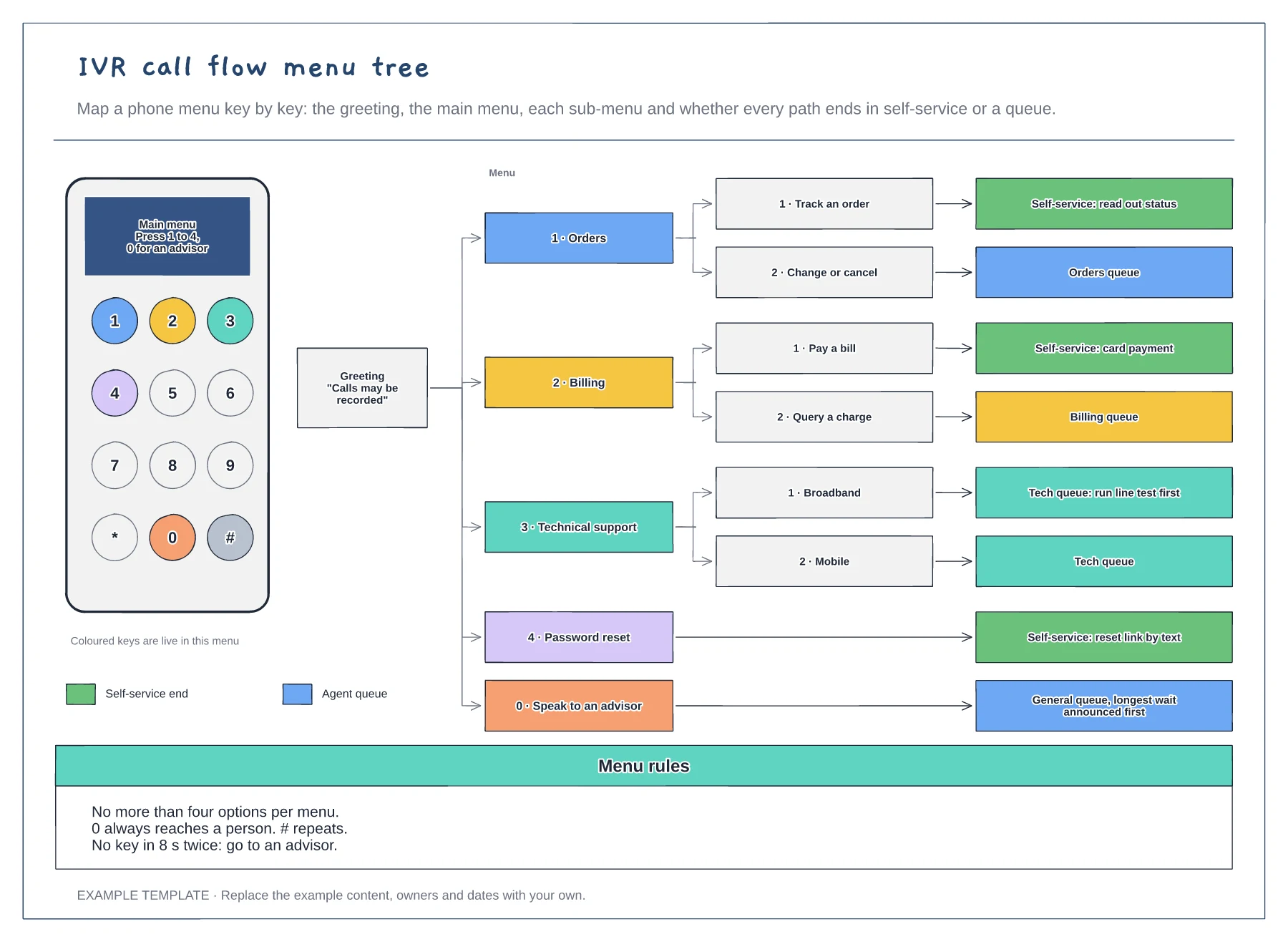
An IVR call flow maps every key a caller can press and where it takes them. This example puts a phone keypad next to the menu tree, so you can see which keys are live, then follows each option from the greeting through the main menu and sub-menus to its end point. Every leaf is coloured as self-service or an agent queue, and the menu rules sit underneath.

No account needed · Opens as your own editable page

Preview the ivr call flow menu tree

View full-size preview ↗
IVR call flow menu tree example showing a keypad showing which keys are live, the menu tree from greeting to every end point, menu rules for options, the zero key and timeouts
Everything in this example is editable. Replace the labels, move the shapes and adapt the layout to your work.

How to use this template

  1. List the reasons people call

    Pull your top call reasons from the last quarter and group them into no more than four main menu options.

  2. Draw every path to its end

    Follow each key press to a sub-menu, a self-service answer or a named queue. No path should end in a dead end or a loop.

  3. Set the rules

    Decide what 0, # and no input do, and test the menu by calling it yourself before it goes live.

Questions about this template

How do I add a new option to the main menu?

Light up the next key on the keypad, add a branch card under the main menu and end it in either a self-service step or an agent queue.

Do I need an account to use it?

No. Open the template and edit it in your browser. Your work saves on this device. An account is optional if you want to sync your workspace.

Can I export the finished diagram?

Yes. Use Export in the editor to save a PNG, SVG or PDF, or download an editable .epicdraw backup.