Customer support / Free editable template

Omnichannel routing hub template

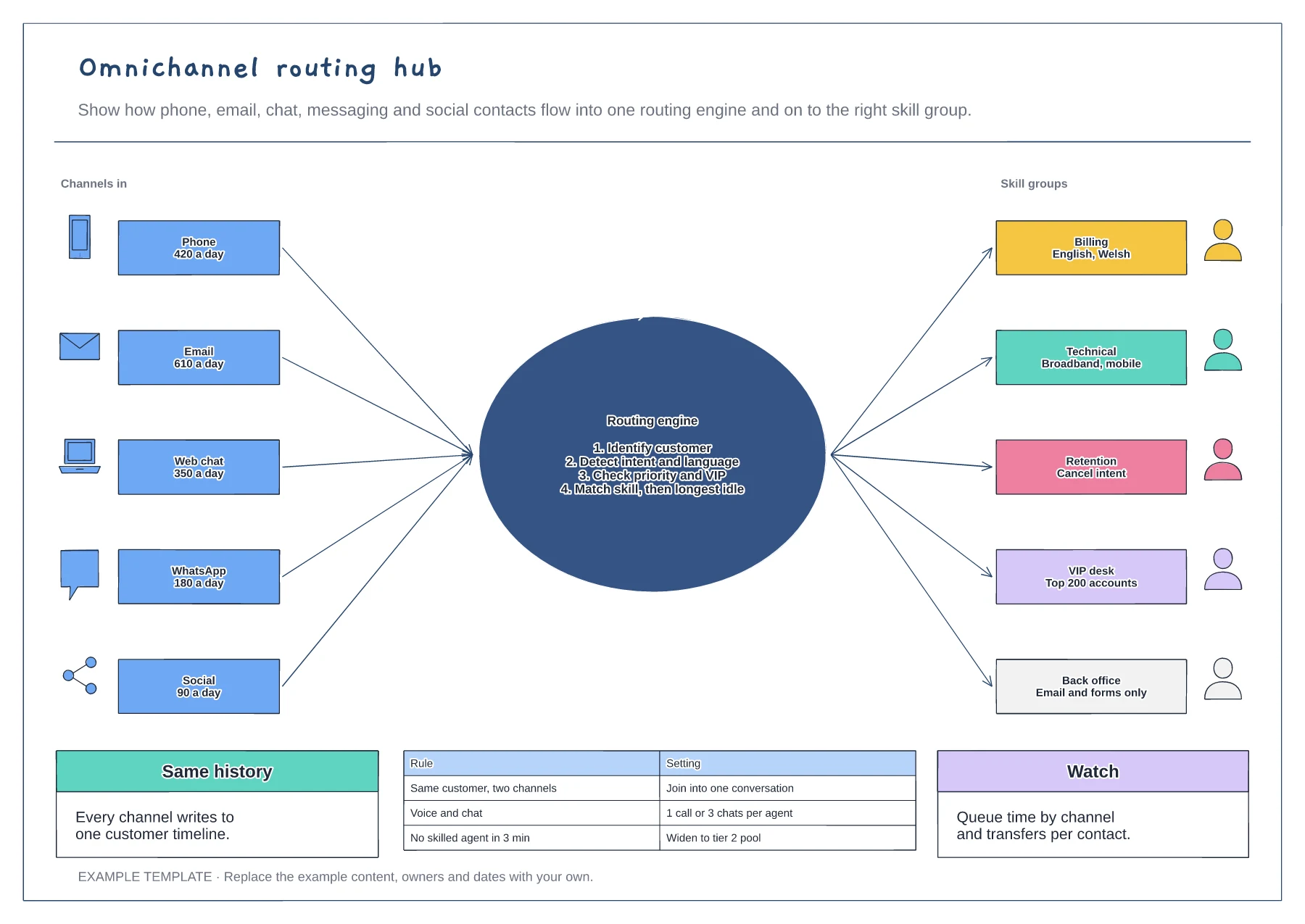
Omnichannel routing sends every contact to the right person, whatever channel it arrives on. This example draws five channels with their daily volumes flowing into one routing engine, which identifies the customer, detects intent and language, checks priority and matches a skill. Five skill groups sit on the other side, with the routing rules and the measures to watch underneath.

No account needed · Opens as your own editable page

Preview the omnichannel routing hub

View full-size preview ↗
Omnichannel routing hub example showing five channels with daily volumes, a routing engine with its four decisions, skill groups, routing rules and measures
Everything in this example is editable. Replace the labels, move the shapes and adapt the layout to your work.

How to use this template

  1. Map the channels

    List every channel customers use, with daily volumes, and note which ones are live and which can wait.

  2. Write the routing logic

    Set the order of decisions: who the customer is, what they want, how urgent it is and which skill fits.

  3. Define the skill groups

    Group agents by skill and language, set concurrency limits per channel and decide what happens when no skilled agent is free.

Questions about this template

Can I add a channel or skill group?

Yes. Add a card on the left for a new channel or on the right for a skill group, and connect it through the routing engine in the middle.

Do I need an account to use it?

No. Open the template and edit it in your browser. Your work saves on this device. An account is optional if you want to sync your workspace.

Can I export the finished diagram?

Yes. Use Export in the editor to save a PNG, SVG or PDF, or download an editable .epicdraw backup.