Customer support
IVR call flow menu tree template
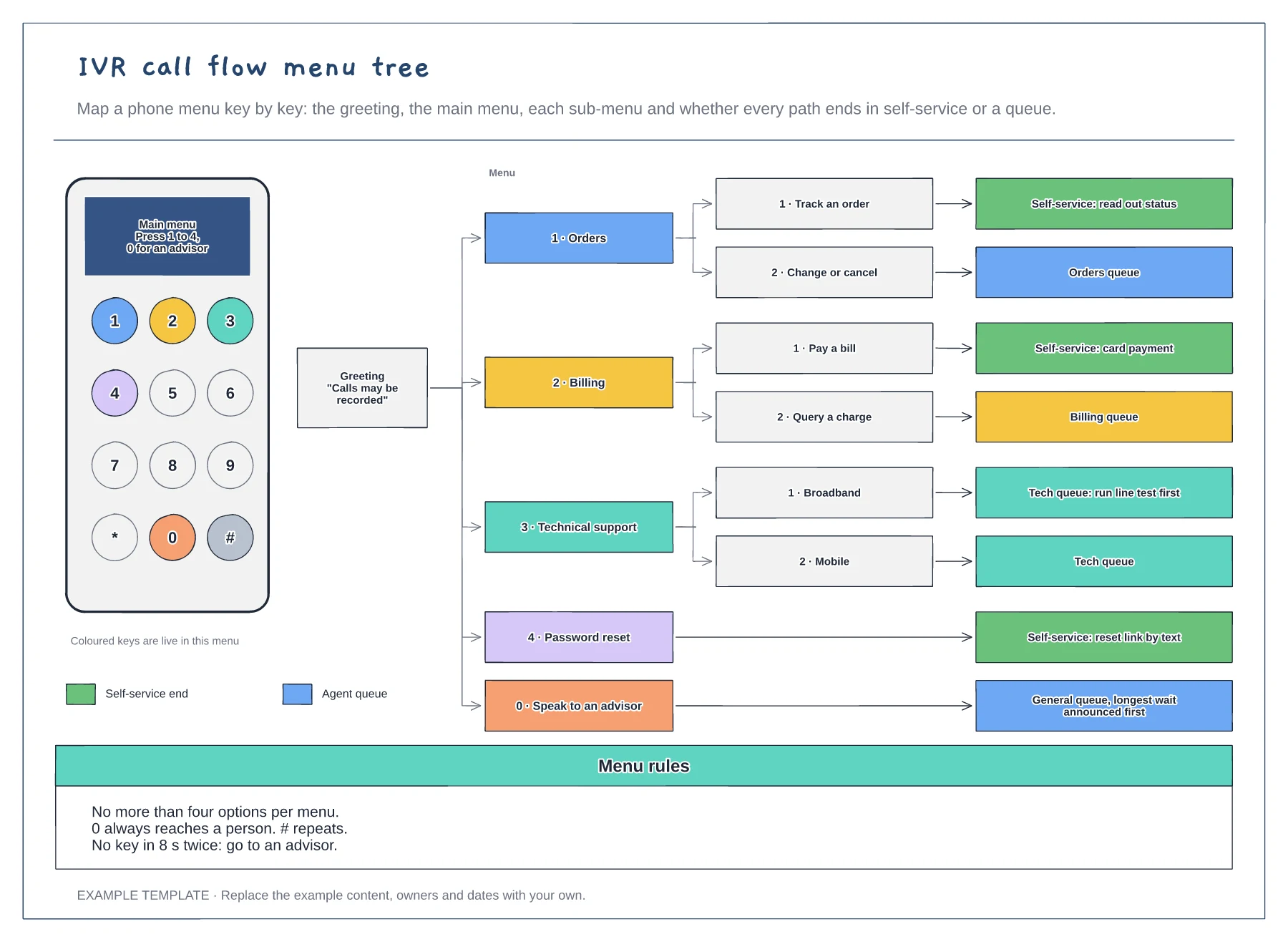
A keypad showing which keys are live · The menu tree from greeting to every end point · Menu rules for options, the zero key and timeouts
Preview and use template →Most call flows show boxes and arrows but hide where the time goes. This example draws one inbound call on a ruler from the first ring to wrap-up, so the IVR, the queue, verification, diagnosis, hold and after-call work each take the space they really take. Exit points show how many callers self-serve, abandon, take a callback or get transferred, and counters show the day's headline numbers.
No account needed · Opens as your own editable page
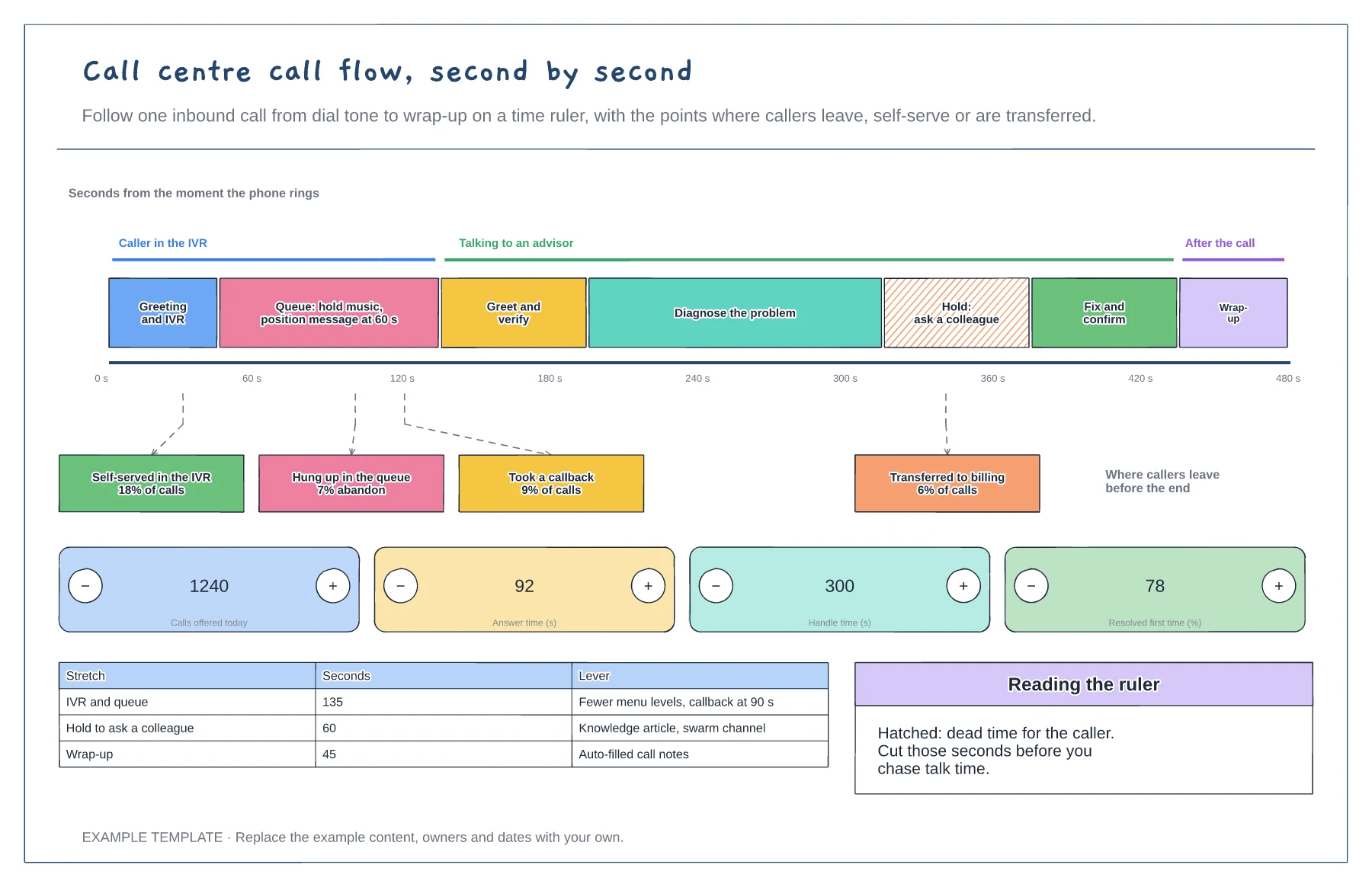
Pick a typical call from your recordings or your phone system and note when each stretch starts and ends, in seconds.
Add every point where callers leave the flow: self-service, abandoning in the queue, callbacks and transfers, with the share of calls for each.
Hatch the stretches where the caller waits with nothing happening, then list a lever for each one before you chase talk time.
Yes. Use the plus and minus buttons or edit the values for calls offered, answer time, handle time and first-time resolution to match your own data.
No. Open the template and edit it in your browser. Your work saves on this device. An account is optional if you want to sync your workspace.
Yes. Use Export in the editor to save a PNG, SVG or PDF, or download an editable .epicdraw backup.
A keypad showing which keys are live · The menu tree from greeting to every end point · Menu rules for options, the zero key and timeouts
Preview and use template →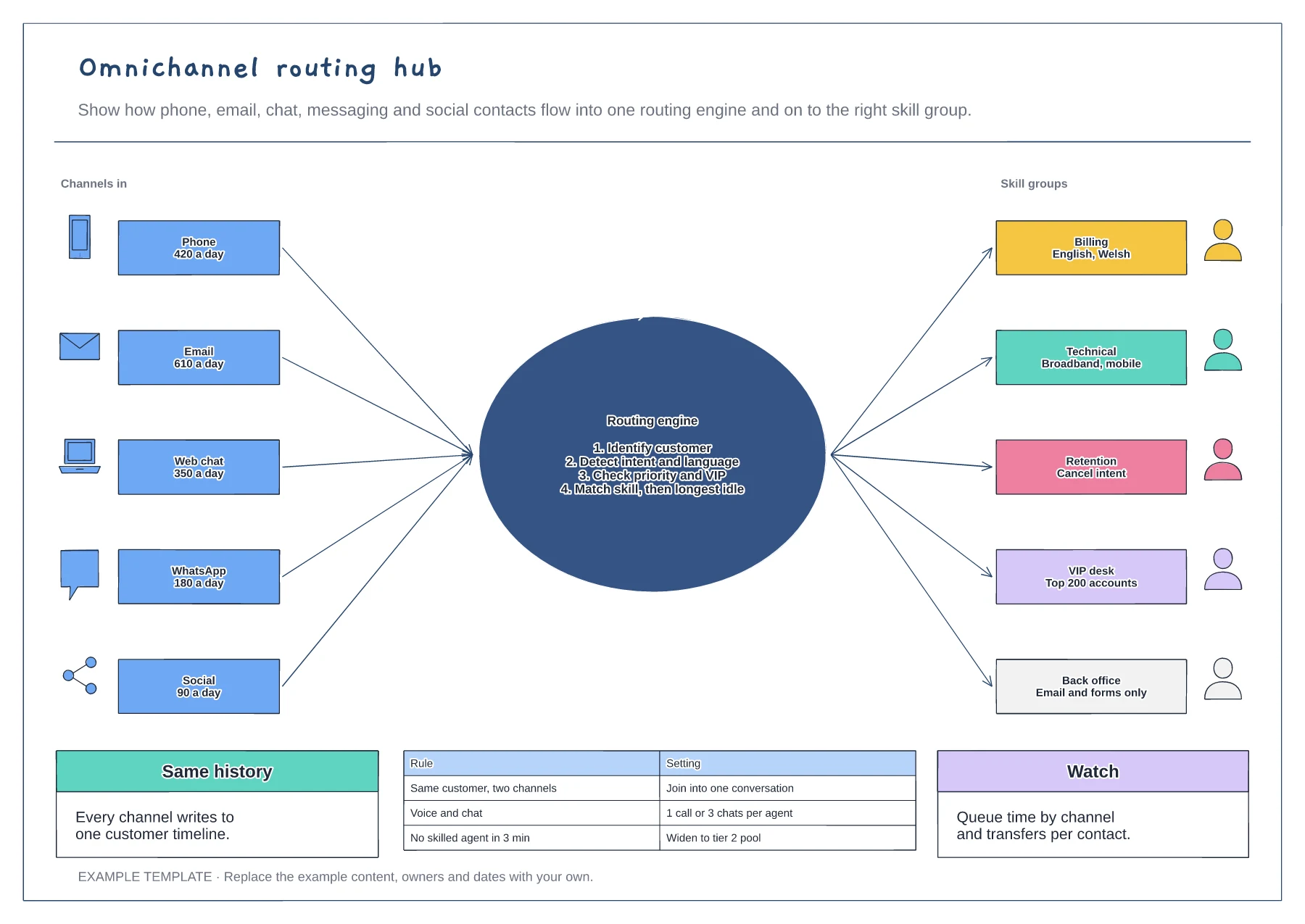
Five channels with daily volumes · A routing engine with its four decisions · Skill groups, routing rules and measures
Preview and use template →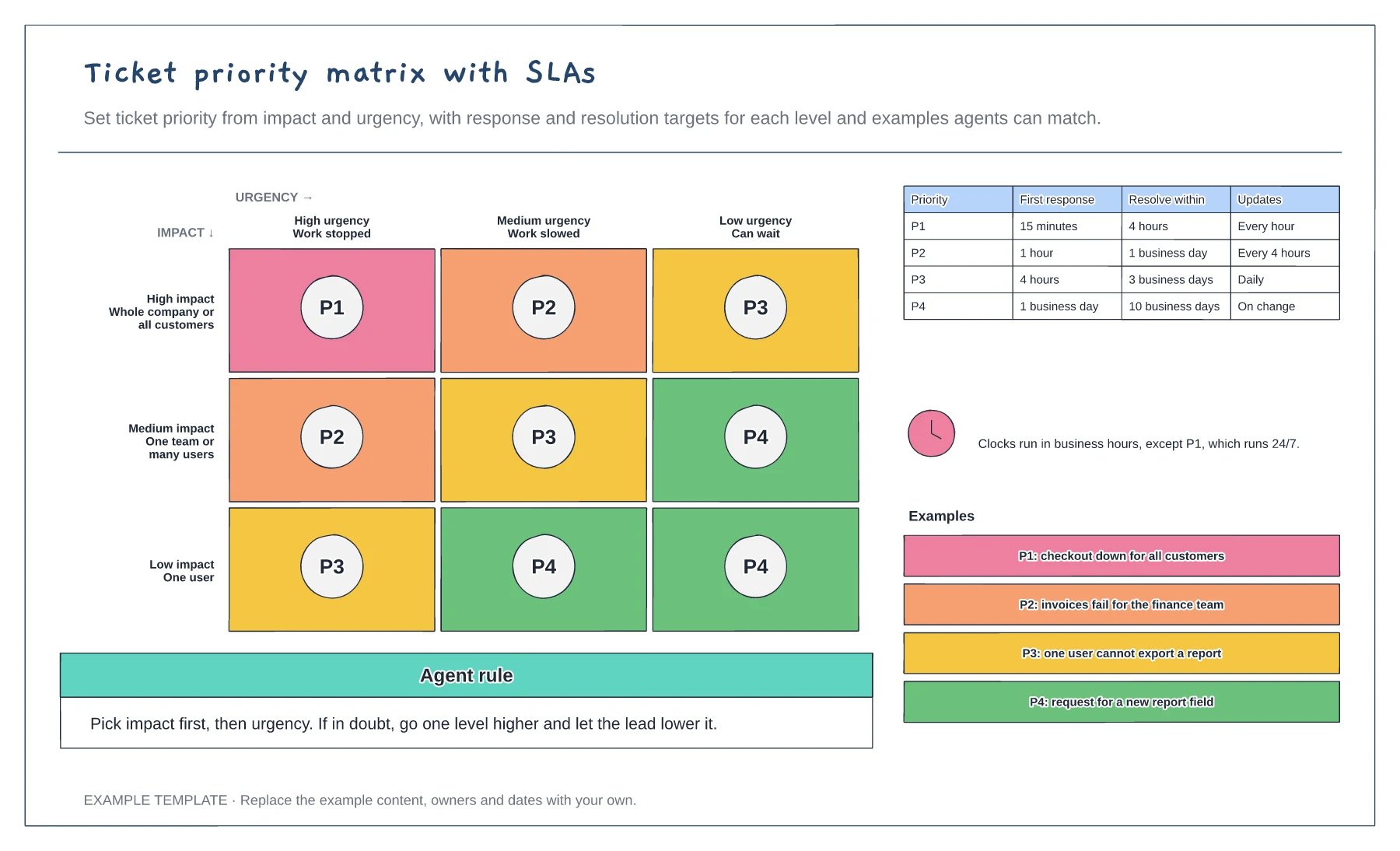
An impact by urgency matrix with P1 to P4 · Response, resolution and update targets · Worked examples for each priority
Preview and use template →
First-line triage and impact check · Specialist ownership and investigation · Customer updates and closure
Preview and use template →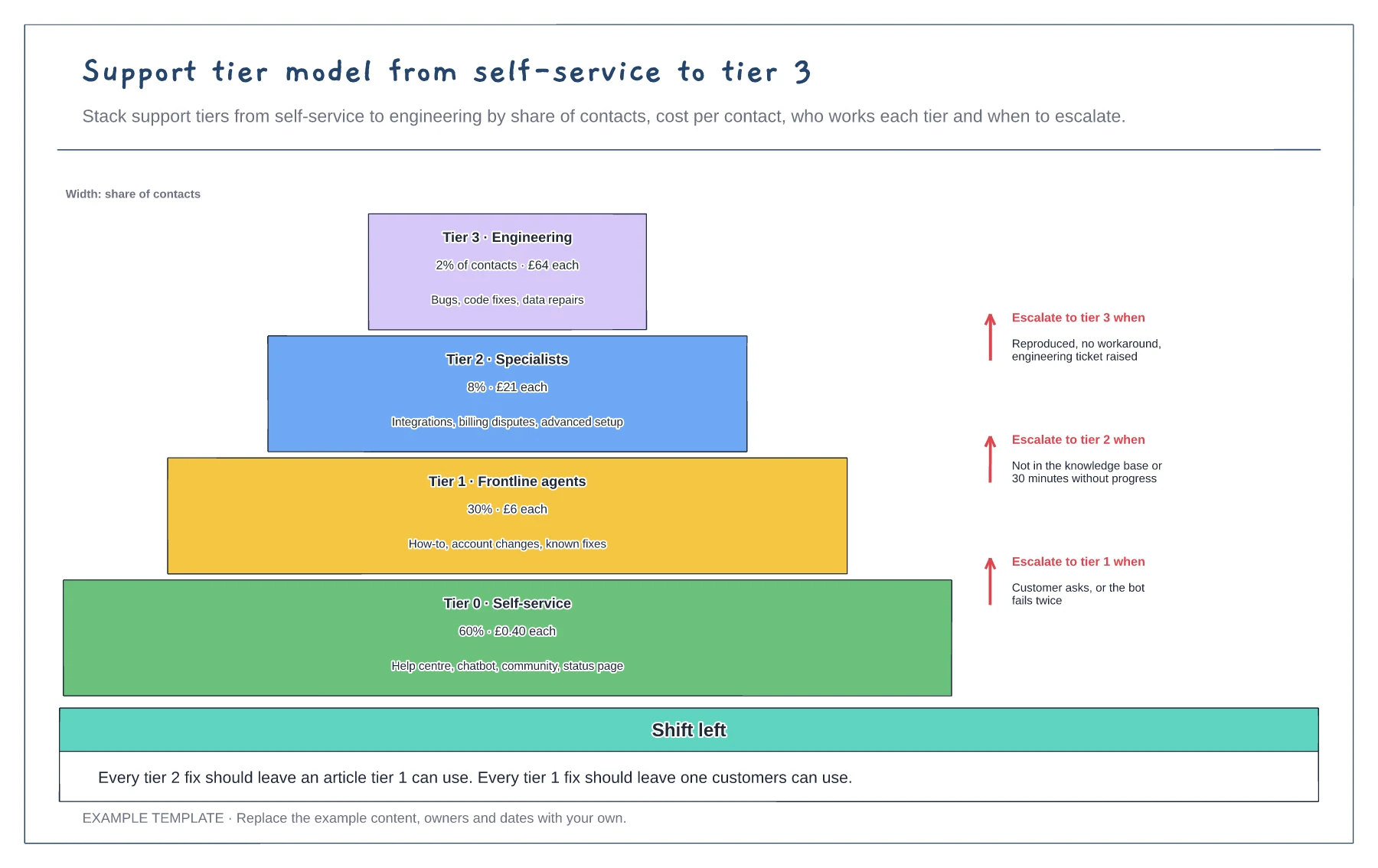
Four tiers sized by share of contacts · Cost per contact and scope per tier · Escalation rules between tiers
Preview and use template →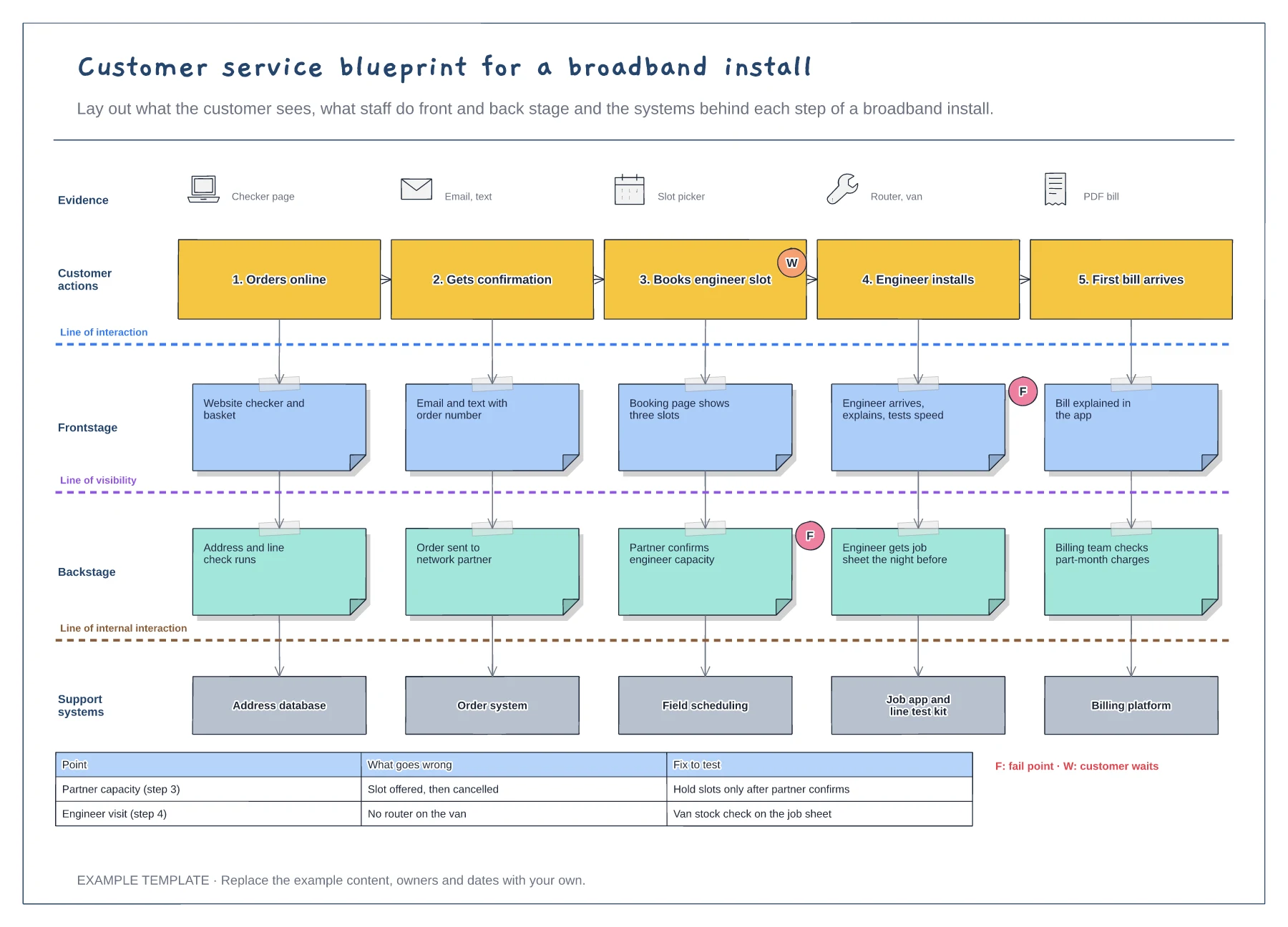
Five customer steps with the evidence they see · Frontstage, backstage and support system layers · Fail points, waits and a fix-to-test table
Preview and use template →