
Operations
Customer support escalation flowchart template
First-line triage and impact check · Specialist ownership and investigation · Customer updates and closure
Preview and use template →A help desk ticket workflow shows how a request moves from the person who needs help to the person who can fix it. This example runs from logging and prioritising the ticket through a first-line fix from the knowledge base, specialist diagnosis and vendor escalation, to the user confirming it works and a short survey, with response and resolution targets by priority.
No account needed · Opens as your own editable page
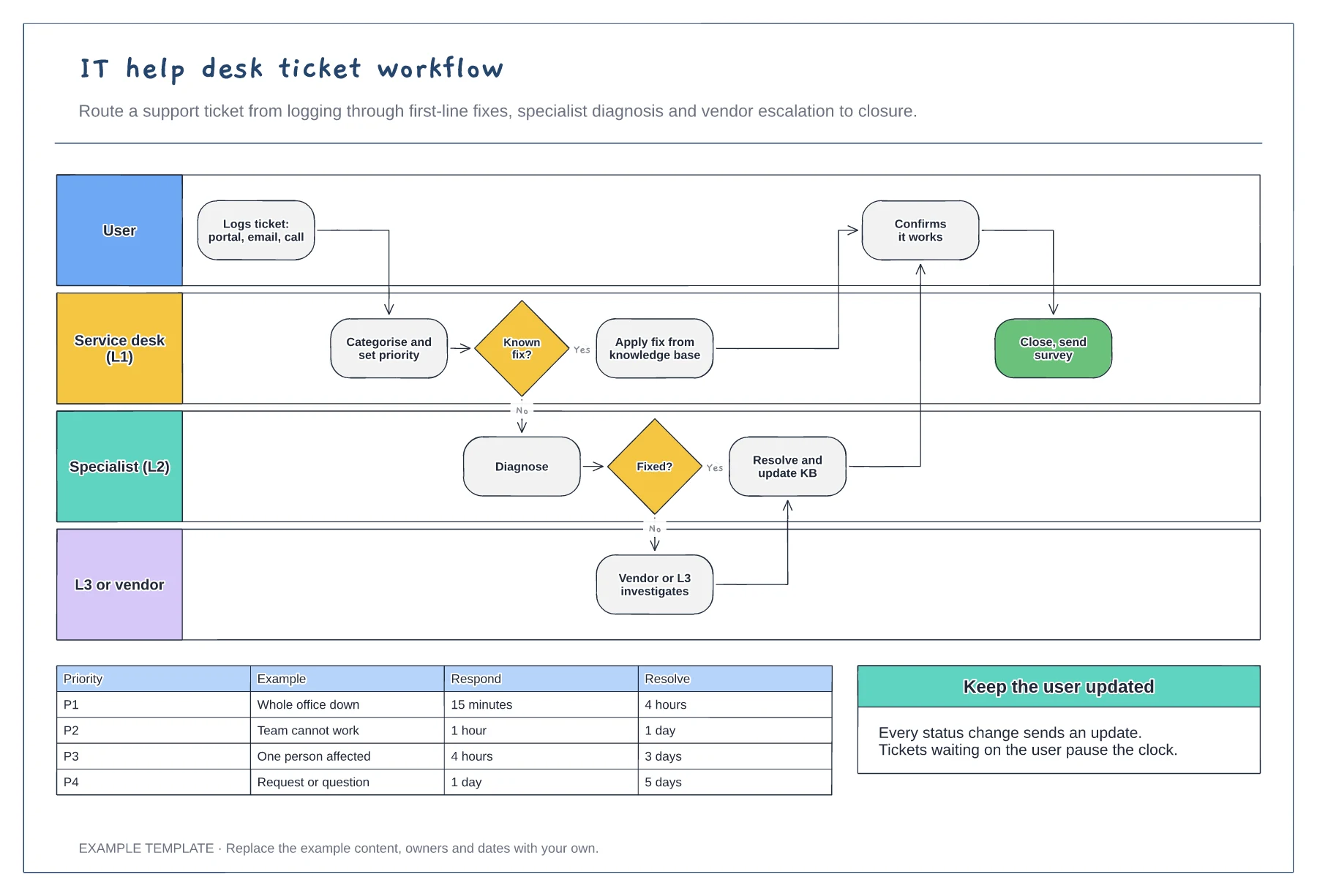
Define priorities by how many people are affected and how badly, not by who is asking. Add examples so the service desk can decide quickly.
Give the first line a knowledge base and permission to fix common issues. Every ticket solved there is faster for the user.
When a specialist solves a new problem, add it to the knowledge base so the next one can be fixed at first line.
Yes. Change the response and resolution times for each priority so they match the service levels you have agreed.
No. Open the template and edit it in your browser. Your work saves on this device. An account is optional if you want to sync your workspace.
Yes. Use Export in the editor to save a PNG, SVG or PDF, or download an editable .epicdraw backup.
First-line triage and impact check · Specialist ownership and investigation · Customer updates and closure
Preview and use template →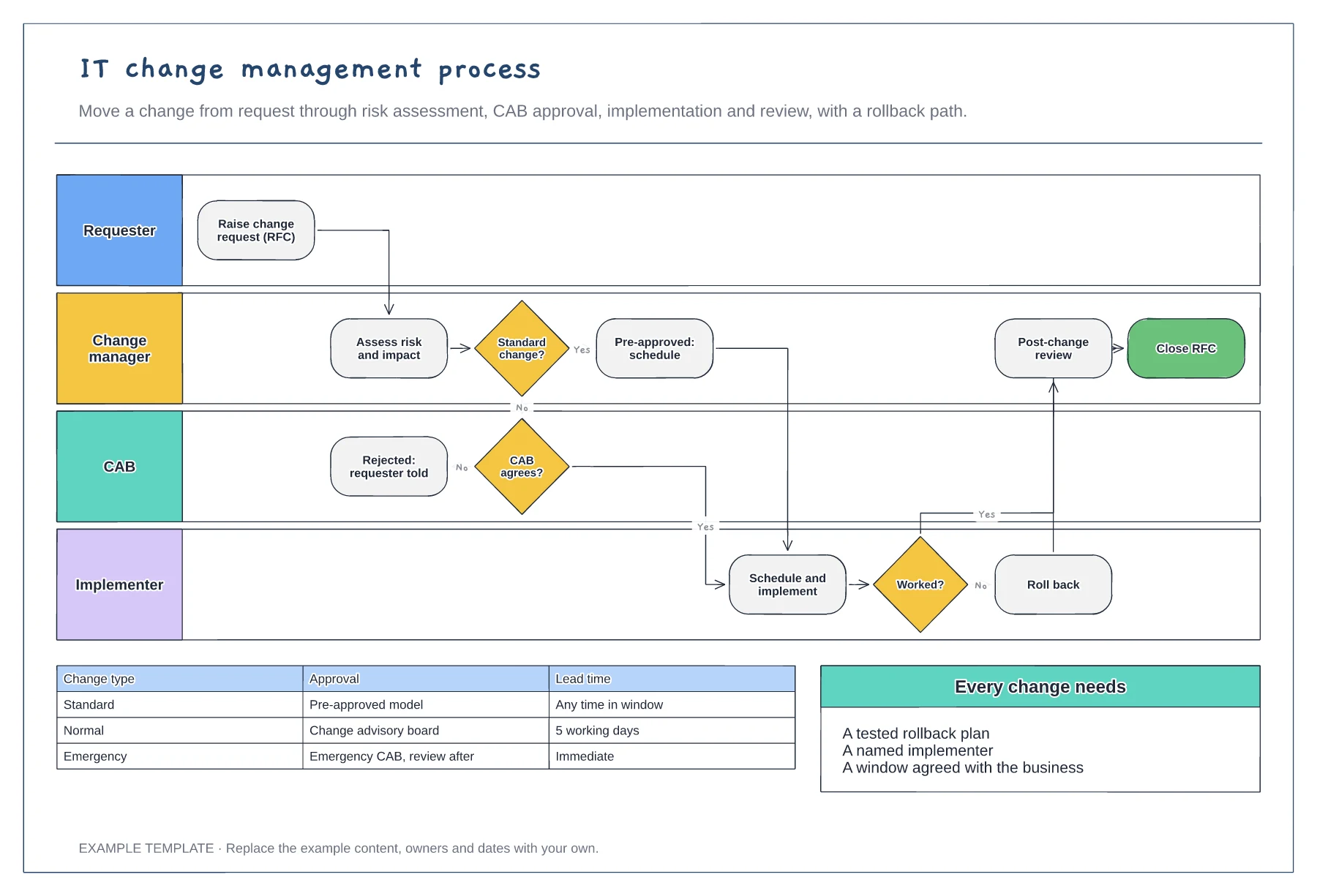
Requester, change manager, CAB and implementer · Standard change fast path and CAB review · Rollback and post-change review
Preview and use template →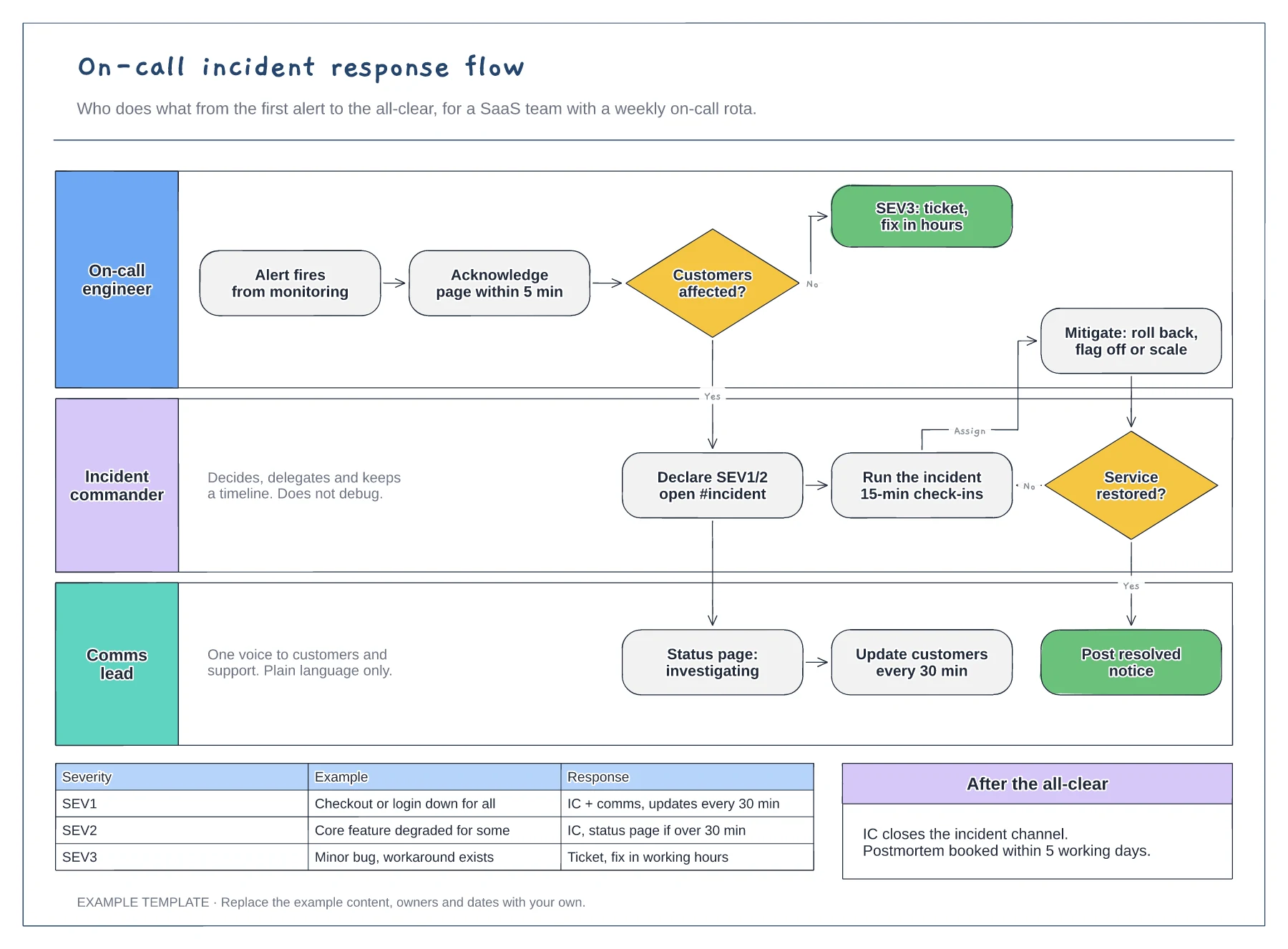
Lanes for on-call, incident commander and comms · Severity decision with SEV1 to SEV3 examples · Mitigation loop and customer update cadence
Preview and use template →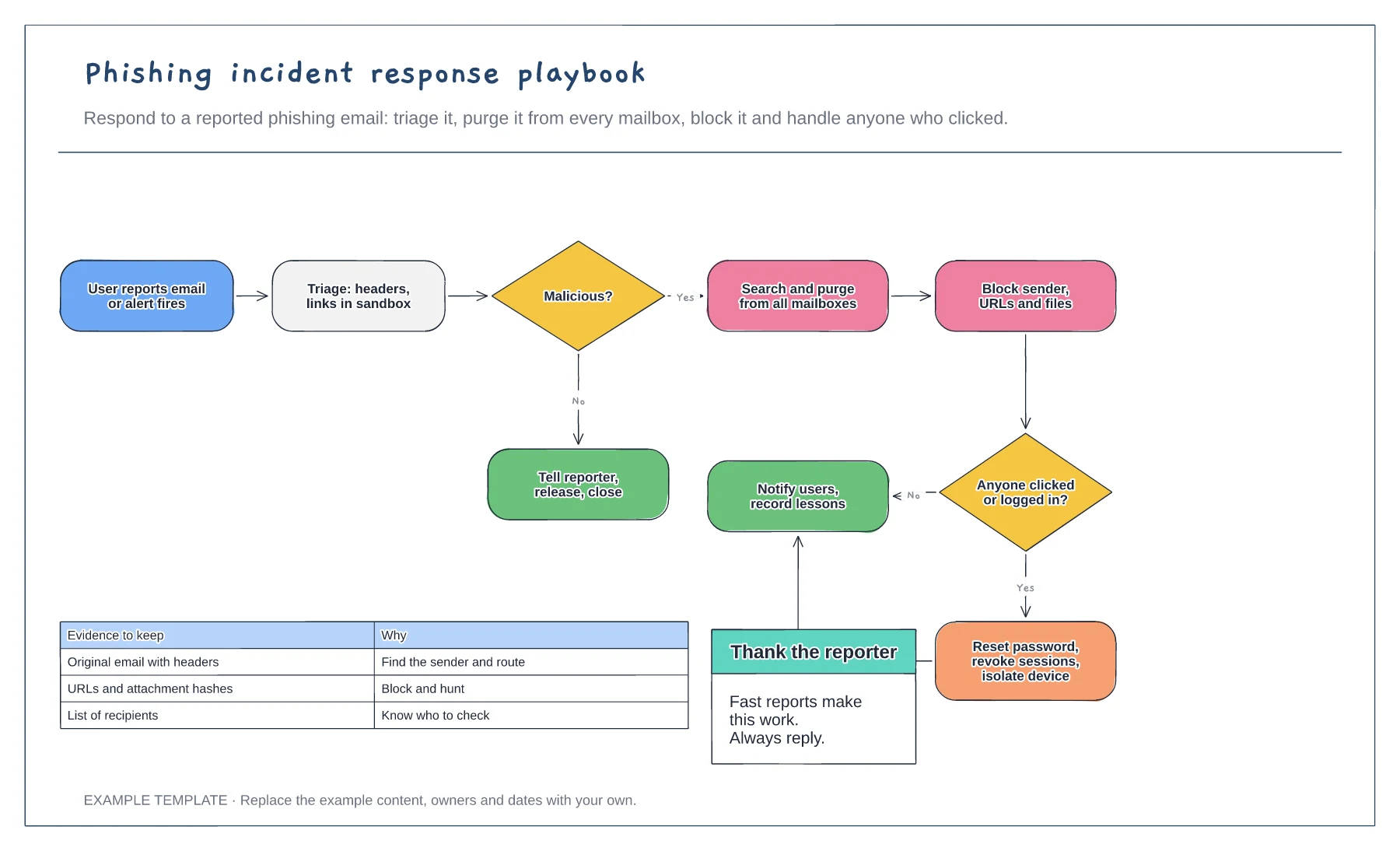
Triage, purge and block steps · Branch for users who clicked or logged in · Evidence to keep
Preview and use template →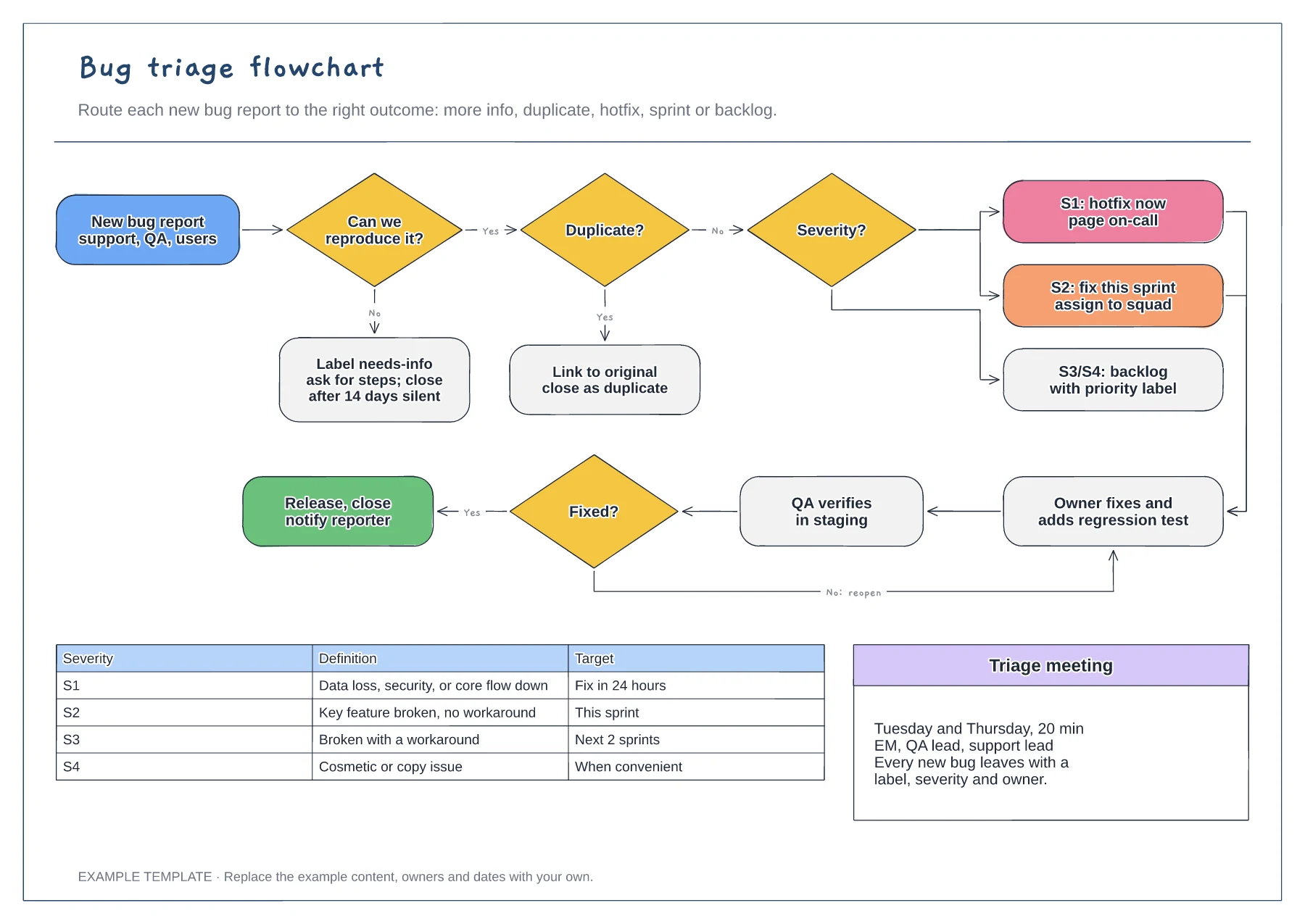
Reproduce and duplicate checks · Severity routing from S1 to S4 · Fix, verify and reopen loop with a severity table
Preview and use template →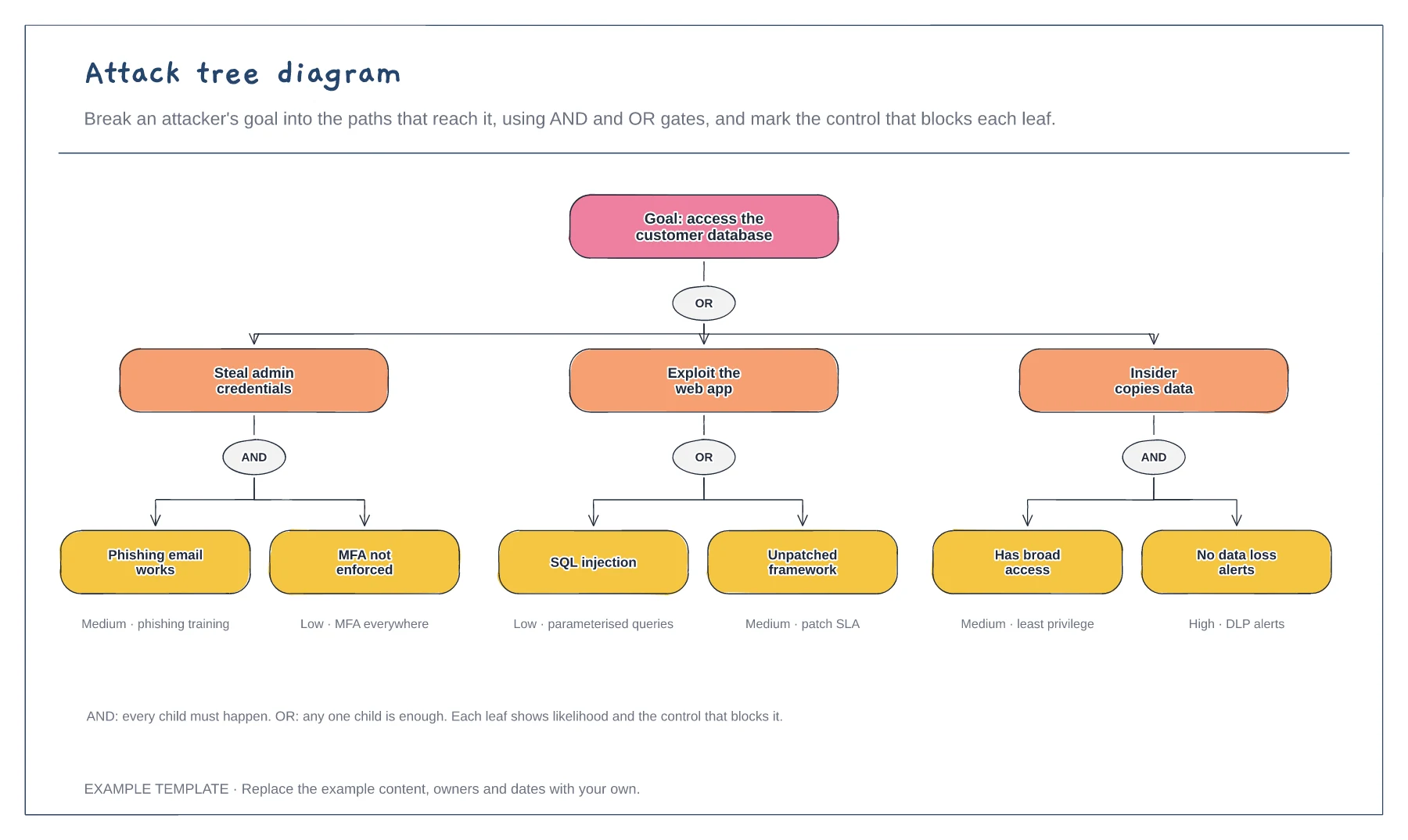
Goal broken into three attack paths · AND and OR gates · Likelihood and control on each leaf
Preview and use template →