Customer support
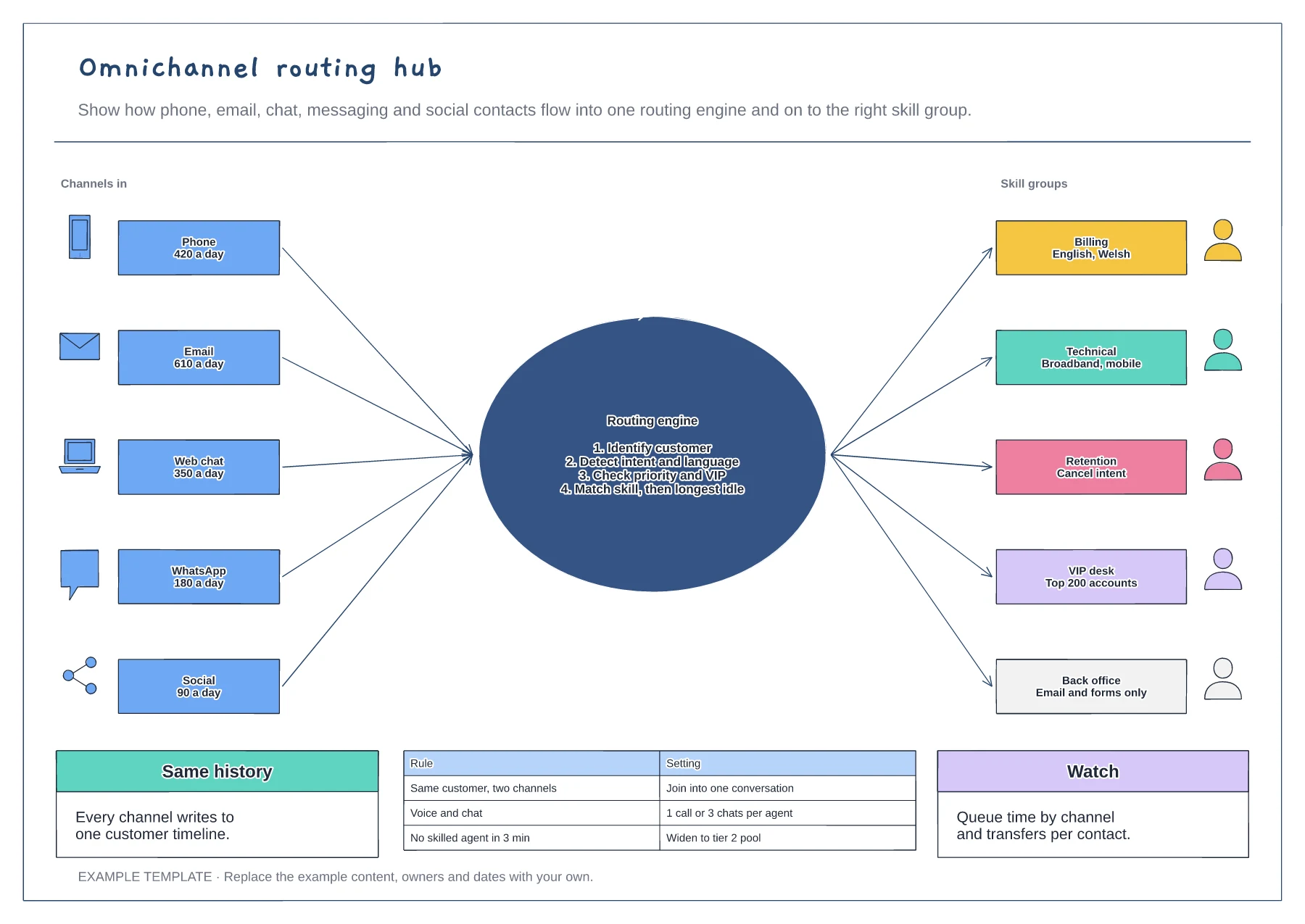
Omnichannel routing hub template
Five channels with daily volumes · A routing engine with its four decisions · Skill groups, routing rules and measures
Preview and use template →A good bot knows when to step aside. This example shows a real support chat on a phone screen, from the bot's greeting through two failed answers to the moment the customer asks for a person and an agent picks up. Numbered triggers on the left show what can start a handoff, and the context card on the right shows what the bot passes on so the customer never repeats themselves.
No account needed · Opens as your own editable page
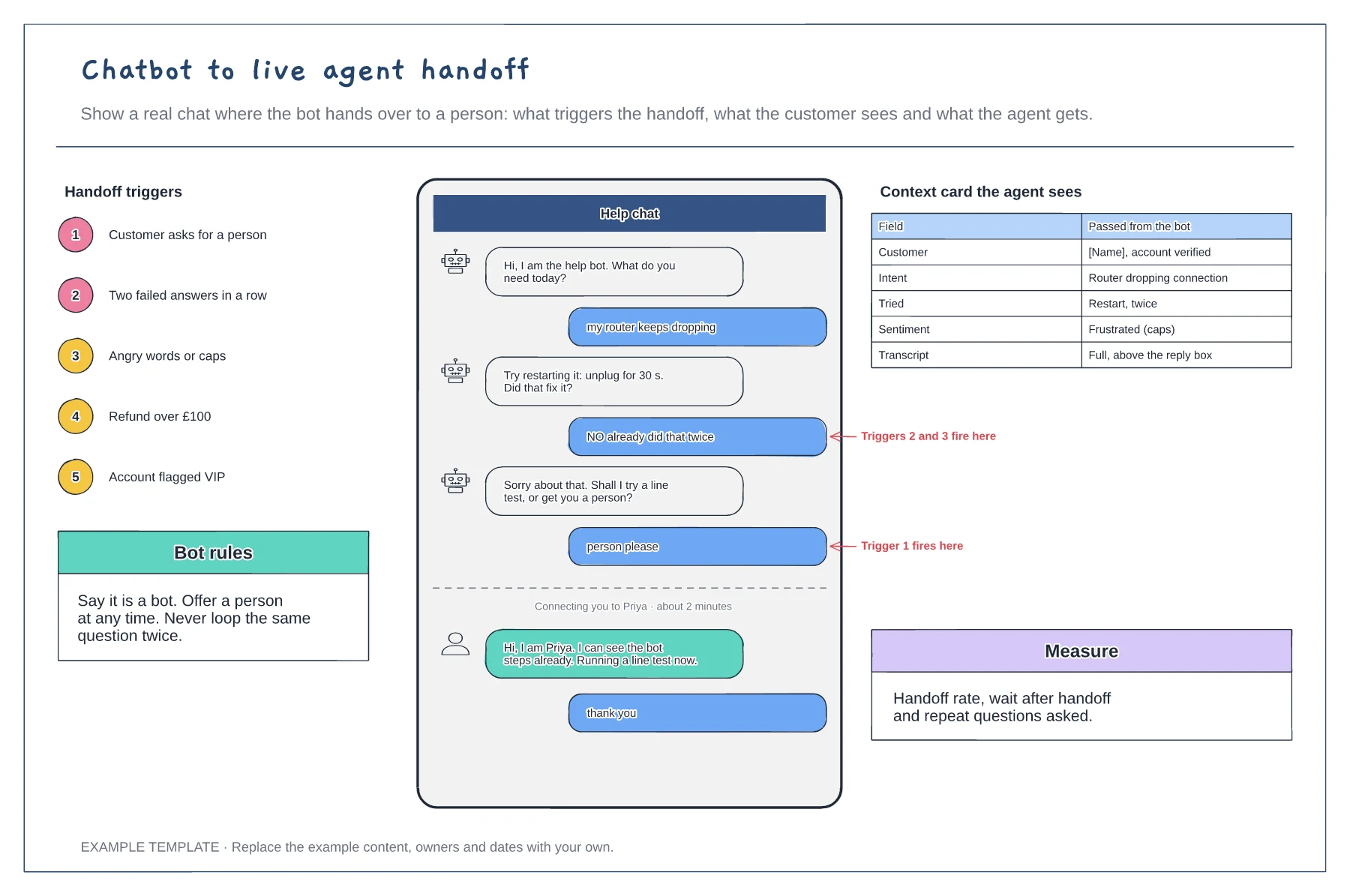
Decide what hands a chat to a person: asking for one, failed answers, angry language, high-value requests or flagged accounts.
Write what the customer sees when the handoff happens, including who is joining and how long the wait is.
Choose the fields the agent needs, such as intent, steps tried and sentiment, and test that they arrive with the transcript.
Yes. Edit the five numbered triggers to match your own bot rules, then update the labels in the sample chat that show where each trigger fires.
No. Open the template and edit it in your browser. Your work saves on this device. An account is optional if you want to sync your workspace.
Yes. Use Export in the editor to save a PNG, SVG or PDF, or download an editable .epicdraw backup.
Five channels with daily volumes · A routing engine with its four decisions · Skill groups, routing rules and measures
Preview and use template →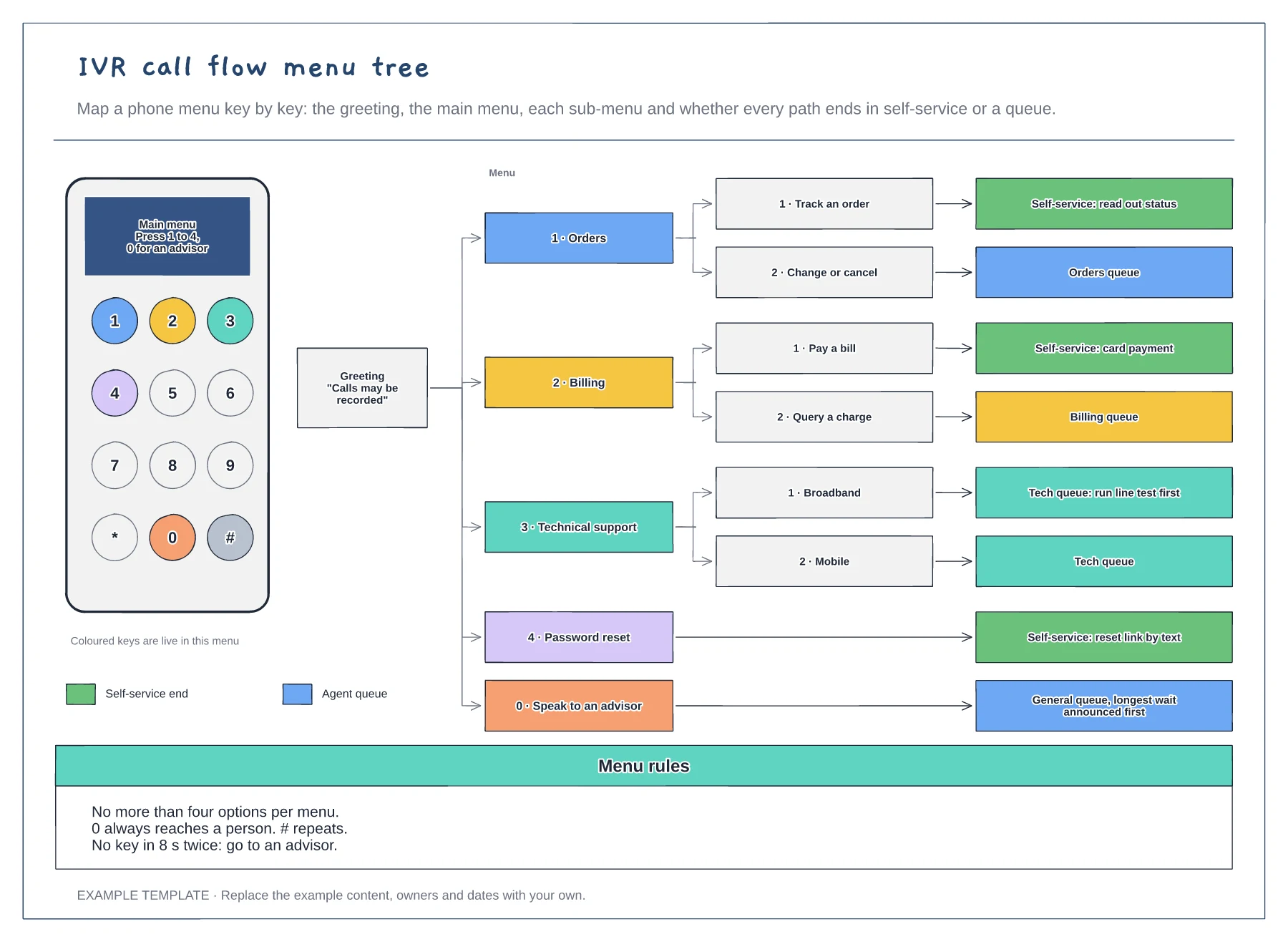
A keypad showing which keys are live · The menu tree from greeting to every end point · Menu rules for options, the zero key and timeouts
Preview and use template →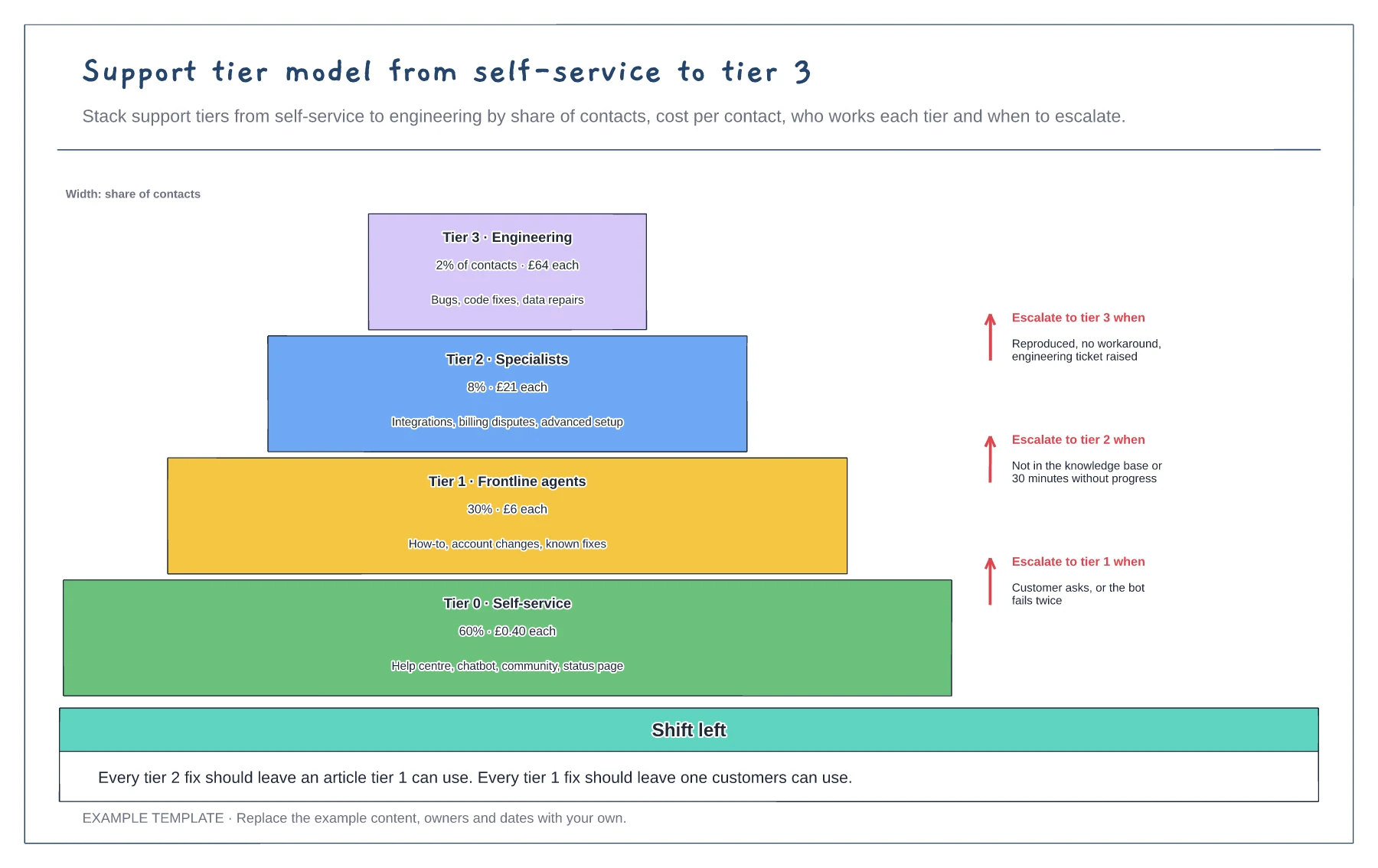
Four tiers sized by share of contacts · Cost per contact and scope per tier · Escalation rules between tiers
Preview and use template →
First-line triage and impact check · Specialist ownership and investigation · Customer updates and closure
Preview and use template →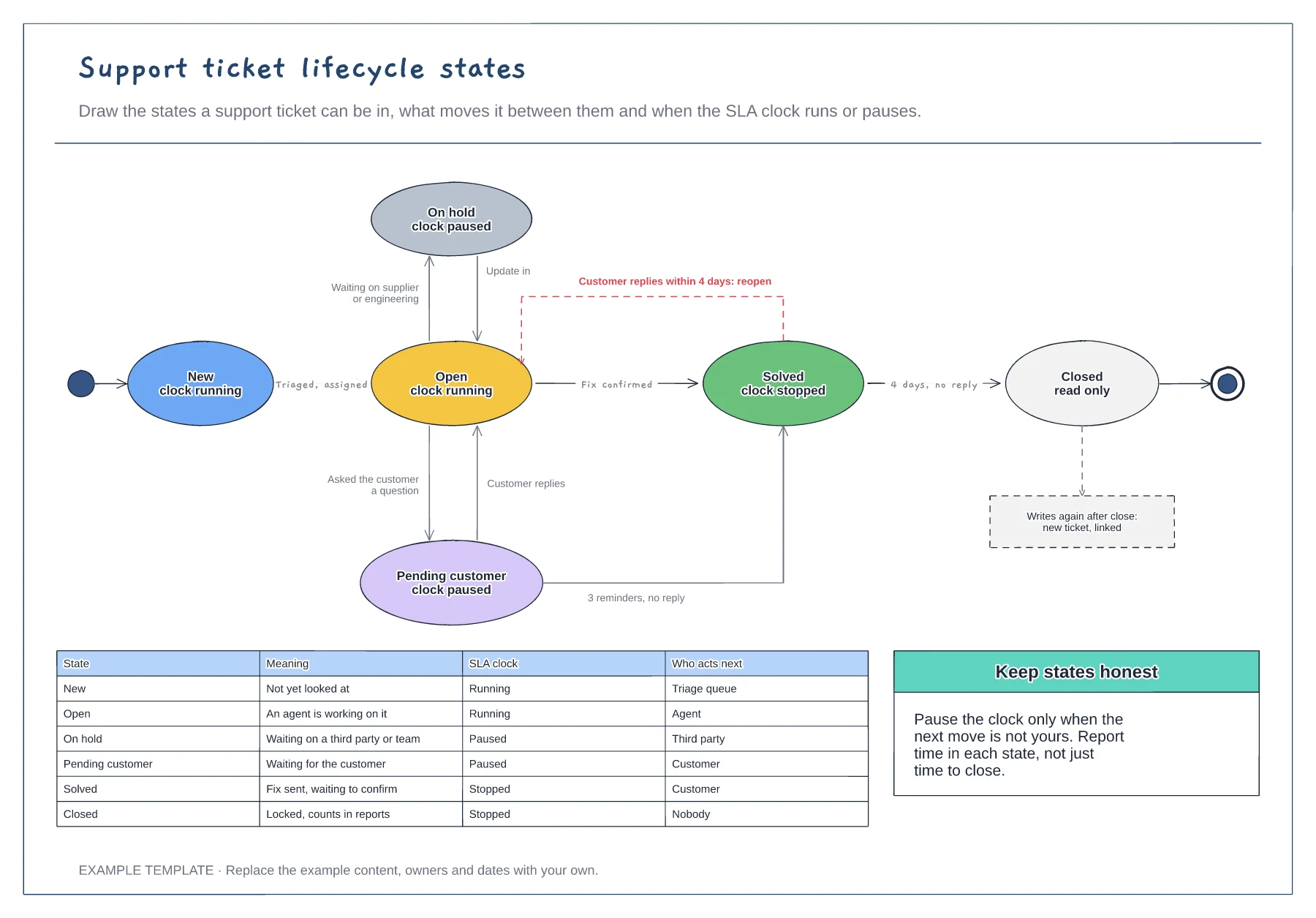
Six ticket states with SLA clock status · Transitions labelled with what triggers them · A table of meaning and who acts next per state
Preview and use template →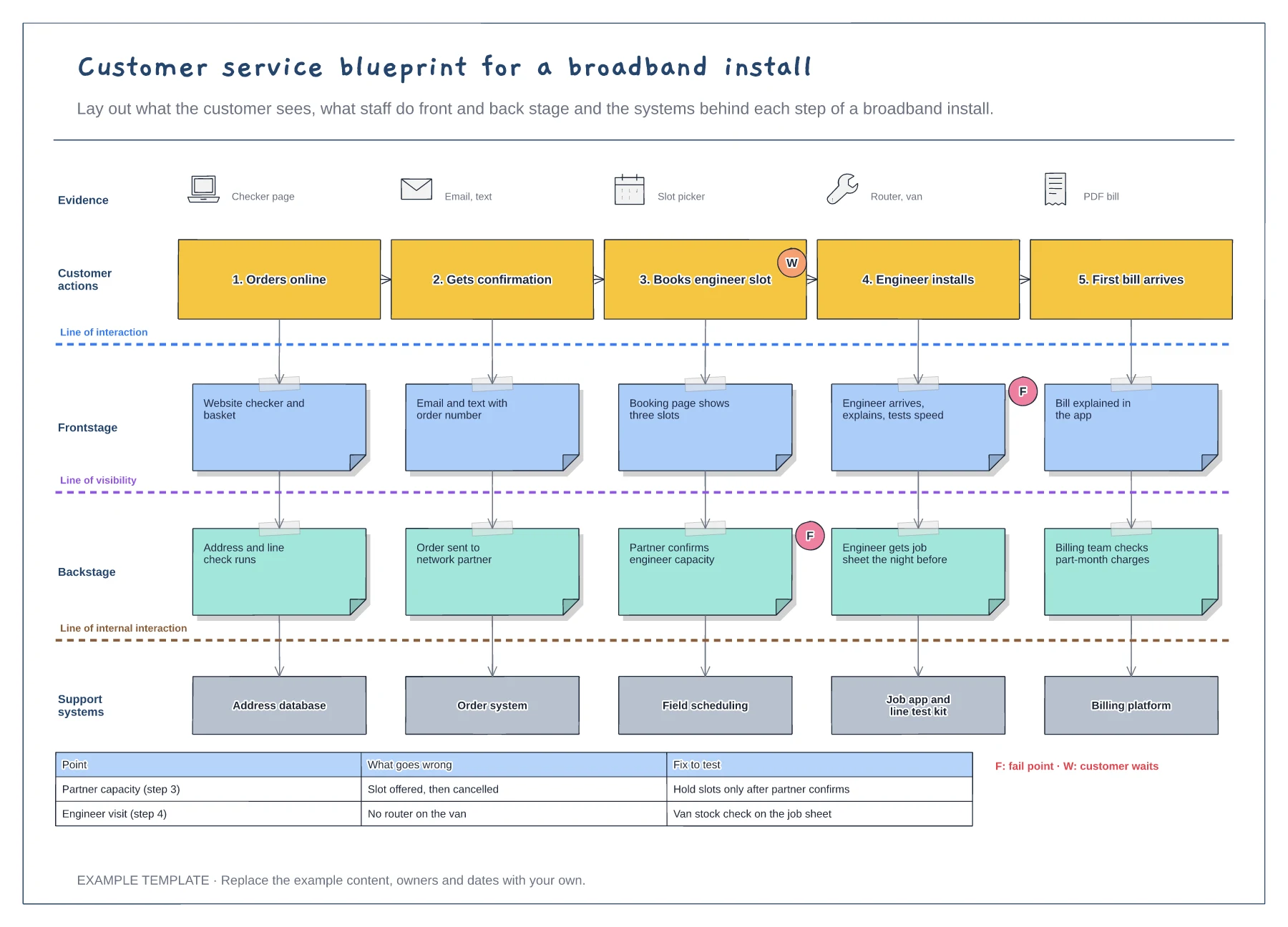
Five customer steps with the evidence they see · Frontstage, backstage and support system layers · Fail points, waits and a fix-to-test table
Preview and use template →