
Operations
Customer support escalation flowchart template
First-line triage and impact check · Specialist ownership and investigation · Customer updates and closure
Preview and use template →A support tier model shows who handles what and why most contacts should never reach the top. This example stacks four tiers as a pyramid, with self-service at the base and engineering at the top. The width of each tier shows its share of contacts, each tier lists its cost per contact and what it handles, and red arrows give the rule for escalating up a tier.
No account needed · Opens as your own editable page
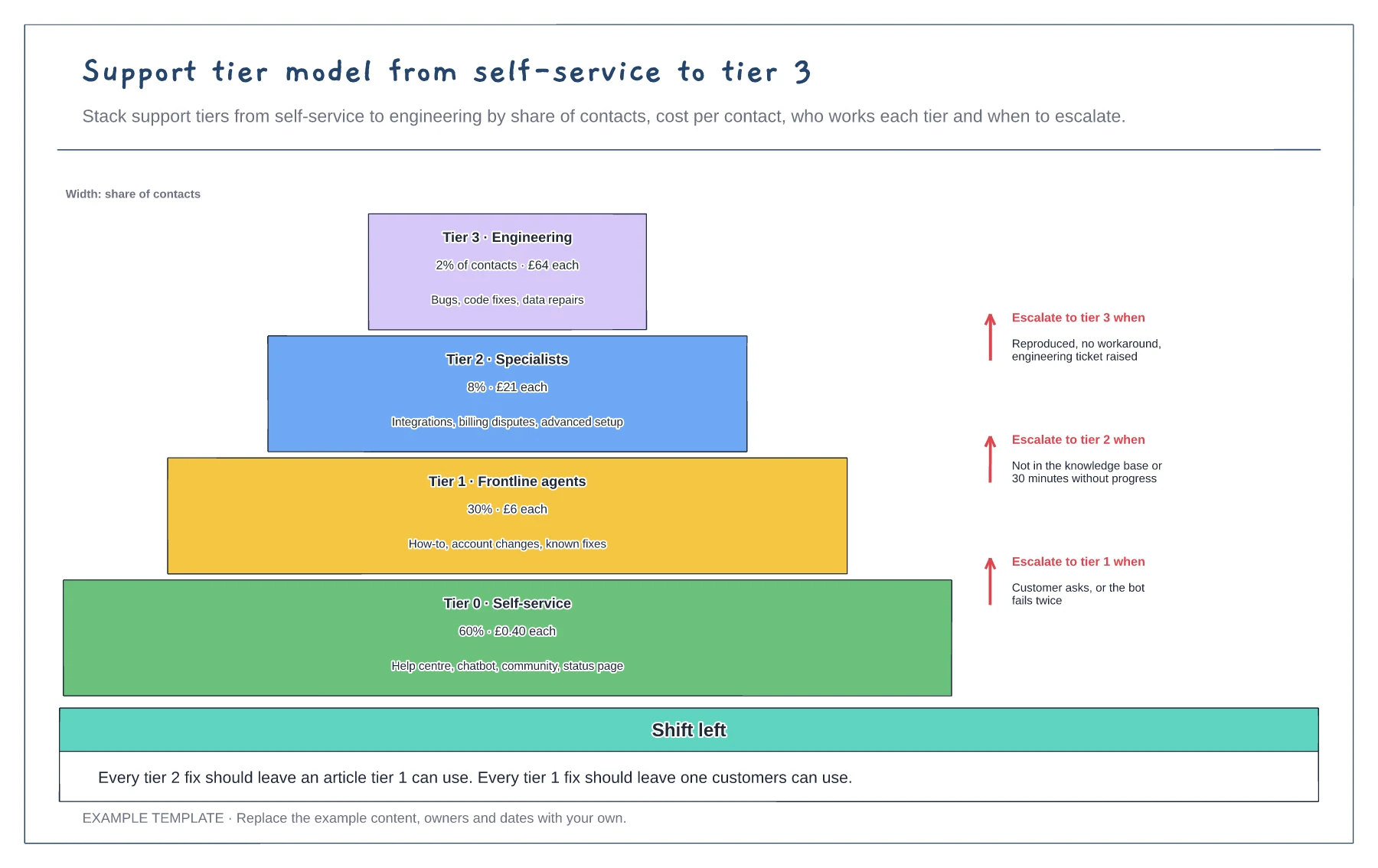
Work out what share of contacts each tier handles today and what each one costs.
List what each tier owns and the tools it has, so agents know when a contact is theirs to solve.
Agree a clear test for moving up a tier, such as time spent or a missing knowledge article.
Width shows each tier's share of contacts, so the wide base is self-service and the narrow top is engineering. Resize the bands to match your own figures.
No. Open the template and edit it in your browser. Your work saves on this device. An account is optional if you want to sync your workspace.
Yes. Use Export in the editor to save a PNG, SVG or PDF, or download an editable .epicdraw backup.
First-line triage and impact check · Specialist ownership and investigation · Customer updates and closure
Preview and use template →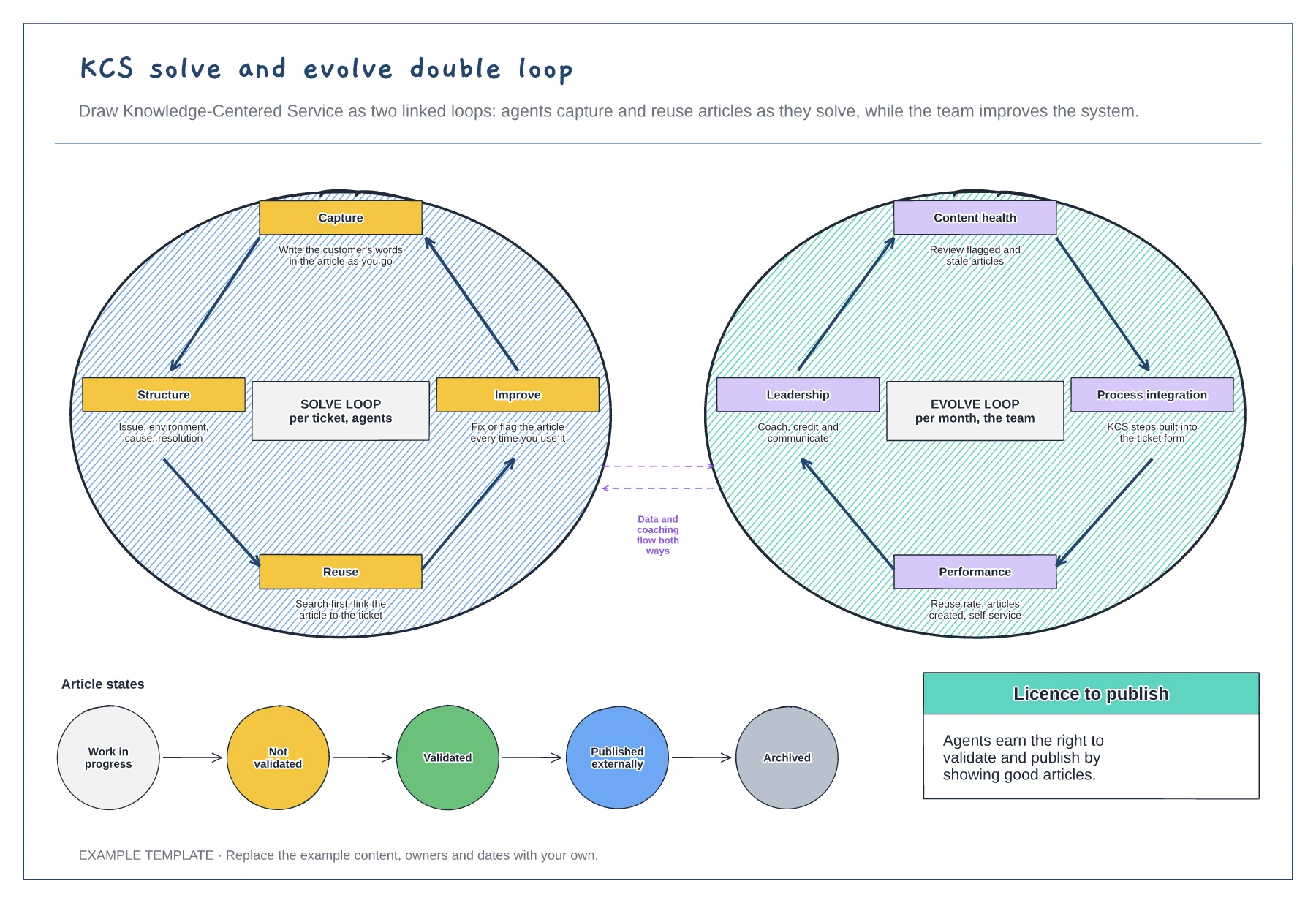
The solve loop for agents · The evolve loop for the team · Article states from draft to archived
Preview and use template →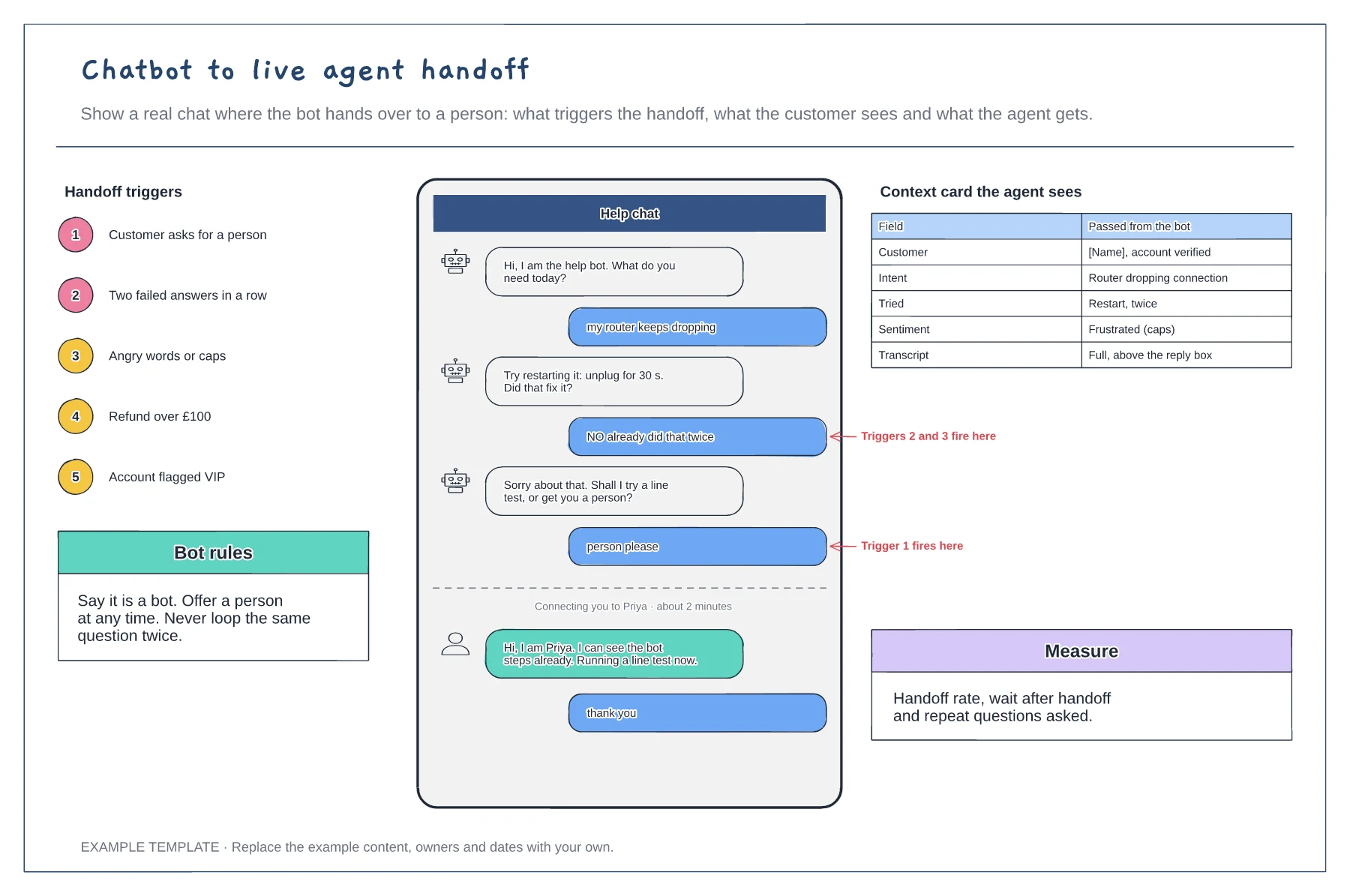
A chat transcript with the handoff moment marked · Five handoff triggers · The context card passed to the agent
Preview and use template →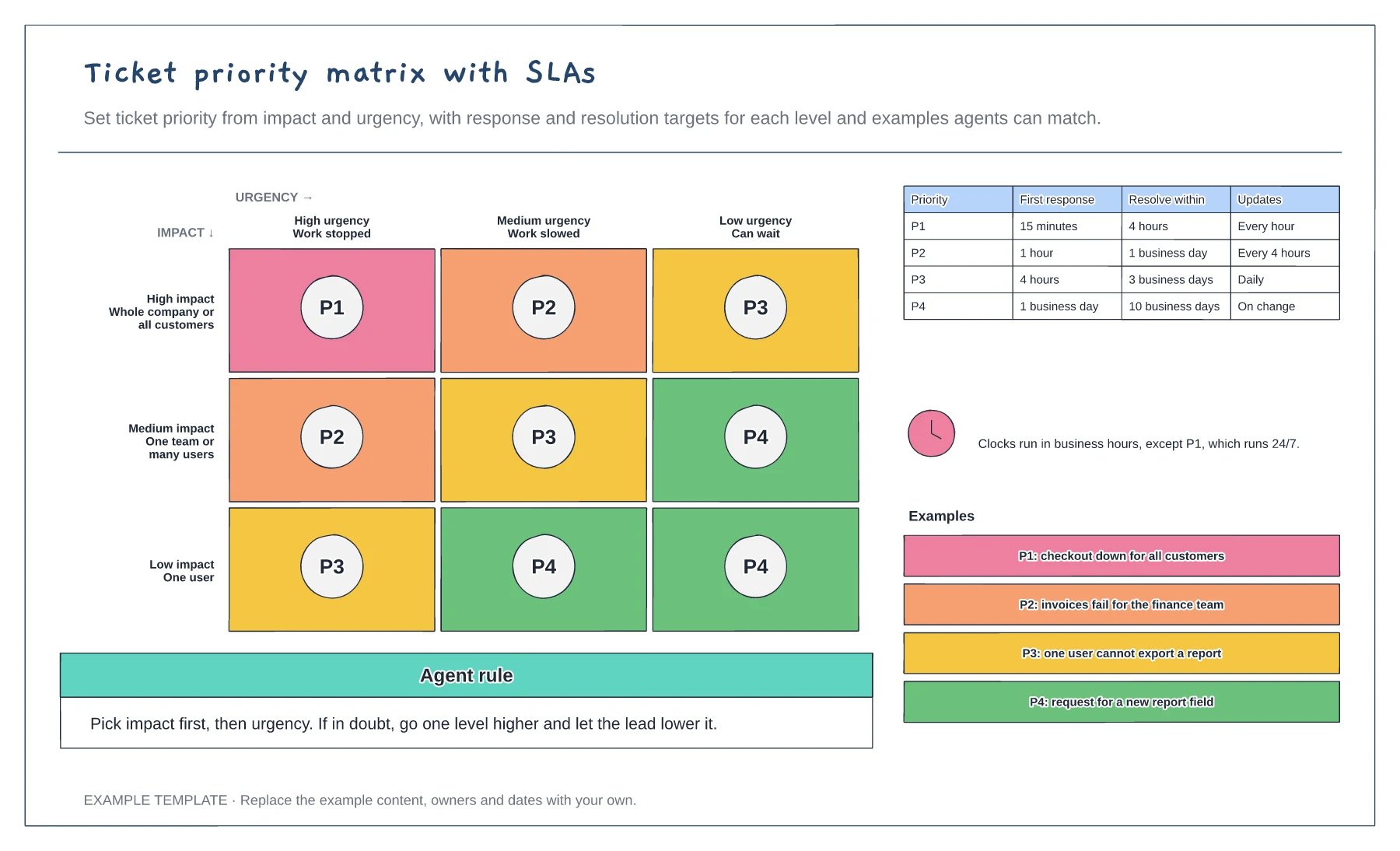
An impact by urgency matrix with P1 to P4 · Response, resolution and update targets · Worked examples for each priority
Preview and use template →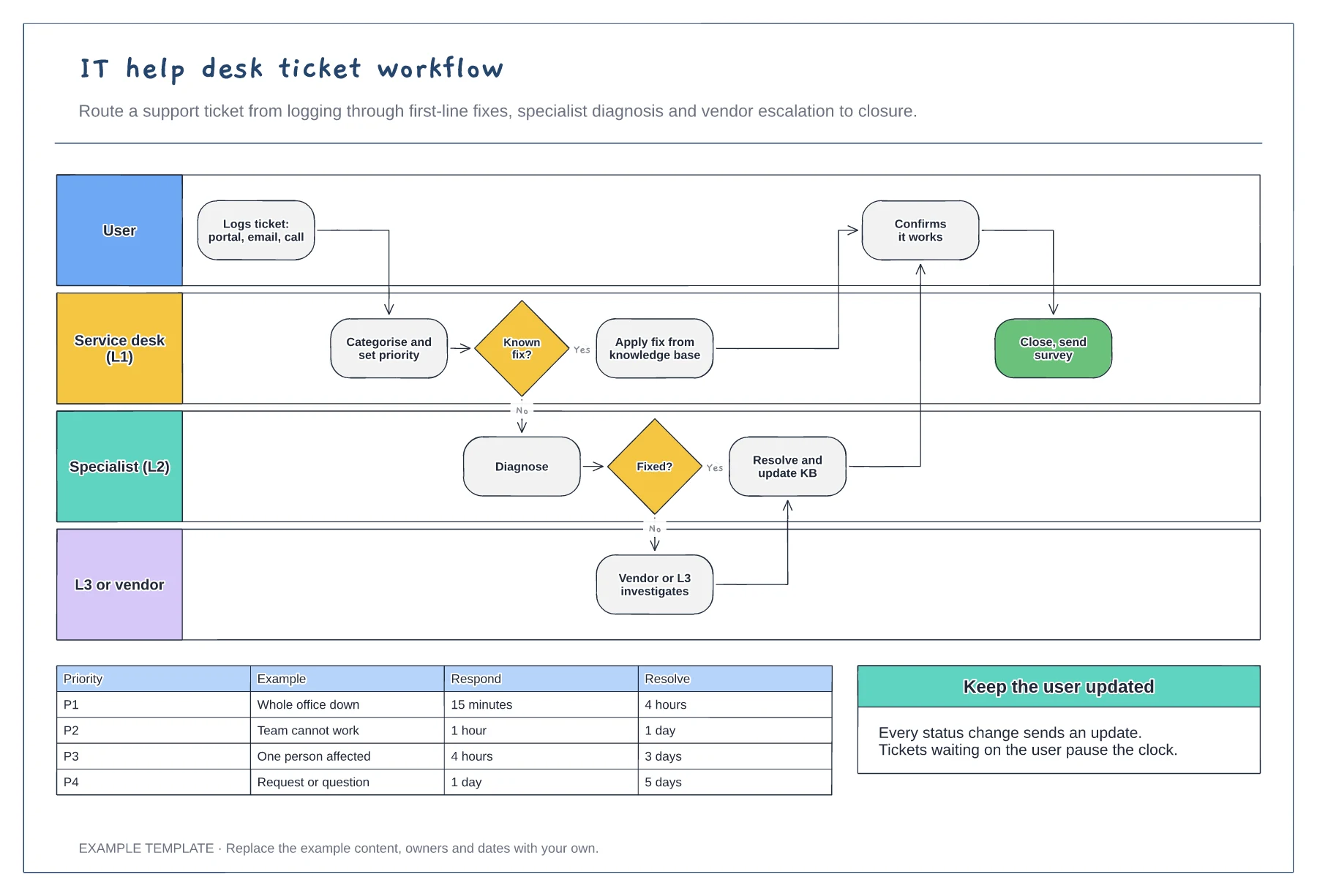
User, L1, L2 and L3 or vendor lanes · Knowledge base fix and escalation path · Priority SLA table
Preview and use template →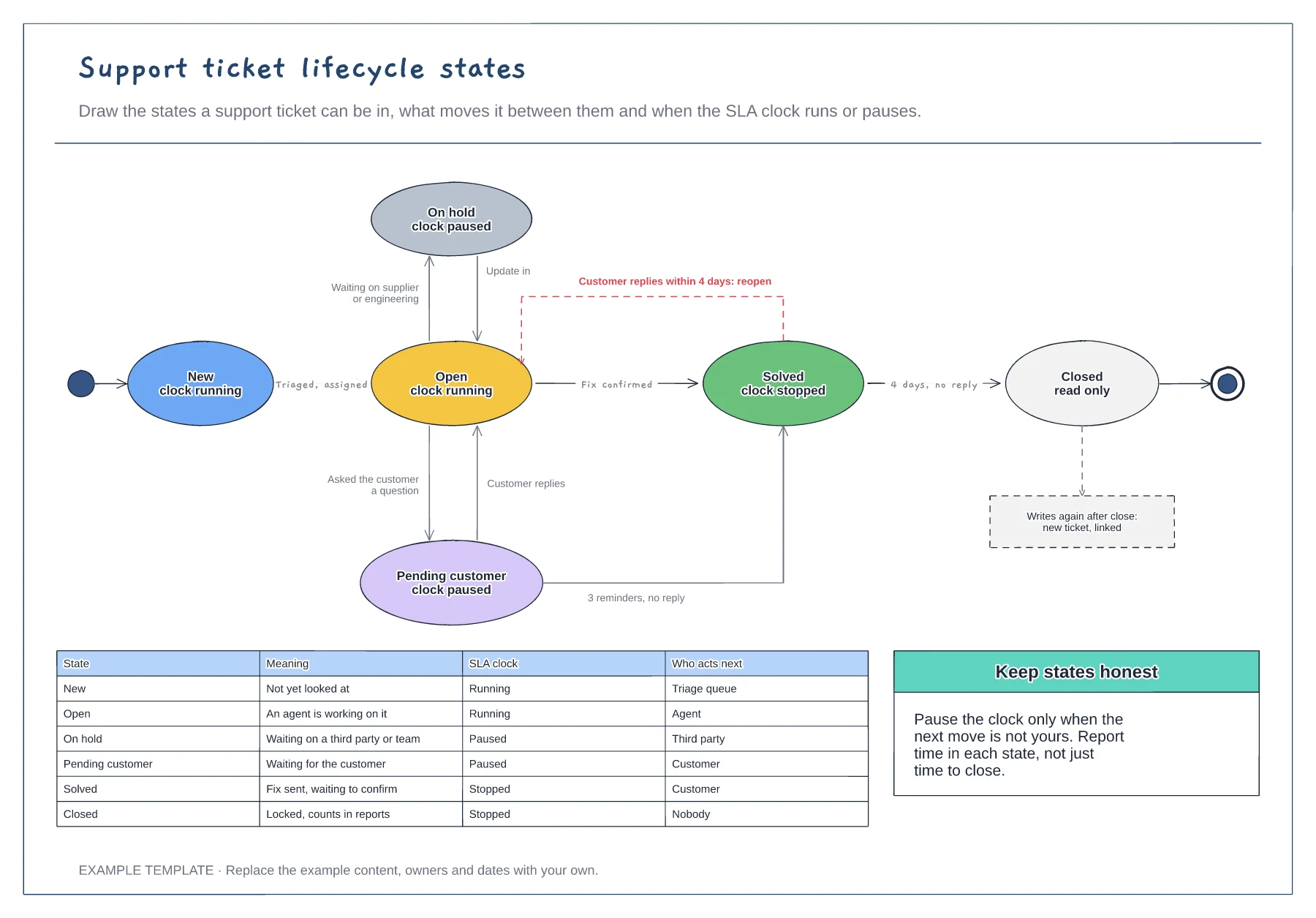
Six ticket states with SLA clock status · Transitions labelled with what triggers them · A table of meaning and who acts next per state
Preview and use template →