Manufacturing
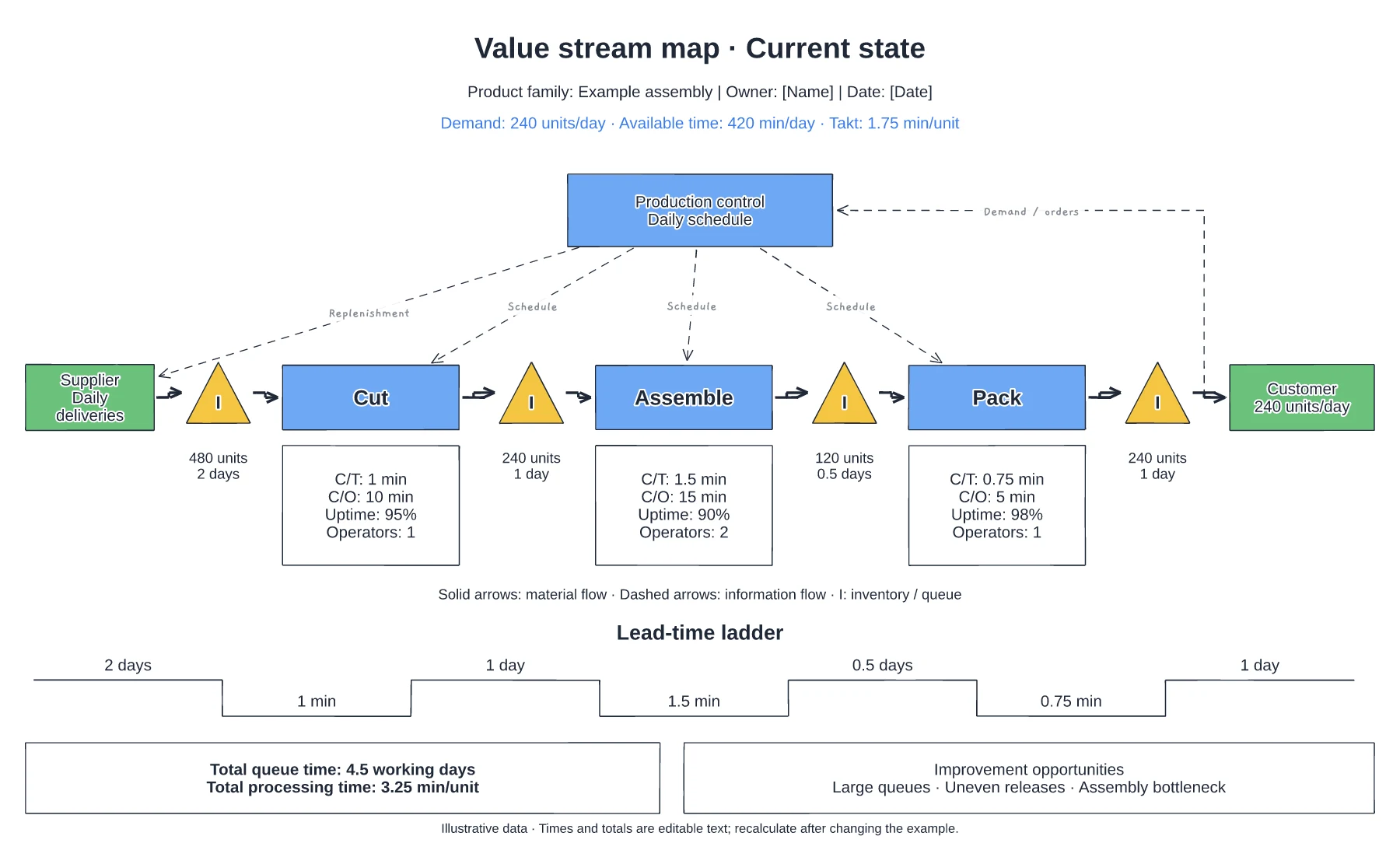
Manufacturing value stream map template
Supplier, process and customer flow · Inventory queues and process data · Information flow and timing line
Preview and use template →A two-bin kanban keeps small parts at the line without anyone counting stock: when one bin empties, it goes for refilling while the second bin is used. This example follows M8 nuts at an assembly bench through the kanban post, the water spider round and stores, with a reorder check to the supplier, a sample card and a bin sizing calculation.
No account needed · Opens as your own editable page
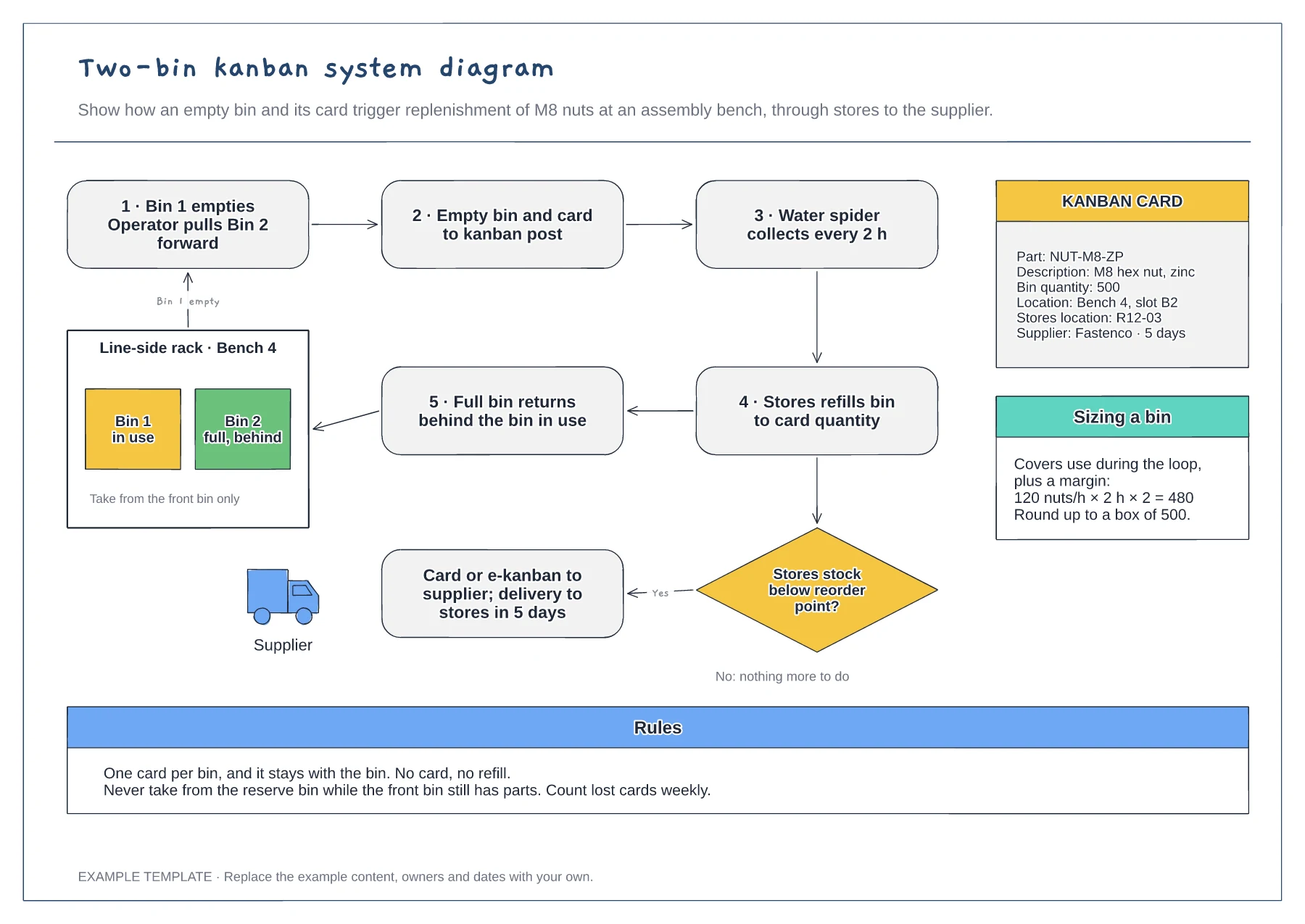
Work out usage during the replenishment loop, add a margin and round up to a pack size, as the sizing note shows. A bin that is too small runs out before the refill arrives.
Set how often the empty bins are collected and write it on the diagram. A predictable round is what lets the line trust the system and stop over-ordering.
Put the part number, quantity, line location, stores location and supplier on every card. Anyone should be able to refill a bin from the card alone.
Yes. Change the card to show the part number, bin quantity, location and supplier your stores team uses, and update the bin sizing example to match.
No. Open the template and edit it in your browser. Your work saves on this device. An account is optional if you want to sync your workspace.
Yes. Use Export in the editor to save a PNG, SVG or PDF, or download an editable .epicdraw backup.
Supplier, process and customer flow · Inventory queues and process data · Information flow and timing line
Preview and use template →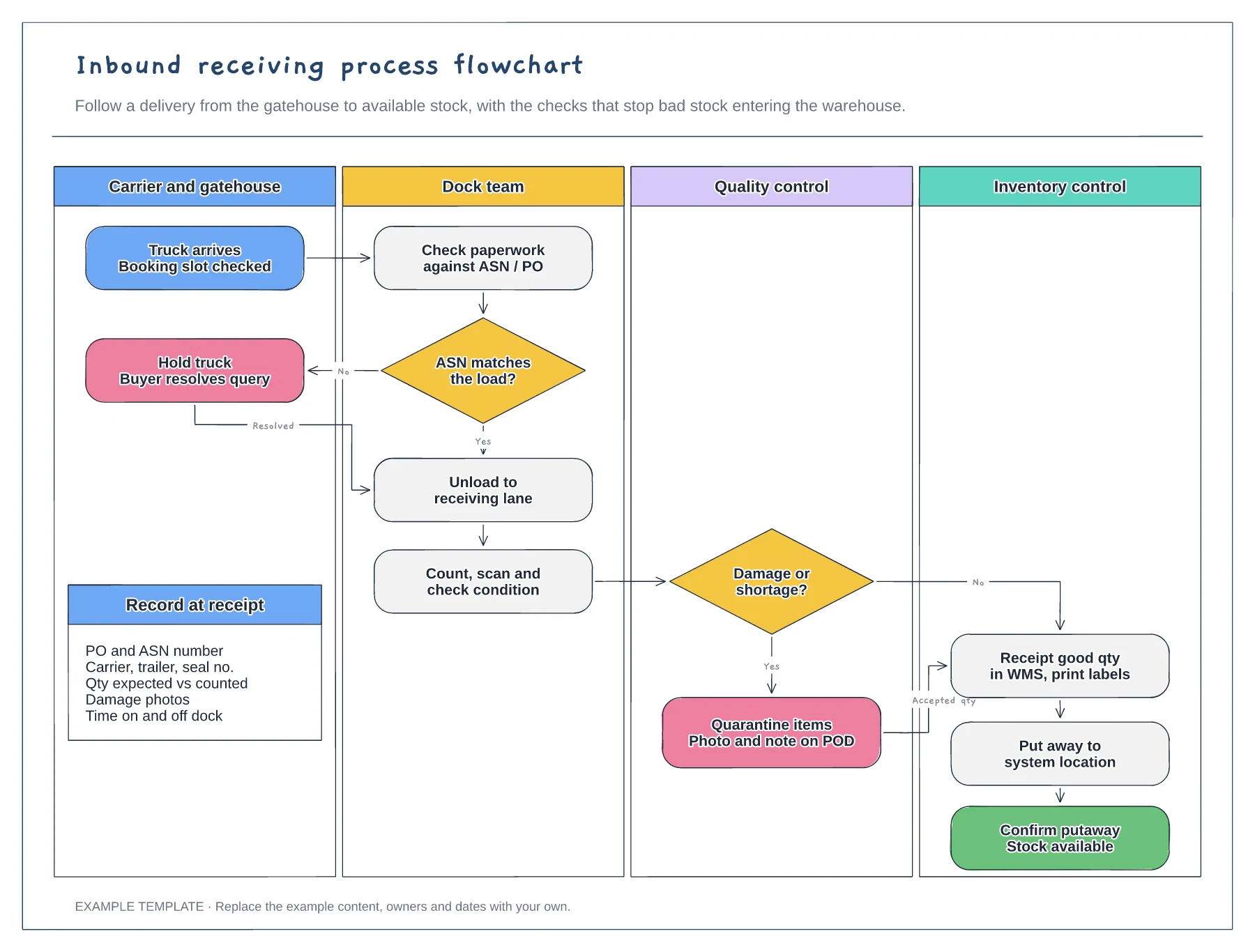
Four swimlanes from carrier to inventory · ASN and damage decisions with Yes and No paths · Data to record at receipt
Preview and use template →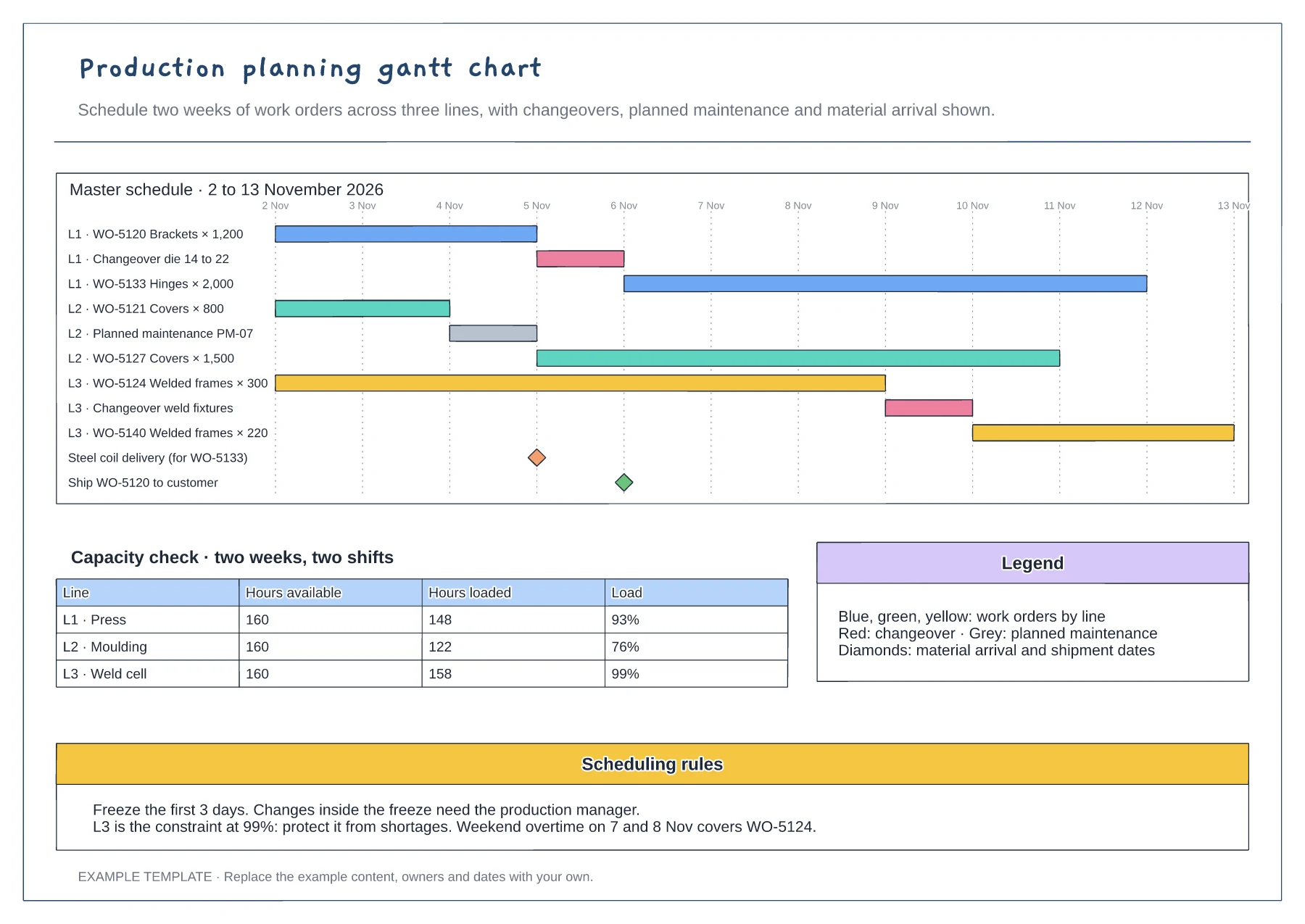
Gantt of work orders by line and day · Changeover, maintenance and milestone rows · Capacity table and scheduling rules
Preview and use template →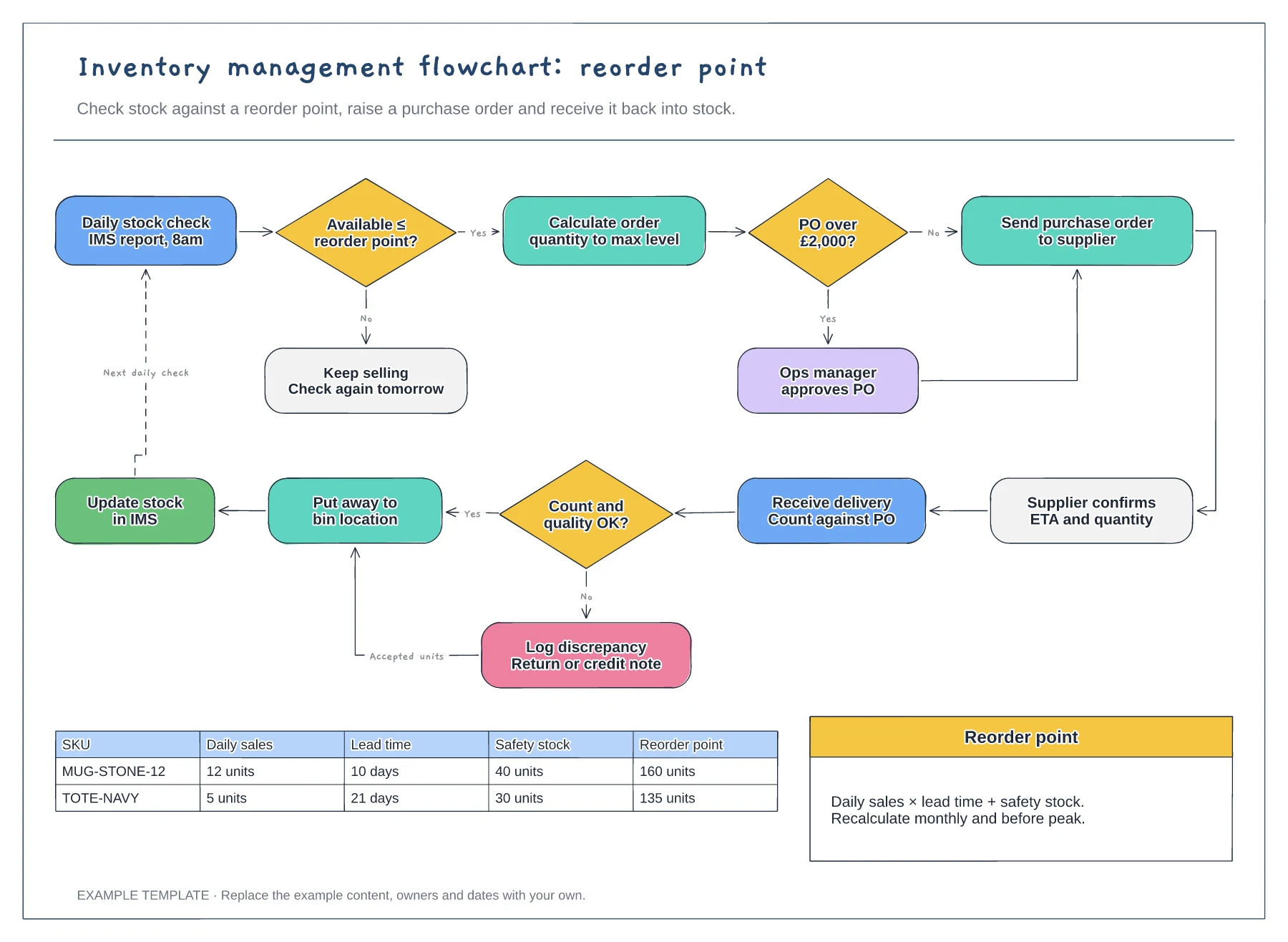
Reorder point decision and loop · Purchase order approval and receiving · Worked reorder point table
Preview and use template →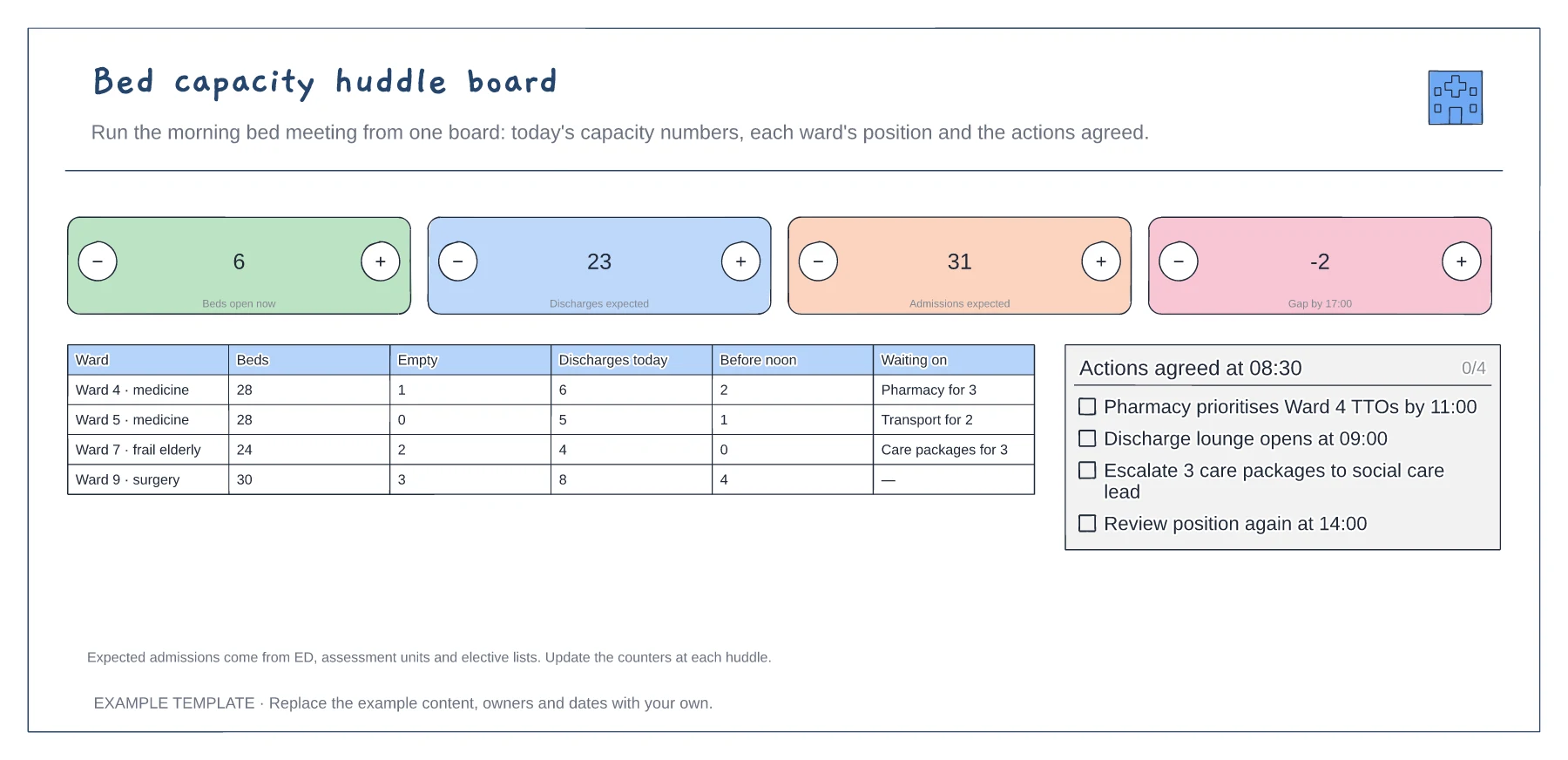
Four headline capacity counts · Ward-by-ward position · Actions agreed at the huddle
Preview and use template →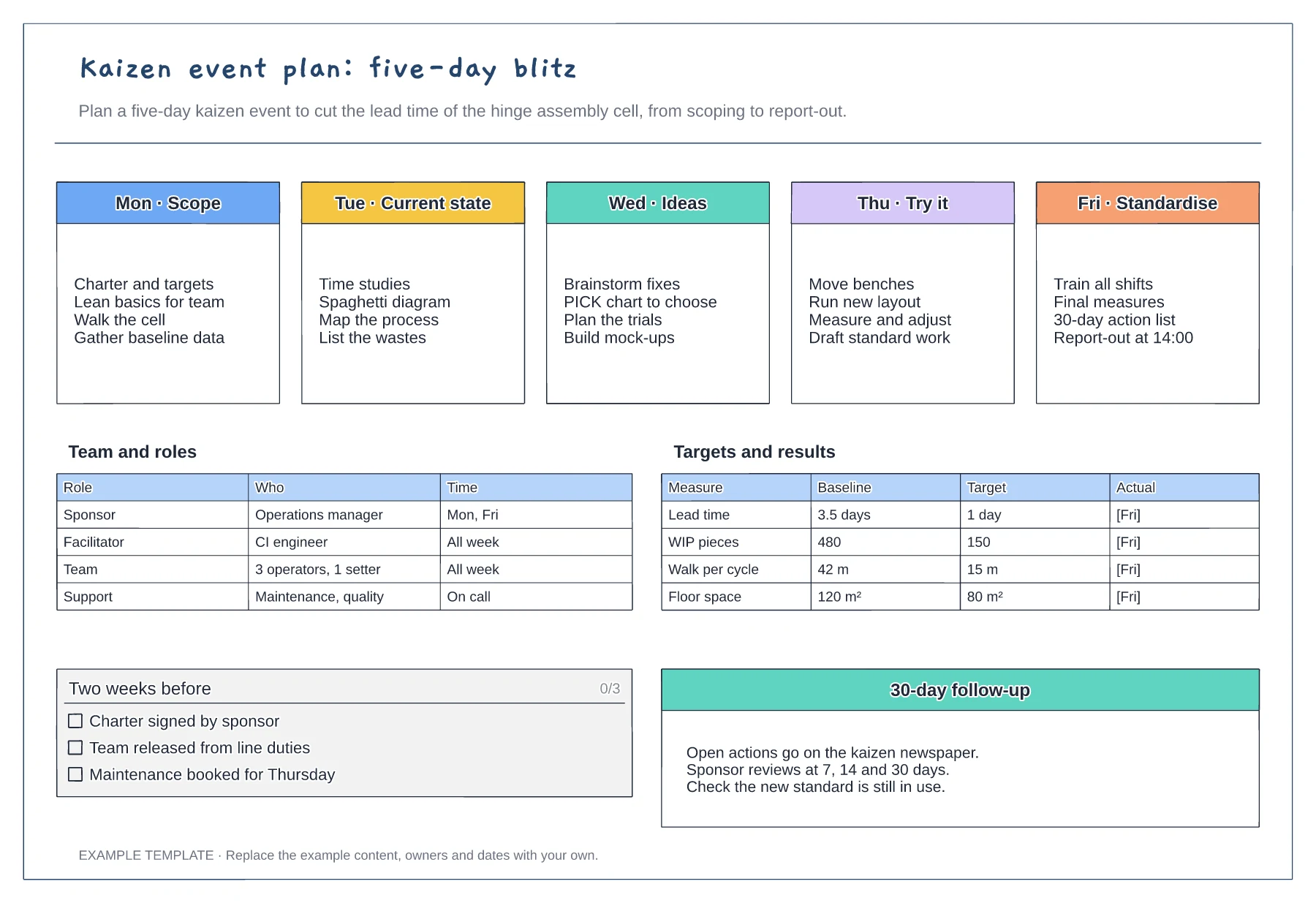
Five-day agenda from scope to standardise · Team roles and time commitment · Baseline, target and actual measures
Preview and use template →